Challenge Keeper by Trading Bite
- Experts
- Versão: 1.10
- Atualizado: 29 outubro 2026
- Ativações: 5

Challenge Keeper watches your whole prop firm account and acts before a firm rule is broken. It does not open trades. It works with manual trading and with other Expert Advisors on the same account.
How it works
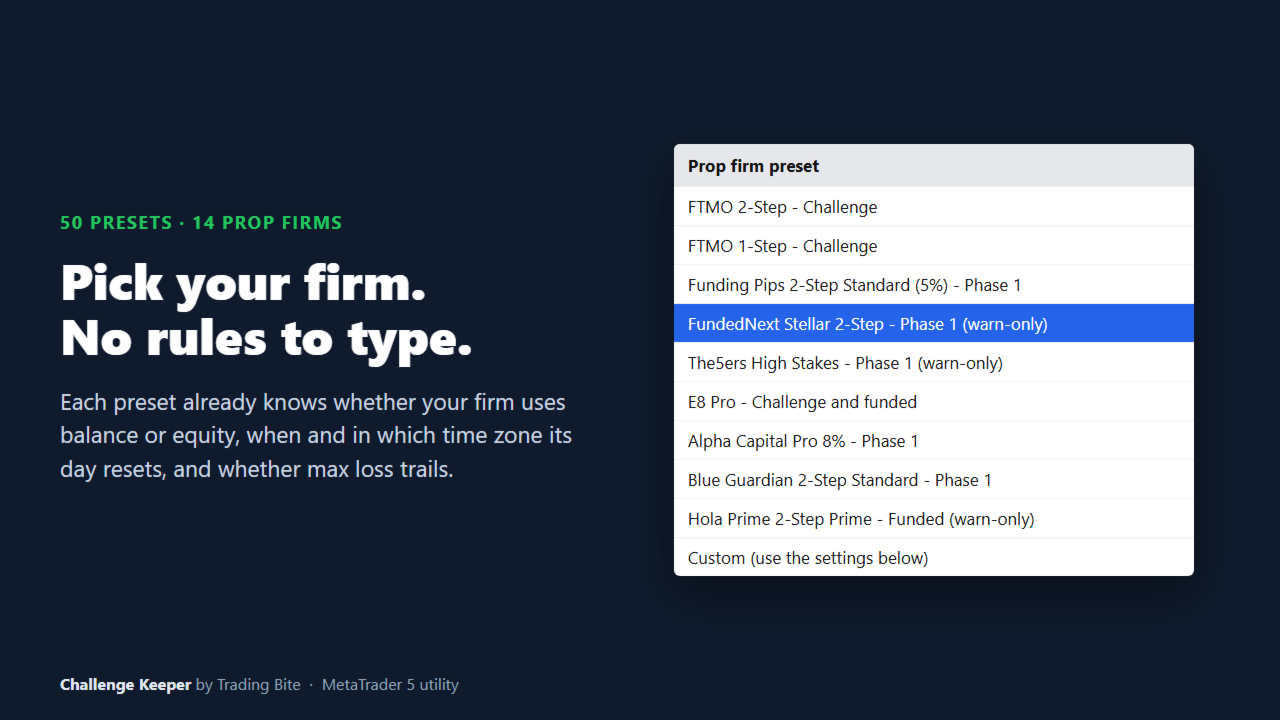
Choose your firm and your phase from a list, and enter your starting balance. Each preset already contains how that firm measures its limits: from balance or equity, from the start of the day or from the start of the challenge, and the time and time zone at which its trading day resets.
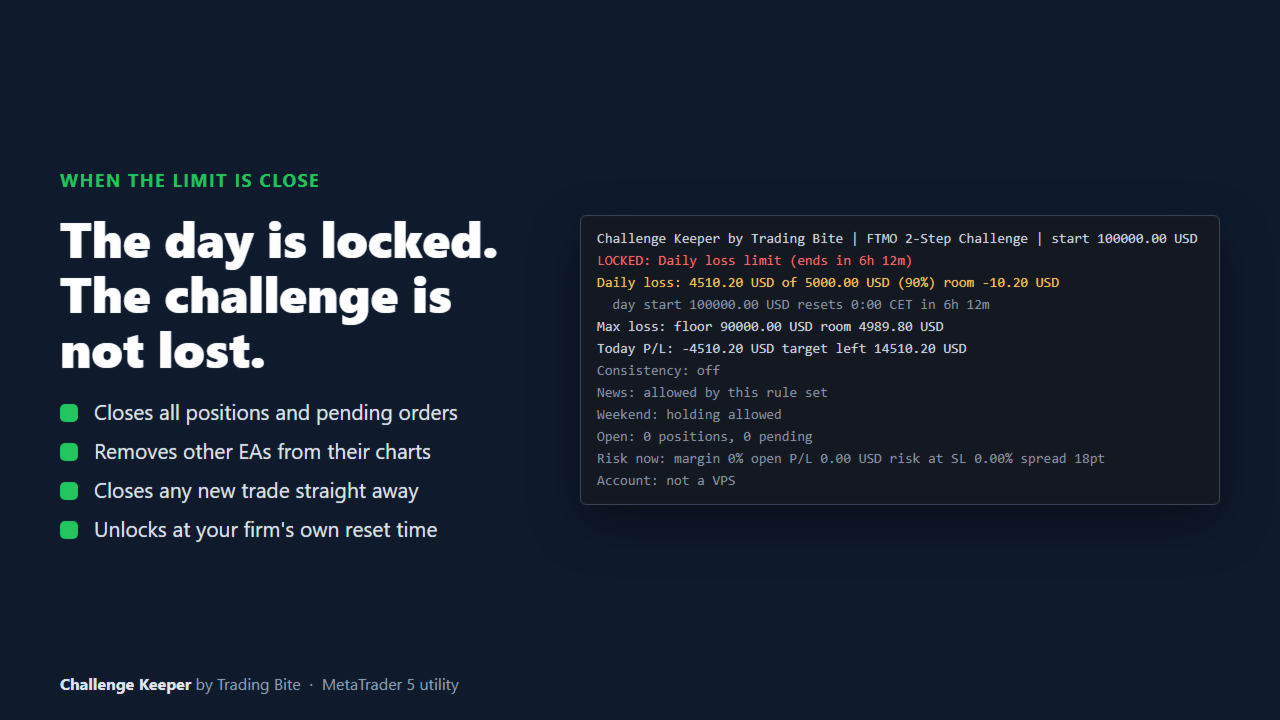
The program checks the account on every tick. When equity comes close to a limit, it closes the open positions, deletes pending orders and blocks new trades until the firm's next trading day. You choose how far before the limit it acts. The default is 0.5% of the starting balance.
Two modes
Protect mode closes and reduces positions for you.
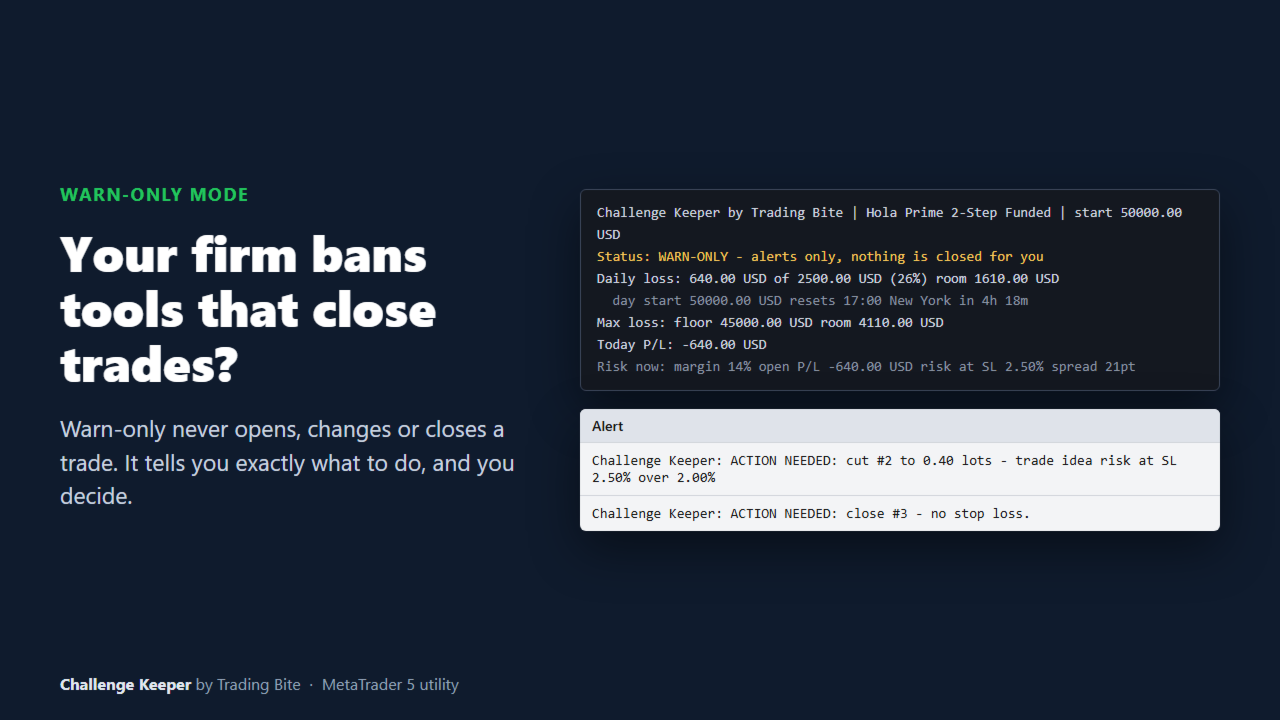
Warn-only mode never opens, changes or closes a trade. It shows on the chart and in alerts what to do, for example "cut position 123 to 0.20 lots" or "close all trades now". Use it at firms that do not allow tools that change trades.
What it checks
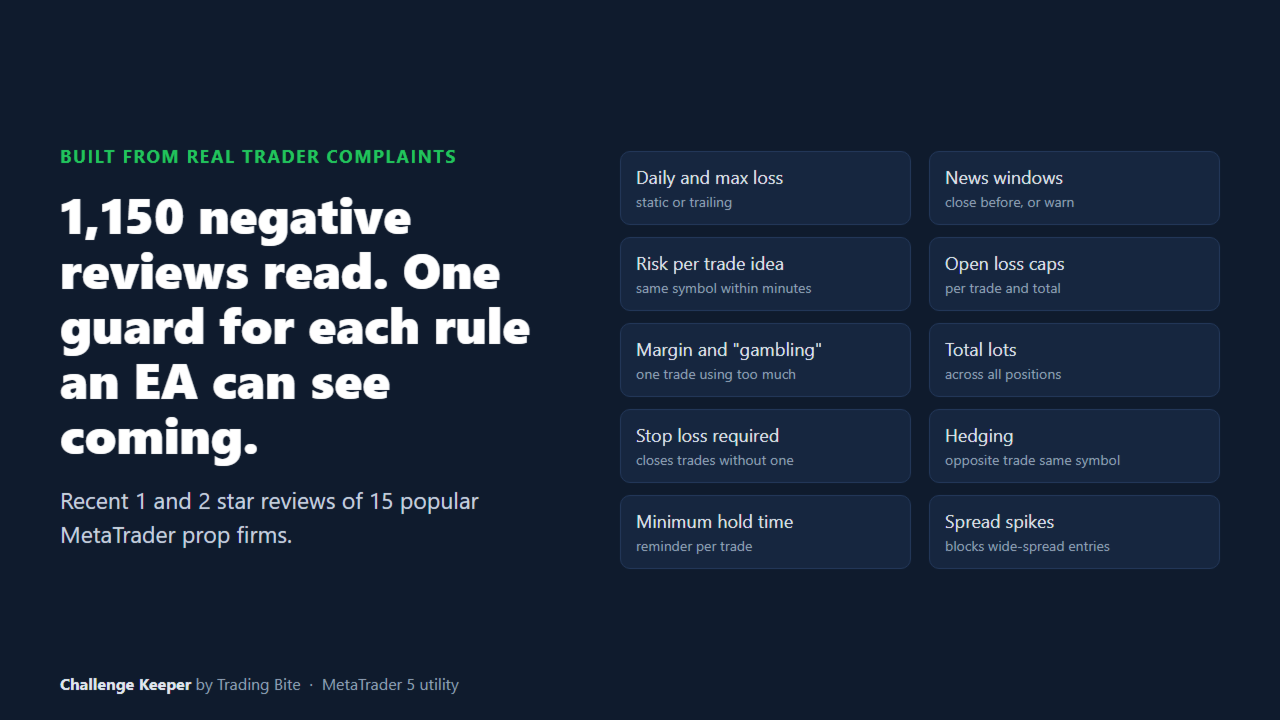
- Daily loss limit, measured the way your firm measures it
- Maximum loss: static, or trailing on equity, closed balance or end-of-day balance
- Profit target and daily profit cap
- High-impact news from the MetaTrader economic calendar
- Weekend and daily market break (optional close at a time you set)
- Risk per trade idea and total risk at stop loss
- Open loss limits per position and for all positions
- Margin limits: total, and for a single position
- Lot limits per position and in total, and maximum number of positions
- Positions without a stop loss, opposite positions on the same symbol, and entries during a wide spread
- Minimum holding time reminder, consistency rule, personal daily limit, inactivity reminder and VPS warning
The commission to close a position is included in the loss checks.
Presets
50 presets for 14 prop firms.
Protect mode: FTMO 2-Step and 1-Step, Blue Guardian 2-Step Standard, E8 Pro and E8 One, BrightFunded Bright and Classic, Funding Pips 2-Step Standard and Pro, Alpha Capital Pro 8% and One 10%, Fintokei ProTrader.
Warn-only: FundedNext Stellar 2-Step and 1-Step, The5ers High Stakes, Maven 2-Step and 1-Step, Hola Prime 2-Step and 1-Step Prime, GOAT 2-Step and 1-Step, Top One 2-Step PRO v2 and 1-Step FLASH, For Traders FAST.
Custom: set every rule yourself for any other prop firm on MetaTrader 5.
Presets were built from each firm's published rules and are reviewed regularly. Firms can change their rules at any time, so please check your own account terms. If your firm offered different limits when you bought the account, use Custom.
On-chart panel and alerts
The panel shows daily loss used and room left, the maximum loss level, today's profit, distance to target, the next high-impact news, margin used, open risk and the spread. Alerts and push notifications are sent at a warning level you choose and every time a limit is reached.
Try it in the Strategy Tester
In the Strategy Tester only, the program places small sample trades so you can watch it work: the panel, the daily lock, the reset at the firm's new day and the target lock. Use visual mode and a volatile symbol such as gold. This never happens on a live or demo trading account, and you can switch it off with "Strategy Tester demo".
Main inputs
- Warn-only: alerts only, never changes trades
- Prop firm preset: your firm and phase, or Custom
- Challenge starting balance: 0 detects it from the account
- Daily loss and Max loss groups: used when the preset is Custom
- Act this % of initial balance before a limit: the safety margin (default 0.5)
- Close before high-impact news even if the firm allows news
- Daily break and weekend close times (server time)
- Trade limits: lots, positions, risk per trade idea, open risk, open loss, margin, stop loss required, hedging, spread
- Personal daily loss limit and inactivity reminder
- Alerts, push notifications, warning level and panel position
- Strategy Tester demo: sample trades in the tester only
Please read before use
Some prop firms restrict Expert Advisors, including tools that only manage risk or only show alerts. Each preset shows the firm's own note when it starts. Ask your firm if you are unsure.
A single price jump larger than your safety margin, for example at a market reopen or during major news, can pass a limit before any program can act. Keep position size reasonable and use the news and daily-break options.
A program cannot stop you from opening a trade. When trading is locked, a new trade is closed straight away, which costs its spread.
Attach it to one chart only. It protects the whole account from that chart. Attach it before you start trading for the day; if it is attached later, the day's starting equity is estimated.
Setup
Attach the program to any chart and allow algorithmic trading. Choose your firm and phase in "Prop firm preset". Enter your challenge starting balance, or leave 0 to detect it. Set the safety margin.