SX Fair Value Gap
- Indicadores
-
Nikolett Gorjanacz Toth
 SizerX – risk and trade management tools for MetaTrader 5.
Built by a trader, for traders: position sizing, trade management, pyramiding and prop firm protection in one clean panel. Every feature is tested on live and Strategy Tester charts before release. - Versão: 1.1
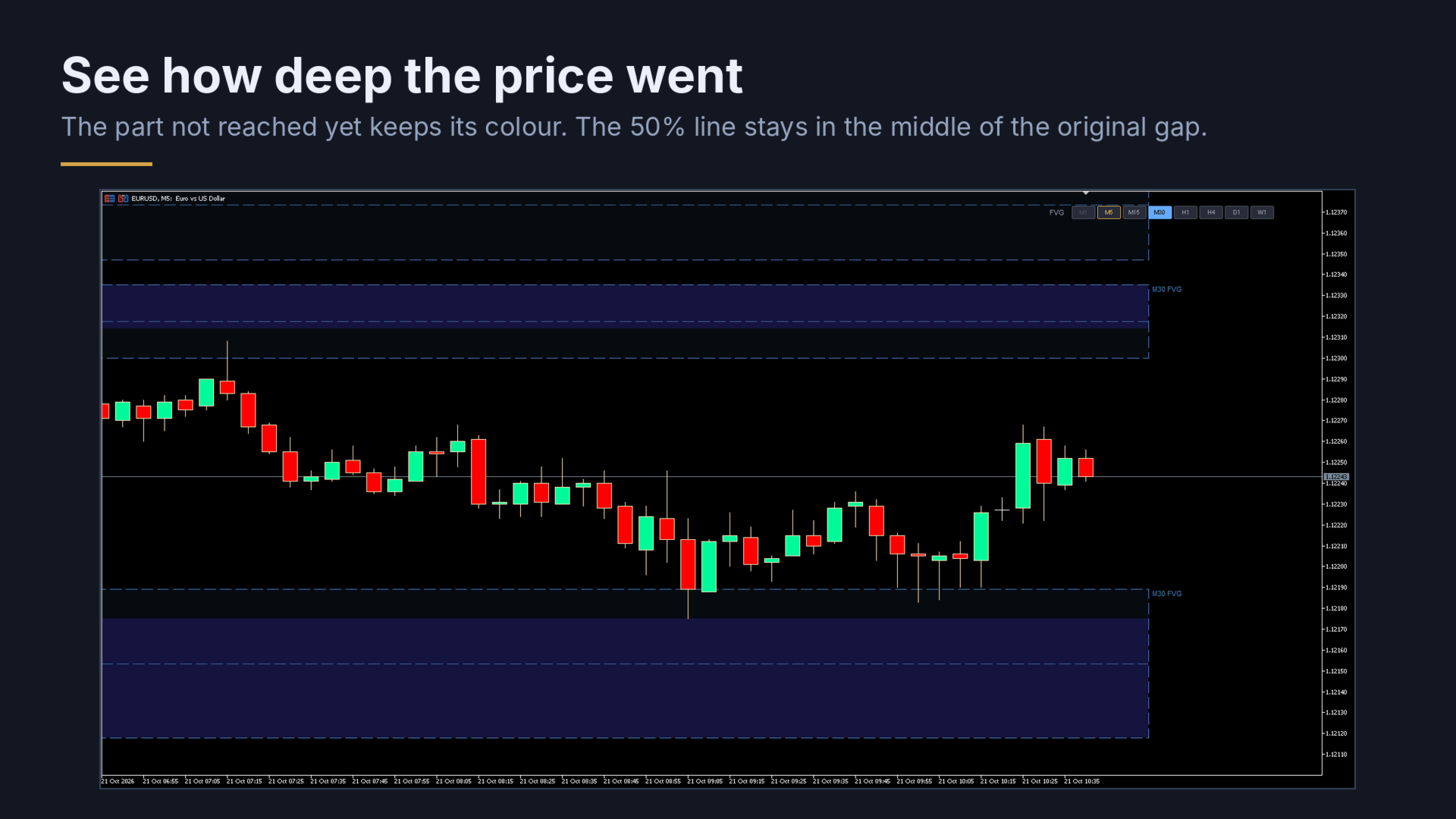
SX Fair Value Gap (SX FVG) marks fair value gaps on your chart with the classic 3-candle rule, and shows the gaps of higher timeframes on the same chart with one click. Each gap shows how far the price has already gone into it, so you can see at a glance which gaps are still untouched.
What you get:
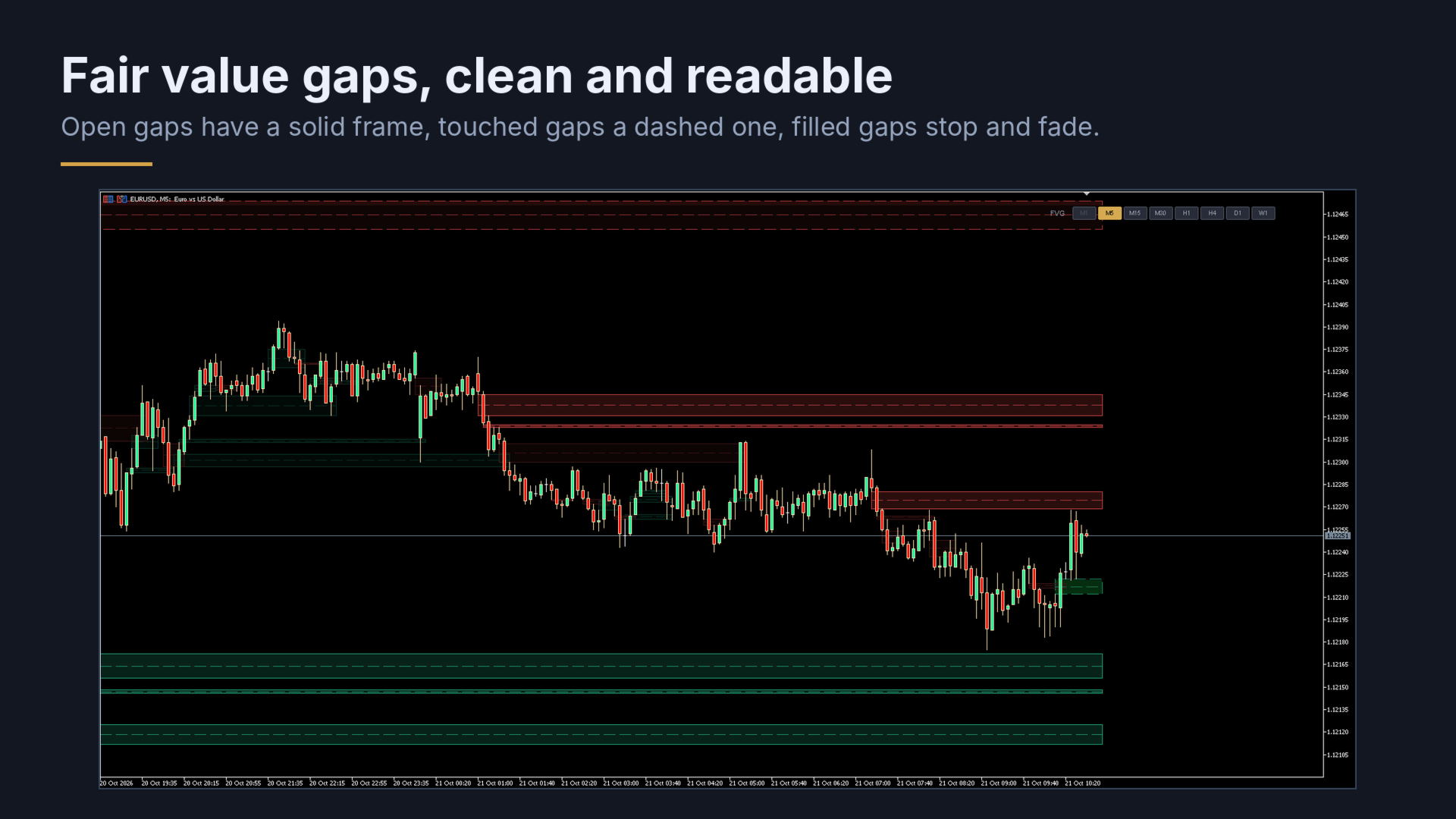
- Bullish and bearish fair value gaps of the chart timeframe, from the first candle of the pattern to the candle that fills them
- A dashed 50% line in the middle of each gap. It always stays in the middle of the original gap, also after the price has gone into it.
- Three clear states: an open gap has a solid frame; a touched gap has a dashed frame, and the part the price has not reached yet keeps its full colour; a filled gap stops at the candle that filled it and fades
- A gap only counts as filled when the price has gone through the whole gap
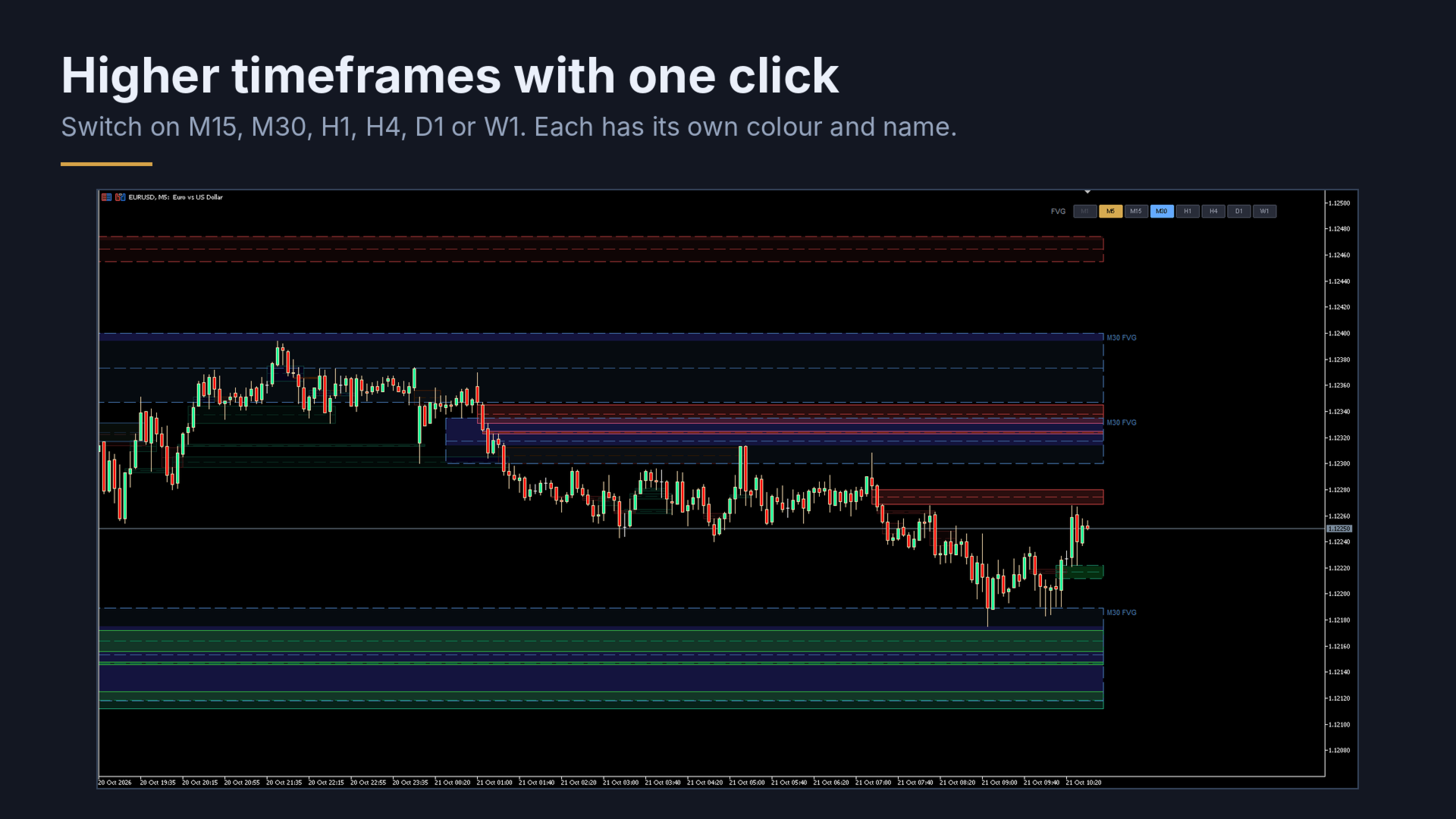
- Timeframe buttons on the chart: switch on the gaps of M15, M30, H1, H4, D1 or W1 with one click. Each timeframe has its own colour, and its gaps are named at their right end (“H1 FVG”), so the names never cover the candles.
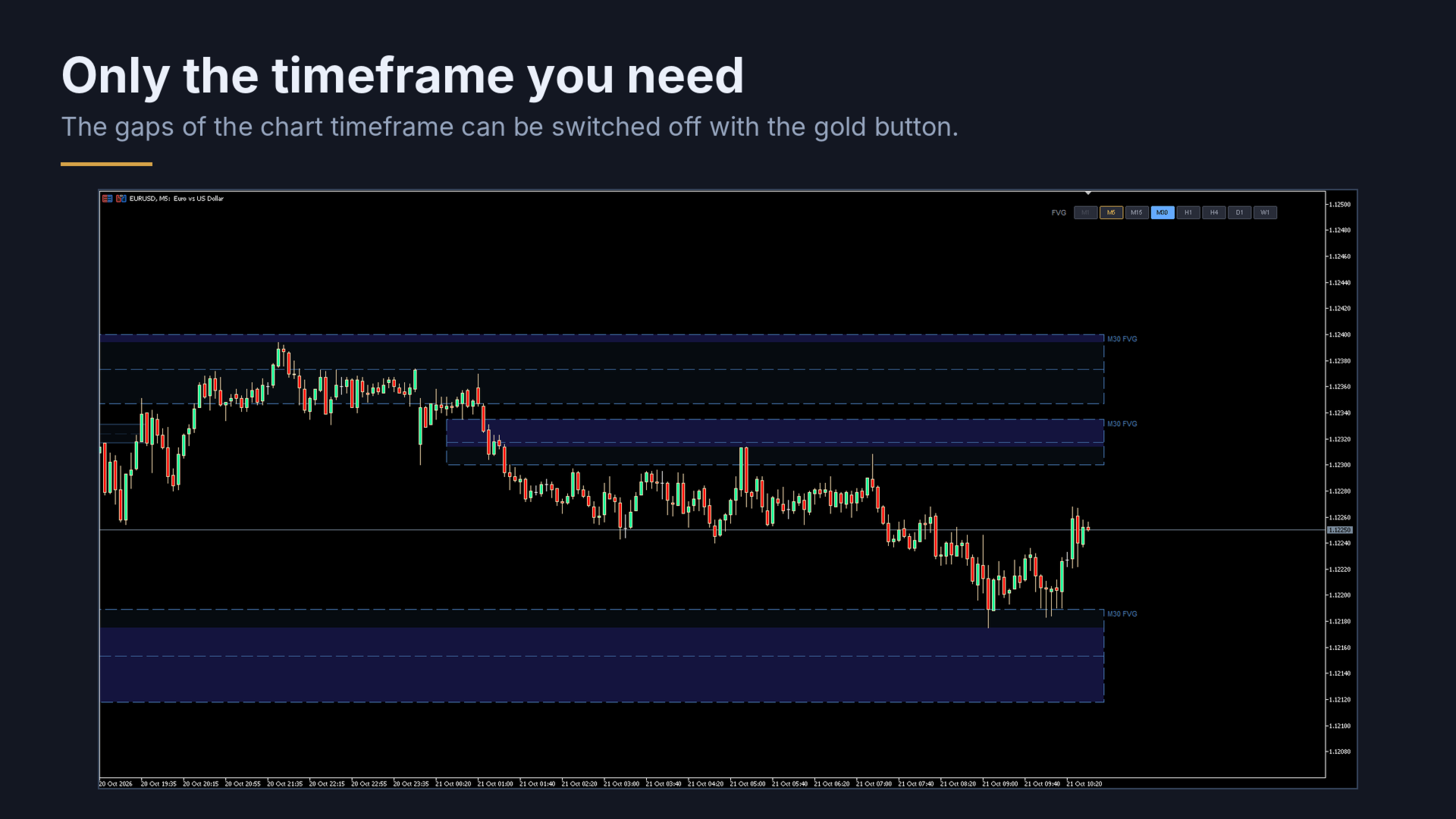
- The gaps of the chart timeframe can be switched off with the gold button, to see only the higher timeframe
- Optional alert and phone notification when the price enters an open gap
- Works on dark and light charts and on high-resolution screens
How to use it:
- Attach SX Fair Value Gap (SX FVG) to a chart. The gaps of the chart timeframe appear right away.
- Click a higher timeframe button to add its gaps. Click it again to hide them.
- Click the gold button of the chart timeframe to hide or show its own gaps.
Good to know:
- A gap is drawn when its third candle has closed, so a gap never disappears afterwards.
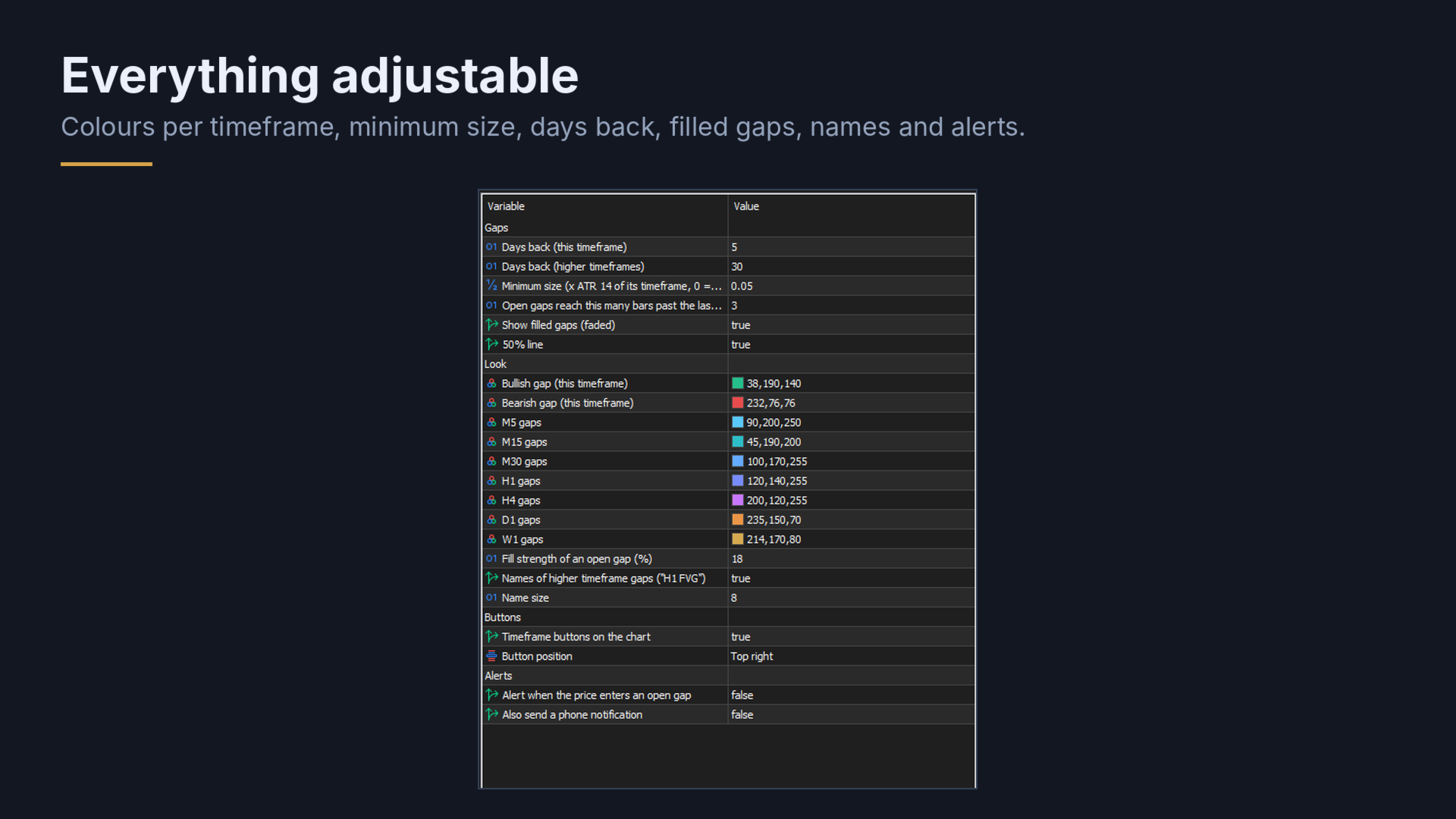
- Very small gaps (below 5% of the ATR of their timeframe) are left out. Set the minimum size to 0 to see every gap.
- The buttons you switch on are remembered for each chart, also after a timeframe change or a restart. Timeframes lower than the chart timeframe cannot be switched on.
- By default the chart timeframe is shown 5 days back and higher timeframes 30 days back.
- Alerts only work while the terminal is running.
Inputs: days back for the chart timeframe and for higher timeframes, minimum size, how far open gaps reach past the last candle, filled gaps on or off, 50% line, colours for each timeframe, fill strength, names and their size, button position, alerts.
SX Fair Value Gap (SX FVG) only draws on the chart. It does not open, modify or close trades.