Orderblock Setup
- Indicadores
- Versão: 1.0

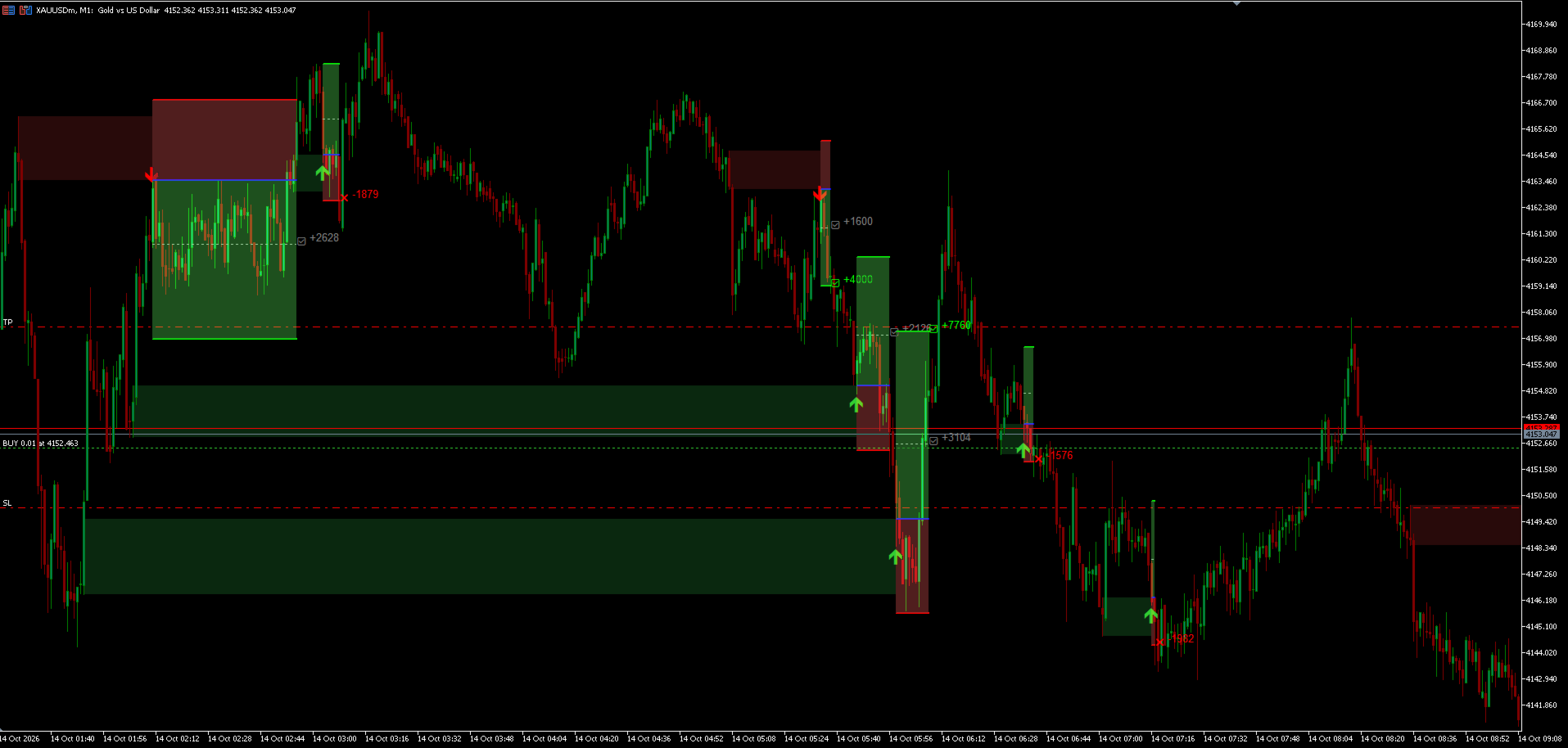
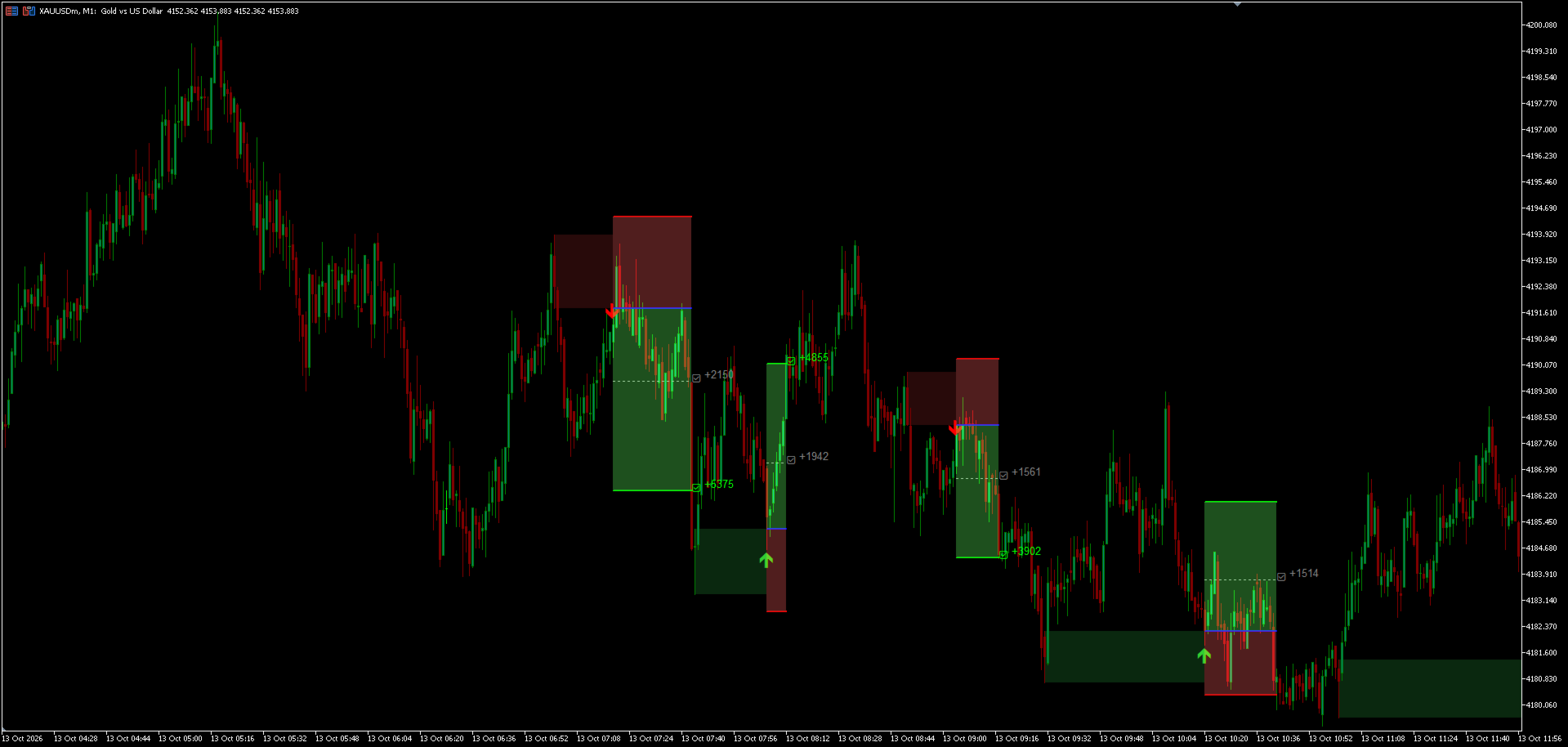
Orderblock Setup is a purely technical indicator designed to identify, refine, and manage Order Block zones dynamically. It focuses on detecting structural sweeps paired with Fair Value Gaps (FVG) and automatically projects visual trade parameters (Entry, SL, and TP levels) directly on the chart once a valid zone is mitigated.
Core Mechanics:
-
Strict Validation: Identifies Order Blocks strictly using a 3-bar sweep pattern combined with FVG confirmation.
-
Dynamic Zone Refinement: Filters and adjusts the Order Block width based on historical average bar ranges and a minimum ATR threshold to ignore low-volatility zones.
-
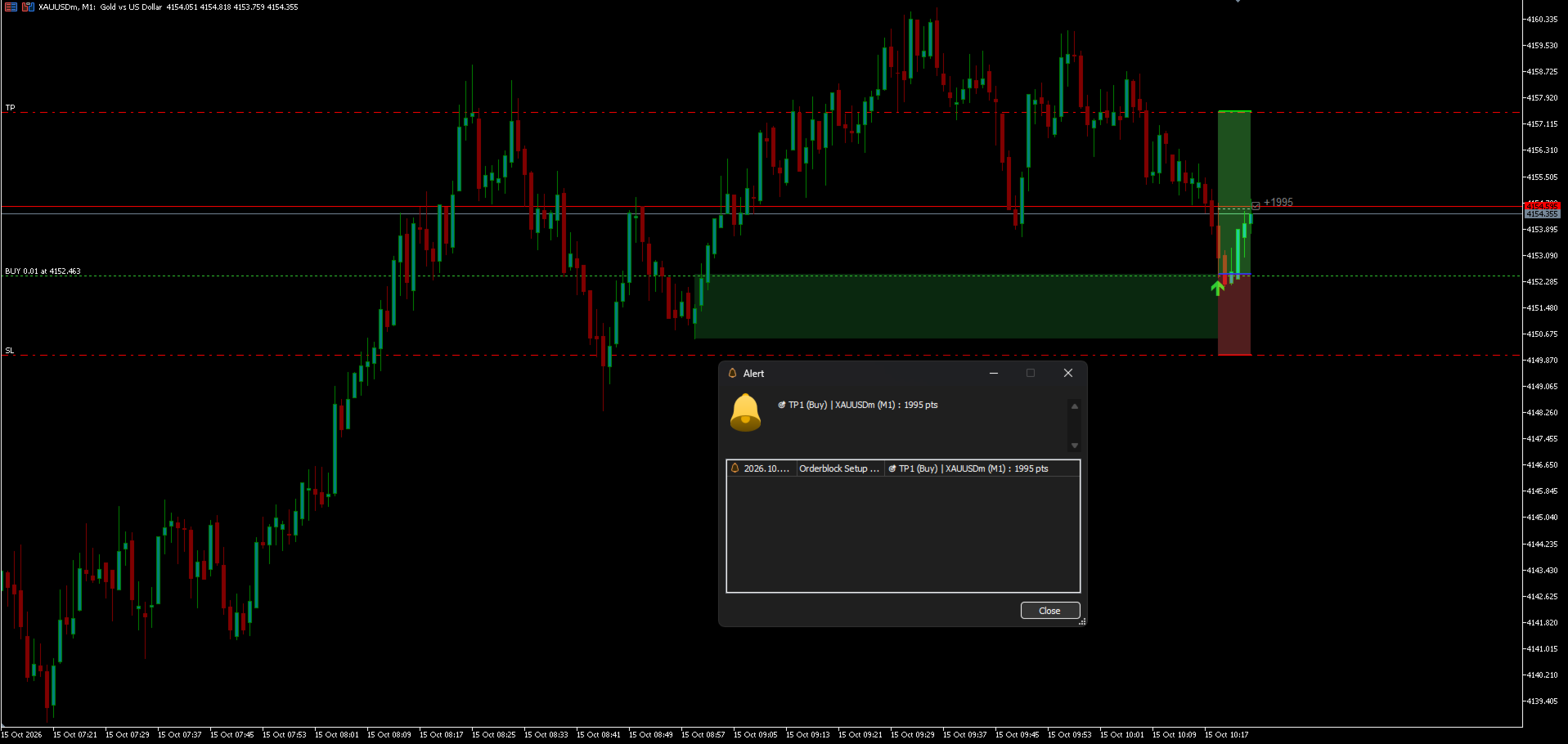
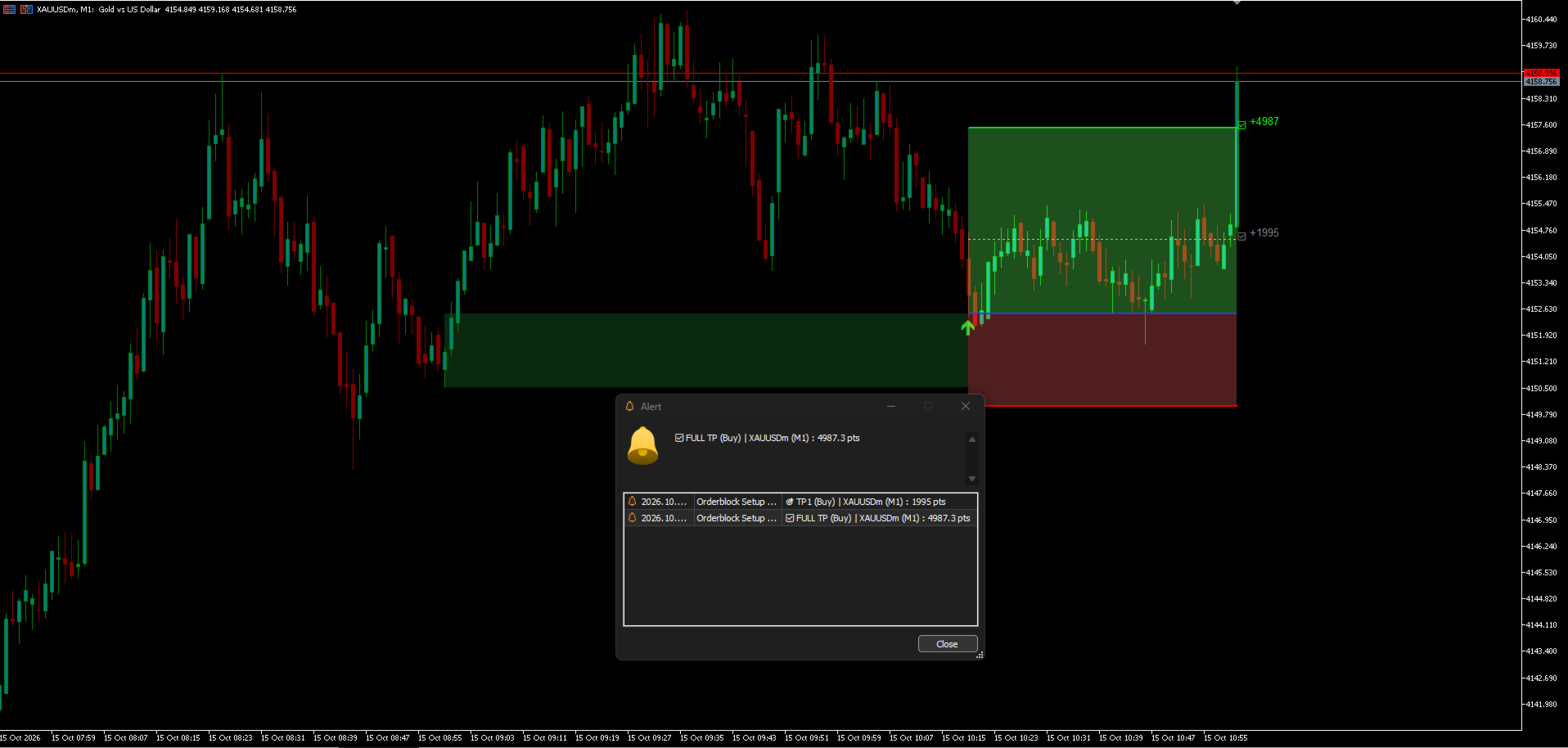
Visual Trade Projection: Upon OB touch, the indicator draws the projected trade setup on the chart, including:
-
Entry line.
-
Stop Loss line with a customizable buffer fraction.
-
Take Profit 1 (Targeted at 1x OB width).
-
Take Profit 2 (Based on a customizable max TP ratio).
-
-
Comprehensive Alerts: Built-in Terminal pop-ups and Push Notifications for Entry triggers, Stop Loss hits, TP1 partial targets, and Full TP completions.
Key Parameters:
-
Min ATR & Avg Bars: Define the volatility required to accept an Order Block.
-
Target Multiplier: The minimum distance price must move away from the OB to confirm its validity.
-
SL Buffer Mult: Add fractional breathing room to your Stop Loss.
-
Skip OB in Trade: Prevents chart clutter and conflicting signals by ignoring new Order Blocks that overlap with an active trade's range.
-
Performance Limits: Control the maximum number of history bars, displayed OBs, and active trades to maintain terminal performance.