ATR Levels MTF EA
- Experts
-
Dragan Joksimovic
 MQL4 / MQL5 Expert Advisor and Indicator Developer
I develop and test Expert Advisors, indicators and trading utilities for MetaTrader 4 and MetaTrader 5 based on clearly defined trading rules.
My work includes:
• Expert Advisors for MT4 and MT5
• Custom indicators - Versão: 1.1
- Ativações: 5
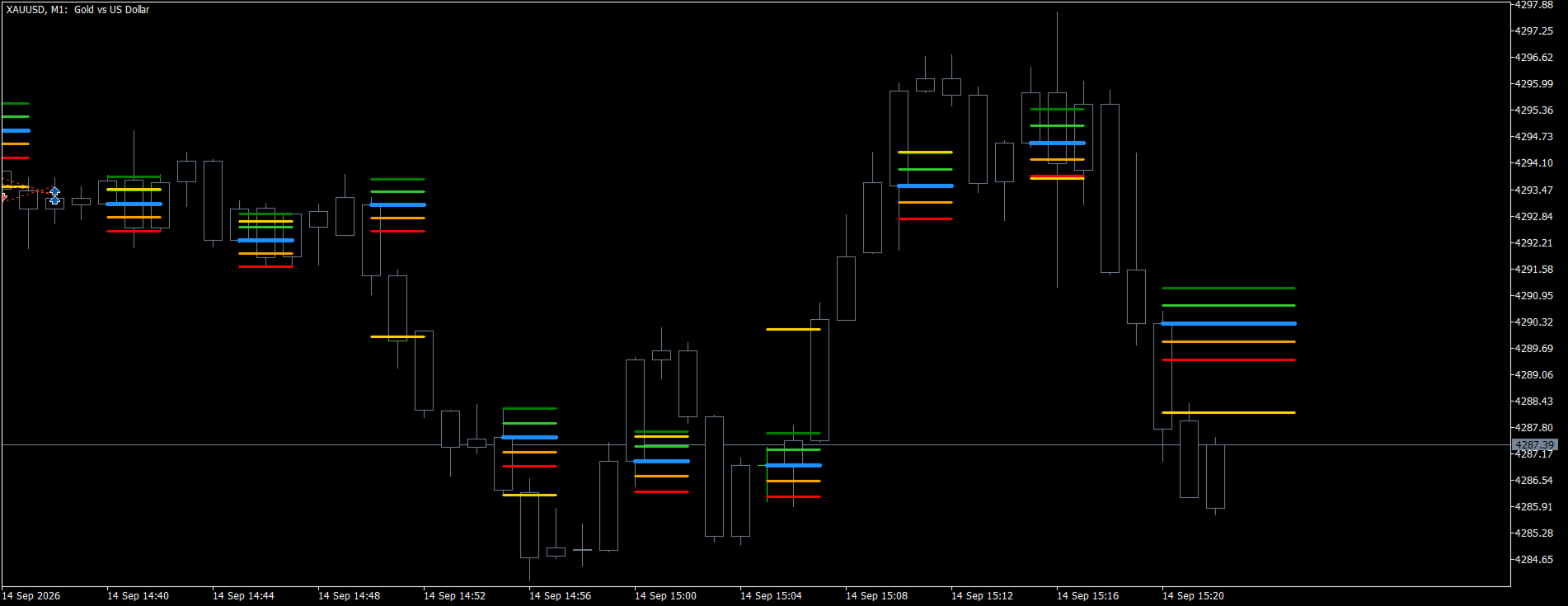
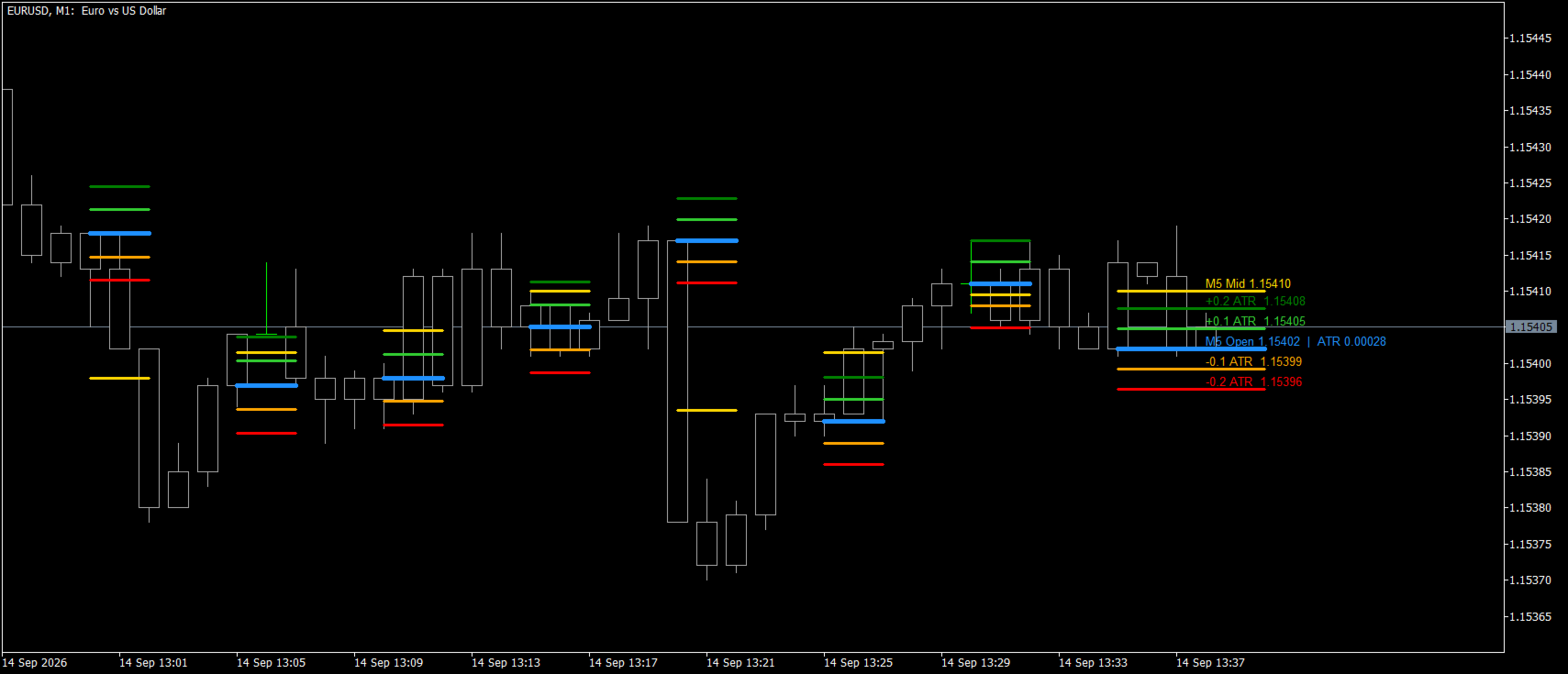
**ATR Levels MTF EA** trades the volatility levels of a higher-timeframe candle. At the open of every candle of the selected box timeframe the EA fixes the candle open and four ATR levels around it — two above and two below, at adjustable multiples of the ATR — exactly as the ATR Levels MTF indicator draws them. The levels are known the moment the candle opens and do not change until it closes, so every entry and exit can be checked on the chart afterwards. No grid, no martingale, no averaging against the trend.
**How it trades**
- Base entry: the middle (High + Low) / 2 of the box candle crosses the first ATR level — above the upper level the EA buys, below the lower level it sells. The middle of a candle can only travel that far when the candle has already moved well beyond its open, so the entry is taken in the direction of a strong, confirmed move.
- Add-on: if the middle then crosses the second ATR level in the same direction, a second position is added — optional, with its own lot.
- Exit: the middle of the lower-timeframe candle crosses the middle of the current box candle — for a buy that is the lower middle falling below the box middle, for a sell rising above it. All positions of the EA are closed together. The open of the candle or the first ATR level can be used as the exit level instead.
- The trigger can be switched to the middle of the lower-timeframe candle for earlier entries; the exit rule stays the same.
- Per box candle: one base entry and one add-on per direction, never more. An opposite base signal can close the open positions and reverse, and the positions can be closed automatically when the box candle ends.
**Key features**
- Multi-timeframe by design: the box timeframe and the lower timeframe are inputs, so the EA works the same on any chart timeframe — attach it to one chart per symbol.
- Levels calculated inside the EA (same rules as the ATR Levels MTF indicator), no indicator file needed; the current levels and the exit line are drawn on the chart and shown in the info panel.
- Optional stop loss (fixed distance, multiple of the ATR, or the open of the box candle), optional take profit (fixed distance, multiple of the ATR, or the second ATR level), optional trailing stop.
- Fixed lot or risk percent of the balance per trade. Every order is checked against the free margin before it is sent — the lot is reduced to what the account allows, or the entry is skipped — and the stops are checked against the broker's stop level.
- Works on netting and hedging accounts. After a restart the EA recognizes its own positions and the entries already made in the current candle, so nothing is duplicated.
- Spread filter, ECN mode (open first, then set the stops), no DLL, no external files.
**What you can adjust**
Box timeframe, lower timeframe, ATR period and the two multipliers; which middle triggers the entry; buy and sell separately; add-on on the second level and its lot; exit level; close on the opposite signal and at the end of the candle; stop loss, take profit and trailing stop; lot sizing; deviation, magic number, order comment, ECN mode; info panel, drawing and colors.
**Recommendations**
- Run the EA in the Strategy Tester (every tick based on real ticks) and find the box timeframe, lower timeframe and multipliers that suit your symbol: smaller multipliers or the lower-timeframe trigger give more frequent entries, larger multipliers reserve the entries for big candles.
- Typical combinations: an H1 box with an M5 exit on forex majors and gold, an H4 box with an M15 exit on indices, a D1 box with an H1 exit for swing trades.
- The exit on the middle of the candle acts like a trailing reference that follows the candle; add a stop loss if you prefer a fixed risk per trade.
**Notes**
- The EA does not need the indicator to run; the ATR Levels MTF indicator is a separate product for chart analysis with the same levels.
- Trading involves risk. Test every setting on a demo account before using it on a live account.