SMC Forge
- Experts
-
Quang Vinh Nguyen
 👨💻 I’m a full-time trader & algorithmic system developer with 8+ years of market experience.
⚙️ Focused on building simple, reliable trading tools with disciplined risk management and long-term consistency. - Versão: 1.130
- Atualizado: 22 setembro 2026
- Ativações: 15
SMC Forge is an MT5 Smart Money Concepts EA built around three trading workflows: POI Reaction, Liquidity Sweep and FVG Retracement.
Choose the strategy, entry style and trade management to build your own execution workflow.
SMC Forge is not designed to promise quick profits. Its purpose is to help you build a more structured and disciplined trading process that can support more sustainable results over time. When combined with sound risk management and a trading method that fits current market conditions, it can help you focus on better-quality opportunities — but results will always depend on your strategy, settings and market environment.
The main idea is simple: give the trader more control over the workflow instead of hiding everything inside one fixed strategy.
Main Features
SMC Market Context
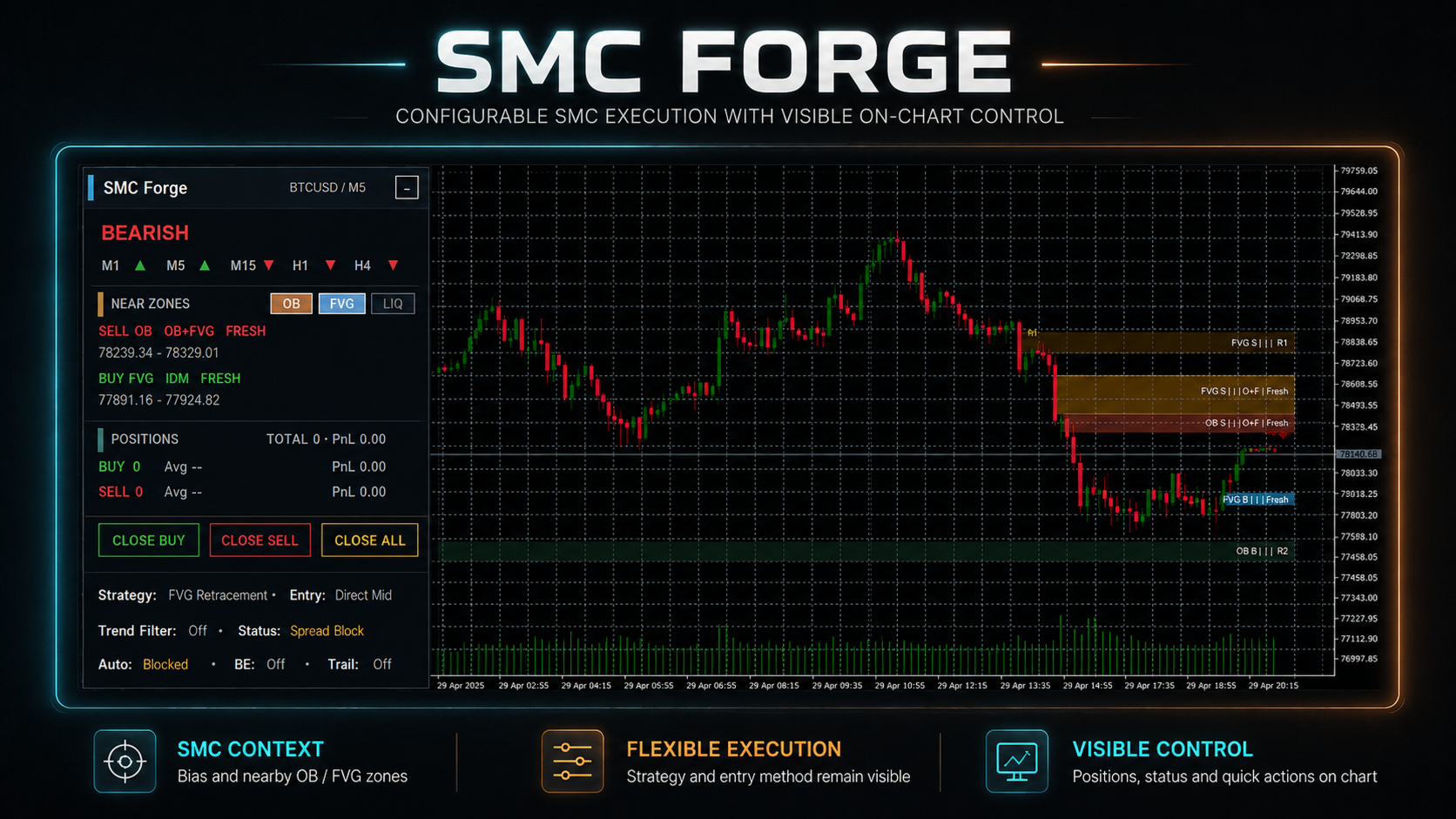
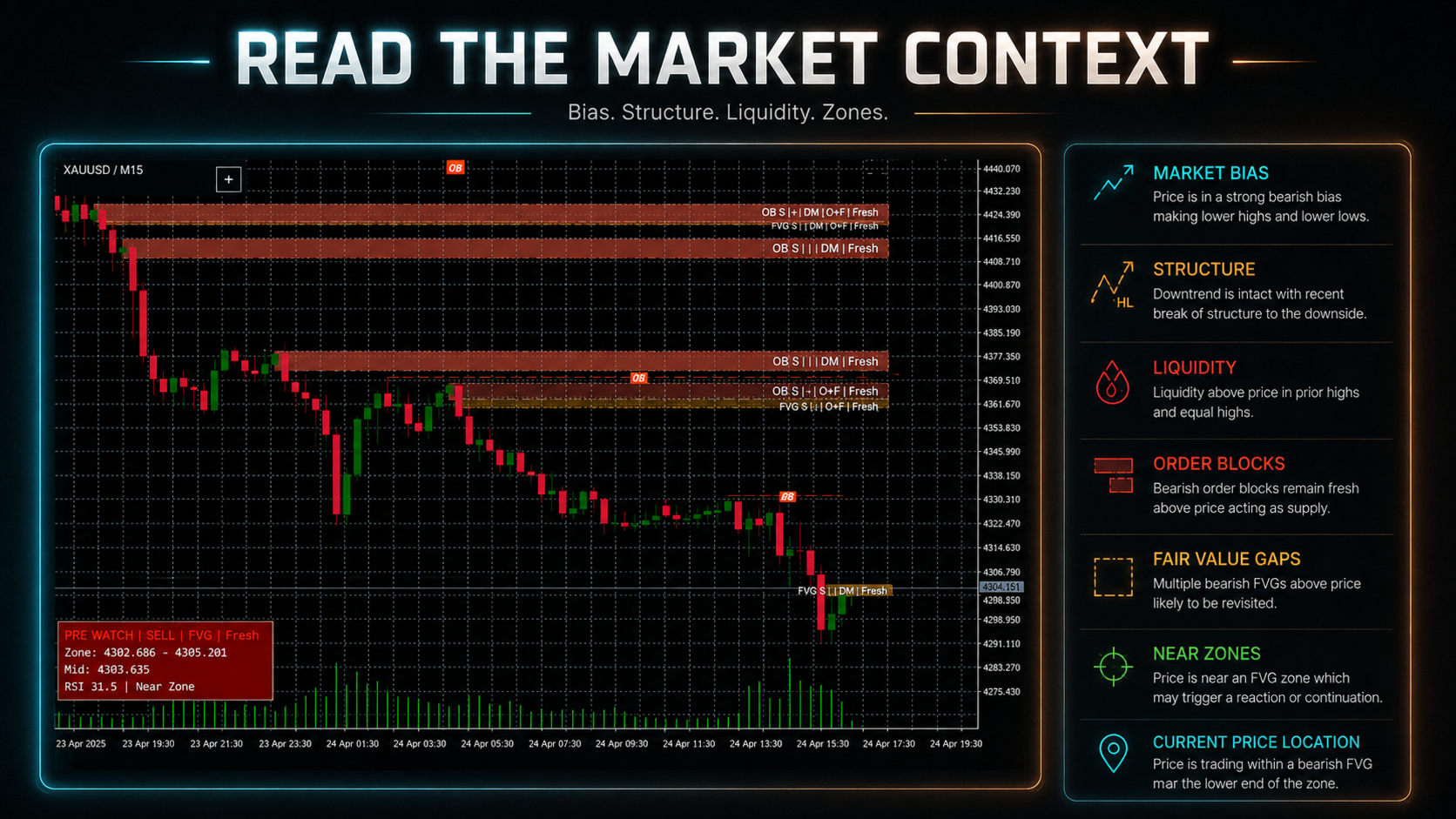
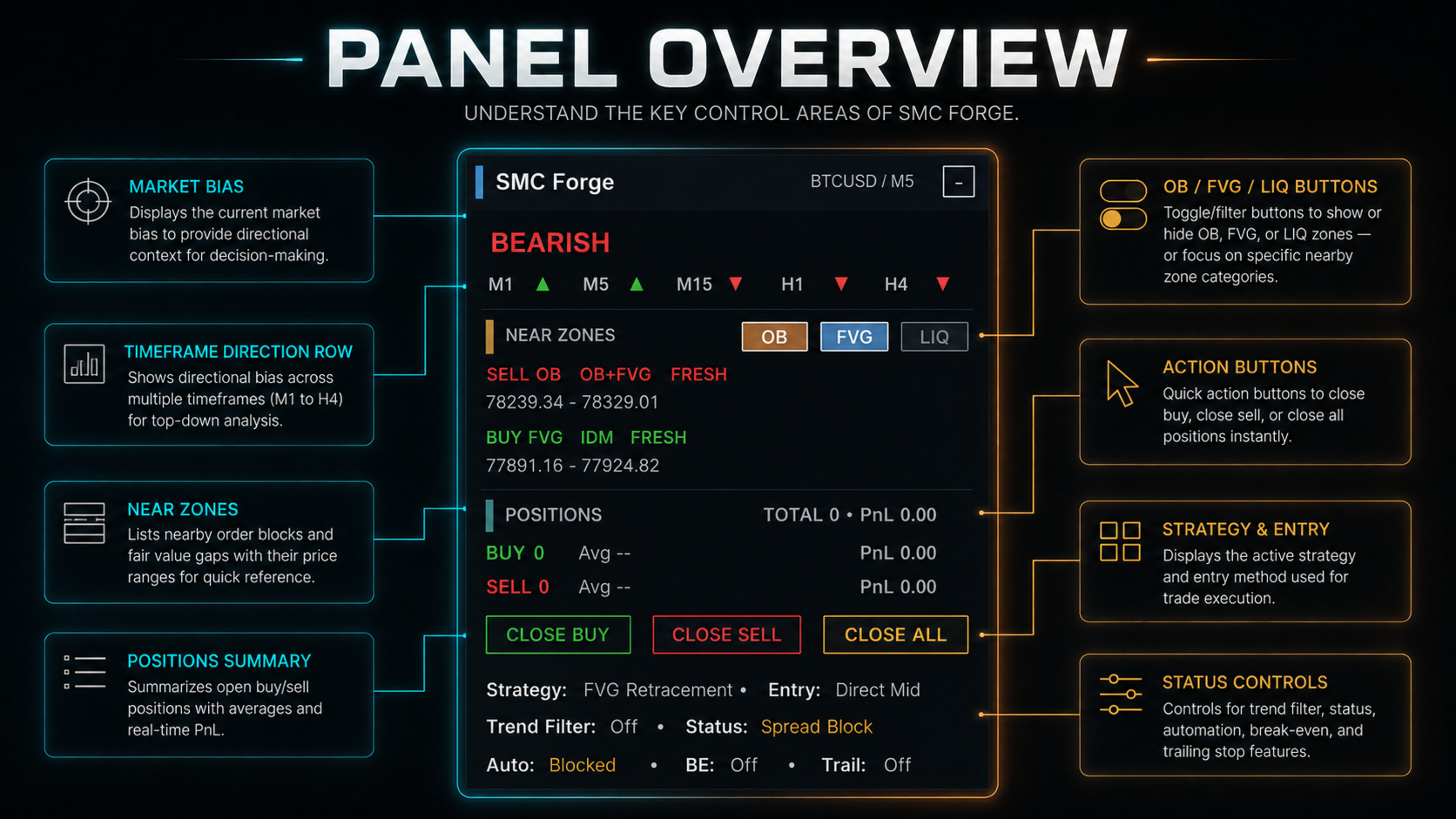
See current bias, multi-timeframe direction and nearby OB / FVG / LIQ zones directly on the chart.
This part is designed to help the EA understand where price is trading and what is nearby before looking for an entry. The goal is not to treat every OB or FVG as a signal, but to use these zones as context for the active setup.
The panel also lets you focus on OB, FVG or Liquidity zones separately when you want a cleaner chart.
Flexible Strategy & Entry
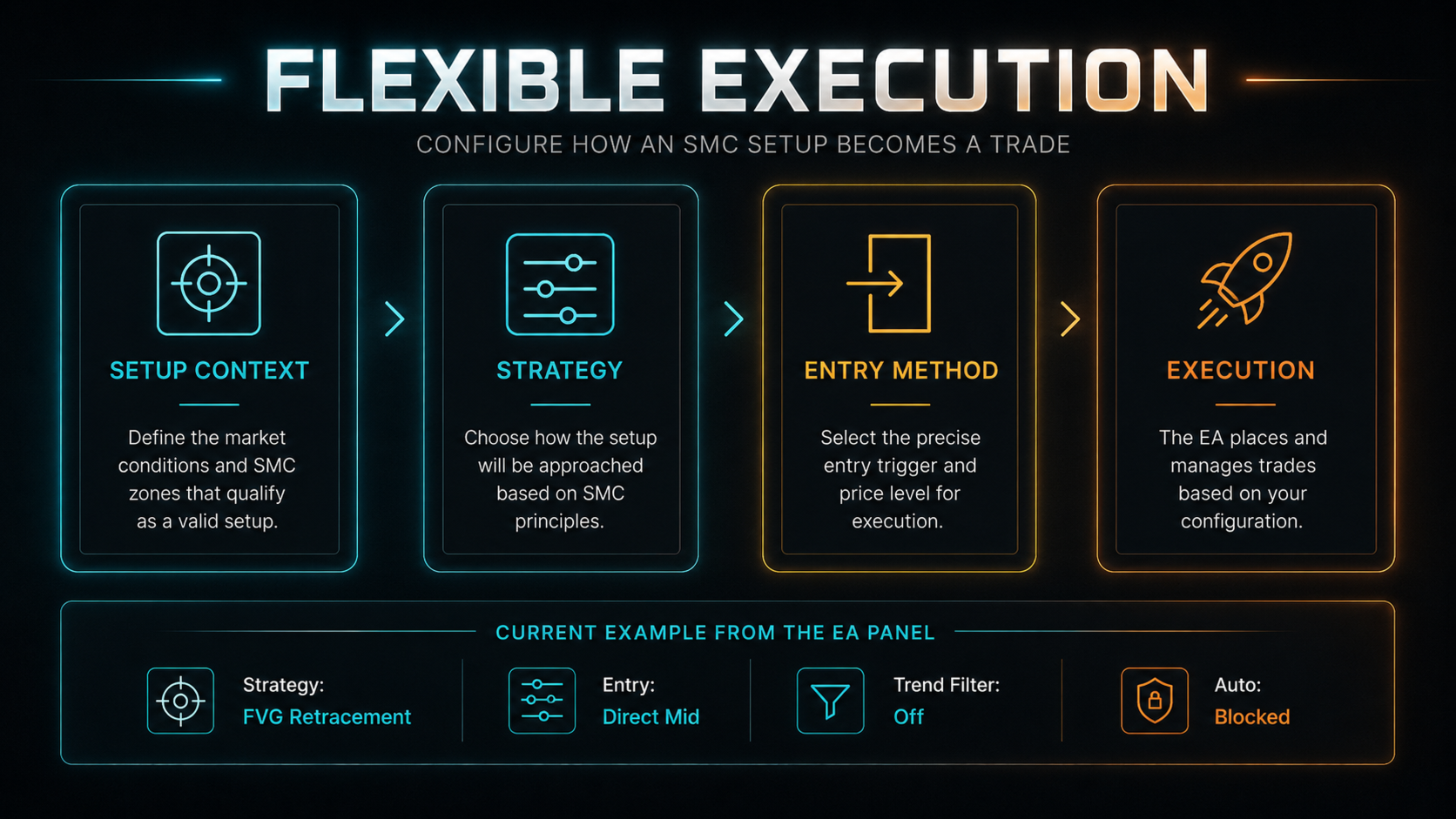
Strategy and entry logic are separated, so the same market setup can be traded in different ways.
- FVG Retracement + Direct Entry
- FVG Retracement + Confirm Entry
- Higher-timeframe setup + lower-timeframe execution
- Optional directional filtering when preferred
The strategy decides what kind of setup the EA is looking for.
The entry method decides how that valid setup becomes a trade.
This separation is important because two traders can read the same SMC zone but still prefer different ways to enter.
Entry Modes
Confirm Entry
Wait for additional confirmation before execution.
This is intended for traders who prefer to let price interact with the setup first and only enter after the required confirmation appears.
Direct Entry
Execute directly from a valid SMC zone using the selected entry method.
This is intended for traders who already consider the setup valid and prefer a more direct execution from the selected price area.
Neither mode is meant to be universally better. They simply represent different execution styles.
Multi-Timeframe Workflow
SMC Forge can separate market context from execution:
Setup TF → SMC Context → Entry TF → Execution
For example, a higher timeframe can define the relevant SMC setup while a lower timeframe handles the actual entry.
The purpose is to make top-down trading easier to automate without forcing the complete strategy onto one timeframe.
If you prefer a simpler workflow, the EA can also work directly from the Entry TF.
Trade Management
After entry, SMC Forge can continue managing the position with:
TP / SL · Break Even · Trailing · Position Control · Session & Spread Protection
The purpose is to keep entry and trade management inside the same workflow instead of depending on several separate tools.
You can automate more of the management or keep some parts simple, depending on how you normally trade.
Real-Time Panel
The panel keeps the most important information visible on the chart:
- Market Bias
- MTF Direction
- Nearby OB / FVG / LIQ zones
- Active Strategy
- Entry Method
- Open Positions
- Auto / BE / Trailing status
- Quick Close controls
The goal of the panel is visibility. Even when the EA is automated, you should still be able to see what it is currently reading and how it is configured.
Build Different Trade Combinations
SMC Forge is designed around combinations rather than one fixed preset.
A workflow can be built from:
Market Context
- Strategy
- Entry Method
- Setup / Entry TF
- Optional Filters
- Trade Management
For example:
FVG Retracement + Direct Mid + M5 Entry
will behave differently from:
FVG Retracement + Confirm Entry + H1 Setup / M5 Entry + Trend Filter
The idea is not to provide one “best” combination.
It is to give traders a framework where they can build and test combinations that better match their own SMC approach.