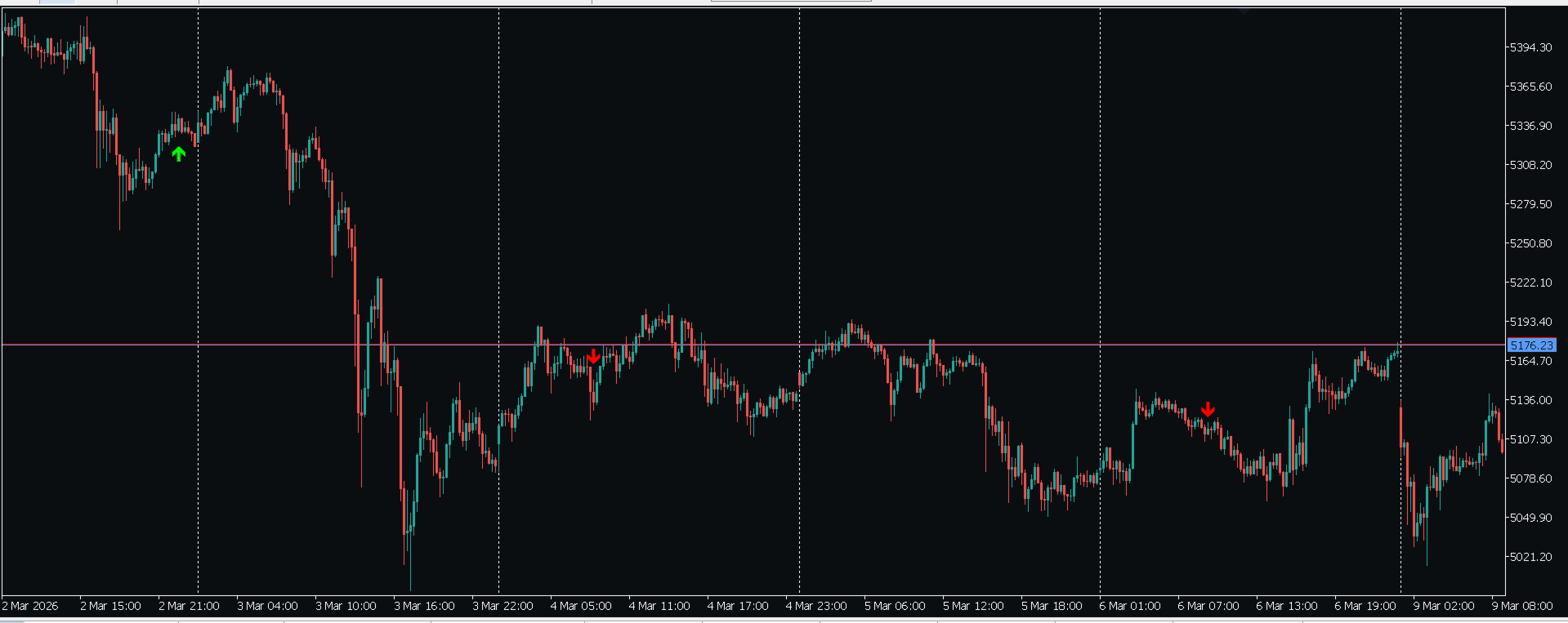
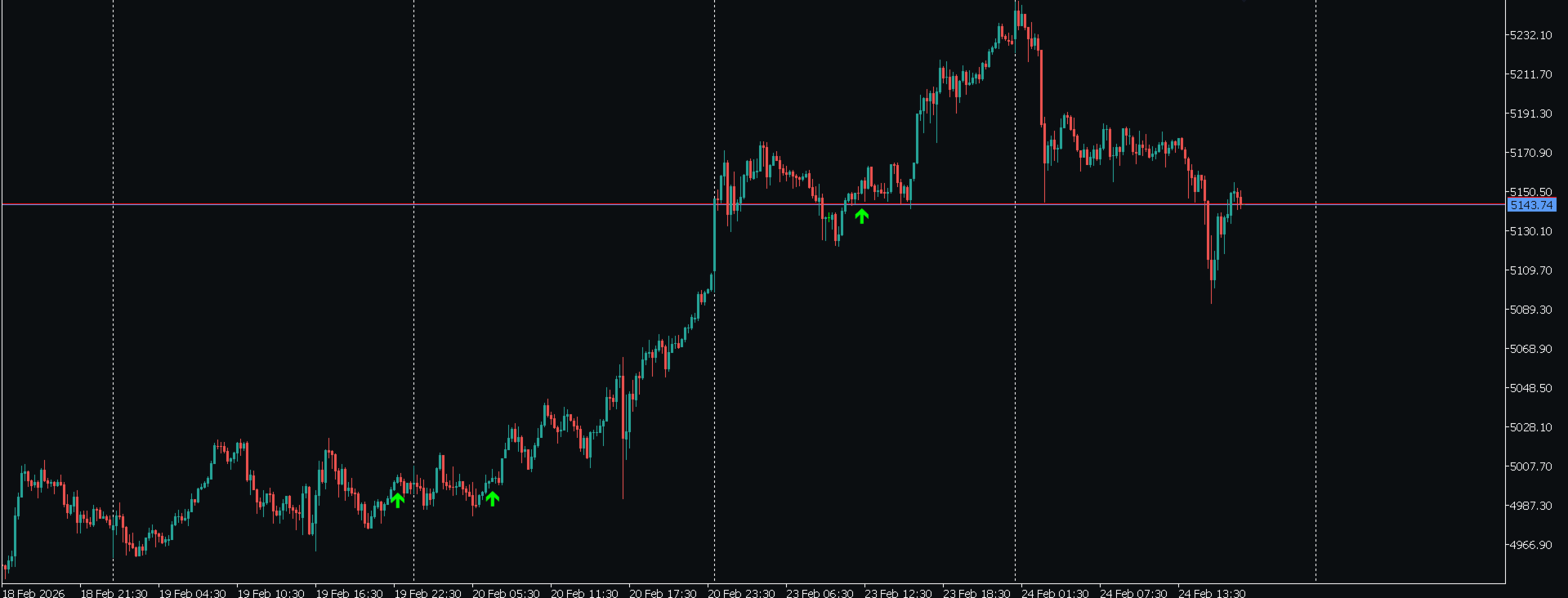
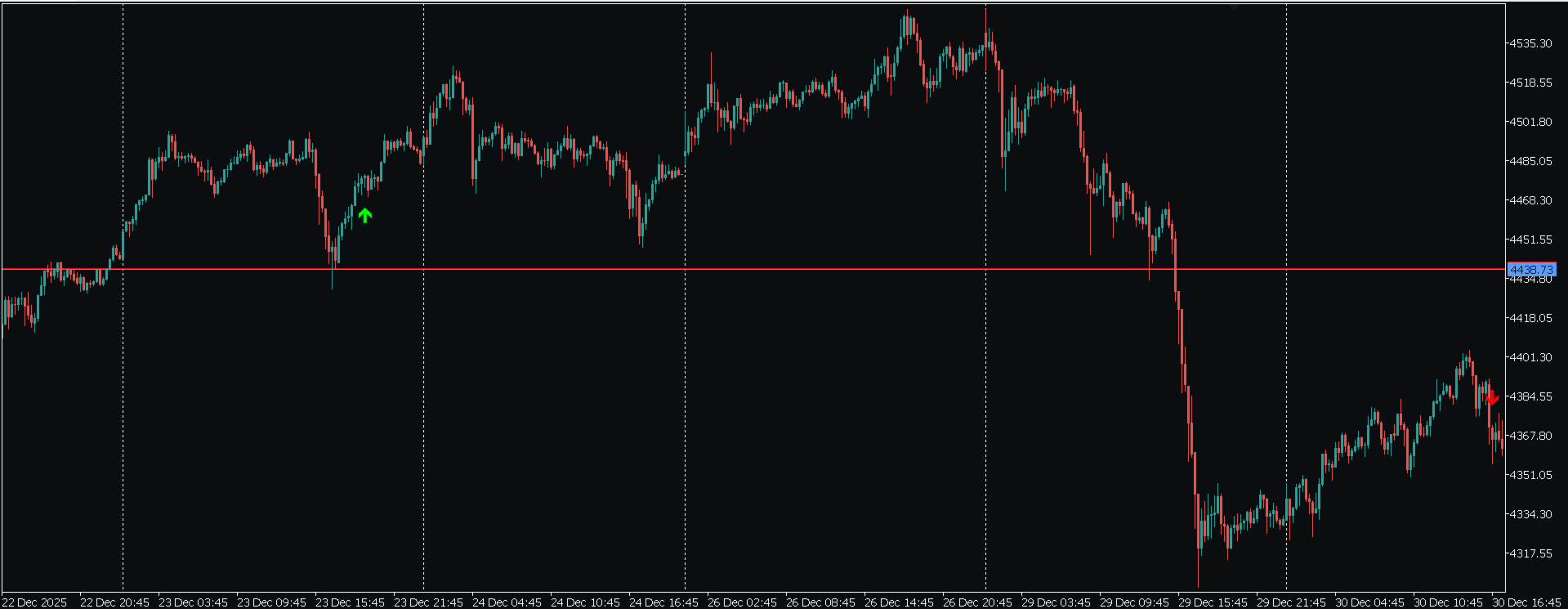
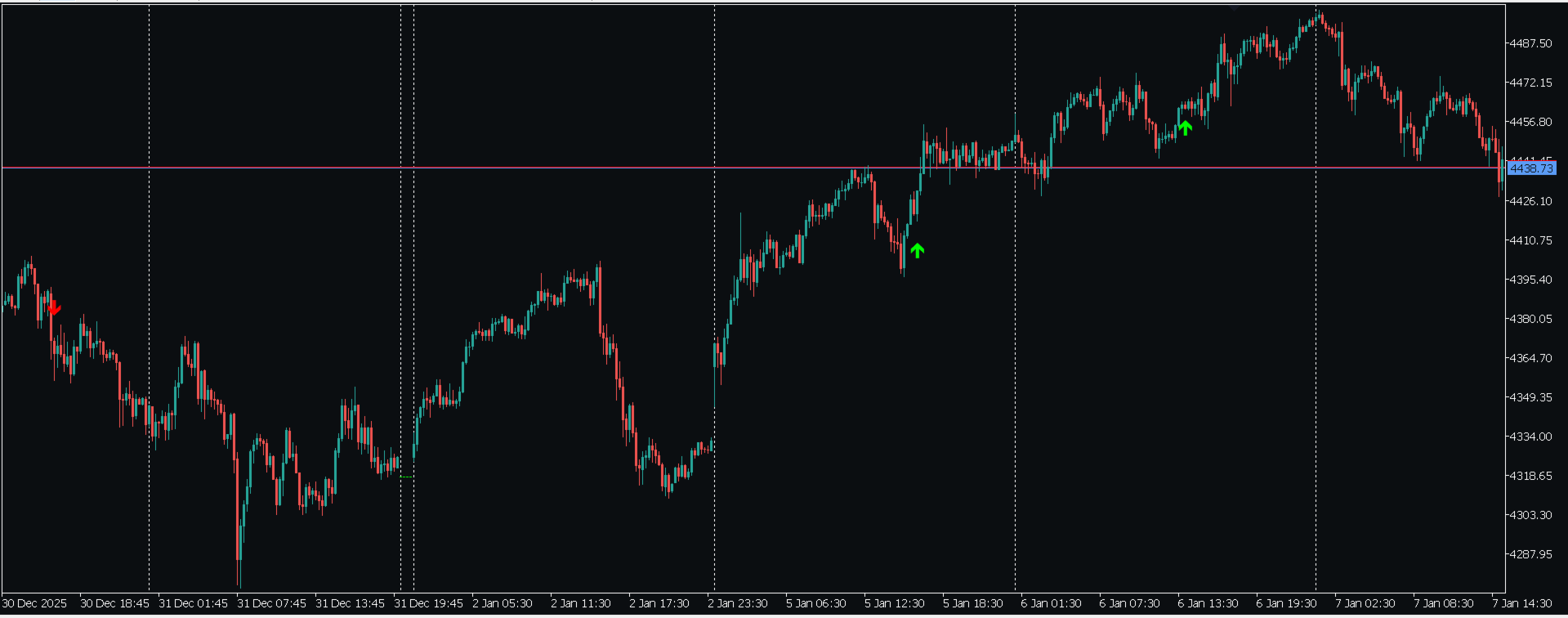
ATR MultiTF Sniper
- Indicadores
- Versão: 1.0
- Ativações: 20

ATR MultiTF Sniper — Non-Repainting Multi-Timeframe Confluence Signals
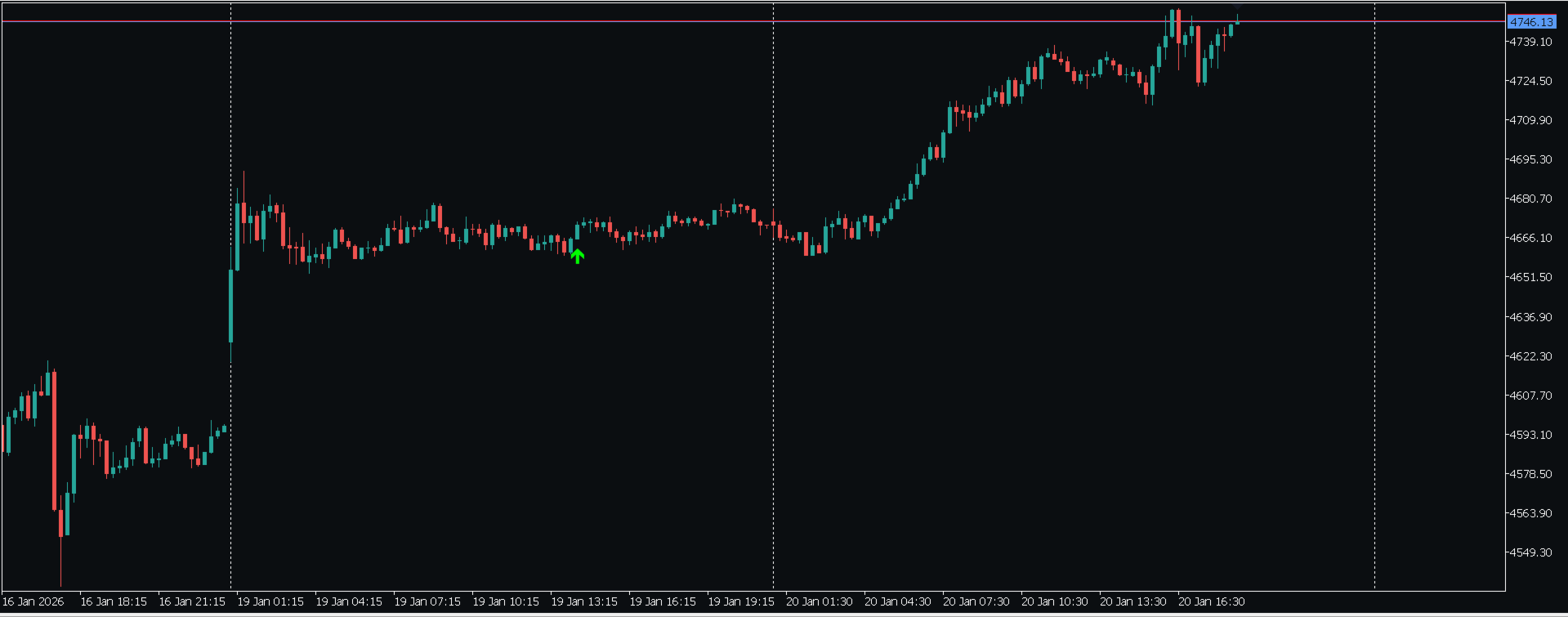
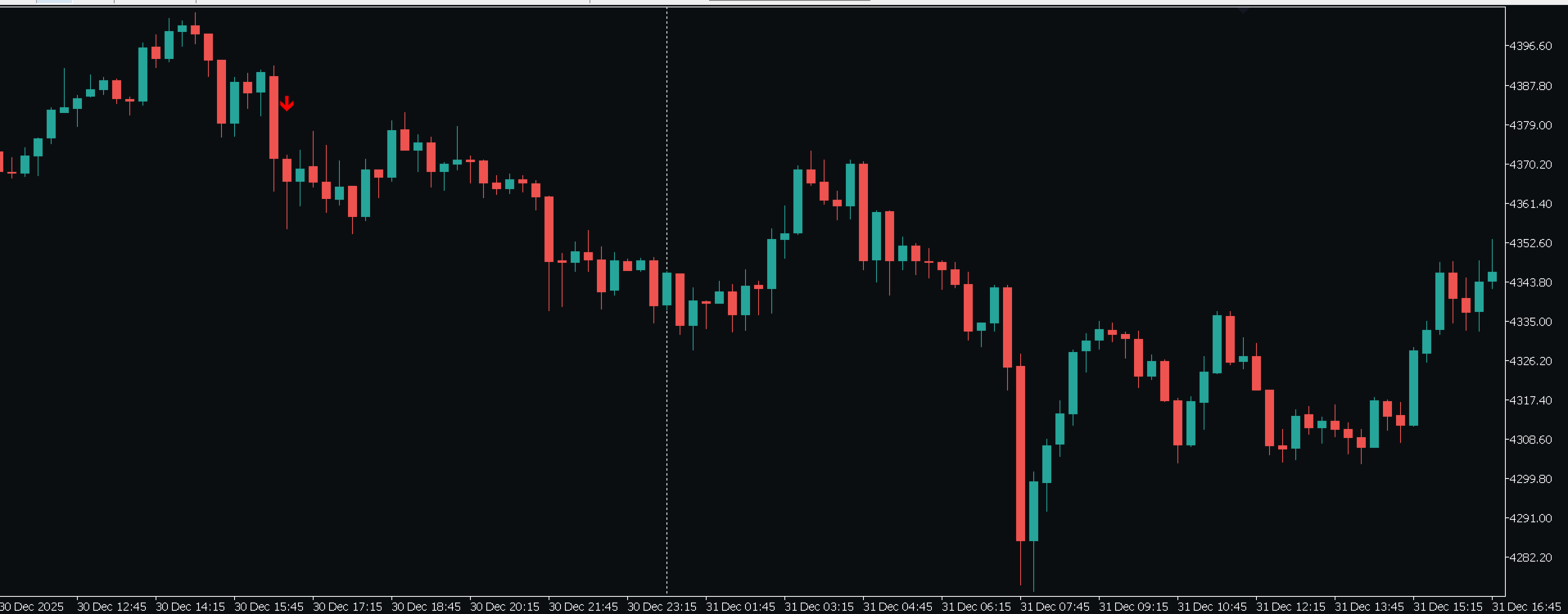
ATR MultiTF Sniper is a buy/sell signal indicator built on trend confluence across three timeframes (M15, H1 and H4 by default), combined with an ADX trend-strength filter to avoid signals during sideways markets. Every signal is calculated strictly on closed candles, so once an arrow appears, it never moves or disappears.
How it works
• EMA crossover on the base timeframe (default EMA 9/21) detects a potential shift in direction.
• Higher-timeframe confirmation: the signal is only plotted if the H4 trend (and optionally H1) matches the detected direction.
• ADX filter: if the market is ranging (ADX below the configured threshold), the signal is automatically discarded.
• ATR-based visual offset: the arrow is plotted at a distance proportional to current market volatility.
Key features
• ✅ 100% non-repainting — calculations run exclusively on closed candles, on both the base and the confirmation timeframes.
• ✅ Configurable triple confluence (base + 2 higher timeframes, both adjustable).
• ✅ Built-in ADX trend filter with adjustable threshold.
• ✅ Full alert system: popup, mobile push notification, and sound alert.
• ✅ On-chart auto-warning if history data is missing for any timeframe, with clear instructions to fix it.
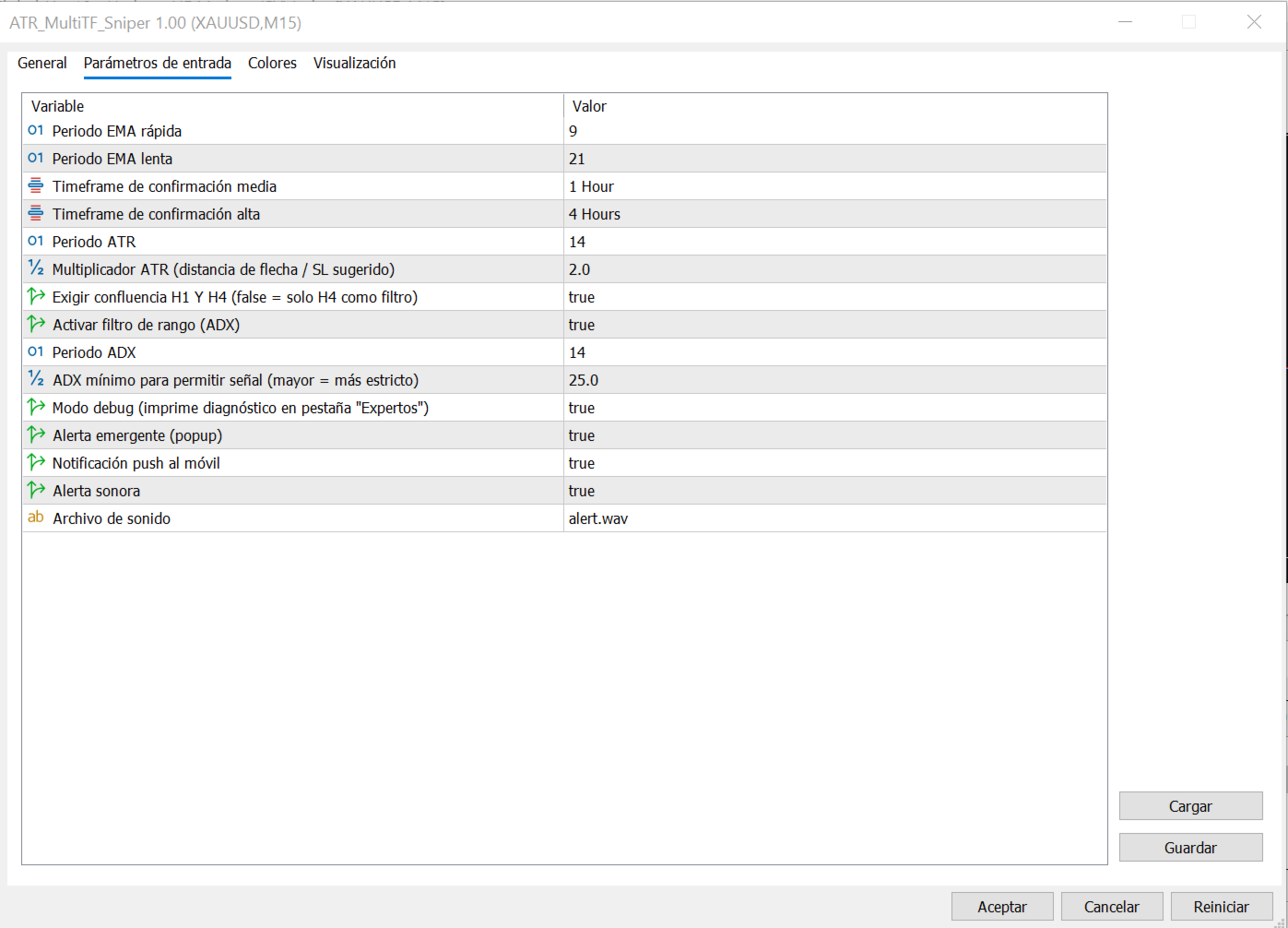
• ✅ Fully customizable: EMA, ATR and ADX periods, confirmation timeframes, and confluence mode (strict or relaxed).
• ✅ Works on any symbol and base timeframe.
Configurable parameters
| Parameter | Description |
| Fast / Slow EMA | Moving average periods on the base timeframe |
| Mid / High timeframe | Trend confirmation timeframes |
| Require H1 & H4 confluence | Strict mode (both timeframes) or relaxed (higher timeframe only) |
| ADX filter | Enable/disable, and minimum threshold |
| ATR multiplier | Visual distance of the arrow from price |
| Alerts | Popup, push and sound, each toggled independently |
Important note before use (read first)
This indicator analyzes three timeframes at once. For signals to appear correctly, MetaTrader needs candle history loaded on all three timeframes, not just the one you're viewing. If you just installed the indicator and don't see any arrows:
• Open a chart of the same symbol on the mid confirmation timeframe (H1 by default) and scroll back to load its history.
• Repeat the same step on the high confirmation timeframe (H4 by default).
• Return to your main chart — signals should now appear.
The indicator automatically detects this issue and displays an on-chart warning with these same instructions when needed.
Usage recommendations
• Works on any symbol, but was extensively calibrated and tested on XAUUSD (Gold).
• Due to its trend-confluence design, it tends to produce more and better-quality signals in trending markets; during heavily sideways conditions, the ADX filter intentionally reduces signal frequency.
• Ideal as an entry trigger for traders who manage their own Stop Loss and Take Profit, or as an additional confirmation filter alongside another strategy.
Disclaimer
This is a signal indicator, not an automated trading system or financial advice. Past performance does not guarantee future results. It is recommended to test the indicator on a demo account before live use, and to always apply your own risk management (Stop Loss, position sizing) suited to your trading profile.