Volatility Pulse Pro
- Indicadores
-
Do Thi Phuong Anh
 I am PA, a 33-year-old Forex trader with eight years of market experience and three years of experience developing tools on MQL5.
I create calculation tools and indicators designed to help traders manage risk. These tools are for educational purposes only and do not constitute financial advice. - Versão: 1.5
- Ativações: 5
Volatility Pulse Pro - MT5 Indicator
One number. Every market. Always the same meaning.
Every market moves at its own speed. A 30-pip move is huge on one pair and barely noticeable on another. Gold can move more in one London hour than it does all night in Asia.
So when your RSI says 70 — what does that actually mean? It depends on the pair. It depends on the hour. That is why the same settings never seem to work everywhere.
Volatility Pulse Pro fixes that. It measures how strong a move is compared to how much that market normally moves right now. So +40 means the same thing on EURUSD, on Gold, on an index, at 3am or at the London open.
You learn to read one scale. It works everywhere.
What you see
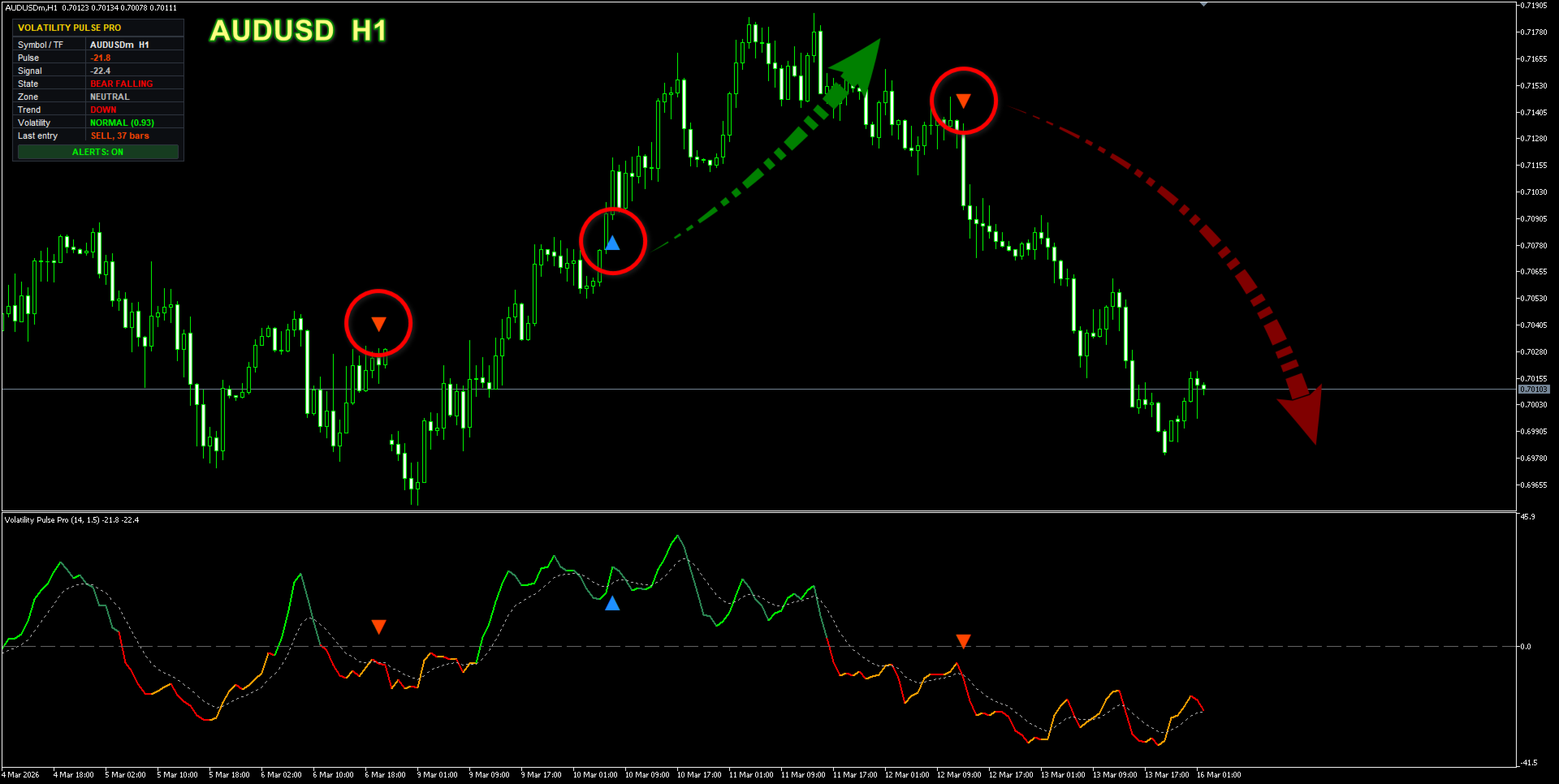
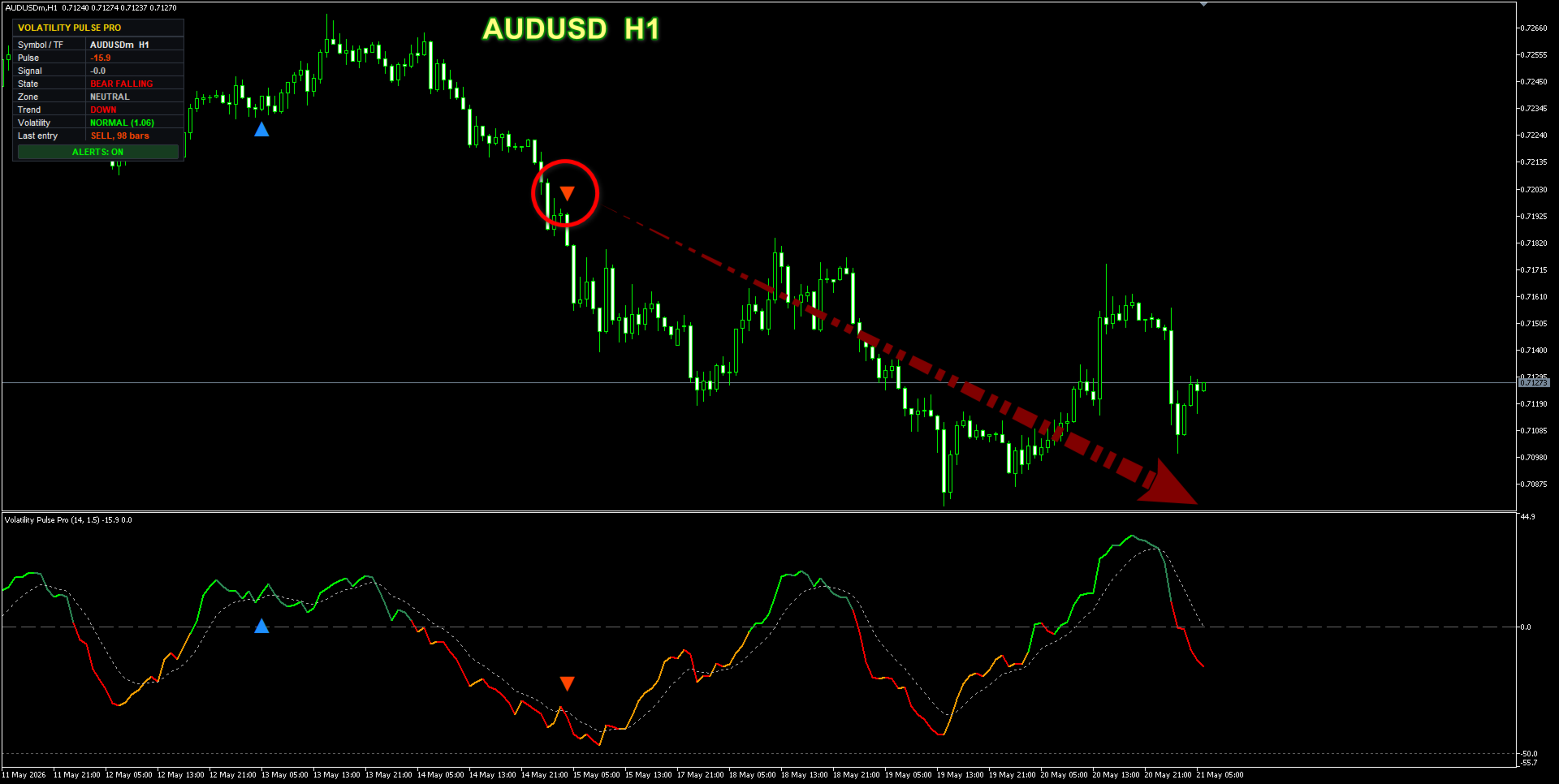
A line that tells you who is winning:
| Colour | Meaning |
|---|---|
| Bright green | Buyers in control, getting stronger |
| Dark green | Buyers still ahead, but running out of steam |
| Orange | Sellers running out of steam |
| Red | Sellers in control, getting stronger |
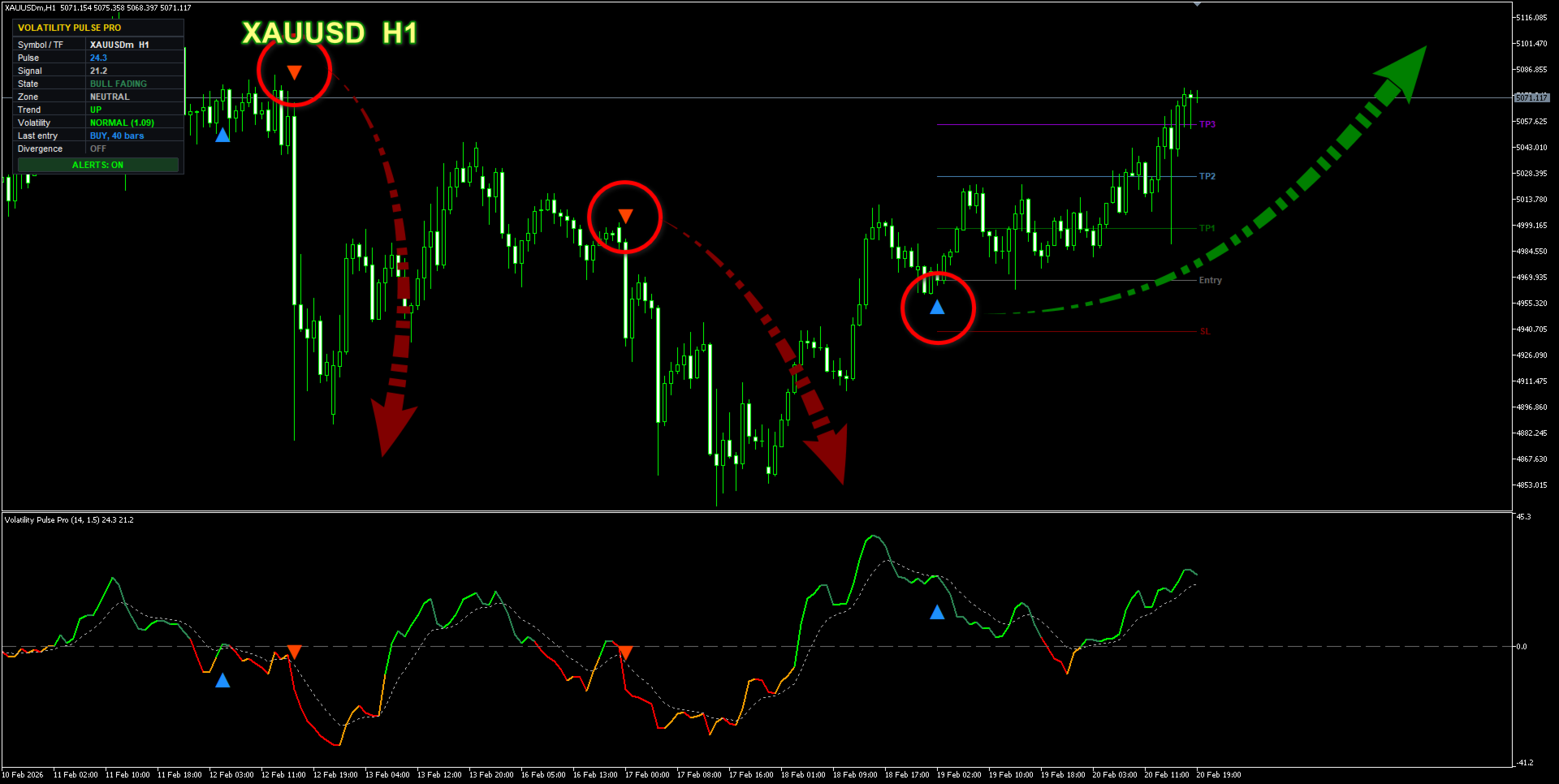
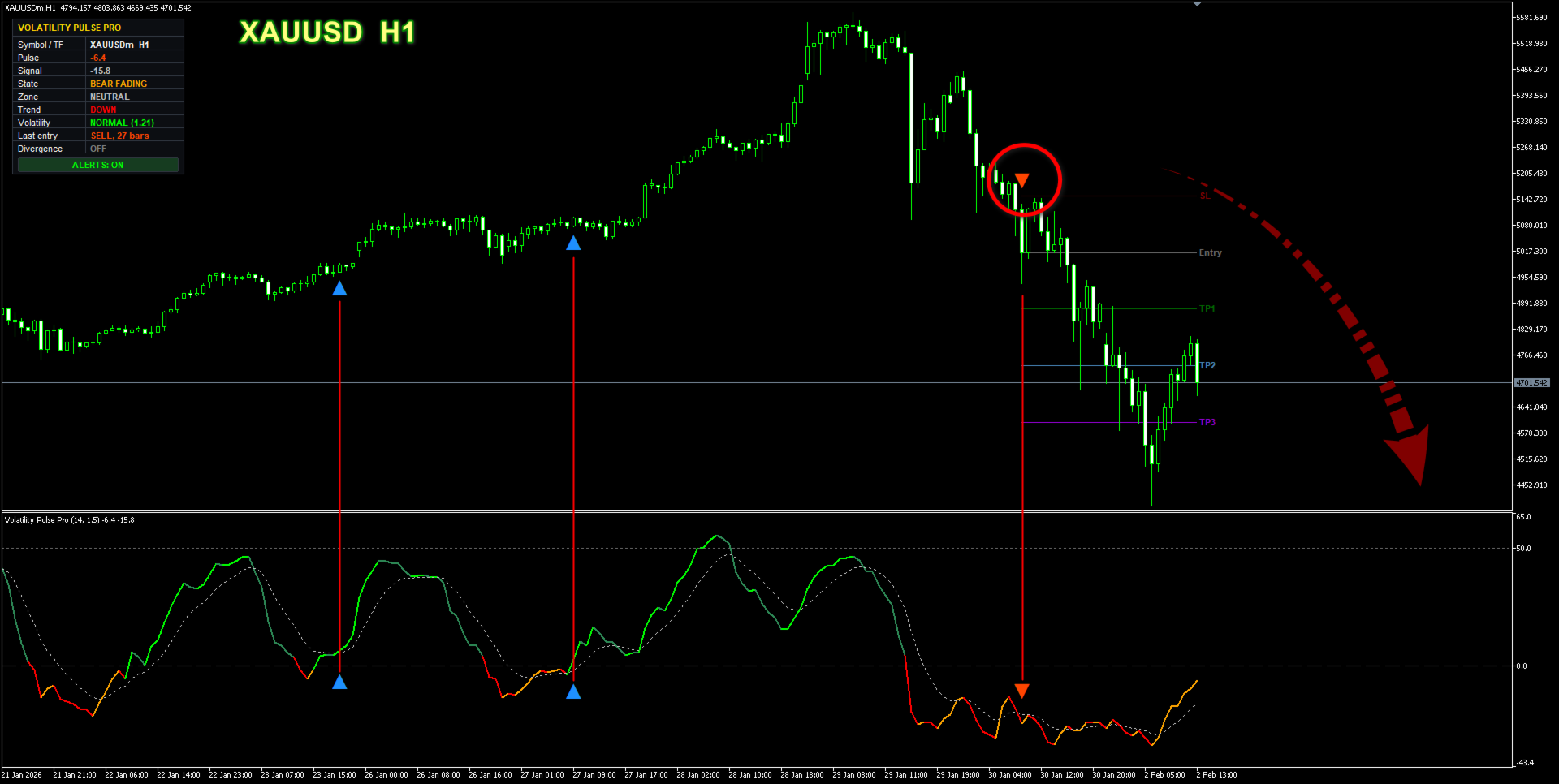
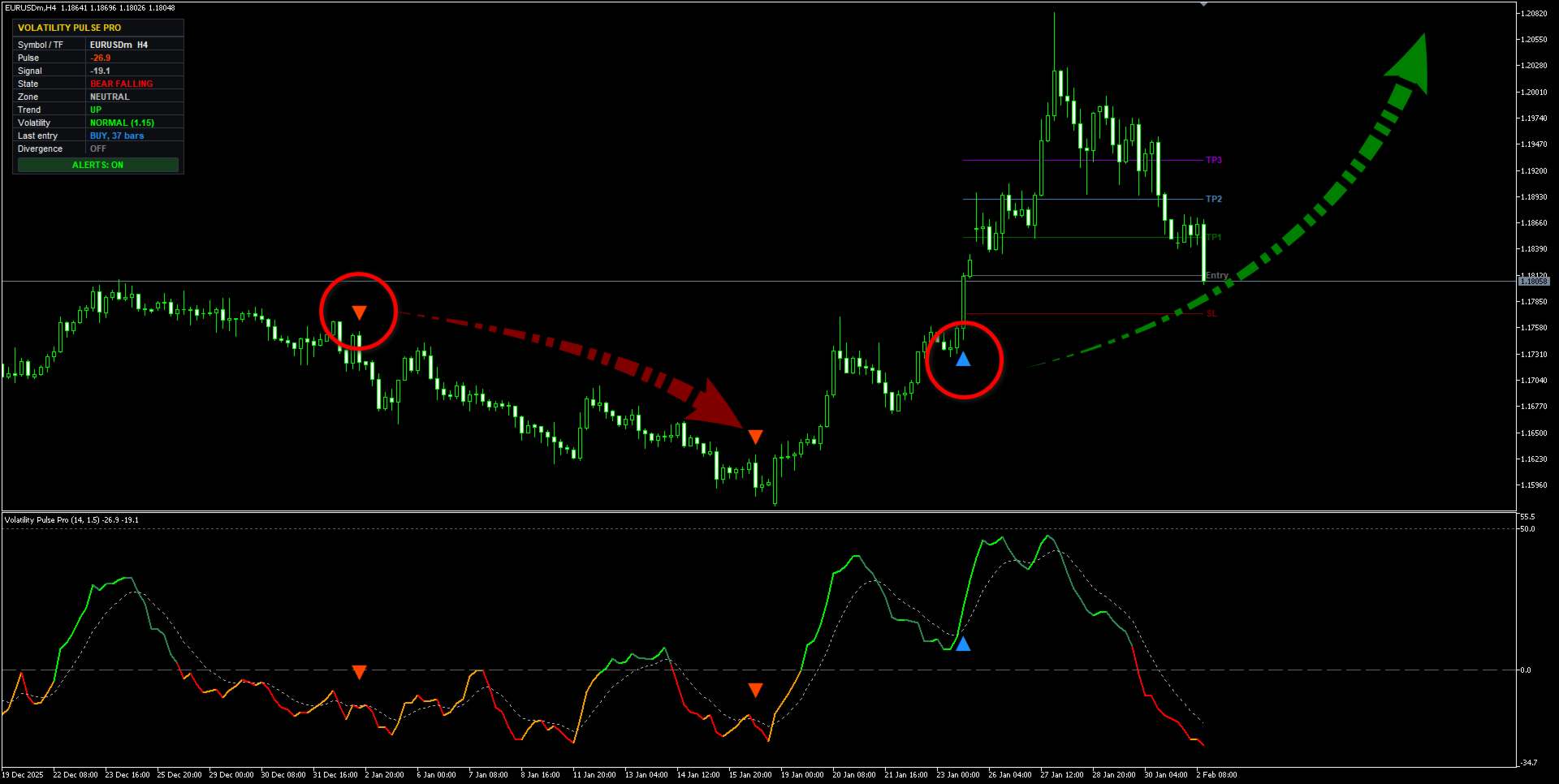
Arrows that tell you when: blue ▲ to buy, orange ▼ to sell. That is all you need to read.
A small panel in the corner fills in the rest: which way the trend is going, whether the market is awake or asleep, and how long since the last arrow.
================================================
It will not lie to you
Arrows only appear when a candle has closed. Once an arrow is on your chart, it stays there. It will never quietly disappear later and pretend it was never wrong.
That sounds obvious. It is not. Plenty of indicators redraw their own history so the past looks perfect. This one cannot — the arrows are locked the moment they appear.
See the truth for yourself
Switch on the statistics panel. The indicator goes back through every past arrow, checks what price actually did next on your own broker's data, and shows you how they turned out.
And it counts against itself, on purpose:
- if one candle hits both the stop and the target, it counts it as a loss
- break-even does not count as a win
- trades still running are not counted at all
Change a setting and watch the numbers move. Find what fits your pair, your timeframe, your spread — before you risk anything real.
Most indicators show you arrows. This one shows you what those arrows actually did.
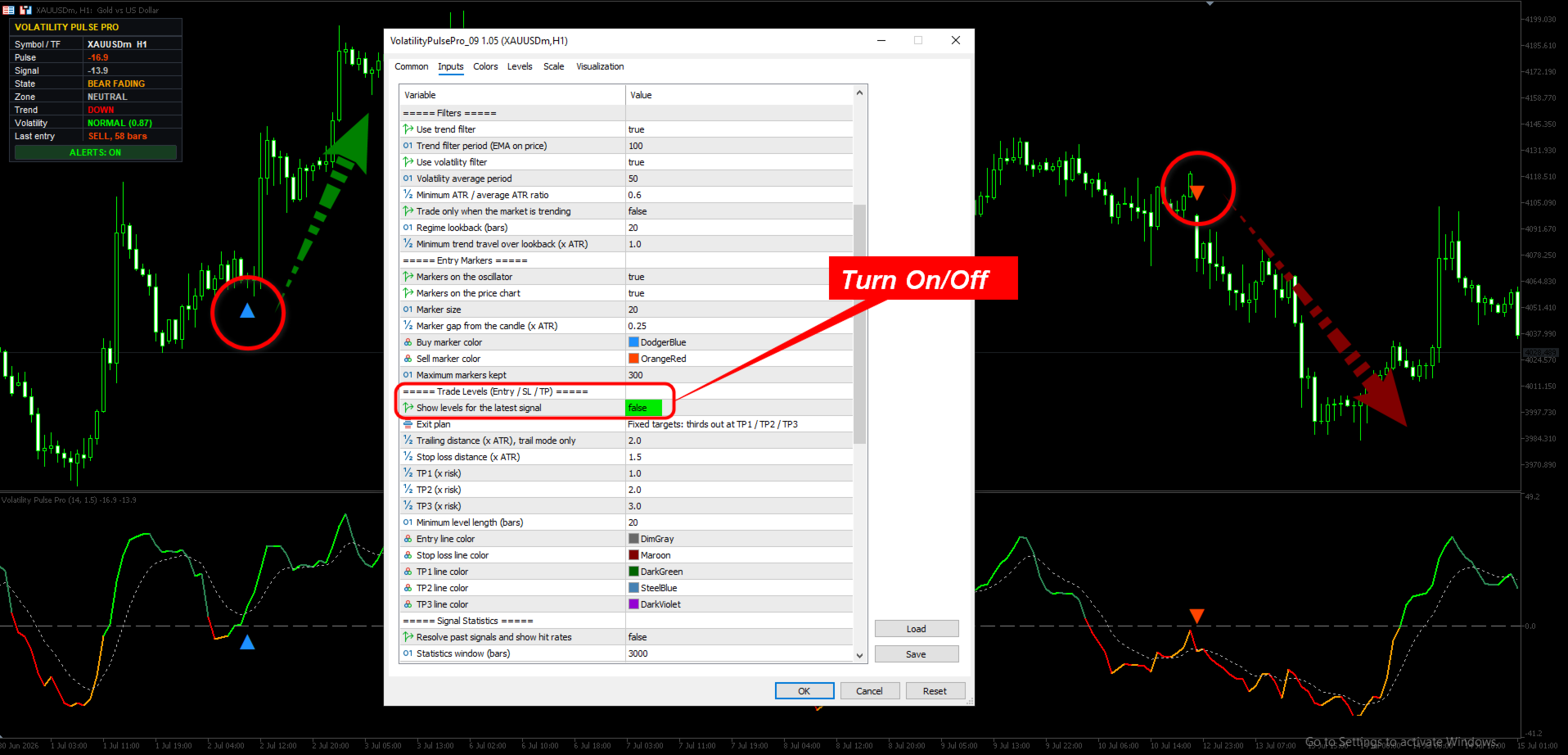
Optional extras — all off by default
Turn on only what you want. Anything you leave off simply is not there — no clutter, no empty rows.
- Entry, Stop Loss and three Take Profit levels drawn on your chart, sized automatically to how much the market is moving
- Two exit plans — fixed targets, or take some off early and let the rest run
- Divergence lines — when price makes a new high but strength does not follow
- Alerts — popup, phone push, email, sound. One click on the panel turns them all off.
================================================
Where to use it
Best on markets that actually move: Gold, indices and the livelier FX pairs, on H1.
Quieter pairs like EURUSD do better on H4 — on smaller timeframes the spread eats too much of the stop for the levels to mean anything.
Below M15, don't.
But do not take our word for any of that. Switch on the statistics and check it on your own broker, on your own pair. That is exactly what it is there for.
One honest note
Volatility Pulse Pro is a tool to help you read the market. It is not a robot. It does not trade for you and it does not promise results.
Additional details
| Type | Oscillator, separate window |
| Repaints? | No — arrows appear only on closed candles |
| Timeframes | All (H1 and above recommended) |
| Markets | Forex, Gold, Indices, Crypto |
| Signal styles | 4 to choose from, plus 3 filters |
| Trade levels | Entry, SL and 3 targets, sized to market movement |
| Alerts | Popup / Push / Email / Sound |
| Built-in statistics | Win rate, average result, expectancy |
| For EA builders | 6 buffers ready to read via iCustom |