TMX Trend Pro MT4
- Indicadores
- Versão: 4.1
- Ativações: 5

TMX Trend Indicator — Trade With the Trend, Not Against It
Supertrend engine with graded signal points, real-time tuning, and a 7-timeframe trend panel.
Buy 1... Get 2 FREE !
Buy TMX Trend PRO for just $30 and get the FULL PRO versions of TMX Support and Resistance and TMX Pivot Levels at no extra cost.
3 professional indicators for the price of one : effectively only $10 per indicator !
After your purchase, please send me a private message.
For the best experience and to get the most out of this indicator, please contact me through the MQL5 Community to receive the User Manual.
Overview
TMX Trend is a chart-window indicator built on an ATR-based Supertrend engine. It shows the trend direction, grades each signal by reliability, and displays the trend across seven timeframes at once — all from a single drag-and-drop file.
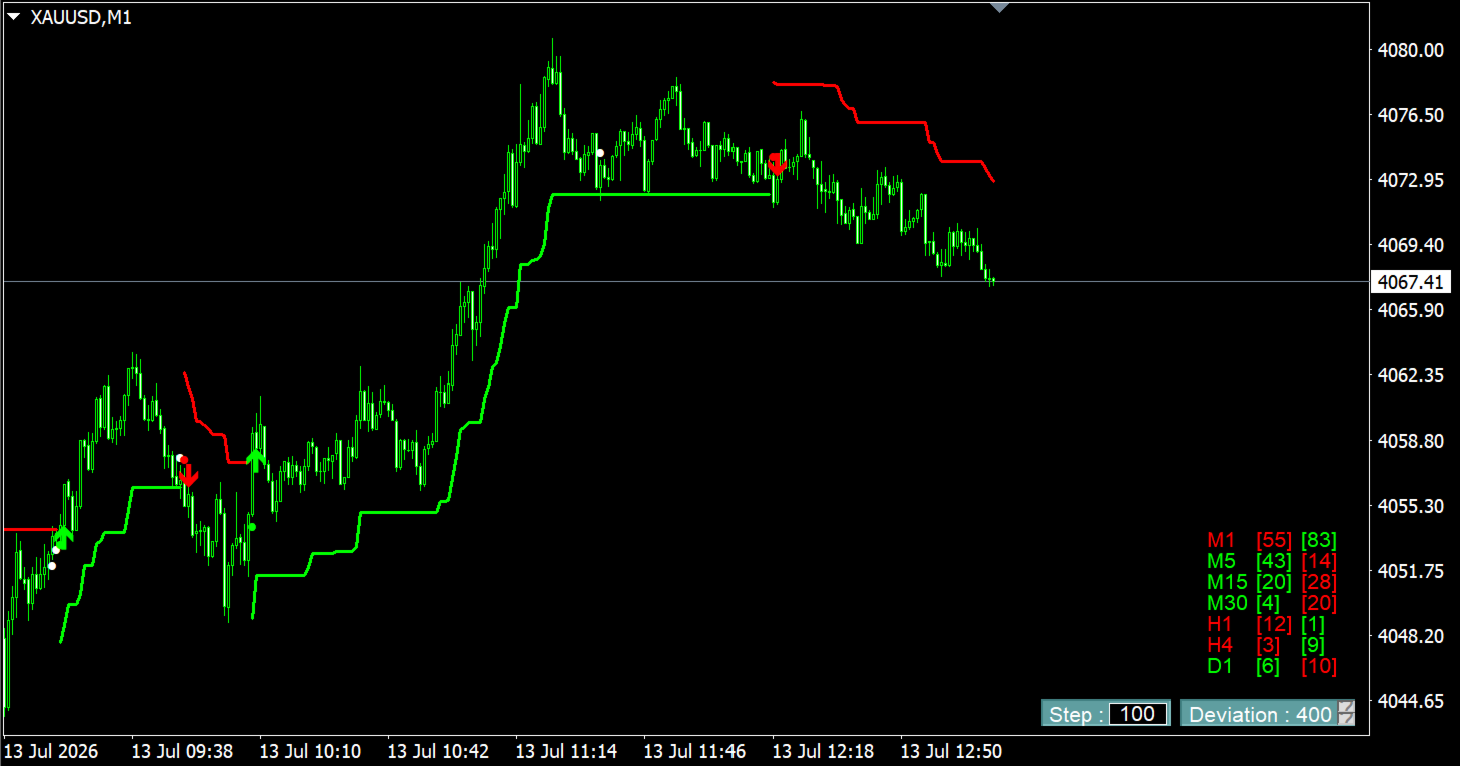
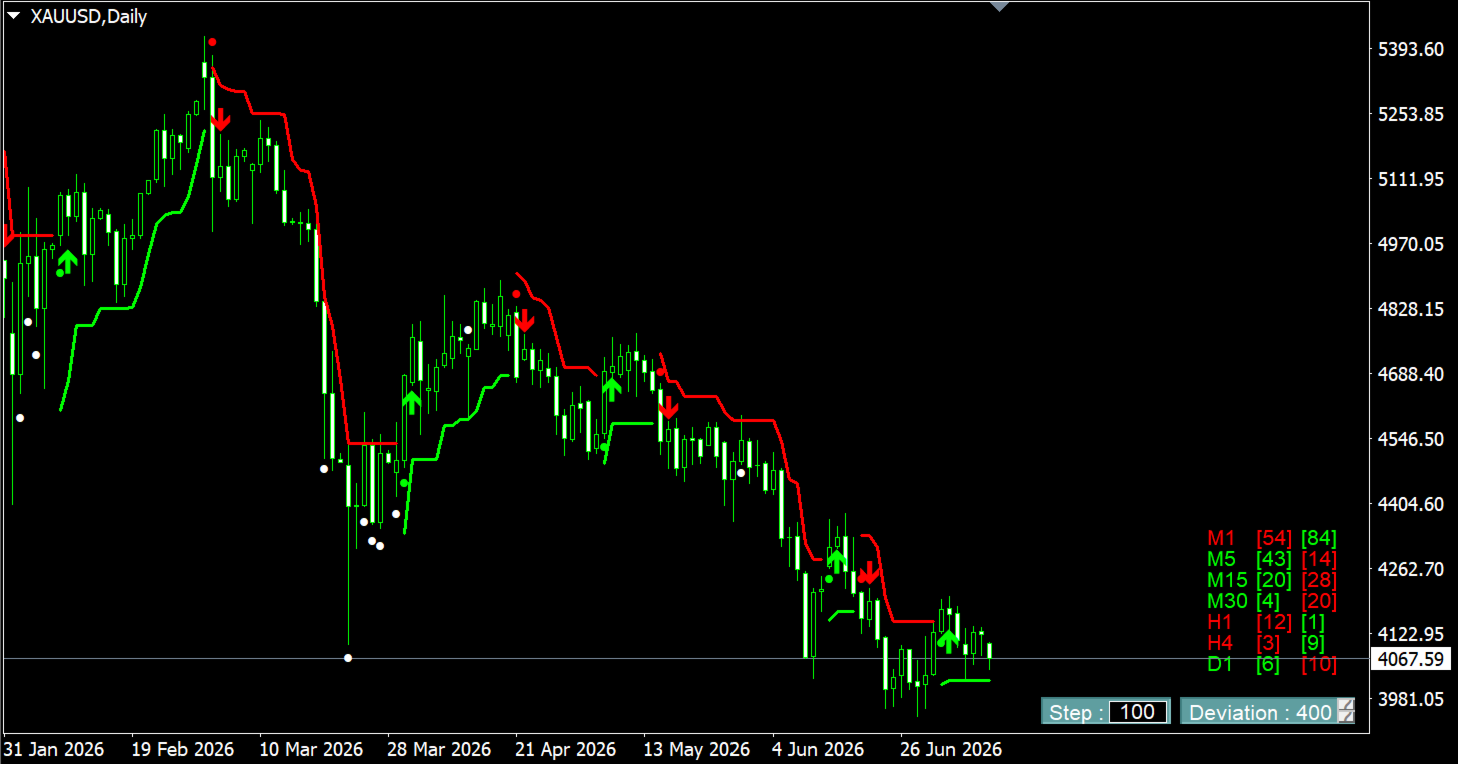
Trend Line
- Green line below price: up trend, acting as a dynamic support.
- Red line above price: down trend, acting as a dynamic resistance.
- The line only ever moves in the direction of the trend, never against it — usable as a trailing stop level.
Graded Signal Points
Every trend change is shown in stages, so you know how much confidence to place in each signal:
- Orange dot — live break in progress, on the forming candle.
- White dot — the break failed; the trend held.
- Green / Red dot — the trend has flipped, on a closed candle.
- Arrow (▲ / ▼) — the trend change is confirmed after the chosen number of consecutive candles. This is the indicator's entry signal.
Confirmed signals (dots and arrows on closed candles) are never repainted. Only the orange dot, tied to the still-forming candle, can appear or disappear.
Adjustable Engine
- ATR Period and ATR Multiplier control the width of the volatility bands, so the same logic adapts to different instruments and timeframes.
- Confirmation Candles (1–3) sets how many consecutive candles are required before an arrow prints — fewer candles for faster entries, more candles for higher confidence.
Deviation Spinner
An on-chart control to widen or tighten the trend engine with one click. The trend line, signal points, and MTF panel all recalculate instantly — no need to reopen the settings window.
MTF Panel
A table showing the trend direction across D1, H4, H1, M30, M15, M5, and M1 simultaneously, using the same engine and settings as the main chart. Useful for checking whether a setup agrees with the higher timeframes before taking it.
Display
Five panel-scale presets and a configurable font size, for readability on any screen resolution.