WickGuard Pro
- Experts
-
Lorraine Andaleon
 I am a professional MQL5 developer specializing in creating robust Expert Advisors and technical indicators.
My focus is on writing clean, efficient, and fully tested code that performs reliably in live market conditions. - Versão: 1.1
- Atualizado: 3 junho 2026
- Ativações: 5
WickGuard Pro — Wick Rejection Zone Trading EA
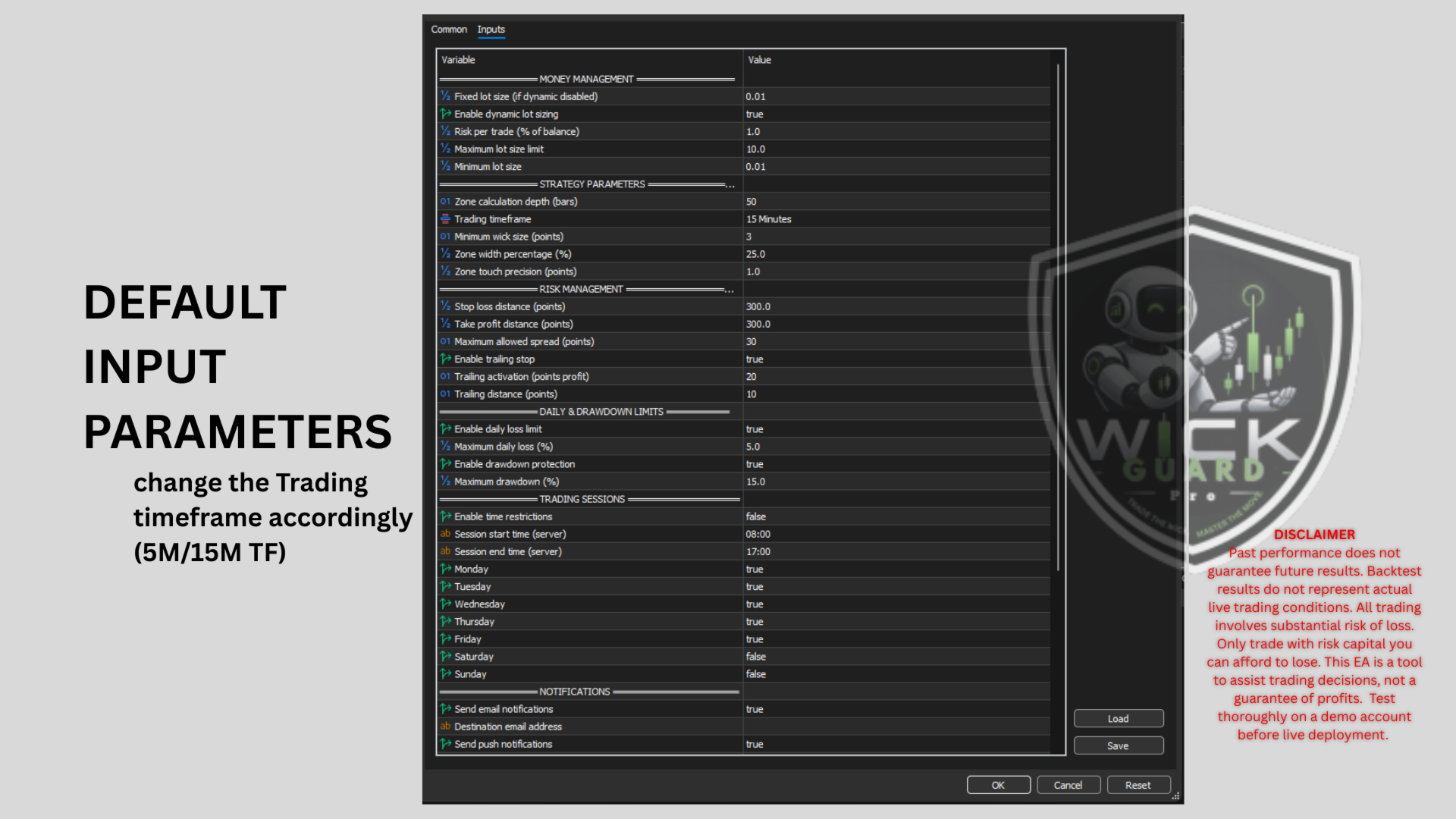
WickGuard Pro is a professional Expert Advisor that automates a proven price action strategy. It identifies wick formations that touch calculated support and resistance zones, entering trades when the market shows rejection signals.The EA requires no manual intervention. Attach it to any chart, configure the parameters, and let it trade.
How It Works: The EA calculates dynamic support and resistance zones based on recent price action over a user-defined number of bars. Zones are drawn as rectangles on the chart for visual confirmation.
When a new candle closes:
- The EA checks for wicks exceeding the minimum size
- If the wick touches the corresponding zone, a signal is generated
- The EA verifies risk management conditions (spread, daily limits, drawdown)
- A market order is executed with predefined stop loss and take profit
Only one trade per bar. Maximum one position open at any time.
Key Features
Zone Calculation
- Adjustable lookback period (10-200 bars)
- Zone width as percentage of price range
- Visual rectangles on chart with customizable colors
Wick Detection
- Minimum wick size filter (1-100 points)
- Touch precision tolerance
- Separate tracking for support and resistance touches
Order Management
- Market execution with slippage control
- Fixed or dynamic lot sizing based on risk percentage
- Stop loss and take profit in points
- Trailing stop with activation and step
Risk Management System
- Maximum spread filter (prevents trading during high spreads)
- Daily loss limit (auto-resets at midnight server time)
- Maximum drawdown protection (resets daily with loss limit)
- Trading session hours and day-of-week filters
Notifications
- Email alerts with custom recipient
- Push notifications to MT5 mobile app
- Sound alerts with custom sound file
Chart Integration
- Automatic dark green professional theme
- Dashboard showing account stats, P&L, signals
- Zone rectangles and wick markers
After purchase, send a message to receive:
- Complete user guide
- Exclusive bonus
Requirements
-
Platform: MetaTrader 5 (build 2000 or higher)
- Minimum deposit: $500 (standard) or $50 (cent account)
- Recommended timeframes: M5, M15, M30, H1
- Recommended symbols: XAUUSD, GBPUSD, USDJPY
- Account type: Hedging or Netting
- VPS recommended for 24/5 operation
- Compatible with any MT5 broker (ECN/STP/Raw recommended)
Installation
-
Download the .ex5 file from MQL5 Market
-
Copy to MQL5/Experts folder in your MT5 data directory
-
Restart MT5 or refresh Navigator (Ctrl+N)
-
Drag EA onto chart
-
Enable Auto-Trading button in toolbar
-
Adjust parameters as needed
Support
Product support provided via MQL5 comments section or MQL5 messaging system. Include magic number and screenshots when reporting issues.
Version History
-
Version 1.0: Initial release
Important Notes:
Test thoroughly on demo account before live deployment. Past performance does not guarantee future results. Use appropriate lot sizes for your account balance. Monitor performance and adjust parameters as market conditions change.