Dynamic Speed Decay Trailing Stop MT5
- Indicadores
-
Mattia Marco Platania
 At MetaCoderStore, our goal is to build practical, clean, and reliable MetaTrader indicators that traders can actually use in live chart work. We focus on clear visual tools, useful inputs, and MT4/MT5 versions wherever possible.
 - Versão: 1.10
- Atualizado: 26 maio 2026
- Ativações: 10
Paid release: Dynamic Speed Decay Trailing Stop MT5 is a paid MetaCoderStore indicator. Use the product comments for setup questions, feature requests, and feedback for future updates.
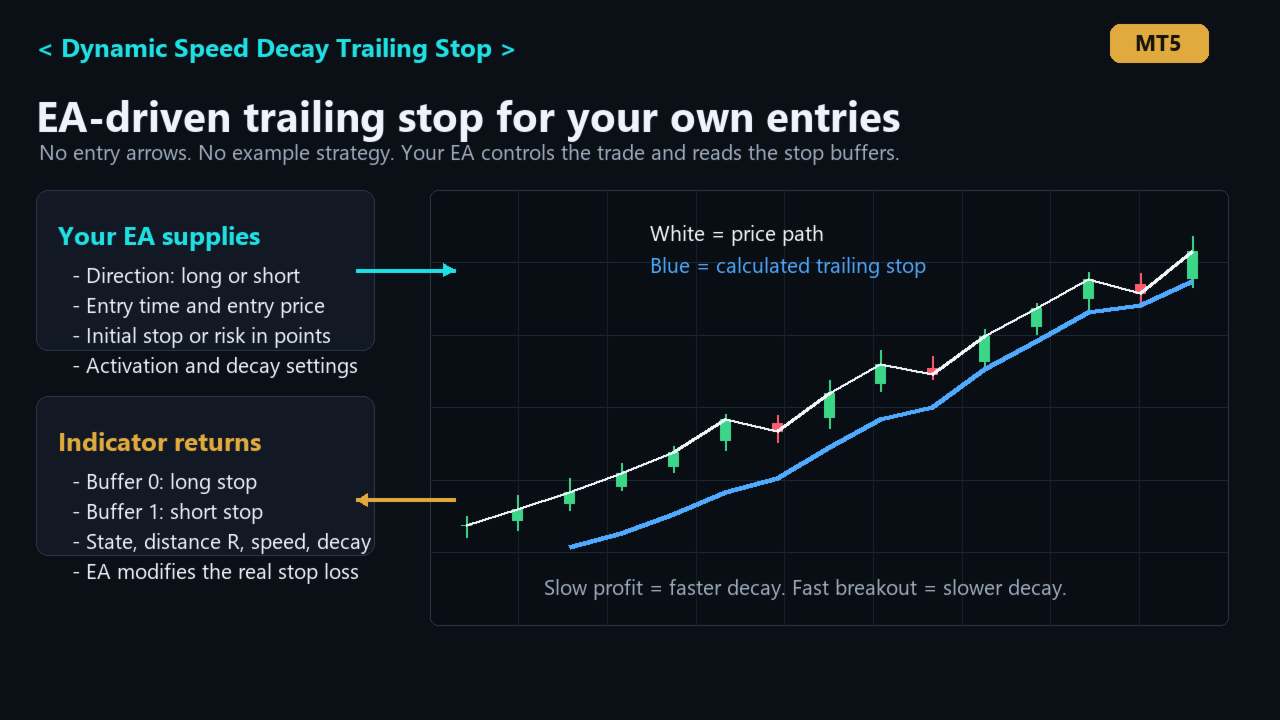
Dynamic Speed Decay Trailing Stop MT5 is an EA-driven trailing-stop engine based on the exponential decay logic from our VolumeImpulse EA. It does not create entry signals. Your strategy supplies the trade direction, entry time, entry price, and initial risk, then this indicator calculates the adaptive trailing stop your EA can read and apply to real positions.
Use cases
- Add dynamic exponential-decay trailing logic to your own Expert Advisor.
- Use your own entry strategy while outsourcing the trailing-stop calculation.
- Trail long or short positions after a configurable profit threshold in R.
- Use faster decay when price moves in profit slowly, so the stop tightens and protects profit.
- Use slower decay during strong fast breakouts, so the trade has more room to continue.
What it shows
- Blue line: calculated long trailing stop.
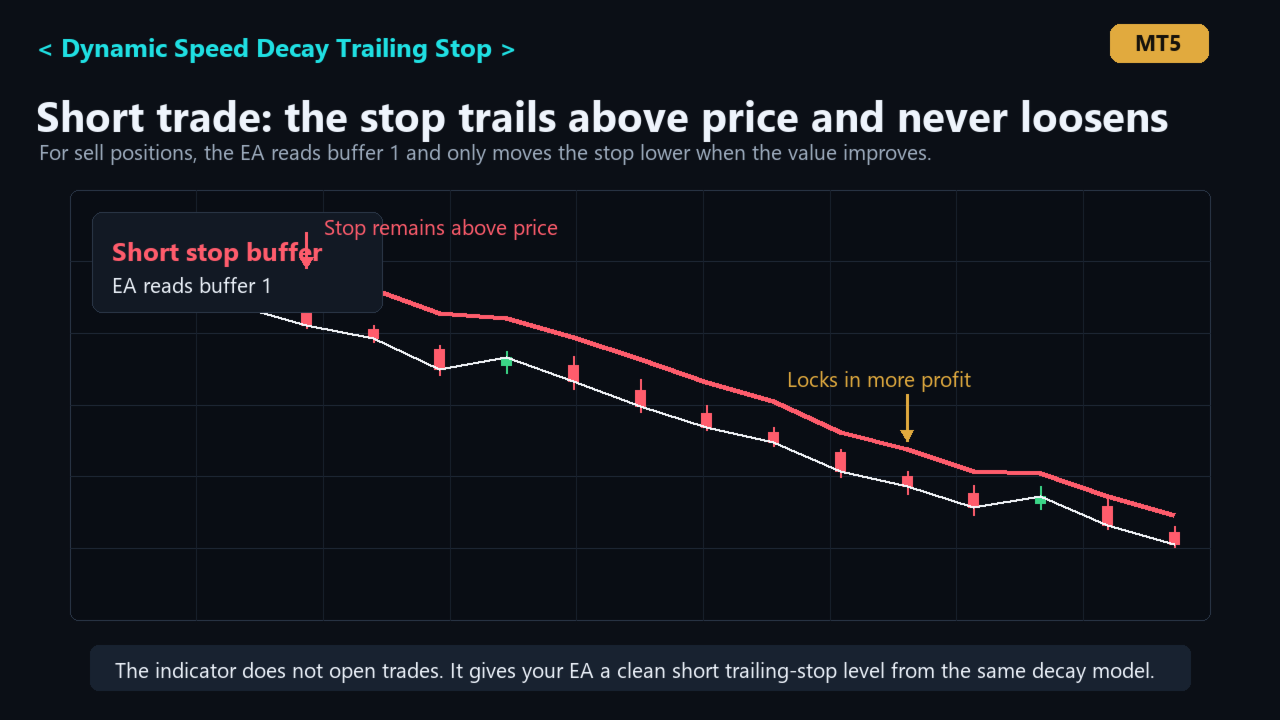
- Red line: calculated short trailing stop.
- No entry arrows and no internal signal model.
- Hidden buffers for state, trailing distance, speed, and decay progress.
Main features
- Customer-controlled trade direction, entry time, entry price, and initial risk.
- Initial stop can be supplied directly or derived from initial risk in points.
- Trailing activation threshold in R.
- Start distance and minimum distance in R.
- Speed-sensitive exponential stop-distance decay: slow favorable movement tightens faster, fast favorable movement tightens slower.
- Designed to lock in more profit when momentum fades while avoiding premature exits during strong breakouts.
- Optional output hiding before activation and optional stop-output cutoff after a stop touch.
Basic EA workflow
- Your EA opens or detects a position using its own entry rules.
- Your EA calls the indicator with the position direction, entry time, entry price, and initial stop/risk.
- Read buffer 0 for a long stop or buffer 1 for a short stop.
- If the returned stop is valid and improves the current stop loss, your EA modifies the position stop loss.
Important inputs
- InpTradeDirection : 0 none, 1 long, 2 short.
- InpEntryTime : position entry/open time. The stop calculation starts from this bar.
- InpEntryPrice : position entry price.
- InpInitialStopPrice : initial stop price. If set, this defines the trade risk.
- InpInitialRiskPoints : fallback risk in points when no initial stop price is supplied.
- InpActivationRR : profit in R required before the trailing stop starts tightening.
- InpTrailStartDistanceR : stop gap when trailing first activates.
- InpTrailMinDistanceR : tightest allowed trailing distance after decay.
- InpTrailSlowDecayPerR : slower decay rate used when price is moving favorably fast.
- InpTrailFastDecayPerR : faster decay rate used when favorable movement slows or stalls.
- InpTrailFastMoveRefRps : favorable move speed treated as fast, measured in R per second.
Buffers
- Buffer 0: long trailing stop price.
- Buffer 1: short trailing stop price.
- Buffer 2: state value, 1 long, -1 short, 0 neutral.
- Buffer 3: current trailing distance in R.
- Buffer 4: current favorable move speed in R per second.
- Buffer 5: exponential decay progress.
Risk note: this is a trailing-stop calculation tool for technical analysis and automation. It does not guarantee profitable trades and it does not place or modify orders by itself. Your EA must perform any live stop-loss modification.