DailyPivot Pro
- Indicadores
- Versão: 2.20
- Ativações: 5

Classic daily pivot levels with optional alerts for MetaTrader 5.
Daily Pivot Pro is a MetaTrader 5 indicator that displays classic daily pivot levels directly on the chart.
The indicator does not open, modify or close trades. It is a visual chart analysis tool and should be used together with the user's own market analysis and risk management.
- - Classic daily Pivot Point calculation
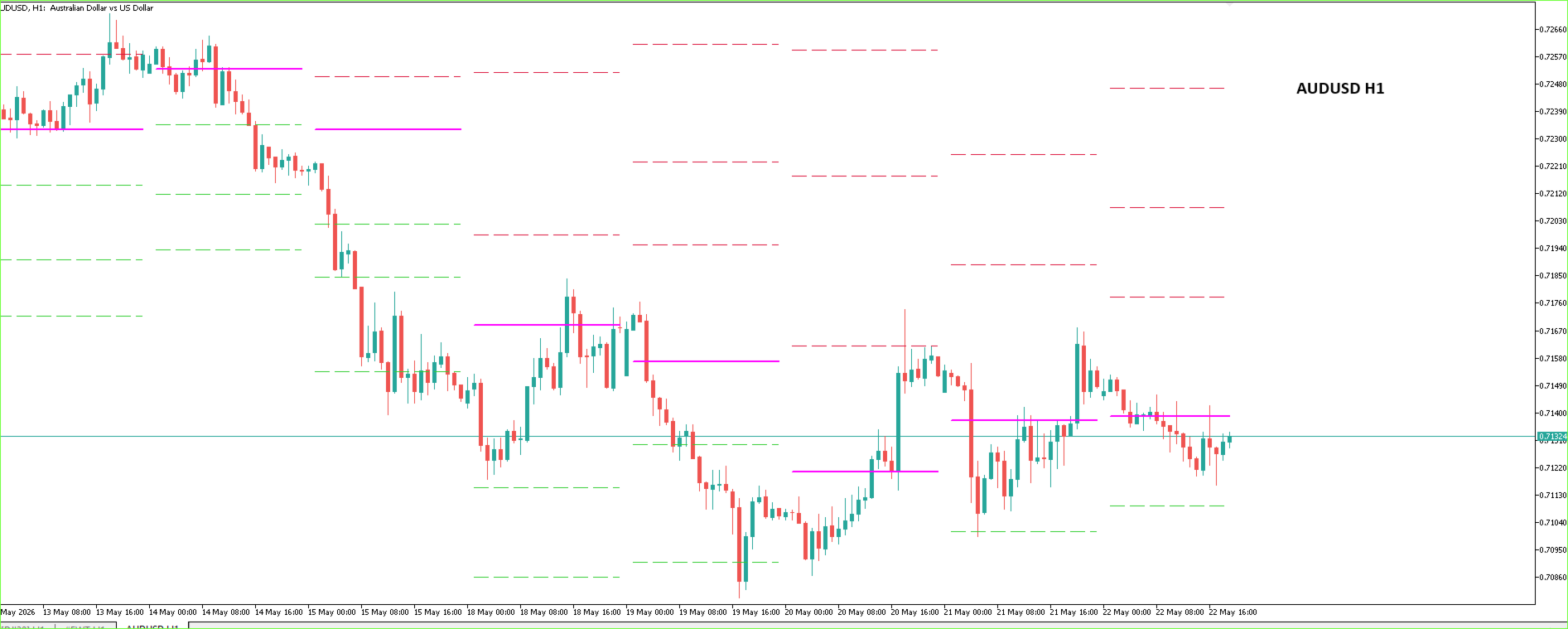
- - Displays PP, R1, R2, R3, S1, S2 and S3
- - Uses the previous daily High, Low and Close values
- - Shows pivot levels directly in the chart window
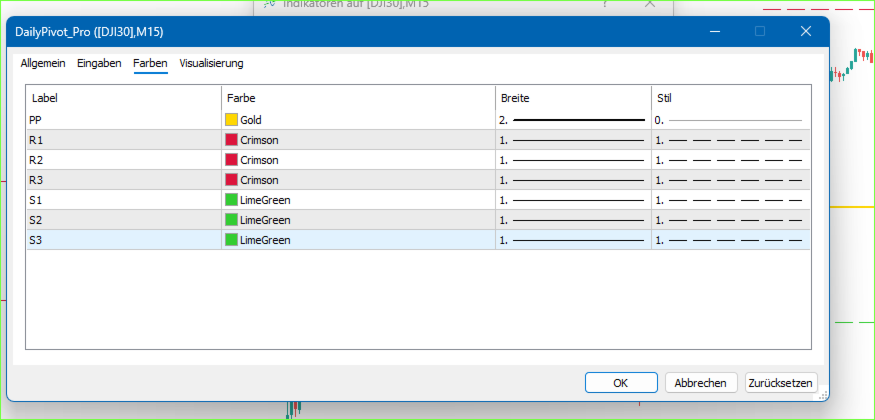
- - Native MetaTrader 5 color, style and width settings
- - Optional popup alerts
- - Optional sound alerts
- - Optional email alerts
- - Optional push notifications to the MetaTrader 5 mobile app
- - Selectable alert levels
- - Adjustable touch distance in points
- - Adjustable alert cooldown to reduce repeated notifications
- - Lightweight indicator without external libraries or DLL calls
Inputs / Parameters:
Display
Days To Show:
Defines how many recent daily sessions are displayed on the chart.
Alerts
Enable Alerts:
Turns all alert functions on or off.
Alert Popup:
Shows a MetaTrader 5 popup alert when price touches a selected pivot level.
Alert Push:
Sends a push notification to the MetaTrader 5 mobile app. Push notifications must be enabled in the terminal settings.
Alert Sound:
Plays the selected sound file when an alert is triggered.
Alert Email:
Sends an email alert if email notifications are configured in MetaTrader 5.
Alert Cooldown Min:
Defines the waiting time in minutes before the same level can trigger another alert.
Touch Distance Pts:
Defines the distance in points around a pivot level that is treated as a touch.
Sound File:
Defines the sound file used for sound alerts.
Alert Levels:
PP, R1, R2, R3, S1, S2, S3:
Enables or disables alerts for each individual pivot level.
How To Use:
Attach Daily Pivot Pro to any chart in MetaTrader 5.
The indicator will display the daily Pivot Point, resistance levels and support levels based on the previous daily candle.
Line colors, styles and widths can be adjusted in the Colors tab of the indicator properties.
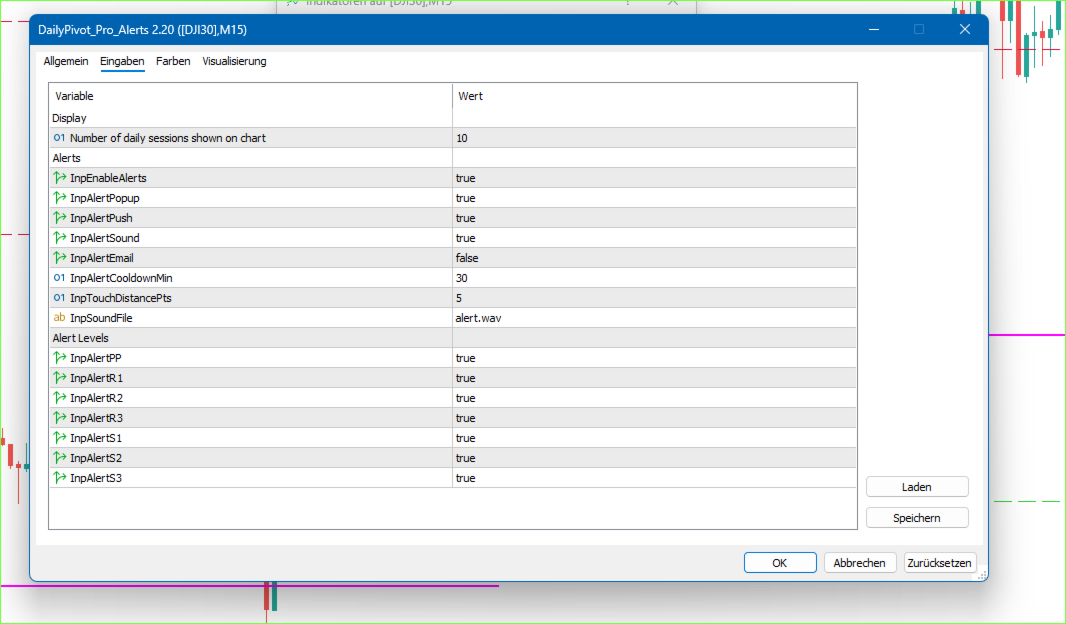
To use alerts, enable the alert function in the Inputs tab and select the alert types and levels you want to monitor.
Push Notification Note:
To receive push notifications on the MetaTrader 5 mobile app, enable notifications in the desktop terminal:
Tools -> Options -> Notifications
Enter your MetaQuotes ID and allow push notifications. The indicator can only send push notifications if the terminal notification settings are configured correctly.
Risk / Usage Note:
Daily Pivot Pro is an analytical indicator.
It does not provide trading signals, does not execute trades and does not guarantee trading results.
Pivot levels are reference levels and should be interpreted together with the user's own analysis.
Screenshot Captions:
Daily pivot levels displayed on an intraday chart.
Native MetaTrader 5 color and line style settings.
Optional alert settings for selected pivot levels.