Forge X
- Experts
- Versão: 3.8
- Ativações: 10

FORGE X EA – SMART SUPPLY & DEMAND TRADING WITH CONTROLLED RECOVERY
Overview
Forge X EA is a fully automated trading system based on Supply and Demand zone confluence – one of the most reliable price action concepts in Forex trading. By identifying high‑probability support and resistance zones on multiple timeframes simultaneously, the EA enters trades only when the market aligns with institutional order flow.
Forge X is not a "get-rich-quick" scheme with unrealistic, exponential returns. It is a calculated, methodical system built on a proven track record in live market conditions. It is engineered to adapt, survive drawdown, and grind out consistent results using controlled recovery mechanics.
📊 View the Live Track Record ---> HERE
Optimized Settings (.set Files)
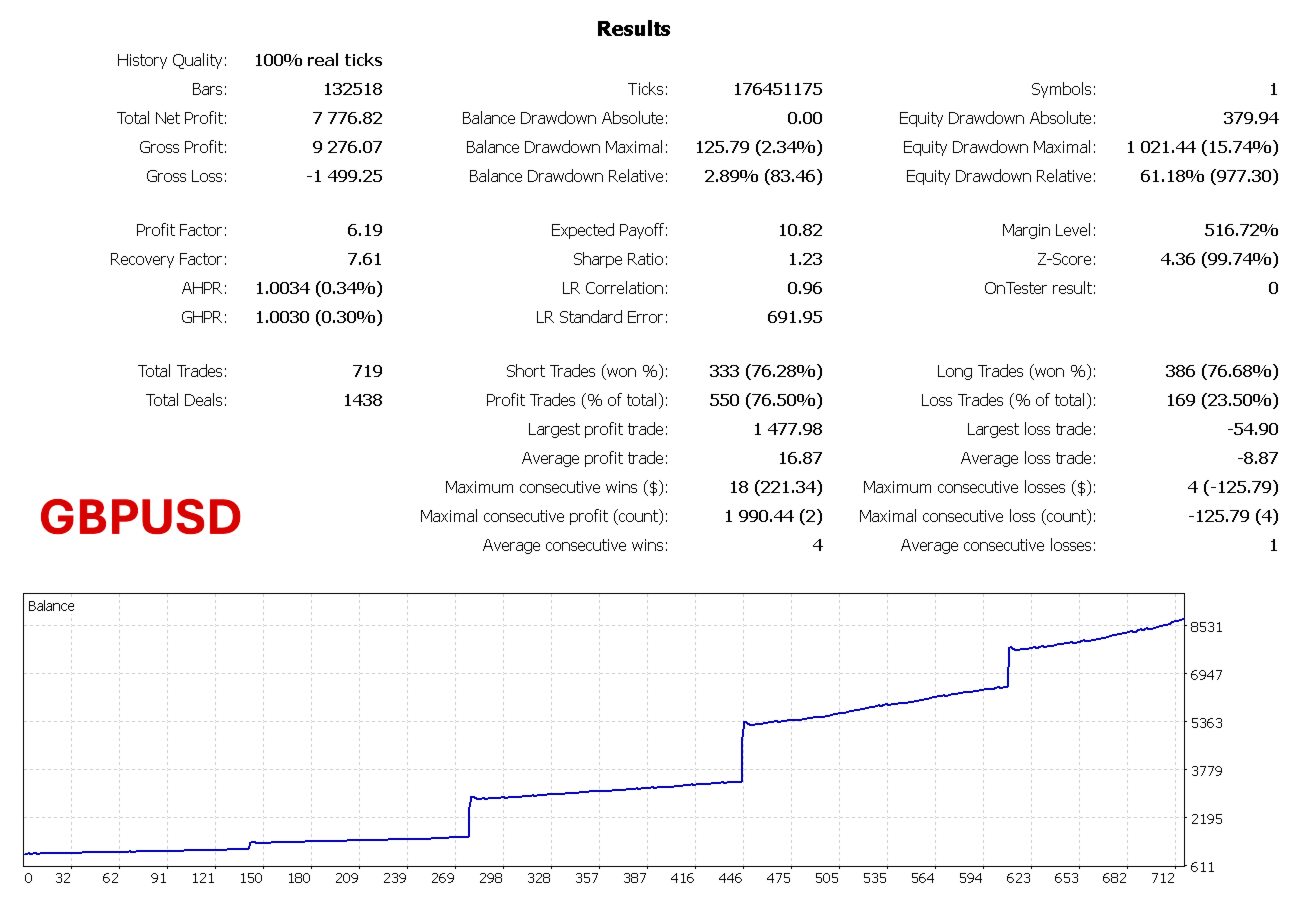
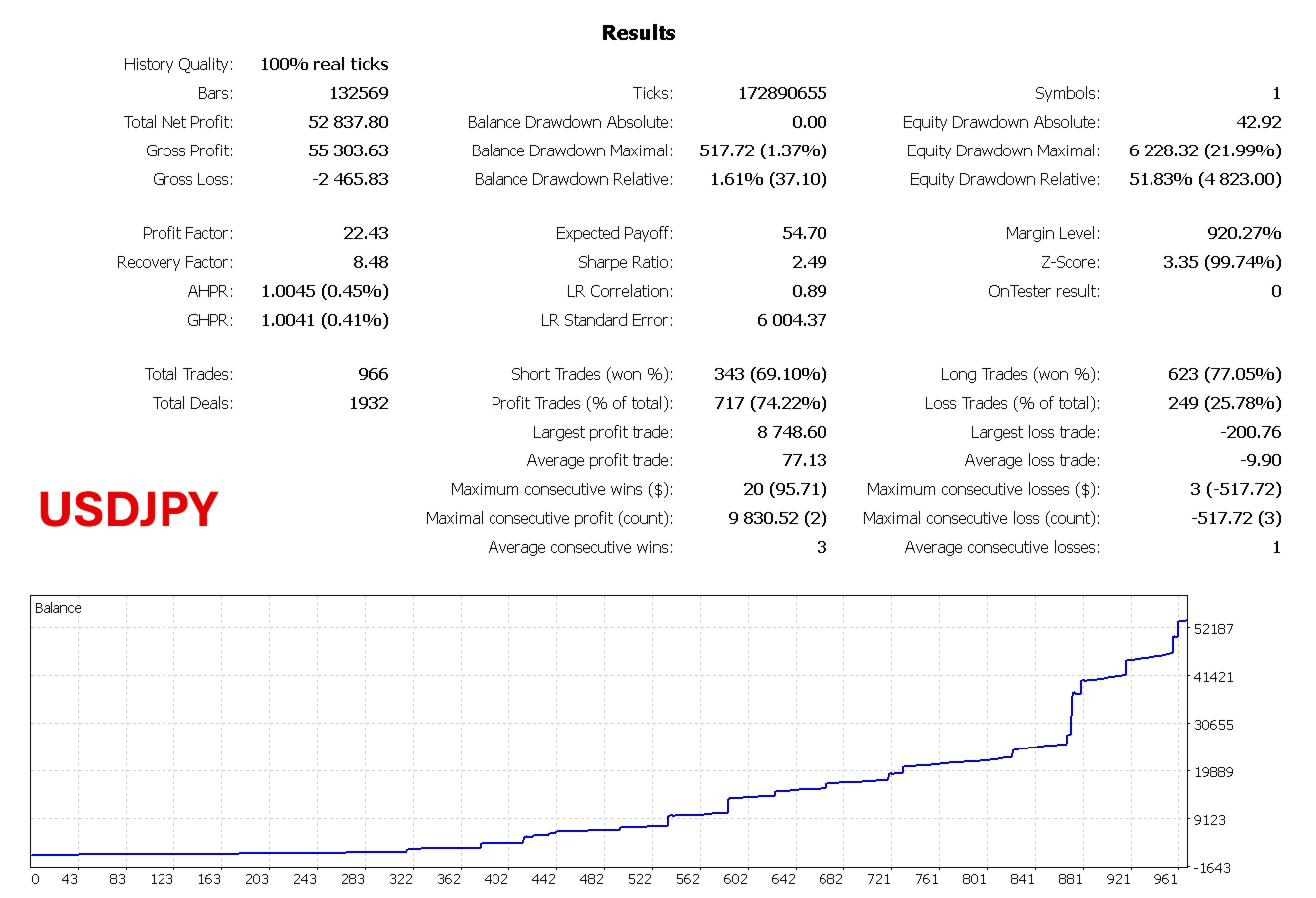
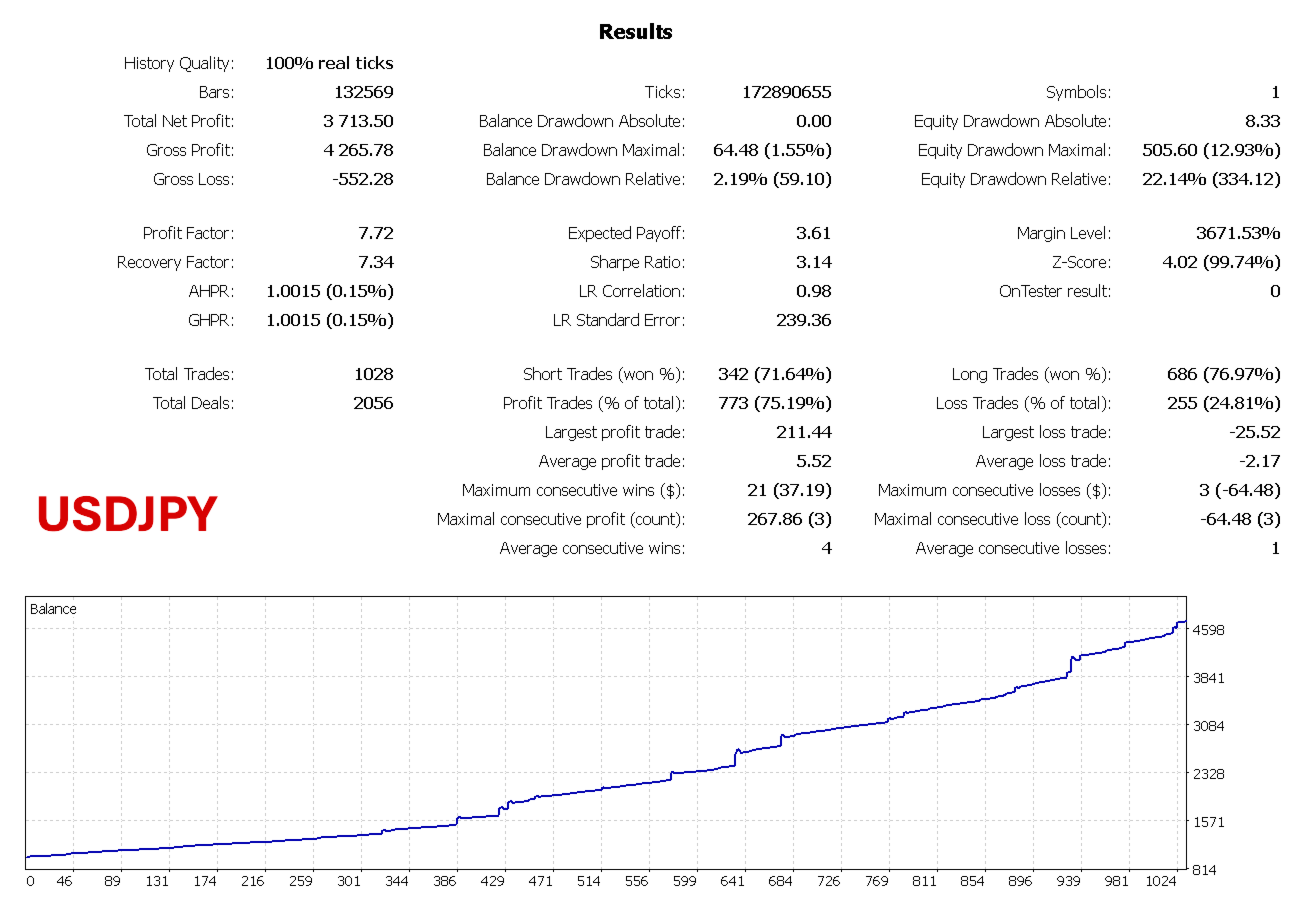
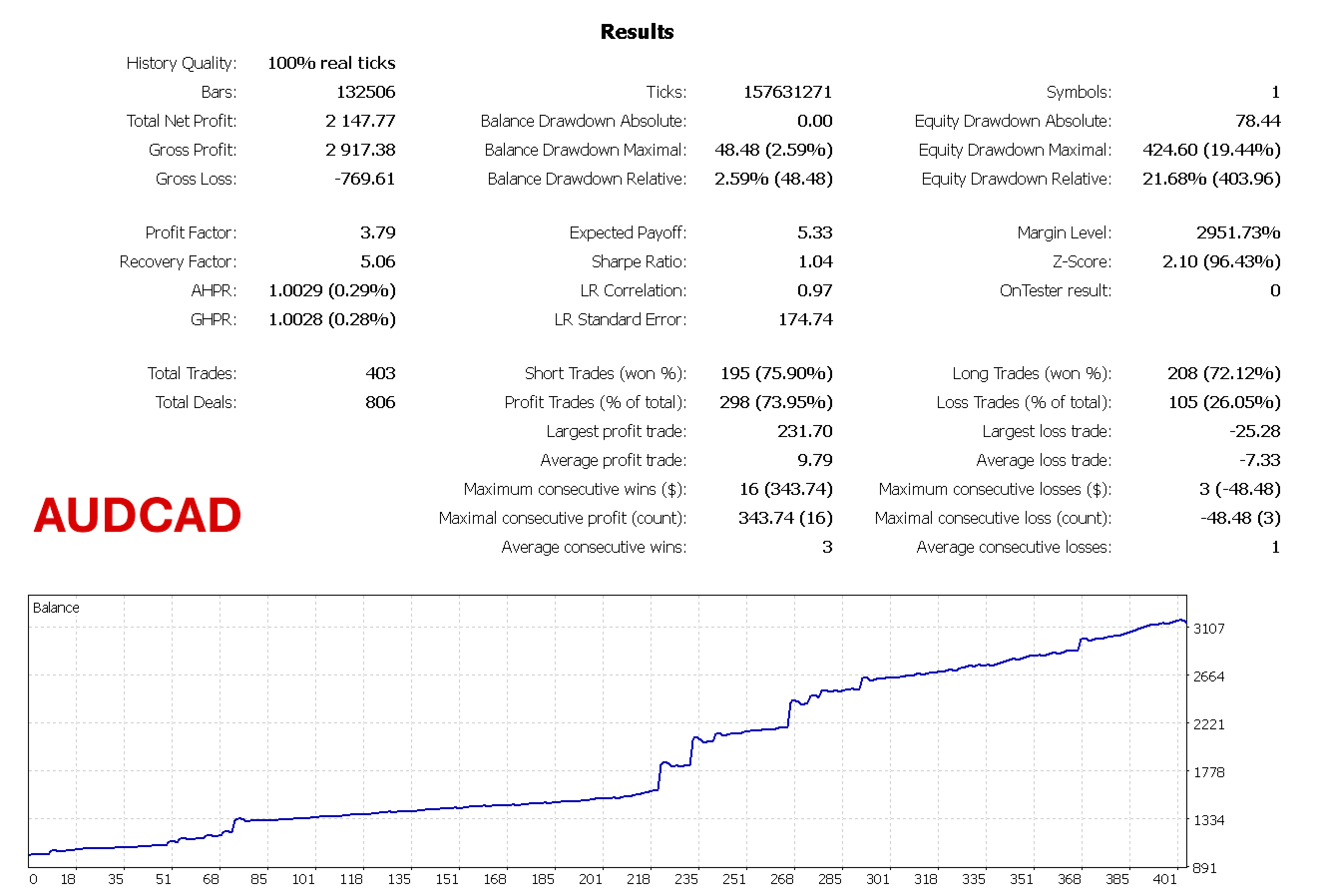
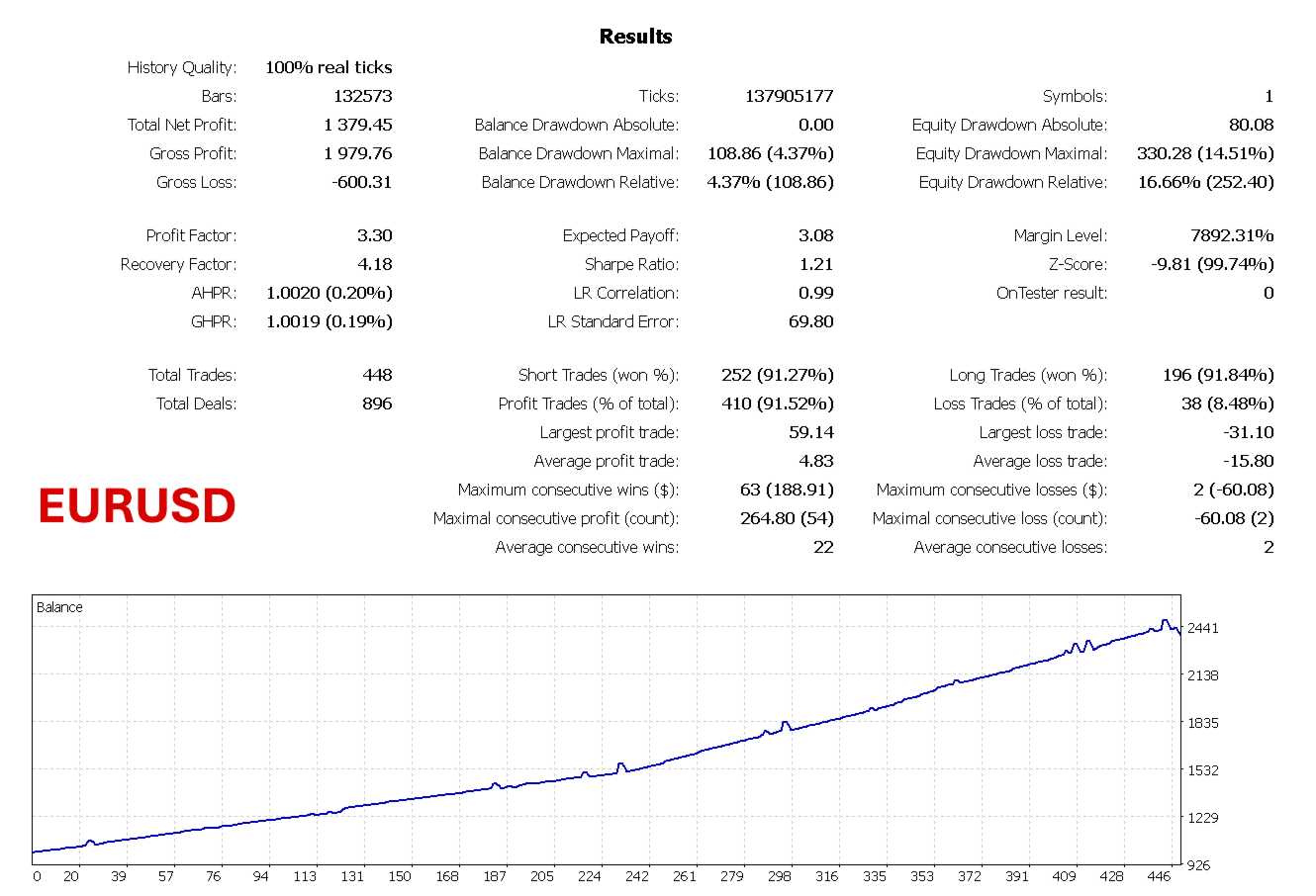
Forge X EA has been strictly optimized and stress-tested for maximum performance on four major pairs: GBPUSD, USDJPY, AUDCAD, and EURUSD.
To get the exact performance seen in our live track record, you must load the optimized .set files for these specific pairs.
📥 Download the official .set files ---> HERE
Instructions: Attach Forge X EA to your chart, open the Inputs tab, click "Load," and select the .set file that matches your chart's symbol.
Key Features
-
Confluence Trading: A trade is only placed when a zone on the Entry timeframe aligns with a zone on the Higher timeframe – drastically increasing win probability.
-
Limit Orders Only: Entries are always placed as limit orders at zone boundaries, ensuring you buy low and sell high rather than chasing price.
-
Controlled Scaling In: If price moves against the initial position, the EA can add limited additional positions at predefined distances. This is not a dangerous, unchecked martingale – each add‑on uses a controlled lot size (additive, not exponential) with a strict maximum limit.
-
Recovery Mode: In rare cases where the basket moves significantly against you, a dedicated recovery mode activates with its own risk parameters – never allowing unchecked drawdown.
-
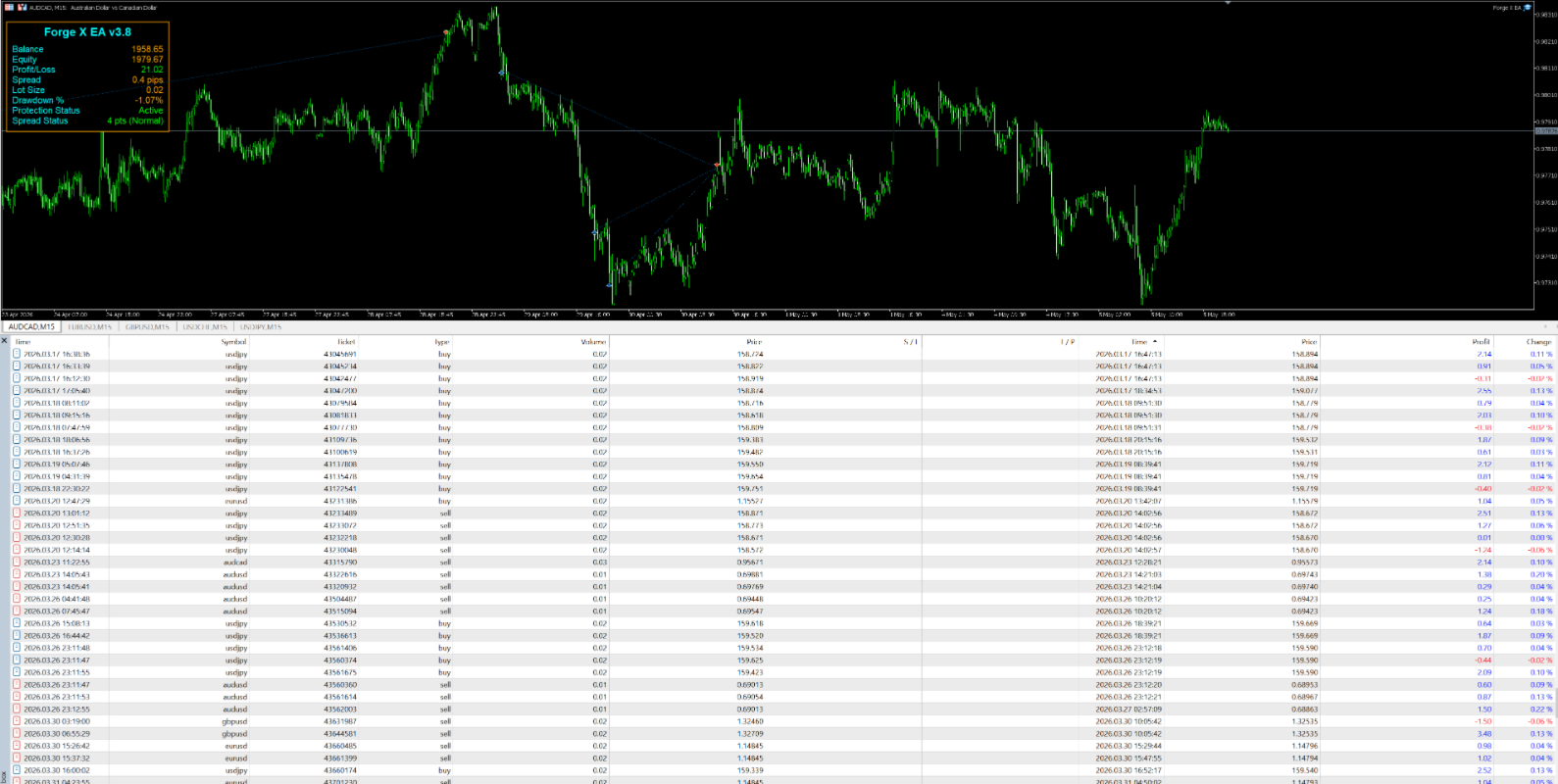
Dynamic Trading Panel (HUD): A sleek, on-chart display monitoring Balance, Equity, Profit/Loss, Drawdown %, and Spread Status.
Account & Broker Requirements
Because Forge X EA scales into positions and frequently holds them overnight or through the weekend, your broker conditions will dictate your success.
-
Leverage: 1:500 is highly recommended to ensure adequate free margin during scaling and recovery phases.
-
Spreads & Commissions: You must use a broker with ultra-competitive, raw spreads. Entering trades during scaling requires the lowest possible friction.
-
Multi-Day & Weekend Holding: Forge X EA frequently holds baskets of positions for several days, including over the weekend, until the recovery or profit target is hit. You must ensure your broker offers highly favorable overnight swap fees (or swap-free/Islamic accounts). Accumulating negative swaps over several days with a bad broker will severely eat into your basket profits.
-
Minimum Account Size: $500
-
Recommended Account Size: $1000+ (for proper risk distribution and recovery capability).
Pre-Trading Checklist
Do not trade blindly. Every broker has different data feeds, spread behavior, and execution speeds. You must do your own backtesting and optimization before trading live. Load the provided .set files into the MT5 Strategy Tester on your specific broker's data to verify performance and understand the EA's behavior, drawdowns, and recovery mechanics.
Input Parameters Explained
=== GENERAL SETTINGS ===
-
MagicNumber – A unique identifier for all orders placed by this EA. If trading multiple pairs, you must assign a unique Magic Number to every chart.
-
HigherTimeframe / EntryTimeframe – The dual timeframes used to confirm zone significance and confluence.
-
LookbackBars – How many bars into the past the EA analyzes to detect zones.
-
OrderTimeout_Hours – Pending limit orders expire after this many hours if not filled, preventing orders from triggering on stale zones.
=== POSITION SIZING ===
-
RiskMethod – Choose how lot size is calculated (Risk Per Account, Fixed Lot Size, or Risk Percentage).
-
InitialLotSize_Per1000 – When using RISK_PER_ACCOUNT, this is the lot size per $1,000 of account balance. (e.g., 0.01 on a $10,000 account = 0.10 lots).
-
FixedLotSize / RiskPercentage – Alternate sizing inputs depending on your chosen Risk Method.
=== ZONE IDENTIFICATION ===
-
ZoneATRFactor – Multiplies the ATR to determine zone width. Default 0.75 works well for most pairs.
-
FractalFast_Factor / FractalSlow_Factor – Controls how many bars are used to detect fast and slow fractals. (See the "Advanced Fractal Guide" below for detailed math on how to set these manually).
-
ConfluenceRange_Pips – Maximum distance in pips between Entry and Higher timeframe zone boundaries to consider them aligned.
=== VISUAL SETTINGS ===
-
EnableDrawing – Draws detected zones directly on your chart with colored rectangles.
-
RemoveChartGrid – Removes MT5 grid lines for a cleaner view of zones.
=== TAKE PROFIT & TRAILING STOPS ===
-
TP_Pips – Profit target for a single position.
-
BasketProfit_Pips – Profit target for a basket of multiple positions (after add‑ons).
-
RecoveryProfitPips – Profit target used during recovery mode.
-
Trailing Stop Modules – Independent toggles and settings to activate trailing stops for either single positions or full baskets once a certain profit threshold is reached.
=== PROTECTIVE MECHANISMS ===
-
Enable_StopOut – Monitors account equity and closes all positions if drawdown becomes too severe.
-
Enable_MA_Filter – Only allows trades in the direction of the moving average, avoiding counter-trend entries.
-
PauseDrawdownPercent – Pauses new initial orders if drawdown exceeds this threshold, giving the account time to recover.
-
Spread Protection – Monitors rolling 30-day average spreads and blocks new add-on trades during abnormal, high-spread market conditions.
=== SCALING & RECOVERY ===
-
AddMultiplier – How much lot size increases for each add‑on trade (Additive).
-
MaxAddTrades / MaxRecoveryTrades – Hard caps on how many scaling or recovery trades can open.
-
RecoveryAfterPips – Net basket loss in pips that triggers the dedicated recovery mode.
-
RecoveryRiskMultiplier – Additive lot increase per recovery trade to help exit drawdown efficiently.
Advanced Fractal Guide
If you are optimizing the EA for a new pair, you must understand how the EA calculates zones.
The fractal factors ( FractalFast_Factor and FractalSlow_Factor ) determine how many bars are analyzed to create zones. These numbers are calculated using a fixed 1‑minute reference, ensuring the EA correctly analyzes zones no matter which chart timeframe you attach it to.
Increasing these values creates wider, stronger zones (fewer signals). Decreasing them creates narrower, more sensitive zones (more signals). Rule of thumb: Keep the slow factor roughly twice the fast factor.
The Formula:
Factor = (Desired Bars on Entry TF) × 60 ÷ (Seconds per bar of Entry TF)
Examples for an M15 Entry Timeframe (900 seconds per bar):
-
To get 3 fast bars: 3 × 60 ÷ 900 = 0.2
-
To get 6 slow bars: 6 × 60 ÷ 900 = 0.4
-
To get 5 fast bars (Classic Bill Williams): 5 × 60 ÷ 900 = 0.33
Because the same factor applies to both the entry and higher timeframes, the number of bars on the higher timeframe will automatically scale proportionally. For example, a Fast Factor of 0.2 gives you 3 bars of lookback on M15 (45 mins) and 12 bars on H1 (12 hours).
Recommended Manual Timeframe Combinations
(Based on 3-5 bars for fast, and 6-10 bars for slow)
| Entry TF | Higher TF | Fast Factor | Slow Factor |
| M5 | M15 | 0.60 | 1.20 |
| M5 | H1 | 0.60 | 1.20 |
| M15 | H1 | 0.20 | 0.40 |
| M15 | H4 | 0.20 | 0.40 |
| M30 | H1 | 0.10 | 0.20 |
| M30 | H4 | 0.10 | 0.20 |
| H1 | H4 | 0.05 | 0.10 |
| H1 | D1 | 0.05 | 0.10 |
| H4 | D1 | 0.0125 | 0.025 |
Disclaimer: Trading Forex involves substantial risk of loss and is not suitable for all investors. Past performance does not guarantee future results. You should only trade with money you can afford to lose. The EA is a tool to assist your trading decisions, not a guaranteed profit system. Always monitor your trades and understand the risks involved.