Poc volume honeyflow
- Indicadores
- Versão: 1.20
- Ativações: 5

POC Highlighter - Volume Profile Indicator
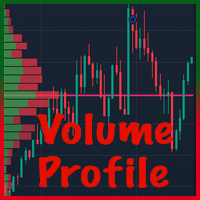
This indicator displays the Volume Profile and clearly marks the Point of Control (POC) with a prominent yellow horizontal line. The POC represents the price level with the highest traded volume within the visible chart range or selected period.
Key Features:
- Automatic calculation and display of Volume Profile histogram at the right side of the chart.
- Highlights the POC level with a customizable yellow line (default: solid yellow).
- Adjustable profile range (e.g., visible bars, daily, weekly, or custom periods).
- Optional display of Value Area (VAH/VAL) if implemented.
- Clean and non-intrusive visualization suitable for intraday or swing trading analysis.
- Works on any symbol and timeframe.
Input Parameters (all in English):
- ProfilePeriod : Period for volume profile calculation (Visible, Daily, Weekly, etc.)
- POC_LineColor : Color of the POC line (default: Yellow)
- POC_LineStyle : Line style (Solid, Dashed, etc.)
- POC_LineWidth : Line thickness
- ShowHistogram : Show/hide volume histogram
- HistogramColor : Color for volume bars
The indicator helps visualize areas of high trading activity and potential support/resistance levels based on volume distribution. Use it as part of your analysis; no trading signals are generated.
Recommended for traders familiar with Volume Profile concepts. Test on demo account first.
Note: This is a technical analysis tool only. Trading involves risk.