 MetaTrader 5
 Experts
 Indicadores
 Bibliotecas
 Utilitários
 Widgets
 Regras
Conheça o Mercado MQL5 no YouTube, assista aos vídeos tutoriais
Como comprar um robô de negociação ou indicador?
Execute seu EA na
hospedagem virtual
hospedagem virtual
Teste indicadores/robôs de negociação antes de comprá-los
Quer ganhar dinheiro no Mercado?
Como apresentar um produto para o consumidor final?
Utilitários de negociação para a plataforma MetaTrader 5 - 39
 Abaixo estão os programas de negociação que simplificam o trading no MetaTrader 5. Passe o mouse sobre um produto para ler uma descrição mostrando seu propósito.
Protect Your Stops from Spread Spikes! Description:
This trading utility is designed to protect your stops during market closure periods and low liquidity phases. With this tool, you can hide your Stop Loss levels within a defined time frame, preventing brokers and extreme market conditions from prematurely triggering your SL due to an abnormally high spread. Why Use It?
Prevent your trades from being stopped out due to spread widening during market closures.
Precisely control when your S
FREE

这款专为MetaTrader 5设计的EA(Expert Advisor),能够在加载后自动关闭所有图表,并立即从当前图表中自行移除。它适合那些希望快速清理所有图表,并避免手动关闭每个图表的用户。 功能特点: 一次性清理: 加载后立即关闭所有打开的图表。 自动移除: 执行完毕后,EA自动从当前图表中移除,无需手动操作。 快速高效: 适用于快速清理交易环境,特别适合在需要快速重置或结束交易日的情境。 使用说明: 只需将此EA添加到任何一个图表上,它将自动执行关闭所有图表的操作并自行移除。使用前,请确保已保存所有重要的图表数据和设置。 风险提示: 请谨慎使用此EA,以防不小心关闭重要图表。 适用于MetaTrader 5平台。 技术支持: 如有任何技术问题或需求,请联系我以获得帮助。
FREE
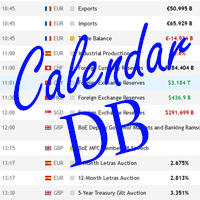
The strategy tester of the MT5 terminal does not allow robots (advisers) to read the events of the economic calendar. Therefore, news robots cannot be tested and optimized in the strategy tester. The solution to this problem is the reading of events by the robot from a previously prepared external database, in which the events of the economic calendar are recorded.
With the help of this utility, a Database File is generated from the economic calendar of the MT5 terminal. The File is created in
FREE

A service to keep the SQLite database up to date . Fast real -t ime operation . Saves open positions and orders , current quotes , and trading history . Take advantage of SQLite 's capabilities for intermediate data storage , analytics , and integration of the MetaTrader platform . Save all your data in one place . Use the saved data in SQL analytical queries , from Python and other la
FREE

Heartbeat Agent is a cross-platform utility for monitoring the status of your trading terminal, compatible with both Windows and Linux. This tool sends regular GET requests to a specified URL, allowing you to monitor the terminal's performance and receive real-time updates on its status. If the connection to the terminal is lost for any reason, you will be immediately aware and can take the necessary actions. Key Features of Heartbeat Agent: Cross-Platform Compatibility: Heartbeat Agent supp
FREE

OR One-Click - Exiting EA on OsMA and RSI
This utility will not create a new position for you nor will it find a new opportunity. It will help you exit a trade. It allows you to use the "One-Click" feature on your cellphone MT5 APP to place a trade; then the utility will modify and manage the position until it is closed. This utility will work on the following 16 symbols. USDJPY, EURJPY, AUDJPY, CADJPY, GBPJPY, EURUSD, EURGBP, EURCAD, EURAUD, AUDCHF, AUDCAD, USDCAD, USDCHF, AUDUSD, GBPUSD, N
FREE

Script to configure "TweetHelper for MT5" environment settings for "Twitter API v2 OAuth 2.0 with PKCE".
Client ID : ${CLIENT_ID} Auth Basic base64 : β string(Base64) Response Code : auth_code to be obtained in step 2 of "Connection Procedure Using OAuth2.0" Callback URI : the value set in User authentication settings "Callback URI / Redirect URL"
TweetHelper trial for MT5 https://www.mql5.com/ja/market/product/54832
TweetHelper for MT5
https://www.mql5.com/ja/market/produ
FREE

The indicator is a real-time trading dashboard for MT5, showing account, trade, and risk information in a compact panel directly on the chart. Key Features Dashboard Display Shows instrument, price, spread, and remaining candle time. Shows account stats: balance, equity, margin, free margin, margin used. Floating profit and pips of all open trades. Historical profits: today, this week, this month, and all-time. Risk stats: total lot size, average risk per trade, average R:R ratio, average tr
FREE

Shows the full name of the symbol on the chart.
Especially relevant for Stocks, CFDs, Indices and Futures.
Also, when you press "right"(cifre 6) on the NumPad, an "Alert" is issued, from which you can copy the name in the "Experts" column
and use, for example, to search for additional information about the company.
In the settings you can select the color, placement and font size.
FREE

The script illustrates the usage of the OBJPROP_XOFFSET and OBJPROP_YOFFSET properties. It displays the specified fragment of the .BMP image.
FREE

Versão paga com 38 indicadores: https://www.mql5.com/en/market/product/58056
Eu acredito que o desenvolvimento em PYTHON seja muito mais fácil na criação de Expert Advisor ou qualquer outra ferramenta que facilite a automação de tomada de decisão no mercado financeiro.
Sendo assim eu criei uma biblioteca em Python que possa ser utilizada para criar robôs de forma mais simples e rápida, pode ser encontrada aqui:
https://github.com/Joaopeuko/Mql5-Python-Integration
Este MQL5 Service utiliza
FREE
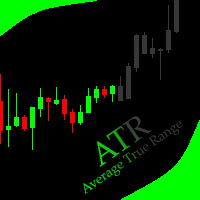
This indicator allows to hide ATR oscillator (on all MT5 timeframes) from a date define by the user, with a vertical line (Alone) or a panel (with "Hidden Candles"). Indicator Inputs: Period Information on "Average True Range" indicator is available here: https://www.metatrader4.com/en/trading-platform/help/analytics/tech_indicators/average_true_range ************************************************************* Hey traders!! Give me your feeds! We are a community here and we have the same o
FREE

Ofir blue is the first full trading application for Telegram. It is proposed in 2 versions : OfirBlueLite (without trading) and OfirBluePro (with trading). The Pro version is still in beta (available on request).
To access Ofir Blue Lite, go to Telegram and open the bot @OfirBlueLite. All demos, tutorials and docs are available in Telegram.
Join the Telegram group @OfirBlueUserGroup to get updated information and support.
Features: Dashboard ️ Account summary ️» Profit of the day ️» Eq
FREE

Rastreamento limpo e rápido do seu Ganho Médio (Average Win) em tempo real diretamente no seu gráfico do MetaTrader 5. Diga adeus às telas desordenadas e aos painéis pesados e lentos. O Simple Average Win Tracker da InnovaDash é um widget ultraleve que fornece exatamente os dados de que você precisa, exatamente onde você precisa. Por que rastrear seu Ganho Médio? Conhecer sua negociação vencedora média ($) é crucial para construir sua relação risco-retorno. Quando combinado com sua perda média,
FREE

LotMaster AI – Cálculo Inteligente de Lotes e Controle de Risco Cálculo automático do tamanho do lote e proteção do capital para um trading seguro e estável. O que é o LotMaster AI?
Este Expert Advisor calcula automaticamente o volume da operação com base no seu saldo e na porcentagem de risco definida.
Esqueça a adivinhação de quantos lotes abrir – o LotMaster AI faz isso por você , considerando o Stop Loss e as condições do mercado . Principais funcionalidades:
Cálculo automátic
FREE

SymbolMonitor 1.3 – Controle total sobre o seu trading! Você opera com múltiplos ativos e deseja ver seus lucros em tempo real ?
SymbolMonitor 1.3 é um poderoso robô que analisa automaticamente a rentabilidade de cada símbolo e oferece configurações flexíveis e notificações! Novidades na versão 1.3 Configurações visuais personalizáveis – ajuste fonte, tamanho e cor do texto
Notificações automáticas – receba alertas quando seu lucro atingir a meta
Cálculo preciso de lucros – ex
FREE
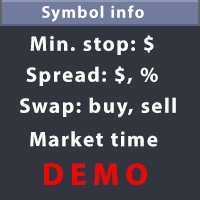
This utility displays the information required for making trades on each opened chart. For example: spread value, swap value; triple swap day; session closing time; ATR of the symbol by Gerchik; total profit/loss for the current symbol; the number of trades made earlier; the percentage change in the quotes of 6 selected instruments; and much more. The spread value is always shown. The rest of the information is displayed depending on the settings: Show total orders at the moment (long, short) .
FREE

Broker & Account Info / Network Connection / Historical Order Benchmarks / Market Watch Symbols / Current Order Status
Features:
1. Symbol’s Trading Privileges – Ensure the symbol is tradable.
2. Order Execution Mode – Check the broker’s execution type.
3. Trade Session Hours – Verify the trading hours.
4. Min/Max Lot Sizes – Check the allowed lot range.
5. Max Pending Orders – Confirm the maximum number of pending orders allowed.
6. Freeze Point & Pending Order Distance – Minimum distance re
FREE

This is the demo Version of Money and Trade Manager, which can be found here: https://www.mql5.com/en/market/product/58163# The Demo is limited to EUR/USD , but otherwise fully functional.
Features: easy positioning of stoploss and takeprofit with horizontal Assistance-lines
automatic Volume calculation fixed risk, set by the trader Closing of all trades of one type, with the click of one button (long or short, for this symbol) Creation of pending orders with one click Direct feedback throug
FREE

Total Closed Trades – MT5 Indicator The Total Closed Trades indicator for MetaTrader 5 provides a quick, visual overview of your trading performance by displaying a simple and intuitive 3-value breakdown : Total Trades – The total number of closed trades. Winning Trades – Number of profitable trades. Losing Trades – Number of losing trades. Instead of digging through reports, traders can instantly monitor their historical performance with a compact and elegant pie chart-style widget. Key
FREE

Toma el Control Absoluto de Tus Operaciones ¿Cansado de calcular manualmente el tamaño de tu posición o de sudar frío esperando a que el precio toque tu stop loss? La gestión del riesgo es la línea que separa a los traders consistentes del resto. No dejes tu capital en manos de la improvisación. Presentamos la Calculadora de Posición y Riesgo , tu nueva aliada esencial para operar con precisión y disciplina profesional. Con esta poderosa herramienta, tú: Maximiza tu Potencial: Calcul
FREE

Script to Delete Pending Orders
Sometimes you placed many Pending Orders and then you want delete certain kind of these orders, this script can help you! Usage:
Download and drag and drop this script to the chart. Check "Allow AutoTrading" in "Common" tab and set input parameters in "Inputs" tab. Input Parameters: TypeOfPending: which type Order you would delete. mySymbol: which Symbol you would delete. The input format of the Symbol is such as "EURUSD" or "eurusd".

The script allows to easily watch the date and time of several cities selected by the user from more than 30 important cities all over the world. It also shows GMT, Server time and Local time. The cities on the screen are automatically sorted by the date and time. You can save your setting on the Inputs tab and use them in future. Notice: Daylight saving time is not considered.

Some trading strategies are suitable for the quiet market with less volatility, while others are suitable for the volatile and violent market. Either way, traders should have a clear measure of how hot or cold the market is. This product is convenient for traders to compare the degree of cold heat of different trading varieties, or the trading heat of the same trading variety in different time periods. You can put it on different charts to get the intuition. It's easy to see which is more hot an

Painting Deals on active chart. It allows analyzing trade history on an account to which you have an investor (read only) password. Type of the arrow displayed indicated the deal type: Right Arrow means In and In/Out deals Arrow Left Left means Out deals. Blue arrows are for Buy deals and Red arrows are for Sell deals. The indicator displays deals in the real time mode, it also displays their Stop Loss and Take Profit levels. Put the mouse over the arrows to see the details of deals including op

The script shows statistics of trades for the specified period. For example, if you want to know the details of trades of the ATC2010 Winner ( bobsley ): Login with his account using the investor (read-only) password (MetaTrader5); Open the chart of his trading symbol (EURUSD); Run this script on the chart; Specify 2010.10.1 in "date from", and the diagram will be shown.
The Synchronized Charts script allows comparing bars of different symbols or different periods of the same symbol. Attach the script to a chart and move bars or change the scale, all opened charts will move synchronously with the current one. The bars on different charts aligned to the border according to their open time. Please be sure the relevant history datas have been downloaded before synchronize charts.

The script creates account summary report in a separate window. The report can be created for all deals and on deals for selected financial instruments.
It is possible to specify a time interval of calculation and save report to htm-file.
The script creates account summary report in a separate window. The report can be created for all deals and for deals of the selected financial instruments. It is possible to specify a time interval of calculation and save report to htm-file.
Input parameters

Expert Advisor removes a group of pending orders. Orders are grouped by type. Orders are grouped by entry.
It is possible to form groups arbitrarily directly in the table. Эксперт удаляет группы отложенных ордеров. Ордера группируются по типам. Ордера группируются по направлениям.
Есть возможность формировать группы произвольно непосредственно в таблице.

Expert Advisor to change the Stop Loss and Take Profit levels. It is possible to set stop levels according to the specified profit/loss. You can set the price level directly. Эксперт для изменения уровней Stop Loss и Take Profit открытой позиции. Есть возможность задавать уровни стопов в соответствии с заданной прибылью/убытком. Можно задать непосредственно ценовой уровень ордеров Stop Loss и Take Profit.

The Expert Advisor performs closure of several positions. Positions are grouped by type. You can select the position of largest profit(losses). It is possible to form groups at random. Эксперт выполняет торговые операции группового закрытия позиций. Позиции группируются по типу. Можно выбрать один из трех параметров: filter Off. Buy only. Sell only.
Можно отбирать позиции по величине прибыли(убыткам). filter Off. Wins only. Losses only. и/или задать порог по достигнутой прибыли(убыткам). Есть в

This script allows traders to easily close positions if their profit/loss reaches or exceeds a value specified in pips.
The script allows users to easily close positions if their profit/loss reaches or exceeds a value specified in pips. Please set slippage value first. Sometimes some positions do not close due to high volatility of the market. Please set larger slippage or restart the script.
............................................................................................

Info tool helps to estimate the current risks of open positions and orders. It allows to analyze open positions or/and pending orders, also there are USD/Percentage modes. Expands the margin load and the share of profit participation for individual positions. Информационная панель помогает оценить текущие риски по открытым позициям и ордерам. Есть возможность отдельного анализа рисков по позициям/отложенным ордерам, а также в режимах USD/Percentage. Раскладывает маржинальную нагрузку и долю учас

TimeFilter indicator allows to select visually bit masks (GoodHourOfDay, BadHoursOfDay, GoodDayOfWeek, BadDaysOfWeek), used in the Intraday Time Filter module of the Standard Library. The use of time filters allows to take into account the details of trade sessions. Parameters: GoodHourOfDay Number of the only hour of day (from 0 to 23) when trade signals will be enabled. If the value is -1, the signals will be enabled through the whole day. BadHoursOfDay The bit field. Each bit of this field c

This script notifies a user about different events by playing sounds, sending emails and text messages to a mobile device. The following events are supported: New deals (in/in out/out). Expiration of Pending orders. The terminal disconnected. The terminal or the script closed. Please set a notification type for each event separately. If you need notifications via Email, please make sure that the settings on the Email tab are correct. If you need to receive notifications on a mobile device, pleas

This utility is used to visually choose an indicator for trailing stop and select its parameters. The Expert Advisor modifies the Stop Loss order position opened for the instrument of the current chart based on indicator values. Uses indicators Parabolic SAR , NRTR (Nick Rypock Trailing Reverse) , Moving Average or linear regression channel. The indicators are added to or removed from the chart using the 'show' checkbox.
The following options are available: Parabolic - trailing stop based on th

This script alerts a user via sounds and alert box at the end of a countdown. It is like an alarm clock. There are 2 ways to start counting down: Set a value of remaining minutes. Example: if you need an alert after 1 hour, set it to 60. Set countdown end time. If you like to use a custom sound for the alert, copy your sound files to "terminal_path\Sounds" folder and set the exact file name in the input parameters. The sound file must be in *.wav format.

The Expert Advisor for increasing (or opening) market positions. Allows specifying the desired risk, target and searching for the best open price and trade volume. It is included in the ActivePanel product.
Configurable Parameters:
lots - directly the volume of the position increase. % equity - the amount of growth as a percentage of the amount of funds. stop loss - directly the level of the stop loss order. loss - the level of the stop loss order depending on the allowable loss. take profit -

This product is used to check the foreign exchange market history datas. Good quality historical datas is important for traders to perform market analysis or back testing. But the quality of historical datas provided by various foreign exchange brokers is uneven. Sometimes we notice missing k-line sequences, but sometimes it is not easy to detect them. This product helps users locate these missing locations.If there are many gaps in a given period of time on a chart, you need to be careful about

Informer for VPS - report on the state of your account via e-mail. Useful for controlling your Expert Advisors that run on a VPS or a dedicated computer. Information about open positions and last deals for a day, week, month or year grouped by currency pairs. Adjustable periodicity of reports and depth of deals included in the report. A possibility to add own comment to each report. You will receive reports on e-mail with specified periodicity: from 15 minutes to once a day. The reports are sen

.................................. This script is intended to help users to get information about ticks and spreads (e.g. ticks count, minimum/maximum/average spread). It can export reports in the CSV format with this information. Traders can see spread statistics in real time in the chart window It is useful for comparing spreads of different brokers. --------------------------------------------------------------------------

This is visualization tool based on the Depth of Market. It works with the symbols that have the Depth of Market available. It's a visual indicator that shows the volume of each Bid/Ask price and ratio of total volume of Bids/Asks. Note: check if your broker supports DOM before purchasing.
。。。。。。。。。。。。。。。。。。。。。。。。。。。。。。。。。。。。。。。。。。。。。。。。。。。 。。。。。。。。。。。。。。。。。。。。。。。。。。。。。。。。。。。。。。。。。。。。。。。。。。。

Este é um Expert Advisor que permite abrir e modificar posições e ordens através do mouse (com Stop Loss, Take Profit). Trabalhar com este Expert Advisor requer que seja definido o tamanho do lote, take profit e stop loss para as posições. Para ordens pendentes vocÊ precisa definir o tamanho do lote, take profit, stop loss e distância em pips. Este Expert Advisor tem apenas um parâmetro de entrada - cor de fundo.

A script for closing positions If you need to quickly close several positions, but it requires specifying maximal deviation and the number of attempt to close, this script will do all the routine for you! Allow AutoTrading before running the script. Usage:
Run the script on a chart. Input Parameters: Language of messages displayed (EN, RU, DE, FR, ES) - language of the output messages (English, Russian, German, French, Spanish). Slippage - acceptable slippage when closing. Specified as for 4-di

Script for deleting pending orders If you need to delete all pending orders you placed, this script will do it for you! Allow AutoTrading before running the script. Usage:
Run the script on a chart. Input parameters: Language of messages displayed (EN, RU, DE, FR, ES) - language of messages displayed (English, Russian, German, French, Spanish). Use Magic: (0 - ignore Magic, else - only this Magic) - if set to zero, the magic number is not considered. Otherwise the script deletes only orders wit

A script for quick reversing positions and/or orders. If you need to reverse a position with the same volume, open an opposite position of a different volume or change the type of existing orders (for example, Buy Limit -> Sell Limit, Buy Stop -> Sell Limit, etc.) with the same or different take profit/stop loss, this script will make all the routine for you! Allow AutoTrading before running the script. Usage: Run the script on a chart. Input Parameters: Language of messages displayed (EN, RU, D

Good day, ladies and gentlemen. What I offer is a pane that allows trading in any direction with a single mouse click, as well as setting stop loss and take profit automatically without your interference according to predefined values (this function can be disabled). The pane is implemented as an Expert Advisor, the buttons are located on the right part of the chart. The pane will be useful for scalpers that trade with different risk level and for intraday traders. The pane has been tested on li

CloseByLossOrProfitTune Expert Advisor closes a part of position as the total profit or loss for specified symbols reaches a specific value. The profit or loss level is specified in the deposit currency. In addition, the Expert Advisor can delete pending orders. Allow AutoTrading before running the Expert Advisor. Usage: Run the Expert Advisor on a chart. Input Parameters: Language of messages displayed (EN, RU, DE, FR, ES) - language of the output messages (English, Russian, German, French, Spa

The CloseByPercentLossOrProfit Expert Advisor closes some positions as the total profit of loss for the entire account reaches a specified value. The profit or loss is specified as percentage of the account balance. In addition, the Expert Advisor can delete the pending orders. Allow AutoTrading before running the Expert Advisor. Instructions: Run the Expert Advisor on the chart. Input parameters: Language of messages displayed (EN, RU, DE, FR, ES) - the language of output messages (English, Rus
The script is designed to analyze deals history of a signal exported to a csv-file from its page. The exported file of the studied signal must be placed in the terminal data folder\MQL5\FILES\. The script displays deals for the current chart symbol to which it is applied. In a separate window a short trading report will be created either on the current symbol deals, or on all the deals. There is a possibility to save the report in an htm-file (Shift+H). The script parameters: signal csv-file nam

Este é um utilitário para o dimensionar automaticamente o gráfico com menos de 140 barras visíveis. Isso é necessário para uma análise correta de ondas de acordo com a estratégia "Negociação do Caos"de Bill Williams. O utilitário pode ser usado em qualquer período de tempo disponível no МetaТrader 5. Ele desenha uma linha vertical através da primeira barra iniciando o cálculo. Esta linha permite que você veja o ponto provável de partida da sequência da onda, juntamente com um número suficiente d

The script displays the following information: Maximum possible lot for a Buy or Sell deal at the moment; Daily, weekly, monthly and yearly profit; Maximal and minimal lot allowed by dealer; Account type (real, demo); The number of open positions and orders. Swap (long and shoet), текущий инструмент, текущее плечо, уровень Stop (stop level). Tick value and Pip value.

Another script for opening orders and positions that features the possibility to set a comment and a magic number. Parameters: Magic - magic number. Comment - comment for an order or position. OrdType - type of the order or position (Buy, Sell, BuyLimit, SellLimit, BuyStop, SellStop, BuyStopLimit, SellStopLimit). Lot - request volume of the order. Price - price at which the order should be executed. LimitPrice - price that will be used for a Stop Limit order. SL - Stop Loss price (loss control

Overview The Expert Advisor sends notifications to a mobile phone, via e-mail or activates an audio alarm in case any changes are detected on the trading account: opening/closing positions, changing order and position parameters, balance or leverage. Also, the Expert Advisor can inform that Equity on the trading account has dropped below a specified value or Free Margin is small compared to Margin. The Expert Advisor does not trade, it only monitors your account and orders.
Launching the Expert

Overview The script displays information about the trade account and the current financial instrument. Information about the trade account: Account - account number and type (Real, Contest or Demo); Name - name of the account owner; Company - name of a company that provide the access to trading; Server - trade server name; Connection State - connection state; Trade Allowed - shows whether trading is allowed on the account at the moment; Experts Allowed - shows whether it is allowed to trade usin

The analyzer allow estimating how the margin level changes when a position price or volume changes. It also displays price level at which StopOut and MarginCall may occur.
Parameters: volume position upgrading - the number of lot position changes. number of levels on the chart - the number of levels plotted on the chart levels color - color for drawing levels

Introducing a compact and handy panel that shows the main parameter of the current price on a chart. The following information is displayed: The price value itself, a user can choose Bid, Ask or Last; Instrument name ; Type of the price displayed; Spread size in pips; Stops level in pips; Change of price in pips comparing to the day start; Current daily range ( High - Low ) in pips; Average daily range in pips for the last 20 days. External parameters: Instrument Name - name of the instrument to

Introducing a compact and handy panel for watching the market and estimating multicurrency price movements. It shows main parameters for a user defined group of symbols in the form of a table. Its functionality is checked on Forex and FORTS. The following information is displayed: Financial instrument name . Last price value - can be turned off for off-exchange markets. Ask price value . Bid price value . Spread size in pips. Stop level in pips - can be turned off for off-exchange markets. Chang

The Expert Advisor notifies that a price has crossed a line on the chart. It handles two types of lines - horizontal lines and a trendline. The number of lines is unlimited. It can also notify of changes in the margin level, in the total volume and profit (loss) for a symbol.
Parameters: price mode - price type (bid or ask). timeout - alert timeout. number of repeats - the maximum number of repeated alerts. comment lines - the number of lines in a comment. email - enable sending of Email notifi

This script analyzes all symbols in Market Watch for a set timeframe. The result is displayed on the Experts tab and in the specified file. For more convenient viewing and editing, the result is displayed in a csv file. For the calculation, the Pearson formula is used. The value of the correlation coefficient of pairs close to 1 means that the pairs move almost identically. A value close to -1 means that the pairs move in the same way. This tool will be useful to those who use hedging due to the

This script allows you to compare quotes and spreads from different trading servers or brokers to identify a server/broker that offers the best bid/ask price and the tightest spread. It can be compared with up to six different servers or brokers at a time, and it is easy to find the best quote provider by score. Usage: Open up to 6 MetaTrader client terminals, login to different servers/brokers, and then start the script on each terminal's chart.

AutoCloseTimer allows you to close positions and delete pending orders at a specified time.
Usage Download and drag and drop AutoCloseTimer onto the chart. Check Allow AutoTrading in Common tab. Set parameters in Inputs tab. Notice: The close time must be later than the current market time.
Input Parameters CloseSymbol - there are 2 options SymBol Of Chart - just close the symbol of the current chart
All Symbols - close all symbols CloseTimerDay - specify a day for AutoCloseTimer. The default

Auto Trade Driver is an automatic powerful tool (run as Expert Advisor) that helps you to manage risk and control orders and maximize your profit in multi-protect/trailing-stop rules. This tool is very useful for both scalpers and trend followers. It not only calculates the trade risk exactly, but also protects and maximizes your profits in real-time. With this tool, the only thing you have to do is to enter trade by your own strategy, then it will auto-drive your position with exit strategy you

My Money Manager like a risk controller, which places your trades with the exact volume that meets your desired stop loss risk percentage. It can also help you to preview your EP/SL/TP levels before placing an order by dragging these levels directly on a chart, and keep reporting about them during the position opening. With this tool, you will feel more comfortable when deciding to open orders, as well as forecasting your profit/loss with your orders. Placing orders is a very precise and profess

Trade Controller provides multiple methods to protect and maximize your profits. This powerful weapon helps you to set the protect and trailing-stop rules on your trade automatically in many effective methods. Once it is set and turned on, you don't need to monitor your orders anymore, the software will keep watching and control your orders with your predefined rules. It's designed to support multi-protection and trailing strategy: Protect by break-even, protect by percentage, protect by pip, pr

News Loader Pro is a tool that automatically updates every economic news in real time with detailed information from several online data sources. It uses the unique technology to load data with full details from popular Forex websites. An alert will be sent to your mobile/email before an upcoming news release. Moreover, it also marks the news release points on the chart for further review and research. In Forex trading, news is one of the important factors that move the market. Sticking with ne

News Trader Pro is a unique robot that allows you to trade the news by your predefined strategy. It loads every piece of news from several popular Forex websites. You can choose any news and preset the strategy to trade it, and then News Trader Pro will trade that news by selected strategy automatically when the news comes. News release gives opportunity to have pips since the price usually has big move at that time. Now, with this tool, trading news becomes easier, more flexible and more exciti

This is a ready-made professional position tracking system. It works on all currency pairs and timeframes. The product processes the errors correctly and works on the market efficiently. The trading robot applies basic concepts - breakeven and trailing. The trailing is based not on indicators but on the last bar of the specified time interval ( TrailingStep Period ) or points ( Trailing Stop =0). Parameters: Deviation – requotes. Sleeps – waiting for position modification. Trailing Period – the

The script allows to close all opened positions if Sum of Profit from all opened positions is greater than value of the input parameter: SumProfit .
Input parameters SumProfit = 100 You can change SumProfit to any positive value ( in dollars , not in the points!). This script will close all positions for a given currency pair only. Keep in mind that you have to " Allow automated trading " on the "Expert Advisors" tab (Tools->Options).

BuyStop_SellStop_Grid script opens BuyStop and SellStop pending orders and deletes all existing pending orders. You just need to drop this script on the chart with a desired currency pair. Before placing all pending orders, the input window is opened allowing you to modify all input parameters: DeleteAllPending - if TRUE, then all pending orders are deleted; BuyStop - if TRUE, BuyStop order is opened; SellDtop - if TRUE, SellStop order is opened; InitLot - initial lot; LotCoeff - if 1, all pen
O Mercado MetaTrader é o melhor lugar para vender robôs de negociação e indicadores técnicos.
Você apenas precisa desenvolver um aplicativo para a plataforma MetaTrader com um design atraente e uma boa descrição. Nós vamos explicar como publicar o seu produto no Mercado e oferecer a milhões de usuários MetaTrader.

Você está perdendo oportunidades de negociação:
- Aplicativos de negociação gratuitos
- 8 000+ sinais para cópia
- Notícias econômicas para análise dos mercados financeiros
Registro
Login
Você concorda com a política do site e com os termos de uso
Se você não tem uma conta, por favor registre-se