 MetaTrader 5
 Experts
 Indicadores
 Bibliotecas
 Utilitários
 Widgets
 Regras
Conheça o Mercado MQL5 no YouTube, assista aos vídeos tutoriais
Como comprar um robô de negociação ou indicador?
Execute seu EA na
hospedagem virtual
hospedagem virtual
Teste indicadores/robôs de negociação antes de comprá-los
Quer ganhar dinheiro no Mercado?
Como apresentar um produto para o consumidor final?
Novas ferramentas de negociação para MetaTrader 5 - 52
 Abaixo estão os programas de negociação que simplificam o trading no MetaTrader 5. Passe o mouse sobre um produto para ler uma descrição mostrando seu propósito.
REMOTE COPY TRADE PRO révolutionne le trading social en brisant les limites traditionnelles des systèmes de copy trading ! Contrairement aux solutions classiques qui vous obligent à utiliser le même ordinateur ou VPS, ou s'inscrire sur les plateformes en ligne, notre technologie brevetée permet une copie d'ordres SANS LIMITES GÉOGRAPHIQUES entre n'importe quel ordinateur dans le monde ! AVANTAGE EXCLUSIF : COPIE D'ORDRES À DISTANCE Les limites des autres systèmes : Obligation d'u
Seções da Boleta FX 1. Quantidade (Qtd – volume) Campo para definir o tamanho do lote (volume) da ordem a ser aberta. Há botões de atalho ( 0.10 , 0.20 , 0.40 ) para seleção rápida que podem ser customizados. Também é possível inserir manualmente o valor no campo ( 0.20 por exemplo). 2. TP / SL (em pontos) Permite definir Take Profit (TP) e Stop Loss (SL) já no momento da entrada. Valores configurados em pontos , não em preço direto. Caixas de seleção: TP : Take Profit ativado: ao posic
Multi-Level Trading Dashboard - Professional Market Analysis Tool Transform Your Trading Experience with Advanced Multi-Symbol Monitoring The Multi-Level Trading Dashboard is a sophisticated MetaTrader indicator that revolutionizes how you monitor and analyze multiple currency pairs simultaneously. Built with professional traders in mind, this comprehensive tool combines real-time market data, technical analysis, and account management in one intuitive, Windows-style interface. Key Features

Unlock the power of professional risk management with the Hardstop Risk Manager — your ultimate safeguard against devastating trading losses! Are you tired of watching your hard-earned capital erode due to unexpected market swings? Then Unlock the power of professional risk management with the Hardstop Protection EA — your ultimate safeguard against devastating trading losses! This all-in-one, intelligent risk management tool continuously monitors your account, employing multiple layers of prot

Scorpion 73 Bot – User Manual MT5 Version: 1.0 | Author: Salman (Signalsview.com) | Sep 1, 2025 Contents 1️⃣ Overview
2️⃣ Installation & Setup
3️⃣ Main Control Panel ️
4️⃣ Multi-Pair Monitor
5️⃣ Trades Panel ️
6️⃣ Stop Loss & Profit Lock ️
7️⃣ Account Info
8️⃣ Best Practices
9️⃣ FAQs 1. Overview Scorpion 73 is a MetaTrader 5 Expert Advisor (EA) acting as a trader’s command center :
Fast execution & automation
️ Full trade/order control
️ Advanced risk

EA Pro Risk Panel — Planejamento de operações e fechamentos parciais grátis para MT5
Planeje a entrada, calcule o tamanho da posição com base no risco escolhido e na distância do stop e gerencie saídas parciais em um só painel. Você decide as operações; o painel ajuda a executar seu plano.
NOVIDADES DA VERSÃO 3.6 • Mais estabilidade ao mudar o período ou alternar entre gráficos, com correção dos problemas de exibição associados. • Personalização das cores das linhas e do fundo das caixas no gr
FREE

INDICADOR DE PREÇO AO VIVO E LUCRO TOTAL PERFEITO PARA TRADING AO VIVO E COMPARTILHAMENTO DE TELA Projetado especificamente para day traders, scalpers e sessões de trading em transmissão ao vivo Este indicador profissional fornece exibição de preços em tempo real e rastreamento abrangente de lucros diretamente no seu gráfico - essencial para trading de alta frequência e transmissões de trading ao vivo. RECURSOS PRINCIPAIS EXIBIÇÃO DE PREÇO EM TEMPO REAL Atualizações de preço bid ao vivo a cada
FREE

Historical Info Uma ferramenta simples e gratuita para exibir informações essenciais de negociação diretamente no seu gráfico. Esta ferramenta leve ajuda você a acompanhar seu desempenho rapidamente. Recursos: Operações Abertas Atuais: Visualize instantaneamente um resumo de todas as suas posições ativas. Histórico de Operações Recentes: Analise suas operações fechadas de um período selecionado nos últimos 30 dias. Organização Clara: Os dados históricos são organizados de forma clara, começando
FREE
O ordem OCOBreakEven, é uma EA simples que ao identificar um ordem de compra/venda, seja enviada à mercado ou limite, envia as ordens de Take e Stop que você definir nas configurações e também utiliza o breakeven para proteger a operação.
Nesta versão, não tem Stop Móvel e não calcula preço médio para juntar as ordens. Caso tenha interesse entre em contato para que possamos adicionar outros itens.

Automatic calculation of lot size for the specified risk and order placement. A simple and concise interface, optimized for fast operation and taking up very little workspace in the instrument window. YouTube guide: https://www.youtube.com/watch?v=9aBKakAMdts
IMPORTANT: When installing Position Wizard, don’t forget to allow algorithmic trading in your terminal! Risk can be set as: An absolute value in dollars (deposit currency) A percentage of the deposit Supported order types: Market (Sell &

Introducing the Elite Chart Navigator — your ultimate MetaTrader 5 Expert Advisor designed to revolutionize multi-symbol trading with seamless chart navigation and superior usability. Product Overview The Elite Chart Navigator EA is a sophisticated trading utility enabling rapid switching between multiple trading pairs through an intuitive on-chart button interface. Built for professional traders managing numerous instruments, this EA dramatically improves workflow efficiency, ensuring

Telegram Alert With Emoji Description and User Manual
EA Description Purpose:The Telegram Alert With Emoji sends real-time trading notifications to a Telegram chat or group for all trading activities in MT5, including new Positions (BUY/SELL), Pending Orders (BUY LIMIT, SELL LIMIT, BUY STOP, SELL STOP), Stop Loss/Take Profit (SL/TP) triggers, and closed Positions with profit/loss details. It includes a Rainbow Display on the chart and uses Global Variables to prevent duplicate notifications. [

Trading assistant NewsRForestExpert v4.01 Purpose and principle of operation NewsRForestExpert is a trading assistant for MetaTrader 5, using the built-in economic calendar
and the machine learning model "Random Forest" of the ALGLIB library (hereinafter simply "model"). The assistant: in this version works only on the EURUSD currency pair timeframes M1 – M5; loads news history for the selected period and forms training and test samples; trains on the obtained data or loads an already trained
FREE

RiskManagerOptimum for MetaTrader 5 – Your Ultimate Trading Safety Net!
RiskManagerOptimum is the most advanced and professional trade and account risk management Expert Advisor for MetaTrader 5.
It does not open trades. It monitors and manages existing positions in real time to control risk, drawdown, and exposure across all symbols. The EA is designed for manual traders, algorithmic traders, and portfolio traders who require strict and automated risk control across Forex, metals, crypto, indi

EA Close All Set TPSL All Panel EA Close All Set TPSL All MT5 is a professional utility tool for MetaTrader 5 that helps traders manage orders quickly and efficiently.
With a clean on-chart control panel, you can close trades or set Take Profit / Stop Loss levels for all orders with just one click. [MT4 Version ---> click . ]
Key Features On-Chart Control Panel – Light gray background with simple and intuitive design. Close All Orders – Instantly close all active Buy, Sell, and
FREE

Overview Order Manager PRO MT5 is a comprehensive trading tool designed to streamline order management and risk control in MetaTrader 5. It provides visual order placement with drag-and-drop interfaces, advanced risk management, and automated partial profit-taking capabilities. Key Features Visual Order Management Interactive Trading Bars : Drag-and-drop BUY/SELL bars that follow price movements or can be positioned manually Visual SL/TP Positioning : Real-time adjustment of Stop Loss and Take P

Liquidity Seeker EA
Why You MUST Have This EA Unlock the power of ICT (Inner Circle Trader) methodology with the most advanced Smart Money Concept trading system available. This EA transforms complex institutional trading concepts into automated precision, giving you the unfair advantage that professional traders use to consistently profit from liquidity manipulation and market structure shifts. START trading WITH market makers using their own playbook. You don't need to do much other than to
FREE
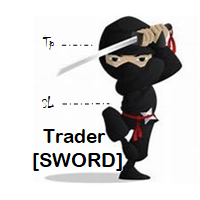
Trader [SWORD] is a panel EA designed to help the trader [scalper]. From the dashboard, the trader can: set the order volume, stop loss and take profit values [in points]; open a market order with its respective stop loss and take profit values. close all [win only, loss only or win and loss] positions opened through the EA. On the panel we have: the buttons to open new market orders [buy and sell]; the buttons to set the order volume [increasing and decreasing de volume order]; the buttons
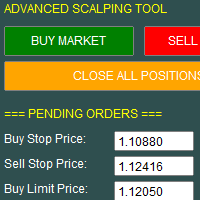
This utility allows for fast and flexible execution of market, stop, and limit orders, giving traders full control over their entries. It includes built-in support for setting stop loss, take profit, and trailing stop parameters at the time of order placement, streamlining trade management from the start.
The interface also displays key trading data in real time, including spread, live profit/loss, and position metrics, helping traders make informed decisions quickly and efficiently

Limiter Drawdown EA – Automatic Account Protection for MetaTrader 5
Description
Limiter Drawdown EA is a lightweight risk management tool for MetaTrader 5.
It monitors your account drawdown in real time and will automatically close all open trades once the threshold you define is reached. This provides a reliable safeguard for any trading strategy. Main Functions Monitors equity versus balance continuously Closes all positions when your chosen drawdown percentage is reached Optionally removes
FREE

How To Use Prop Guardian: 1. The enabled/ disabled button is used to turn Prop Guardian On/Off. 2. You can add your name by double clicking the expert advisor icon at the top right corner of the chart, then add your name where it says 'optional default trader name'. Once you add your name Prop guardian will address you by your name anytime it needs to send you a message. 3. You can choose your Prop firm's drawdown type by choosing between the 'Balance', 'Equity' and 'trailing' button .NOTE; this

Smart Tp Manager – Profit & Loss Closure Expert Advisor for MT5 Smart Tp Manager is a powerful yet lightweight Expert Advisor for MetaTrader 5, built to help traders enforce discipline and protect profits with zero guesswork. Whether you’re managing a single strategy or multiple EAs, Smart Tp Manager ensures your trades close exactly when your profit or loss thresholds are reached — automatically and without hesitation. Key Features Automated Profit & Loss Closure – Instantly closes all trades w
Title: ClosePanel MT5 — Instant Order Management from the Chart Description: ClosePanel MT5 is a convenient utility Expert Advisor for MetaTrader 5 that allows you to instantly close orders directly from the chart using three intuitive buttons. Perfect for manual traders who need to react quickly to market changes and manage risk without unnecessary clicks. Key Features: Close All Orders — instantly closes all open positions and pending orders Close Profitable Orders — closes onl

TradePilot Expert Advisor (EA) for MetaTrader 5 TradePilot is a professional and user-friendly Expert Advisor (EA) for MetaTrader 5 (MT5) . It simplifies automated trading , risk management , and trade execution with a smart trading panel . Perfect for beginners and experienced traders looking for a reliable trade manager EA with automated lot size calculation and smart position management. Key Advantages User-Friendly Trading Panel: Customizable panel with buttons and hotkeys for fast ex
MSP_Bridge é o utilitário gratuito que conecta o AI Grok 4 ao RiskKILLER AI Navigator , um assistente de direção de mercado e estratégia baseado em IA de múltiplos timeframes.
Este pacote irá ajudá-lo a obter insights de nível institucional com análise de tendência, sentimento e macro acionada por IA, adaptada ao seu estilo de trading.
RiskKILLER AI Navigator [ MT5 - MT4 ]
Implementação
Basta fazer o download e seguir as instruções abaixo.
Estamos à sua disposição em c
FREE

Este indicador gratuito ajuda a otimizar a análise técnica no MetaTrader 5 com ferramentas de desenho claras e práticas. Principais funções: Desenhar retângulos para destacar zonas de interesse. Traçar linhas de tendência de forma simples. Marcar estruturas como BOS e Market Structure (MS). Personalizar cores e estilos de acordo com as suas preferências. Ideal para traders que utilizam Price Action ou análise baseada na estrutura do mercado, mantendo os gráficos organizados e fáceis de interpret
FREE
Bollinger Bands TP Guardian
Este Expert Advisor de utilidade usa as Bandas de Bollinger para modificar o nível de Take Profit (TP) de ordens abertas, melhorando sua gestão de negociação e liberando suas mãos após a execução manual da negociação. Principais recursos Ajuste Automático de TP: O EA ajusta automaticamente o TP de ordens abertas. Integração com Bandas de Bollinger: Os níveis de TP são definidos usando a Banda Superior, Média ou Inferior de Bollinger. Configurações Personalizáveis: Os
Lot Size Calculator Advanced – Ferramenta de Dimensionamento de Posição com Balanço de Drawdown Este calculador de tamanho de lote é baseado na porcentagem de risco selecionada e na distância do stop loss. Ele também possui um novo recurso com um valor adicional para arriscar por negociação, essa abordagem ajuda a gerenciar o drawdown de forma suave, distribuindo o aumento de risco ao longo do tempo em vez de dobrá-lo imediatamente. Isso permite um melhor controle e uma gestão de risco mais segu
Trading Manager Tool – Execute and Manage Your Trades with Professional Precision Introduction
The Trading Manager Tool is a complete solution for traders who want precise control over risk, execution, and trade management.
No more manual calculations or complex steps — this tool simplifies your trading process and enhances your efficiency. Key Features Smart Risk Management Define SL/TP in real values (e.g., “I risk $30”) and let the tool calculate the lot size automatically Visualize risk and
FREE

Local MT5 Trade Copier EA – Copiador de ordens seguro, rápido e flexível de conta para conta Local MT5 Trade Copier EA foi desenvolvido para ajudar traders a copiar ordens de uma conta Mestre para uma conta Escrava de forma segura, rápida e automática. Esta ferramenta é ideal para: Gestores de contas: Copiar ordens da sua conta principal para várias contas pessoais ou de clientes. Traders com múltiplas contas: Executar ordens em várias contas ao mesmo tempo sem esforço adicional. Gestão de risco

CHART REVOLUTION EA - Uma Revolução na Negociação Semiautomática! Cansado da interface padrão desajeitada do MT5? Esqueça a constante troca entre janelas e cálculos complexos! Chart Revolution EA é um painel de negociação profissional de nova geração que transformará seu gráfico em um centro de comando completo para o trader! PORQUÊ ESCOLHER O CHART REVOLUTION? Tudo num só ecrã - sem mais janelas extras
Execução instantânea - abra ordens com um clique
Cálculo de risco inteligente - cá
FREE

Reflex Panel - Uma Revolução na Negociação Semiautomática! Cansado da interface padrão desajeitada do MT5? Esqueça a constante troca entre janelas e cálculos complexos! Chart Revolution EA é um painel de negociação profissional de nova geração que transformará seu gráfico em um centro de comando completo para o trader! PORQUÊ ESCOLHER O CHART REVOLUTION? Tudo num só ecrã - sem mais janelas extras
Execução instantânea - abra ordens com um clique
Cálculo de risco inteligente - cálculo a
FREE

Professional-Grade Chart Analysis – AI-Powered & Visually Enhanced The AInalyzer is an Expert Advisor for MetaTrader 5 that leverages artificial intelligence to analyze market structures and automatically places visual objects directly on your charts. Instead of spending hours manually examining charts, you'll get a clear overview of support levels, resistance zones, trend structures, and potential trading opportunities in no time – all logically presented, visually marked, and available at you

ELITE REVERSE TRADER (MT5)
Instantly hedge or invert any trade opened on your account—manual or EA. Reverse Mirror EA monitors your live positions and opens an opposite trade using your chosen lot mode (Fixed or Multiplier). When the original position is closed (manual close, SL/TP hit, EA exit—any method), the mirrored position closes automatically. Because it runs in the same terminal, it reacts faster than third-party copy tools. WHY THIS MATTERS
It is widely cited that a large majority of
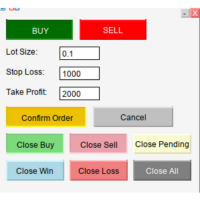
MQL5 SmartLevel Panel with Auto-Update Level Lines Description This SmartLevel Panel is a powerful and intuitive trading tool for MetaTrader 5, designed to help traders place orders with precision and efficiency. The panel features intelligent Level Lines that automatically update with price movements and are automatically removed if not confirmed within 1 minutes, preventing forgotten pending orders. Key Features Smart Level Line Management Auto-Update Functionality : The BuyLevelLine and Sell

TrumpFeed to Telegram – Lightweight News Forwarder especially for Gold-Trader This Expert Advisor reads the Trump Truth Social RSS (mirror feed) , classifies new posts via OpenAI , neatly shortens the quote, and forwards it to your Telegram group/topic – including a compact XAUUSD impact summary . Ideal if you want to be notified immediately of potentially market-moving statements. Key Features Fetch: EA reads the RSS feed https://trumpstruth.org/feed every 30 seconds. Parse & Clean: Removes HTM

Empowering MQL5 with an AI Brain in Python
Use *** Grok 4 and Chatgpt 5 *** Try Our AI System with 10 Free Daily Analyses Experience the power of AI for free: Every 24 hours, receive 10 free analyses directly in your terminal. Our system, by default, is configured to offer you high-precision signals on the 1-hour timeframe, every 3 hours. These analyses have a real cost in tokens from cutting-edge AI APIs like GPT-5 and Grok . We appreciate you valuing this access and considering our premiu

Talents ATR Scalper Utility (MT5) The Talents ATR Scalper Utility is a professional-grade trade execution and management tool built for MetaTrader 5. Inspired by the Biblical Parable of the Talents , this utility is designed to help traders multiply their potential with precision risk control, one-click simplicity, and advanced automation. Whether you’re scalping forex, gold, or indices, this tool delivers speed, consistency, and confidence. Key Features One-Click Trade Preview Click below price

TradeMetrics – Advanced Trading Analytics Exporter Turn your trading history into a professional, shareable report in seconds. Get a full breakdown of performance with balance, profit/loss, win rate, equity curve, detailed statistics, streaks, money management, and risk/reward analysis. Includes performance by day, hour, session, and instrument. Perfect for traders, signal/EA providers, and mentors who need a clear and reliable performance dashboard . Turn your trading history into profession

If you optimize your EA with backtest+forward, this is the script you need.
Imagine this: you have 10k simulations in the Optimization step (the back test), and you get another 10k in the Forward step. Each pair of simulation is done with a set of input parameters for your EA. Then the question are: Which set of parameters should you select for live trading? What criteria should I use to select such set? How much weight should I put to profit versus draw down or versus recovery factor? OPS help

Global Market Sessions – Visual Analyzer for MT5
A lightweight MT5 indicator that visually maps Tokyo, London and New York sessions, auto-detects broker timezone & DST, and highlights the best liquidity windows for smarter trading. See the market’s rhythm at a glance. Trade with clarity, precision, and confidence. Overview Global Market Sessions is a powerful yet easy-to-use MT5 indicator that visually displays the world’s major trading sessions (Tokyo, London, New York) directly on your chart
FREE

This MQL5 indicator creates a customizable grid of horizontal lines on your trading chart. Here's what it does:
**Main Functions:** - Draws equally spaced horizontal lines across the visible price range - Supports two line types: horizontal lines or trend lines with forward projection - Automatically adjusts to price scale changes
**Key Features:** 1. **Customizable Spacing**: Set grid distance in pips (20 pips by default) 2. **Flexible Starting Point**: Auto-calculates starting price or lets
FREE

This MQL4 code is a custom indicator that draws multiple colored rectangles on a chart, spaced apart by a defined pip distance, and projected into the future. Here's a brief breakdown: Purpose: Draws several horizontal rectangles (zones) starting from a specified price. Rectangles are spaced apart vertically by a pip distance. Colors alternate between FirstColor and SecondColor . Rectangles can be drawn behind candles and optionally filled. Each rectangle extends into the future for a specif
FREE

it's a combination of my rectangle and a line at half the distance of the between the upper part of a rectangle and the lower of the next rectangle /zone
It’s a pure charting indicator that builds a fixed-price zone grid: Anchor: Uses StartUpperPrice as the top of index 0 (fixed, not auto-shifting). Zones: Draws rectangles every StepPips , each RectHeightPips tall, with 100 above and 100 below the anchor. Style: Alternating FirstColor / SecondColor , optional fill and “dra
FREE

The indicator is a real-time trading dashboard for MT5, showing account, trade, and risk information in a compact panel directly on the chart. Key Features Dashboard Display Shows instrument, price, spread, and remaining candle time. Shows account stats: balance, equity, margin, free margin, margin used. Floating profit and pips of all open trades. Historical profits: today, this week, this month, and all-time. Risk stats: total lot size, average risk per trade, average R:R ratio, average tr
FREE

Trader Menu Info v5 is a powerful trading tool designed to enhance decision-making for traders by providing a comprehensive suite of analytical features. This advanced platform integrates multiple technical analysis components, delivering real-time insights directly within the trading environment. The first key feature is the detection of candlestick patterns, offering clear buy, sell, or neutral signals based on recognized formations such as Doji, Hammer, Engulfing, and more. This allows trader

This MQL5 indicator, detects candlestick patterns for BUY/SELL/NEUTRAL signals using dynamic tolerance and volume analysis. It features a minimizable GUI displaying the symbol and detected pattern, updating on new bars. Scans candles from current to 6 (six bars back), covering single-candle (Doji, Hammer, Marubozu), two-candle (Engulfing, Harami), three-candle (Morning Star, Three Soldiers), and up to six-candle patterns (Mat Hold). Part of Trader Menu Info v5 suite for enhanced trading insights

This MQL5 indicator detects Volume Spread Analysis (VSA) patterns for BUY/SELL/NEUTRAL signals. Features minimizable GUI showing symbol and patterns. Scans candles from current to 4 bars ago.
Patterns BUY/SELL:
SellingClimax, StoppingVolume, Shakeout, Test, End of Rising Market, No Demand, Upthrust, Supply Coming In.
Part of Trader Menu Info v5 - All in One.

Features Broadcasts new trades , SL/TP modifications , partial closes , and full closes . Supports up to 3 Discord channels and 3 Telegram bots simultaneously. Includes direction (LONG/SHORT) , entry, SL, TP, Risk : Reward, ticket ID, and close reason. Time zone: default UTC+5:30 (IST). Users can select their own time zone via input parameters.
How to Configure Allow Web Request in Meta Trader: Go to Tools → Options → Expert Advisors . Tick Allow Web Request for listed URL . Add https://discor

The default trade notifications option in MT5 sends notification for all new orders created or deleted; and for every change in SL when a trailing SL is active. This can sometimes be annoying. I created this utility for my own use and then decided to share with the community. This utility sends only trade notifications (buy/sell/close) and deposit/withdrawal notifications. A sample of the notification format is given below. For customizations, please DM.
FREE

Position EA – User Manual 1. Overview The Position EA is a semi-automatic trade manager for MT4.
It helps you: · Calculate lot size based on risk and stop loss. · Place market, limit, or stop orders quickly. · Manage risk with auto break-even and trailing stop . · Take profits in tiers (TP1, TP2, TP3) with partial closes. · Manually close half or all with a button. 2. Panel Layout 2.1 Top Bar · Type [MARKET/LIMIT/STOP] o Switches order type. o MARKET

TREND RISK MONITOR EA - USER GUIDE ---------------------------------------------------- 1. OVERVIEW The Trend Risk Monitor is not a trading robot that opens new positions. Instead, it is a sophisticated risk management utility designed to work alongside another Expert Advisor (EA) on your trading account. Its primary purpose is to actively monitor trades opened by a specific EA (identified by a "Magic Number") and provide a real-time assessment of the market risk associated with each open posit

BossFXTradePanelEA (MT5) [First 10 copies sold at 50 USD price will increase to 99USD] BossFXTradePanelEA is a fully interactive trade management panel designed for MetaTrader 5, providing traders with an easy-to-use, one-click interface to execute and manage trades. This EA simplifies trade execution , risk management, and position control by combining market orders, stop loss, take profit, trailing stops, and breakeven functionalities into a single, intuitive panel.
Key features include: On

Trade Assistant X
Trade Assistant X é uma ferramenta para MetaTrader 5 destinada ao gerenciamento de operações diretamente através de um painel integrado ao gráfico. O painel permite enviar ordens a mercado e ordens pendentes, definir níveis de Stop Loss e Take Profit, modificar posições abertas e realizar fechamentos parciais. Principais funções Envio de ordens a mercado Ordens pendentes Stop e Limit Configuração de Stop Loss e Take Profit Configuração manual do volume Cálculo do volume com ba

Timeless Charts é um utilitário de trading tudo-em-um para traders profissionais. Ele combina tipos de gráficos personalizados, como Gráficos por Segundos e Renko , com análise avançada de fluxo de ordens utilizando Footprints , Clusters , Perfis de Volume , estudos VWAP e ferramentas de análise ancorada para uma visão mais profunda do mercado. O gerenciamento de ordens e posições é realizado diretamente no gráfico por meio de um painel integrado de gerenciamento de operações , enquanto o Market

Rápido. Preciso. Inovador. Tecnológico. Descubra a cópia instantânea de negociações com o revolucionário X2 Copy MT5. Com apenas 10 segundos de configuração simples, você obterá uma ferramenta poderosa para sincronizar negociações entre terminais MetaTrader em um único computador ou Windows VPS com velocidade sem precedentes. Quer você gerencie várias contas, siga sinais ou dimensione sua estratégia, o X2 Copy MT5 se adapta ao seu fluxo de trabalho com precisão e controle incomparáveis. Trabalhe

TITAN CHART ALERTS v2.2 Ferramentas de Desenho Profissionais com Alertas Sonoros O TITAN CHART ALERTS combina o poder do monitoramento automatizado com a simplicidade das ferramentas de desenho com um clique, tornando-se um complemento essencial para o kit de ferramentas de qualquer trader sério.
Receba notificações instantâneas quando o mercado atingir seus níveis – nunca mais perca um rompimento!
O TITAN CHART ALERTS é um sofisticado Expert Advisor para MetaTrader 5 que traz ferramentas de

Ultimate Candle Countdown – Nunca mais perca o fechamento de uma vela! Leve a sua precisão no trading para o próximo nível com o Ultimate Candle Countdown – o temporizador de contagem regressiva para velas, limpo, leve e poderoso, projetado para todos os timeframes e todos os símbolos.
Seja fazendo scalping no M1, swing trade no H1 ou acompanhando fechamentos diários/semanais, esta ferramenta garante que você sempre saiba exatamente quanto tempo resta antes da próxima vela abrir. Chega de a
FREE
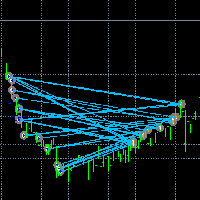
Torne a negociação visível. Você já analisou as negociações no Testador de Estratégias do MT5 ou na Visualização de Sinais no gráfico?
Se a resposta for "Sim", então você sabe como as linhas de negociação são pouco visíveis.
A solução é a utilidade “Visible Deals” .
A utilidade “Visible Deals” permite que você torne as linhas de negociação mais grossas ou até mesmo altere sua cor.
Basta arrastar “Visible Deals” para o gráfico e ajustar os novos formatos de linha.
FREE

Trade Manager - XAU-FX Only
- !! TRY ON DEMO FIRST !! - !! compatible for Gold (XAU-USD), and Major Pairs, No crypto, Indices, and any other !! - A professional order management tool for Meta Trader 5 that simplifies trade execution, risk control, and position management. It is designed for both manual lot input and Auto lot calculations depending on SL, Risk %, providing a reliable and user-friendly interface optimized for all screen resolutions. The tool offers flexible risk management with

Daily Telegram Market Briefing — Professional FX Session Briefing for MT5
Daily Telegram Market Briefing is a MetaTrader 5 Expert Advisor that compiles a clean, actionable morning brief for the instrument on your chart and delivers it to your Telegram group or channel at a time you choose. It combines previous day OHLC levels, an Asia session range computed in your local time, a directional bias and short outlook, and a curated list of today’s high-impact macro events (from the ForexFactory cal
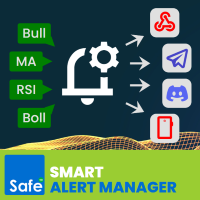
Create custom alerts and advanced alerts based on price and indicator data, setup dynamic alert messages, and send these MT5 alerts to Telegram, Discord, webhooks, mobile, and more. Stay in control of your trades with Smart Alert Manager , a powerful utility for MT5 that lets you create fully customizable alerts.
Whether you’re tracking price action or monitoring indicator signals, this tool ensures you never miss an opportunity.
It’s easy to set up, flexible to customize, and sending alerts acr

Esse EA faz o fechamento parcial de cada ordem aberta com lote maior do que o valor de fechamento definido pelo usuário.
Por exemplo: Se voce abrir uma ordem de 0.50 ou menor e o valor de fechamento definido por voce for 0.50, ele não fará nada. Se você abrir uma ordem de 0.60 ele instantaneamente transforma sua ordem de 0.60 em uma ordem de 0.10. Isso é muito útil se voce tem uma conta pequena e o lote mínimo de um ativo é muito alto pra voce. Fazer isso manualmente pode ser perigoso, devido ao

Scale & Trail Trade Manager (MT5) Your all-in-one solution for precision trade execution and management . With just two clicks, you can size, place, and manage trades effortlessly—no calculators, no guesswork, no stress. Workflow Click 1: Set your entry — instantly snaps to the live market price. Move Mouse: Preview your stop-loss and four profit targets (1R–4R) in real time. Click 2: Lock it in — the tool sizes your trade to your exact dollar risk (e.g., $3350) and manages it automatica
Simple DCA EA - Advanced Dollar Cost Averaging Expert Advisor Overview Simple DCA EA is an Expert Advisor designed to support Dollar Cost Averaging (DCA) strategies on the MetaTrader 5 platform. This EA can work with both manual and automated orders, helping traders optimize risk management and maximize profits through an intelligent DCA system. Key Features 1. Intelligent DCA System The EA uses an advanced DCA algorithm with the following characteristics: Trigger Condition : DCA only executes w

Product Description: Effortlessly bridge the gap between Binance and MetaTrader 5 with this sleek integration tool. Designed for traders who demand precision and real-time data, this product fetches live Binance chart information directly into MT5, enabling seamless technical analysis and strategy execution. Whether you're tracking candlestick patterns or refining your forex indicators, this tool ensures your MT5 environment stays synced with the crypto market pulse. Getting Started: Place the
FREE

(Multiple Close All) for MT5 a lightweight and efficient utility designed to help traders close their open positions and pending orders directly from the chart.
It provides a clean panel with interactive buttons, allowing quick closing of opened trades and deleting the Pending Orders with one click. Key Features: Close all BUY , SELL , or ALL positions with one click. Close only profitable trades or only losing trades . Close trades filtered by Magic Number or Ticket Number . Perform par
FREE
Welcome to Correlation Signals by Xignal Coding!
Unlock hidden opportunities in the markets with our powerful correlation matrix . Whether you trade Forex, Cryptos, Indices, or Commodities, Correlation Signals helps you spot assets that move together — and tells you when their relationship creates a trade-worthy opportunity. The program continuously monitors your selected assets.
When a temporary distance appears between correlated pairs, you get a clear signal: Buy the weaker asset Sell the st

Take full control of your trading decisions with Target Line Pro , a smart utility that shows you exactly where your profit targets are and gives you a clear, real-time overview of your open positions. No more guessing. No more manual calculations. Just set it and trade with confidence. Key Features Target Price Calculator – Input your desired profit amount, and instantly see the exact price level needed to reach it.
Breakeven & Net Position Display – Know your true breakeven, considering

Risk Management Panel for MetaTrader 5 Overview This tool is a comprehensive risk management indicator for MetaTrader 5 that provides traders with a visual interface to calculate and manage trade parameters based on their risk tolerance. It features a draggable panel with interactive price lines and real-time calculations. Key Features Risk Management Controls: Adjustable risk percentage (0.1%-100%) of account equity or balance Customizable risk/reward ratio with +/- buttons Choice between Equit
O mercado MetaTrader é um espaço, sem precedentes, para negociar robôs e indicadores técnicos.
Leia o artigo Manual do usuário da MQL5.community para saber mais sobre os serviços exclusivos que oferecemos aos traders: cópia de sinais de negociação, aplicativos personalizados desenvolvidos por freelances, pagamentos automáticos através de sistema de pagamento e a rede em nuvem MQL5.

Você está perdendo oportunidades de negociação:
- Aplicativos de negociação gratuitos
- 8 000+ sinais para cópia
- Notícias econômicas para análise dos mercados financeiros
Registro
Login
Você concorda com a política do site e com os termos de uso
Se você não tem uma conta, por favor registre-se