 MetaTrader 5
 Experts
 Indicadores
 Bibliotecas
 Utilitários
 Widgets
 Regras
Conheça o Mercado MQL5 no YouTube, assista aos vídeos tutoriais
Como comprar um robô de negociação ou indicador?
Execute seu EA na
hospedagem virtual
hospedagem virtual
Teste indicadores/robôs de negociação antes de comprá-los
Quer ganhar dinheiro no Mercado?
Como apresentar um produto para o consumidor final?
Ferramentas de negociação gratuitas para MetaTrader 4 - 6
 Abaixo estão os programas de negociação que simplificam o trading no MetaTrader 4. Passe o mouse sobre um produto para ler uma descrição mostrando seu propósito.
Range Analyzer calculates the Average True Range (ATR) values for different timeframes in pips to give a fast and simple overview about the volatility of the chosen symbol. Settings are very easy: bars for calculation: Choose the number of bars for calculation or use the default value (14 periods). from bar: Choose the youngest bar to start the calculation or use the default setting (0 = current bar). You can use it for forex, crypto, indices, commodities or for what ever you want.This expert is
FREE

Kiwi Grid Trade Manager MT4 — Manual Grid & Smart Basket Management Utility Kiwi Grid Trade Manager MT4 is a free MetaTrader 4 utility designed to help traders manage manual positions using an automated grid and basket-management system. The concept is simple: You choose the first trade. Kiwi manages the grid. Open a manual BUY or SELL position on the chart and the utility can monitor that position, add additional grid orders according to your selected settings, calculate the combined basket bre
FREE

Description:
EquityStop UAP is the solution designed to optimize the management of your forex operations securely and efficiently. Our software provides a superior level of control and protection for every trade.
*Key Features:*
1. **Equity Protection:** Preserve your capital with our advanced Equity Stop feature, applying an automatic safety barrier to limit losses.
2. **Percentage Trailing Stop:** Maximize your profits and minimize losses with the Percentage Trailing Stop feature, dynam
FREE

Basket Recovery System : is useful for trading multiple pair on a single account, single chart.
Functions Of this Ea
with a simple click on a button in any Symbol row, this Utilities will,
Open new Order, Set Lot, Close Order, Reverse Order, Add new Symbol, Delete Symbol, with a simple click on a Navigation Button, this Utilities will,
Select all Symbol Available on Broker, ReSet Symbol Lots, Close all Order, Set Low Risk for all Symbol, Remove all Pair with spread above 2two.
FREE

Minimalist and fully customizable info panel. It works on any chart and timeframe, with 2 - 4 digits brokers and with 3 - 5 digits ones. It can show: Current Spread in pips (1 decimal digit if you are on a 3 - 5 digits broker) ATR (Average True Range) in pips Current Server Time Current GMT Time Important Account Info: Current Leverage and Stop-out Level (%) Time left for the current bar. Very useful on 4 h charts All info labels have a tooltip with the same data Available customizations : Enabl
FREE

The Tickerly TV Connector allows seamless integration between TV strategies and your MT4 terminal.
With this tool, you can automate trade execution by linking TradingView’s powerful scripting environment to your MetaTrader Terminal. Features include fast trade execution via Tickerly’s engine and easy setup using webhooks.
This EA is perfect for traders who want to deploy custom TV strategies on MT4, keeping their terminals in sync with real-time market conditions. Requires minimal configurati
FREE

Click SLTP Manager for MetaTrader 4 is a simple and practical trade management utility designed to help manual traders set Stop Loss and Take Profit levels directly from the chart. Instead of opening the order modification window and manually typing SL and TP prices, traders can manage their existing open orders or pending orders with a clean visual panel and a click-based workflow. The tool is made for traders who want faster, clearer, and more convenient order protection management in MetaTra
FREE

This application is now replaced by Ofir Notify Light Edition (Free) or Ofir Notify (paid).
Thank all for your positive feedbacks.
Ofir Notify is a tool which send alerts on trades to Telegram Alert on any event concerning a position : Opening, Closing, modification (SL, TP) Send alerts to Chats, Groups and Channel Alert on Equity change Display Risk, Reward and progress of profit/lost for each position Customization of alerts ( only in full edition ) Sending charts screenshots with alerts
FREE

This EA (TRIAL VERSION) is designed for automatic placing of pending orders (sell limit, buy limit, sell stop, buy stop) including Stop Loss & Take Profit levels (editable) with only one button click. This EA can make order multi pending level / pending orders grid. So, with this EA placing pending orders will be faster, more accurate and more efficient.
Main Purposes Automation Pending orders grid style trading. Automation of the process of placing the Pending Orders: fast accurate efficient A
FREE

================================================================================ The utility is useful when you have to load history data for many symbols and timeframes. It loads the symbol used in the market watch. One symbol is scanned for all timeframes. Then the charts will be closed and the next symbol is scanned. You cannot abort the operation. Wait till it is done. ================================================================================
FREE

Virtual Trailing Stop Start, Trailing Stop and Trailing Step with TakeProfit and Stoploss Virtual Lines And Sound Alerts are included. Brake brokers limitation. You can put even 1 point trailing stops and take profit levels. Best EA for protecting your profits and scalping. MT5 version of this product in on the way. Point Multiplyer 1 means 1 point. You can adjust Multiplier point.
FREE

Artemis Prop Guard Pro Artemis Prop Guard Pro is a professional risk-control utility for MT4, built for manual traders who want a disciplined, rule-based trading environment. It does not generate signals, predict market direction, or automate strategy logic. Its sole purpose is protecting account equity from avoidable rule breaks, over-risking, emotional trading, and unmanaged exposure. Why account discipline matters Most traders do not lose accounts in a single trade. They lose them through a c
FREE

Telegram Signals Copier is a fully automated software that reads messages from Telegram and inserts them as orders on your MT4 terminal.
It comes with an advanced risk management tool, that can risk based on a % of your balance, fixed loss, and many other options.
You can fully customize how you take the signals, change the TP and SL level.
With an advanced analytics tool, you can see where your favorite signal providers are doing the most profit, and improve the profits even more.
Contact
FREE
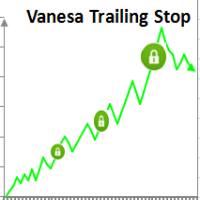
Setting Take profit (TP) to fixed level does not optimize your trade while using trailing stop requires traders to stay all time to screen. Vanesa Trailing Stop does trail stop by preset scenarios automatically. Vanesa Trailing Stop provides 3 (maximum) TP levels in points. For example: Level 1< Level 2 < Level 3. Traders provide value of trailing stop level for each TP level as parameters. Whenever total gain of a trade in points reaches the first TP level, EA will start doing trailing stop wit
FREE

Find Your Fibonacci Entry Levels Automatically Fibonacci Entries is a FREE trading utility that automatically displays key Fibonacci entry levels from the selected candle—so you can quickly identify potential pullback areas without manually drawing Fibonacci levels. KEY FEATURES Automatic Fibonacci Entries
Automatically calculate and display Fibonacci levels from the selected candle. Key Entry Levels
Displays: 23.6% • 38.2% • 50.0% Last Candle Analysis
Use the previous candle as
FREE

Have you ever wanted to back-test a strategy but never wanted to risk real money? And the thought of using a demo account is exhausting as real time markets develop your skills slowly. This utility will help you develop your strategy faster and will help determine if the strategy works long-term by simulating real trading through back-tests. This will save you time as you can back-test strategies from previous price data. In order to set an sl during the backtest you have to click on the sl b
FREE

TerminalBridge Trade Copier MT4
TerminalBridge Trade Copier is a local position copier designed to synchronize trading actions between two MetaTrader terminals running on the same Windows computer or VPS.
The product can operate as either MASTER or SLAVE. The MASTER monitors open market positions and publishes position changes. The SLAVE receives these changes and processes the corresponding trading actions.
Supported Connections
- MetaTrader 4 to MetaTrader 4 - MetaTrader 4 to MetaTrader 5
FREE

Virtual Assistant MINI VIRTUALL ASSISTANT = MAKE YOUR TP AND SL VIRTUAL! Tool meant to control your stop loss and take profit by converting them to virtual SL/TP (with support for TRAILING) Convert all SL and TP to virtual so your exits on trades are hidden from your broker!
Run this EA on any graph, choose 1MIN timeframe (VA is autosaving data only on new bar detected, so graph TF equals to VA autosave period) !!! When using virtual trade exits, stable connection is needed for order executi
FREE

This is an Ea to help trader to fix his objectif in a day before trade. The Idea behind this EA is: This ea is for the postion management The trader should provide the number of trade he would like to take in a day As soon as his take a trade , this number dicrement when taking a trade the ea use this number and the number of volume to calculate tp and sl and place it on the market When the number come to 0 , the ea provide a message to the trader to stop trade for this day
FREE

This MQL4 code is a custom indicator that draws multiple colored rectangles on a chart, spaced apart by a defined pip distance, and projected into the future. Here's a brief breakdown: Purpose: Draws several horizontal rectangles (zones) starting from a specified price. Rectangles are spaced apart vertically by a pip distance. Colors alternate between FirstColor and SecondColor . Rectangles can be drawn behind candles and optionally filled. Each rectangle extends into the future for a specified
FREE
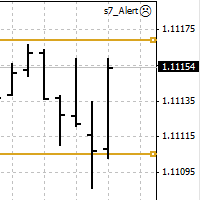
An Expert Advisor. A channel breakthrough signal. Attach two horizontal lines to a chart: one for the upper channel line, name it < Up > the other one for the lower border, name it < Dn >
Settings: sound = true - play a sound notification alert = true - show a dialog box containing user data comment = true - show a comment in the upper left corner of the chart print = false - print a message to the Experts log repet = 3 - number of times the sound file is played.
FREE

Простая утилита MQLTA Draw Grid поможет вам нарисовать сетку на вашем графике. Она полезна при изучении графика и моделирования сетки.
Как она работает? Утилита будет создавать горизонтальные линии в зависимости от заданных параметров
Как использовать этот инструмент Установите индикатор на график, выбрав параметры по умолчанию. Выберите начальную точку, значения минимума и максимума диапазона и стиль. В появившейся графической панели вы сможете создавать и удалять сетку, а также изменять неко
FREE

EAsynRightNow - Professional Trading Expert Advisor for manual trading with advanced functionality
EAsyRightNow is a multifunctional trading Expert Advisor for MetaTrader 4, featuring a Trading Panel with a user-friendly interface and extensive trading position management capabilities. Perfect for scalping, it works on all timeframes.
Key Features
1. Trading Modes
- Single Orders: Management of one trading position
- Multiple Orders: Ability to open multiple orders in the same direction
- M
FREE

PendingOrderActivator manages pending orders in the forex market in a continuous cycle.
The user must configure the duration of the orders, stop loss levels, take profit levels, and the MagicNumber.
The expert advisor automatically places pending orders based on the distance from the current price and deletes them when the opposite order is triggered.
When an order is activated, the bot will take a break until the user reconfigures it or changes the timeframe, at which point the bot will reactiv
FREE

Account Info EA It is a tool that presents on the graph all the positions of the account, and specific information concerning the positions, but also the account. It enables the user to have an image of his account at a glance. Use like any expert advisor. You can't attach it in the same chart with other expert advisor. It does not have the ability to open or manage positions. You can attach it on any chart and any timeframe.
FREE

Displays the countdown to the current candle’s close and shows the live server time clearly on your chart, including the GMT. It is a fuss-free indicator, plug and play. Accurate Candle Timer is a simple and practical tool for traders who want to monitor candle timing without unnecessary clutter. It shows how much time is left before the current candle closes, helping you stay aware of when the next candle will begin. This is useful for traders who prefer to wait for candle close confirmation be
FREE

The AllClosedMT4 utility in the form of an expert. The utility is designed for closing all open positions simultaneously based on the total profit (in the deposit currency) of all open positions. The utility can be attached to any chart with any trading instrument.
Parameters Profit - the total positive profit in the deposit currency, at which all open positions are closed (profit). Stop - the total negative profit in the deposit currency, at which all open positions are closed (loss). The valu
FREE
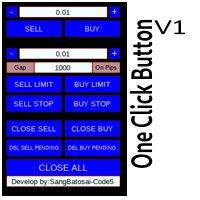
Simple button panel of trade on your chart with OneClick V1 Trial version. This trade panel will make it easier for you.
Equipped with several functions that make it very easy for you. More tools on OneClick VZ version, see here.
This version includes: Open Order Buy Open Order Sell Open Pending Order [Buy Limit - Buy Stop - Sell Limit-Sell Stop] Close ALL orders
Close Order Buy Close Order Sell Delete Pending Order [Buy Limit - Buy Stop - Sell Limit-Sell Stop] ENJOY IT!!! ONE CLICK V1 [TRIAL
FREE

ApexTPGrid is a powerful Trade Management Utility designed to professionalize your grid and averaging strategies. Whether you trade manually or use other EAs, this utility takes control of your open "basket" of orders to manage them to a safe exit. The standout feature is the Swap-Aware Logic . We all know the pain of holding a grid for weeks, only to close at "breakeven" and realize negative swaps ate your capital. ApexTPGrid solves this by automatically calculating all accumulated costs (Swap
FREE

The indicator shows support and resistance levels as horizontal lines. It shows the highs and lows of former days, weeks and month in every chart.
How to work with support and resistance levels show the EA Limit Scalper and the Universal Moving Average Expert Advisor (UniMA EA) .
When the tip of the coursor is on a line (mouseover) it shows the real value of the level and which high or low is shown, see explanation below.
The indicator must be installed like an expert advisor ! To se
FREE

This is a free version of our Great tool with limited functions. The ChartChanger is a great utility tool to reduce the number of open charts on your terminal. There is three section to it: Symbols, Time frames and Templates. You need only one chart to be open and still you can scroll up to multiple ones. Symbols: With the push of a button you can change from one symbol to another, and your applied indicators will stay on the next chart. For the symbols there is an auto detection mode, or you ca
FREE

If you execute or test an Expert Advisor on a laptop, personal computer or a VPS, you may face the situation when Internet connection is lost and the EA stops. Of course, this utility ( Disconnect Alerts ) will not help you restore the Internet connection, but it will gather the information and will send an alert to you about when and how long your terminal was without access to the Internet and did not actually work. After receiving such a notification, you can check your trades or think about
FREE

Torne a negociação visível. Você já analisou as negociações no Testador de Estratégias do MT4 ou na Visualização de Sinais no gráfico?
Se a resposta for "Sim", então você sabe como as linhas de negociação são pouco visíveis.
A solução é a utilidade “Visible Deals” .
A utilidade “Visible Deals” permite que você torne as linhas de negociação mais grossas ou até mesmo altere sua cor.
Basta arrastar “Visible Deals” para o gráfico e ajustar os novos formatos de linha.
FREE

Layering — Build Profit in Measured Steps
Layering helps you grow and protect a position by placing additional trades at equal, defined distances as the market moves. It's a structured layering approach designed to secure the account and bank profit as each take-profit is reached.
What it does for you Measured layering: trades are added at equal distances you define — no guesswork. Account protection built in: the layering logic is designed to secure your account as it works. Profit-locking: a
FREE
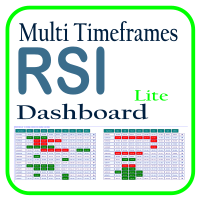
Optimize your trading analysis with the RSI Multitimeframe Dashboard, a powerful tool designed to streamline RSI monitoring across all timeframes and symbols listed in your Market Watch. This dashboard delivers real-time insights and alerts, making it essential for traders who rely on RSI to identify potential market entries and exits. Key features include: Comprehensive RSI Overview : Instantly view RSI values for every timeframe across all Market Watch symbols, making multi-timeframe analysis
FREE

FxTT News Feed O FxTT News Feed é um Expert Advisor complementar gratuito para o ChartDeck PRO. Ele não tem lógica de negociação, não abre ordens, não gerencia posições e não lê preços de mercado. Ele busca os dados do calendário econômico em um temporizador e os grava em um arquivo local, porque os indicadores do MetaTrader 4 não podem fazer requisições de rede. Anexe-o uma única vez a qualquer gráfico do terminal. Uma instância atende a todos os gráficos do ChartDeck PRO nesse terminal. Este é
FREE

4 buttons for managing your trades.
Close All : will close all open positions on the current chart Delete All : will delete any pending orders on the current chart SL + 1 : will move the stop loss 1 pip closer to the breakeven point on all open trades on the current chart Delete SL : will remove the stop loss for all open positions on the current chart
Useful for everyone who opens multiple positions on the same asset, where fast execution is essential.
FREE

The panel displays the list of all orders (market and pending) along with their details, including magic numbers and commentaries. The panel can be moved around the chart. For market orders, the profit listed includes the associated commission and swaps. There aren't any important input parameters, but you can control the panel's initial location via them.
FREE

This indicator provides essential information in a simple table about market range and identify whether the market has touched important pivot levels and breakout previous high/low. This version is still in the testing phase and is being offered for free and can only be used for a period of 3 months. We value your feedback to help us improve this application.
FREE

Swift Symbol Switch MT4 adds a clean, convenient symbol-switching panel directly to your chart, allowing you to move between Forex pairs, cryptocurrencies, commodities, metals, and other broker-supported instruments with a single click. There is no need to type symbol names, search through Market Watch, or repeatedly open MetaTrader menus. Simply select a symbol from the on-chart panel and the current chart updates instantly. The utility is designed for traders who monitor multiple markets and w
FREE

Description: Automatic Equity Manager EA manages the whole account equity. You need to set it up on its own chart. -----------------------------------------------------------------------------------------------------------------------------------------
Parameters: EquityGainPercent = 3 (This automatically closes all trades when your equity shows a gain of X percent.) ---------------------------------------------------------------------------------------------------------------------------------
FREE
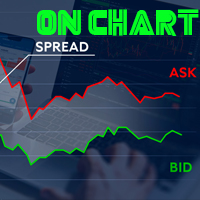
Indicador de Spread en Tiempo Real en la Gráfica Este indicador revolucionario te brinda una visión transparente y detallada del spread en tiempo real directamente en tu gráfica de trading. Diseñado para proporcionar información precisa y crucial, este indicador mejora tu capacidad para tomar decisiones informadas y optimizar tu rendimiento comercial. Características Destacadas: Visualización Instantánea: Observa el spread en tiempo real directamente sobre tu gráfica, eliminando la necesidad de
FREE

Утилита MQLTA Take Screenshot позволяет снимать скриншоты текущего графика прямо из самого графика. Утилита полезна для быстрого сохранения интересной ситуации и сохранения текущего графика перед открытием или закрытием ордера.
Как она работает? Take Screenshot использует встроенную функцию языка MQL4 для сохранения снимка текущего графика.
Как использовать утилиту Загрузите индикатор и выберите нужные параметры. Как только откроется панель, нажмите на значок сохранения, чтобы сделать снимок т
FREE

'BrokerInfo' is an indicator to show some information of account on the chart. You can to see on chart information about: GMT time. Broker time. Maximum simultaneously open orders. Leverage. Maximum lot size. Minimum lot size. Lot step. Stop level in pips. Symbol spread in pips.
You can to get source code from here .
Parameters SizeBackground – background size. PositionUpDn – position to show info on the chart.
FREE

The Scientific Calculator is a script designed to compute science, engineering and mathematics expressions.
General Description
The expression to calculate must obey syntax rules and precedence order, being constituted by the following elements: Integer and real numbers. Mathematical operators for addition (+), subtraction (-), multiplication (*), division (/) and exponentiation (^). Mathematical and trigonometric functions . Curved parentheses (()) to define the precedence and co
FREE

As traders, we all know that risk management is the most important aspect of profitable trading. So, we need to determine the lot size, every time we need to open a new trade. The FX lot size calculator is a simple tool that will help you to determine your lot size easily without using any third-party service but you will be able to do that by your MetaTrader terminal. LIMITED TIME OFFER: 30$ FOR 10 ACTIVATION.
Inputs:
Maximum_Risk_Prc: To determine your preferred risk%. For example, if your ris
FREE

Plain — Semi-Automatic Trading, Your Direction
Plain keeps you in control: you choose the direction, and the EA handles the execution automatically. A clean, semi-automatic Expert Advisor for traders who want to call the bias and let automation do the rest.
What it does for you You set the direction: the EA opens and manages trades the way you decide. Hands-off execution: automation handles the mechanics once you've chosen the bias. Simple and transparent: no black box — you stay in charge. Fu
FREE

Panoramica Pending Order Assistant è progettato per automatizzare la creazione di ordini pendenti Buy Stop e Sell Stop su coppie di valute specifiche ( EURUSD, GBPUSD, AUDUSD ). Questo EA consente ai trader di impostare facilmente livelli di entrata strategici senza dover posizionare manualmente gli ordini.
Funzionalità Principali Creazione Automatica di Ordini Pendenti L'EA genera automaticamente 4 ordini Buy Stop e 4 ordini Sell Stop appena viene attivato sul grafico. Gli ordini sono distanzi
FREE

Eu acho que todo mundo conhece a regra da Gestão de dinheiro como "cofre". Para aqueles que não estão cientes, o cofre envolve o fechamento de metade da posição depois que o lucro da transação foi igual ao tamanho da parada. Assim, mesmo que o preço se desdobre e pegue o stop, você não perderá dinheiro, porque exatamente o mesmo tamanho de lucro foi obtido ao fechar parte da posição anteriormente.
O Safety Advisor tem apenas uma configuração-Um lote de fechamento. Deixando - o na posição 0, O
FREE

The script analyzes the history of quotes and gives recommendations on the minimum deposit. The calculations take into account the variability of prices and the standard deviation. Margin requirements for the instrument are also taken into account. The result of the script is the minimum recommended deposit for trading the given currency pair.
FREE

If you can not create a background image for yourself (photo size and format must be changed), let me know. I make your photo for free. Otherwise, you can read the help file . A tool for chart management You can change the background image You can change the background color Change the color of the candles Volume colors, line charts and everything else You can also enable and disable some items Read the help file for more information
Settings:
Save Changes After Remove Tool
Back Ground Photo
FREE

VisualTicks_EA is an Expert Advisor dedicated to the VisualTicks chart.
Works ONLY on the VisualTicks chart.
Is a tool that lets you open and close transactions directly on the VisualTicks chart.
There is only one parameter in EA settings:
magic - next EA number. If you use more than one VisualTicks_EA on MT4, you must enter a different magic number.
After starting VisualTicks_EA, the following buttons will appear on the chart:
Open BUY - opens one BUY transaction of a specified lot size.
Cl
FREE
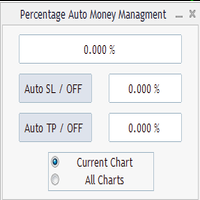
Percentage Auto MM sends automatic orders to close all positions immediately after reaching percentage SL/TP target, set by the User . Orders will be sent if the market is open and the SL / TP application buttons are pressed ( they can be used separately or together ) . It could be applied for current chart/all charts, depending on selected option. It works independently of SL and TP order settings for individual positions. SWAP, Commision can be also included ( look at input options ).
Atte
FREE

Orders Manager is a simple and indispensable assistant for managing all your orders. Inputs: Magic = 999; // Magic TakeProfit = 1000; // Take Profit. If = 0 the level is not setts. StopLoss = 0; // Stop Loss. If = 0 the level is not setts. Slippage = 10; // Slippage GeneralProfit = false; // Closing all orders based on total profit. If false the function is disabled and works according to TakePr
FREE

An EA to export trading history for FXer - Journaling and Analytics. fxer.net Register Create an API token Put EA on any chart (any TF is fine) Fill in the API token Follow analytics for better trading At FXer, our mission is clear: to empower traders like you with the tools needed to excel in the ever-changing world of trading. We are committed to providing top-tier, data-driven market analysis and trading intelligence, ensuring you can make well-informed decisions, manage risks effectively, an
FREE

This free MT4 indicator allows you to easily compare as many symbols as you want! Make sure that the input symbol matches the name displayed in the Market Watch ***Please comment, rate and share it to your friends if you like it*** ------------------------------------------------------------------------------ Comparing trading pairs is useful for several reasons, including: Identifying relative strength: Comparing trading pairs can help traders identify which currency or asset is relatively stro
FREE

Trade History Export: The EA retrieves all historical orders using the OrdersHistoryTotal() and OrderSelect() functions. For each order, the following details are exported: Index: Sequential number of the trade. Order Ticket: Unique identifier of the order. Symbol: Trading instrument (e.g., EURUSD). Lot Size: Volume of the trade. Open Time: Time when the trade was opened. Trade Type: Buy or Sell. Open Price: Price at which the trade was opened. Close Time: Time when the trade was closed. Clos
FREE

Fastest way to change the period. Suitable for traders who use many charts and timeframes. Size, shape and color can be customized.
Inputs Parameters Corner — Choose corner placement Standart is "Right lower chart corner" Color — Background color of the button ColorText — Text color of the button ColorOn — Background color of the button for the current period ColorOnText — Text color of the button for the current period Font — Arial, Verdana... FontSize — Size of the font in pixels DistanceX —
FREE

The utility displays information about performed trades on the current chart. The account history as well as a separate file can be used as a data source. The file format is set manually or selected from available templates.
Settings: Source - where to take data from, from_History - account history, from_File - csv file. File Name - file name. The file has to be located at ..\MQL4\Files\ directory of the terminal. File Format - select the file format from the list: MQ_Signals - file of trades f
FREE

Trade Receiver Free is a free tool to copy trades/signals from multiple MT4/MT5 accounts. The provider account must use copier EA to send the signal. This version can be used on MT4 accounts only. For MT5 accounts, you must use Trade Receiver Free for MT5 . Reference: - For MT4 receiver, please download Trade Receiver Free .
- For MT5 receiver, please download Trade Receiver Free MT5 .
- For cTrader receiver, please download Trade Receiver Free cTrader .
- If you only need copy from MT4 acco
FREE
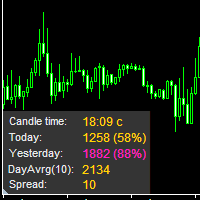
The information panel displays important trading information on the chart. Visual display of the information will help you to make a prompt and precise trading decision. Screenshots depict information which I use in my trading system. But you can add any other desired information. To do this contact me via MQL5 web-site. Displayed information: Time till the end of the current candle and formation of a new one. Time set format: hh:mm, if there is at least one full hour, or mm:ss, if you have les
FREE

DG Equity Monitor is a useful tool that keeps track of the daily transactions made on the account. The EA automatically and instantly closes all the trades running based on two conditions: 1. If the daily profit target is hit. 2. If the maximum drawdown is reached. An alert is sent immediately one of the above conditions are met.
Parameters: Show Account Info -Choose whether or not to display the Account Info on the chart.
Show Pop Up Alert -Show alert on chart when either condition 1 or 2 are
FREE

Asa Manual Grid Buy Sell with UI is made for Grid trading when orders are placed above and below a set price, creating a grid of orders at incrementally increasing and decreasing prices.
Main Features Ability to set buy grid with 3 maximum orders. (200 in full version)
Ability to set sell grid with 3 maximum orders. (200 in full version)
Easy to use with simple interface. Have 2 mode of Take Profit and 1 for Stop Loss.
Real time information for the current open positions and calculate averag
FREE

Professional grid management EA with 3-tab GUI, progressive placement, 5 take profit levels (TP1-TP5), basket breakeven protection, and advanced trailing stop. Automatically manages manual trades with intelligent limit order distribution.
---
### KEY FEATURES
**3-Tab Interactive GUI** - STATUS: Real-time monitoring, profit tracking, trailing targets - SETTINGS: Runtime configuration without EA restart - TAKE PROFIT: Configure 5 sequential TP levels
**Progressive Order Placement** - Wave-
FREE

This is a MetaTrader 4 script. It helps to export all trades into a CSV file as per Symbol and selected periods.
Input Select Symbol: This is 2-option input. Select current symbol or all symbols to export its orders. Select Period: This is 7-option input. It includes Last Month, This Month, Last Week, This Week, Today, All History, and Date Specified. Specify Starting Date: Enter a date if you selected Date Specified in "Select Period" input. Specify Ending Date: Enter a date if you selected Da
FREE

The EA monitors positions for selected pairs, sets a break-even level and moves a trailing stop. When the trade is "n" points of profit (parameter dist_BEP), the stop loss is moved to the break-even point (the level of the trade opening price) plus the specified distance in points (parameter BEP) The EA checks all available (or filtered) trades for break-even and moves stop-loss levels if necessary. The EA also checks all available (or filtered) trades for trailing stop conditions and, if neces
FREE

This script will help you to open 28 charts for the most traded forex pairs at the same time. Charts (H1): EURUSD, EURCAD, EURCHF, EURGBP, EURAUD, EURNZD, EURJPY, USDCAD, USDCHF, GBPUSD, AUDUSD, NZDUSD, USDJPY, CADCHF,CADJPY, CHFJPY, GBPCAD, GBPCHF, GBPAUF, GBPNZD, GBPJPY, AUDCAD, AUDCHF, AUDNZD, AUDJPY, NZDJPY, NZDCHF, NZDCAD. Of course you can select other symbols too. Add the script to a chart to open 28 charts. Use it for free. Let me know if it makes sense for you.
FREE

The utility Filled Area Chart adds to the standard set of price presentations. It is a brand new, nice price chart. You will certainly like it if you want to feel yourself a trader born under the Bloomber lucky star.
The Properties allow to set the colors and other things: Color preset - choose a preset or set to "Custom" and set your own colors using the properties below.
Custom area color - color of the area below the price line. Works only with Color preset = Custom.
Custom chart color - col
FREE

TopstepFX Max Lots Calculator was built to help traders in the TopstepFX Trading Combine monitor their cumulative open position size across all products. While using it, the chart window that is running the Expert Advisor will automatically display the total cumulative position size, for all products being traded. Additionally, it will warn traders when their max position size has been reached.
FREE

Lucky Forex Stats
Lucky Forex Stats Allow users to See all Account data on their Chart, you can choose any time period and it'll show you full account details with ratio, and each pair has individual details!
Advantages
You can choose any time period and it'll display all detail.
You can see your whole accounts details, the profit and loss with exact $figure and ratio as well.
Each pair shows the profit they've earned or lose,
The winning and losing trades
Winning VS losing %
and many more
P
FREE
O Mercado MetaTrader é o melhor lugar para vender robôs de negociação e indicadores técnicos.
Você apenas precisa desenvolver um aplicativo para a plataforma MetaTrader com um design atraente e uma boa descrição. Nós vamos explicar como publicar o seu produto no Mercado e oferecer a milhões de usuários MetaTrader.

Você está perdendo oportunidades de negociação:
- Aplicativos de negociação gratuitos
- 8 000+ sinais para cópia
- Notícias econômicas para análise dos mercados financeiros
Registro
Login
Você concorda com a política do site e com os termos de uso
Se você não tem uma conta, por favor registre-se