Alita EA LT MT4
- Experts
-
Stefano Pomponi
 안녕하세요, 제 이름은 Stefano이고 저는 20년 넘게 거래에 대한 열정을 가진 시스템 관리자이자 프로그래머였습니다. 1년 넘게 저는 자동 EA 시스템 개발에 전념하여 좋은 결과를 얻었습니다. 내 제품을 시도하거나 구매하는 데 관심이 있으시면 주저하지 말고 저에게 연락하거나 개선 및 조언을 제안하십시오. 행복한 거래.
 - 버전: 1.0
- 활성화: 5
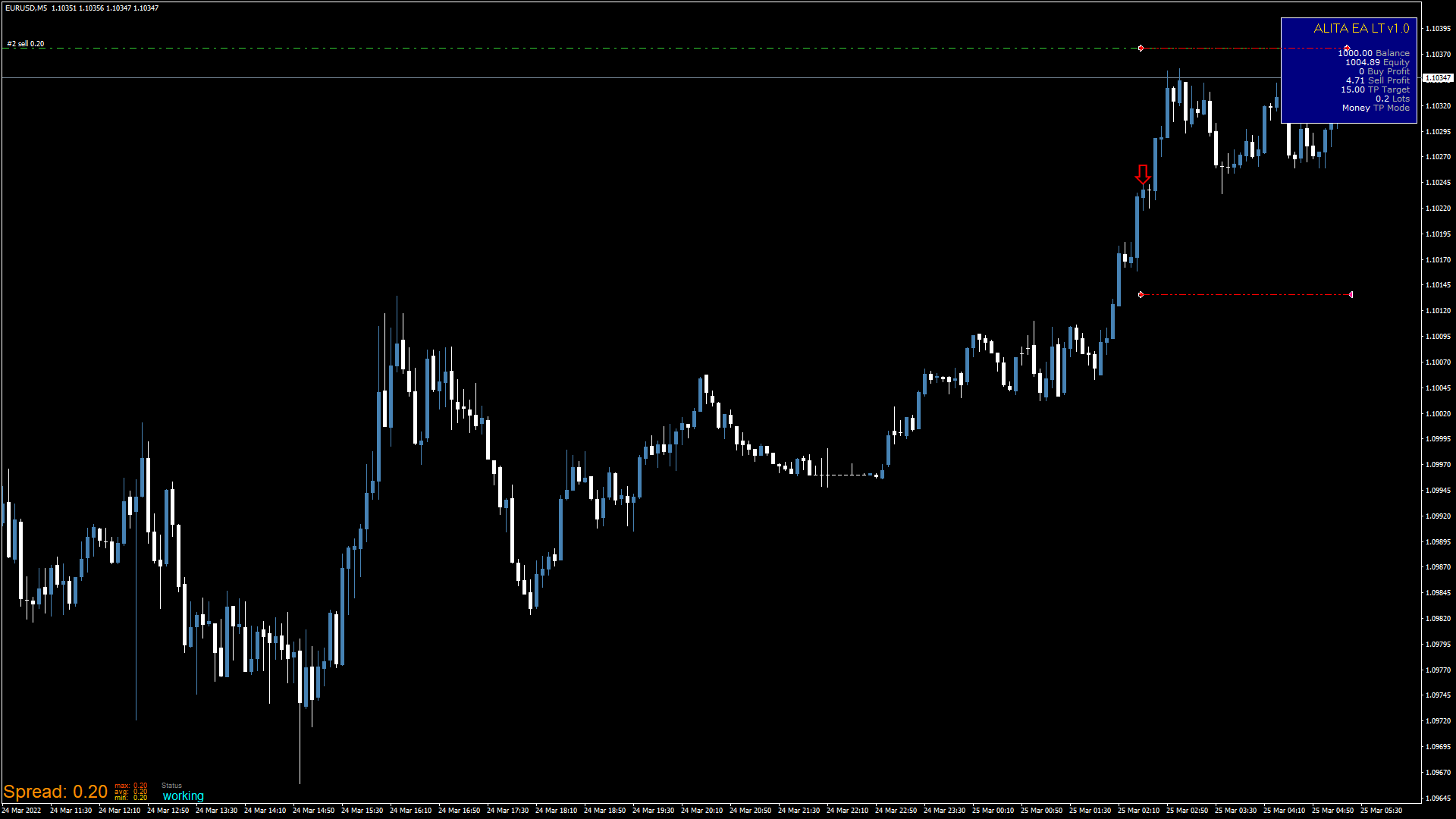
Alita EA LT is a high performance professional automated trading tool, minor brother of Alita EA without grid opener and filter, with a solid and proven trading strategy. The solutions implemented have made it possible to significantly improve the efficiency of trading operations and system performance. EA uses every moment of the market to its advantage. Alita EA can trade with fixed lots, automatic (related to balance) and percentage.
How to install:
- Attach the Ea to the chart of the recommended trading pair. Press the "Upload" button and apply the suitable .set file.
- Allow live trading and activate the "AutoTrading" button in the top panel of the terminal.
- Set the gmt value of the broker to the " Your Time Zone, GMT " parameter.
Optimized presets: DOWNLOAD
Signals (Auto Mode): https://www.mql5.com/it/signals/2042683?source=Site+Signals+My
For best results use low spread ECN accounts.
Recommended minimum deposit $500.
Leverage 1:30 - 1:500.
Recommended pairs: EURUSD, GBPUSD.
Recommended period M5.
Apply the recommended settings for each pair.
Set and use news filter at least for important news and NFP.
For stable trading run Ea on VPS.
OPTIONS:
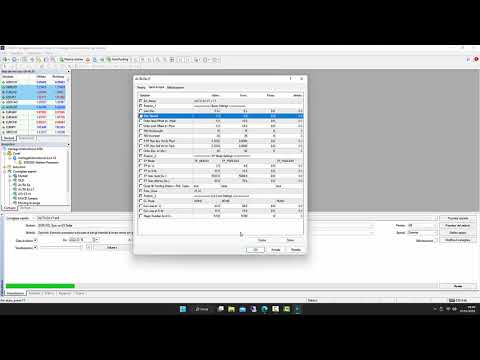
Basic Setting
- Lots (Fix) - Fixed lots;
- Max Spread - Maximum spread allowed;
- Order Stop Offset (in +Pips) - Offset value of Stop orders in Pips (positive);
- Order Limit Offset (in -Pips) - Offset value of Limit orders in Pips (negative);
- RSI Overbought - Overbought % value;
- RSI Oversold - Oversold % value;
- ATR Max Buy Vol (in Pips) - Maximum volatility value allowed in Pips on BUY orders;
- ATR Max Sell Vol (in Pips) - Maximum volatility value allowed in Pips on SELL orders;
- Order Exp. (in Min) - Maximum duration time of open orders;
- TP Mode - TakeProfit mode selection (TP_PERCENT/TP_MONEY/TP_AUTO_LM);
- TP (in %) - TakeProfint as a percentage of the Balance;
- TP (in €/$) - TakeProfit in Fixed Currency (Target);
- TP Auto (Lots Div.) - Lots Divisor on the Balance Sheet;
- TP Auto (Money Div.) - TakeProfit Currency Divisor on Balance Sheet;
- Close All Profits At - Enables the closure of profit operations at the set time;
- Time_Close - Closing time;
TP Auto automatically adjusts the Lots and TakeProfit by increasing them in relation to the Balance. The optimal values can be calculated in the backtest phase (the use of databases such as Tickstory or similar is recommended). At this link it will be possible to download some optimized Presets: DOWNLOAD
Cut Loss
- CL Mode - Cut Loss mode selection (NONE/CL_PERCENT/CL_MONEY);
- Cut Loss (in %) - Cut Loss as a percentage of the Balance;
- Cut Loss (in €/$) - Cut Loss in Fixed Currency (Target);