HistoryInfoEA

5

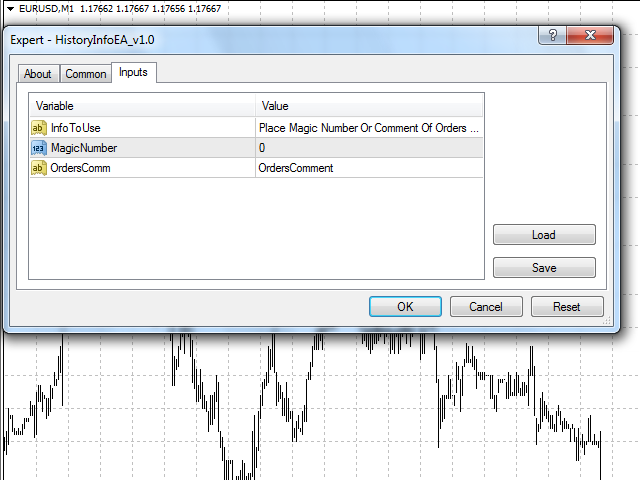
This expert is a tool which helps every trader to see the historical results by magic number or orders' comment.


You can to get source code from here.


Parameters

  • MagicNumber - Here we put the orders' identifier ID we want to analyze.
  • OrdersComm - Here we put the orders' comment we want to analyze.


How use it

Add file in "expert" folder.

Attach expert on a chart with your settings (MagicNumber or OrdersComm).
추천 제품
Daily Sacrifice Pro
Jesse Frank Cornelson
This is an expanded version of my Daily Sacrifice EA that closes old losing trades at the expense of a portion of your profits. This helps to slowly work away drawdown and accelerate the closure of martingale grids *** Pro Features *** Include/Exclude symbols.   These fields are empty by default, but if populated allow you to include only specific symbols or alternatively exclude specific symbols Execute on an hourly interval.   Allows the EA to be ran every so many hours rather than on a fixed
FREE
Macd Martin
Roman Yablonskiy
2.5 (2)
Double Breakout   is an automatic expert advisor with two separate strateges that uses martingale. The MACD indicator with adjustable parameters is used as inputs for each flow of orders. The specified takeprofit and stoploss levels are used to exit the position.  General recommendation The minimum recommended deposit is 1000 cents. Spread is recommended not more than 3 points. It is better to use trend currency pairs. The martingale parameter can be set from 0.1 to any value. When martingale i
FREE
MerkaStudent is a basic version of an expert advisor that allows us to understand part of the behavior of a chart in historical time. It uses some basic parameters in trading, which allows us to understand mathematically how a chart moves and thus know what is our mathematical expectation in the historical period analyzed. Starting from a mathematical logic, we can create a strategy to evaluate its results.
FREE
AI Advisor – AI가 당신의 실제 트레이딩 세계를 보게 만드는 도구 AI Advisor는 당신의 실제 계좌 정보를 바탕으로 고품질 프롬프트를 자동 생성해, 어떤 AI 채팅창이든 바로 붙여넣어 쓸 수 있게 해줍니다. 계좌 현황을 빠르게 정리하고, 현재 종목 구조를 이해하며, 위험 지점을 파악하고, 잠재적인 수익 기회를 탐색할 수 있도록 도와줍니다. 즉, AI가 아무 근거 없이 추측하는 것이 아니라,   당신의 실제 트레이딩 상황 을 기반으로 생각하도록 만드는 도구입니다. 빠른 링크 Download:      AI Advisor v1.02.ex4      AI Advisor   v1.02.ex5 Installation guide AI Advisor  Version Overview FAQ & troubleshooting 사용 방법 – 3단계면 충분합니다 분석하고 싶은 종목 차트에서 AI Advisor를 실행합니다. 오른쪽 목록에서 현재 질문에 맞는 “AI Advisor 모드”(
FREE
Root Diamond EA
Yevheniy Kopanitskyy
Full automatic trading platform incorporating the best settings of BinaryMiner and Root-Diamond Built-in configurations. 1. Automatic calculation of abyom from the deposit. 2.Opening only one position from the settlement level in Long or Short 3.Security for going to No Loss in cases of Contra trend 4 binary indicators filter the market and identify a nearby wave in the market movement. All incorporating configurations guarantee long-term income // --------- Configurable parameters -----
FREE
Kalifx PS Calculator
Calvin Andile Mahlangu
KALIFX POSITION SIZE Calculator  – Risk & Lot Size Tool (MT4) KALIFX PS Calculator is a chart-based utility designed to help traders calculate position size and manage risk directly from a simple on-screen panel. It provides a structured way to define trade parameters and view calculated results before placing an order. Key Features On-Chart Control Panel: Manage all inputs and actions from a compact interface on the chart. Mode Switching: Toggle between Risk % and Fixed Lot modes. Order Type S
FREE
Super Copier GG Free Super Copier GG Full Version Super Copier GG Full  FREE    Super Copier G&G Free (Symbol  USDCHF and EURAUD only, Max three order) Expert Advisor copies orders to several trading accounts (regardless of a broker) if their respective MetaTrader 4 terminals are opened on a single PC/VPS. The EA may copy from multiple (unlimited) initial accounts to a single target one or from a single initial account to multiple (unlimited) target ones. The work of other EAs and manual tradin
FREE
Proftrader Free
Alexander Nikolaev
4 (3)
This Expert Advisor analyzes the last candles and determines whether there will be a reversal or a large correction. Also, the readings of some indicators are analyzed (their parameters can be adjusted). Is a free version of Proftrader . Unlike the full version, in the free version of the adviser the initial lot cannot be higher than 0.1, trading pair only EURUSD and also it has fewer configurable parameters. Input parameters Lots - lot size (at 0, the lot will be calculated from the percentage
FREE
Fully functional manual trade panel with risk/reward, auto SL, lot size calculation, one-click trading, hidden (virtual) stop loss/take profit and pending orders, scale in and out of trades (partial close), news events and more. Works with all symbols not just currency pairs. Brings an incredible amount of functionality to MetaTrader for free and for both demo and live accounts. Features Lot size calculation - based on % of account to risk, fixed amount or dynamic lots Automatic take profit base
FREE
Morning Luck
Pavel Predein
4.8 (5)
Automatic trading system based on the morning Flat indicator, puts pending orders on the borders of the night channel .All trades have a fixed stop loss and take profit .The traded pair GBPUSD H1, can be used on other instruments after optimization. The EA contains a switchable flat indicator . The robot's operating time in the input parameters corresponds to (+2GMT). when switching to daylight saving time,you need to adjust the time manually. * Use default settings  * Does not use dangerous
FREE
Algorithmic FREE
Vladimir Gorbachev
5 (4)
Medium-term trading system that tries to profit during the price rollbacks after significant movements. The system automatically determines the current trading range, the price rollback levels. This is a demonstration version of the Algorithmic EA, which is optimized over the year 2016 for trading the EURUSD currency pair. It is possible to trade in manual mode using a simple on-screen panel or in fully automatic mode. Amount of trades per month is from 5 to 18 in automatic mode. The recommended
FREE
MacdScalper
Roman Yablonskiy
4 (1)
MacdScapler   is an automatic expert advisor with two section of martingale strateges with automation takeprofit. The MACD indicator with adjustable parameters is used as inputs. If parameters of the entry points goes wrong, the EA changes them automaticly. General recommendation The minimum recommended deposit is 1000 cents for 0.01 lot. Spread is recommended less then 2 points. The martingale parameter can be set from 0.1 to any value in two steps - the first for the four trades and the second
FREE
Safety
Sergey Ermolov
5 (2)
나는 모두가"안전"과 같은 돈 관리 규칙을 알고 있다고 생각합니다. 인식하지 못하는 사람들을 위해,금고는 거래에 대한 이익이 정지의 크기를 같게 한 후 위치의 절반을 마감한다고 가정합니다. 따라서,가격이 반전하고 정지를 잡는다 할지라도,이전에 위치의 일부를 닫을 때 정확히 같은 양의 이익을 받았기 때문에 돈을 잃지 않을 것입니다. 안전 전문가 고문은 단 하나의 설정,즉 폐쇄 로트 만 있습니다. 위치 0 에 남겨두면 고문은 거래의 정확히 절반을 닫을 것입니다. 전문가 어드바이저를 설치 한 후,이익의 일부가 전문가 어드바이저에 의해 고정 될 위치에 빨간색 점선이 차트에 나타납니다. 당신이 고문이 다른 수준에서 트랜잭션의 일부를 닫으려면 안전하게 다른 장소로이 라인을 이동할 수 있습니다. 동일한 통화 쌍에 여러 개의 거래가 열려 있는 경우 마우스 커서로 시장을 차트로 끌어다 놓고 안전한 거래로 마감하려는 주문 시작 수준 근처에 시장을 놓아야 합니다. 전문가 고문은 주문 티켓을 고려
FREE
The Forex Trading Assistant is a trading utility that speeds up our execution of orders. The lot size is automatically computed based on the risk-on-balance you set in the input window. The pip value will be based on your risk-on-balance. Hence, the total stoploss is the actual risk computed based on your risk-on-balance per trade. Morever, you can drag your Order Line, Stoploss Line, and Takeprofit Line just like dragging a horizontal line on your chart. The following are the inputs.  ( Click D
FREE
一键平仓小工具,可以针对买单、卖单和挂单进行批量操作,可以操作当前图表订单和所有订单,简单高效。 第一行第一个按钮是关闭当前图表 品种 所有买单,第二个按钮是关闭当前图表品种的所有卖单,第三个按钮是关闭当前图表 品种 的所有订单; 第二行 第一个按钮是删除当前图表 品种 所有买单挂单,第二个按钮是 删除 当前图表品种的所有卖单 挂单 ,第三个按钮是 删除 当前图表 品种 的所有 挂单 ; 第三行第一个按钮是关闭所有 品种的全部买单,第二个按钮是关闭所有 品种的全 卖单,第三个按钮是关闭所有 品种的全部订单; 第四行第一个按钮是删除所有 品种全部买单挂单 ,第二个按钮是 删除 全部品种 的全部卖单挂单 ,第三个按钮是删除 全部品种 的全部挂单 。 希望此程序能对您有用
FREE
RangeGridEA
Alessio Fabiani
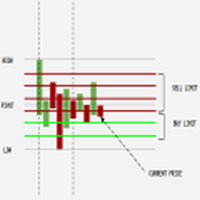
The EA creates a grid of equally spaced pending limit orders taking into account:  - The current price; sell-limit above / buy-limit below  - The trading range; computed by using the weekly highs and lows The EA then manages the orders while they have been executed. The logic is: IF #EXECUTED ORDERS == 2   OPEN NEW LIMIT AT THE PEN. PRICE IF #EXECUTED ORDERS > TOT - 2   RESET THE LIMIT ORDERS TO RANGE  - check the video for the full strategy at:  https://youtu.be/f_ebFsGpIZQ?si=k8IBWe4qJxpz2zjJ
FREE
Unleashed  False Breakout EA strategy trade idea is   Support & Resistance key level of price action. Price breakout  Support & Resistance  than reverse in the zone. Before execute order horizontal line will appear on the key level of  Support & Resistance .When there's open order and losses, it will automatically recover the amount of losses on the next execute order as profit. Blue (support) Pink (resistance) Timeframe: M30 H1 Currency: USDCAD EURUSD XAUUSD *Note on the input take profit in (
FREE
This is a fully functional evaluation version for working on "CADCHF". Full version - Risk Controller If there are active deals on the account when the robot is launched, then all of them except CADCHF will be closed! Risk controller is a tool allowing you to automatically control orders, losses and emotionally motivated actions. Main advantages Limitation of the total account loss. When the MinimalDepo value is reached, any trade will be closed. Limitation of losses per day. Limitation of los
FREE
GA Moving Average
Osama Echchakery
4 (2)
"GA Moving Average" - Intelligent Moving Average Expert Advisor (01) Initial Trade Settings: Customize your initial trade settings to start your trading journey. By using the spread filter option, you can ensure optimal trade execution. Set the maximum spread limit up to 10 pips to protect your strategy from unfavorable market conditions. (02) Entry Point Settings: Precisely configure your entry points. Configure the fast and slow moving averages to capture market momentum. Choose from multiple
FREE
Simple RSI Forex Trading Strategy
Victor Manuel Valderrama Zamora
4 (1)
Diversify the risk in your trading account by combining our Expert Advisors. Build your own custom trading system here:   Simple Forex Trading Strategies The expert advisor opens trades when RSI indicator enter in oversold or overbought areas. The Stop Loss, Take Profit, and Trailing Stop are calculated based on the ATR indicator. The recommended currency pair is EURGBP and the recommended timeframe to operate and to do backtests is H4. This Expert Advisor can be profitable in any TimeFrame an
FREE
Check Execution Broker
Nikolaos Pantzos
5 (1)
This expert is a tool to check broker execution and spread. Attach expert in any chart and wait to finish check. Expert sends a pending order (Buy Stop) away from the current price (100 pips) and then modifies it. When expert is removed from chart, pending orders expire and are deleted after 15 minutes. You can to get source code from here . Parameters OrdersID - Magic number for orders. ManualLotSize - Lot size for orders. TypeOfOrderUse - Type of order to place (pending or market). TimesModi
FREE
IT Moving Average EA
Quentin Gilbert Roger Dacheville
3.86 (7)
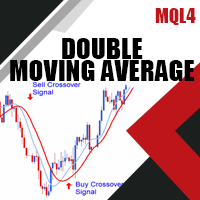
Discover our sophisticated Expert Advisor (EA) designed for the MetaTrader 4 (MT4) market. This free EA exploits a trading strategy based on the crossover of two simple moving averages, enhanced by a grid approach, providing a powerful way to optimize your operations in the financial market. Key Features: Moving Average Crossover Strategy: Our EA uses a crossover of two moving averages – 50 and 200 periods – to identify trading opportunities. This proven method provides a strong indication o
FREE
ZigZag Fibo EA
Andrey Tatarinov
4.29 (7)
고문은 추세에 맞춰 거래합니다. 추세의 방향은 ZigZag 표시기에 의해 결정됩니다. 피보나치 그리드는 추세 방향으로 중첩됩니다. 특정 피보나치 수준에서 추세 방향으로 지정가 주문이 적용됩니다. 주문할 수 있는 레벨은 다음과 같습니다. 23.6 38.2 50.0 61.8 78.6 정지 손실은 Fibo 수준 100으로 설정되거나 사용자가 Advisor 설정에서 지정합니다. 이익실현은 Fibo 레벨 0으로 설정되거나 사용자가 Advisor 설정에서 지정합니다. MT5용 버전 https://www.mql5.com/ko/market/product/113194 설정: Lot Size - 로트 크기 TakeProfit  - 고정 TP를 선택할 때 이익 가치를 얻습니다. 0 - TP 비활성화 TP Type - 이익 실현 유형: 고정 또는 Fibo 0 StopLoss - 고정 라인을 선택할 때 정지 손실 값입니다. 0 - 간선 연결 끊김 SL Type - 손절매 유형: 고정 또는 Fib
FREE
Harvest FX
Sayan Vandenhout
4.56 (9)
Harvest FX USES THE TREND WAVE INDICATOR AND IT CAN IDENTIFY THE BEGINNING AND THE END OF A NEW WAVE TREND MOVEMENT. AS AN OSCILLATOR, THE INDICATOR IDENTIFIES THE OVERBOUGHT AND OVERSOLD ZONES. IT WORKS GREAT TO CATCH THE SHORT TERM PRICE REVERSALS AND USES A MARTINGALE STRATEGY TO CLOSE ALL TRADES IN PROFIT. USE DEFAULT SETTINGS ON H1 OR HIGHER TIME FRAME ON ANY PAIR FOR MORE ACCURATE TRADES WHY THIS EA : Smart entries calculated by 3 great strategies The EA can be run on even a $30000 a
FREE
ENGLISH DESCRIPTION (MQL5 Standard Optimized) Product Name: Aether GannFlow – Scalper Market v2 (MT4) [Subtitle: Gann Fan Logic | Trend Pullback | Margin Guard Protection] Introduction Aether GannFlow is a lightweight M5/M15 scalping system that bridges the gap between classical momentum trading and geometric market analysis. It combines a robust EMA Trend + RSI Pullback engine with the unique directional filter of the Gann Fan . Designed for stability on MT4, it features a "Margin-Guard" proce
FREE
Description: EquityStop UAP is the solution designed to optimize the management of your forex operations securely and efficiently. Our software provides a superior level of control and protection for every trade. *Key Features:* 1.  **Equity Protection:** Preserve your capital with our advanced Equity Stop feature, applying an automatic safety barrier to limit losses. 2.  **Percentage Trailing Stop:** Maximize your profits and minimize losses with the Percentage Trailing Stop feature, dynam
FREE
Lot by Risk
Sergey Vasilev
4.83 (23)
위험 거래 패널에 의해 많은 수동 거래를 위해 설계되었습니다. 이 명령을 보낼 수있는 다른 수단이다. 패널의 첫 번째 특징은 제어 라인을 사용하여 편리하게 주문할 수 있다는 것입니다. 두번째 특징은 정지 손실 선의 면전에서 주어진 위험을 위한 거래 양의 계산입니다. 제어 라인은 단축키를 사용하여 설정됩니다: 이익을-기본적으로 티 키; 가격-기본적으로 피 키; 정지 손실-기본적으로 키; 당신은 거래 패널의 설정에서 키를 직접 구성 할 수 있습니다. 작동 알고리즘: 1)-우리는(이 모든 레벨을 배치 할 필요가 없습니다)원하는 장소에 레벨을 배치; 2)–위험 지정(선택 사항); 3)-녹색 주문 보내기 버튼을 클릭하십시오.; 4)–우리는 배치 될 순서를 기다리고 있습니다,또는 오류 메시지와 경고가 나타납니다; 5)-우리는 전문가 고문에 마법에 의해 연결된 현재 기호에 대한 모든 주문을 닫으려면,다음 닫기 주문 버튼을 클릭합니다. 주문 보내기 버튼을 여러 번 눌러서는 안
FREE
CCI and ATR Trader
Evgeniia Terekhova
2.33 (3)
Советник работает на двух индикаторах CCI и ADX. Условия для входа в BUY: 1. ADX пересекает уровень 20 2. CCI пересекает уровень 100 снизу вверх 3. Выставляем фиксированный StopLoss и TakeProfit 4. Закрываем позицию по рыночной цене, когда CCI пересекает уровень 100 сверху вниз. Условия для входа в SELL: 1. ADX пересекает уровень 20 2. CCI пересекает уровень -100 сверху вниз 3. Выставляем фиксированный StopLoss и TakeProfit 4. Закрываем позицию по рыночной цене, когда CCI пересекает уровень -10
FREE
Trend Analizer Bot
Pavel Predein
4.67 (3)
Automatic trading Advisor .This is a free version of the expert Advisor "Trend Analyzer Pro" https://www.mql5.com/ru/market/product/42792.В the robot is based on 2 strategies: at the intersection of moving averages and Bollinger bands indicator .In the paid version, three strategies are available, which increases profitability several times .Designed for the EURUSD H1 currency pair.It is possible to use it on other tools after optimization.Test only on tick data. ** Does not use such dangerous
FREE
This script permits to delete the pending orders or close the market positions on platform. Very simple to use. Upload the script on the chart and the script will done the work for you following the input values. An utility to manage very quickly your trading. Input Values TypeOrders Only BUY (delete or close only BUY) Only SELL (delete or close only SELL) BUY and SELL (delete or close ALL) Type Positions (close only market orders) Only STOP (delete STOP pending orders) Only LIMIT (delete LIMIT
FREE
이 제품의 구매자들이 또한 구매함
Trade Manager EA에 오신 것을 환영합니다. 이 도구는 거래를 보다 직관적이고 정확하며 효율적으로 만들기 위해 설계된 궁극적인 리스크 관리 도구 입니다. 단순한 주문 실행 도구가 아닌, 원활한 거래 계획, 포지션 관리 및 리스크 제어를 위한 종합 솔루션입니다. 초보자부터 고급 트레이더, 빠른 실행이 필요한 스캘퍼에 이르기까지 Trade Manager EA는 외환, 지수, 상품, 암호화폐 등 다양한 시장에서 유연성을 제공합니다. Trade Manager EA를 사용하면 복잡한 계산은 이제 과거의 일이 됩니다. 시장을 분석하고 진입, 손절 및 익절 수준을 차트의 수평선으로 표시한 후 리스크를 설정하면, Trade Manager가 이상적인 포지션 크기를 즉시 계산하고 SL 및 TP 값을 실시간으로 표시합니다. 모든 거래가 간편하게 관리됩니다. 주요 기능: 포지션 크기 계산기 : 정의된 리스크에 따라 거래 크기를 즉시 결정합니다. 간단한 거래 계획 : 진입, 손절, 익절을 위한
Local Trade Copier EA MT4
Juvenille Emperor Limited
4.96 (110)
Local Trade Copier EA MT4 를 사용하여 매우 빠른 거래 복사 경험을 해보세요. 1분 안에 간편하게 설정할 수 있으며, 이 거래 복사기를 사용하면 Windows 컴퓨터 또는 Windows VPS에서 여러 개의 MetaTrader 터미널 간에 거래를 0.5초 미만의 초고속 복사 속도로 복사할 수 있습니다. 초보자든 전문가든 Local Trade Copier EA MT4 는 다양한 옵션을 제공하여 사용자의 특정 요구에 맞게 맞춤 설정할 수 있습니다. 이는 수익 잠재력을 높이려는 모든 사람을 위한 최고의 솔루션입니다. 지금 사용해보시고 이것이 왜 시장에서 가장 빠르고 쉬운 무역용 복사기인지 알아보세요! 팁: 여기 에서 데모 계정에서 Local Trade Copier EA MT4 데모 버전을 다운로드하여 사용해 볼 수 있습니다. 다운로드한 무료 데모 파일을 MT4 >> File >> Open Data Folder >> MQL4 >> Experts 폴더에 붙여넣고 터미널
Trade Assistant MT4
Evgeniy Kravchenko
4.43 (195)
거래당 위험 계산, 라인을 사용한 손쉬운 신규 주문, 부분 청산 기능을 통한 주문 관리, 7가지 유형의 트레일링 스탑 및 기타 유용한 기능을 제공합니다. 추가 자료 및 지침 설치 지침 - 애플리케이션 지침 - 데모 계정용 애플리케이션 평가판 라인 기능       - 차트에 개시선, 손절매, 차익실현을 표시합니다. 이 기능을 사용하면 새로운 주문을 쉽게 하고 개봉 전에 추가 특성을 볼 수 있습니다. 위기 관리       -       위험 계산 기능은 설정된 위험과 손절매 주문의 크기를 고려하여 새 주문의 볼륨을 계산합니다. 이를 통해 손절매 크기를 설정하고 동시에 설정된 위험을 존중할 수 있습니다. 로트 계산 버튼 - 위험 계산을 활성화/비활성화합니다. 필요한 위험 값은 위험 필드에 0에서 100 사이의 백분율 또는 예금 통화로 설정됩니다. 설정 탭에서 위험 계산 옵션을 선택합니다. $ 통화, % 잔액, % 지분, % 자유 마진, % 사용자 정의, % AB 이전 일, % AB
Exp COPYLOT CLIENT for MT4
Vladislav Andruschenko
4.69 (65)
MetaTrader 4용 전문 트레이드 복사기 MetaTrader 4 용 빠르고 안정적이며 전문적인 트레이드 복사기입니다. COPYLOT 은 MetaTrader 4 와 MetaTrader 5 터미널 간에 Forex 거래를 복사할 수 있으며, 다양한 계좌 유형과 운용 방식에 맞춰 유연한 동기화 환경을 제공합니다. COPYLOT MT4 버전 지원 방식: MetaTrader 4 → MetaTrader 4 MetaTrader 5 Hedge → MetaTrader 4 MetaTrader 5 Netting → MetaTrader 4   MT5 버전 상세 설명 + DEMO + PDF 구매 방법 설치 방법 로그 파일 확인 방법 테스트 및 최적화 방법 Expforex의 모든 제품 MetaTrader 5 버전 을 사용하면 MetaTrader 5 → MetaTrader 5 및 MetaTrader 4 → MetaTrader 5 복사도 지원됩니다: COPYLOT CLIENT for MT5 COPYLOT 은
TradePanel MT4
Alfiya Fazylova
4.84 (95)
Trade Panel은 다기능 거래 도우미입니다. 이 애플리케이션에는 50개 이상의 수동 거래 기능이 포함되어 있으며 대부분의 거래 작업을 자동화할 수 있습니다. 구매하기 전에 데모 계정에서 데모 버전을 테스트할 수 있습니다. 데모 계정용 애플리케이션 체험판 다운로드: https://www.mql5.com/en/blogs/post/750865 . 전체 지침 여기 . 거래. 한 번의 클릭으로 거래를 수행할 수 있습니다: 리스크 자동 계산과 함께 예약 주문 및 포지션 열기. 한 번의 클릭으로 여러 주문 및 포지션 열기. 주문 그리드 열기. 예약 주문 및 포지션을 그룹별로 닫기. 포지션 방향 전환 (Buy 닫기 > Sell 열기, Sell 닫기 > Buy 열기). 포지션 잠금 (부족한 포지션을 열어 Buy와 Sell 포지션의 수량을 동일하게 만들기). 모든 포지션 한 번의 클릭으로 부분적으로 닫기. 모든 포지션의 테이크 프로핏과 스톱로스를 같은 가격 수준에 설정. 모든 포지션의 스톱로스를
The product will copy all telegram signal to MT4   ( which you are member  ) , also it can work as remote copier.  Easy to set up, copy order instant, can work with almost signal formats, image signal, s upport to translate other language to English Work with all type of channel or group, even channel have "Restrict Saving Content", work with  multi channel, multi MT5 Work as remote copier: with signal have ticket number, it will copy exactly via ticket number. Support to backtest signal. How to
Copy Cat More Trade Copier MT4 (복사 고양이 MT4) 는 단순한 로컬 트레이드 카피어가 아니라, 오늘날의 거래 환경을 위해 설계된 완전한 리스크 관리 및 실행 프레임워크입니다. Prop Firm 챌린지부터 개인 계좌 관리까지, 강력한 실행력, 자본 보호, 유연한 설정, 고급 거래 처리 기능을 통해 모든 상황에 적응합니다. 이 카피어는 Master(송신자) 와 Slave(수신자) 모드 모두에서 작동하며, 실시간으로 시장가/지정가 주문, 거래 수정, 부분 청산, Close By 작업을 동기화합니다. 데모 및 실계좌 모두 호환되며, 거래용 비밀번호 또는 투자자 비밀번호로도 사용할 수 있습니다. Persistent Trade Memory 기술을 통해 EA, 터미널, VPS가 재시작되더라도 거래가 복원됩니다. 여러 Master와 Slave를 동시에 관리할 수 있으며, 브로커 간 차이는 접두사/접미사 자동 감지 또는 심볼 매핑으로 처리됩니다. 매뉴얼/설정: Copy C
The News Filter
Leolouiski Gan
5 (25)
이 제품은 뉴스 시간 동안 모든 전문가 어드바이저 및 수동 차트를 필터링하여 수동 거래 설정이나 다른 전문가 어드바이저가 입력한 거래가 파괴될 수 있는 급격한 가격 상승으로부터 걱정하지 않아도 됩니다. 이 제품은 또한 뉴스 발표 전에 열린 포지션과 대기 주문을 처리할 수 있는 완전한 주문 관리 시스템이 함께 제공됩니다. The News Filter  를 구매하면 더 이상 내장 뉴스 필터에 의존할 필요가 없으며 이제부터 모든 전문가 어드바이저를 여기서 필터링할 수 있습니다. 뉴스 선택 뉴스 소스는 Forex Factory의 경제 캘린더에서 얻어집니다. USD, EUR, GBP, JPY, AUD, CAD, CHF, NZD 및 CNY와 같은 어떤 통화 기준으로 선택할 수 있습니다. Non-Farm (NFP), FOMC, CPI 등과 같은 키워드 식별을 기준으로 선택할 수도 있습니다. 저, 중, 고 영향을 가지는 뉴스를 필터링할 수 있도록 선택할 수 있습니다. 차트와 관련된 뉴스만 선택하
Smart Channel M4
Vahidreza Heidar Gholami
The trend in the market can be predicted using trend lines but the problem is you don’t know where exactly the price is going to touch the trend line where you can put your pending orders on. Smart Channel Expert Advisor makes it possible to put an advanced channel around the price data, which can be configured to handle placing orders, opening and closing positions, managing risk per trade, spread, slippage, and trailing stop-loss and take-profit automatically. Features Money Management (Calcul
Trade copier MT4
Alfiya Fazylova
4.58 (33)
Trade Copier는 거래 계정 간의 거래를 복사하고 동기화하도록 설계된 전문 유틸리티입니다. 복사는 공급자의 계정/단말기에서 동일한 컴퓨터 또는 vps에 설치된 수신자의 계정/단말기로 발생합니다. 프로모션 - 이미 "Trade copier MT5"를 구매하셨다면, "Trade copier MT4"를 무료로 받으실 수 있습니다 (MT4 → MT5 및 MT4 ← MT5 복사용). 조건에 대한 자세한 정보를 원하시면, 개인 메시지를 통해 저희에게 문의해 주시기 바랍니다! 구매하기 전에 데모 계정에서 데모 버전을 테스트할 수 있습니다. 데모 버전 여기 . 전체 지침 여기 . 주요 기능 및 이점: 복사기는 "МТ4> МТ4", "МТ4> МТ5", "МТ5> МТ4" 복사를 지원합니다. 복사기는 데모 계정 > 실 계정, 실 계정 > 데모 계정, 데모 계정 > 데모 계정 및 실제 계정 > 실 계정 복사를 지원합니다. 복사기는 읽기 전용 암호가 적용된 투자자 계정에서 복사를 지원합니다. 하
OrderManager MT4
Lukas Roth
4.73 (26)
OrderManager 소개: MT4용 혁신적인 유틸리티 MetaTrader 4용 새로운 Order Manager 유틸리티를 통해 전문가처럼 거래를 관리하세요. 단순성과 사용 편의성을 염두에 두고 설계된 Order Manager는 각 거래와 관련된 위험을 쉽게 정의하고 시각화할 수 있습니다. 이를 통해 보다 효과적인 결정을 내리고 거래 전략을 최적화할 수 있습니다. OrderManager에 대한 자세한 정보는 매뉴얼을 참조하십시오. [ 매뉴얼 ] [ MT5 버전 ] [ 텔레그램 채널 ]  New: [ Telegram To MT5 ] 주요 특징: 위험 관리: 거래의 위험을 빠르고 쉽게 정의하여 더 나은 결정을 내리고 거래 성능을 향상시킵니다. 시각적 표현: 열린 포지션을 명확하고 간결하게 이해하기 위해 거래와 관련된 위험을 그래픽으로 볼 수 있습니다. 주문 수정: 몇 번의 클릭만으로 주문을 쉽게 수정하거나 닫아, 거래 과정을 간소화하고 소중한 시간을 절약합니다. 손끝의 뉴스: 한 번
Trade Dashboard MT4
Fatemeh Ameri
4.96 (53)
Trade Dashboard simplifies how you open, manage, and control your trades, with built-in lot size calculation. It allows you to execute trades, manage risk, and control positions directly on the chart, with tools such as partial close, breakeven, and trailing stop. Designed to reduce manual work and help you stay focused on your trading decisions. A demo version is available for testing. Detailed explanations of features are provided within the MQL5 platform. Installation instructions are include
Elevate Your Trading Signals with Our Advanced Telegram Bridge EA It’s time to captivate your audience with real-time trading updates that are both professional and visually appealing. Contact me to receive a trial and see the demo channel! We have significantly invested in user friendly features that create a unique experience for customers and providers.  SIGNAL BRIDGE is able to deliver 100% COPIER FRIENDLY SIGNALS for all business cases, even bypassing Metatrader logics where other EAs stru
CloseIfProfitorLoss with Trailing
Vladislav Andruschenko
4.87 (31)
이익 추적 기능으로 총 이익/손실에 도달하면 MetaTrader 4에서 포지션을 청산합니다. 가상 정지 (별도 주문) 을 활성화할 수 있습니다. BUY 및 SELL 포지션을 별도로 계산하고 마감합니다 (BUY SELL 별도). 모든 심볼 또는 현재 심볼 만 닫고 계산합니다 (모든 심볼). 이익을 위해 후행 추적 을 활성화합니다 (후행 이익). 예금 통화, 포인트, 잔액의 %에 대한 총 손익을 마감합니다. 이 애플리케이션은 다른 EA와 함께 또는 수동 거래와 함께 모든 계정에서 사용하도록 설계되었습니다. MT5 버전 전체 설명 + DEMO + PDF 구입 방법 설치하는 방법 로그 파일을 얻는 방법 테스트 및 최적화 방법 Expforex의 모든 제품 일부 쌍 또는 모든 쌍의 총 거래 잔액이 설정에서 지정된 값보다 크거나 같으면 모든 포지션이 닫히고 주문이 삭제됩니다. 이 버전은 지정된 이익 수준에서 포지션을 마감할 수 있을 뿐만 아니라 더 나은 결과를 위해 이익을 추적할 수도 있습니다
Trade Manager MT4 DaneTrades
Levi Dane Benjamin
4.09 (11)
거래 관리자는 위험을 자동으로 계산하는 동시에 거래를 빠르게 시작하고 종료하는 데 도움을 줍니다. 과잉 거래, 복수 거래 및 감정 거래를 방지하는 데 도움이 되는 기능이 포함되어 있습니다. 거래를 자동으로 관리할 수 있으며 계정 성과 지표를 그래프로 시각화할 수 있습니다. 이러한 기능은 이 패널을 모든 수동 거래자에게 이상적으로 만들고 MetaTrader 4 플랫폼을 향상시키는 데 도움이 됩니다. 다중 언어 지원. MT5 버전  |  사용자 가이드 + 데모 트레이드 매니저는 전략 테스터에서 작동하지 않습니다. 데모를 보려면 사용자 가이드로 이동하세요. 위기 관리 % 또는 $를 기준으로 위험 자동 조정 고정 로트 크기 또는 거래량과 핍을 기반으로 한 자동 로트 크기 계산을 사용하는 옵션 RR, Pips 또는 Price를 사용한 손익분기점 손실 설정 추적 중지 손실 설정 목표 달성 시 모든 거래를 자동으로 마감하는 최대 일일 손실률(%)입니다. 과도한 손실로부터 계정을 보호하고 과도한
This is a simple utility which will put Automatic Stop Loss and Take Profit. It also has Trailing Stop Loss and Break Even features. The input value of the Stop Loss and Take Profit is in Pips. Whenever you open a trade it will put stop loss and take profit in pips automatically. *If you need a more practical stop loss and take profit for your trades then you may like this ATR based stop loss utility,  Here! Inputs: 1. SL and Trailing SL - This is the Stop Loss value in Pips. Also used as Traili
Custom Alerts AIO: 다중 시장을 동시에 모니터링 – 설정 없이 즉시 사용 가능 개요 Custom Alerts AIO 는 복잡한 설정 없이 즉시 사용할 수 있는 통합 시장 모니터링 도구입니다. FX Power, FX Volume, FX Dynamic, FX Levels, IX Power 등 필요한 모든 지표가 내장되어 있어 별도의 설치나 구성 없이 알림 기능을 바로 사용할 수 있습니다. 차트 그래픽 없이 작동하며, Forex, 금속, 지수, 암호화폐 등 주요 자산군을 모두 지원합니다. 주식(Symbols)은 별도로 입력하여 추가할 수 있으나, MetaTrader에서는 일반적으로 제한적으로만 사용됩니다. 1. 왜 Custom Alerts AIO를 선택해야 하나요? 추가 라이선스가 필요 없습니다 • 모든 Stein Investments 지표가 내장되어 있어 별도 구매가 필요 없습니다. • 즉시 알림 기능을 시작할 수 있어 빠르고 간편합니다. 모든 시장을 하나의 도구로
Managing trades MT4
David Julio Cuenca Oliver
Managing Trades 3.0 MT5 version:  https://www.mql5.com/en/market/product/172666?source=Site With Managing Trades 3.0, you can manage your trades quickly and efficiently. It features an intuitive visual interface with large buttons, allowing you to manage your trades as quickly as possible. With Managing Trades 3.0 you can: - Open a Buy and Sell order instantly with a single click, using any lot size you want. You can also optionally set Stop Loss and Take Profit. - Close all open trades in
Trade Board MT4
Ashkan Hazegh Nikrou
구매 전 중요 정보 전체 데모 버전 제공 – 실제 시장에서 테스트 가능 Trade Board MT4는 기능 제한 없이 데모 계정을 사용하여 실제 시장 환경에서 직접 테스트할 수 있는 완전한 기능의 데모 버전을 제공합니다. Strategy Tester 내부에서 트레이딩 보조 도구를 테스트하는 것은 현실적인 체결 동작을 제공하지 않으므로, 실제 성능을 경험하기 위해 데모 버전을 다운로드하여 실제 시장 환경에서 테스트할 것을 강력히 권장합니다. 실시간 테스트용 데모 버전을 받으시려면 저에게 문의하세요 MQL5 커뮤니티의  Koala Trading Solution 채널  에 참여하여 모든 제품의 최신 소식을 확인하세요. 이 제품의 MT5 버전도 제공됩니다 :   다운로드 Trade Board MT4는 더 빠른 주문 실행, 더 스마트한 리스크 관리 및 차트 가시성을 방해하지 않는 효율적인 거래 관리를 필요로 하는 MetaTrader 4 트레이더를 위해 특별히 설계된 고급 트레이딩 보조
Ultimate Trailing Stop EA
BLAKE STEVEN RODGER
4.33 (15)
This EA Utility allows you to manage (with advanced filtering) unlimited open orders (manual or EA) with 16 trailing stop methods: fixed, percent, ATR Exit, Chandelier Exit, Moving Average, Candle High Low Exit, Bollinger Bands, Parabolic, Envelope, Fractal, Ichimoku Kijun-Sen, Alligator, Exit After X Minutes or Bars, RSI and Stochastic. The trailing stop can be either real or virtual, and you can exit fully or with a partial close percent on touch or bar close.  Moreover, you can add (overrid
Telegram to MT4 Multi-Channel Copier 는 Telegram 채널의 트레이딩 신호를 MetaTrader 4로 자동 복사합니다. 봇 불필요, 브라우저 확장 불필요, 수동 복사 불필요. Telegram에서 신호를 받으면 EA가 몇 초 안에 터미널에서 거래를 엽니다. 이 제품은 두 가지 구성 요소로 이루어져 있습니다: Telegram 채널을 모니터링하는 Windows 애플리케이션과 MT4 터미널에서 신호를 실행하는 Expert Advisor입니다. 앱 다운로드 가이드:   https://www.mql5.com/en/blogs/post/768988 작동 방식 Windows 앱은 귀하의 API 자격 증명을 사용하여 Telegram에 연결합니다(봇이 아니므로 비공개 및 VIP 채널을 포함하여 구독 중인 모든 채널을 읽을 수 있습니다). 신호를 감지하면 파싱하여 EA로 전송합니다. EA는 신호를 읽고, 브로커에 맞게 심볼 이름을 해석하며, 리스크 설정에 따라 랏 크기를
Auto Trade Copier
Vu Trung Kien
4.76 (85)
Auto Trade Copier is designed to copy trades to multiple MT4, MT5 and cTrader accounts/terminals with 100% accuracy. The provider and receiver accounts must be on the same PC/VPS. With this tool, you can copy trades to receiver accounts on the same PC/VPS. All trading actions will be copied from provider to receiver perfectly. This version can be used on MT4 accounts only. For MT5 accounts, you must use Auto Trade Copier for MT5 . Reference: - For MT4 receiver, please download Trade Receiver Fre
Trading History MT4
Siarhei Vashchylka
5 (9)
Trading History - A program for trading and money management on the history of quotes in stratagy tester. It can work with pending and immediate orders, and is equipped with trailing stop, breakeven and take profit functions. Very good for training and testing different strategies. Manual (Be sure to read before purchasing) Advantages 1. Allows you to test any trading strategy in the shortest possible time 2. An excellent simulator for trading training. You can gain months of trading experience
EchoTrade Telegram to MT4 Copier
Perpetual Chinemerem Vincent
5 (2)
EchoTrade Telegram to MT5 Copier Seamless, Instant, and Reliable Signal Copying - Direct from Telegram to MetaTrader 4! The product does not run in the strategy tester but you can get free trial version   here  for testing before purchase. Tired of manually executing trades from Telegram signals? EchoTrade automates the process, instantly copying trades from any Telegram channel or group directly into your MT5 account—accurately, efficiently, and without delay. Key Features: Universal Compatib
The product will copy all  Discord  signal   to MT4   ( which you are member  ) , also it can work as remote copier.  Easy to set up. Work with almost signal formats, support to translate other language to English Work with multi channel, multi MT4. Work with Image signal. Copy order instant, auto detect symbol. Work as remote copier: with signal have ticket number, it will copy exactly via ticket number. How to setup and guide: Let read all details about setup and download Discord To MetaTrader
Telegram to MT4 Coppy
Sergey Batudayev
4 (10)
Telegram에서 MT4로:   최고의 신호 복사 솔루션 최첨단 유틸리티인   Telegram to MT4를   사용하여 거래를 간소화하세요. DLL 없이도 Telegram 채널과 채팅에서 MetaTrader 4 플랫폼으로 거래 신호를 직접 복사할 수 있습니다. 이 강력한 솔루션은 탁월한 정밀도와 맞춤 설정 옵션을 통해 원활한 신호 실행을 보장하여 시간을 절약하고 효율성을 높여줍니다. [ Instructions and DEMO ] 주요 특징 직접 Telegram API 통합 전화번호와 보안 코드를 통해 인증하세요. 사용자 친화적인 EXE 브리지를 사용하여 채팅 ID를 손쉽게 가져오고 관리하세요. 여러 채널/채팅을 추가, 삭제, 새로 고침하여 동시에 신호를 복사합니다. 고급 필터를 사용한 신호 파싱 사용자 정의 예외 단어(예: "보고서", "요약")가 포함된 원치 않는 신호를 건너뜁니다. 유연한 SL 및 TP 형식을 지원합니다: 가격, 핍 또는 포인트. 신호가 가격 대신 지점을 지정
TP Splitter Pro MT4 TP Splitter Pro MT4 is an advanced Expert Advisor (EA) designed to optimize your take-profit strategy by automatically placing copy trades with multiple TP levels. It ensures a structured exit plan while maximizing profits and managing risk efficiently. Unlike standard trade copiers, TP Splitter Pro MT4 only executes copy orders when the entry price is more favorable than the master order. It places sell orders at a higher price and buy orders at a lower price. With built-in
Grid Manual MT4
Alfiya Fazylova
4.71 (17)
"Grid Manual"은 주문 그리드 작업을 위한 거래 패널입니다. 이 유틸리티는 보편적이며 유연한 설정과 직관적인 인터페이스를 제공합니다. 그것은 손실을 평균화하는 방향뿐만 아니라 이익을 증가시키는 방향으로 주문 그리드와 함께 작동합니다. 거래자는 주문 그리드를 만들고 유지할 필요가 없으며 유틸리티에서 수행합니다. 거래자가 주문을 시작하는 것으로 충분하며 "Grid Manual"는 자동으로 그를 위한 주문 그리드를 생성하고 거래가 마감될 때까지 그와 동행할 것입니다. 전체 설명 및 데모 버전 여기 . 유틸리티의 주요 기능: 모바일 터미널을 포함하여 어떤 방식으로든 열린 주문과 함께 작동합니다. "제한" 및 "중지"의 두 가지 유형의 그리드와 함께 작동합니다. 고정 및 동적(ATR 표시기 기반)의 두 가지 유형의 그리드 간격 계산과 함께 작동합니다. 오픈 오더 그리드의 설정을 변경할 수 있습니다. 차트에서 각 주문 그리드의 손익분기점 수준을 표시합니다. 각 주문 그리드에 대한 이익
EAs Manager MT4
Abdeljalil El Kedmiri
The  MT4  EAs Manager   is a professional risk management and trade assistance tool designed to monitor, control, and optimize all trading activities on your MT5 account. It acts as a   central command center   that oversees every trade - whether opened by other Expert Advisors or manually by you. How it's work with other EAs :   Blog post  MT5 version :  https://www.mql5.com/en/market/product/166211 Only 10 copies will be sold at the early-bird price. After 10 copies, the price jumps directly t
Riskless Pyramid
Snapdragon Systems Ltd
5 (1)
Introduction This powerful MT4 trade mangement EA offers a way potentially to aggressively multiply trade profits in a riskfree manner. Once a trade has been entered with a defined stoploss and take profit target then the EA will add three pyramid add-on trades in order to increase the overall level of profit. The user sets the total combined profit target to be gained if everything works out. This can be specified either as a multiple of the original trade profit or as a total dollar amount. Fo
제작자의 제품 더 보기
MT5 RingSystemEA
Nikolaos Pantzos
5 (1)
It's a triangular arbitrage system (three pairs correlation system) to use 3 currencies to make 3 pairs to open hedge orders on those. The expert starts opening six orders for each ring (3 plus and 3 minus) and waits to move prices in one direction to make a grid of orders. The expert can use a maximum of 8 currencies to make 28 pairs and make 56 rings. It is important the order of currencies is from the strongest to the weakest. Strongest... EUR/GBP/AUD/NZD/USD/CAD/CHF/JPY ...weakest. Can
FREE
GridSystemEA
Nikolaos Pantzos
4.71 (7)
It is a system with many options to help each user find their own settings. There are possibilities to use a filter based on two averages, as well as the choice of whether the system will work at certain hours of the market. The default settings are tested for the eurusd pair. I would recommend that each user do their own testing and find settings that suit their preferences. This is not a ready-made system that you will use without working on it. But it is a good tool to build each user a strat
FREE
MT5 VolatilityScalperEA
Nikolaos Pantzos
3.95 (21)
This expert is a pure volatility scalper working with market orders orders. Expert not use any indicator, only use prices action and volatility of price to generate signals. Using an algorithm to calculate the speed of price to generate the signals. There are three conditions for it to work: Tight spread  Fast execution Stop level = 0 Please during the tests of this EA do not simultaneously use another EA in the same terminal because it affects the modification speed. Try expert on demo accoun
FREE
MT5 CoupleHedgeEA
Nikolaos Pantzos
4.7 (10)
It's a two (2) pairs correlation system to use 3 currencies to make 2 pairs to open hedge orders on those. The expert starts opening four orders for each couple (2 plus and 2 minus) and wait to move prices in one direction to make a grid of orders. The expert can use a maximum of 5 currencies to make 10 pairs and make 30 couples. It is important the order of currencies is from the strongest to the weakest. Strongest... EUR/GBP/AUD/NZD/USD/CAD/CHF/JPY ...weakest. Canto inputs minimum of thr
FREE
BuildYourGridEA
Nikolaos Pantzos
4.65 (20)
BUILD YOUR GRID The expert is a system to help any trader to make a grid of orders (without martingale, lite martingale, or full martingale) easy and simple. Please make your test to find your settings. Default settings are just to take an idea of how the expert works. The expert can make according or contrary grid of orders. You can set the expert to work in hedge mode if the losses are huge. The system uses a high-risk strategy. It's better to test it first in a demo account. Version for MT4:
FREE
MultiStrategyEA  includes the set of seven different experts in one expert . The experts included are as follows,  AC_Expert, ADX_Expert, AO_Expert, DeM_Expert, ForceBB_Expert, MFI_Expert, MS_Expert , It has many parameters so that each user can find the appropriate settings that suit their investment profile. It can work on 28 different pairs, one pair per chart. The default parameter settings are indicative, I recommend that each user experiment to find their own settings.
FREE
MT4 BuildYourGridEA
Nikolaos Pantzos
4.4 (10)
BUILD YOUR GRID The expert is a system to help any trader to make a grid of orders (without martingale, lite martingale, or full martingale) easy and simple. Please make your test to find your settings. Default settings are just to take an idea of how the expert works. The expert can make according or contrary grid of orders. You can set the expert to work in hedge mode if the losses are huge. The system uses a high-risk strategy. It's better to test it first in a demo account. Version for MT5
FREE
MT4 GridSystemEA
Nikolaos Pantzos
5 (6)
It is a system with many options to help each user find their own settings. There are possibilities to use a filter based on two averages, as well as the choice of whether the system will work at certain hours of the market. The default settings are tested for the eurusd pair. I would recommend that each user do their own testing and find settings that suit their preferences. This is not a ready-made system that you will use without working on it. But it is a good tool to build each user a strat
FREE
ForceBB Expert
Nikolaos Pantzos
ForceBB_Expert   is structured based on two specifics technical analysis indicators ( Bollinger Bands and  Force Index ). It has many parameters so that each user can find the appropriate settings that suit their investment profile. It can work on 28 different pairs. The default parameter settings are indicative, I recommend that each user experiment to find their own settings.
FREE
CoupleHedgeEA Pro
Nikolaos Pantzos
3.63 (8)
It's a two (2) pairs correlation system to use 3 currencies to make 2 pairs to open hedge orders on those. The expert starts opening four orders for each couple (2 plus and 2 minus) and wait to move prices in one direction to make a grid of orders. The expert can use a maximum of 5 currencies to make 10 pairs and make 30 couples. It is important the order of currencies is from the strongest to the weakest. Strongest... EUR/GBP/AUD/NZD/USD/CAD/CHF/JPY ...weakest. Canto inputs minimum of thr
FREE
FollowLine
Nikolaos Pantzos
4.89 (9)
This indicator uses Bollinger Bands lines to detect markets trend. It's a very useful tool for manual trading. Furthermore it is possible to use the indicator with ATR as a filter , as well as the option to pop up an alert when a reverse trend occurs. The readings are very simple to use and understand. Indicator works best on H1 timeframe. You can to get source code from here . Parameters BarsCount - How many bars used to show the line. BBperiod - Period of Bollinger Bands. BBdeviations - Devi
FREE
DeM Expert
Nikolaos Pantzos
DeM_Expert   is structured based on a specific technical analysis indicator ( DeMarker ). It has many parameters so that each user can find the appropriate settings that suit their investment profile. It can work on 28 different pairs, one pair per chart. The default parameter settings are indicative, I recommend that each user experiment to find their own settings.
FREE
MS Expert
Nikolaos Pantzos
MS_Expert   is structured based on a specific technical analysis indicator ( MACD  Oscillator   and Stochastic Oscillator ). It has many parameters so that each user can find the appropriate settings that suit their investment profile. It can work on 28 different pairs. The default parameter settings are indicative, I recommend that each user experiment to find their own settings.
FREE
RingSystemEA Pro
Nikolaos Pantzos
2 (3)
It's a triangular arbitrage system (three pairs correlation system) to use 3 currencies to make 3 pairs to open hedge orders on those. The expert starts opening six orders for each ring (3 plus and 3 minus) and waits to move prices in one direction to make a grid of orders. The expert can use a maximum of 8 currencies to make 28 pairs and make 56 rings. It is important the order of currencies is from the strongest to the weakest. Strongest... EUR/GBP/AUD/NZD/USD/CAD/CHF/JPY ...weakest. Can
FREE
CCI in MA
Nikolaos Pantzos
4.75 (4)
iCC in iMA is indicator to change color in iMA if iCCI crosses level up (up trend) or crosses level down (down trend). It is a useful tool to track when the upside and the downside iCCI on iMA. You can to get source code from here . Parameters MA_Periods —Period for iMA. MA_Method — Method for iMA. CCI_Periods —Period for iCCI. CCI_ApliedPrice — Price used for iCCI. CCI_LevelsUp — Level iCCI for up trend. CCI_LevelsDN — Level iCCI for down trend. BarsCount — How many bars will show the line. R
FREE
RSI in MA
Nikolaos Pantzos
5 (2)
iRSI in iMA is indicator to change color in iMA if iRSI crosses level up (up trend) or crosses level down (down trend). It is a useful tool to track when the upside and the downside iRSI on iMA. You can to get source code from  here. Parameters MA_Periods — Period for iMA. MA_Method — Method for iMA. RSI_Periods — Period for iRSI. RSI_ApliedPrice — Price used for iRSI. RSI_LevelsUp — Level iRSI for up trend. RSI_LevelsDN — Level iRSI for down trend. BarsCount — How many bars will show the line
FREE
AC Expert
Nikolaos Pantzos
AC_Expert is structured based on a specific technical analysis indicator ( Accelerator Oscillator ) . It has many parameters so that each user can find the appropriate settings that suit their investment profile. It can work on 28 different pairs. The default parameter settings are indicative, I recommend that each user experiment to find their own settings.
FREE
VolatilityScalperEA
Nikolaos Pantzos
3 (2)
This expert is a pure volatility scalper working with two pending orders (buy stop and sell stop). Expert not use any indicator, only use prices action and volatility of price to generate signals. There are three conditions for it to work: Tight spread  Fast execution Stop level = 0 Please during the tests of this EA do not simultaneously use another EA in the same terminal because it affects the modification speed. Try expert on demo account first before use it on real one.
FREE
FlySystemEA Pro
Nikolaos Pantzos
3.23 (13)
This Expert Advisor is a pure scalping system. The expert place and manage pending orders. Runs perfect on pairs with tight spread and low commission broker (commission plus spread equal or less than 1.0 pip). Choose a broker with zero stop level and fast execution to use expert. Pairs and Time Frame Pair: eurusd Time frame: M1 Default settings are good for eurusd. Information Please test expert on demo account first, before uses it on real account. Have on your mind, all scalpers are sensiti
FREE
ADX Expert FX
Nikolaos Pantzos
ADX_Expert   is structured based on a specific technical analysis indicator ( Average Directional Movement ). It has many parameters so that each user can find the appropriate settings that suit their investment profile. It can work on 28 different pairs, one pair per chart. The default parameter settings are indicative, I recommend that each user experiment to find their own settings.
FREE
SailSystemEA Pro
Nikolaos Pantzos
3 (3)
This Expert Advisor is a pure hedging system. The expert place and manage two market opposite orders. Runs perfect on pairs with tight spread and low commission broker (commission plus spread equal or less than 0.5 pip). Pairs and Time Frame Pair: eurusd Time frame: M1 Default settings are good for eurusd. Information Please test expert on demo account first, before uses it on real account. Have on your mind, this expert is sensitive and depend on broker's slipping. Expert parameters UseVi
FREE
MFI Expert
Nikolaos Pantzos
MFI_Expert   is structured based on a specific technical analysis indicator ( Money Flow Index ). It has many parameters so that each user can find the appropriate settings that suit their investment profile. It can work on 28 different pairs, one pair per chart. The default parameter settings are indicative, I recommend that each user experiment to find their own settings.
FREE
MACD in MA
Nikolaos Pantzos
iMACD in iMA is indicator to change color in iMA if iMACD is upper of zero (up trend) or lower of zero (down trend). It is a useful tool to track when the upside and the downside iMACD on iMA. You can to get source code from here . Parameters MA_Periods — Period for iMA. MA_Method — Method for iMA. MACD_FastEMA — Fast EMA for MACD. MACD_SlowEMA — Slow EMA for MACD. MACD_SignalSMA — SMA signal for MACD. MACD_ApliedPrice — Price used for MACD. BarsCount — How many bars will show the line. Revers
FREE
Account Info EA It is a tool that presents on the graph all the positions of the account, and specific information concerning the positions, but also the account. It enables the user to have an image of his account at a glance. Use like any expert advisor. You can't attach it in the same chart with other expert advisor. It does not have the ability to open or manage positions. You can attach it on any chart and any timeframe.
FREE
NewsReleaseEA Pro
Nikolaos Pantzos
5 (4)
NewsReleaseEA is an expert to trade about economic news uses pending orders. Expert receives data for events from ' http://forexfactory.com '." The expert can trade up 28 (31 with yuan) pairs from one chart. Expert has the option for manual strategy (user strategy) or uses one of five included strategies. Expert has analyzer for any trade to show information for any currency and any pair to help trader to make better strategy. Include Strategies Custom_Stategy  - There are too many options t
FREE
GridderEA Pro
Nikolaos Pantzos
3.83 (6)
It's a multi-currency grid and martingale system that can trade all input pairs from one chart. The expert will close all orders for each pair using a profit level. The expert has the possibility to trade up to 100 pairs. Information Chose a broker with fast execution and low spreads for effective results. Please make some tests on a demo account to see how the expert works before using it on a real account. For 0.01 lot size and leverage 1:500, you need an initial balance of at least 10,000 f
FREE
STOCH in MA
Nikolaos Pantzos
iSTOCH in iMA is an indicator which applies the stochastic changes to the iMA. Changes are reflected by altering the moving average colors. It is a useful tool to see easily the upsides or downsides of the stochastic. You can to get source code from here . Parameters MA_Periods - iMA period. MA_Method - iMA method. K_Period - K line period. D_Period - D line period. Slowind - slowing. STOCH_MA_METHOD - averaging method for MA. PriceField - price (Low/High or Close/Close). STOCH_LevelUp - uptre
FREE
TraderTool
Nikolaos Pantzos
TraderTool is a tool/panel that will help any trader to perform trades quickly and easily. The product has been developed with user friendliness and ease of use in mind. It has the ability to manage multiple types of orders, either placed by an Expert Advisor, or manually. It also allows you to place orders in a single click. You can add stop loss and take profit, initiate a trailing stop or start break even operation, and all these with the simple panel. With the advanced panel (you can call it
FREE
AO Expert
Nikolaos Pantzos
AO_Expert   is structured based on a specific technical analysis indicator ( Awesome  Oscillator ). It has many parameters so that each user can find the appropriate settings that suit their investment profile. It can work on 28 different pairs. The default parameter settings are indicative, I recommend that each user experiment to find their own settings.
FREE
ProfitLossTrailEA
Nikolaos Pantzos
4.81 (26)
This Expert Advisor is a tool for managing orders. The EA can Place/remove a take profit. Place/modify/delete a stop loss. Manage all orders or specific ones having a certain ID. You can to get the source code from here . Parameters ManageOrders : Order_By_Order = Manage separately each order. Same_Type_As_One = manage same orders (all buy or all sell as one order, like basket system). PutTakeProfit : Put take profit in orders (yes/no). TakeProfitPips : Take Profit in pips. PutStopLoss : Put
FREE
필터:
Ahmed Sarıkaya
2724
Ahmed Sarıkaya 2020.02.01 11:16 
 

사용자가 평가에 대한 코멘트를 남기지 않았습니다

리뷰 답변