DuoFX Risk and Prop Guard MT4

Know your daily loss, drawdown and lot size before every trade.

User guide and articles: User guide, How to pass a prop firm challenge without breaking the daily loss limit, Lot size from risk and drawdown meters for prop traders.

Challenges come with hard numbers: a daily loss limit, a max drawdown, a profit target. DuoFX Risk & Prop Guard sits on your chart and keeps those numbers in view every second: the lot size for your risk, how much of today's loss limit is used, how far you are from your max drawdown, and how close the target is. No spreadsheets, no mental maths under pressure.

Where it fits

  • Prop firm challenge and verification: keep daily loss and max drawdown in view while you work toward the target.
  • Funded account: the same meters on the funded stage, with static or trailing drawdown.
  • Personal account: set your own daily loss limit and get warned as you approach it.
  • Scalping and day trading: size every trade to a fixed risk, fast, on gold (XAUUSD), forex, indices and crypto.
  • Swing trading: see the total money at risk to your stops across all open positions.
  • Discipline: alerts, and optional auto-close, against revenge trading and oversized positions.
  • It is a risk tool. It does not open trades, and it does not guarantee that a limit will never be breached.

Lot size calculator and position size: risk per trade in one drag

  • Drag the stop line on the chart and the lot size updates instantly. Drag the target line and see the reward and R:R.
  • Risk as % of balance, % of equity, or a fixed amount of money. Nudge it with the -/+ buttons.
  • Or type the stop in points, pips or price if you prefer.
  • Uses your broker's tick value and tick size for the symbol, converted to your account currency, so it works on forex, gold and metals, indices, oil and crypto as your broker quotes them.
  • Lots are rounded down to the broker's volume step, so the money at risk to your stop never goes above your setting (slippage and gaps excepted). Minimum and maximum lot respected, with a clear warning when the minimum lot is already too big.
  • Optional commission per lot is included in the sizing. Margin needed is shown too.
  • Distances read the way traders count them: the stop shows as a price distance with its pips, 0.10 a pip on gold (so a 2.18 stop on XAUUSD is 21.8 pips) and 10 points on 5-digit forex. Indices and crypto show points. Change "Points per pip" if your broker counts differently.
  • The stop and target lines carry small labels ("Calc SL 2.18 (21.8 pips), 0.45 lots"), so they never look like stray objects on your chart.

Prop firm daily loss and max drawdown tracker (challenge, verification, funded)

  • Today's P/L, daily loss used against the limit, and drawdown used against the max, as colour bars that turn amber, then red, as you get closer.
  • "Room to daily limit" or "Room to max drawdown": the money and % left before the nearest limit, at a glance.
  • Profit target progress in plain words: "0% of 1,000.00 (-258.74)" on a losing start, never a negative fraction.
  • Deposits, withdrawals, credit and bonus are taken out of today's P/L, the highs and the target progress, so a payout or a top-up never shows up as a profit or a breach (a common problem with other guards).
  • Profit target progress, days with closed trades and an optional consistency check (best day as a share of total profit). Firms count trading days differently, so treat the day count as a guide.
  • Daily reference you choose: balance at day start, equity at day start, or the higher of the two.
  • Daily reset in your firm's own time zone, converted to your broker's server time with real daylight saving rules for both (for example FTMO's 00:00 CE(S)T is 01:00 on a GMT+2/+3 server most weeks and 02:00 in the weeks when Europe and the US change clocks on different dates). The next reset is shown on the panel in server time. You can also set any server time by hand.
  • Max drawdown static, or trailing from the equity high, the closed balance high or the end-of-day high, with optional lock at the starting balance.

Prop firm rule presets, fully editable

  • Named presets that start from the numbers each firm publishes, with each firm's daily reset zone:
    • FTMO: 2-Step (Challenge, Verification, Funded), 1-Step (Challenge, Funded), Instant
    • FundedNext: Stellar 2-Step (Phase 1, Phase 2, Funded), Stellar 1-Step (Challenge, Funded)
    • Funding Pips: 2-Step Standard (Phase 1, Phase 2), 2-Step Pro
    • The5ers: Hyper Growth, 2-Step (Step 1, Step 2), Instant Funding
    • Alpha Capital: Pro 10% (Phase 1, Phase 2), One 10% (Evaluation, Qualified), Direct
  • Generic styles: 2-step phase 1 (5% daily, 10% max, 10% target), phase 2 (5% target), funded 2-step, 1-step trailing (4% daily, 6% trailing), instant funding style (3% daily, 6% end-of-day trailing), personal limits, or fully custom.
  • Pick the rule template and your account size (5K to 400K, or the balance) right on the panel with the arrows. The inputs are only the defaults.
  • Every value can be changed in the inputs, in % of the account size or in money, including the reset time and time zone.
  • The firm presets are based on each firm's public rules pages as of 2026-11-09. Prop firms change their rules often and some details are ambiguous (several firms state a reset offset without saying how it follows daylight saving), so always verify the exact rules with your firm and edit the values to match. The names are used only to say which published rules a preset follows. DuoFX is not affiliated with, endorsed by or sponsored by any prop firm, and no firm logos are used.
  • Rules the guard does not check: minimum trading days, news windows, weekend holding bans, lot limits and firm-specific risk rules. It watches daily loss, drawdown, profit target and consistency only.

Open risk and risk-reward: know what your stops put at risk

  • Total money at risk to your stop losses across every open position.
  • Positions without a stop loss are flagged in red, with an optional alert.
  • "If all stops hit": the equity you would be left with, and whether that breaches a limit.

Daily drawdown alerts at the levels you choose

  • Two warning levels you choose (default 50% and 80% of a limit), then the limit itself.
  • Popup, push notification to your phone, email and sound. Each alert fires once per level per trading day, not on every tick, and not again after a restart. Change your limits and the alerts re-arm.
  • Several charts on one account: alerts come from one chart. Run one terminal per account, and use the same settings on every chart that carries the guard.

Optional auto-close at a loss limit (OFF by default)

  • Switch it on and, when a limit reaches the level you set (default 95%), the EA closes your open positions, then closes any new trade as soon as it appears (usually within about a second, after the spread and commission are paid) until the daily reset.
  • It cannot stop a trade from being opened, by you or by another EA. It can only close it afterwards.
  • Filter by magic number or symbols, so it only touches the trades you choose. Type XAUUSD and it also covers your broker's XAUUSD.a or XAUUSDm; a name that matches no symbol shows a warning on the panel. Pending orders are deleted too while it is active (on by default, can be switched off).
  • Built to be safe: it never opens a trade, it retries a failed close a bounded number of times, it never loops, it limits how often it sends, and it logs every action in the Experts tab.
  • It pauses itself, with a note on the panel, when the balance is far from the account size (under half or over three times, usually a wrong Account size setting) and while the balance and the deal history disagree (a deal still on its way).
  • Switch it on or off on the panel. Switching on, or off during an active lock, takes a second click to confirm, so a stray click never changes your protection.
  • Left off, it is alerts only and never touches a trade.

Close all, one click and a confirm

  • "Close all" on the panel closes your open positions (and pending orders, if that setting is on), with a second click to confirm and a Cancel button. It follows the same magic number and symbol filter as auto-close, so it can be limited to one EA or one symbol.
  • It needs Algo Trading allowed for the EA, and says so on the panel when it is not.

A clear, movable dashboard

  • A panel on top of your chart. Drag it anywhere, collapse it to a slim bar that still shows your lot size and room to the limit.
  • Fits small and tiled charts: a missing stop loss and an active auto-close lock are always at the top, the info notes give way first on a short chart, and every section folds with a click on its title.
  • Dark, light or automatic theme. Sharp on standard, retina and 4K screens at any font size.
  • Light on your terminal: it updates once a second and redraws only when a number changes.
  • Remembers the day start, the drawdown highs, the auto-close state and the alerts already sent through restarts, timeframe changes and terminal reboots.
  • No DLLs, no internet connection, nothing to install.

Prop firm risk manager FAQ

  • I am already partway through a challenge. What do I set? Type your starting account size and your challenge start date in the inputs. The guard then rebuilds the closed balance high and the end-of-day high from your deal history since that date. The equity high cannot be rebuilt (past floating profit is not in the history), so it is tracked from the moment you attach it, and the panel says so. If you leave the account size blank it takes your balance and flags it until you pick your size with the arrows on the panel.
  • Can it track FTMO daily drawdown? Yes, there are FTMO presets (2-Step, 1-Step, Instant) with the reset at 00:00 CE(S)T converted to your server time. Always verify the exact rules with your firm.
  • Does it work for FundedNext, Funding Pips, The5ers and Alpha Capital? There are presets for each, built from their public rules pages as of 2026-11-09. Firms change rules often: check yours and edit the numbers. DuoFX is not affiliated with any prop firm.
  • Can it stop me opening trades? No. It has no way to block a trade in MetaTrader. With auto-close on, it closes any new trade as soon as it appears, usually within about a second, so you still pay the spread and commission on it.
  • Static or trailing drawdown? Both. Trailing can follow the equity high, the closed balance high or the end-of-day high, with an optional lock at the starting balance.
  • Does it close my trades? Only if you switch auto-close on (off by default). It never opens trades.
  • Does it check minimum trading days or news rules? No. It watches daily loss, drawdown, profit target and consistency only.
  • Can I use it as a lot size calculator on a normal account? Yes. Drag the stop line, pick risk as % of balance, % of equity or money, and it sizes the lot to the broker's step.
  • What is the max loss or max drawdown based on? Static from the account size, or trailing from the equity high, the closed balance high or the end-of-day high, as your firm's rules say.
  • When does the daily loss reset? With a firm preset, at that firm's published reset in its own time zone (FTMO 00:00 CE(S)T, The5ers and Funding Pips 00:00 GMT+3, FundedNext and Alpha Capital 00:00 GMT+2/+3 server time), converted to your broker's server time with daylight saving. The panel shows the next reset in server time. You can choose another zone or a fixed server time instead.
  • Does it need to stay open? Yes. Keep the terminal running (a VPS works): no EA can watch an account while the terminal is closed.
  • On MT4, what do I need? Set the Account History tab to "All History" so past days are counted. MT4 only updates on price ticks, so the new trading day starts on the first tick after the reset.
  • Can I try it in the Strategy Tester? Yes. In the tester it runs a DEMO mode with simulated P/L (labelled DEMO on the panel) so you can see the meters, the warnings and the auto-close state. It never runs live. The panel buttons do not respond in the tester (MetaTrader does not pass chart clicks to it), so set the risk in the inputs.
  • MT4 or MT5? Both, same features, sold as two products.

Available for MetaTrader 4 and MetaTrader 5.

Settings

  • Position size: risk based on (% balance, % equity, money), risk, -/+ step, stop from (chart lines, points, pips, price), stop and target values, points per pip, commission per lot
  • Rules: template (generic or firm preset, also on the panel), account size (also on the panel), daily loss limit and unit, daily reference, daily % base, max drawdown and unit, drawdown type, trailing lock, profit target and unit, consistency %, daily reset (firm's reset, server time, or a time zone), reset time, reset time zone, broker server clock (auto, US or EU daylight saving, fixed offset), challenge start date
  • Alerts: two warning levels, popup, push, email, sound, alert on a position without a stop loss
  • Auto-close: on/off (off by default, also on the panel), action level, also at the profit target, delete pending orders (on by default), magic number filter, symbol filter, max slippage
  • Dashboard: corner, offsets, theme, font, font size, start minimised, Strategy Tester DEMO mode

How it works

Attach it to one chart. The lot size is risk money divided by the loss per lot at your stop (plus commission), rounded down to the volume step. The guard takes the balance at the daily reset from your account history, rebuilds the closed balance high and end-of-day high from the deals since the challenge start, tracks the equity high from when it is attached, and compares live equity against each limit's floor. Account size and challenge start are taken when you first attach it, or from the inputs. The broker's server clock is detected automatically (or set by hand) to place the firm's reset in server time.

Good to know

  • Keep the terminal running: no EA can watch an account while the terminal is closed.
  • Auto-close needs Algo Trading enabled. It closes trades fast, but it cannot beat a price gap or a market that is closed.
  • On MT4, set the Account History tab to "All History" so past days are counted.
  • The firm presets include each firm's reset zone. Where a firm gives an offset without a daylight saving rule, the preset uses the plain reading of its page (see the presets list); if your firm's day starts at another hour, pick "Server time" or a time zone and set it.
  • "(est.)" next to the day start: with a day start measured from equity, the EA must be running at the reset (a VPS is ideal; on MT4 it may sit through a quiet weekend, since no price moves without a tick). If it was not, it uses the first equity it sees that day and marks the figure "(est.)". When the reference is equity at day start, the daily limit then alerts but does not auto-close until the next reset; when it is the higher of balance and equity, it takes the higher of the balance and that first equity, which can differ from your firm's figure if the price moved between the reset and the start.

Disclaimer: Trading forex and CFDs is high risk and markets can move fast. This utility is a risk management tool for educational and informational purposes only. It is not financial advice, it does not guarantee that any limit will never be breached, and it does not guarantee results. Firm presets follow public rules as of 2026-11-09 and may be out of date: verify them with your firm. Not affiliated with or endorsed by any prop firm.

추천 제품
Trade Manager G2 MT4
Ida Bagus Putu Mahardika
TRADE MANAGER G2 – PRODUCT DESCRIPTION By Ida Bagus Putu Mahardika Trade Manager G2 – All-in-One Trading Panel for Professional Execution & Risk Management Trade Manager G2 is a next-generation trading panel designed to give you full control over order execution, position management, and profit optimization in real time on MetaTrader 5. With a modern card-based user interface and individual TP actions per level, this panel elevates your trading experience to the next level. KEY ADVANTAGES OF
Dear valued clients, Have a good day! This application will support you to manage the risk of your account according to your settings such as automated set the stop loss, take profit, automated close the position of total loss or profit greater than the preset input. You also can set your target equity, it will close all positions when it meet the desired target. The followings are the input parameters: Equity Target To Close and Delete All Orders ($) Equity Limit To Protect (Close All) Appl
Expert Advisor for MT4 Useful utility MUST have for all traders.  With 1 click button, you're able to close all your open positions. Its come with a warning pop up notification when you click to close all your trades, to avoid an accident press the button. Just press 'Yes' to confirm or 'No' to cancel it. The expert will close all your open positions no matter what pairs you currently open or directions. Just attach the expert on 1 of your chart, and you're good to go.
EasyTradePad
Sergey Batudayev
5 (5)
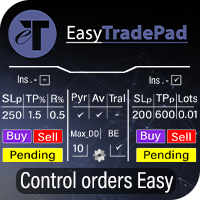
EasyTradePad – MetaTrader 4용 트레이딩 패널 EasyTradePad   는 수동 및 반자동 거래를 위한 도구입니다. 이 패널을 통해 주문 및 포지션을 빠르게 관리하고, 한 번의 클릭으로 위험 관리 계산을 수행할 수 있습니다. 패널 특징: 사전 정의된 위험(% 또는 예치 통화)으로 거래를 시작하고 마감합니다. SL 및 TP를 포인트, 백분율 또는 금전적 가치로 설정하세요 위험 대비 보상 비율을 자동으로 계산합니다 손절매를 손익분기점으로 이동 부분 포지션 마감 트레일링 스톱(포인트 또는 캔들 섀도우 기준) 위치 평균화 및 피라미딩 활성 거래의 매개변수 수정 [   데모   ] [   지침   ] 추가 기능: 피라미딩 가격이 이익실현을 향해 움직일 때마다 거래를 단계적으로 추가합니다. 각 새 거래의 위험을 줄일 수 있습니다. 추가되는 거래 수는 쉽게 설정할 수 있습니다. 평균화 차트에서 사용자 지정 수준으로 추가 주문을 할 수 있습니다. 포지션은 평균 진입 가
This tool will perform Trailing stop loss and Break even management for orders. Helps you limit or reduce the time spend watching orders on the screen, especially when you need to go to sleep. Just add this EA to 1 chart, you can manage all pairs. You can filter orders by comment, magic number, symbol, and order ticket number. When Breakeven it can add shift/offset pips (to cover the commission...). You can try in strategy tester before purchase. The EA will add Buy and Sell alternately, so yo
Golden Gestion TP SL
Matthias Hubert Patrick Snidaro
Auto SL/TP Manager EA – Gestion Automatique Intelligente Auto SL/TP Manager EA est un Expert Advisor conçu pour automatiser la gestion des commandes avec une efficacité maximale et une grande discrétion. Il gère automatiquement : Le Stop Loss (SL) et le Take Profit (TP) Le Profit Lock (verrouillage progressif des bénéfices) Le Trailing Stop avec plusieurs méthodes avancées L' affichage masqué du SL et du TP pour plus de discrétion (non visible par le courtisan) C'est l'outil idéal pour les
Fund Shield – 트레이딩 사이클 관리자 ( 가격이 3,000달러에서 30달러로 변경되었습니다. ) 개요 Fund Shield는 MetaTrader 4용 리스크 모니터링 및 트레이딩 사이클 관리 Expert Advisor입니다. 계좌 에쿼티 모니터링, 일일 드로다운 추적, 각 트레이딩 사이클의 목표 수익과 최대 드로다운 한도 설정, 완료된 사이클 기록을 지원합니다. 이 EA는 수동 매매 또는 다른 트레이딩 시스템과 함께 사용하도록 설계되었습니다. 진입 신호를 생성하거나 새로운 포지션을 개설하지 않습니다. 주요 기능 트레이딩 사이클 관리 각 사이클에 사용자 지정 이름, 목표 수익, 최대 드로다운을 설정할 수 있습니다. Fund Shield는 사이클 시작 시점의 기준 에쿼티와 현재 에쿼티를 비교하고, 목표 수익 달성 여부 또는 드로다운 한도 도달 여부를 기록합니다. 일일 드로다운 모니터링 거래일 시작 시 기록된 에쿼티를 기준으로 에쿼티 변화를 모니터링합니다. 일일 드로다운 임계값
Virtual Collider Manual   is a trading assistant with a built-in panel for manual trading. It automatically moves a position opened by a trader in profit using innovative adaptive grid algorithm of averaging and adaptive pyramiding Know-how of the grid algorithm of averaging and pyramiding of the   Virtual Collider Manual   trading robot is based on fully automatic adaptation of all characteristics of dynamically build order grid and pyramid with actual price movement with no need for adjusting
Grid Trading
Waseem Raza
5 (3)
Grid Trading EA is a semi-automated one-click trading EA for both Normal Trading and Grid/Martingale Trading . Normal Trading Simply click Buy or Sell directly from the chart. The EA will automatically manage trades by: Setting Stop Loss and Take Profit Managing Trailing Stop Grid / Martingale Trading When Grid Trading mode is enabled, the EA will automatically open additional grid orders at specified distances while increasing the lot size based on your settings. Inputs & Settings Lots — Initia
Hidden StopLoss, Hidden  TakeProfit,  Hidden Stop Loss, Hidden  Take Profit,  Hidden SL, Hidden  TP Broker will not be able to know the StopLoss and TakeProfit price. Auto Hidden Stop Loss and Hidden  Take Profit  MT4  is an assistant for all those who forget to set Stop Loss and Take Profit in deal parameters, or trade on a very fast market and fail to place them in time. This tool automatically tracks trades without Stop Loss and Take Profit and checks what level should be set in accordance w
SMART TRADE PANEL PRO MT4용 전문 수동 트레이딩 유틸리티 Smart Trade Panel PRO V3는 빠른 주문 실행, 고급 포지션 관리 및 차트 내 전문 도구를 필요로 하는 트레이더를 위해 설계된 MetaTrader 4용 전문 트레이딩 패널입니다. Smart Trade Panel PRO V3는 수동 트레이딩, 스캘핑, Forex Trading, Gold Trading 및 Crypto CFD Trading을 위해 개발되었습니다. 이 유틸리티는 빠른 실행 속도, 전문적인 포지션 관리, 그리고 Breakeven, Trailing Stop, Reverse Position 및 통합 Recovery 시스템과 같은 고급 기능을 결합합니다. 깔끔하고 가벼우며 효율적인 인터페이스를 유지하면서 수동 트레이딩을 더욱 쉽고 편리하게 만들기 위해 설계되었습니다. 지원 시장: - Forex - Gold (XAUUSD) - 지수 - Crypto CFD - Scalping - Intrad
SHORT DESCRIPTION: 전략 테스터에서 수동으로 거래하고, 내 전략을 몇 달이 아닌 몇 시간 만에 백테스트하세요. DESCRIPTION: 전략 테스터에서 수동으로 거래하고 결과를 바로 확인하세요 시간을 절약하고 싶으신가요? 이 전문가 어드바이저가 바로 그 해답입니다. 데모 계좌에서 기회를 기다리며 몇 시간, 며칠, 몇 달씩 차트 앞에 앉아 있을 필요 없이, 과거 데이터로 나만의 수동 전략을 백테스트하세요. MetaTrader 4 전략 테스터에서는 원하는 속도로 시장을 진행시킬 수 있습니다. 셋업이 나타나면 클릭 한 번으로 진입하고 결과를 즉시 확인하세요. 실제 시장에서 몇 달이 걸리는 일을 여기서는 몇 시간 만에 할 수 있습니다. 시장보다 더 좋은 스승은 없으며, 나 자신보다 나를 더 잘 훈련시킬 수 있는 사람은 없습니다. 이 도구는 짧은 시간 안에 나만의 전략으로 많은 거래를 하고, 전략의 약점을 찾고, 실제 자금을 걸기 전에 전략에 대한 확신을 쌓을 수 있도
FREE
Slow Pips OCO Trade Panel is an advanced trading panel for placing pending orders. Traders can use this panel to place two pending orders at once. One pending order would be of buy entry type and the other one would be of sell entry type. Both orders will have Stop Loss and Take Profit parameters. Since two pending orders are placed at the same time, the pending order for which the price hits first gets converted into a market order and the other pending order gets deleted (one order cancels the
Trade Manager 4 Lite is trading panel developed with a goal to make manual trading in some (routine) task easier. Trade Manager 4 Lite also works in Strategy Tester. Version for Meta Trader 5 is here: Trade Manager 5 Lite Main features of Trade Manager 4 Lite Trading for Forex and CFDs Support for 4 and 5 digit brokers 65 combinations to set order Set Take Profit, Stop Loss and entry level for Pending Order with lines positioned on the chart Break Even Trailing Stop Loss Multiple Orders at one
It is so very disappointing when the price does not have enough points to achieve Take Profit and makes a reversal. This EA sets virtual levels near the TakeProfit levels. This EA sets virtual levels next to TakeProfit orders. If these levels are reached by price, breakeven or trailing stop is applied for an order. Features This EA does not set new orders. The aim of this EA is to manage stop losses of existing orders that are set by another EA or manually (magic number equals 0). For correct w
MT4용 최고의 거래 관리 도구 - 거래 패널, 포지션 규모 계산기 및 위험 관리 기능 포함 Top Trade Manager 는 MetaTrader 4를 위한 완벽한 거래 관리 도구입니다. 거래 패널, 포지션 규모 계산기 , 리스크 관리 기능이 하나로 통합되어 있습니다. 차트에서 진입점, 손절매, 목표 수익을 드래그하여 설정하면 로트 규모, 리스크, 수익이 즉시 계산됩니다. 부분 청산 , 손익분기점 , 트레일링 스톱 , 숨겨진 손절매 및 목표 수익 기능을 활용하여 거래를 관리하고, 경제 뉴스 캘린더를 확인하고, 내장된 그리기 도구로 차트에 마크업을 추가할 수 있습니다. Top Trade Manager는 수동 거래 도구입니다. 절대 자동으로 거래를 시작하지 않습니다. 모든 거래는 사용자가 직접 결정하며, Top Trade Manager는 계산과 관리를 대신 수행합니다. 주요 특징 시각적 거래 계획: 차트에서 진입, 손절매 및 이익실현을 드래그하여 설정합니다. 잔액 또는 자기자본의 위험
Trading panel for manual trading. Has a fairly wide functionality. Allows you to automatically calculate the order size, open both market and pending orders. It has a wide range of options for closing orders, it is possible to partially close orders, close orders after reaching a certain profit or loss, separately close profitable and unprofitable, buy and sell, as well as pending orders. The panel also contains a simple implementation of a grid of pending orders, reverse and lock functions, tr
Manual Trading and Market Analysis Utility for MetaTrader 4 TigerFX Academy Trading Panel PRO brings discretionary trade execution, market analysis, conditional trading playbooks and position management into one customizable on-chart workspace. Designed for traders who prefer to remain in control of their entries, the panel provides tools to review market conditions, prepare orders and manage existing positions. Main Features Manual Trading: Buy/Sell controls, risk-based position sizing, fixed l
TradeMngr
Edgar Enrique Retontali
TradeManager 1.0 is an Expert Advisor for MetaTrader 4 y 5 that streamlines real-time trade management. Through a graphical control panel, you can send market and pending orders, move stop losses to breakeven, and automatically calculate position size based on your risk settings. Below is a comprehensive overview of its features and input parameters. Key Features Market Orders & Pending Orders BUY/SELL Buttons : Instantly open long or short positions at market. BUY STOP / SELL STOP / BUY LIMIT
Equity Master Stop v2
Frank William Jr Colbert
Trading tool combining a sophisticated equity stop-loss, dynamic take-profit management (Breakeven & Trailing), and symbol-group-based closing logic. It is a complete risk management and trade supervision tool. Features: All features of `Equity Master Stop v1` (floating profit/loss limits, exit protection, skip hours). Take-Profit Override: Can force a TP on any order to lock in a `MAX_FLOATING_PROFIT`. Step Breakeven: Locks in increasing amounts of profit as a trade moves favorably (e.g., aft
MetaTrader 4용 Risk and Lot Size Calculator는 감수할 수 있는 손실 금액에 맞는 랏 크기를 계산합니다. 차트에서 3개의 라인(진입, 손절, 익절)을 드래그하면 패널에 랏 크기, 리스크 금액, 익절 시 수익, 리스크:리워드 비율, 필요 증거금이 표시되며, 선택적으로 프랍(펀디드) 계좌의 남은 손실 여유도 볼 수 있습니다. 주문을 넣기 전에 손절 거리로 포지션 크기를 정하고 싶은 수동 트레이더를 위한 도구입니다. 계산 및 표시 전용 도구로, 주문을 열거나 수정하거나 닫지 않습니다. 숫자는 추정치이며, 실제 체결, 손익, 증거금은 브로커의 조건에 따라 결정됩니다. 기능 - 3개의 수평선: 진입(파선), 손절, 익절. 마우스를 라인 위에 올리고 드래그합니다. 손절이 진입보다 아래면 매수, 위면 매도입니다. 진입 라인은 현재 가격을 따라가게 할 수도 있습니다("Follow price" 버튼). - 패널: 랏 크기(크게 표시)와 방향, 리스크 금액과 기준 대
Rhino Backtest Manager - 실거래와 전략 테스터를 위한 거래 관리 패널 Rhino Backtest Manager는 실거래와 MetaTrader 4 전략 테스터에서 모두 작동하는 거래 관리 패널입니다. 실계좌에서 쓰는 것과 같은 인터페이스로 테스터 안에서 직접 주문을 내고 관리할 수 있으므로, 과거 데이터로 전략을 확인한 뒤 도구를 바꾸지 않고 그대로 거래할 수 있습니다. 패널은 설정한 리스크 조건으로 주문 수량을 계산하고, 주문을 보내기 전에 각 손절과 익절의 금액을 표시하며, 일간·주간·월간 및 계좌 전체 기간의 결과를 기록합니다. 사용 설명서: 제품 사용 방법 무료 데모 버전: 데모 내려받기 MetaTrader 5 버전: Rhino Backtest Manager MT5 버전 처음 실행하기 전에 설명서 페이지에서 제공하는 폰트를 설치해야 합니다. 폰트가 없으면 패널이 정상적으로 표시되지 않습니다. 기능 두 가지 모드. 같은 패널이 실거래와 전략 테스터 모드에서
With this software you can test your Forex strategies live. Compatible with Meta Trader 4. Extra features are available. You can trade through the panel. You can put signs with Fish Hook. In addition, your strategy test is saved to the file folder in csv format. You can review these reports with CSV Quick Viewer. One Lot can do with Scalp. Your account also determines the lot based on the amount of money found. It gives you information about the transaction before you open the transaction. You c
The Simple Lot Size Calculator can help you with risk management. Just type risk percentage, stop loss points and click calculate to get required lot size. The Simple Lot Size Calculator calculates a current chart's instrument. It's lightweight. Just load it to your chart then The Simple Lot Size Calculator will apper in the left upper corner of your chart.
Introducing the Revolutionary   Trade Closing Assistant ! Are you tired of manually closing hundreds trades? Are you a   scalper ,   day trader ,   swing trader   and  you want to maximize your profits and minimize your losses by closing multiple positions at thesame time under different conditions? Are you a   Prop Firm Trader  who wishes to avoid hitting maximum daily drawdown? Search no further. This kit is the ultimate solution for all you. GUIDE TO USE THE KIT 1. Shows the total profit/lo
EA Risk Manager is a professional risk‑management Expert Advisor designed to protect your trading account and enforce disciplined money management. The EA does not open trades by itself – it only monitors and manages all existing positions (manual and automated) on the account. It is especially useful for traders who want to: Hard‑limit daily / weekly / monthly losses and profits. Restrict lot size and the number of open trades. Trade a basket of G7‑related Forex pairs using one centralized
Trade Manager MT4 DaneTrades
Levi Dane Benjamin
4.09 (11)
거래 관리자는 위험을 자동으로 계산하는 동시에 거래를 빠르게 시작하고 종료하는 데 도움을 줍니다. 과잉 거래, 복수 거래 및 감정 거래를 방지하는 데 도움이 되는 기능이 포함되어 있습니다. 거래를 자동으로 관리할 수 있으며 계정 성과 지표를 그래프로 시각화할 수 있습니다. 이러한 기능은 이 패널을 모든 수동 거래자에게 이상적으로 만들고 MetaTrader 4 플랫폼을 향상시키는 데 도움이 됩니다. 다중 언어 지원. MT5 버전  |  사용자 가이드 + 데모 트레이드 매니저는 전략 테스터에서 작동하지 않습니다. 데모를 보려면 사용자 가이드로 이동하세요. 위기 관리 % 또는 $를 기준으로 위험 자동 조정 고정 로트 크기 또는 거래량과 핍을 기반으로 한 자동 로트 크기 계산을 사용하는 옵션 RR, Pips 또는 Price를 사용한 손익분기점 손실 설정 추적 중지 손실 설정 목표 달성 시 모든 거래를 자동으로 마감하는 최대 일일 손실률(%)입니다. 과도한 손실로부터 계정을 보호하고 과도한
Verdure Lot Calculator
Olawale Adenagbe
5 (1)
Overview Money management is an all-important aspect of trading that many traders often overlook. It is very possible that even with a winning strategy, bad money management can often result in huge loses. Verdure Lot Calculator aims to help traders minimize risk and exposure in the Forex market. Verdure Forex Calculators implements Lot (Trade or Contract Size) Calculator as an indicator on MT4 platform. Lot Calculator (trade or contract size) A lot refers to a bundle of units in trade. In Fore
Auto Close Manager EA – Equity & Account Protection Utility Overview Auto Close Manager EA is a risk management utility for MetaTrader 4 designed to automatically close all open positions when a predefined floating profit or floating loss level is reached. This Expert Advisor does NOT open trades. It only monitors account equity and manages existing positions. The EA works with manual trades and can optionally include trades opened by other Expert Advisors. How It Works The EA continuously moni
Trade Auto Close
Makarii Gubaydullin
자동 거래 종료: 시간 또는 이익/손실 트리거 시 이 유틸리티를 사용하면 주어진 조건에서 거래를 자동으로 종료할 수 있습니다. 다기능 유틸리티 : 66+ 기능, 이 도구 포함  |   질문이 있으면 연락주세요   |   MT5 버전 자동 종료를 활성화하려면 다음 매개변수를 설정해야 합니다(패널에서): 1. 심볼   기능이 적용될: 특정   [Symbol]   / 또는   [ALL]   모든 심볼. 2.   조건,   종료 시기: [if total] / [if single] / [at time]:   이 매개변수에 따라  이익/손실 도달 시 종료 옵션 또는  지정 시간 종료 옵션이 표시됩니다. [close at Profit / Loss] 옵션 설정: 1. [if total] / [if single]:   P/L 계산 방식: 모든  선택된 거래를  합산,  또는 각 거래  개별 계산; 2. [Floating] / [Potential]:  부동 P/L  (미결제 거래), 또는  잠재적
이 제품의 구매자들이 또한 구매함
Trade Manager EA에 오신 것을 환영합니다. 이 도구는 거래를 보다 직관적이고 정확하며 효율적으로 만들기 위해 설계된 궁극적인 리스크 관리 도구 입니다. 단순한 주문 실행 도구가 아닌, 원활한 거래 계획, 포지션 관리 및 리스크 제어를 위한 종합 솔루션입니다. 초보자부터 고급 트레이더, 빠른 실행이 필요한 스캘퍼에 이르기까지 Trade Manager EA는 외환, 지수, 상품, 암호화폐 등 다양한 시장에서 유연성을 제공합니다. Trade Manager EA를 사용하면 복잡한 계산은 이제 과거의 일이 됩니다. 시장을 분석하고 진입, 손절 및 익절 수준을 차트의 수평선으로 표시한 후 리스크를 설정하면, Trade Manager가 이상적인 포지션 크기를 즉시 계산하고 SL 및 TP 값을 실시간으로 표시합니다. 모든 거래가 간편하게 관리됩니다. 주요 기능: 포지션 크기 계산기 : 정의된 리스크에 따라 거래 크기를 즉시 결정합니다. 간단한 거래 계획 : 진입, 손절, 익절을 위한
Exp COPYLOT CLIENT for MT4
Vladislav Andruschenko
4.69 (65)
MetaTrader 4용 전문 트레이드 복사기 MetaTrader 4 용 빠르고 안정적이며 전문적인 트레이드 복사기입니다. COPYLOT 은 MetaTrader 4 와 MetaTrader 5 터미널 간에 Forex 거래를 복사할 수 있으며, 다양한 계좌 유형과 운용 방식에 맞춰 유연한 동기화 환경을 제공합니다. COPYLOT MT4 버전 지원 방식: MetaTrader 4 → MetaTrader 4 MetaTrader 5 Hedge → MetaTrader 4 MetaTrader 5 Netting → MetaTrader 4   MT5 버전 상세 설명 + DEMO + PDF 구매 방법 설치 방법 로그 파일 확인 방법 테스트 및 최적화 방법 Expforex의 모든 제품 MetaTrader 5 버전 을 사용하면 MetaTrader 5 → MetaTrader 5 및 MetaTrader 4 → MetaTrader 5 복사도 지원됩니다: COPYLOT CLIENT for MT5 COPYLOT 은
Local Trade Copier EA MT4
Juvenille Emperor Limited
4.96 (111)
Local Trade Copier EA MT4는 동일한 Windows 컴퓨터 또는 Windows VPS에서 여러 MetaTrader 4 계정 간에 거래를 복사하고 관리할 수 있는 빠르고 유연한 거래 복사기입니다. 로컬 거래 동기화 기능과 함께 Receiver 측에서 로트 크기, 리스크 관리, 거래 필터링, 심볼 매핑, 거래 관리 및 계정 보호를 독립적으로 설정할 수 있습니다. Transmitter와 Receiver 터미널을 약 1분 안에 설정하고, 동일한 브로커 또는 서로 다른 브로커의 계정 간에 수동 거래 또는 EA 거래를 복사할 수 있습니다. 적절한 조건에서는 로컬 MetaTrader 터미널 간의 거래 정보가 0.5초 이내 에 동기화될 수 있습니다. 실제 체결 속도는 브로커 지연 시간, 네트워크 상태, 컴퓨터/VPS 성능 및 터미널 부하에 따라 달라집니다. 구매 전에 무료 데모를 사용해 보세요 MT4 데모 계정에서 Local Trade Copier EA MT4의 모든 기능을
Trade Assistant MT4
Evgeniy Kravchenko
4.43 (197)
거래당 위험 계산, 라인을 사용한 손쉬운 신규 주문, 부분 청산 기능을 통한 주문 관리, 7가지 유형의 트레일링 스탑 및 기타 유용한 기능을 제공합니다. 추가 자료 및 지침 설치 지침 - 애플리케이션 지침   라인 기능       - 차트에 개시선, 손절매, 차익실현을 표시합니다. 이 기능을 사용하면 새로운 주문을 쉽게 하고 개봉 전에 추가 특성을 볼 수 있습니다. 위기 관리       -       위험 계산 기능은 설정된 위험과 손절매 주문의 크기를 고려하여 새 주문의 볼륨을 계산합니다. 이를 통해 손절매 크기를 설정하고 동시에 설정된 위험을 존중할 수 있습니다. 로트 계산 버튼 - 위험 계산을 활성화/비활성화합니다. 필요한 위험 값은 위험 필드에 0에서 100 사이의 백분율 또는 예금 통화로 설정됩니다. 설정 탭에서 위험 계산 옵션을 선택합니다. $ 통화, % 잔액, % 지분, % 자유 마진, % 사용자 정의, % AB 이전 일, % AB 이전 주, % AB 이전 월.
Trade Dashboard MT4
Fatemeh Ameri
4.96 (55)
Trade Dashboard simplifies how you open, manage, and control your trades, with built-in lot size calculation. It allows you to execute trades, manage risk, and control positions directly on the chart, with tools such as partial close, breakeven, and trailing stop. Designed to reduce manual work and help you stay focused on your trading decisions. A demo version is available for testing. Detailed explanations of features are provided within the MQL5 platform. Installation instructions are include
Ultimate No Nonsense FX Backtester - You can Run Forward Test Simulation with this tool! Do Not Download the Demo Here, Please Read Below! Step by Step Manual Guide PDF for this backtester PDF List of Commands(Shortcuts) for this backtester Ultimate NNFX Backtester is a powerful utility tool that significantly reduces the length of backtesting process for NNFX followers.  As well as for Forex traders that operates their entries and exits at the close of a candle and manage the risk using ATR.

The product will copy all telegram signal to MT4   ( which you are member  ) , also it can work as remote copier.  Easy to set up, copy order instant, can work with almost signal formats, image signal, s upport to translate other language to English Work with all type of channel or group, even channel have "Restrict Saving Content", work with  multi channel, multi MT5 Work as remote copier: with signal have ticket number, it will copy exactly via ticket number. Support to backtest signal. How to
Black Week: 구매 가격 69.99 USD. 이 혜택은 11월 27일(금요일)에 종료됩니다. Telegram to MT4 Multi-Channel Copier   는 Telegram 및 Discord 채널의 트레이딩 시그널을 MetaTrader 4로 자동 복사합니다. 봇도, 브라우저 확장도, 수동 복사도 필요 없습니다. Telegram이나 Discord에 시그널이 도착하면 EA가 몇 초 안에 터미널에서 주문을 실행합니다. 그리고 채널을 복사하기 전에, 내장 백테스터가 그 채널이 내 계좌에서 어떤 결과를 냈을지 보여줍니다. 제품은 두 가지 구성 요소로 이루어집니다: Telegram 채널을 수신하는 Windows 애플리케이션과, MT4 터미널에서 시그널을 실행하는 본 EA입니다. MT5 버전도 제공됩니다   여기 . 구매 전에 사용해 보세요:   애플리케이션은 무료로 다운로드할 수 있습니다. 본인의 채널을 연결하고 각 시그널이 어떻게 읽히는지 확인하세요. Backtest 탭과 실
DoIt Trade Manager - Risk Panel and EA Position Manager for MT4 Finding an entry is only half the job. Many execution mistakes happen in position sizing, partial exits, breakeven, trailing and account protection. DoIt Trade Manager puts the complete workflow on the chart. Plan the risk before entry, execute the order and apply consistent management rules to your manual trades and selected positions opened by other EAs. Full setup guide + how the free version works and where PRO starts :  https:/
Trade Indicator Assistant is a powerful MT4 utility designed to turn indicators into automated trading systems. Its main feature is the ability to automatically detect an indicator’s   BUY and SELL signal buffers , without requiring you to know the buffer numbers, search through indicator settings, or modify the indicator source code. Bonus Indicator: After purchasing Trade Indicator Assistant, contact me to receive Trade Signal Pro completely free as a bonus indicator. [Download Demo Version]
News Filter EA: Advanced Algo Trading Assistant News Filter EA is an advanced algo trading assistant designed to enhance your trading experience. By using the   News Filter EA , you can integrate a Forex economic news filter into your existing expert advisor, even if you do not have access to its source code. In addition to the news filter, you can also specify   trading days   and   hours   for your expert. The News Filter EA also includes   risk management   and   equity protection   features
Trailing Stop and Breakeven Manager - Trail Architect MT4 Auto Trailing Stop and Breakeven Manager for MT4. Protect profit with automatic break even, then trail your stop loss using Classic, Step, ATR or Candle trailing - all from one professional panel. Every trader knows the pain: a winning trade turns into a loss because the stop loss was never moved. Watching the chart all day just to move your stop to break even and trail the stop loss by hand is exhausting - and one missed move can wipe o
TradePanel MT4
Alfiya Fazylova
4.84 (95)
Trade Panel은 다기능 거래 도우미입니다. 이 애플리케이션에는 50개 이상의 수동 거래 기능이 포함되어 있으며 대부분의 거래 작업을 자동화할 수 있습니다. 앱 사용 설명서 : https://www.mql5.com/en/blogs/post/756482 데모 계정용 앱 체험판: https://www.mql5.com/en/blogs/post/750865 앱 설치 방법: https://www.mql5.com/en/blogs/post/756239 시각 모드에서 앱 테스트 방법: https://www.mql5.com/en/blogs/post/770277 VPS MetaTrader에 앱 설치 방법: https://www.mql5.com/en/blogs/post/770190 거래. 한 번의 클릭으로 거래를 수행할 수 있습니다: 리스크 자동 계산과 함께 예약 주문 및 포지션 열기. 한 번의 클릭으로 여러 주문 및 포지션 열기. 주문 그리드 열기. 예약 주문 및 포지션을 그룹별로 닫기. 포지션
Grid Manual MT4
Alfiya Fazylova
4.71 (17)
"Grid Manual"은 주문 그리드 작업을 위한 거래 패널입니다. 이 유틸리티는 보편적이며 유연한 설정과 직관적인 인터페이스를 제공합니다. 그것은 손실을 평균화하는 방향뿐만 아니라 이익을 증가시키는 방향으로 주문 그리드와 함께 작동합니다. 거래자는 주문 그리드를 만들고 유지할 필요가 없으며 유틸리티에서 수행합니다. 거래자가 주문을 시작하는 것으로 충분하며 "Grid Manual"는 자동으로 그를 위한 주문 그리드를 생성하고 거래가 마감될 때까지 그와 동행할 것입니다. 전체 설명 및 데모 버전 여기 . 유틸리티의 주요 기능: 모바일 터미널을 포함하여 어떤 방식으로든 열린 주문과 함께 작동합니다. "제한" 및 "중지"의 두 가지 유형의 그리드와 함께 작동합니다. 고정 및 동적(ATR 표시기 기반)의 두 가지 유형의 그리드 간격 계산과 함께 작동합니다. 오픈 오더 그리드의 설정을 변경할 수 있습니다. 차트에서 각 주문 그리드의 손익분기점 수준을 표시합니다. 각 주문 그리드에 대한 이익
CloseIfProfitorLoss with Trailing
Vladislav Andruschenko
4.88 (32)
이익 추적 기능으로 총 이익/손실에 도달하면 MetaTrader 4에서 포지션을 청산합니다. 가상 정지 (별도 주문) 을 활성화할 수 있습니다. BUY 및 SELL 포지션을 별도로 계산하고 마감합니다 (BUY SELL 별도). 모든 심볼 또는 현재 심볼 만 닫고 계산합니다 (모든 심볼). 이익을 위해 후행 추적 을 활성화합니다 (후행 이익). 예금 통화, 포인트, 잔액의 %에 대한 총 손익을 마감합니다. 이 애플리케이션은 다른 EA와 함께 또는 수동 거래와 함께 모든 계정에서 사용하도록 설계되었습니다. MT5 버전 전체 설명 + DEMO + PDF 구입 방법 설치하는 방법 로그 파일을 얻는 방법 테스트 및 최적화 방법 Expforex의 모든 제품 일부 쌍 또는 모든 쌍의 총 거래 잔액이 설정에서 지정된 값보다 크거나 같으면 모든 포지션이 닫히고 주문이 삭제됩니다. 이 버전은 지정된 이익 수준에서 포지션을 마감할 수 있을 뿐만 아니라 더 나은 결과를 위해 이익을 추적할 수도 있습니다
Trade copier MT4
Alfiya Fazylova
4.62 (37)
Trade Copier는 거래 계정 간의 거래를 복사하고 동기화하도록 설계된 전문 유틸리티입니다. 복사는 공급자의 계정/단말기에서 동일한 컴퓨터 또는 vps에 설치된 수신자의 계정/단말기로 발생합니다. 구매하기 전에 데모 계정에서 데모 버전을 테스트할 수 있습니다. 데모 버전 여기 . 전체 지침 여기 . 주요 기능 및 이점: 복사기는 "МТ4> МТ4", "МТ4> МТ5", "МТ5> МТ4" 복사를 지원합니다. 복사기는 데모 계정 > 실 계정, 실 계정 > 데모 계정, 데모 계정 > 데모 계정 및 실제 계정 > 실 계정 복사를 지원합니다. 복사기는 읽기 전용 암호가 적용된 투자자 계정에서 복사를 지원합니다. 하나의 공급자 터미널은 여러 수신 터미널로 트랜잭션을 보낼 수 있고 하나의 수신 터미널은 여러 공급자 터미널에서 트랜잭션을 수신할 수 있습니다. 복사기는 귀하 또는 귀하의 고문이 거래하는 동일한 터미널에서 작동할 수 있습니다. 높은 복사 속도(0.5초 미만). 복사기에는 간편
RS Trade Copier - 진짜 그래픽 인터페이스를 갖춘 초고속 로컬 트레이드 카피어입니다. 계좌번호를 일일이 입력하지 마세요. 200개가 넘는 복잡한 입력 파라미터 목록은 이제 끝입니다. 여러 MT4와 MT5 터미널 간 거래 작업을 복사하기 위한 안정적이고 유연한 도구입니다. 이 도구는 경험 많은 트레이더, 신호 서비스, 개인 투자자 모두에게 적합합니다. 하나 또는 여러 시그널 소스(Provider)에서 하나 또는 여러 리시버(Client)로 트레이딩을 동기화 하여 높은 정밀도와 최소 지연 시간을 제공합니다. 간단한 자동 설정부터 고급 수동 구성까지 지원합니다. 수동 또는 다른 EA로 열린 주문에 간섭하지 않습니다. 모든 작업이 MT4 내부에서 로컬로 처리 되며 외부 서버 의존성 없이 실행됩니다. RS Trade Copier와 다른 솔루션 비교 RS Trade Copier 다른 솔루션 설정 시각적 단계별 마법사. 설정에 약 1분 소요. 200개 이상의 불분명한 입력 매개변수.
Telegram to MT4 Coppy
Sergey Batudayev
4.09 (11)
Telegram에서 MT4로:   최고의 신호 복사 솔루션 최첨단 유틸리티인   Telegram to MT4를   사용하여 거래를 간소화하세요. DLL 없이도 Telegram 채널과 채팅에서 MetaTrader 4 플랫폼으로 거래 신호를 직접 복사할 수 있습니다. 이 강력한 솔루션은 탁월한 정밀도와 맞춤 설정 옵션을 통해 원활한 신호 실행을 보장하여 시간을 절약하고 효율성을 높여줍니다. [ Instructions and DEMO ] 주요 특징 직접 Telegram API 통합 전화번호와 보안 코드를 통해 인증하세요. 사용자 친화적인 EXE 브리지를 사용하여 채팅 ID를 손쉽게 가져오고 관리하세요. 여러 채널/채팅을 추가, 삭제, 새로 고침하여 동시에 신호를 복사합니다. 고급 필터를 사용한 신호 파싱 사용자 정의 예외 단어(예: "보고서", "요약")가 포함된 원치 않는 신호를 건너뜁니다. 유연한 SL 및 TP 형식을 지원합니다: 가격, 핍 또는 포인트. 신호가 가격 대신 지점을 지정
Trading History MT4
Siarhei Vashchylka
5 (9)
Trading History - A program for trading and money management on the history of quotes in stratagy tester. It can work with pending and immediate orders, and is equipped with trailing stop, breakeven and take profit functions. Very good for training and testing different strategies. Manual (Be sure to read before purchasing) Advantages 1. Allows you to test any trading strategy in the shortest possible time 2. An excellent simulator for trading training. You can gain months of trading experience
Exit Manager
Victor Christiaanse
5 (2)
Close every trade at the right moment, automatically. Most traders spend their energy on the entry and then close too early, too late, or on a feeling. Exit Manager takes the exit off your hands. Open a trade the way you always do, by hand or with any Expert Advisor, and Exit Manager watches it and closes it, fully or partly, when the indicator signal you chose appears. You can see it working on the chart. A clean panel on your chart shows, for every open trade, which rule will close it next, ho
Forex Sentiment Trader PRO EA
Salvador Martinez Ramos
5 (2)
I have created this  MT4 Tool EA to test if it is more profitable to trade in favor of the mass sentiment of traders or it is better to go against it. Remember to authorize Myfxbook url in WebRequest options in MT4 .  Features: Market Sentiment update every 30 minutes SL TP BreakEven Trail SL Daily Target Profit Max Daily DrawDown (Useful for prop firm) Max Spread Filter Time Filter Custom Trade Comments Protection in case a pair is not read correctly from the web (Prevents improper closing or o
Drawdown Minimizer for MetaTrader 4 - your EAs pay in, old losers get paid off. This utility runs next to your other Expert Advisors and never opens a trade. It keeps a savings book of the net realized profit of your whole account and uses it to close the oldest losing positions of the EAs you choose - slice by slice, oldest first. WHY IT EXISTS Made by traders, for traders. One of our grid EAs got stuck in drawdown for months. The old positions did not come back, and they paid swap every single
TradeMirror 은 MT4/MT5 플랫폼을 위해 특별히 설계된 현지화된 주문 복사 도구로, 실시간 거래 작업을 동기화합니다. 튜토리얼 더 많은 튜토리얼을 보려면 Trademirror 튜토리얼 링크를 클릭하세요. 제품 장점 금융 소프트웨어의 보안성, 안정성 및 개인정보 보호에 대한 높은 표준 요구사항을 기반으로, 우리는 세 가지 핵심 차원에서 심층 최적화를 수행했습니다: 직관적이고 간결한 그래픽 인터페이스로 누구나 쉽게 조작 가능 강화된 개인정보 보호 메커니즘으로 금융 환경의 민감한 데이터 격리 요구 충족 밀리초 단위의 주문 동기화로 신호 분배의 정확성과 지연 없음 보장 MT4/MT5 양 플랫폼과 완전히 호환되어 다양한 거래 환경에 원활하게 적용 지능형 시스템 모니터링과 이메일 알림을 결합하여 거래 안정성을 실시간으로 보장 핵심 기능 특성 제품은 다음과 같은 전문적인 복사 기능을 탑재하고 있습니다: 다중 계정 병렬 연결 이메일 실시간 푸시 맞춤형 로트 크기 조정 신호 필터링 메커
RiskManager
Roman Zhitnik
5 (4)
Risk Manager MT4   is an account protection Expert Advisor for traders who want strict risk control inside MetaTrader 4. The utility monitors your account equity, daily and weekly results, drawdown, open positions, trade count, consecutive losses, and trading hours. When a configured limit is reached, it can automatically close positions, cancel pending orders, stop other EAs, send notifications, or close the terminal. Instead of relying on discipline during a stressful trading session, you defi
The program is use to copy trading from MT4   to MT4 and MT5  on same Windows   PC or VPS .   Now you can easy copy trades to any MT4 account or MT5 account. Instants copy, speed smaller 0.1 seconds, easy to setup. Need run EA as Signal provider on one MT4 account, other MT4 / MT5 will run EA as Trade copier. You can download and try demo version on demo account Copi Trade MT4 demo   version   here   Copi Trade MT5 demo   version  here  
Az OrderGun
Jose Antonio Valle Magana
AZ_OrderGun MT4 - Professional 1-Click Trading Panel AZ_OrderGun is the all-in-one panel to execute and manage your trades without wasting time setting up SL/TP. KEY FEATURES: 1. 4 INSTANT ENTRIES: Buy SLL - Buy with SL on Low of previous candle Sell SLH - Sell with SL on High of previous candle Buy SLO / Sell SLO - SL on Open of previous candle > Fully configurable % Risk 2. ADVANCED VISUAL MANAGEMENT: Draggable lines for Pending and Market orders Auto calculation of Lot Size, $ Ri
Alerts to Telegram
Alexander Pekhterev
5 (15)
Alerts to Telegram   The utility sends Alerts of all your indicators or advisers to a telegram channel (group or personal message). Benefits: 1. There is no need to be at the terminal waiting for an alert from your indicator or advisor; 2. Simple setup. Currently works with terminal languages: 1.Russian; 2.English. If it is necessary to add your language please let me know. The utility works together with the AlertToFile indicator (put the indicator in the Indicators folder) Indicator:   Alert
Take a Break
Eric Emmrich
5 (32)
Take a Break pauses your Expert Advisors when trading is a bad idea: before news, after a daily loss, outside your trading hours, or when a rule you wrote yourself says so. When the pause is over, your EAs simply continue. Account protection for all your EAs in one tool: news filter, drawdown and equity protection, time filter and custom rules. One EA on one chart protects the whole account, the free indicator gives every chart its own rules on top. Free demo | What is new in 26.09 | Support Ass
복사기->편리하고 빠른 인터페이스 상호작용으로 사용자가 바로 사용 가능       ->>>> Windows 컴퓨터 또는 VPS Windows에서 사용하는 것이 좋습니다. 특징: 다양하고 개인화된 복사 거래 설정: 1. 다양한 신호 소스에 대해 다양한 로트 모드를 설정할 수 있습니다. 2. 다양한 신호 소스를 포워드 및 리버스 복사 거래에 대해 설정할 수 있습니다. 3. 신호는 주석으로 설정할 수 있습니다. 4. 계약 로트에 따라 로트를 교정할지 여부 다양하고 개인화된 복사 주문 설정 2: 1. 다양한 품종에 대해 다양한 로트 모드를 설정할 수 있습니다. 2. 정방향 및 역방향 복사 주문에 대해 다양한 품종을 설정할 수 있습니다. 3. 주석으로 신호를 설정할 수 있습니다. 4. 계약 로트에 따라 로트를 교정할지 여부 댓글 필터링, MAGIC 필터링, 시그널 로트 필터링, 로컬 제품 필터링 근무시간 설정 역동기화 SLAVE 닫힘 주문 바인딩 기능: 모든 주문은 설정된 신호 소스 주문
The Price Action Dashboard is an innovative tool to help the trader to control a large number of financial instruments. This tool is designed to automatically suggest signals and price conditions. The Dashboard analyzes all major Time Frame suggesting price action conditions with graphic elements. The Dashboard can suggest you the strength of the trend identifying directional movement, it is an indispensable tool for those who want to open position themselves using market trends identifiers. The
제작자의 제품 더 보기
Get your DuoFX indicator alerts on Telegram and Discord, with a chart screenshot, without staring at the terminal. Free, for DuoFX products only This relay forwards alerts from DuoFX indicators and tools that have the "Send to DuoFX Alert Relay" option. It does not forward alerts from other indicators or Expert Advisors. Supported today: DuoFX Divergence Scanner (version 1.3 and later and DuoFX Currency Strength Meter 1.1 and later). More DuoFX tools get the option in their next updates; the cur
FREE
You know the trade. The one right after a loss, bigger than it should be, taken to win it back. User guide and articles: User guide , How to stop revenge trading in MT5 , Overtrading and daily loss limits , Tilt and FOMO in trading , Trader burnout and exhaustion . DuoFX Trading Psychology sees it the moment it happens, on your desktop or from your phone, and tells you in plain words: "New trade 4 min after a loss, lots up 2x". Revenge trading, overtrading, a losing streak, the daily loss limit,
FREE
Chart Sync MT4
Dragos Mihai Ofrim
3.5 (2)
Draw once. See it on every chart and every timeframe. User guide and articles Chart Sync user manual How to sync drawings across timeframes and charts How to sync the crosshair, scroll and zoom across charts Multi-timeframe analysis on gold (XAUUSD): draw once on H4, trade on M15 Keep your drawings through templates, profiles and restarts You mark a level on H4, flick to M15, then H1, then the daily, and draw the same line again on each. Or you open four gold charts and want the same support, th
Know exactly who is strong and who is weak, before you place a single trade. User guide and articles Currency Strength Meter user manual How to pick the strongest vs weakest pair Using currency strength when trading gold Every forex pair is a tug of war between two currencies. Trade the wrong side of that fight and the best setup in the world will not save you. DuoFX Currency Strength Meter cuts through the noise: it scans all 28 major and cross pairs, crunches the strength of all eight majors (
Stack trades like a pro. Manage them like one trade. User guide and articles Stack Manager user manual How to average into a trade with one stop How to pyramid into a winner and move to breakeven You scale in: averaging at better prices, or stacking into a winner. Three, five, ten entries on the same market. Then the busywork starts: copy the stop to the new trade, fix the take profit, drag ten lines when you move the stop, and guess what the whole stack really risks. Stack Manager does all of i
RSI, MACD or Stochastic divergence across 28 pairs, gold and up to 9 timeframes. One grid. No repainting. User guide and articles Divergence Scanner user manual Regular divergence for reversals Hidden divergence for trend continuation Divergence is one of the oldest warnings in trading: price makes a new high, momentum does not. But hunting for it means flicking through dozens of charts and squinting at an oscillator on each one, and by the time you find it, it is gone. DuoFX Divergence Scanner
Backtest with a news filter. Keep your Expert Advisor out of FOMC, CPI and Nonfarm Payrolls (NFP), live, in the Strategy Tester and in the optimizer. User guide and articles News Filter Library user guide: install, header, full API and sample EA How to backtest your EA with a news filter Your news filter is an hour off: broker server time and the DST gap weeks Needs coding: a library for MQL5 and MQL4 developers. It has no panel, does not trade and does nothing on its own: your EA calls it. MT5'
Get your DuoFX indicator alerts on Telegram and Discord, with a chart screenshot, without staring at the terminal. Free, for DuoFX products only This relay forwards alerts from DuoFX indicators and tools that have the "Send to DuoFX Alert Relay" option. It does not forward alerts from other indicators or Expert Advisors. Supported today: DuoFX Divergence Scanner (version 1.3 and later and DuoFX Currency Strength Meter 1.1 and later). More DuoFX tools get the option in their next updates; the cur
FREE
Send alerts from ANY indicator, ANY Expert Advisor and your own price lines to Telegram, Discord, your phone and email, with a chart screenshot. No coding. MetaTrader can beep and pop up a box. It cannot send an indicator's arrow to your Telegram group, post your EA's trades to a Discord channel, or tell you on your phone that price touched the line you drew. DuoFX Alert Relay Pro does all of that from one Expert Advisor on one chart, for every chart in the terminal. It is an alert tool and noth
EuroScalper MT4
Dragos Mihai Ofrim
EuroScalper is a market cockpit for EURUSD scalpers and day traders. One compact panel shows what every timeframe is doing, what trading costs right now, and whether conditions suit a scalp, with a small execution section that sizes each trade from your risk. It is built for EURUSD and works on any symbol. User guide and articles: User guide , How to read multi timeframe RSI and divergence for EURUSD scalping , EURUSD scalping costs: spread, commission and ATR . Multi-timeframe grid One row per
Every engulfing candle on 29 markets and 6 timeframes, graded A, B or C by where it formed. One panel, one glance. User guide and articles: User guide , How to trade engulfing candles at key levels , Bullish and bearish engulfing patterns: what the context tells you . Most engulfing candles form in the middle of nowhere. The ones traders wait for form at a key level, after a liquidity sweep, with the higher timeframe behind them. EngulfingScanner finds every fresh engulfing on closed bars, check
Plan the trade on the chart. Size it from your risk. Let the plan run it. User guide and articles: User guide , How to size every trade from your risk , Partial take profit, breakeven and trailing . Drag three lines: entry, stop loss and take profit. DuoFX Trade Manager works out the lot size from the risk you choose, shows the money at risk, the reward, the R:R and the margin before you click, and sends the order with the SL and TP already on it. After the fill it runs your trade plan: partial
Which EA is making money, and which one is quietly bleeding your account? User guide and articles: User guide , How to find which EA makes money: results by magic number and comment , Trading habits that cost you money: reading the Habits view . Run three EAs, a grid and a few manual trades on one account and the MetaTrader history becomes a wall of deals. DuoFX Trading Journal turns it into answers, right on your chart: results by EA and magic number, by symbol, by trade comment, by session, we
Chart Sync MT5
Dragos Mihai Ofrim
5 (3)
Draw once. See it on every chart and every timeframe. User guide and articles Chart Sync user manual How to sync drawings across timeframes and charts How to sync the crosshair, scroll and zoom across charts Multi-timeframe analysis on gold (XAUUSD): draw once on H4, trade on M15 Keep your drawings through templates, profiles and restarts You mark a level on H4, flick to M15, then H1, then the daily, and draw the same line again on each. Or you open four gold charts and want the same support, th
Stack Manager
Dragos Mihai Ofrim
Stack trades like a pro. Manage them like one trade. User guide and articles Stack Manager user manual How to average into a trade with one stop How to pyramid into a winner and move to breakeven You scale in: averaging at better prices, or stacking into a winner. Three, five, ten entries on the same market. Then the busywork starts: copy the stop to the new trade, fix the take profit, drag ten lines when you move the stop, and guess what the whole stack really risks. Stack Manager does all of i
Know exactly who is strong and who is weak, before you place a single trade. User guide and articles Currency Strength Meter user manual How to pick the strongest vs weakest pair Using currency strength when trading gold Every forex pair is a tug of war between two currencies. Trade the wrong side of that fight and the best setup in the world will not save you. DuoFX Currency Strength Meter cuts through the noise: it scans all 28 major and cross pairs, crunches the strength of all eight majors (
RSI, MACD or Stochastic divergence across 28 pairs, gold and up to 9 timeframes. One grid. No repainting. User guide and articles Divergence Scanner user manual Regular divergence for reversals Hidden divergence for trend continuation Divergence is one of the oldest warnings in trading: price makes a new high, momentum does not. But hunting for it means flicking through dozens of charts and squinting at an oscillator on each one, and by the time you find it, it is gone. DuoFX Divergence Scanner
Backtest with a news filter. Keep your Expert Advisor out of FOMC, CPI and Nonfarm Payrolls (NFP), live, in the Strategy Tester and in the optimizer. User guide and articles News Filter Library user guide: install, header, full API and sample EA How to backtest your EA with a news filter Your news filter is an hour off: broker server time and the DST gap weeks Needs coding: a library for MQL5 and MQL4 developers. It has no panel, does not trade and does nothing on its own: your EA calls it. MT5'
Send alerts from ANY indicator, ANY Expert Advisor and your own price lines to Telegram, Discord, your phone and email, with a chart screenshot. No coding. MetaTrader can beep and pop up a box. It cannot send an indicator's arrow to your Telegram group, post your EA's trades to a Discord channel, or tell you on your phone that price touched the line you drew. DuoFX Alert Relay Pro does all of that from one Expert Advisor on one chart, for every chart in the terminal. It is an alert tool and noth
EuroScalper MT5
Dragos Mihai Ofrim
EuroScalper is a market cockpit for EURUSD scalpers and day traders. One compact panel shows what every timeframe is doing, what trading costs right now, and whether conditions suit a scalp, with a small execution section that sizes each trade from your risk. It is built for EURUSD and works on any symbol. User guide and articles: User guide , How to read multi timeframe RSI and divergence for EURUSD scalping , EURUSD scalping costs: spread, commission and ATR . Multi-timeframe grid One row per
Every engulfing candle on 29 markets and 6 timeframes, graded A, B or C by where it formed. One panel, one glance. User guide and articles: User guide , How to trade engulfing candles at key levels , Bullish and bearish engulfing patterns: what the context tells you . Most engulfing candles form in the middle of nowhere. The ones traders wait for form at a key level, after a liquidity sweep, with the higher timeframe behind them. EngulfingScanner finds every fresh engulfing on closed bars, check
Plan the trade on the chart. Size it from your risk. Let the plan run it. User guide and articles: User guide , How to size every trade from your risk , Partial take profit, breakeven and trailing . Drag three lines: entry, stop loss and take profit. DuoFX Trade Manager works out the lot size from the risk you choose, shows the money at risk, the reward, the R:R and the margin before you click, and sends the order with the SL and TP already on it. After the fill it runs your trade plan: partial
Know your daily loss, drawdown and lot size before every trade. User guide and articles: User guide , How to pass a prop firm challenge without breaking the daily loss limit , Lot size from risk and drawdown meters for prop traders . Challenges come with hard numbers: a daily loss limit, a max drawdown, a profit target. DuoFX Risk & Prop Guard sits on your chart and keeps those numbers in view every second: the lot size for your risk, how much of today's loss limit is used, how far you are from
Which EA is making money, and which one is quietly bleeding your account? User guide and articles: User guide , How to find which EA makes money: results by magic number and comment , Trading habits that cost you money: reading the Habits view . Run three EAs, a grid and a few manual trades on one account and the MetaTrader history becomes a wall of deals. DuoFX Trading Journal turns it into answers, right on your chart: results by EA and magic number, by symbol, by trade comment, by session, we
필터:
리뷰 없음
리뷰 답변