Momentum Guardian

Stop Donating Profits to Execution Delays, Spread Spikes, and Emotional Over-Trading

Every experienced trader knows that the hardest part of trading isn't finding a setup—it is executing with mathematical precision under pressure. In fast-moving markets like Gold (XAUUSD), NAS100, US30, and major Forex pairs, fumbling with MetaTrader 5's native order window, miscalculating lot sizes, entering during an unnoticed spread spike, or taking one emotional trade past your daily drawdown limit can wipe out weeks of disciplined gains.

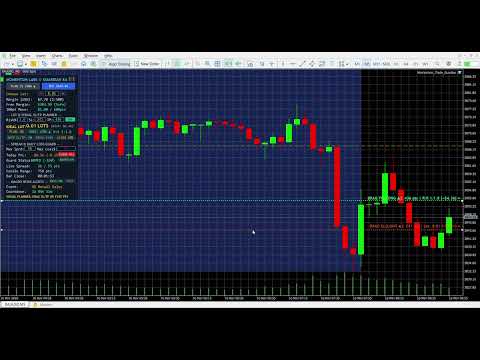
Momentum Guardian is an institutional-grade on-chart Execution HUD, Visual Trade Planner, and Automated Risk-Protection Engine built by traders, for traders. It replaces slow manual calculations and emotional guesswork with a sleek, zero-lag command center right on your chart.

Why Serious Day Traders, Scalpers & Prop-Firm Traders Use Momentum Guardian

  • Interactive Drag-and-Drop Visual SL/TP Planner: Click PLAN: ON to spawn live, draggable Stop Loss (Orange) and Take Profit (Green) lines directly on your chart. As you drag the lines to key market structure, the HUD dynamically calculates your exact point distance, live Risk-to-Reward ratio (R:R), and exact dollar risk and reward before you ever risk a cent. Features two-way elastic chart auto-zoom and strict broker stop-level clamping so your orders are never rejected for "Invalid Stops."

  • Anti-"Fat Finger" Smart Direction Lock: When planning a Long setup (MODE: LONG ▲), the SELL button automatically locks and dims (PLAN IS LONG ▲)—and vice versa for Short setups—making it physically impossible to accidentally click the wrong execution button during high-speed market volatility.

  • 1-Click Dynamic Equity Lot Calculator: Set your desired Risk% (e.g., 1.0%) and watch your IDEAL LOT update on every tick as you adjust your Stop Loss. Click the green USE button to instantly lock the exact calculated lot size into your execution box.

  • Prop-Firm Daily Loss Hard-Stop (Account Protector): Define your maximum daily loss cap in your account currency ($, €, £, ¥). Momentum Guardian continuously tracks your net Today PnL—including closed deals, floating profit/loss, swaps, and ECN entry/exit commissions. The millisecond your daily drawdown hits your cap, the EA automatically closes all open positions, cancels pending orders, and locks the BUY/SELL buttons (LOCKED TODAY) so you never breach a Prop-Firm daily drawdown rule.

  • Automated Spread Lockout Guard: Protects you from hidden broker spread widening during rollover, session opens, and news spikes. If the live spread exceeds your custom Max Sprd threshold, execution buttons automatically lock (LOCKED SPREAD) until spreads normalize.

  • True Effective Leverage, Margin & Stop-Out Guard (SO<SL!): Powered by native MQL5 margin calculation, the HUD displays exact required Margin, true symbol-specific effective leverage (e.g., 1:500 on Gold, 1:200 on FX), remaining Free Margin, and exact dollar value per 100pt Move. If a wide Stop Loss would trigger a broker margin stop-out before reaching your SL line, the HUD flashes a critical SO<SL! warning prior to entry.

  • Live Bar-Close Countdown Timer & Candle Volatility Meter: Stop guessing when the current candle will close. The HUD features a real-time, second-by-second Bar Close countdown timer (HH:MM:SS) alongside a live Candle Range meter measuring the current bar's High-to-Low expansion in points—giving M1, M5, M15, and H1 price-action traders exact candle-close confirmation timing.

  • Tiered Macro News Countdown & 5m/1m Multi-Channel Alerts: Connects directly to the native MetaTrader 5 Economic Calendar to scan upcoming High-Impact macro events for your chart's currencies. Tier-1 market movers (CPI, NFP, FOMC, Rate Decisions, Fed Chair speeches) are highlighted in Crimson Red and standard High-Impact releases in Gold, with automated Desktop Audio Popups and Mobile Push Notifications at 5 minutes and 1 minute prior to release.

  • Automated Session Killzones & PDH/PDL Liquidity Levels: Automatically maps Asian (Deep Navy Blue), London (Royal Purple), and New York (Emerald Teal) session boxes behind your candlesticks on timeframes M1 through H1. The width of each box spans the exact session start-to-end window, while the top and bottom edges dynamically lock onto the exact Session High and Session Low in real time—making it effortless to spot Asian range breakouts and London/NY liquidity sweeps. Also plots Gold dashed horizontal lines at the Previous Day High (PDH) and Previous Day Low (PDL) (all colors and server times are 100% customizable).
  • 1-Click Active Trade Management: Includes AUTO SL/TP (automatically attaches protective SL/TP to unprotected trades, including orders placed from your phone), 1-click BREAK-EVEN (+customizable profit buffer), 1-click CLOSE 50% partial profit taking, and instant CLOSE ALL liquidation.

How to Activate & Use in MetaTrader 5 (60-Second Quick-Start Guide)

  1. Attach to Your Chart: After downloading from the MQL5 Market, open your MT5 Navigator panel (Ctrl + N), expand Expert Advisors > Market, and drag Momentum Guardian onto any chart (XAUUSD, EURUSD, NAS100, US30, BTCUSD, etc.).

  2. Enable Both Algo Trading Switches (Important): In the popup window that appears, click the Common tab, check the box for [x] Allow Algo Trading, and click OK. Next, make sure the main Algo Trading button on your top MT5 toolbar is turned GREEN (verify that the small graduation cap icon in the top-right corner of your chart is Blue).

  3. Plan & Execute Your Trade: Click PLAN: OFF on the HUD to switch it to PLAN: ON. Drag the Orange (SL) and Green (TP) lines to your desired levels on the chart, or click MODE: LONG / SHORT to flip direction. Click the green USE button to load your Ideal Lot size, then click BUY or SELL for instant protected execution.

  4. Customize Risk Live on Chart: You can type directly into the Chosen Lot, Risk%, SL, TP, Max Sprd, and Max Loss boxes right on the chart HUD at any time—changes apply automatically within 1 second. Click [-] in the top-right corner of the panel whenever you wish to minimize the HUD.

Customizable Settings Overview (Inputs Tab)

  • 1. Execution, Spread Lock & Daily Hard-Stop: Toggle Auto-Pair Profile adaptation (auto-calibrates SL, TP, and Spread defaults for Gold, Forex, Indices, or Crypto), set starting Lot Size, Lot [+/-] step size, default Max Spread limit, and Daily Loss Hard-Stop enforcement.

  • 2. Visual Planner, Smart SL/TP & Risk Calculator: Toggle Auto-Attach SL/TP for unprotected trades, set default Risk %, starting SL/TP points, and Break-Even profit buffer points (+pips locked on Break-Even).

  • 3. Macro News Countdown & 5m/1m Alerts: Toggle native MT5 Economic Calendar scanning, Desktop Audio Popups, Mobile Push Notifications, custom manual event overrides, and HUD refresh speed (250ms default).

  • 4. HUD Position & Session Killzones: Choose any screen corner to dock the HUD (Top-Left, Top-Right, Bottom-Left, Bottom-Right) with custom X/Y pixel offsets, toggle native MT5 One-Click hiding, and customize Asian, London, and New York session box times, colors, and Previous Day High/Low (PDH/PDL) lines.
추천 제품
SynthGuard Account Protector
PROSPRA IQ ENTERPRISES (PTY) LTD
SynthGuard is a utility Expert Advisor that does not open trades. It watches the account and enforces the limits you set. When a limit is hit it closes positions, adds missing stop-losses and shows the reason on the chart. It was built for synthetic indices (Volatility, Boom and Crash, Step, Jump) and for accounts between 50 and 500 USD, where one unmanaged trade can be the whole account. It works on any symbol and any MetaTrader 5 broker, hedging or netting. WHAT IT DOES 1. Daily loss limit
Protect My Trades is an EA (expert advisor bot) that automatically put stop loss and take profit on market trades and pending orders. You can specify if want it to do this only on actual symbol trades or in all others. Its configuration is very simple. Functions: Take profit: distance to TP (0 = disabled, no TP will be created). Stop loss: distance to SL (0 = disabled, no SL will be created). Price type: price type in pips or pipets/points (pips is common in Forex). Actual symbol only: manage th


FREE
Trade Manager Simple
Juan Andres Montoya Robledo
Trade Manager Simple NQ and XAUUSD — Manual Trading Panel and Local Replicator Open the trade once. Your other MT5 terminals open it on their own, each with the lot size that fits that account. TMS is two tools in one: a panel for trading by hand with your risk under control, and a replicator that copies your entries to every other MetaTrader 5 terminal running on the same computer. No VPS, no signal service, no connection between brokers. The terminals talk through MetaTrader's shared folder,
DR Trade and Risk Manager: The Foundational Algorithmic Risk Console for MT5 For the discretionary trader, the greatest adversary is not the market; it is the undisciplined self. You have a solid strategy, but in moments of high pressure, do you follow your rules with perfect consistency? Do you cut losses without hesitation? Do you let winners run without cutting them short out of fear? For most, the answer is no. This gap between strategy and execution is where profits are lost. DR Trade and R
R5U Gold Momentum Trader R5U Gold Momentum Trader is a fully automated XAUUSD / Gold Expert Advisor for MetaTrader 5 (MT5) . The EA combines market structure, price action and momentum confirmation to identify qualified Gold trading opportunities and automatically manage order execution, positions, protection and risk. R5U is designed for selective market participation rather than continuous or high-frequency trading. A trade is allowed only when the required market environment, opportunity and
BulkOp Trade Manager
Ahmed Jumaa Saif Ali Almheiri
BulkOp Trade Manager Trade faster. Manage smarter. Close with confidence. BulkOp Trade Manager is a powerful MT5 utility EA built for traders who need speed, control, and clean execution directly from the chart. It is designed for active manual traders, scalpers, gold traders, and anyone who wants to manage multiple positions with less delay and fewer clicks. Why BulkOp? Ultra-fast Buy and Sell execution One-click Bulk Close Profit One-click Bulk Close Loss Keyboard trading control Bulk order e
HedgeSafe Trade Assistant 위험 관리를 우선하는 MetaTrader 5용 수동 매매 패널입니다. HedgeSafe는 BUY 또는 SELL을 누르기 전에 차트에서 거래를 준비하고 검증하며 관리할 수 있도록 돕습니다. HedgeSafe는 신호 서비스, 시장 예측 도구, AI 봇 또는 자동매매 전략이 아닙니다. 거래 방향을 선택하거나 수익을 보장하지 않습니다. 모든 거래 결정은 트레이더의 책임입니다. 주요 기능 계좌 잔액 비율 또는 계좌 통화의 고정 금액으로 랏 계산. Stop Loss를 포인트 또는 가격으로, Take Profit을 포인트, 가격 또는 R 배수로 설정. 금액 위험, 예상 보상, 거래량 및 위험/보상 비율 미리 보기. Entry, Stop Loss, Take Profit 차트 라인을 패널 값과 동기화. BUY와 SELL 준비 상태를 별도로 표시하고 실행 직전에 방향별 검증 수행. 최소/최대 거래량, 거래량 단계, tick size, tick value,
Bober Real MT5
Arnold Bobrinskii
4.88 (16)
Bober Real MT5 is a fully automatic Forex trading Expert Advisor. This robot was made in 2014 year and did a lot of profitbale trades during this period. So far over 7000% growth on my personal account. There was many updates but 2019 update is the best one. The robot can run on any instrument, but the results are better with EURGBP, GBPUSD, on the M5 timeframe. Robot doesn't show good results in tester or live account if you run incorrect sets. Set files for Live accounts availible only for cu
Basic working principles of EA will have 2 main systems. 1. Timed order opening means that at the specified time the EA will open 1 Buy order and 1 Sell order. 2. When the graph is strong, the EA will remember the speed of the graph. is the number of points per second which can be determined You can set the number of orders in the function ( Loop Order ). The order closing system uses the trailling moneym Loss system, but I set it as a percentage to make it easier to calculate when the capital
Multi Account Trade Desk MT5 ## Short description Account-wide MASTER-to-SLAVE trade copier for MetaTrader 5 with per-account risk sizing, automatic broker symbol matching, live readiness monitoring and parallel execution. ## Product description Multi Account Trade Desk MT5 is built for traders who manage several MT5 accounts and want one central place to control risk, account readiness and trade replication. Attach the same EA as MASTER on the source terminal and as SLAVE on every target
EVENT STRADDLE PRO — PROFESSIONAL EA FOR HIGH-IMPACT NEWS EVENTS Expert Advisor to trade FOMC, NFP, CPI, PCE and other high-impact macroeconomic events with configurable straddle, advanced slippage control, and adaptive breakeven based on pre-news ATR. Built for traders who operate the economic calendar and need execution speed, protection against bloated fills, and post-entry automation that the human brain simply cannot deliver during spike conditions.
ID Trade_Bot BS - an effective tool for automated trading using RSI Trade_Bot BS is an efficient solution for automated trading based on RSI, allowing flexible parameter customization and risk management. Thanks to the ability to choose a trading mode, dynamic Stop-Loss and Take-Profit levels, and trading mode adjustment (buying, selling, or both), it is suitable for various trading strategies. Key Features: Uses the RSI indicator to determine market conditions. Automatically opens an
Trade & Risk Manager is a trading utility panel for MetaTrader 5 designed for manual trading and risk control . The program does not include a trading strategy and does not open trades automatically — all trading actions are performed only by pressing buttons on the panel. The utility helps you to: quickly open/close positions; calculate position size (lot) based on a predefined risk; enforce trading plan limits: daily loss, maximum drawdown, trade limit, profit target; manage positions: breakev
IMPORTANT : LIMITED TIME OFFER: $75 FOR 10 ACTIVATIONS. Price will go to $150 soon! Welcome to Trade Manager PRO: Master MetaTrader 5 with Precision, Speed, and Protection Take complete command of your MetaTrader 5 trading experience. Whether you are a manual day trader, a swing trader, or conquering a high-stakes prop-firm challenge, Trade Manager PRO transforms how you plan, execute, and protect your trades directly on your chart . Stop wasting time calculating lots or stressing over comple
Risk Guard is a trade management panel for MetaTrader 5. You decide when to enter. Risk Guard handles the rest: it calculates the lot size from the risk you choose, places the stop loss and take profit, manages the open trade and stops you from trading after a daily loss limit. It does NOT open trades by itself, does NOT give buy or sell signals, and does NOT use martingale, grid or averaging. What it does - Lot size from risk: enter risk % and stop loss distance, the panel shows the lot and t
SolarTrade Suite Financial Robot: LaunchPad Market Expert - 거래를 시작하도록 설계되었습니다! 이 거래 로봇은 특별하고 혁신적이며 고급 알고리즘을 사용하여 가치를 계산합니다. 금융 시장의 세계에서 여러분의 조수입니다. SolarTrade Suite 시리즈의 지표 세트를 사용하여 이 로봇을 시작할 순간을 더 잘 선택하세요. 설명 하단에서 SolarTrade Suite 시리즈의 다른 제품을 확인하세요. 투자와 금융 시장의 세계를 자신 있게 탐색하고 싶으신가요? SolarTrade Suite Financial Robot: LaunchPad Market Expert는 정보에 입각한 투자 결정을 내리고 수익을 늘리는 데 도움이 되도록 만들어진 혁신적인 소프트웨어입니다. SolarTrade Suite Financial Robot: LaunchPad Market Expert의 장점: - 정확한 계산: 로봇은 고급 알고리즘과 분석 방법을 사
TiltGuard Enforcer
Muhammad Naveed Hassan
일일 손실, 드로다운, 거래 횟수 한도를 한 번만 설정하십시오. TiltGuard Enforcer는 실시간 순자산을 초 단위로 대조하고, 한도에 도달하는 순간 계좌를 잠급니다. 펀딩 계좌, 평가 과정, 그리고 숫자 하나로 계좌가 끝나는 모든 서면 규정을 위해 만들어졌습니다. 이 도구는 매매하지 않고, 신호를 내지 않으며, 이미 보유한 포지션을 청산하는 것을 막지 않습니다. 실제 차트에서 실제 포지션으로 개발하고 검증했습니다. 이 페이지의 모든 스크린샷은 실제 운용 중에 촬영한 것입니다. 주요 기능 실시간 순자산 기준 일일 손실 방어 - 확정 손실뿐 아니라 평가 손실도 반영 전체 드로다운 방어 - 고정식 또는 고점을 따라가는 추적식 연속 손실 후 냉각 시간, 더 높은 횟수에서는 당일 종료 잠금으로 전환 과도한 매매를 막는 일일 거래 횟수 상한 터미널 자체 경제 캘린더를 이용한 뉴스 차단 구간 세션 및 주말 마감 시각, 사전 경고 제공 일관성 모니터 - 원하는 비율을 설정하면 최대 수익
Spread Analysis Utility MT5
AL MOOSAWI ABDULLAH JAFFER BAQER
• Please test the product in the Strategy Tester before purchasing to understand how it works. • If you face any issues, contact me via private message—I’m always available to help. • After purchase, send me a screenshot of your order to receive a   FREE EA   as a gift. Spread Analysis Utility MT5 – Monitor & Analyze Broker Spreads in Real Time! Do you want to track your broker's spread fluctuations with precision? Spread Analysis Utility MT5 gives you real-time insights into the spread behavio
계좌의 각 전문가 어드바이저가 실제로 얼마를 버는지 알 수 있습니다. Halberd Portfolio Monitor는 계좌 이력을 매직 넘버별로 나누어, 전략마다 거래 수, 승률, 수익 팩터, 순손익, 드로다운, 보유 포지션과 상태를 보여 줍니다. 읽기만 하며 거래는 하지 않습니다. 한 계좌에서 여러 EA를 함께 운용하면 MetaTrader에는 전체 잔고 하나만 표시됩니다. 조용히 손실을 내는 전략이 수익을 내는 전략 뒤에 숨을 수 있습니다. Halberd Portfolio Monitor는 계좌 이력을 읽어 EA마다 한 줄씩 보여 주므로, 어떤 EA가 계좌를 떠받치고 어떤 EA가 무너지기 시작했는지 알 수 있습니다. 이 프로그램은 주문을 내거나 수정하거나 청산하지 않습니다. 사용자 본인 계좌의 이력과 보유 포지션을 읽기만 합니다. 데이터는 터미널 밖으로 나가지 않습니다. 전략별로 표시하는 항목 거래 수, 승률, 수익 팩터. 순손익, 최대 드로다운, 그 전략의 최고점 대비 현재 드로다
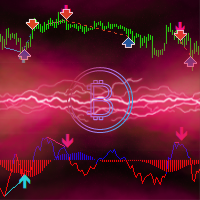
Introducing Neural Bitcoin Impulse - an innovative trading bot created using neural network training technology on voluminous market data sets. The built-in mathematical model of artificial intelligence searches for the potential impulse of each next market bar and uses the resulting patterns of divergence and convergence between the predictive indicators and the price to form high-precision reversal points for opening trading positions. The trading robot is based on the Neural Bar Impulse ind
KT Renko Patterns Robot MT5
KEENBASE SOFTWARE SOLUTIONS
Renko chart pattern EA: 14 patterns, a stop loss on every trade, half banked at the first target. KT Renko Patterns EA trades the patterns of KT Renko Patterns, which is built in, from double tops to break and retest. What it does for you Enters only when a brick closes through the pattern's breakout, never on a forming brick. Places the stop loss beyond the pattern and measures three targets from its height. Closes half at the first target, moves the stop loss to the entry and holds the rest un
Hamster Scalping mt5
Ramil Minniakhmetov
4.72 (246)
Hamster Scalping은 마틴게일을 사용하지 않는 완전 자동화된 거래 고문입니다. 야간 스캘핑 전략. RSI 표시기와 ATR 필터는 입력으로 사용됩니다. 고문은 헤징 계정 유형이 필요합니다. 실제 작업 및 기타 개발 모니터링은 여기에서 찾을 수 있습니다. https://www.mql5.com/en/users/mechanic/seller 일반 권장 사항 최소 예치금 $100, 최소 스프레드의 ECN 계정 사용, 기본 설정은 eurusd M5 gmt + 3입니다. 입력 매개변수 EA는 4자리 및 5자리 따옴표 모두에서 작동합니다. 입력 매개변수에서 5자에 대해 포인트로 값을 표시하면 자동으로 모든 것을 4자로 다시 계산합니다. NewCycle - 모드가 켜져 있으면 고문이 멈추지 않고 작동하고, 모드가 꺼져 있으면 일련의 거래가 완료된 후 고문이 새 주문을 열지 않습니다. 기간 표시기1 - 첫 번째 표시기의 기간. 상위 레벨 - 고문이 판매를 시작하는 첫 번째 지표의
ATRStopLoss
Maksim Zakharov
The ATRStopLoss Expert Advisor determines where best to put a stop relative to the current price. How it works ATRStopLoss gets the size of ATR for the selected period ATRStopLoss draws Stop-Loss levels from the current price with the size of the ATR. As the price and the timeframe change, ATRStopLoss also adjusts the Stop-Loss levels. Settings MA_Period - period of the ATR MA_Timeframe - ATR timeframe
Phoenix Midas
Alvaro Albillos Gutierrez
Phoenix Midas is an order-flow Expert Advisor built specifically for XAUUSD (Gold) on the M15 timeframe. It reads market structure through synthetic order-flow analysis — volume delta, volume profile (POC / value area) and liquidity behaviour — to time entries on two complementary setups, and it manages every trade with a fixed, pre-defined risk. Built-in news filtering and prop-firm risk controls make it suitable for both personal accounts and funded-challenge environments. WHAT IT IS NOT
TradePilotmt5
Hossein Khalil Alishir
TradePilot Expert Advisor (EA) for MetaTrader 5 TradePilot is a professional and user-friendly Expert Advisor (EA) for MetaTrader 5 (MT5) . It simplifies automated trading , risk management , and trade execution with a smart trading panel . Perfect for beginners and experienced traders looking for a reliable trade manager EA with automated lot size calculation and smart position management. Key Advantages User-Friendly Trading Panel: Customizable panel with buttons and hotkeys for fast ex
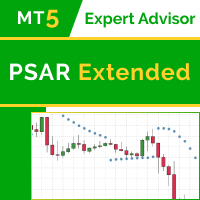
This robot operates based on the Parabolic SAR indicator. Verion for MetaTrader4 here . The advanced EA version includes the following changes and improvements: The EA behavior has been monitored on various account types and in different conditions (fixed/floating spread, ECN/cent accounts, etc.) The EA functionality has been expanded. Features better flexibility and efficiency, better monitoring of open positions. Works on both 4 and 5 digits brokers. The EA does not use martingale, grid or arb
Product Name:   Tide Reaper EA Product Description: Tide Reaper EA is an automated Expert Advisor developed for the MetaTrader 5 platform. It is designed to identify and follow intraday trends, primarily optimized for XAUUSD (Gold). The EA does not employ grid trading, Martingale, counter‑trend averaging, or any risk‑compounding strategies. Core Strategy: Multiple timeframes are used to determine the dominant trend direction. Higher timeframes set the overall bias, while lower timeframes are use
Aurum Intraday EA
Rodrigo Leonardo Favreau Giuliodoro
Aurum Intraday EA – Advanced Gold Trading Algorithm The Aurum Intraday EA is a powerful automated trading system designed specifically for Gold (XAUUSD) traders who want to capture strong intraday movements while maintaining full control over risk and strategy configuration. Built with a robust algorithm and optimized for H1 and H4 timeframes (H4 recommended) , this Expert Advisor is capable of identifying high-probability opportunities in the gold market and executing trades with precision and
Keys Close
Zakaria El Findali
The E.A listens for keyboard events and performs specific actions based on the keys that are pressed. When the "C" key is pressed, the script iterates through all open positions and closes them. When the "D" key is pressed, the script iterates through all pending orders and deletes them. This E.A could be useful for traders who want to quickly close all open positions or delete all pending orders with a single keystroke. and specially in times of strong news.  if you are SCALPER facing many Prof
YuClusters
Yury Kulikov
4.93 (43)
Attention: You can view the program operation in the free version  YuClusters DEMO .  YuClusters is a professional market analysis system. The trader has unique opportunities to analyze the flow of orders, trade volumes, price movements using various charts, profiles, indicators, and graphical objects. YuClusters operates on data based on Time&Sales or ticks information, depending on what is available in the quotes of a financial instrument. YuClusters allows you to build graphs by combining da
이 제품의 구매자들이 또한 구매함
Trade Assistant MT5
Evgeniy Kravchenko
4.43 (216)
거래당 위험 계산, 라인을 사용한 손쉬운 신규 주문, 부분 청산 기능을 통한 주문 관리, 7가지 유형의 트레일링 스탑 및 기타 유용한 기능을 제공합니다. 추가 자료 및 지침 설치 지침   -   애플리케이션 지침   라인 기능       - 차트에 개시선, 손절매, 차익실현을 표시합니다. 이 기능을 사용하면 새로운 주문을 쉽게 하고 개봉 전에 추가 특성을 볼 수 있습니다. 위기 관리       -       위험 계산 기능은 설정된 위험과 손절매 주문의 크기를 고려하여 새 주문의 볼륨을 계산합니다. 이를 통해 손절매 크기를 설정하고 동시에 설정된 위험을 존중할 수 있습니다. 로트 계산 버튼 - 위험 계산을 활성화/비활성화합니다. 필요한 위험 값은 위험 필드에 0에서 100 사이의 백분율 또는 예금 통화로 설정됩니다. 설정 탭에서 위험 계산 옵션을 선택합니다. $ 통화, % 잔액, % 지분, % 자유 마진, % 사용자 정의, % AB 이전 일, % AB 이전 주, % AB 이전
Farmed Hedge Yield Farming | All Markets (Manual - Hybrid - Semi/Automated EA) VERIFIED TRADING RESULTS - Farmed Hedge Yield Axi Copy:  https://www.mql5.com/en/signals/2356376 - Farmed Hedge Yield Exn Copy:   https://www.mql5.com/en/signals/2356404 - Farmed Hedge Yield V Copy:  https://www.mql5.com/en/signals/2357156 IMPORTANT NOTICE: FarmedHedge is a MANUAL-FOCUSED TRADING UTILITY ,not a fully automated EA. Results shown on this Signal include manual trades and overall strategic management.
Trade Manager EA에 오신 것을 환영합니다. 이 도구는 거래를 보다 직관적이고 정확하며 효율적으로 만들기 위해 설계된 궁극적인 리스크 관리 도구 입니다. 단순한 주문 실행 도구가 아닌, 원활한 거래 계획, 포지션 관리 및 리스크 제어를 위한 종합 솔루션입니다. 초보자부터 고급 트레이더, 빠른 실행이 필요한 스캘퍼에 이르기까지 Trade Manager EA는 외환, 지수, 상품, 암호화폐 등 다양한 시장에서 유연성을 제공합니다. Trade Manager EA를 사용하면 복잡한 계산은 이제 과거의 일이 됩니다. 시장을 분석하고 진입, 손절 및 익절 수준을 차트의 수평선으로 표시한 후 리스크를 설정하면, Trade Manager가 이상적인 포지션 크기를 즉시 계산하고 SL 및 TP 값을 실시간으로 표시합니다. 모든 거래가 간편하게 관리됩니다. 주요 기능: 포지션 크기 계산기 : 정의된 리스크에 따라 거래 크기를 즉시 결정합니다. 간단한 거래 계획 : 진입, 손절, 익절을 위한
Telegram to MT5 Multi-Channel Copier   는 Telegram 및 Discord 채널의 트레이딩 시그널을 MetaTrader 5로 자동 복사합니다. 봇도, 브라우저 확장도, 수동 복사도 필요 없습니다. Telegram이나 Discord에 시그널이 도착하면 EA가 몇 초 안에 터미널에서 주문을 실행합니다. 그리고 채널을 복사하기 전에, 내장 백테스터가 그 채널이 내 계좌에서 어떤 결과를 냈을지 보여줍니다. 제품은 두 가지 구성 요소로 이루어집니다: Telegram 채널을 수신하는 Windows 애플리케이션과, MT5 터미널에서 시그널을 실행하는 본 EA입니다. MT4 버전도 제공됩니다   여기 . 구매 전에 사용해 보세요:   애플리케이션은 무료로 다운로드할 수 있습니다. 본인의 채널을 연결하고 각 시그널이 어떻게 읽히는지 확인하세요. Backtest 탭과 실제 거래에는 구매하거나 임대한 EA가 필요합니다. 이 페이지의 무료 데모는 전략 테스터에서만 실행되며
Local Trade Copier EA MT5
Juvenille Emperor Limited
4.94 (150)
Local Trade Copier EA MT5는 동일한 Windows 컴퓨터 또는 Windows VPS에서 여러 MetaTrader 5 계정 간에 거래를 복사하고 관리할 수 있는 빠르고 유연한 거래 복사기입니다. 로컬 거래 동기화 기능과 함께 Receiver 측에서 로트 크기, 리스크 관리, 거래 필터링, 심볼 매핑, 거래 관리 및 계정 보호를 독립적으로 설정할 수 있습니다. Transmitter와 Receiver 터미널을 약 1분 안에 설정하고, 동일한 브로커 또는 서로 다른 브로커의 계정 간에 수동 거래 또는 EA 거래를 복사할 수 있습니다. 적절한 조건에서는 로컬 MetaTrader 터미널 간의 거래 정보가 0.5초 이내 에 동기화될 수 있습니다. 실제 체결 속도는 브로커 지연 시간, 네트워크 상태, 컴퓨터/VPS 성능 및 터미널 부하에 따라 달라집니다. 구매 전에 무료 데모를 사용해 보세요 MT5 데모 계정에서 Local Trade Copier EA MT5의 모든 기능을
EA Overfitter
Stephen J Martret
5 (4)
That backtest looks great. But will it still be making money tomorrow, next week, next month? EA Overfitter re-runs your EA on 100 price histories it has never seen. One score tells you if the edge is real. A backtest tells you what an EA did on one price history — the one that happened to occur. What you cannot tell from it is how much of that result was the strategy and how much was the particular path. EA Overfitter answers that. It builds up to 100 synthetic price histories your EA has n
TradePanel MT5
Alfiya Fazylova
4.89 (174)
Trade Panel은 다기능 거래 도우미입니다. 이 애플리케이션에는 50개 이상의 수동 거래 기능이 포함되어 있으며 대부분의 거래 작업을 자동화할 수 있습니다. 앱 사용 설명서: https://www.mql5.com/en/blogs/post/756482 데모 계정용 앱 체험판: https://www.mql5.com/en/blogs/post/750865 앱 설치 방법: https://www.mql5.com/en/blogs/post/756239 시각 모드에서 앱 테스트 방법: https://www.mql5.com/en/blogs/post/770277 VPS MetaTrader에 앱 설치 방법: https://www.mql5.com/en/blogs/post/770190 거래. 한 번의 클릭으로 거래를 수행할 수 있습니다: 리스크 자동 계산과 함께 예약 주문 및 포지션 열기. 한 번의 클릭으로 여러 주문 및 포지션 열기. 주문 그리드 열기. 예약 주문 및 포지션을 그룹별로 닫기. 포지션
News Trade EA MT5
Konstantin Kulikov
4.55 (11)
제가 몇 년 동안 사용하고 있는 유용한 로봇을 소개드립니다. 반자동뿐만 아니라 자동 모드로도 사용할 수 있습니다. >>> Chat <<< 본 프로그램에는 경제 캘린더의 뉴스별로 유연한 거래 설정이 포함되어 있습니다. 전략 테스터에서 확인할 수 없습니다. 진짜 작업뿐입니다. 최신 설정 아카이브 다운로드: https://www.mql5.com/en/blogs/post/747929 신호 모니터링: https://www.mql5.com/en/signals/author/test-standart 이 전문가를 위해 고유 설정 세트를 만들 때 블로그의 모든 매개변수에 대한 설명을 참조하십시오: https://www.mql5.com/en/blogs/post/748545 . 기본 설정 설명 작업은 한 차트에서 GBP(GBPUSD, EURGBP, GBPJPY, GBPCAD, GBPAUD, GBPCHF)와 쌍으로 이루어집니다. GBP는 가장 변동성이 큰 통화로서 거래 수행 시 거래를 성공적으로
Exp COPYLOT CLIENT for MT5
Vladislav Andruschenko
3.97 (35)
MetaTrader 5용 전문 트레이드 복사기 MetaTrader 용 빠르고 전문적이며 신뢰할 수 있는 트레이드 복사기 입니다. COPYLOT 은 MT4와 MT5 터미널 간의 Forex 거래 복사를 지원하며, Hedge 및 Netting 계좌를 모두 지원합니다. COPYLOT MT5 버전 지원 구성: - MT5 Hedge → MT5 Hedge - MT5 Hedge → MT5 Netting - MT5 Netting → MT5 Hedge - MT5 Netting → MT5 Netting - MT4 → MT5 Hedge - MT4 → MT5 Netting MT4 버전 전체 설명 + DEMO + PDF 구매 방법 설치 방법 로그 파일 확인 방법 테스트 및 최적화 방법 Expforex의 모든 제품 MT4 터미널로도 거래를 복사할 수 있습니다(MT4 → MT4, MT5 → MT4): COPYLOT CLIENT for MT4 COPYLOT은 2개, 3개, 심지어 10개의 터미널과 동시에 작동할
내 거래 규칙에 맞춰 Telegram 신호 복사 Telegram to MT5 Signal Trader 는 공개 및 비공개 Telegram 채널과 그룹의 텍스트 기반 거래 신호를 MetaTrader 5로 자동 복사합니다. 하나의 데스크톱 앱에서 여러 신호 제공자와 MT5 계좌를 관리하고, 제공자마다 위험 관리 및 거래 설정을 개별적으로 지정 할 수 있습니다. 신호 복사에는 Telegram 봇이나 API 설정이 필요하지 않습니다. 전화번호 또는 QR 코드로 본인의 Telegram 계정에 로그인한 후, 이미 가입한 채널이나 그룹을 선택하면 됩니다. 봇을 만들거나 Telegram API 토큰, API ID 또는 API 해시를 입력할 필요가 없습니다. 포지션 크기를 선택하고, 여러 익절 목표에 청산 물량을 배분하며, 손익분기점 이동과 트레일링 스톱을 자동화하세요. 제공자의 신호를 따르면서도 실제 거래 방식은 직접 설정할 수 있습니다. 이 제품은 MT5 Expert Advisor와 필수 Win
================================================================================ POC BREAKOUT - V20.72. Full Professional Grade Toolkit ================================================================================ POC Breakout is a full MetaTrader 5 trading dashboard for discretionary traders who want breakout signals, Point of Control (POC) context, volume profiles, order flow, market structure, news, alerts, and advanced trade planning in one professional workspace. Attached directly to you
The product will copy all telegram signal to MT5 ( which you are member) , also it can work as remote copier.  Easy to set up, copy order instant, can work with almost signal formats, image signal,  s upport to translate other language to English Work with all type of channel or group, even channel have "Restrict Saving Content", work with  multi channel, multi MT5 Work as remote copier: with signal have ticket number, it will copy exactly via ticket number. Support to backtest signal. How to s
Power Candles Strategy Scanner: 스스로 최적화하는 멀티 심볼 셋업 파인더 작은 움직임마다 울리는 스캐너는 결국 무시하게 됩니다. 분주한 캔들 마감 한 번에 알림이 연달아 쏟아지고, 정작 실제로 거래하는 단 하나의 셋업은 소음에 묻혀 버립니다. Power Candles Strategy Scanner 는 스스로 최적화하는 Power Candles 엔진을 Market Watch의 모든 심볼에서 실행하고, 당신이 직접 정한 필터를 통과한 것만 알려줍니다. 기준은 마지막 확정 캔들의 강도, 셋업의 손익비, 실시간 스프레드, 그리고 당신이 거래하는 자산군입니다. 심볼이 리스트에 들어오면 스캐너가 당신을 부릅니다. 필터로 걸러낸 것은 모두 조용히 남아 있고, 같은 캔들 마감에서 나온 모든 신호는 하나의 메시지로 도착합니다. 구매 전에 패널과 모든 필터를 확인하세요. 스크린샷, 전체 기능 투어, Power Candles와 함께 쓰는 워크플로: stein.investment
다음 업데이트 — 버전 2.52 곧 출시! [신규] 시장 분석 및 트레이딩 워크플로를 향상시키기 위해 설계된 4가지 주요 신규 기능을 기대해 주세요. 트레이딩 요구 사항을 충족하도록 설계된 4가지 새로운 기능으로 시장 분석을 한 단계 더 발전시킵니다. 다음 기능을 소개합니다: 1. TRADE OVERVIEW DASHBOARD 2. CONFLUENCE AT ZONE 3. STRONG & WEAK HIGH/LOW 4. OTE 1. TRADE OVERVIEW DASHBOARD 시장 전체 상황을 더 쉽게 파악할 수 있도록 도와주는 대시보드입니다. 트레이딩 의사결정을 지원하는 가이드를 제공하며, 하나의 화면에서 시장을 분석하고 체계적으로 트레이딩을 계획할 수 있도록 도와줍니다. 멀티 타임프레임 시장 개요 (Multi-Timeframe Market Overview) 시장 방향과 가격 구조를 더욱 명확하게 파악 시장 상황을 빠르게 확인 체계적인 시장 분석 및 진입 계획을 위한 가이드 2. CO
EA Auditor
Stephen J Martret
5 (7)
EA Auditor is an independent analysis tool for traders evaluating Expert Advisors and trading signals on MetaTrader 5. It audits backtest reports, reviews posted developer signals, and cross-verifies the two against each other to help traders assess strategies before committing capital. The MQL5 market offers a wide range of Expert Advisors from many developers, with varying approaches, quality, and transparency. EA Auditor provides a consistent, data-driven framework for reviewing them, answer
Trade Dashboard MT5
Fatemeh Ameri
4.94 (135)
Trade Dashboard simplifies how you open, manage, and control your trades, with built-in lot size calculation. It allows you to execute trades, manage risk, and control positions directly on the chart, with tools such as partial close, breakeven, and trailing stop. Designed to reduce manual work and help you stay focused on your trading decisions. A demo version is available for testing. Detailed explanations of features are provided within the MQL5 platform. Installation instructions are include
EA Portfolio Control & Cloud Monitoring for MetaTrader 5 Your EAs manage trades. KONTROL_01 manages your EAs. A control system for traders running multiple Expert Advisors on the same account. Coordinate EA activity, manage trading risks and monitor your setup remotely. A detailed User Manual is available via DM after purchase. IN PRACTICE Multiple EAs. No coordination. Your EAs trade independently, unaware of each other's activity. KONTROL_01 coordinates them, limits simultaneous activity a
Timeless Charts
Samuel Manoel De Souza
5 (9)
Timeless Charts is an all-in-one trading utility for professional traders. It combines custom chart types such as Seconds Charts and Renko with advanced order flow analysis using Footprints , Clusters , Volume Profiles , VWAP studies, and anchored analysis tools for deeper market insight. Trading and position management are handled directly from the chart through an integrated trade management panel , while Market Replay and Virtual Accounts provide environments for practicing trading skills and
News Filter EA
Rashed Samir
5 (2)
News Filter EA: Advanced Algo Trading Assistant News Filter EA is an advanced algo trading assistant designed to enhance your trading experience. By using the News Filter EA , you can integrate a Forex economic news filter into your existing expert advisor, even if you do not have access to its source code. In addition to the news filter, you can also specify trading days and hours for your expert. The News Filter EA also includes risk management  and equity protection features. MT4 Version Ma
MT5 to Telegram Signal Provider 는 사용하기 쉽고 완전히 커스터마이즈 가능한 유틸리티로, 특정 신호를 Telegram의 채팅, 채널 또는 그룹으로 전송하고, 귀하의 계정을 신호 제공자 로 만듭니다. 경쟁 제품과 달리 DLL 임포트를 사용하지 않습니다. [ 데모 ] [ 매뉴얼 ] [ MT4 버전 ] [ 디스코드 버전 ] [ 텔레그램 채널 ]  New: [ Telegram To MT5 ] 설정 단계별 사용자 가이드 가 제공됩니다. 텔레그램 API에 대한 지식은 필요하지 않습니다; 개발자가 제공하는 모든 것이 필요합니다. 주요 특징 구독자에게 보낸 주문 상세 정보를 커스터마이즈할 수 있습니다. 예를 들어, 브론즈, 실버, 골드와 같은 계층 구독 모델을 만들 수 있습니다. 골드 구독에서는 모든 신호를 받습니다. id, 심볼, 또는 코멘트로 주문을 필터링할 수 있습니다. 주문이 실행된 차트의 스크린샷이 포함됩니다 보낸 스크린샷에 닫힌 주문을 그려 추가 검증을 합니다
VirtualTradePad PRO SE MT5 — MetaTrader 5용 전문 트레이딩 컨트롤 센터 VirtualTradePad PRO SE 는 MetaTrader 5 용 프리미엄 차트 기반 트레이딩 패널이자 거래 관리 워크스페이스입니다. 더 빠른 주문 실행, 더 명확한 포지션 관리, 구조화된 거래 관리, 시각적인 레벨 계획, 그리고 차트에서 직접 작업하는 전문적인 워크플로를 원하는 트레이더를 위해 설계되었습니다. 이 제품은 단순한 BUY / SELL 패널이 아닙니다. PRO SE는 수동 트레이딩, 예약 주문, 포지션 관리, 부분 청산, 바스켓 손익 관리, 평균가 레벨, ATM 규칙, 신호 모니터링, 실시간 시장 정보, 전략 테스터 (Strategy Tester) 워크플로, VPS 중심 운용을 하나의 연결된 인터페이스로 통합합니다. MT4 버전 | 전체 설명 및 스크린샷 | 구입 방법 | 설치 방법 | 로그 파일을 얻는 방법 | 테스트 및 최적화 방법 | Expforex의 모든
AW Trade Manager
AW Trading Software Limited
AW Trade Manager는 차트에 손익비(리스크/리워드) 도구를 갖춘 MetaTrader 5용 거래 패널입니다. 거래는 마우스로 끌어 놓는 Entry, Stop Loss, Take Profit 선으로 계획합니다: 라벨에는 가격, 거리, 금액이 표시되고, 구역은 수익과 손실을 보여 주며, 거래량은 리스크를 기준으로 계산됩니다. 주문을 보내기 전에 확인 창에서 리스크, 증거금, 포지션 규칙을 포함한 거래 전체를 보여 줍니다. 매뉴얼과 사용 설명 -> 여기 / 무료 LIVE 데모 -> 여기 진입 후 포지션 관리를 위해 패널에는 손익분기 이동, 트레일링, 부분 청산, 시간 기준 청산, 숨김 레벨 기능이 있습니다. 이 기능들은 Rules 탭에서 모든 신규 거래에 켜거나, 포지션 창에서 개별 포지션에만 켤 수 있습니다. 개별 거래보다 상위 수준에서는 계좌 리스크 한도, 바스켓, 예약 작업, 알림, MT5 경제 캘린더가 작동합니다. 장점: 차트 위의 거래 계획: 라벨, 구역, R:R이 표시
Local Trade Copier EA 는 외부 소스에서 거래 신호를 실행해야 하거나 MAM 또는 PAMM 계정 없이 동시에 여러 계정을 관리해야 하는 개인 거래자 또는 계정 관리자를 위한 솔루션입니다. 최대 8개의 마스터 계정에서 무제한 슬레이브 계정으로 복사합니다. [ 설치 가이드 | 업데이트 가이드 | 문제 해결 | 자주하는 질문 | 모든 제품 ] 100% 자체 호스팅 설치 및 사용이 간편함 설치 프로그램, 구성 파일, 서버, 메모리 파이프 또는 DLL이 사용되지 않음 EA를 영원히 사용하기 위한 1000번의 활성화 로컬 실행, 네트워크 대기 시간 없음 필요한 모든 기능을 구현합니다. 최대 8개의 마스터 계정 및 무제한 슬레이브 계정 모든 브로커 및 DD/NDD/ECN/STP 실행과 함께 작동 다른 계정 통화를 사용하는 계정에서 작동 라이브 계정과 데모 계정 간에 구분 없이 작동 마스터 및 슬레이브 계정에서 기호 이름의 접미사 지원 매직 넘버 및 주문 댓글로 필터링 다른 거래
Seconds Chart MT5
Boris Sedov
4.61 (18)
Seconds Chart - MetaTrader 5에서 초 단위 차트를 생성하는 독특한 도구입니다. Seconds Chart 를 사용하면 초 단위로 설정된 타임프레임으로 차트를 작성할 수 있어, 표준 분 또는 시간 단위 차트에서는 불가능한 유연성과 정밀한 분석이 가능합니다. 예를 들어, S15 타임프레임은 15초 동안의 캔들로 구성된 차트를 의미합니다. 사용자 정의 심볼을 지원하는 모든 인디케이터와 전문가 어드바이저를 사용할 수 있습니다. 이를 사용하는 것은 표준 차트에서 거래하는 것만큼 편리합니다. 표준 도구와 달리, Seconds Chart 는 초고속 타임프레임에서도 높은 정확도와 지연 없이 작업할 수 있도록 지원합니다. 무료 데모: Seconds Chart v2.29 Demo.ex5 무료 데모를 다운로드하고 직접 확인하십시오: 완전한 기능 - 모든 기능 사용 가능 24시간 테스트 - 정확성과 편리성을 평가하기에 충분한 시간 데모 계정만 - 대부분의 브로커에서 쉽게 개설 가능
MetaTrader 5용 order block, BOS, ChoCH 전문가 어드바이저, Telegram 알림 포함 SMC Trade Pilot MT5는 차트의 시장 구조를 읽고 신호를 Telegram으로 전송합니다. 구조 돌파(BOS)와 성격 변화(ChoCH)를 표시하고, 강도 점수가 있는 order block 을 그리며, fair value gap(FVG)과 liquidity sweep을 추적하고, point of control, value area high, value area low가 포함된 volume profile을 표시하며, 멀티 타임프레임 패널, 컨플루언스 점수, kill zone 세션을 갖춘 간결한 대시보드에 모두 요약합니다. 종가에 표시하고, 그다음 확정 돌파는 캔들 종가 즉시 PENDING 으로 표시되며, 어떤 확인보다 먼저 나타납니다. 새로운 고점 또는 저점이 확인하면 확정으로 바뀌고, 설정한 캔들 수가 지나면 스스로 만료되며, 가격이 무효화하면 사라집니다. 하나
AW Shepherd Safety MT5
AW Trading Software Limited
5 (5)
AW Shepherd Safety EA는 열린 포지션을 관리하는 EA입니다. 첫 주문은 트레이더가 패널에서 열고, 이후에는 EA가 바스켓을 직접 관리합니다: 추세 필터를 거쳐 복구 주문을 추가하고, TakeProfit, 트레일링 또는 손절로 해당 측을 청산하며, 청산 수준을 차트에 표시합니다. 매수와 매도는 따로 관리되며 양 측을 동시에 열어 둘 수 있습니다. 복구 주문은 가격 간격만으로 열리지 않고, Parabolic SAR, 두 개의 MA 또는 캔들 색상 기준으로 포지션 방향으로의 반전이 확인된 뒤에 열립니다. Orders Magic number가 일치하면 수동으로 또는 다른 EA가 연 포지션도 EA가 넘겨받아 관리합니다. EA가 포지션을 관리하는 방식: 1 트레이더가 Open Buy 또는 Open Sell 버튼으로 Order Size 필드의 거래량만큼 첫 주문을 엽니다. 2 가격이 포지션에 불리한 방향으로 Minimal step between recovery orders만큼 움
RETAILBERG FOOTPRINT CHART PRO — Order-Flow Workspace for MetaTrader 5 Version 7.00  |  Professional System  |  31 tools  |  One chart A full 150-page illustrated User Manual is included. Please read the full manual to understand this feature packed footprint chart elements and ui. https://www.mql5.com/en/blogs/post/777982 DEMO / STRATEGY TESTER — PLEASE READ FIRST
Dealer's Panel No signal decides anything here — a hand does. One click, and the panel calculates what's underneath: lot size from risk, target from a 30-step balance ladder that remembers exactly how far an account has climbed. Toggle between market and pending without touching an input field. Set a stop, and the take-profit can write itself — a fixed share of the balance, translated into price with no arithmetic left for the trader to get wrong. One trade live at a time; it won't let a seco
Close by percentage MT5
Konstantin Kulikov
5 (1)
Hello friends. I wrote this utility specifically for use in my profile with a large number of Expert Advisors and sets ("Joint_profiles_from_grid_sets"   https://www.mql5.com/en/blogs/post/747929 ). Now, in order to limit losses on the account, there is no need to change the "Close_positions_at_percentage_of_loss" parameter on each chart. Just open   one   additional chart, attach this utility and set the desired percentage for closing all trades on the account. The utility has the following fu
Trade Manager DaneTrades
Levi Dane Benjamin
4.13 (31)
거래 관리자는 위험을 자동으로 계산하는 동시에 거래를 빠르게 시작하고 종료하는 데 도움을 줍니다. 과잉 거래, 복수 거래 및 감정 거래를 방지하는 데 도움이 되는 기능이 포함되어 있습니다. 거래를 자동으로 관리할 수 있으며 계정 성과 지표를 그래프로 시각화할 수 있습니다. 이러한 기능은 이 패널을 모든 수동 거래자에게 이상적으로 만들고 MetaTrader 5 플랫폼을 향상시키는 데 도움이 됩니다. 다중 언어 지원. MT4 버전  |  사용자 가이드 + 데모 트레이드 매니저는 전략 테스터에서 작동하지 않습니다. 데모를 보려면 사용자 가이드로 이동하세요. 위기 관리 % 또는 $를 기준으로 위험 자동 조정 고정 로트 크기 또는 거래량과 핍을 기반으로 한 자동 로트 크기 계산을 사용하는 옵션 RR, Pips 또는 Price를 사용한 손익분기점 손실 설정 추적 중지 손실 설정 목표 달성 시 모든 거래를 자동으로 마감하는 최대 일일 손실률(%)입니다. 과도한 손실로부터 계정을 보호하고 과도한
필터:
리뷰 없음
리뷰 답변