Support Resistance MTF zone
- 지표
- 버전: 1.0

Support Resistance MRF Zone
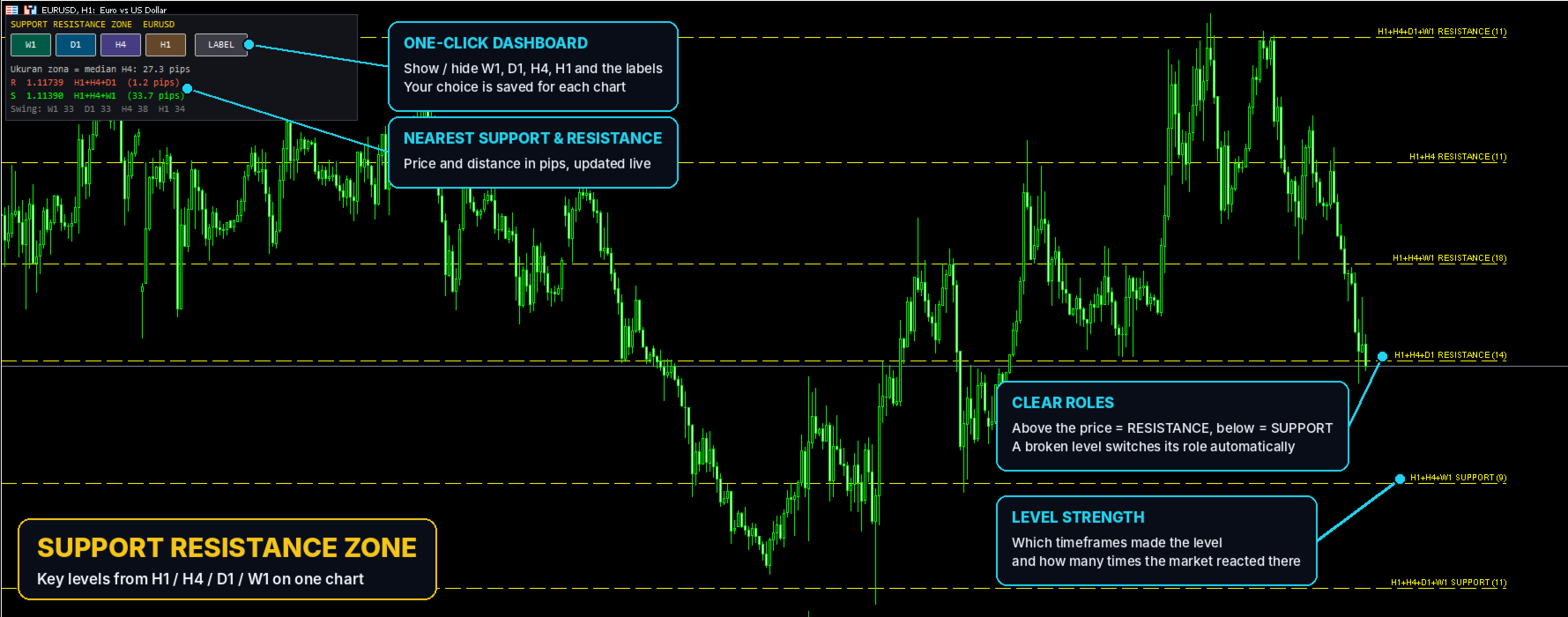
Support Resistance MTF Zone finds the key support and resistance levels on your chart automatically, from four timeframes at once: H1, H4, D1 and W1.
You don’t need to switch charts or draw lines by hand. Attach it to any symbol and any timeframe, and the important levels are ready.
Main features
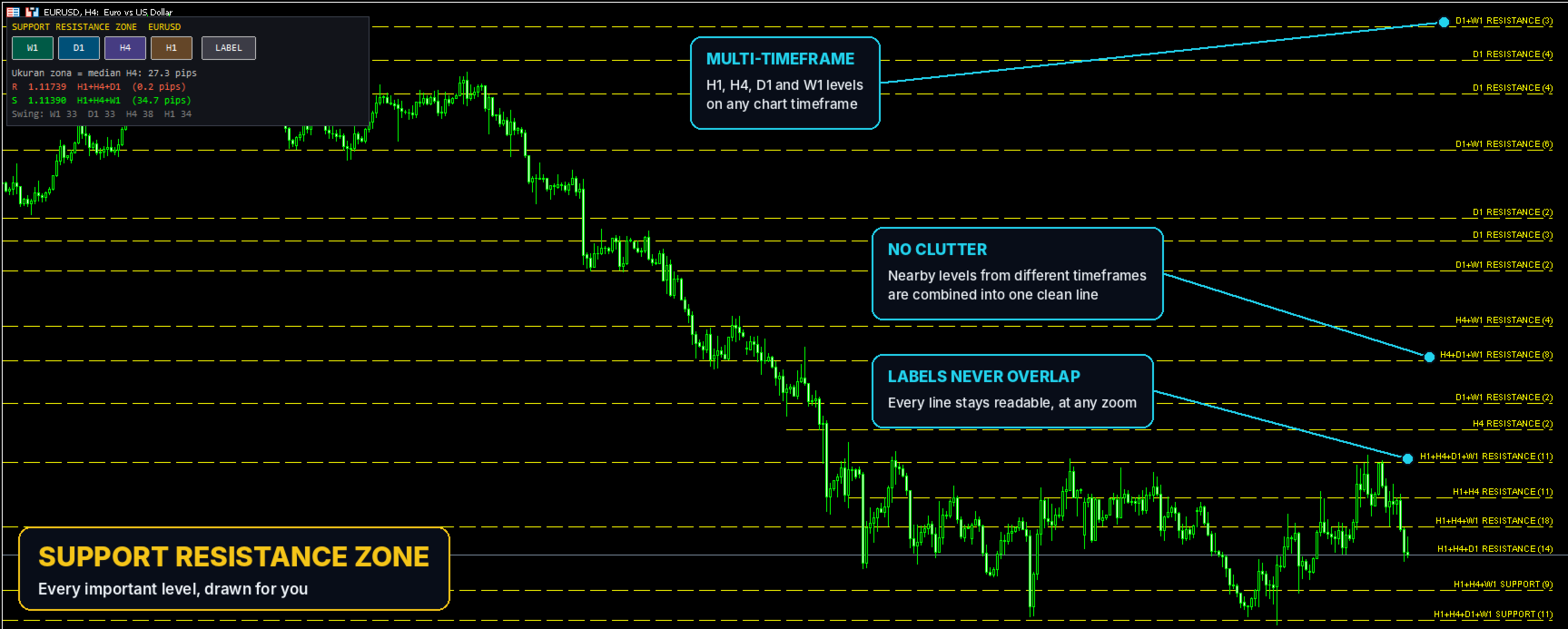
- Multi-timeframe levels. H1, H4, D1 and W1 levels on one chart.
- No clutter. Levels that sit close together are combined into one clean line, so your chart stays readable.
- Clear roles. Above the price = RESISTANCE, below the price = SUPPORT. When a level is broken, its role switches automatically.
- Level strength. Each line shows which timeframes it comes from (e.g. “H4+D1 SUPPORT”) and how many times the market has reacted there. Hover a line to see its details.
- Simple dashboard. One-click buttons to show or hide each timeframe and the labels, the nearest support and resistance with their distance in pips, and your settings saved per chart.
- Clean design. One line style for all levels, and labels that never overlap. Colour and style can be changed.
- Stable levels. They do not repaint while a candle is forming.
Notes
- On first use, allow a moment for the terminal to load the history of all four timeframes.
- This is an analysis tool. It does not open or manage trades.
- Support and resistance show where price may react, not where it will. Always trade with proper risk management.