Session Levels
- 지표
-
Allan Aparece Ninal
 MetaTrader 5용 인디케이터와 전문가 어드바이저(EA)를 개발합니다.
작업 방식:
- 모든 인디케이터는 리페인팅 여부를 확인합니다. 신호는 마감된 봉에서만 결정되며, 모든 틱 테스트로 이후에 바뀌지 않는다는 것을 확인합니다.
- 모든 계산은 독립적인 기준 계산과 봉 단위로 비교합니다.
- 전략은 최적화에 사용하지 않은 데이터로 백테스트합니다. 우위가 없는 규칙은 그렇다고 분명히 밝히고 전략으로 판매하지 않습니다. - 버전: 1.0
Session Levels is a free MetaTrader 5 indicator that draws the Asia, London and New York session boxes, the previous day and week high and low, and today's open. It alerts you when a closed bar breaks a level.
It places no trades. It shows levels, not entries, and alerts use closed bars only.
Standalone: everything is built in. You do not need to buy or install any other product named on this page.
Quick start
- Attach it to an M1 to H4 chart. The session boxes and levels are drawn for the last 5 days.
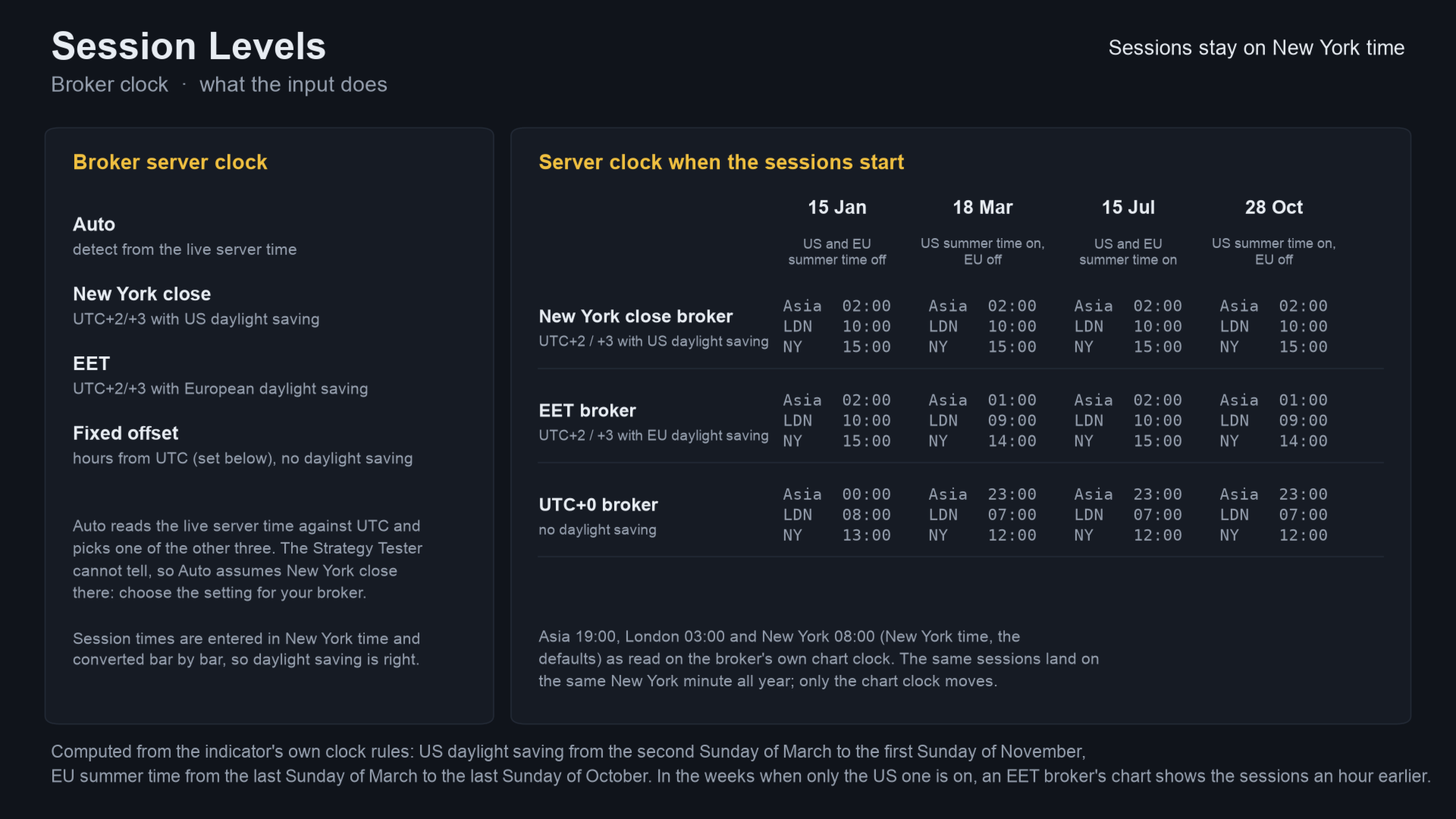
- Leave Broker server clock on Auto; the indicator detects your broker's time and daylight saving. Session times are in New York time.
- Choose which alerts you want (previous day high and low, Asia high and low) and the delivery: pop-up is on; sound, push and e-mail are off.
What you see on the chart
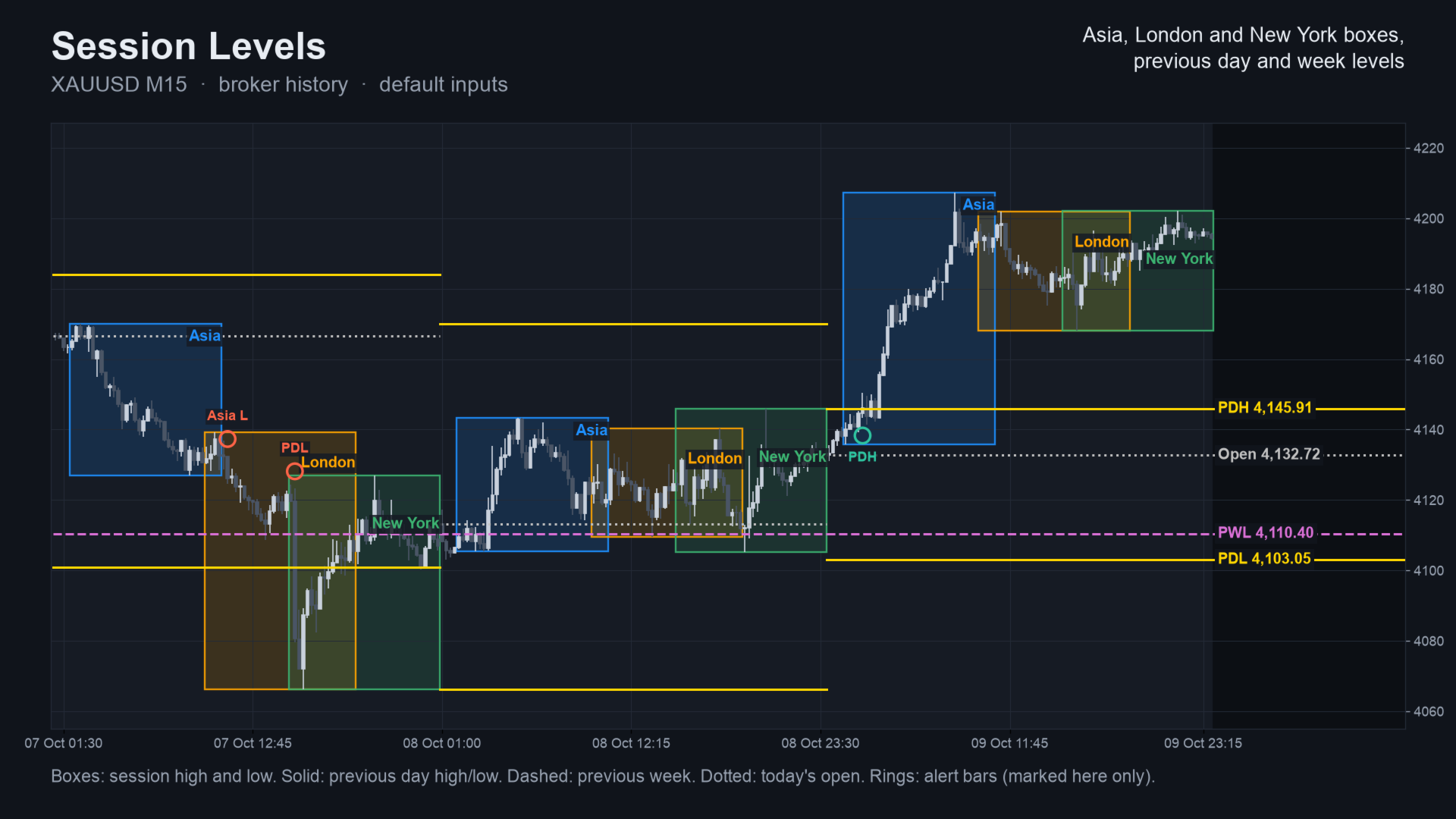
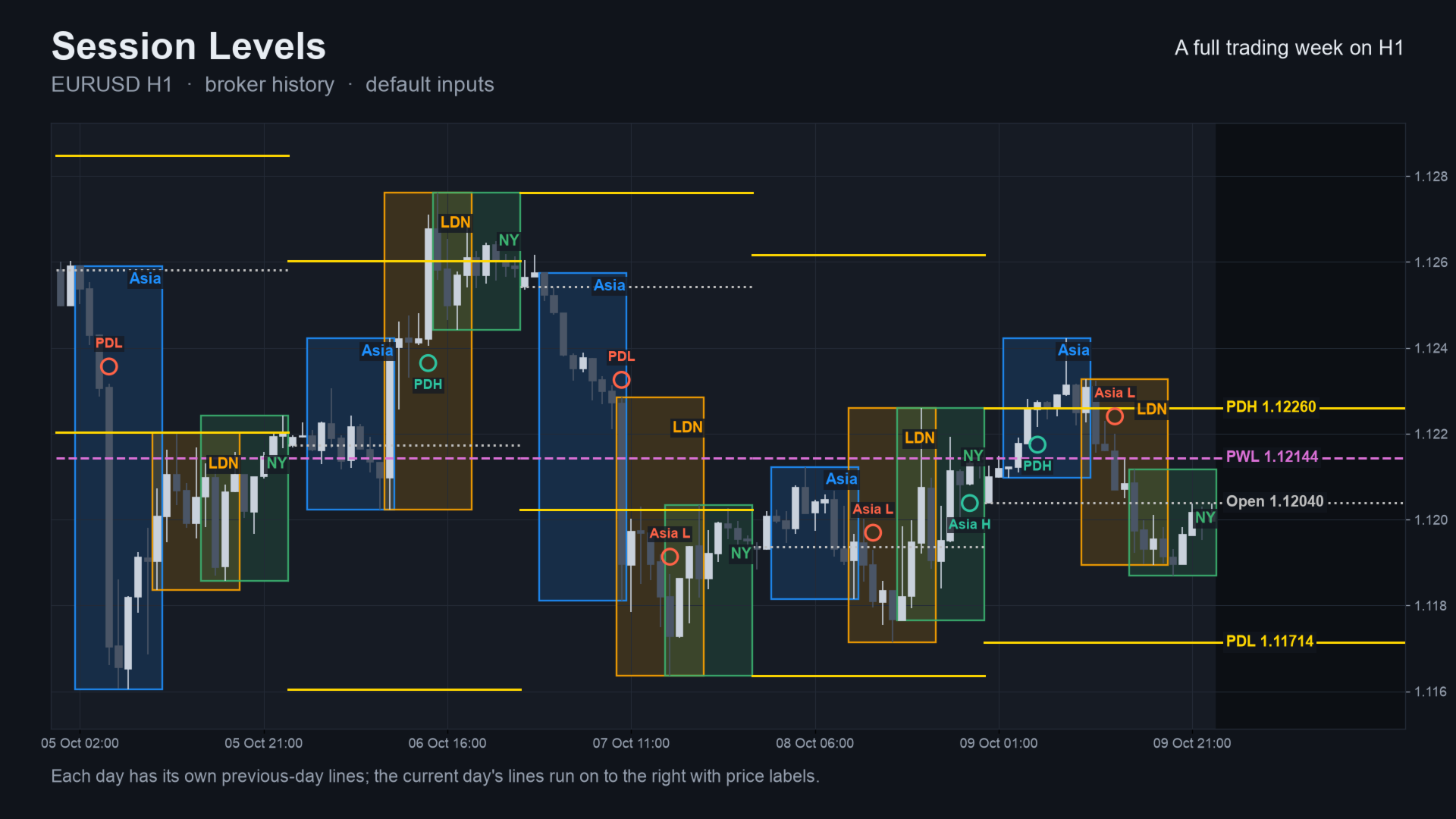
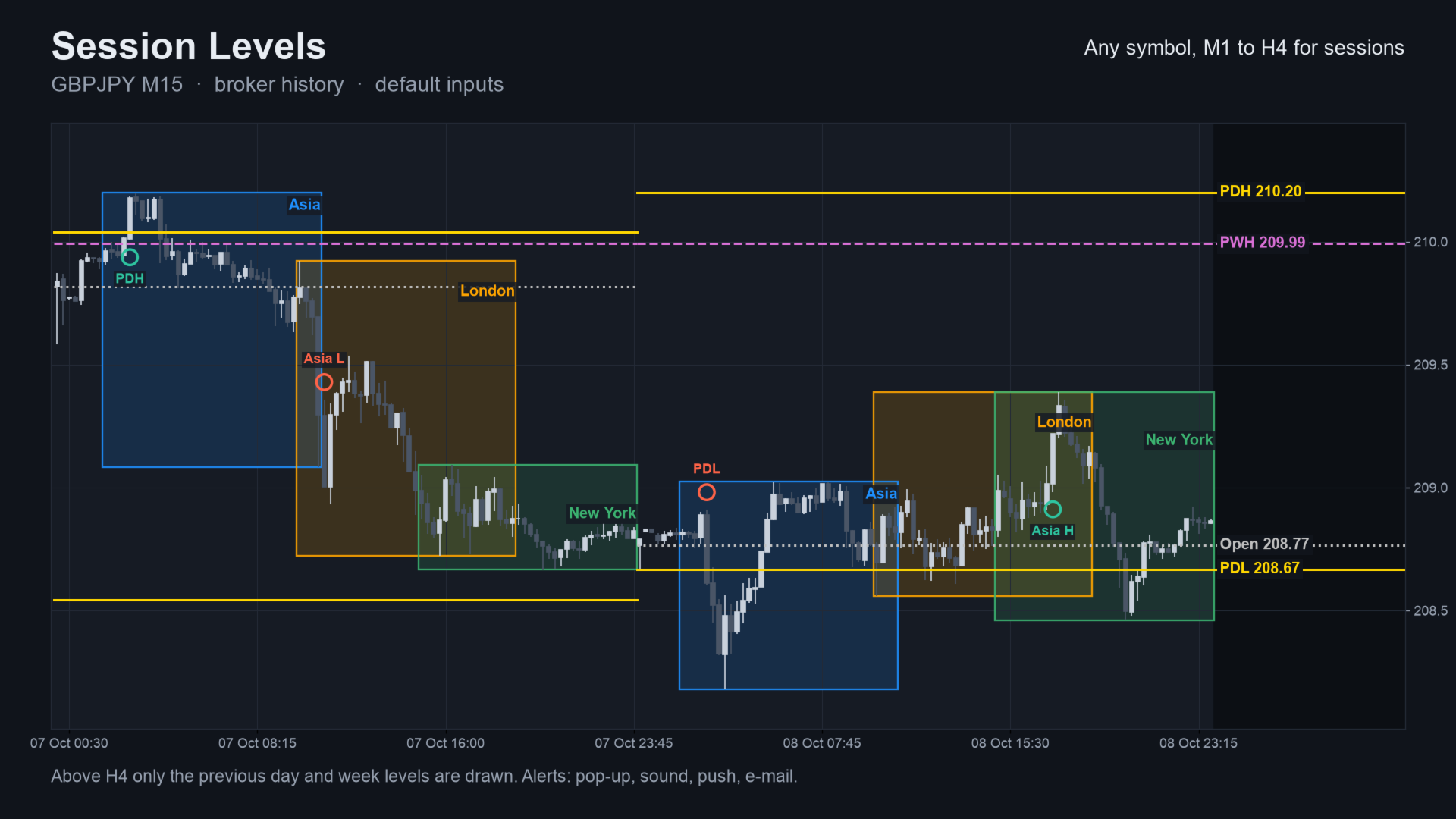
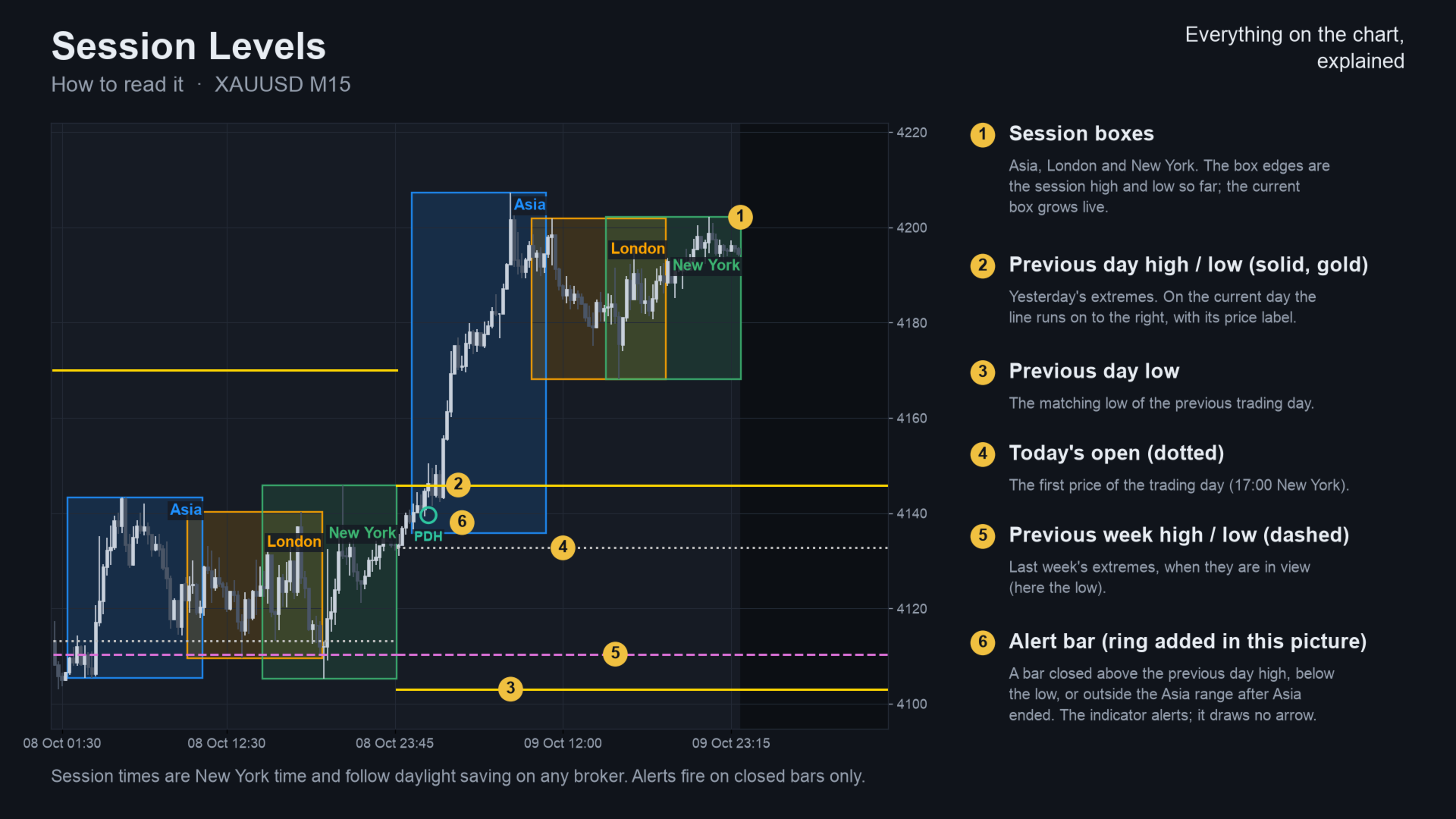
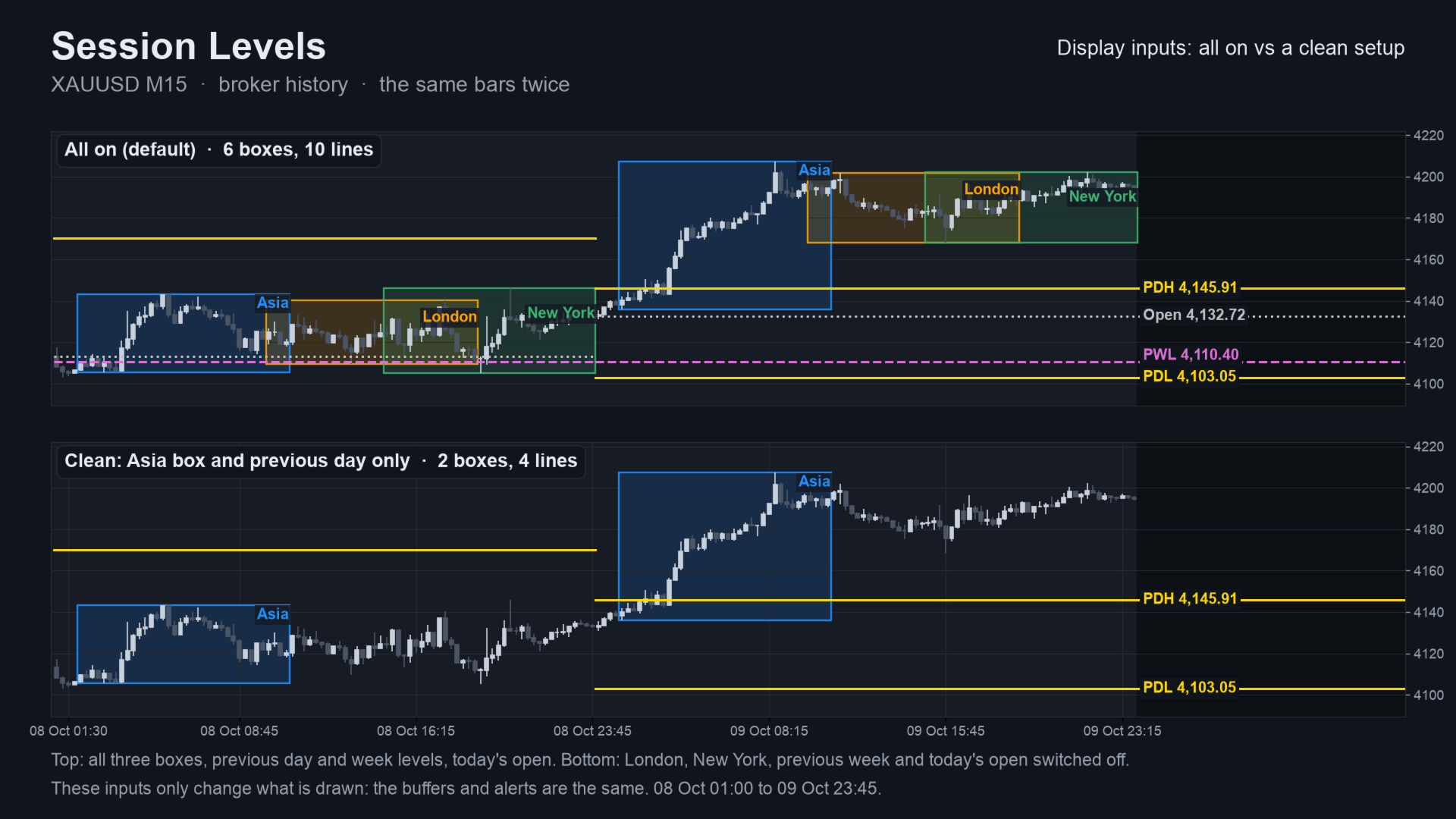
- Three session boxes (Asia, London, New York). The box edges are the session high and low, and the current session grows live.
- Previous day and previous week high and low, as horizontal lines with price labels on the current day.
- Today's open as a line.
- Alerts by pop-up, sound, push or e-mail when a closed bar breaks a level.
How the signals are built
Session times are entered in New York time. The indicator converts each bar from your broker's clock, including daylight saving, so the boxes sit on the same hours on any broker.
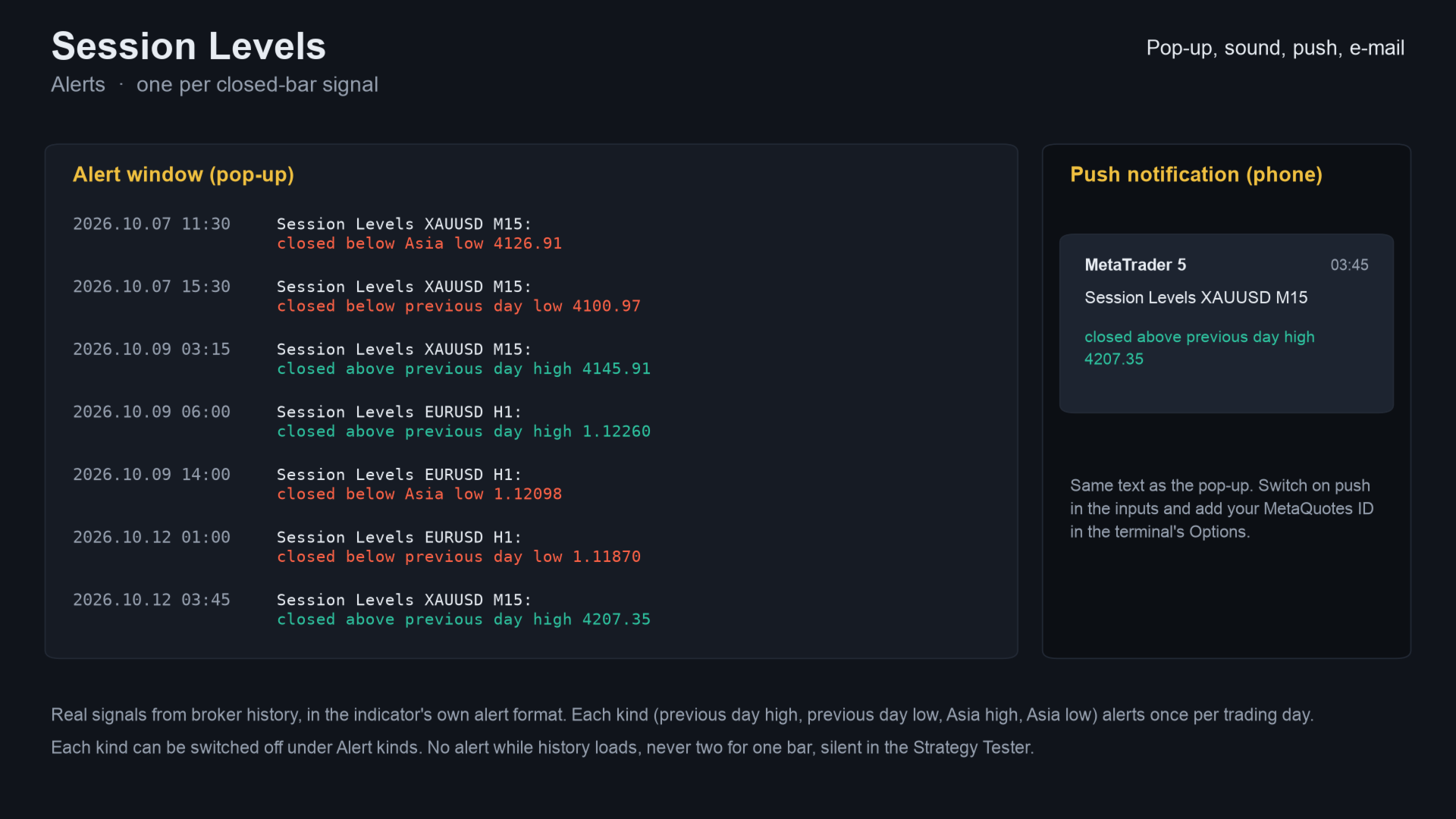
Alerts use closed bars only. They fire on a close above the previous day high or below the previous day low. After the Asia session they also fire on a close above the Asia high or below the Asia low. Each kind fires at most once per trading day. Nothing is sent while the history loads.
Sessions and the open work on M1 to H4. Above H4 the indicator draws only the previous day and week levels.
Who it is for
For traders who mark session ranges and daily or weekly levels by hand and want them drawn automatically, on any symbol.
Not for you if you want buy and sell arrows or an automatic trading system.
Inputs
| Input | Default |
|---|---|
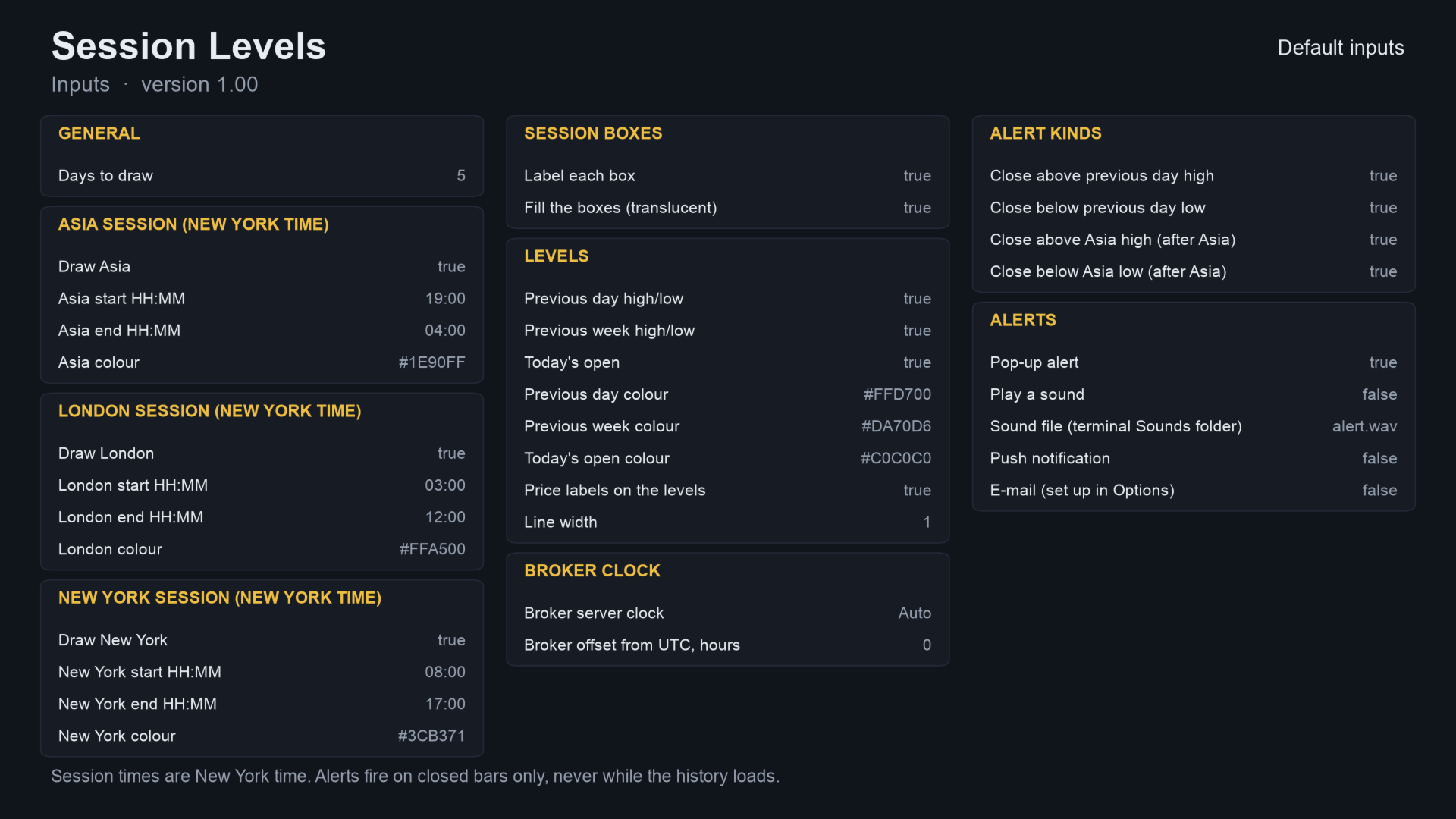
| Days to draw | 5 – how many days get boxes and lines. |
| Show Asia / London / New York | on – draw each session, with its own colour. |
| Session start and end (HH:MM, New York time) | Asia 19:00 to 04:00, London 03:00 to 12:00, New York 08:00 to 17:00. |
| Label each box, Fill the boxes | on – box text and translucent fill. |
| Previous day, previous week, today's open | on – show each level. |
| Price labels, Line width | on, 1 – level labels and line width. |
| Broker server clock | Auto – Auto, New York close, EET, or fixed offset. |
| Broker offset from UTC, hours | 0 – used only with the fixed offset. |
| Alert kinds | all on – previous day high, previous day low, Asia high, Asia low. |
| Pop-up | on; Sound – off (file alert.wav); Push – off; E-mail – off. |
Alerts and Expert Advisor use
An alert reads, for example, "Session Levels EURUSD M15: closed above previous day high 1.0850". For push alerts, set your MetaQuotes ID under Tools, Options, Notifications.
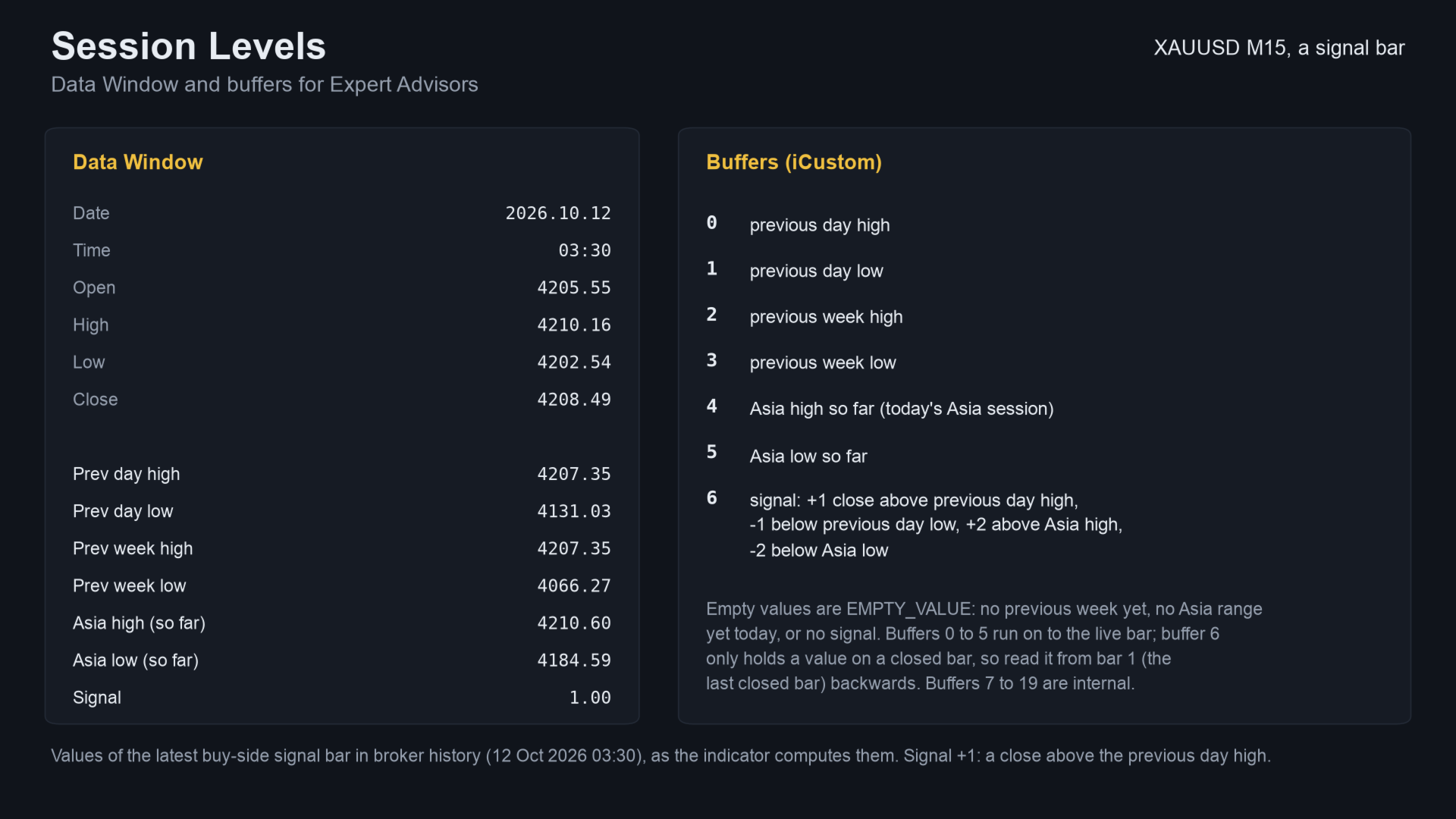
You can read seven buffers with iCustom. They hold the previous day high and low, the previous week high and low, and the Asia high and low so far. The seventh is a signal value: +1 for a close above the previous day high, -1 below the low, +2 above the Asia high, -2 below the Asia low.
How it was checked
- Code check, values: the levels, Asia range and signals were compared with an independent Python calculation. The test used EURUSD, GBPJPY, XAUUSD and BTCUSD at M15, H1 and H4 (24 files, all matched).
- Code check, repaint: an every-tick run on EURUSD H1 used 10.4 million ticks, 4,644 closed bars and 345 signals. 0 signals changed after their bar closed, and 0 appeared on the live bar.
- Strategy Tester runs on EURUSD, XAUUSD and GBPUSD finished with no errors. Screenshots are drawn from the Python twin, not captured from MT5.
Questions
- Does it repaint? The box of the session in progress grows as price moves. Alerts and signal values use closed bars and do not change.
- Do I need to set my broker's time zone? No, Auto detects it. In the Strategy Tester Auto assumes a New York close server, so choose the clock yourself there.
- Does it work in the Strategy Tester? Yes, in visual mode, on any symbol. Without visual mode it skips the drawing and runs fast.
- Does it work on gold and crypto? Yes, on any symbol the broker offers.
- Will I get alerts on my phone? Yes, turn on push notifications in the inputs after setting your MetaQuotes ID.
Related products
- SMC Session Scanner MT5 — scans the same session rules and levels over many symbols and timeframes.
- SMC Zones — order blocks, fair value gaps and BOS / CHoCH lines on the same chart.
- Prior Day Breakout — an Expert Advisor that trades the break of the previous-day high or low. It computes the levels itself.
- All my products on MQL5
If it helps your trading, a short review on this page helps other traders find it.
Questions: use the comments on this page or send me a message on MQL5.
The defaults are a starting point. An indicator does not predict price, and trading carries a risk of loss.