PrimeEntry44
- Experts
- 버전: 5.2
- 업데이트됨: 6 11월 2026
- 활성화: 5

Let’s be honest about something most trading robots won’t tell you: no single trade matters that much.
Any trade can lose, whether a robot or a person placed it. Markets spike on news, levels break that “shouldn’t” break, and good setups sometimes fail. If you judge a trading system trade by trade, you’ll spend your days on an emotional rollercoaster and probably switch it off at exactly the wrong moment.
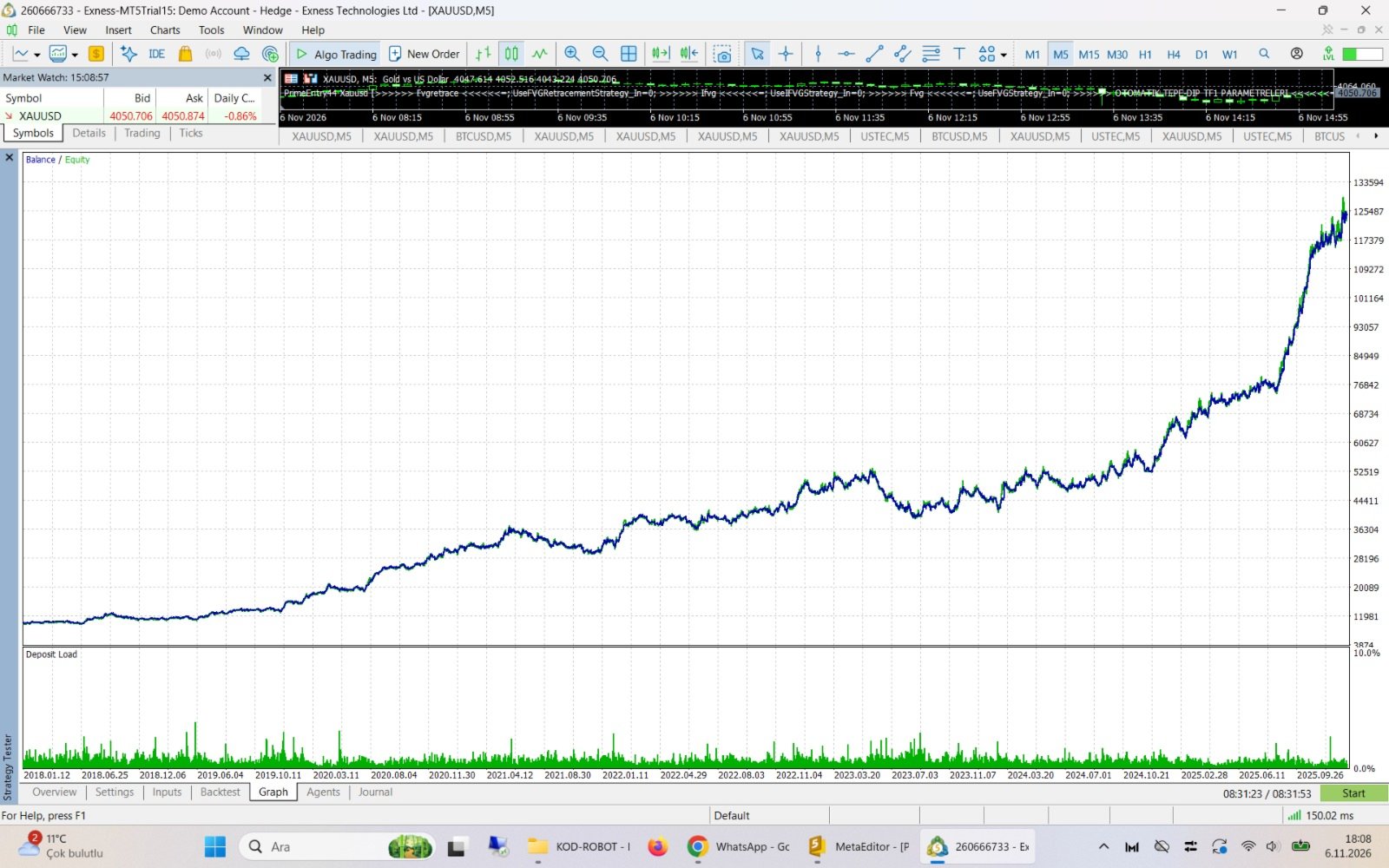
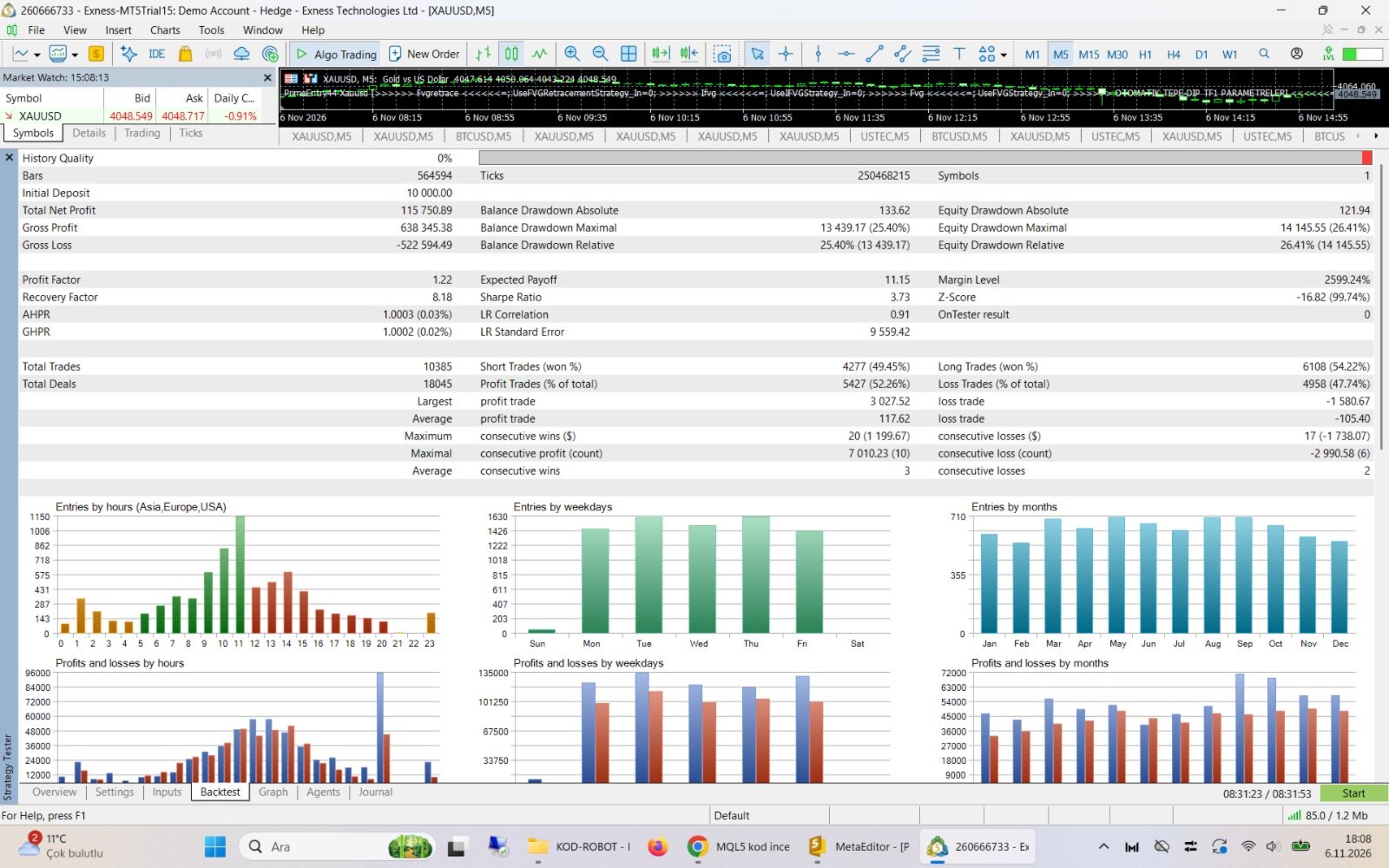
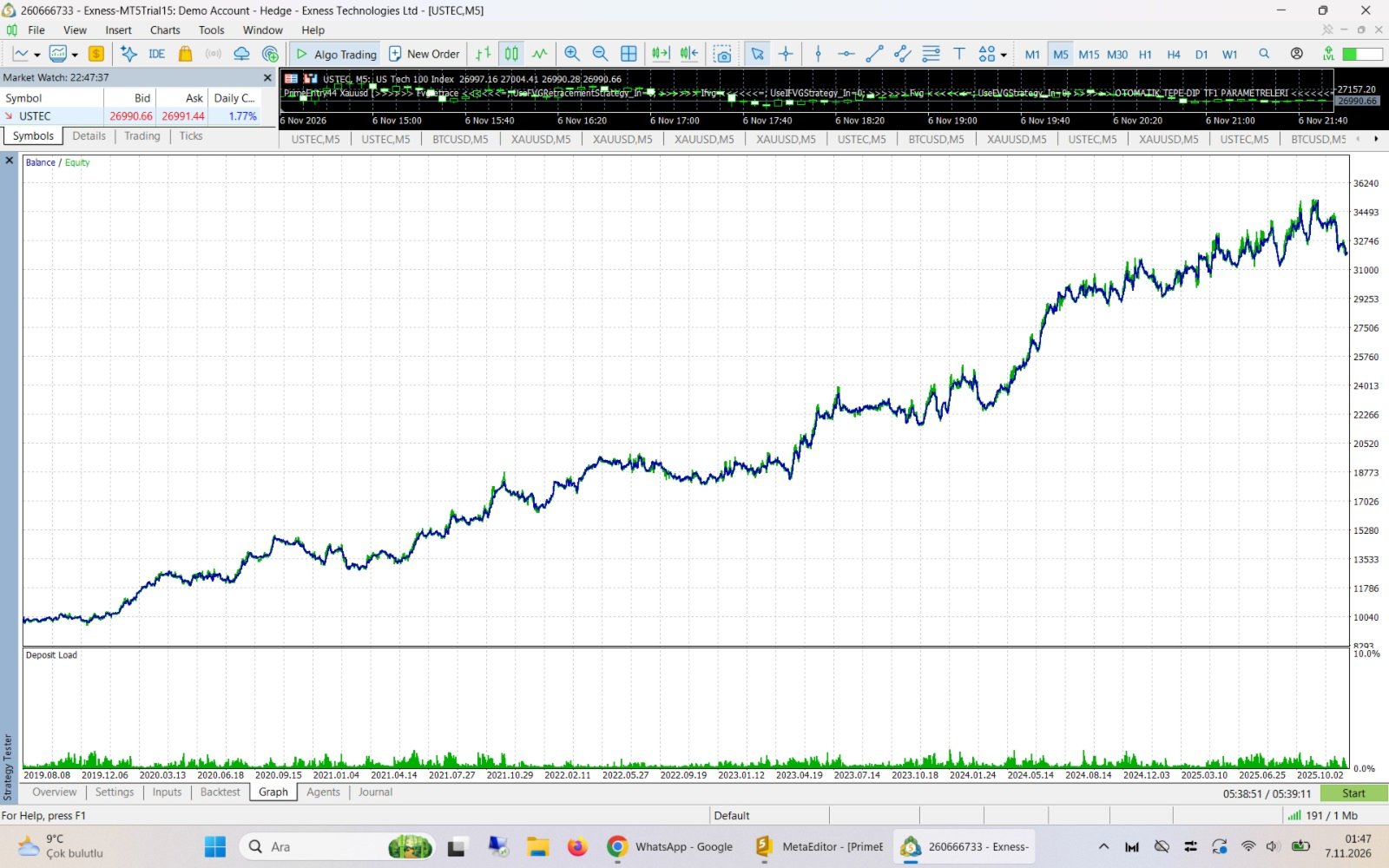
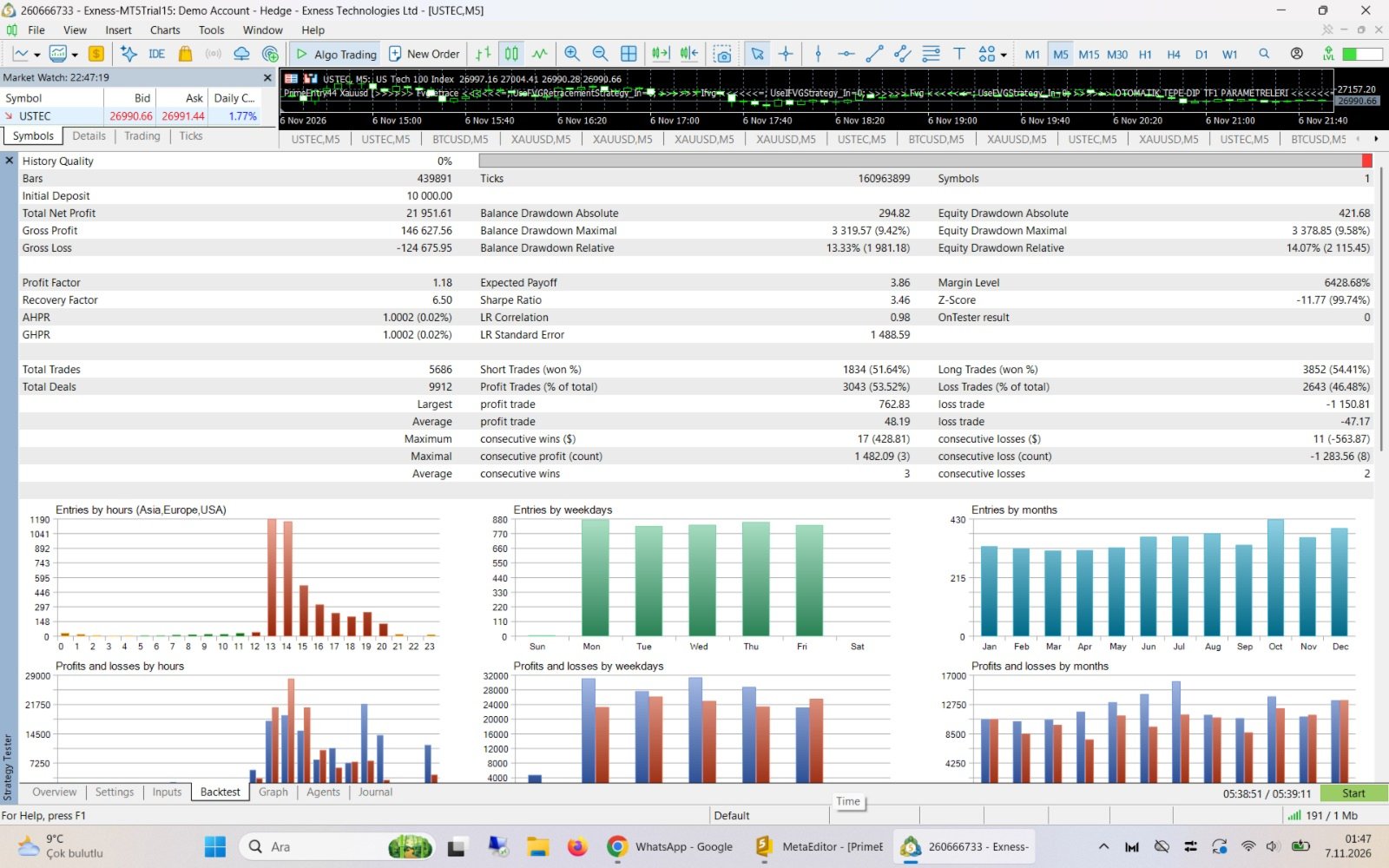
PrimeEntry44 was built on a different idea. Judge it by the week. Judge it by the month. That’s where the design shows.
Why weekly and monthly?
Most EAs depend on one idea. When that idea works, everything looks great. When the market changes character, the whole system suffers together, and the account feels it.
PrimeEntry44 works the other way. Inside it is a library of independent price action setups, each looking at the market from its own angle, on its own timeframe and in its own session. Some like strong trending days, some like quiet ranges, and some only wake up a few times a month. They don’t all win or lose on the same days.
That’s the point. One setup may have a bad Tuesday while another is having a good Thursday. Over a full week, and even more over a month, results come from the combined behavior of many uncorrelated ideas rather than one bet on one pattern. You get a smoother path and a system you can actually live with.
Developed on long history, not a lucky stretch
PrimeEntry44 wasn’t tuned on last year’s chart and shipped. Its logic was developed and checked on more than 15 years of market data, split into separate periods with very different conditions: calm years, violent years, strong trends and long sideways phases. An idea had to hold up beyond the period it was chosen in to earn a place in the system. Many promising ideas didn’t make it, and that discipline is what you’re buying.
Plug in, choose your symbol, done
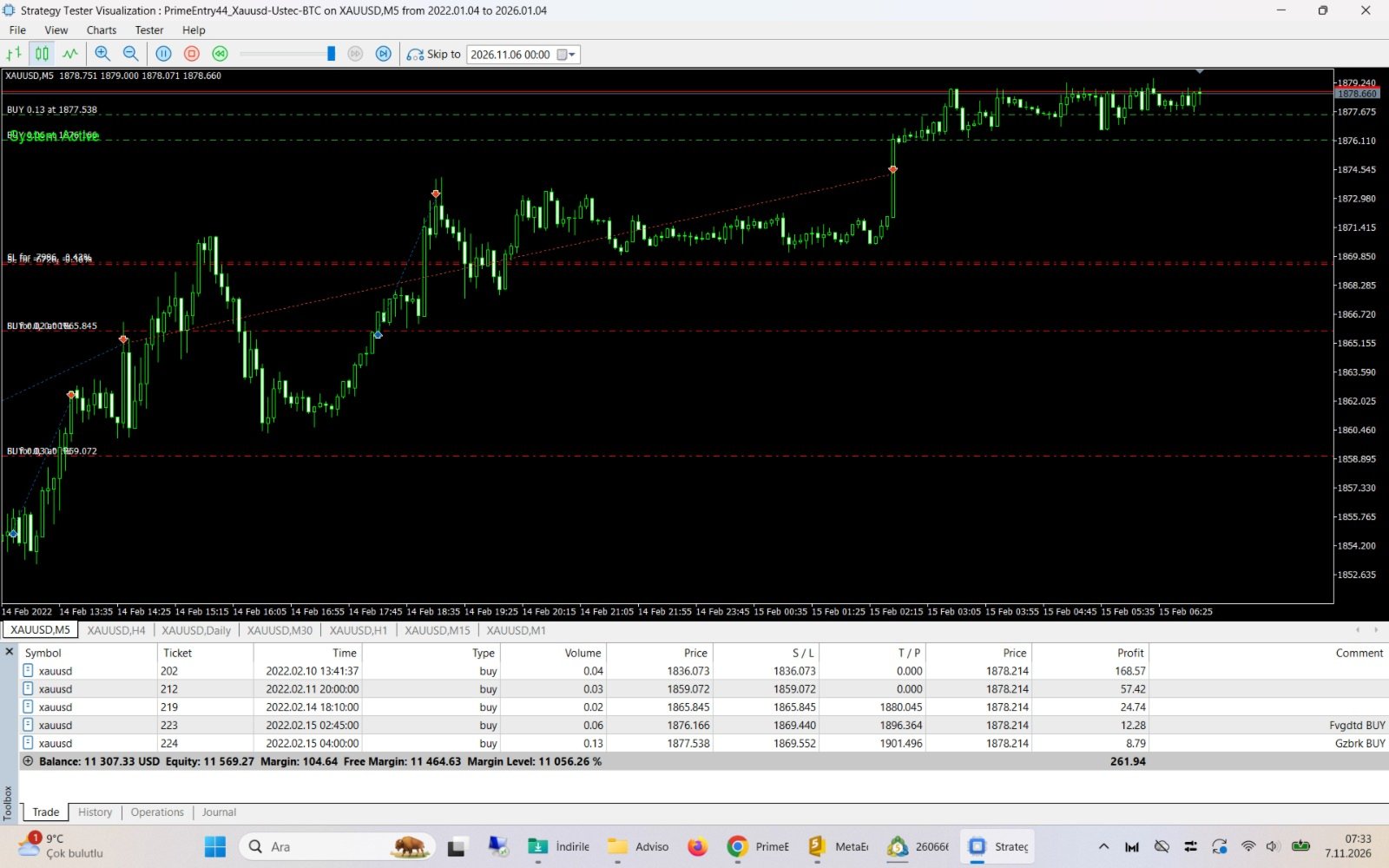
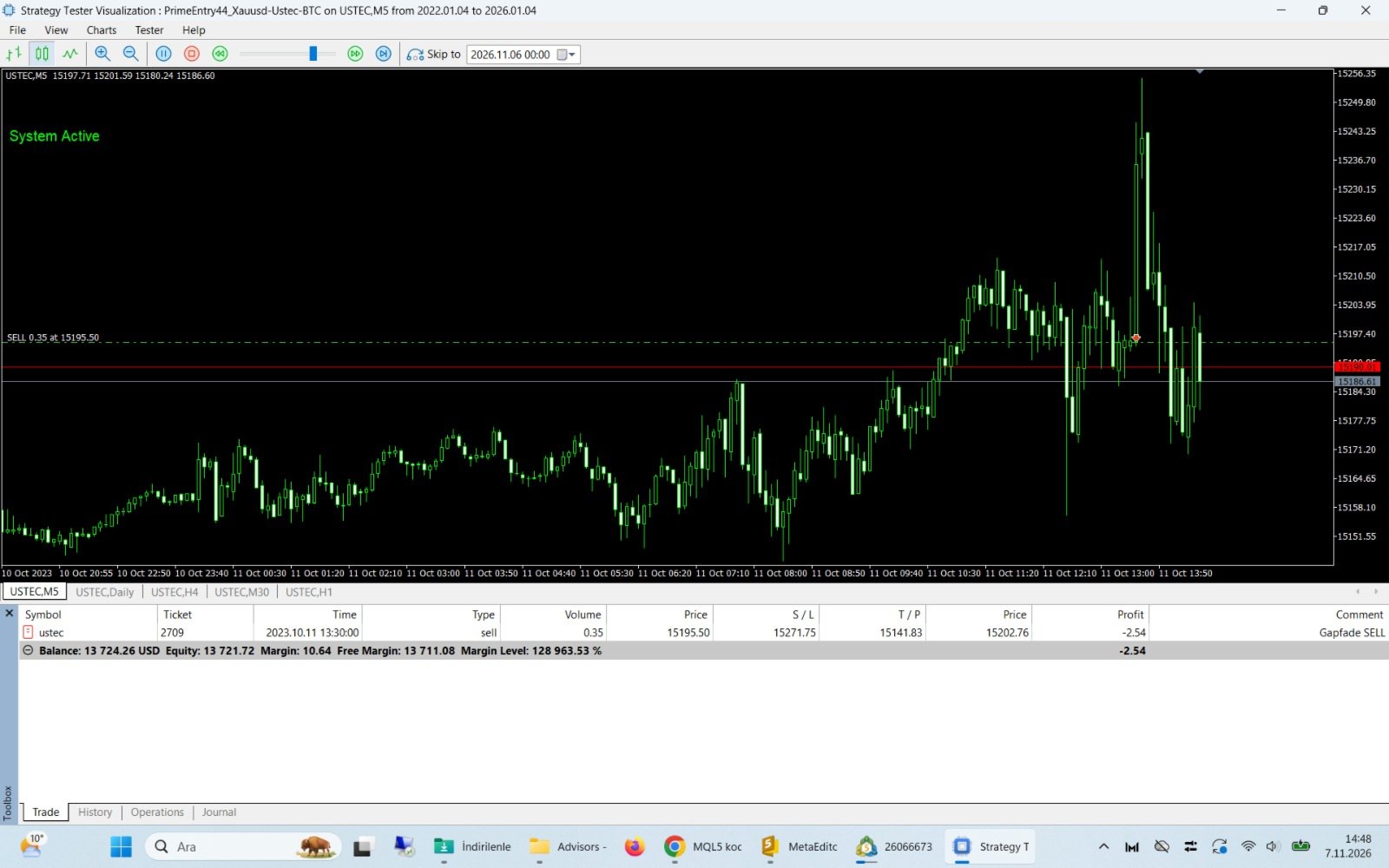
- XAUUSD (Gold), USTEC / NAS100 / US100 and BTCUSD on the M5 chart.
- No set files. PrimeEntry44 reads the symbol name and loads the profile built for that instrument. Gold behaves like gold and the Nasdaq behaves like the Nasdaq, and the EA knows the difference.
- Broker time detected automatically. On a live account the EA finds the offset between your broker’s server time and GMT by itself, and adjusts when your broker switches between summer and winter time. New York and London session times and major news times are also adjusted automatically for US and UK daylight saving time. No need to change settings twice a year.
- Attach it to the chart and let it work.
Backtest note: The Strategy Tester has no real clock, so the EA assumes a server offset of 0 there. If you backtest on a broker with GMT+2/+3 server time, set “Server GMT Offset” to Manual, the value to 2, and the US DST option to true. No change is needed for GMT+0 brokers. On a live account, leave it on Auto.
Risk management that thinks about the whole account
Good weekly and monthly results don’t only come from good entries. They come from not letting a bad day become a bad month. PrimeEntry44 has several protection layers built in:
- Risk-based position sizing: every trade is sized from your chosen risk percentage and its own stop distance.
- Daily loss limit: after a rough day, the EA stops opening new trades on that symbol until tomorrow.
- Total open risk cap: the combined risk of open positions is controlled, so trades can’t quietly stack up.
- High-impact news protection: around major US releases (payrolls, CPI, Fed decisions) the EA avoids new entries and can close sensitive positions before the event. News times are taken automatically from the MetaTrader 5 economic calendar and refreshed regularly.
- Partial profit taking: part of the position can be locked in on the way to target, with the rest protected.
- Spread protection: no entries when the spread is abnormally wide.
- Your choice on small balances: on a small account even the minimum lot can carry more risk than planned. By default the EA still opens the trade with the minimum lot, so no opportunity is missed. If you prefer, a single setting makes it skip trades whose risk can’t be met.
You set one main risk figure, and every internal component scales with it.
Quiet, reliable, low maintenance
PrimeEntry44 is made to run for months without babysitting:
- A clean chart showing the trades it opened and a compact status panel.
- Automatic retry on temporary order errors such as requotes or brief disconnections.
- Restart-safe: the EA regularly saves its pending setups and system state. When you change a parameter, your VPS restarts or you close and reopen the terminal, setups resume where they left off and no opportunity is reset. If the EA was off for a long time, it plays safe and starts fresh. You decide how long that period is.
- English and Turkish interface.
- Manual trade supervision (optional) if you like to trade alongside the EA.
Who is PrimeEntry44 for?
It suits traders who:
- think in weeks and months rather than minutes,
- want a diversified, rules-based system instead of a single-pattern bet,
- value controlled risk over excitement,
- want something they can install once and leave running on a VPS.
It’s probably not for you if you want a trade every five minutes or expect every day to end green. No honest system can promise that, and PrimeEntry44 doesn’t try.
⚠ Important: Use a Hedging Account
PrimeEntry44 is designed for Hedging accounts. Its strategies work independently, and on a hedging account each one can manage its own position on the same symbol at the same time, with its own stop loss, take profit and partial close.
What happens on a Netting account?
The EA will still run, but MetaTrader allows only one position per symbol on netting accounts. So:
- While one position is open, new signals on that symbol are skipped.
- Many trades the system would normally take are missed, so results can be significantly different from those on a hedging account.
- Backtests run on a netting account do not show how the EA really performs.
How to check your account type
In MetaTrader 5 the account type is shown in the Navigator window and on your broker’s account page. Most brokers offer hedging accounts. If yours is netting, ask your broker to open a hedging account.
For the intended behavior, always use a Hedging account, both for testing and live trading.
Recommendations
- Symbols: XAUUSD, USTEC (NAS100/US100) or BTCUSD, M5 timeframe
- Minimum deposit: 5,000 USD for XAUUSD (10,000 recommended), 1,000 USD for USTEC (2,000 recommended), 2,000 USD for BTCUSD (4,000 recommended)
- Account type: Hedging required for intended behavior (on Netting accounts only one position per symbol is opened and results will differ)
- Server GMT Offset: Auto on live accounts (default). For backtests on GMT+2/+3 brokers: Manual = 2 and US DST = true
- Your VPS clock and time zone must be set correctly
- A low-spread broker and a VPS are recommended
- Please test on a demo account first and get to know how it behaves over several weeks before going live
Final word
PrimeEntry44 isn’t about the thrill of one trade. It’s about what happens when many disciplined, independent ideas work together, week after week and month after month, under strict risk control.
Give it time and look at the bigger picture. That’s where it’s meant to be judged.