HorizonMT5
- 지표
-
Lasse Mathias Baagoe S Christensen
 I code what I trade.
I also teach how I trade.
______________________________________
Trading Experience: 5 years.
CEO: Powered Traders & Deep Traders.
Tools & chart inspiration. 👇🏽 - 버전: 1.0
How to Read Horizon
Horizon is designed to give you a structured overview of the market from one H1 chart.
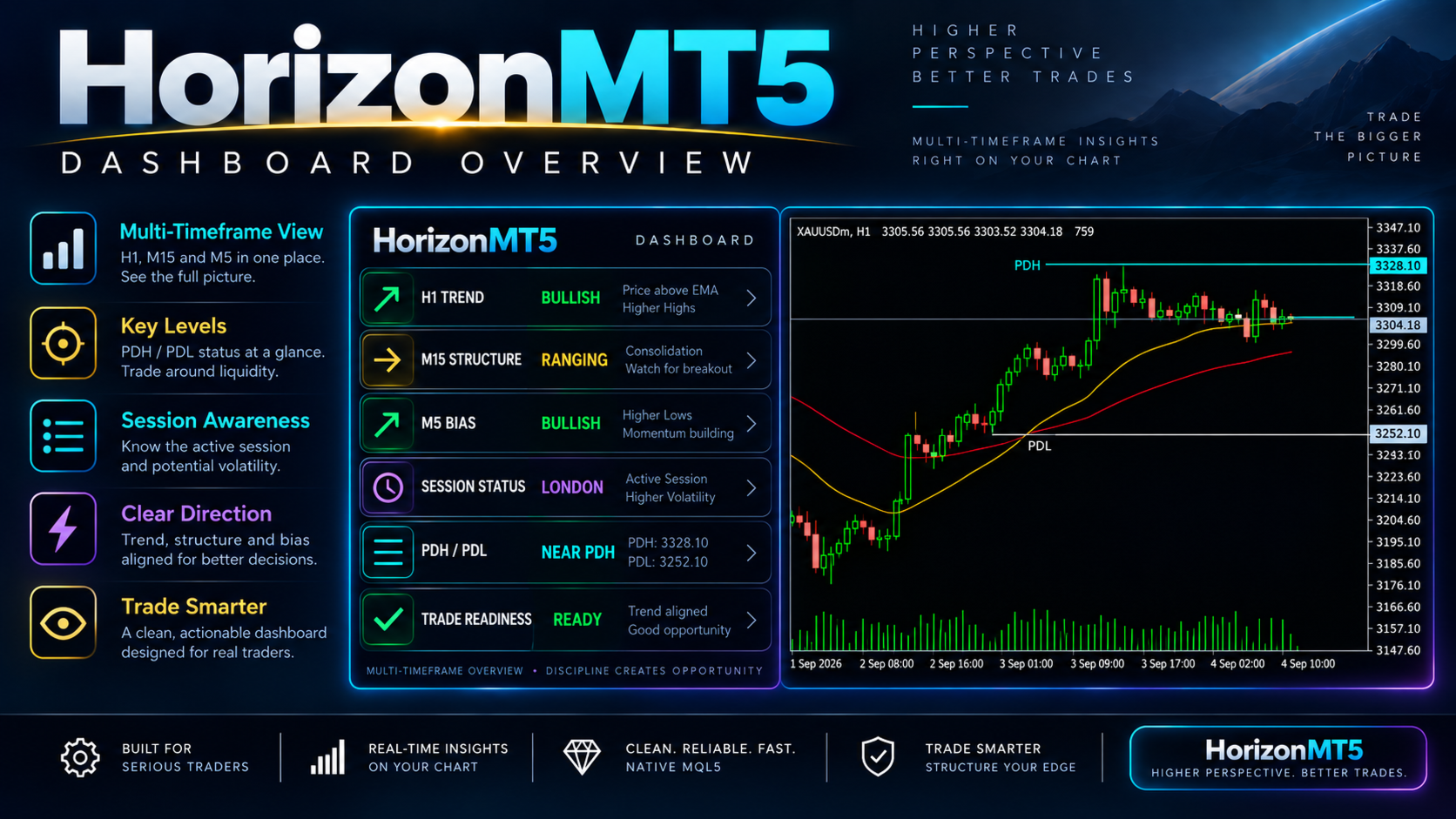
The multi-timeframe dashboard allows you to compare direction across:
-
M5
-
M15
-
M30
-
H1
-
H4
-
D1
This makes it easier to see whether shorter and higher timeframes are generally aligned or showing mixed conditions.
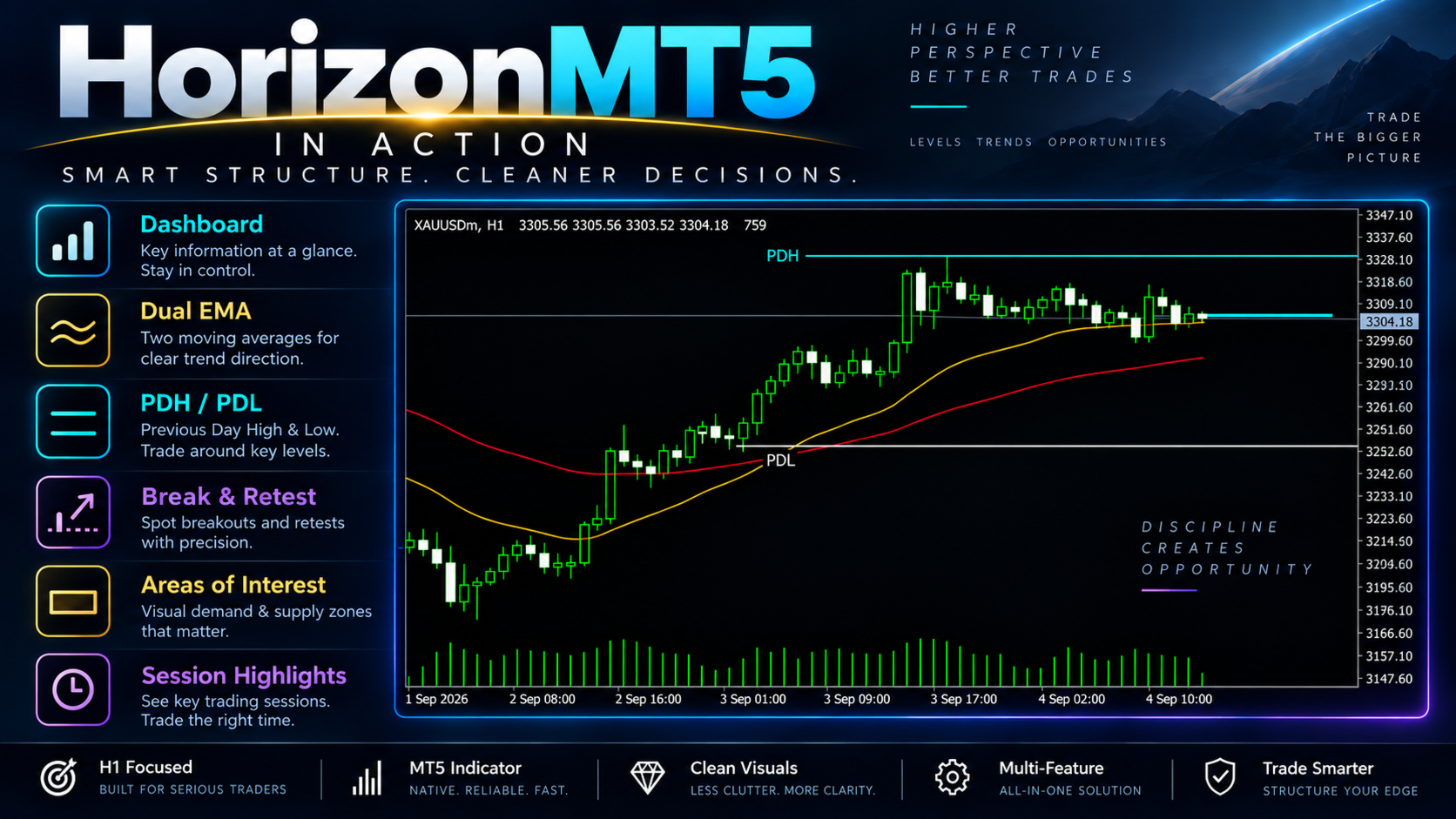
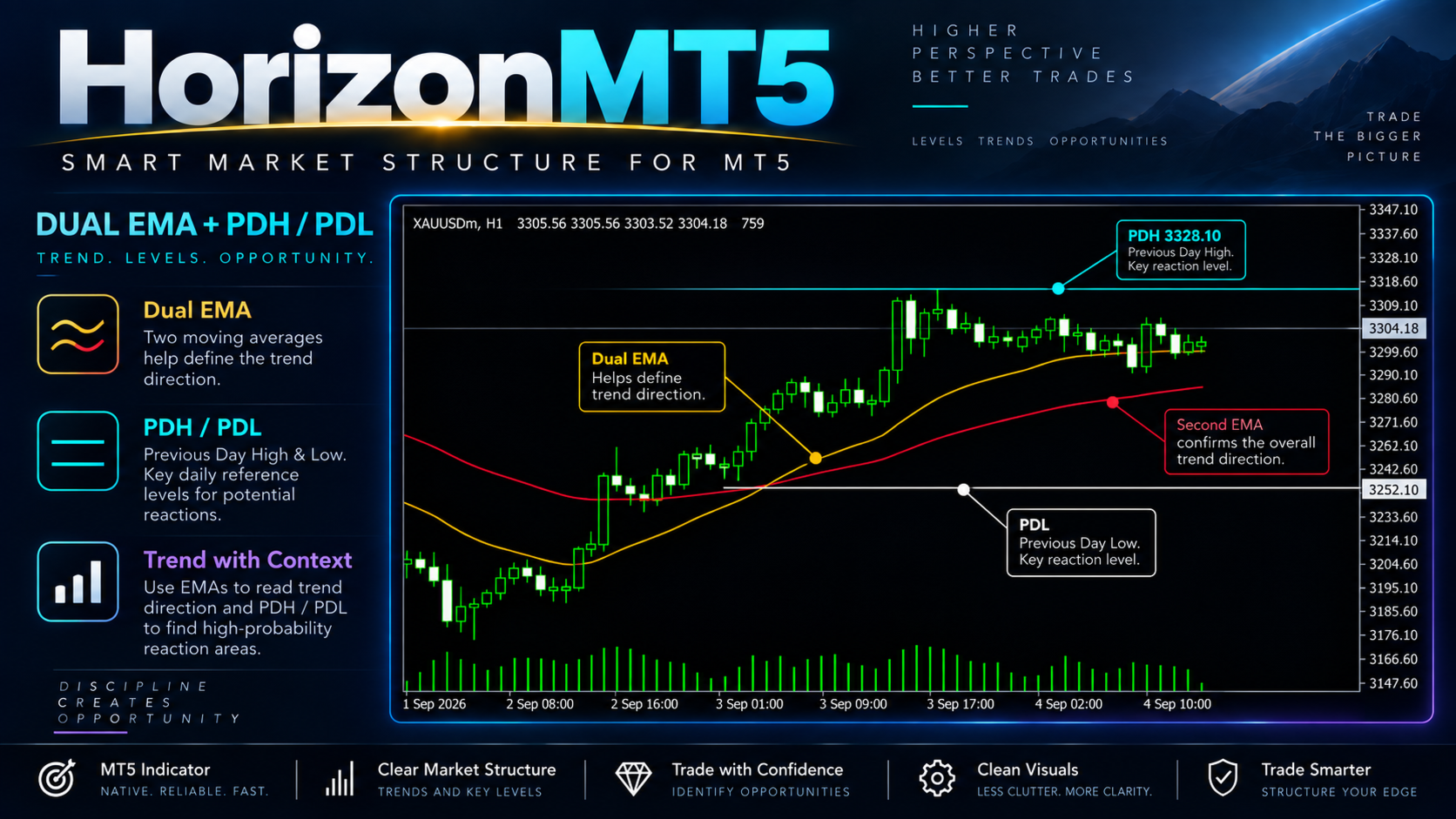
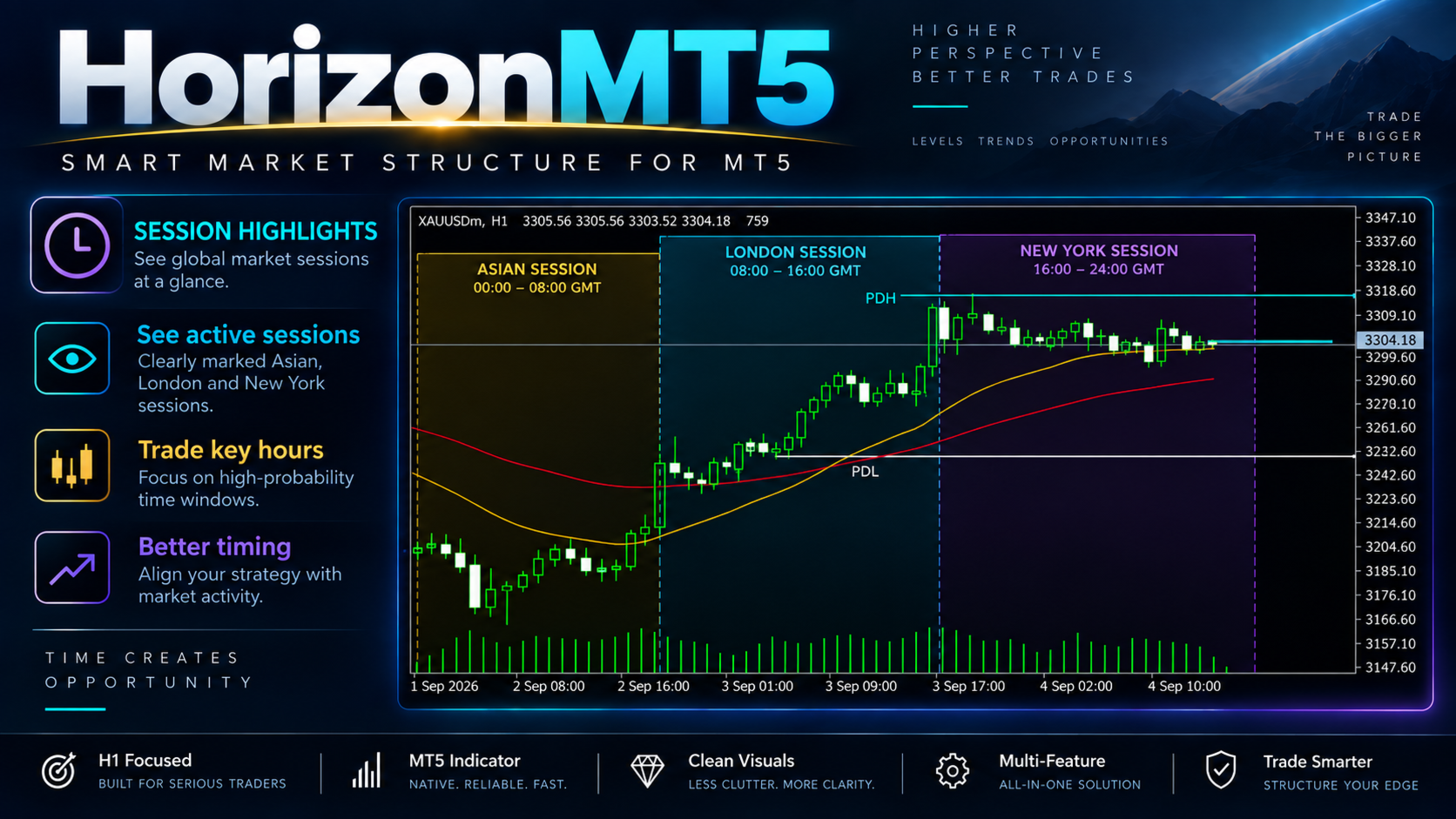
The two moving averages provide additional directional context directly on the chart, while Previous Day High and Previous Day Low provide important daily reference levels.
The session display also helps you see whether the market is currently trading during London, New York, the overlap, or Asian / off-hours.
Why Horizon Uses H1
Horizon is intentionally designed around the H1 chart.
The indicator performs its main analysis on H1 and remains inactive when attached to another chart timeframe.
This keeps the indicator focused on one consistent working environment instead of changing its core behaviour depending on the chart timeframe.
For the intended Horizon experience, use it on H1.
Multi-Timeframe Market View
One of Horizon's main features is the ability to view several timeframe directions from one dashboard.
Instead of repeatedly switching between charts, you can monitor the current directional state of M5, M15, M30, H1, H4 and D1 from the H1 workspace.
This can help you quickly identify situations where:
-
Several timeframes point in the same direction
-
Short-term direction differs from higher-timeframe direction
-
The market is showing mixed conditions
The dashboard is intended to provide context, not an automatic trade instruction.
Moving Average Context
Horizon displays two adjustable moving averages directly on the chart.
The default configuration uses:
-
21 EMA
-
50 EMA
These moving averages provide a simple visual reference for current price direction and trend structure.
The settings can be adjusted if you prefer different moving-average parameters.
Previous Day High & Low
Horizon displays:
-
Previous Day High
-
Previous Day Low
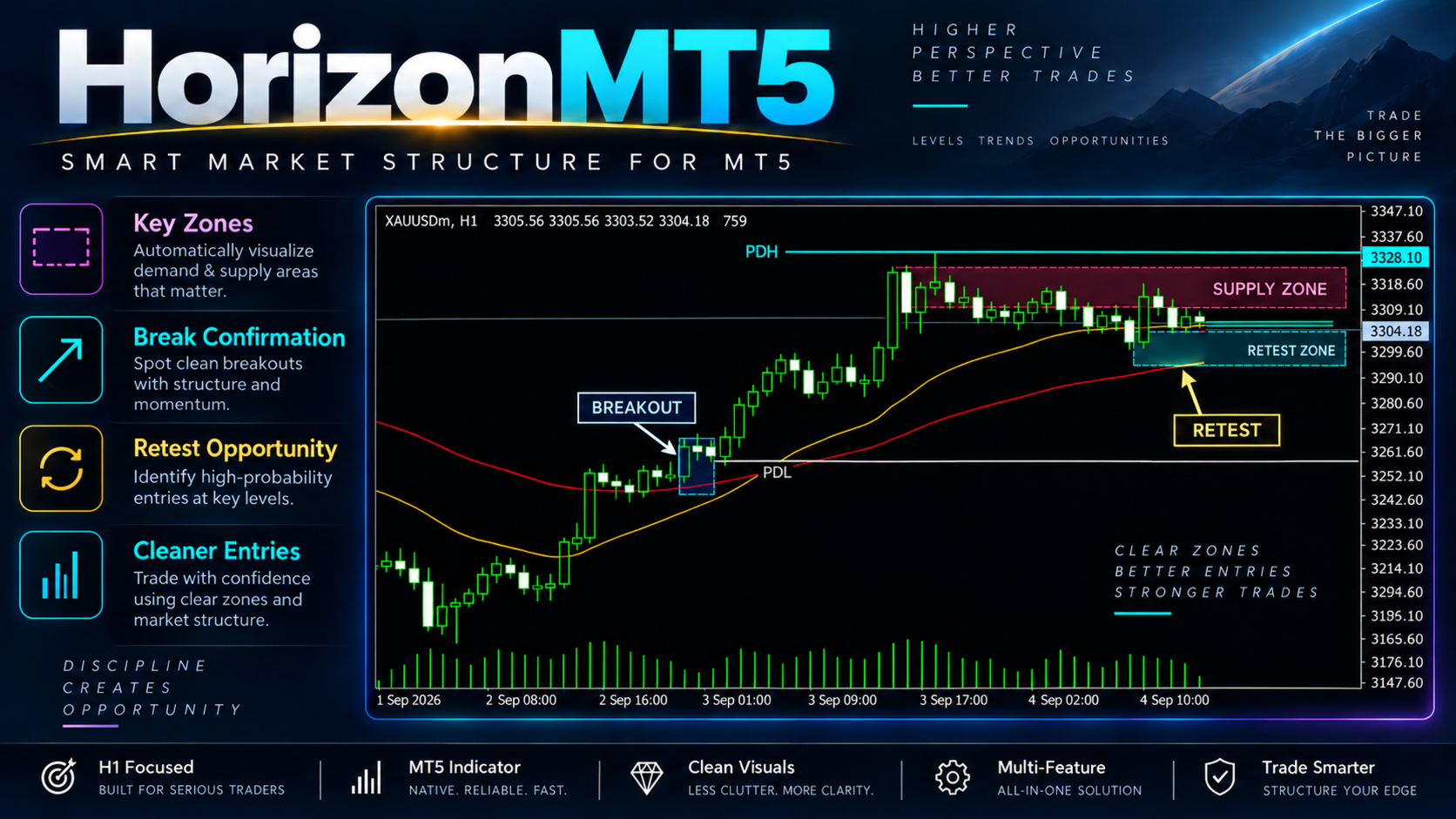
These levels provide additional daily market context directly on the chart.
They can be used as reference points when analysing where current price is trading relative to the previous day's range.
Trading Session Context
The Horizon dashboard displays the current trading session.
Supported session states include:
-
London
-
New York
-
London / New York overlap
-
Asian / off-hours
This gives you additional context about when the current market movement is taking place without needing a separate session indicator.
One H1 Workspace
Horizon brings several useful pieces of market information together in one place:
-
Multi-timeframe direction
-
Two moving averages
-
Previous Day High
-
Previous Day Low
-
Current trading session
The goal is to reduce the need for several separate indicators while keeping the chart clean and easy to read.
Horizon provides the context. You make the trading decision.
What Horizon Does Not Do
-
Does not open trades automatically
-
Does not close trades automatically
-
Does not manage live positions
-
Does not manage Stop Loss or Take Profit
-
Does not calculate your position size
-
Does not replace your own entry rules
-
Does not guarantee market direction
Horizon is built as a market-analysis workspace for manual traders.
Horizon MT5 in Short
-
H1 Market Analysis
-
M5 to D1 Multi-Timeframe View
-
21 EMA + 50 EMA by Default
-
Adjustable Moving Averages
-
Previous Day High & Low
-
London Session
-
New York Session
-
London / New York Overlap
-
Forex, Gold, Indices & Crypto
-
Compact Dashboard
-
Clean Chart Design
-
Manual Trading Only
SEE THE MARKET FROM ABOVE.
Testing Horizon
Attach Horizon to an H1 chart of the market you want to analyse.
When testing the indicator, pay attention to:
-
How different timeframes align
-
How price behaves around the moving averages
-
Previous Day High and Low
-
Changes between trading sessions
-
How the information fits your own trading approach
Different symbols can behave differently, so Horizon should be evaluated on the markets you personally intend to trade.
Important Information
Horizon MT5 is a technical market-analysis indicator.
It does not provide guaranteed trade entries, profitable signals or guaranteed future market direction.
The displayed timeframe direction, moving averages, session information and daily levels are intended as analytical references.
Always combine Horizon with your own market analysis, trading plan, position sizing and risk management.
Trading leveraged financial products involves substantial risk and can result in loss of capital.
Historical market behaviour does not predict future performance.
For product questions or support, use the MQL5 product comments or MQL5 messaging system.