EA Scalping Robot VantaPulse
- Experts
- 버전: 1.6
- 활성화: 5

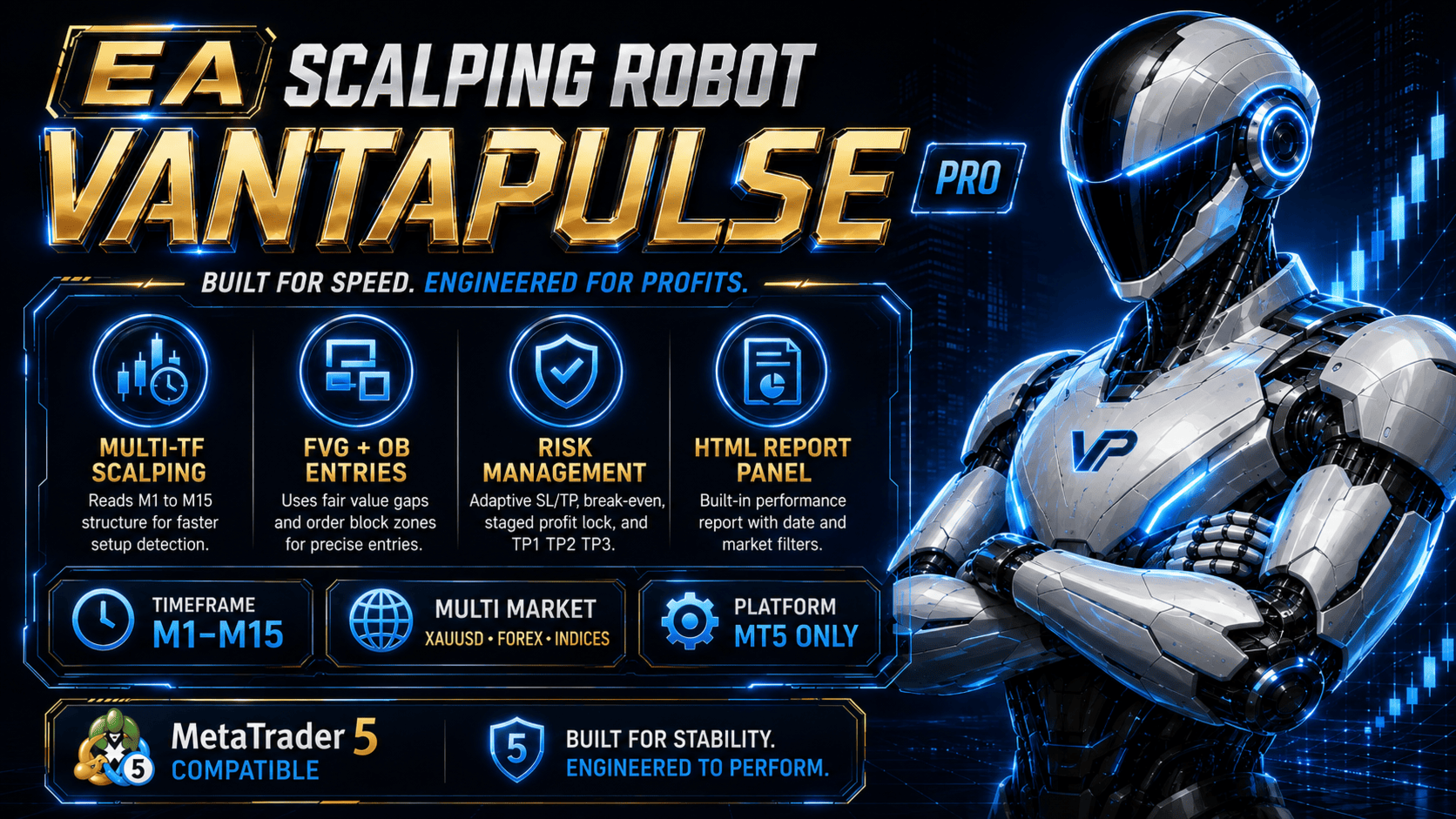
EA Scalping Robot VantaPulse is a multi-market scalping Expert Advisor for MetaTrader 5 that combines market structure, price zones, multi-timeframe analysis and adaptive trade management.
The Expert Advisor automatically scans supported instruments, evaluates trading conditions and manages every opened position according to its individual trading plan.
Trading Approach
VantaPulse combines several market components before creating a trading setup:
- Higher-timeframe trend and directional context
- Market structure and swing analysis
- Break of Structure and Change of Character
- Supply and demand areas
- Order Block zones
- Fair Value Gap zones
- Price reaction and displacement
- Volatility and spread conditions
- Entry quality scoring
- Structural Stop Loss and target planning
A trade is opened only when the active conditions meet the configured entry requirements. The strategy does not rely on one indicator alone.
Multi-Timeframe Analysis
The Expert Advisor uses lower timeframes for entry detection and higher timeframes for trend and market context.
The automatic timeframe engine can evaluate:
- M1 for lower-timeframe price reaction
- M5 for the main scalping setup
- M15 for structure and directional confirmation
- Higher timeframes for broader market bias when required
The chart timeframe does not need to be the same as the active signal timeframe. The current signal timeframe is displayed on the cockpit panel.
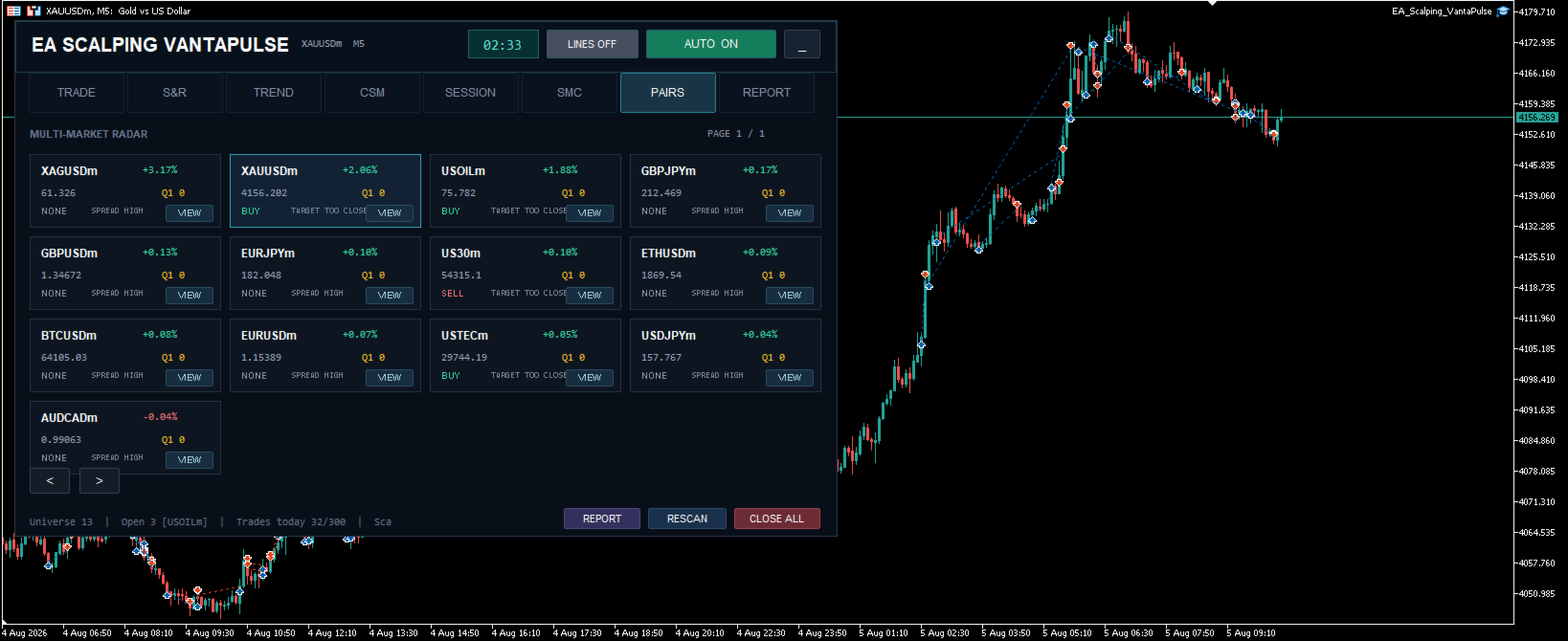
Multi-Market Scanner
VantaPulse can scan multiple instruments from one chart.
Supported market categories may include:
- Forex
- Gold and other metals
- Stock indices
- Energy instruments
- Cryptocurrency CFDs
Instrument availability depends on the broker.
The built-in symbol resolver can detect broker-specific names and suffixes. Examples include:
- XAUUSD, XAUUSDm or GOLD
- US30, US30m or WallStreet
- USTEC, NAS100 or US100
- USOIL, WTI or XTIUSD
- BTCUSD, BTCUSDm or broker-specific variants
A manual symbol mapping option is also available for brokers that use uncommon instrument names.
Entry Engine
The entry engine can evaluate several types of market opportunities:
- Trend continuation
- Pullback and retest
- Supply or demand reaction
- Order Block reaction
- Fair Value Gap reaction
- Structure breakout
- Breakout retest
- Liquidity reaction
- Early zone reaction when the configured conditions are satisfied
Each setup receives an entry score. The minimum score and confirmation requirements can be adjusted through the input settings.
Risk and Trade Management
Every position is opened with a defined Stop Loss and target plan.
The management system includes:
- Structure-based Stop Loss placement
- ATR-aware Stop Loss distance
- Spread-aware order protection
- TP1, TP2 and TP3 target planning
- Minimum risk-to-reward filtering
- Break-even management
- Staged profit locking
- Stop Loss movement after target milestones
- Optional trailing management
- Target front-run adjustment
- Maximum spread filter
- Maximum open-position limits
- Fixed-lot and risk-based volume options
When TP1 is reached, the EA can move the Stop Loss toward break-even according to the selected settings.
When TP2 is reached, the EA can move the Stop Loss toward the TP1 level.
Every open position is managed independently using its position identifier. Opening a new trade on the same symbol does not intentionally stop management of an earlier position.
Note: Multiple simultaneous positions on the same symbol require an MT5 hedging account.
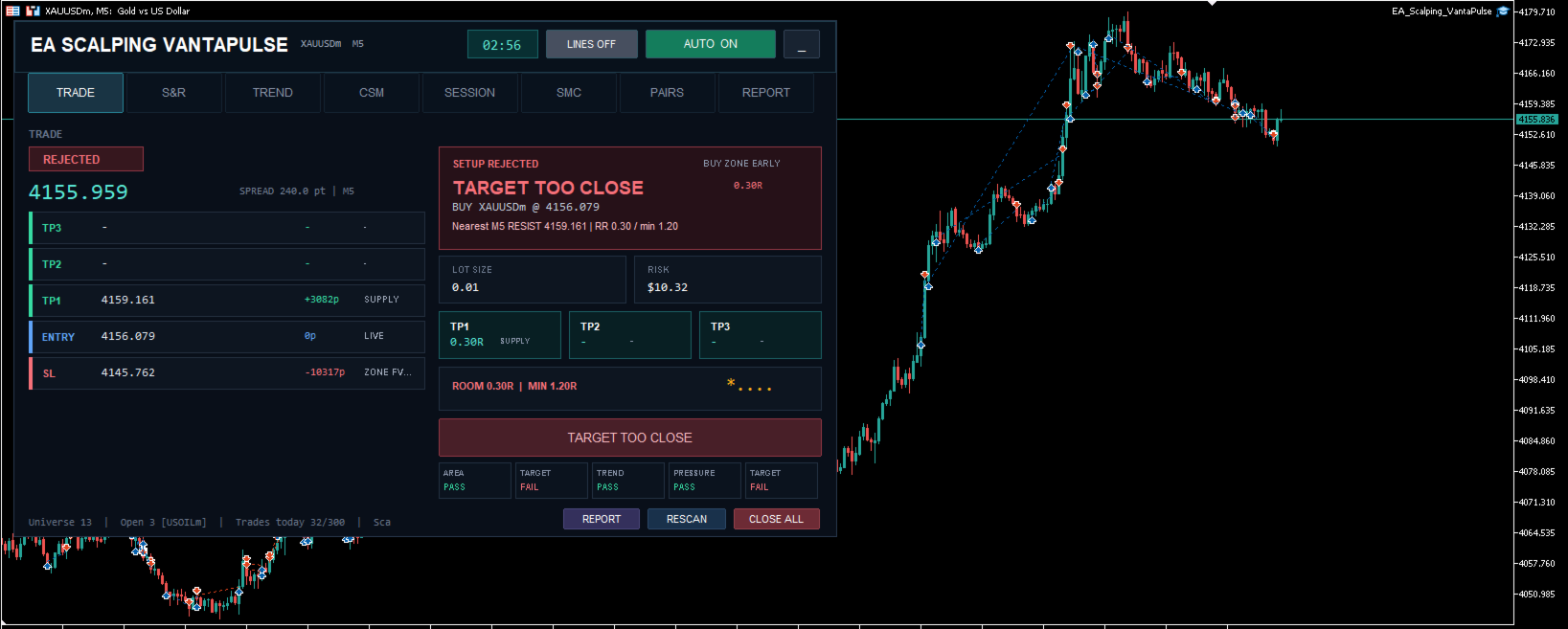
On-Chart Cockpit
The built-in cockpit provides access to the main monitoring and control functions.
Available sections include:
- Trade status and active position plan
- Support and resistance monitoring
- Trend analysis
- Currency strength monitoring
- Trading-session information
- Market structure and zone analysis
- Multi-market scanner
- Performance report panel
The panel can display:
- Current entry price
- Active Stop Loss
- TP1, TP2 and TP3 levels
- Current trade score
- Open-position status
- Break-even status
- Stop Loss lock stage
- Trailing status
- Current signal timeframe
Analysis drawings can be shown or hidden without removing the Expert Advisor from the chart.
HTML Performance Report
VantaPulse includes a local HTML reporting system for trades opened by the Expert Advisor.
The report panel supports:
- From-date and to-date selection
- Calendar-based date filtering
- Market dropdown filter
- All-markets selection
- Closed-trade count
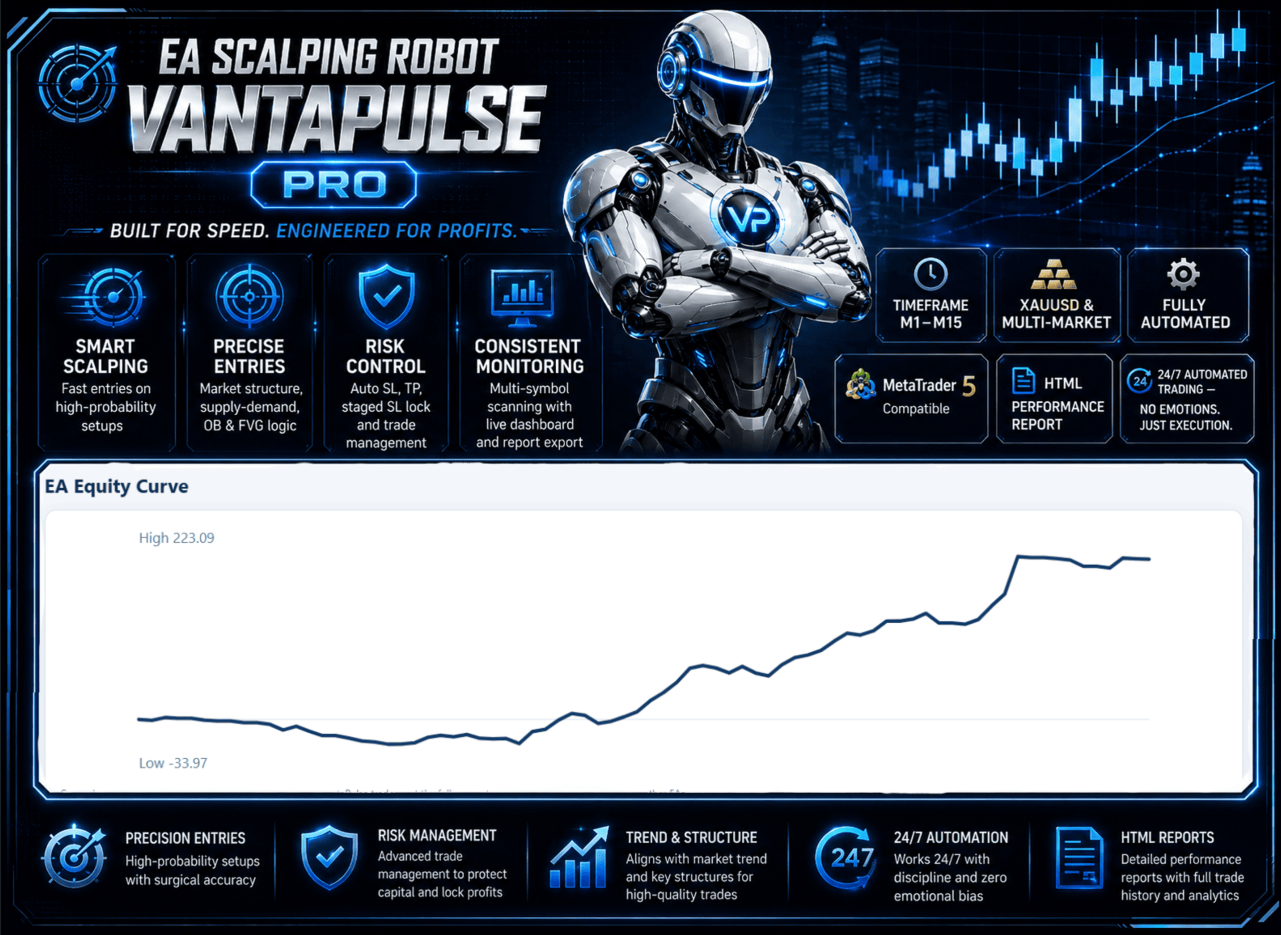
- Net trading result
- Win-rate calculation
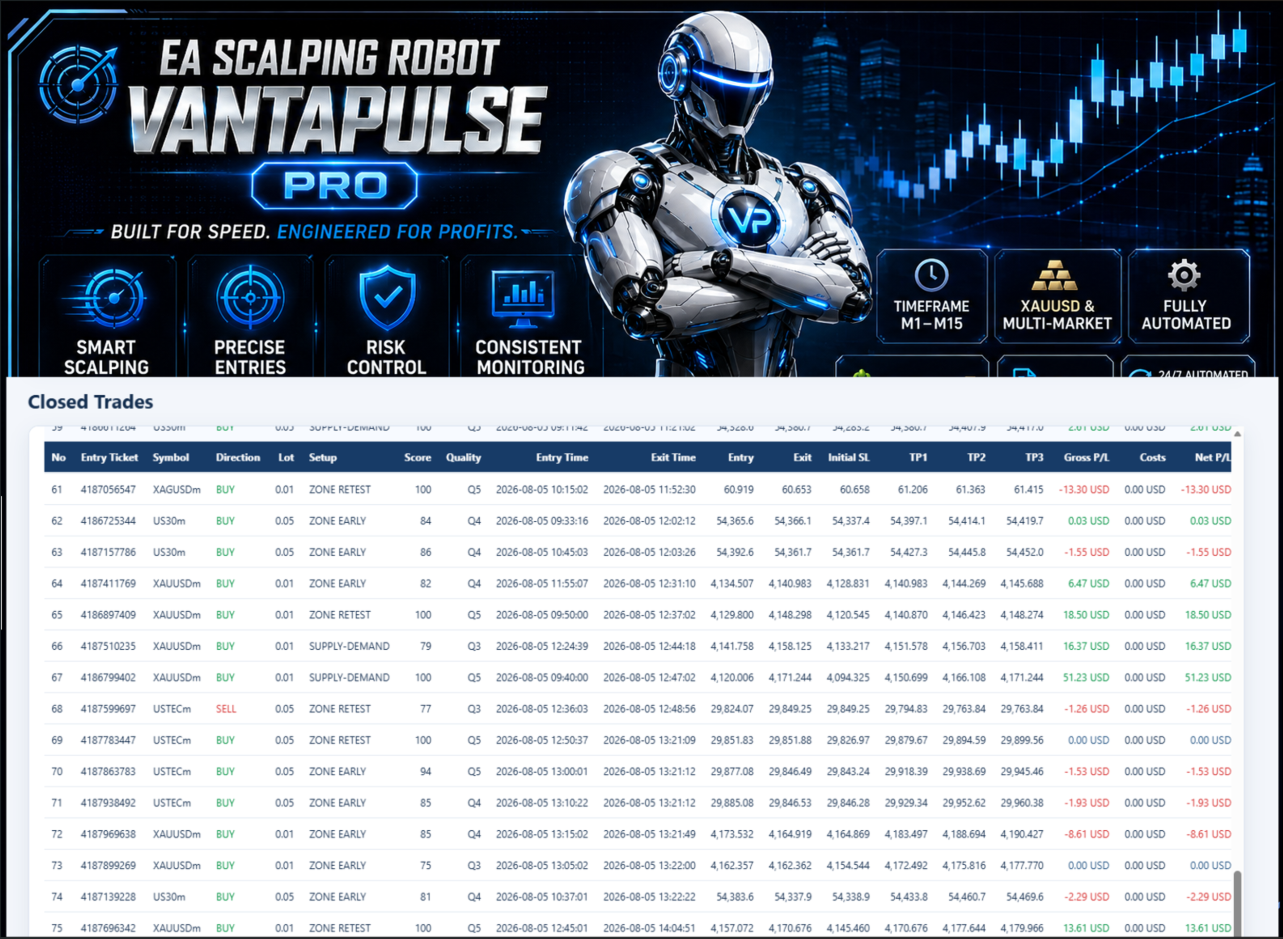
- Detailed trade history
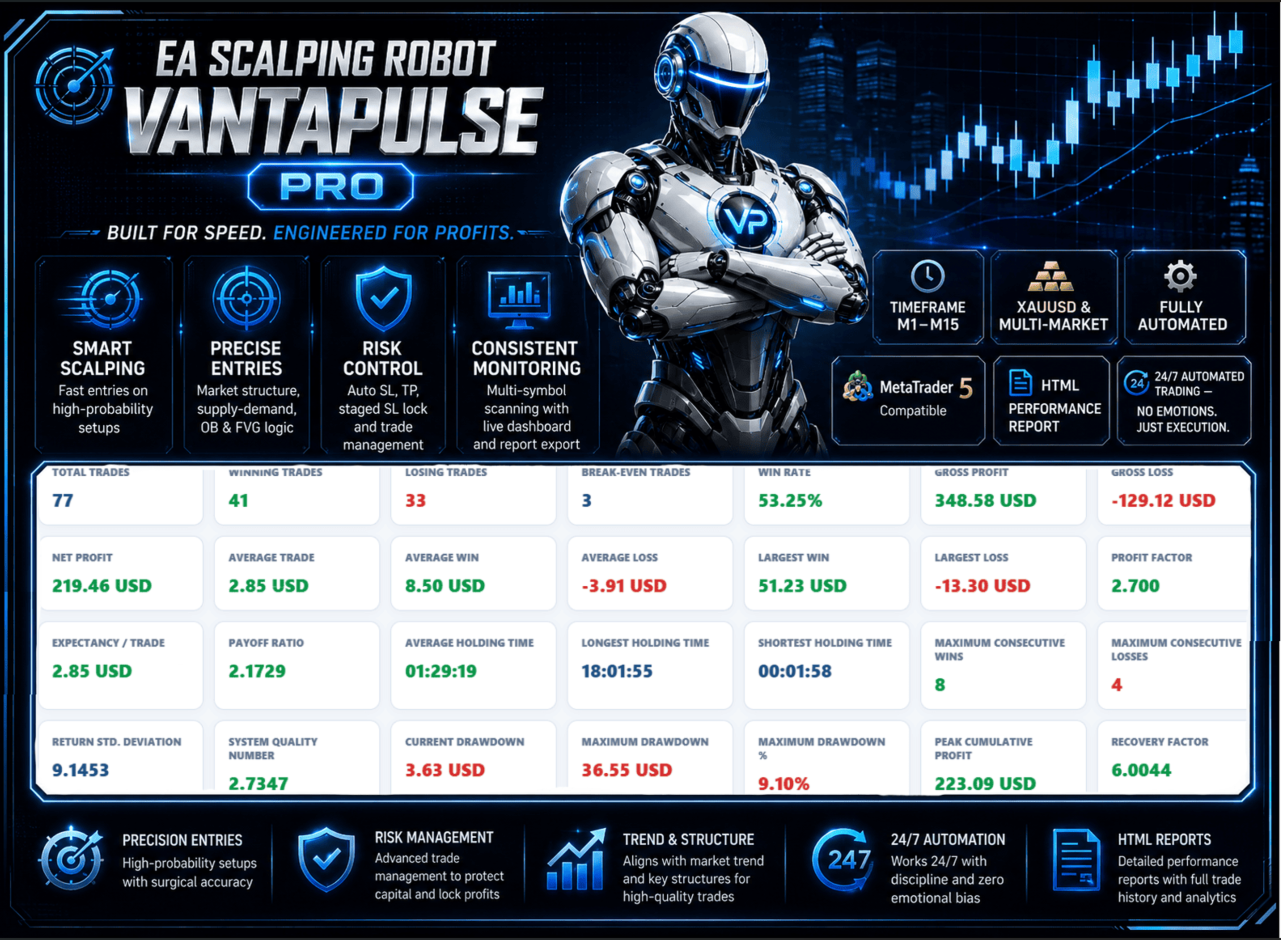
- Performance statistics
- HTML report export
Reports are generated locally inside the MetaTrader 5 Files directory.
Broker Adaptation
The Expert Advisor reads the actual trading specifications of every detected instrument, including:
- Digits and point size
- Tick size and tick value
- Contract size
- Minimum and maximum volume
- Volume step
- Minimum Stop Loss distance
- Freeze level
- Filling mode
- Current trading availability
Volume calculation, Stop Loss distance and order execution are adjusted using the instrument information supplied by the broker.
Main Features
- MetaTrader 5 Expert Advisor
- Automated multi-market scanning
- Multi-timeframe market analysis
- Trend and market-structure filtering
- Order Block and Fair Value Gap analysis
- Supply and demand zone monitoring
- Rule-based entry scoring
- Adaptive Stop Loss and target planning
- TP1, TP2 and TP3 management
- Break-even and staged profit lock
- Independent multiple-position management
- Universal broker symbol resolver
- Interactive trading cockpit
- HTML performance report
- Automatic and manual trading controls
Basic Installation
- Install the Expert Advisor through MetaTrader 5.
- Open one chart, preferably M5.
- Attach EA Scalping Robot VantaPulse to the chart.
- Enable Algo Trading.
- Select the required scanning source and instruments.
- Configure the lot size and risk settings.
- Confirm that the cockpit displays AUTO ON.
- Keep MetaTrader 5 open and connected while automated trading is enabled.
The Expert Advisor can monitor multiple markets from one chart. It is not necessary to attach a separate copy to every scanned instrument.
Important Input Groups
- Market scanning and watchlist
- Universal broker symbol resolver
- Automatic timeframe selection
- Entry score requirements
- Trend and structure filters
- Order Block and Fair Value Gap settings
- Spread and volatility filters
- Fixed-lot and risk settings
- Maximum open positions
- Structure-based Stop Loss
- TP1, TP2 and TP3 planning
- Break-even and staged profit lock
- Trailing management
- Chart drawings
- Cockpit display
- HTML report filters
Recommended Use
Broker specifications, spread, execution speed, available instruments and price history can affect trading behavior.
Use the default settings as a starting point and test the Expert Advisor in the MetaTrader 5 Strategy Tester and on a demo account before enabling live trading.
For continuous operation, MetaTrader 5 must remain open and connected. A suitable virtual hosting environment may be used according to the trader's own requirements.
Platform
MetaTrader 5 only.
Risk Notice
Trading Forex, metals, indices, energy instruments and cryptocurrency CFDs involves financial risk. Market conditions can change, and historical or simulated results do not guarantee future performance.
The Expert Advisor does not eliminate trading risk. The user remains responsible for the selected lot size, risk settings, broker conditions and trading account.