
DS True Open Sessions
- 지표
-
Darkstone Capital LTD
 ## 소개
## 소개
MQL5 프로필에 방문해 주셔서 감사합니다.
저는 MetaTrader 플랫폼을 위한 전문적인 트레이딩 솔루션 개발을 전문으로 하는 기업, Darkstone Capital의 창립자이자 CEO입니다. - 버전: 2.6
- 업데이트됨: 31 7월 2026
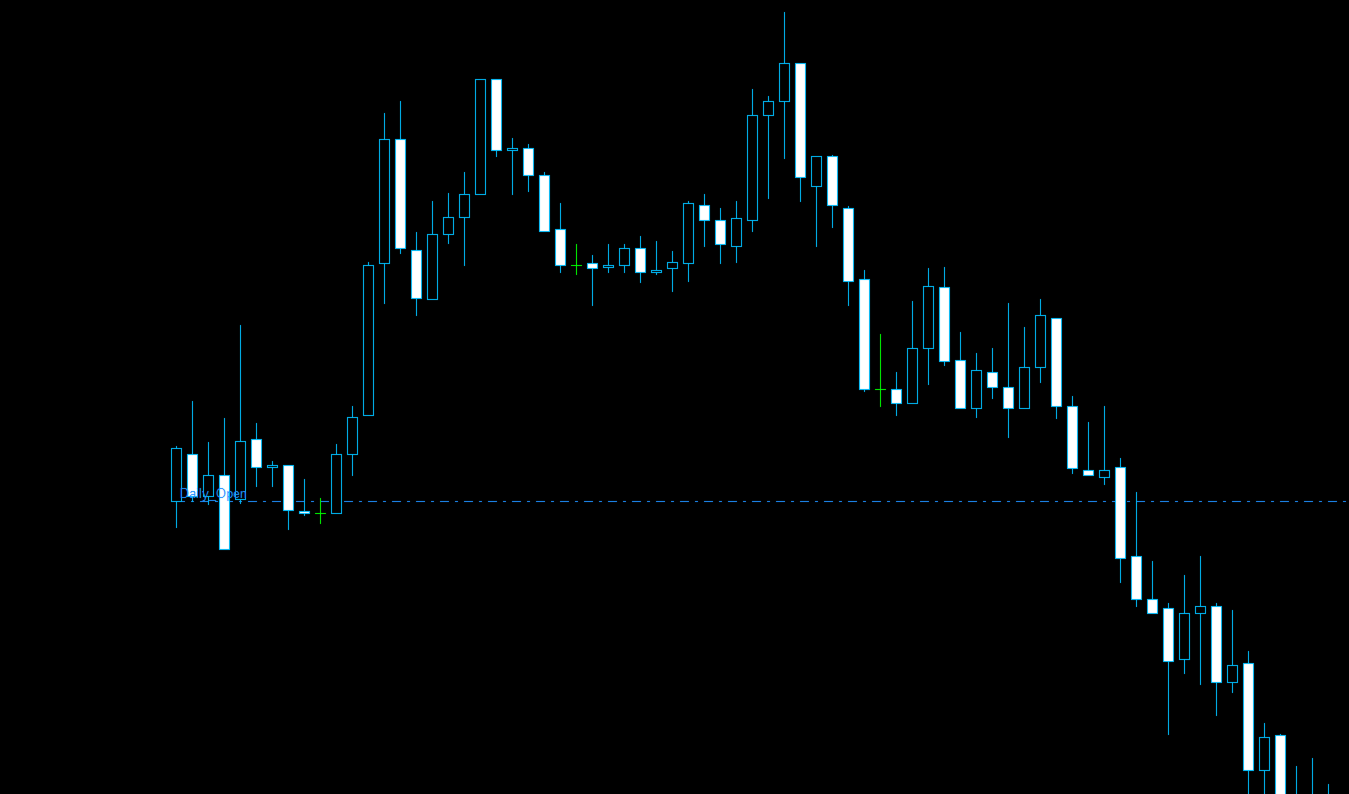
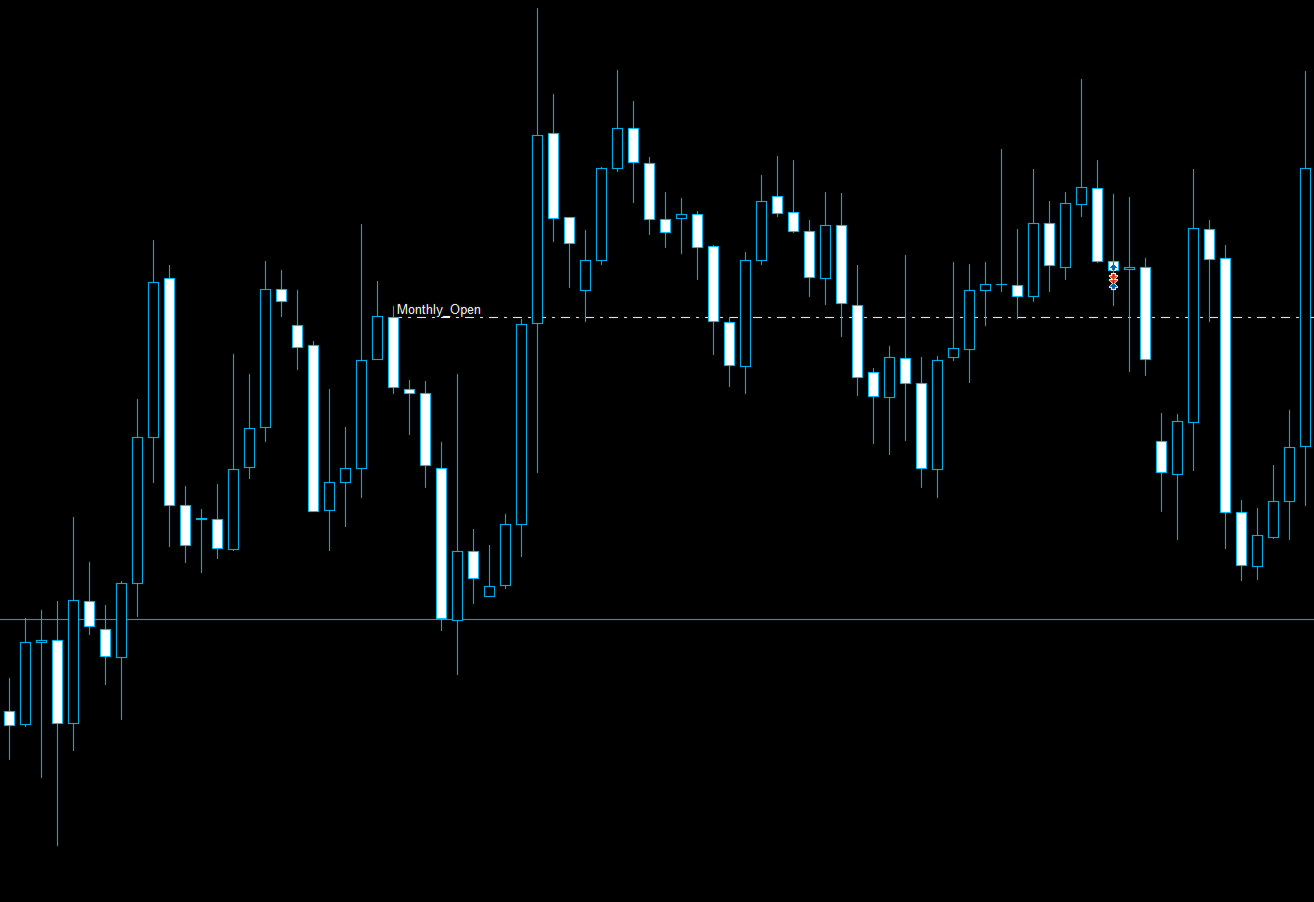
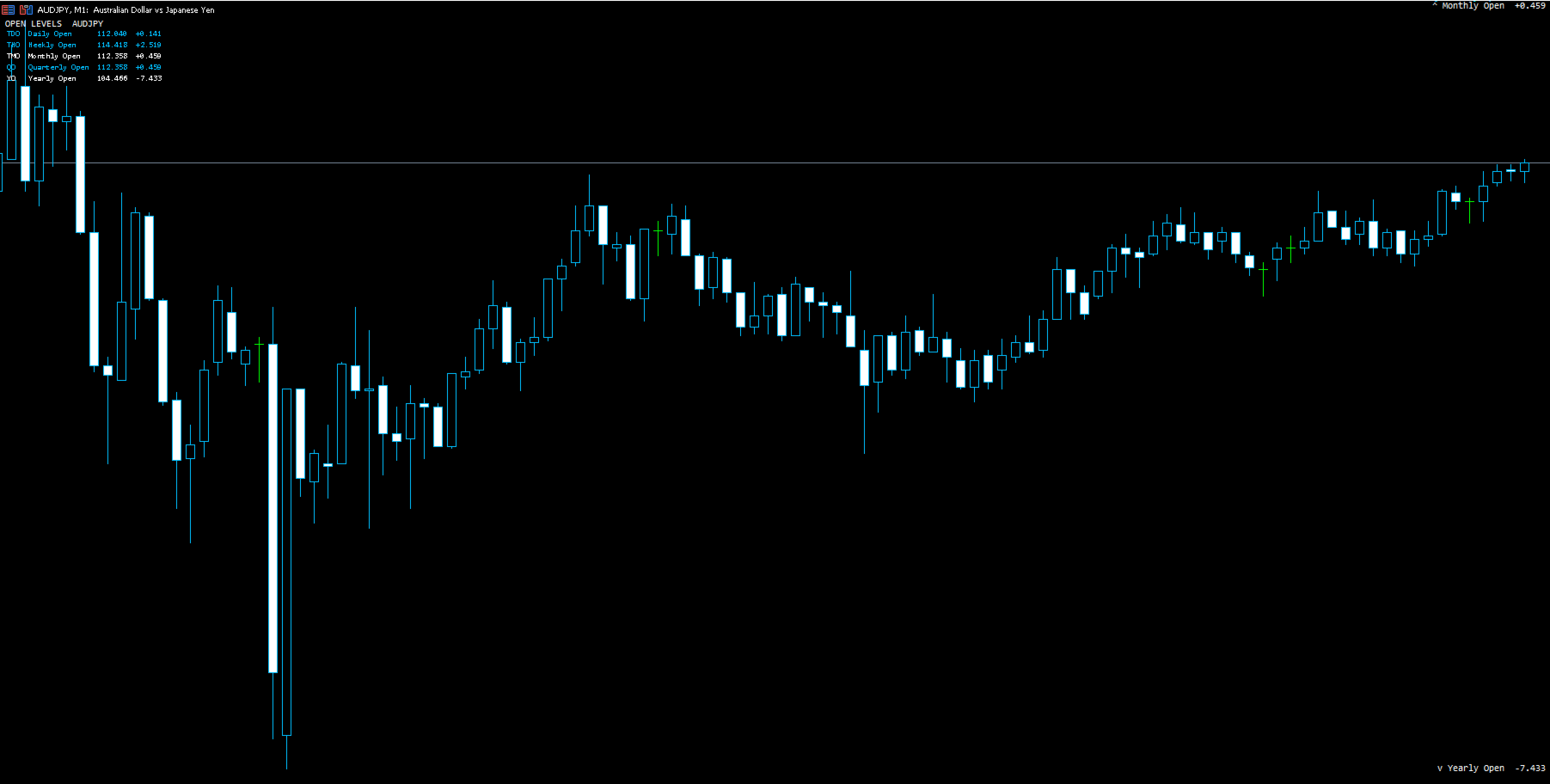
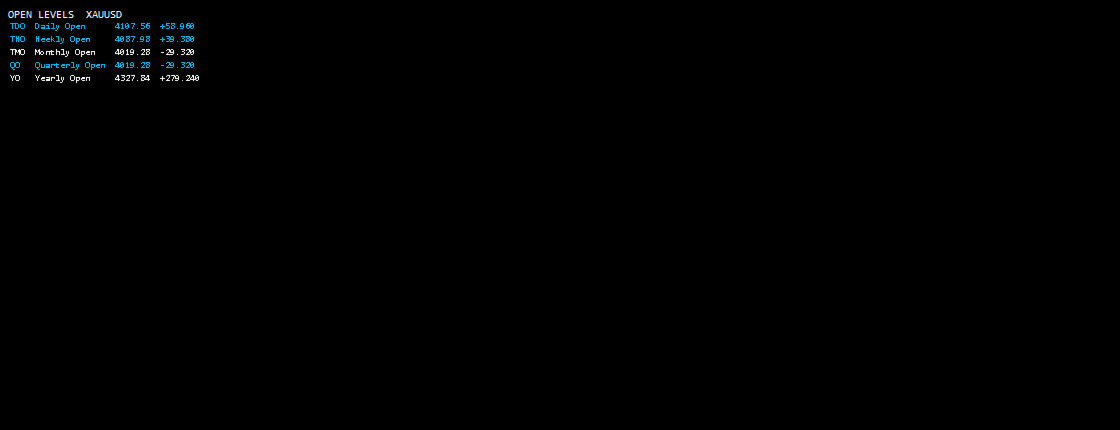
Daily, Weekly, Monthly, Quarterly and Yearly Open Levels Indicator for MetaTrader 5
DS True Open Sessions V2.6 is a MetaTrader 5 indicator that automatically calculates and displays major market opening levels on the chart.
The indicator plots:
- Daily Open
- Weekly Open
- Monthly Open
- Quarterly Open
- Yearly Open
Each level is calculated from the corresponding market period opening price and displayed as a horizontal chart reference.
Features
Daily Open
Displays the opening price of the current trading day.
Weekly Open
Displays the opening price of the current trading week.
Monthly Open
Displays the opening price of the current month.
Quarterly Open
Displays the opening price of the current quarter.
Yearly Open
Displays the opening price of the current year.
Multi-Timeframe Support
The indicator works on all MetaTrader 5 chart timeframes, including:
- M1
- M5
- M15
- M30
- H1
- H4
- D1
- W1
- MN1
Open levels remain visible when switching between different chart periods.
Version 2.6 Updates
Version 2.6 includes:
- Improved line rendering
- Updated label positioning
- Better spacing between multiple open levels
- Improved chart readability
- Performance optimisation
Customisation Options
Users can configure:
- Which open levels are displayed
- Line colours
- Line styles
- Label visibility
- Display settings
Usage
DS True Open Sessions can be used to display market opening prices as reference levels during technical analysis.
The indicator can be combined with other chart analysis methods including:
- Price action analysis
- Market structure analysis
- Multi-timeframe analysis
Supported Instruments
Compatible with:
- Forex
- Indices
- Metals
- Commodities
- Crypto instruments
Performance and level calculations depend on broker server time and available market data.
Important Information
This indicator is a chart analysis tool.
It does not generate trading signals, execute trades, or guarantee trading results.
Users should test the indicator with their preferred broker, symbols, and trading conditions before live use.




































Great indicator but when using "Chart Shift" each open line then adds the word "Label" to it which cant be removed. So it'll say "Monthly Open" but when shifting, it'll say, "Monthly Open Label" Unnecessary spacing with the word "Label" attached. Tried to message you about this but was unable.. hope it gets fixed.