Enhanced TP SL
- 지표
- 버전: 1.12
- 업데이트됨: 30 9월 2026

Enhanced TP/SL MT5
Short description
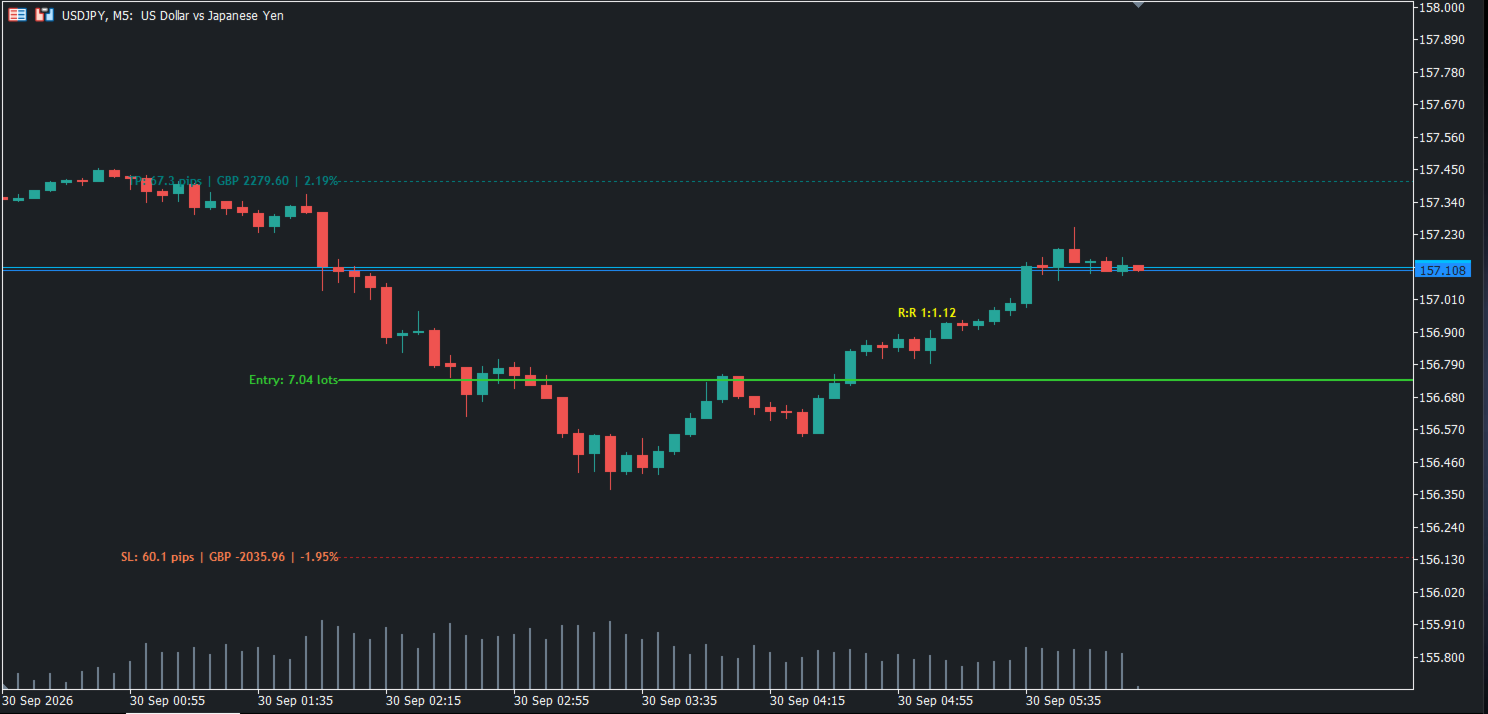
The Enhanced TP/SL indicator draws the entry price, Take Profit and Stop Loss levels of each open position on the chart.
Next to the Take Profit and Stop Loss lines, the indicator can show:
- the distance from the open price in pips,
- the value in the account currency,
- the value as a percentage of the account balance.
The entry line marks the open price of each position and can show its lot size. The entry line color can follow the trade direction, green for buy and red for sell, or use one color of your choice.
For positions that have both levels set, the indicator shows the risk to reward ratio. The ratio is colored according to its value.
The chart stays clean. When a Take Profit or Stop Loss is removed from an open position, its line, text and ratio are removed from the chart. When a position is closed, all of its lines and text are removed.
Settings:
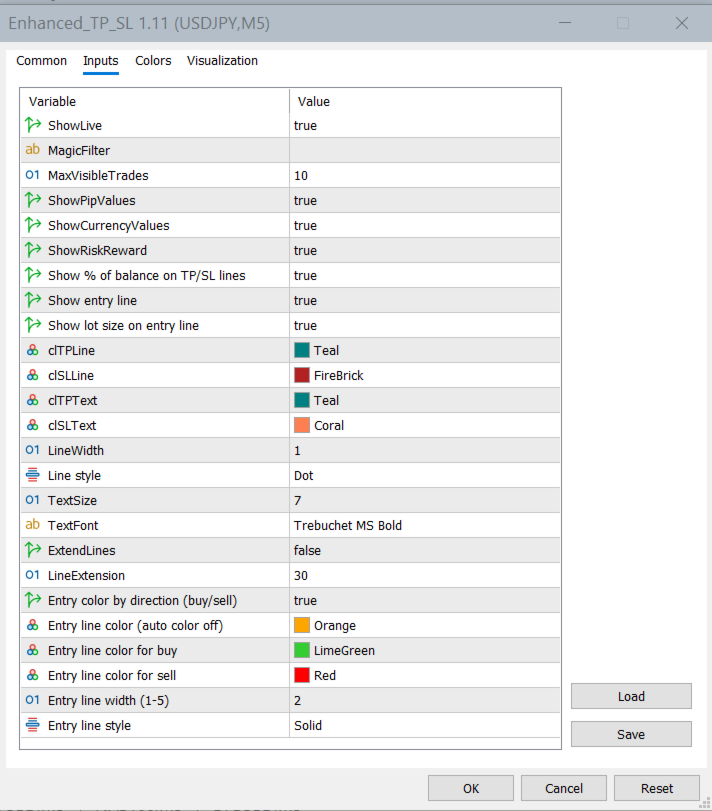
- Color, width and style of the Take Profit, Stop Loss and entry lines.
- Automatic entry line color by trade direction, or one fixed color.
- Text size and font.
- A filter by magic number, to show only positions opened by selected Expert Advisors.
- The maximum number of positions shown on the chart (10 by default).
- An optional extension of the lines to the right, with adjustable length.
Each value (pips, account currency, percentage of balance, risk to reward ratio and lot size) can be turned on or off separately, and so can the entry line.
The display updates when positions are opened, closed or changed.
Note: the entry line is shown for every open position on the chart symbol. Take Profit and Stop Loss lines are shown only when those levels are set in the trading platform. Pending orders and levels managed internally by an Expert Advisor are not shown.