Risk Manager Trading MT4

EA Risk Manager is a professional risk‑management Expert Advisor designed to protect your trading account and enforce disciplined money management.
The EA does not open trades by itself – it only monitors and manages all existing positions (manual and automated) on the account.

It is especially useful for traders who want to:

Hard‑limit daily / weekly / monthly losses and profits.

Restrict lot size and the number of open trades.

Trade a basket of G7‑related Forex pairs using one centralized risk engine.

Avoid emotional decisions such as over‑leveraging, revenge trading, and overtrading.

You attach the EA to a single chart and it monitors the entire account in real time.

Main Features
Works on any symbol and any timeframe.

Can focus on major G7 currency pairs (USD, EUR, JPY, GBP, AUD, CAD, CHF) via a built‑in preset, or on a custom symbol list.

Monitors all trades: manual orders and orders opened by other EAs.

Hard limit on maximum lot size per trade.

Limit for maximum number of open positions and maximum number of trades per day.

Per‑trade loss limit (Max Risk per Trade).

Daily, weekly and monthly loss limits.

Daily profit and global profit target (equity or per‑trade).

Trading schedule by day and time, with automatic closing of positions after the session ends.

Optional deletion of pending orders when limits are reached.

Option to include swap and commission in all calculations.

Alert system with configurable alert interval.

The EA is lightweight, does not repaint, and can be used together with any trading system.

How It Works
You attach the EA to one chart (any symbol and timeframe).

The EA reads all open and pending orders on the account.

On every check (for example every 1 second) it evaluates:

Symbol filters (allowed pairs, G7 preset).

Lot size and the number of open trades.

Current profit and loss per trade and per day.

Equity / balance relative to your loss and profit limits.

Trading schedule for the current day and time.

If any rule is violated, the EA will:

Close the violating position(s) and/or pending orders.

Optionally stop trading for the rest of the day (by closing everything when daily limits are reached).

Show alerts in the terminal.

The EA never interferes with your strategy logic. It only enforces risk‑management rules on top of whatever strategy you use.

Input Parameters
1. Symbol and Instrument Settings
UseG7Preset – if true, the EA uses a built‑in list of major G7 currency pairs (EURUSD, GBPUSD, USDJPY, USDCHF, AUDUSD, USDCAD, etc.).

AllowedSymbols – comma‑separated list of allowed symbols, for example: EURUSD,GBPUSD,USDJPY.

If this is empty and UseG7Preset = true, the EA manages the built‑in G7 list.

If you provide a list here, it overrides the preset.

Any position on a symbol outside this list can be closed automatically.

2. Default SL / TP
DefaultSLPoints – default Stop Loss in points (0 = disabled). If a new trade has no SL, the EA will set this value automatically.

DefaultTPPoints – default Take Profit in points (0 = disabled). If a new trade has no TP, the EA will set this value automatically.

3. Lot Size and Trade Limits
MaxLotPerTrade – maximum allowed lot size for any single trade. Orders larger than this value are closed immediately.

MaxOpenOrders – maximum number of open positions allowed at the same time.

MaxOrdersPerDay – maximum total number of trades (open + closed) allowed per day. This helps prevent overtrading.

4. Loss / Profit Units
LossProfitUnit

RU_DOLLAR – all limits are specified in account currency (for example, USD).

RU_PERCENT – all limits are specified as a percentage of account balance or equity.

5. Loss Limits
MaxRiskPerTrade – maximum loss per trade.

If LossProfitUnit = RU_DOLLAR, value is in account currency.

If LossProfitUnit = RU_PERCENT, value is a percentage of account balance/equity.

When a trade reaches this loss, it is closed automatically.

MaxDailyLoss – maximum allowed loss per day. When reached, all trades are closed and no further trading is recommended for that day.

MaxWeeklyLoss – weekly loss limit (skeleton – can be extended further in updates).

MaxMonthlyLoss – monthly loss limit (skeleton – can be extended further in updates).

UseEquityForLimits – if true, daily/weekly/monthly loss is calculated based on equity; if false, based on balance.

6. Profit Targets
ProfitMode

PT_EQUITY – closes all positions when total profit reaches ProfitTarget.

PT_TRADE – closes individual trades when their profit reaches ProfitTarget.

ProfitTarget – profit target value (in currency or percent).

MaxDailyProfit – maximum profit allowed per day. When reached, all positions are closed and further trading is blocked for that day.

ProfitCalculation

PCM_BALANCE – uses closed profit (balance).

PCM_EQUITY – uses floating profit (equity).

7. Trading Schedule
TimeGMTOffset – broker time offset relative to GMT (for information only).

MondayEnabled … SundayEnabled – enable/disable trading for each day 


The EA works on gold (XAUUSD) and on any other symbols your broker provides in MT4 (Forex pairs, indices, commodities, CFDs, etc.). It monitors all trades on the account – both manual and from other EAs – and applies the same risk rules (lot limits, daily loss/profit limits, per‑trade risk, etc.) regardless of the instrument


추천 제품
Hidden StopLoss, Hidden  TakeProfit,  Hidden Stop Loss, Hidden  Take Profit,  Hidden SL, Hidden  TP Broker will not be able to know the StopLoss and TakeProfit price. Auto Hidden Stop Loss and Hidden  Take Profit  MT4  is an assistant for all those who forget to set Stop Loss and Take Profit in deal parameters, or trade on a very fast market and fail to place them in time. This tool automatically tracks trades without Stop Loss and Take Profit and checks what level should be set in accordance w
To achieve mutual support between MT4 and MT5, and to purchase the MT5 version, please click here>> Main follow-up function: 1. Reverse order capability 2. Cross platform follow-up, ignoring different names 3. Proportional order, magnification and reduction order 4. Compared to a specified currency pair, not compared to a specified currency pair 5. Can be ordered one to many, many to one, any order 6. Other unclear messages 6. Other unclear messages.
Auto SLTP Maker MT4  is an assistant for all those who forget to set StopLoss and/or TakeProfit in deal parameters, or trade on a very fast market and fail to place them in time. This tool automatically tracks trades without StopLoss and/or TakeProfit and checks what level should be set in accordance with the settings. The tool works both with market and pending orders. The type of orders to work with can be set in the parameters. It can track either trades for the instrument it runs on, or all

Virtual Collider Manual   is a trading assistant with a built-in panel for manual trading. It automatically moves a position opened by a trader in profit using innovative adaptive grid algorithm of averaging and adaptive pyramiding Know-how of the grid algorithm of averaging and pyramiding of the   Virtual Collider Manual   trading robot is based on fully automatic adaptation of all characteristics of dynamically build order grid and pyramid with actual price movement with no need for adjusting
소개 가상 TPSL 마감 M4 주문 관리 유틸리티 도구(전문 고문)는 귀하가 사용하는 다른 전문 고문이 만든 기존 오픈 포지션이나 수동으로 개설된 주문을 관리하고 가상 이익실현 및 손절매 수준으로 마감합니다. Adviser는 완전한 가상 모드에서 작동하며, 모니터링된 위치가 닫혀 있을 때 그려지는 색상 화살표 개체 이상의 시각적 레벨은 존재하지 않으며, 하나가 열려 있고 연결된 유틸리티와 함께 표시되는 경우 차트에 닫는 위치를 표시하기 위해 손익 여부에 관계없이 표시됩니다. 이 유틸리티를 사용하는 방법은 무엇입니까? 간단하고 차트를 엽니다. 하나의 단일 차트에서만 모니터링을 제어하므로 모든 차트와 기간이 괜찮습니다. 이 어드바이저를 부착하고 모니터링하려는 기호 및 매직 넘버(수동 주문의 경우 0)와 포지션 유형을 지정하세요. - 매수, 매도 또는 둘 다를 지정하고 포지션이 종료되지 않도록 원하는 가상 이익 실현 수준을 설정하세요. . 정지 손실 수준을 모니터링하는 것도 가능합니
News Scalping Executor Pro is an utility which helps to trade high impact and huge volatility   news . This utility helps to create two opposite orders with risk management and profit protection. It moves automatically stop loss level to avoid losses as much as possible by using many different algorithms. It helps to avoid trading the news if spread suddenly becomes very huge. It can lock profit by moving stop loss or partially closing of orders. To be profitable with this type of trading you


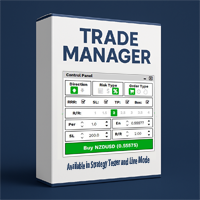
Rhino Backtest Manager - 실거래와 전략 테스터를 위한 거래 관리 패널 Rhino Backtest Manager는 실거래와 MetaTrader 4 전략 테스터에서 모두 작동하는 거래 관리 패널입니다. 실계좌에서 쓰는 것과 같은 인터페이스로 테스터 안에서 직접 주문을 내고 관리할 수 있으므로, 과거 데이터로 전략을 확인한 뒤 도구를 바꾸지 않고 그대로 거래할 수 있습니다. 패널은 설정한 리스크 조건으로 주문 수량을 계산하고, 주문을 보내기 전에 각 손절과 익절의 금액을 표시하며, 일간·주간·월간 및 계좌 전체 기간의 결과를 기록합니다. 사용 설명서: 제품 사용 방법 무료 데모 버전: 데모 내려받기 MetaTrader 5 버전: Rhino Backtest Manager MT5 버전 처음 실행하기 전에 설명서 페이지에서 제공하는 폰트를 설치해야 합니다. 폰트가 없으면 패널이 정상적으로 표시되지 않습니다. 기능 두 가지 모드. 같은 패널이 실거래와 전략 테스터 모드에서
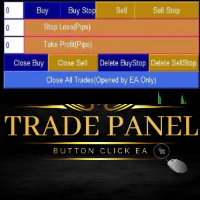
Trade Panel Manager EA   is an MT4 Trade Management trading system which open trades using Buttons on the Chart. The EA will open and close trades by a simple one click on the button. It accept Market Orders and Stop Orders. The trader set lot size, Take profit and Stop loss manually and then click the button of choice. This Trade Panel Manager only close and delete pending orders which were opened by it ONLY. It will not close other trades by other EAs. This is not Automated EA. One has to clic
Virtual SL TP Trailing Pro for MT4 – Client-Side Stop Loss / Take Profit and Trade Management Looking for MetaTrader 5 version?  I t is available separately in the Market:   Virtual SL TP Trailing Pro MT5 Public channel:   CLICK HERE Virtual SL TP Trailing Pro for MT4 is a trade management utility that keeps Stop Loss (SL) and Take Profit (TP) levels on the client side instead of sending them to the trading server. It is designed to help you manage exits in a structured way using a clear on-cha
Margin Call Shield – Defend Your Margin on Your Terms Margin Call Shield   is a tool for MetaTrader 4 traders who want to decide for themselves which open positions are closed during margin call situations before the platform does so automatically based on its internal rules. By default, the broker or platform decides which positions to close, often using undisclosed algorithms. Margin Call Shield lets you set this order according to your own strategy. Why Was Margin Call Shield Created? In a  
Risk Management Protect
AURELIE HAI-SIEU SOUKANH
Risk Management Protect utility is designed to maximize your trading efficiency: Automatically closing all open trades when your total floating profit hits a predefined threshold/value.e.g+100$ Automatically closing all open trades when your total floating loss hits a predefined threshold/value. e.g -30$ This expert advisor ensures that you lock in gains promptly and closes losses swiftly, reducing the risk of potential market reversals.Very effective simple risk management! Ideal for tra
Exp Swing
Vladislav Andruschenko
4.44 (64)
그것은 Swinger(Pendulum, Cheburashka)라고 하는 유명한 전략의 모델을 사용합니다. 전략은 두 개의 반대되는 보류 중인 주문을 배치하는 것입니다. 가격이 특정 방향으로 이동하면 하나의 보류 주문이 트리거되고 다른 주문의 로트 크기가 증가합니다. EA는 세 가지 유형의 개설 보류 주문(TypeofTrade)을 제공합니다. 배치 후 자동 개설(즉시 개설 AutoTrade) 수동 개봉 후 개봉 및 관리 (수동 개봉 ManualTrade) 높음/낮음 수준으로 열기(과거 막대 TFTrade의 경우 높음 낮음) OCO(One-Cancels-the-Other) 주문은 두 개의 주문으로 구성된 조건부 주문의 일종입니다. 두 번째 주문이 체결되면 첫 번째 주문은 자동으로 취소됩니다. 스윙 - 전체 설명 MT5 version 구입 방법 설치하는 방법     로그 파일을 얻는 방법     테스트 및 최적화 방법     Expforex의 모든 제품 작동 원리 시작 시 Expe
FREE
Risk Order Panel Торговая панель для выставления отложенных ордеров при ручной торговле. Панель позволяет не задумываться о расчетах параметров ордера, типа сделки, размера лота. При необходимости выставления ордера достаточно мышью определить точки входа, Stop Loss, Take Profit, указать сумму риска и нажать на кнопку выставления ордера. Всё остальное панель сделает сама. Основные возможности: Установка точек входа, Stop Loss, Take Profit путем перетаскивания линий прямо на графике. Автоматиче
Open multiple trades with 1 click. The EezeOrder Script is designed to make trading easy. All in 1 click, open as many trades as you want, and select the order type from a dropdown list.  No need to change chart just enter the name of the symbol Enter the number of trades you want Select whether it is a buy, sell, buy limit, sell limit, buy stop or sell stop Enter TP(in points) and SL(in points) and click OK, and trades are opened 1. Make sure Auto trading is on 2. Make sure the symbol section
EasyTrade
Vitaly Muzichenko
2.33 (6)
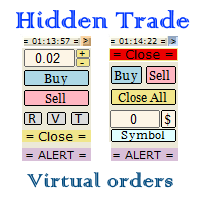
Small trading panel for managing orders and positions in 1 click for MetaTrader 4 Version for MetaTrader 5 here Set hidden TakeProfit, StopLoss and pending orders at lines placed on the chart Work on time on the news Backtesting manual strategies in the tester Placing virtual orders Playing a sound signal when the price reaches a level Automatic closing of all positions on the account or symbol by the total take profit in the deposit currency Description Can be dragged to any part of the chart
TradePilot
Hossein Khalil Alishir
TradePilot Expert Advisor (EA) for MetaTrader 4 TradePilot is a professional and user-friendly Expert Advisor (EA) for MetaTrader 4 (MT4) . It simplifies automated trading , risk management , and trade execution using a smart trading panel . Perfect for beginners and experienced traders looking for a reliable trade manager EA with automated lot size calculation . Key Advantages User-Friendly Trading Panel: Customizable panel with buttons and hotkeys. Smart Risk Management: Supports percen
받아보세요: 모든 저의 MT4 & MT5 도구를 무료로 — 여기에서 방법 확인 다중 시간대 및 다중 종목 가이드:  Multi-Timeframe & Scanner 사용자 가이드 - 12개 언어 제공 MT5 버전 보기:  Trend Reversal Probability Multi TF Scanner MT5 버전 MT4 버전 보기:   Trend Reversal Probability Multi TF Scanner MT4 버전 더 많은 제품 보기:   전체 제품  또는  트레이딩 지표, 특별 혜택 및 신제품 새로운 도구   가격은   $30   이며 적용 기간 또는 횟수는   첫 주   또는   최초 3회 구매 !  MQL5의 Trading Tools 채널 : 제 MQL5 채널에 가입하여 최신 소식을 받아보세요 모멘텀의 지속 시간을 추적하면 과거에 비해 길어진 국면을 파악하고, 조기 경고와 조건부 방향 전환 신호를 구분할 수 있습니다. 여러 종목과 시간대의 정보를 함께 살펴보면 더 자
FREE
Auto Fibo Pro m
DMITRII GRIDASOV
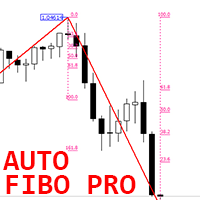
"Auto FIBO Pro" Crypto_Forex 지표 - 거래에 유용한 보조 도구입니다! - 지표는 자동으로 Fibo 수준과 로컬 추세선(빨간색)을 계산하여 차트에 배치합니다. - Fibonacci 수준은 가격이 반전될 수 있는 주요 영역을 나타냅니다. - 가장 중요한 수준은 23.6%, 38.2%, 50%, 61.8%입니다. - 역전 스캘핑이나 존 그리드 거래에 사용할 수 있습니다. - Auto FIBO Pro 지표를 사용하여 현재 시스템을 개선할 수 있는 기회도 많습니다. - Info Spread Swap Display가 있습니다. 현재 Spread와 Swap이 부착된 외환 쌍을 표시합니다. - 디스플레이에는 계정 잔액, 자본 및 마진도 표시됩니다. - 차트의 어느 모서리에서나 Info Spread Swap Display를 찾을 수 있습니다. 여기를 클릭하여 고품질 트레이딩 로봇과 지표를 확인하세요! 이것은 이 MQL5 웹사이트에서만 제공되는 오리지널 제품입니다.
Universal Indicator to Telegram Alerts  is a smart trading tool that works seamlessly with both MT4 and Telegram, offering traders more flexibility and convenience. It connects your MT4 platform to Telegram, sending real-time alerts and chart screenshots directly to your Telegram from any indicator with buffers. This means you can stay updated on your trades even when you're not at your computer. Whether you're on your phone or tablet, you'll never miss an important trading opportunity. The ale
SL InfoPanel is an information panel that displays operational trading information on the current instrument. The panel contains the following information: The first column: The fixed profit for the specified period of time and the percentage of this profit to the current deposit (the time period is configured in the "Account History"). The value is colored blue if there is a profit and red if there is a loss. Open Long orders (number of lots/number of orders). Open Short orders (number of l
Trendiness Index
Libertas LLC
5 (3)
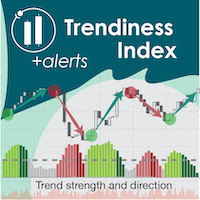
"The trend is your friend" is one of the best known sayings in investing, because capturing large trendy price movements can be extremely profitable. However, trading with the trend is often easier said than done, because many indicators are based on price reversals not trends. These aren't very effective at identifying trendy periods, or predicting whether trends will continue. We developed the Trendiness Index to help address this problem by indicating the strength and direction of price trend
이것은 구매 및 판매 주문 네트워크를 배치하는 일반 패널입니다. 이 전문가 고문은 설정에 정의 된 이익 순서를 닫습니다. 그런 다음 사다리라는 매개 변수가 있습니다.이 매개 변수에는 사다리 매개 변수에 의해 표시된 점(여기서 주요 설정에서는 10 점)으로 주문 사이의 거리가 증가하기 시작하므로 두 번째 순서는 10 점,세 번째 순서는 20 점,네 번째 순서는 40 점 등이 포함됩니다. 그런 다음 설정에 있지 않기 때문에 이 고문에 무엇이 있는지 알아야 하지만 이 고문이 제안한 전략의 논리에 영향을 미칩니다.. 의이 고문이 다섯 개 주문을 엽니 다 여기 설정에서 가정 해 봅시다... 또는 구매... 또는 판매... 좋아.. 그러나,주문을 열 때,그것은 이전에 열린 주문의 절반으로 다음 오픈 주문의 로트를 증가시킬 것입니다. 즉,설정에서 0.1 로트를 설정하면 계획에 따라 5 개의 주문이 열리고 현재 가격에 가까운 첫 번째 주문은 0.1 로트의 가격으로 열립니다. 두 번째는 주어진
Risk Commander
Adisorn Soodkanueng
Product Name: Risk Commander: Trade Assistant & Strategy Simulator Risk Commander is more than just a trade panel—it is a complete Manual Trading Ecosystem . It serves two powerful purposes: Live Assistant: Helps you execute trades with speed, precision, and perfect risk management in real-time markets. Training Simulator: Fully compatible with the Strategy Tester (Visual Mode) , allowing you to practice manual trading on historical data without risking a cent. NEW! Built-in Simulator Mode Stop
EA Risk Manager is a professional risk‑management Expert Advisor designed to protect your trading account and enforce disciplined money management. The EA does not open trades by itself – it only monitors and manages all existing positions (manual and automated) on the account. It is especially useful for traders who want to: Hard‑limit daily / weekly / monthly losses and profits. Restrict lot size and the number of open trades. Trade a basket of G7‑related Forex pairs using one centralized
G2 Trading Assistant MT4
Ida Bagus Putu Mahardika
G2 TRADING ASSISTANT – PRODUCT DESCRIPTION By Ida Bagus Putu Mahardika G2 Trading Assistant – Smart Trading Solution for Modern Scalpers G2 Trading Assistant is a professional trading panel designed to maximize your trading performance on the MetaTrader 5 platform. With an intuitive interface and advanced features, this panel gives you full control over order execution and risk management in real time. KEY ADVANTAGES OF THE G2 STRATEGY 1. VISUAL SETUP PLAN (Entry & Target Levels Visually) Dra
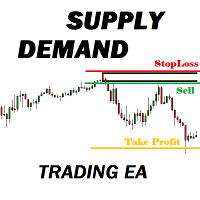
Many supply demand traders find their entry levels easily, but they have trouble finding exit point, risk management and trade management. This EA is created just for that. T his is the only tool you need to trade Forex. This is not an automatic Supply Demand EA! You have to find and draw your levels yourself and EA will take care of the rest. EA handles position openings, automatically calculates the risk you define, and creates a take profit level based on the expected movement in the time you
Auto Close Manager EA – Equity & Account Protection Utility Overview Auto Close Manager EA is a risk management utility for MetaTrader 4 designed to automatically close all open positions when a predefined floating profit or floating loss level is reached. This Expert Advisor does NOT open trades. It only monitors account equity and manages existing positions. The EA works with manual trades and can optionally include trades opened by other Expert Advisors. How It Works The EA continuously moni
Virtual OCO Pending
Kenneth Parling
5 (1)
소개 '가상 OCO 보류' - 위험 평가 기능이 있는 반자동 주문 관리 유틸리티 도구(전문가 고문)로 OCO 보류 규칙(One Cancel 다른). 시각적으로 쉽게 확인할 수 있도록 차트에 시각적 수준을 표시합니다. 하나의 차트에서 이 유틸리티를 사용하여 원하는 다른 기호에 대해 주문을 보낼 수 있습니다. 메뉴 설정에서 주문할 기호를 지정할 때 해당 차트(선택 사항)에 첨부할 필요가 없습니다. 시각적 가상 레벨 이는 연결된 현재 공개 차트 유틸리티에만 그려지며 '거래 기호' 설정과 일치해야 합니다. 즉, 'EURUSD'를 설정하고 유틸리티를 차트 EURUSD에 첨부하면 이 수준은 시각적이지 않습니다. 전략 테스터 전략 테스터에서 이 유틸리티를 실행하면 목적을 보여주기 위해 무작위로 주문을 엽니다. 유틸리티 이점 동적 위험 평가 또는 고정 로트 동적(ATR) 또는 고정 이익 및 손절매 수준 가상 주문 관리 끄기 가능성 - 경고, 이 모드는 가상 손절매를 설정하거나 모니터링하거나
Order Panel 28
Pablo Sebastian Nequecaur
Order Panel 28 — Professional Manual Execution Panel for MT4 Trade 28 forex pairs from a single on-chart panel — with automatic lot sizing, split entries, auto break-even, and stealth SL management. Order Panel 28 is a precision execution tool built for manual traders who want full control over their entries while eliminating the repetitive calculations that slow you down and cause mistakes. No indicators, no black-box signals — just a clean, fast panel that does the math so you can focus on you
RJDJ Trade Manager is a powerful all-in-one MetaTrader 4 trade management panel for traders who want faster chart-based execution, cleaner position control, and a more efficient manual trading workflow. With built-in tools for market orders, pending orders, trailing stop management, account monitoring, and a dedicated MANAGE dialog, it helps simplify daily trading operations directly on the chart. Product Description RJDJ Trade Manager is a professional chart-based trading panel for MetaTrader 4
이 제품의 구매자들이 또한 구매함
Trade Manager EA에 오신 것을 환영합니다. 이 도구는 거래를 보다 직관적이고 정확하며 효율적으로 만들기 위해 설계된 궁극적인 리스크 관리 도구 입니다. 단순한 주문 실행 도구가 아닌, 원활한 거래 계획, 포지션 관리 및 리스크 제어를 위한 종합 솔루션입니다. 초보자부터 고급 트레이더, 빠른 실행이 필요한 스캘퍼에 이르기까지 Trade Manager EA는 외환, 지수, 상품, 암호화폐 등 다양한 시장에서 유연성을 제공합니다. Trade Manager EA를 사용하면 복잡한 계산은 이제 과거의 일이 됩니다. 시장을 분석하고 진입, 손절 및 익절 수준을 차트의 수평선으로 표시한 후 리스크를 설정하면, Trade Manager가 이상적인 포지션 크기를 즉시 계산하고 SL 및 TP 값을 실시간으로 표시합니다. 모든 거래가 간편하게 관리됩니다. 주요 기능: 포지션 크기 계산기 : 정의된 리스크에 따라 거래 크기를 즉시 결정합니다. 간단한 거래 계획 : 진입, 손절, 익절을 위한
News Filter EA: Advanced Algo Trading Assistant News Filter EA is an advanced algo trading assistant designed to enhance your trading experience. By using the   News Filter EA , you can integrate a Forex economic news filter into your existing expert advisor, even if you do not have access to its source code. In addition to the news filter, you can also specify   trading days   and   hours   for your expert. The News Filter EA also includes   risk management   and   equity protection   features
Telegram to MT4 Multi-Channel Copier   는 Telegram 및 Discord 채널의 트레이딩 시그널을 MetaTrader 4로 자동 복사합니다. 봇도, 브라우저 확장도, 수동 복사도 필요 없습니다. Telegram이나 Discord에 시그널이 도착하면 EA가 몇 초 안에 터미널에서 주문을 실행합니다. 그리고 채널을 복사하기 전에, 내장 백테스터가 그 채널이 내 계좌에서 어떤 결과를 냈을지 보여줍니다. 제품은 두 가지 구성 요소로 이루어집니다: Telegram 채널을 수신하는 Windows 애플리케이션과, MT4 터미널에서 시그널을 실행하는 본 EA입니다. MT5 버전도 제공됩니다   여기 . 구매 전에 사용해 보세요:   애플리케이션은 무료로 다운로드할 수 있습니다. 본인의 채널을 연결하고 각 시그널이 어떻게 읽히는지 확인하세요. Backtest 탭과 실제 거래에는 구매하거나 임대한 EA가 필요합니다. 이 페이지의 무료 데모는 전략 테스터에서만 실행되며
TradePanel MT4
Alfiya Fazylova
4.84 (95)
Trade Panel은 다기능 거래 도우미입니다. 이 애플리케이션에는 50개 이상의 수동 거래 기능이 포함되어 있으며 대부분의 거래 작업을 자동화할 수 있습니다. 앱 사용 설명서 : https://www.mql5.com/en/blogs/post/756482 데모 계정용 앱 체험판: https://www.mql5.com/en/blogs/post/750865 앱 설치 방법: https://www.mql5.com/en/blogs/post/756239 시각 모드에서 앱 테스트 방법: https://www.mql5.com/en/blogs/post/770277 VPS MetaTrader에 앱 설치 방법: https://www.mql5.com/en/blogs/post/770190 거래. 한 번의 클릭으로 거래를 수행할 수 있습니다: 리스크 자동 계산과 함께 예약 주문 및 포지션 열기. 한 번의 클릭으로 여러 주문 및 포지션 열기. 주문 그리드 열기. 예약 주문 및 포지션을 그룹별로 닫기. 포지션
Trade Indicator Assistant is a powerful MT4 utility designed to turn indicators into automated trading systems. Its main feature is the ability to automatically detect an indicator’s   BUY and SELL signal buffers , without requiring you to know the buffer numbers, search through indicator settings, or modify the indicator source code. Bonus Indicator: After purchasing Trade Indicator Assistant, contact me to receive Trade Signal Pro completely free as a bonus indicator. [Download Demo Version]
The product will copy all telegram signal to MT4   ( which you are member  ) , also it can work as remote copier.  Easy to set up, copy order instant, can work with almost signal formats, image signal, s upport to translate other language to English Work with all type of channel or group, even channel have "Restrict Saving Content", work with  multi channel, multi MT5 Work as remote copier: with signal have ticket number, it will copy exactly via ticket number. Support to backtest signal. How to
Grid Manual MT4
Alfiya Fazylova
4.71 (17)
"Grid Manual"은 주문 그리드 작업을 위한 거래 패널입니다. 이 유틸리티는 보편적이며 유연한 설정과 직관적인 인터페이스를 제공합니다. 그것은 손실을 평균화하는 방향뿐만 아니라 이익을 증가시키는 방향으로 주문 그리드와 함께 작동합니다. 거래자는 주문 그리드를 만들고 유지할 필요가 없으며 유틸리티에서 수행합니다. 거래자가 주문을 시작하는 것으로 충분하며 "Grid Manual"는 자동으로 그를 위한 주문 그리드를 생성하고 거래가 마감될 때까지 그와 동행할 것입니다. 전체 설명 및 데모 버전 여기 . 유틸리티의 주요 기능: 모바일 터미널을 포함하여 어떤 방식으로든 열린 주문과 함께 작동합니다. "제한" 및 "중지"의 두 가지 유형의 그리드와 함께 작동합니다. 고정 및 동적(ATR 표시기 기반)의 두 가지 유형의 그리드 간격 계산과 함께 작동합니다. 오픈 오더 그리드의 설정을 변경할 수 있습니다. 차트에서 각 주문 그리드의 손익분기점 수준을 표시합니다. 각 주문 그리드에 대한 이익
MT4 to Telegram Signal Provider 는 사용하기 쉽고 완전히 사용자 정의가 가능한 도구로, 텔레그램으로 신호를 보내어 계정을 신호 제공자로 변환할 수 있습니다. 메시지 형식은 완전히 사용자 정의가 가능합니다! 그러나 간단한 사용을 위해 미리 정의된 템플릿을 선택하고 메시지의 특정 부분을 활성화하거나 비활성화할 수도 있습니다. [ 데모 ]  [ 매뉴얼 ] [ MT5 버전 ] [ 디스코드 버전 ] [ 텔레그램 채널 ]  New: [ Telegram To MT5 ] 설정 단계별 사용자 가이드 가 제공됩니다. 텔레그램 API에 대한 지식이 필요 없으며, 개발자가 필요한 모든 것을 제공합니다. 주요 기능 구독자에게 보낸 주문 세부 정보를 사용자 정의할 수 있는 기능 예를 들어 브론즈, 실버, 골드와 같은 계층 구독 모델을 만들 수 있습니다. 골드 구독은 모든 신호 등을 받게 됩니다. ID, 심볼 또는 코멘트별 주문 필터링 주문이 실행된 차트의 스크린샷을 포함 보낸
Drawdown Minimizer for MetaTrader 4 - your EAs pay in, old losers get paid off. This utility runs next to your other Expert Advisors and never opens a trade. It keeps a savings book of the net realized profit of your whole account and uses it to close the oldest losing positions of the EAs you choose - slice by slice, oldest first. WHY IT EXISTS Made by traders, for traders. One of our grid EAs got stuck in drawdown for months. The old positions did not come back, and they paid swap every single
TradeMirror 은 MT4/MT5 플랫폼을 위해 특별히 설계된 현지화된 주문 복사 도구로, 실시간 거래 작업을 동기화합니다. 튜토리얼 더 많은 튜토리얼을 보려면 Trademirror 튜토리얼 링크를 클릭하세요. 제품 장점 금융 소프트웨어의 보안성, 안정성 및 개인정보 보호에 대한 높은 표준 요구사항을 기반으로, 우리는 세 가지 핵심 차원에서 심층 최적화를 수행했습니다: 직관적이고 간결한 그래픽 인터페이스로 누구나 쉽게 조작 가능 강화된 개인정보 보호 메커니즘으로 금융 환경의 민감한 데이터 격리 요구 충족 밀리초 단위의 주문 동기화로 신호 분배의 정확성과 지연 없음 보장 MT4/MT5 양 플랫폼과 완전히 호환되어 다양한 거래 환경에 원활하게 적용 지능형 시스템 모니터링과 이메일 알림을 결합하여 거래 안정성을 실시간으로 보장 핵심 기능 특성 제품은 다음과 같은 전문적인 복사 기능을 탑재하고 있습니다: 다중 계정 병렬 연결 이메일 실시간 푸시 맞춤형 로트 크기 조정 신호 필터링 메커
RiskManager
Roman Zhitnik
5 (4)
Risk Manager MT4   is an account protection Expert Advisor for traders who want strict risk control inside MetaTrader 4. The utility monitors your account equity, daily and weekly results, drawdown, open positions, trade count, consecutive losses, and trading hours. When a configured limit is reached, it can automatically close positions, cancel pending orders, stop other EAs, send notifications, or close the terminal. Instead of relying on discipline during a stressful trading session, you defi
Unlimited Trade Copier Pro is a tool to copy trade remotely to multiple MT4, MT5 and cTrader accounts at different computers/locations over internet. This is an ideal solution for you if you are a signal provider and want to copy your trades to other receivers globally on your own rules. One provider can copy trades to multiple receivers and one receiver can get trade from multiple providers as well. The provider can even set the subscription expiry for each receiver, so that receiver will not b
Take a Break
Eric Emmrich
5 (32)
Take a Break pauses your Expert Advisors when trading is a bad idea: before news, after a daily loss, outside your trading hours, or when a rule you wrote yourself says so. When the pause is over, your EAs simply continue. Account protection for all your EAs in one tool: news filter, drawdown and equity protection, time filter and custom rules. One EA on one chart protects the whole account, the free indicator gives every chart its own rules on top. Free demo | What is new in 26.09 | Support Ass
복사기->편리하고 빠른 인터페이스 상호작용으로 사용자가 바로 사용 가능       ->>>> Windows 컴퓨터 또는 VPS Windows에서 사용하는 것이 좋습니다. 특징: 다양하고 개인화된 복사 거래 설정: 1. 다양한 신호 소스에 대해 다양한 로트 모드를 설정할 수 있습니다. 2. 다양한 신호 소스를 포워드 및 리버스 복사 거래에 대해 설정할 수 있습니다. 3. 신호는 주석으로 설정할 수 있습니다. 4. 계약 로트에 따라 로트를 교정할지 여부 다양하고 개인화된 복사 주문 설정 2: 1. 다양한 품종에 대해 다양한 로트 모드를 설정할 수 있습니다. 2. 정방향 및 역방향 복사 주문에 대해 다양한 품종을 설정할 수 있습니다. 3. 주석으로 신호를 설정할 수 있습니다. 4. 계약 로트에 따라 로트를 교정할지 여부 댓글 필터링, MAGIC 필터링, 시그널 로트 필터링, 로컬 제품 필터링 근무시간 설정 역동기화 SLAVE 닫힘 주문 바인딩 기능: 모든 주문은 설정된 신호 소스 주문
The Price Action Dashboard is an innovative tool to help the trader to control a large number of financial instruments. This tool is designed to automatically suggest signals and price conditions. The Dashboard analyzes all major Time Frame suggesting price action conditions with graphic elements. The Dashboard can suggest you the strength of the trend identifying directional movement, it is an indispensable tool for those who want to open position themselves using market trends identifiers. The
Trade Manager MT4 DaneTrades
Levi Dane Benjamin
4.09 (11)
거래 관리자는 위험을 자동으로 계산하는 동시에 거래를 빠르게 시작하고 종료하는 데 도움을 줍니다. 과잉 거래, 복수 거래 및 감정 거래를 방지하는 데 도움이 되는 기능이 포함되어 있습니다. 거래를 자동으로 관리할 수 있으며 계정 성과 지표를 그래프로 시각화할 수 있습니다. 이러한 기능은 이 패널을 모든 수동 거래자에게 이상적으로 만들고 MetaTrader 4 플랫폼을 향상시키는 데 도움이 됩니다. 다중 언어 지원. MT5 버전  |  사용자 가이드 + 데모 트레이드 매니저는 전략 테스터에서 작동하지 않습니다. 데모를 보려면 사용자 가이드로 이동하세요. 위기 관리 % 또는 $를 기준으로 위험 자동 조정 고정 로트 크기 또는 거래량과 핍을 기반으로 한 자동 로트 크기 계산을 사용하는 옵션 RR, Pips 또는 Price를 사용한 손익분기점 손실 설정 추적 중지 손실 설정 목표 달성 시 모든 거래를 자동으로 마감하는 최대 일일 손실률(%)입니다. 과도한 손실로부터 계정을 보호하고 과도한
PZ Trade Pad Pro MT4
PZ TRADING SLU
3.67 (3)
Effortlessly calculate lot sizes and manage trades to save time and avoid costly errors The Trade Pad Pro EA is a tool for the Metatrader Platform that aims to help traders manage their trades more efficiently and effectively. It has a user-friendly visual interface that allows users to easily place and manage an unlimited number of trades, helping to avoid human errors and enhance their trading activity. [ Installation Guide | Update Guide | Troubleshooting | FAQ | All Products ] One of the k
Shepherd Safety EA
AW Trading Software Limited
4.92 (13)
AW Shepherd Safety EA는 열린 포지션을 관리하는 EA입니다. 첫 주문은 트레이더가 패널에서 열고, 이후에는 EA가 바스켓을 직접 관리합니다: 추세 필터를 거쳐 복구 주문을 추가하고, TakeProfit, 트레일링 또는 손절로 해당 측을 청산하며, 청산 수준을 차트에 표시합니다. 매수와 매도는 따로 관리되며 양 측을 동시에 열어 둘 수 있습니다. 복구 주문은 가격 간격만으로 열리지 않고, Parabolic SAR, 두 개의 MA 또는 캔들 색상 기준으로 포지션 방향으로의 반전이 확인된 뒤에 열립니다. Orders Magic number가 일치하면 수동으로 또는 다른 EA가 연 포지션도 EA가 넘겨받아 관리합니다. EA가 포지션을 관리하는 방식: 1 트레이더가 Open Buy 또는 Open Sell 버튼으로 Order Size 필드의 거래량만큼 첫 주문을 엽니다. 2 가격이 포지션에 불리한 방향으로 Minimal step between recovery orders만큼 움
KT Equity Protector MT4
KEENBASE SOFTWARE SOLUTIONS
3.75 (4)
An equity protection EA for MetaTrader that enforces your loss limits and profit target for you: when your account reaches a rule you set, it closes your trades on every symbol, before one bad day turns into a lost account. It suits prop firm challenges and personal accounts alike. Attach it to one chart, answer a few questions in the on-chart setup wizard, and it watches your whole account in the background while you trade by hand or with other EAs. What it protects Daily loss limit: a percenta
Trade Manager Pro MT4
Bryan Djoufack Nguessong
This is an Utility to make your trading easier by putting at   one click or a few clicks   time-consuming tasks as order management and risk management. Contact for a free trial. Features Risk Management   Calculates automatically lots based on risk specified in either   % or $  in the risk field and let you enter just   by placing lines for SL TP   etc and display   real-time Risk Reward . TrueRisk   so   it includes commissions when calculating lot size on FX pairs only so you risk 1% with
Riskless Pyramid
Snapdragon Systems Ltd
5 (1)
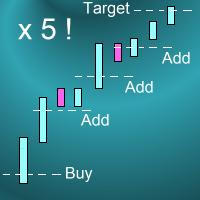
Introduction This powerful MT4 trade mangement EA offers a way potentially to aggressively multiply trade profits in a riskfree manner. Once a trade has been entered with a defined stoploss and take profit target then the EA will add three pyramid add-on trades in order to increase the overall level of profit. The user sets the total combined profit target to be gained if everything works out. This can be specified either as a multiple of the original trade profit or as a total dollar amount. Fo
The News Filter
Leolouiski Gan
5 (25)
이 제품은 뉴스 시간 동안 모든 전문가 어드바이저 및 수동 차트를 필터링하여 수동 거래 설정이나 다른 전문가 어드바이저가 입력한 거래가 파괴될 수 있는 급격한 가격 상승으로부터 걱정하지 않아도 됩니다. 이 제품은 또한 뉴스 발표 전에 열린 포지션과 대기 주문을 처리할 수 있는 완전한 주문 관리 시스템이 함께 제공됩니다. The News Filter  를 구매하면 더 이상 내장 뉴스 필터에 의존할 필요가 없으며 이제부터 모든 전문가 어드바이저를 여기서 필터링할 수 있습니다. 뉴스 선택 뉴스 소스는 Forex Factory의 경제 캘린더에서 얻어집니다. USD, EUR, GBP, JPY, AUD, CAD, CHF, NZD 및 CNY와 같은 어떤 통화 기준으로 선택할 수 있습니다. Non-Farm (NFP), FOMC, CPI 등과 같은 키워드 식별을 기준으로 선택할 수도 있습니다. 저, 중, 고 영향을 가지는 뉴스를 필터링할 수 있도록 선택할 수 있습니다. 차트와 관련된 뉴스만 선택하
Prop Guardian Risk Manager MT4 – Drawdown, Risk & Hedge Protection for Prop Firm and Managed Accounts Prop Guardian Risk Manager is a professional risk-control utility for MetaTrader 4, designed for prop firm traders, money managers and anyone who wants strict account-level risk protection. It does not generate trading signals, strategy entries or trading decisions. Instead, it runs in the background, monitors your account risk and can automatically block new exposure, close managed trades or ac
FCK CurrencyStrength Pro
Patel Hitendrakumar Mahendrabhai
Hi Friends, " FCK Currency Strength Pro " is a auto & semi auto trading expert with direction of pair. Buy-Sell separate or multi currency in one click. The strategy of  FCK Currency Strength Pro  is a combination of custom indicator, Trendlines, Support & Resistance levels ( Price Action ) and most important secretive trading algorithm mentioned above. Download News Ex4 and csv file You need the following SDSnews.ex4 in MQL4/Libraries and the daylightsavings.csv in MQL4/Files. Only 4 of 5 copi
Trade Assistant Pro 36 in 1
Makarii Gubaydullin
4.76 (21)
다기능 거래 도구: 로트 계산기, 그리드 주문, 위험/보상 비율, 거래 관리자, 수급 구역, 가격 행동 분석 등 데모 버전   |   사용자 설명서 트레이딩 어시스턴트 는 전략 테스터에서 작동하지 않습니다: 이 유틸리티 를 테스트하려면 데모 버전을 여기서 다운로드하세요. 질문 /개선 아이디어/버그 발견 시 저에게 연락 하세요 MT5 버전이 필요하시면, 여기서 사용 가능합니다 거래 프로세스 를 단순화, 가속화, 자동화하세요. 이 대시보드 로 표준 터미널 기능을 확장합니다. 트레이딩 패널 은 모든 거래 상품에서 작동합니다: 외환, 주식, 지수, 암호화폐 등. 1. 새로운 거래 열기 : 로트/위험/위험보상비 계산: 수동 거래의 위험 관리 로트 계산기 (위험 크기 기반 거래량 계산) 위험 계산기 (로트 크기 기반 위험 금액) 위험 보상 비율 그리드 주문: + 동적 거리 옵션 및 분할 로트 옵션 주문 활성화 트리거, + Buy StopLimit/Sell StopLimit: Mt4에서도 가능
Risk manager Risk manager - it will simplify the tracking of drawdown and will notify you (alert) when the specified risk is reached, and close/lock orders when the critical DD risk level is reached. If the specified drawdown is exceeded, you can choose two options for actions: All orders will be closed that mean loss will be fixed on depo. The terminal also closes. Instead of fixing the loss on depo, the opposite order will be opened - orders locking will occure. Not a single order will be c
Lot Architect — Trade Panel and Position Size Calculator for MT4 Lot Architect is a trade panel and risk-based position size calculator for MetaTrader 4. It helps calculate lot size from the selected risk, displays trade parameters before entry, and supports Market, Limit and Stop orders from the chart. The utility is designed for traders who want a structured workflow for position sizing, stop-loss placement, take-profit planning and order execution. Purpose Before opening a trade, a trader nee
VirtualTradePad PRO SE MT4 — MetaTrader 4용 고급 트레이딩 패널 및 차트 워크스페이스 VirtualTradePad PRO SE 는 MetaTrader 4 용 전문 트레이딩 패널이자 거래 관리 워크스페이스입니다. 하나의 차트 기반 인터페이스에서 거래를 더 빠르게 열고, 관리하고, 보호하고, 닫고, 분석할 수 있도록 도와줍니다. 이 제품은 단순한 버튼 모음 이상의 기능이 필요한 적극적인 수동 트레이더를 위해 만들어졌습니다. PRO SE는 원클릭 실행, 예약 주문, 포지션 제어, 부분 청산, 바스켓 손익 로직, 평균가 레벨, ATM 규칙, 신호 모니터링, 시장 정보, 전략 테스터 워크플로, VPS 중심 준비를 하나의 구조화된 워크스페이스로 통합합니다. MT5 버전 | 전체 설명 및 스크린샷 | 구입 방법 | 설치 방법 | 로그 파일을 얻는 방법 | 테스트 및 최적화 방법 | Expforex의 모든 제품 일반 수동 트레이딩 대비 장점 여러 창 대신 하나의 워
Ultimate Partial Profit EA
BLAKE STEVEN RODGER
4.67 (3)
This EA Utility delivers a robust solution for managing an unlimited array of open orders, both manual and automated. It enables customizable partial profit levels utilizing metrics such as pips, ratios, ATR (Average True Range), and profit amounts for precise trade management. The utility features an advanced on-screen display, offering clear visualization of all orders and their profit levels to enhance strategic decision-making and control. To evaluate its performance and interface, the EA s
위험 대비 수익률 관리자(Risk to Reward Ratio Manager)는 체계적인 거래와 전문적인 위험 관리를 지원하도록 설계된 시각적 주문 관리 도구이자 포지션 규모 계산기입니다. 트레이더는 차트에서 진입, 손절매, 이익실현 수준을 시각적으로 직접 설정할 수 있으며, 주문을 전송하기 전에 랏 규모와 위험 대비 수익률을 자동으로 계산합니다. 이 도구는 거래 준비를 표준화하고 각 포지션이 미리 정의되고 통제된 위험 수준에서 개시되도록 보장합니다. 이 도구는 통화쌍, 지수, 금속, 상품, 암호화폐 등 다양한 거래 상품을 지원합니다. 수동 트레이더와 모든 포지션에 위험 관리 규칙을 적용하는 전략 중심 트레이더 모두에게 적합합니다. 계산 시간을 단축하고 수동 오류를 방지함으로써 트레이더가 체결 과정에서 일관성과 명확성을 유지할 수 있도록 지원합니다. 위험 대 보상 비율 관리자       설치 및 입력 가이드 EA 추가 URL에 대한 알림을 받으려면 (       http://www.
제작자의 제품 더 보기
The Candle Time Spread indicator is designed to smoothly display the remaining time of the current candle and the spread fluctuations. It offers full customization options, allowing you to control the appearance of the countdown timer, including size, color, and position relative to the candle, across all timeframes. Please leave a positive review. Candle Time Indicator, Spread Clock, Spread Counter, Spread Alert, Candle Timer, Candle Clock, Candle Timer for MT5, Time Candle, Timer Candle. Can
FREE
EA Risk Manager is a professional risk‑management Expert Advisor designed to protect your trading account and enforce disciplined money management. The EA does not open trades by itself – it only monitors and manages all existing positions (manual and automated) on the account. It is especially useful for traders who want to: Hard‑limit daily / weekly / monthly losses and profits. Restrict lot size and the number of open trades. Trade a basket of G7‑related Forex pairs using one centralized
푸시 스캘핑 - MetaTrader 5용 지표 푸시(Push)는 MetaTrader 5에서 매수/매도 신호를 식별하는 데 도움을 주는 지표로, 반전 조건과 푸시 신호 세트를 결합합니다. 신호는 시스템이 마감된 캔들을 확인했을 때만 나타나며 가격 차트에 직접 표시됩니다. 개요 푸시 스캘핑은 모멘텀, 구조 및 푸시 필터의 일치를 통해 단기 반전 설정을 관찰하는 데 도움을 주기 위해 설계되었습니다. 푸시 스캘핑은 XAUUSD를 사용하여 개발되었습니다. 이 지표는 차트에 연결된 심볼 및 시간 프레임의 데이터를 사용합니다. 각 시장 및 시간 프레임에서의 효과는 개별적으로 테스트해야 합니다. 푸시 스캘핑은 M1, M5 또는 M15 시간 프레임에서 XAUUSD를 사용한 스캘핑을 위해 개발되었습니다. 각 시장 및 더 높은 시간 프레임에서의 효과는 개별적으로 테스트해야 합니다. 마감된 캔들에 대한 확인: 이 지표는 진행 중인 캔들에 대해서는 신호를 발생시키지 않습니다. 캔들 형성이 완료된
A fast, chart-based MT4 trade manager with one-click BUY/SELL execution, editable Lot/SL/TP controls, and selective position-closing tools. One Click Trading MT4  is a lightweight trade-management Expert Advisor for MetaTrader 4. It is designed for traders who want to manage manual trades or trades opened by an EA directly from the chart, without repeatedly opening the Terminal window. The panel is draggable and automatically switches between light and dark modes based on the chart background.
FREE
Overview The SMC indicator is a versatile tool that helps traders automate chart analysis using price action. Its main goal is to identify where large institutions place orders (liquidity) to find optimal entry/exit points. Core Features Market Structure: Automatically labels BOS (Breakout Structure) and CHoCH (Change of Character) in real time for both internal and main swing waves. Supply & Demand Zones: Identifies bullish and bearish Order Blocks. Liquidity & Price Gaps: Identifies equal to
FREE
Trade Panel Manager — Master all trades in one dashboard Stop calculating volume manually, stop worrying about forgetting to set SL/TP. TTrade Panel Manager transforms MetaTrader 5 into a professional trading command center — drag and drop a few lines on the chart, the EA automatically calculates lot sizes according to your desired risk level, displaying SL/TP in pips and currency in real time, right before you press the button. Why download now? Accurate lot size calculation based on risk pe
FREE
The SMC Smart  indicator automates market structure analysis based on the Smart Money Concepts (SMC) methodology. It removes subjective chart analysis by automatically plotting Order Blocks, Fair Value Gaps (FVG), Break of Structure (BOS), Change of Character (CHoCH), and liquidity pools. Please leave a positive review! Integrated version: Push Scalping - Indicator for MetaTrader 5 . Push is an indicator that helps identify BUY/SELL signals on MetaTrader 5, combining reversal conditions with the
FREE
A fast, chart-based MT5 trade manager with one-click BUY/SELL execution, editable Lot/SL/TP controls, and selective position-closing tools. One Click Trading MT5 is a lightweight trade-management Expert Advisor for MetaTrader 5. It is designed for traders who want to manage manual trades or trades opened by an EA directly from the chart, without repeatedly opening the Terminal window. The panel is draggable and automatically switches between light and dark modes based on the chart background. I
FREE
Linear Regression Oscillator (LRO+) Alert Update: LRO+ v2.0 — Linear Regression Oscillator for MT5 Momentum indicator based on linear regression + normalized Z-score. No lag like MACD, no noise like RSI. Automatically adjusts parameters according to timeframe — M1 to Monthly, no manual adjustment required 3 types of signals: Zero-Cross (trend), Reversion, and Divergence ATR Filter — automatically turns off signals when the market is sideways or flat Invalidation Level — automatically dra
The Candle Time Spread indicator is designed to smoothly display the remaining time of the current candle and the spread fluctuations. It offers full customization options, allowing you to control the appearance of the countdown timer, including size, color, and position relative to the candle, across all timeframes. Please leave a positive review. Candle Time Indicator, Spread Clock, Spread Counter, Spread Alert, Candle Timer, Candle Clock, Candle Timer for MT4, Time Candle, Timer Candle. Can
FREE
EA Risk Manager is a professional risk‑management Expert Advisor designed to protect your trading account and enforce disciplined money management. The EA does not open trades by itself – it only monitors and manages all existing positions (manual and automated) on the account. It is especially useful for traders who want to: Hard‑limit daily / weekly / monthly losses and profits. Restrict lot size and the number of open trades. Trade a basket of G7‑related Forex pairs using one centralized
USER MANUAL: TDI OPTIMIZED BY MARSU (MT5) 1. Introduction: TDI Optimized by Marsu is a super indicator developed specifically for the MetaTrader 5 (MT5) platform. Upgraded from the classic Traders Dynamic Index (TDI) system, this version brings a fresh perspective with its excellent noise signal removal capabilities, direct optimization on Japanese candlesticks (lighter and smoother), and especially its Auto Timeframe system that automatically adapts to all trading styles.  The indicator pr
Linear Regression Oscillator (LRO+) Alert Update: LRO+ v2.0 — Linear Regression Oscillator for MT4 Momentum indicator based on linear regression + normalized Z-score. No lag like MACD, no noise like RSI. Automatically adjusts parameters according to timeframe — M1 to Monthly, no manual adjustment required 3 types of signals: Zero-Cross (trend), Reversion, and Divergence ATR Filter — automatically turns off signals when the market is sideways or flat Invalidation Level — automatically dra
Smart UT Bot Pro EA - User Manual & Operations Guide 1. System Overview Smart UT Bot  is a fully automated MetaTrader 4 (MT4) Expert Advisor engineered specifically for high-volatility financial instruments, with primary optimization for Gold (XAUUSD) , Forex pairs, and Indices. The system combines the core UT Bot (ATR Trailing Stop) algorithm made famous by QuantNomad on TradingView with a multi-layered filtering matrix. This matrix integrates classic technical indicators (RSI, MACD, Volume, Mo
RSI Panel Pro is a multi-timeframe RSI indicator for MetaTrader 4 that combines the traditional RSI, RSI EMA Signal, Momentum, an EMA trend filter, and an MTF summary panel. Its goal is to provide a quick overview of momentum, RSI levels, multi-timeframe trends, and the latest signals without the need to constantly switch between timeframes. This indicator is best suited as a tool for signal confirmation and market context filtering; a single RSI signal should not be used as the sole basis for
One Trade Assistant for MetaTrader 4 You choose the entry point. One Trade Assistant handles the calculations and management. Download the trial version for MT4 and explore it using a demo account! Intuitive Trade Setup — Proactive Risk Management One Trade Assistant is an Expert Advisor (EA) for the MetaTrader 5 platform, designed to help you prepare orders, calculate position sizes based on risk parameters, and manage open positions—all from a single control panel. Instead of performing m
Push Scalping - Indicator for MetaTrader 4 Push is an indicator that helps identify BUY/SELL signals on MetaTrader 4, combining reversal conditions with the Push signal set. The signal only appears when the system confirms a closed candle and is displayed directly on the price chart. Use the One Click Trading MT4   to trade more effectively. The panel is draggable and automatically switches between light and dark modes based on the chart background. It features auto-scaling text within buttons,
Technical Analysis Indicator Multi-timeframe view – Capture signals all on one screen! Experience the " Technical Analysis " indicator for MT4, featuring a trio of intuitive gauges—Oscillators, Summary, and Moving Averages—along with easy-to-read Buy/Sell/Neutral statistics. Monitor multiple timeframes from a single dashboard. Switch seamlessly between the signal table and the gauge interface. Drag and drop, zoom in/out, or toggle visibility to suit your preferences. Access an expanded view wit
사용자 설명서: Marsu 최적화 TDI (MT5) 1. 소개: Marsu 최적화 TDI는 MetaTrader 5(MT5) 플랫폼을 위해 특별히 개발된 슈퍼 인디케이터입니다. 기존 Traders Dynamic Index(TDI) 시스템을 업그레이드한 이 버전은 뛰어난 노이즈 신호 제거 기능, 일본식 캔들스틱에 대한 직접 최적화(더 가볍고 부드러운 움직임), 그리고 특히 모든 거래 스타일에 자동으로 적응하는 자동 시간 프레임 시스템을 통해 새로운 관점을 제시합니다. 이 인디케이터는 차트에 직관적인 화살표를 통해 매우 명확한 진입점을 제공하며, 모멘텀과 시장 추세를 보여주는 보조 창도 함께 제공합니다. 2. 차트의 주요 구성 요소 인디케이터는 두 부분으로 표시됩니다. 2.1 보조 창(TDI 코어): 녹색선(RSI PL - RSI 가격선): 현재 가격의 속도와 방향을 나타냅니다(빠른 추세). 빨간색선(TSL - 거래 신호선): RSI PL과의 교차를 확인하는 데 사용
Gold Early EA - Early Trend Catcher Robot (No Grid/Martingale) Overview Gold Early EA is an Expert Advisor specifically programmed for MetaTrader 5, inspired by successful Multi-Indicator trading strategies. Instead of waiting until a trend is already overextended (Full Signal), this EA is designed to identify Early Signals right when the money flow begins to shift. Operating on a strict "Set & Forget" trading philosophy combined with a Risk:Reward (RR) ratio always greater than 1, the EA
GOLD MTF CONFLUENCE v2.1 for MT5 Multi-Timeframe Analysis & Trend Confluence System Specifically for Gold (XAUUSD), Forex, Crypto, Stocks 1. Introduction Gold MTF Confluence v2.1 is a powerful technical indicator specifically designed for trading Gold (XAUUSD) on the MetaTrader 5 platform. The core of the system is based on the concept of "Confluence" – meaning the consensus of multiple different technical indicators at the same time to create a trading signal with a high probability of win
SMS Panel - Real-Time Smart Money Concepts Suite for MT5 "Don't just label. Validate." SMC Panel is the only comprehensive Smart Money Concepts/ICT toolset on the MQL5 Market that detects market structure (BOS/CHoCH) in real time – no more waiting for opposite swings to confirm breakout signals. From Order Block, Fair Value Gap, Breaker Block, Inducement (IDM) to OTE Zone and multi-factor Signal Engine – all are validated through liquidity sweep, displacement, killzone, and premium/discount befo
This is a multi-strategy Expert Advisor (EA) for MetaTrader 5 , integrating a visual control panel with buttons for manual trading, automatic position management based on ATR/Swing logic, session filtering by New York/London hours, and a daily profit/loss protection mechanism. Main Functional Blocks Mode Core logic Main filter Minimal EMA9/EMA21 crossover No additional filter BreakoutPullback Breakout of N-candle high/low or pullback to EMA20/50 SetupMode (Clean Breakout / Pullback) XAUSweepRete
Smart UT Bot MT5 (PRO EA for MT5) - User Manual & Operations Guide 1. System Overview & Architecture Smart UT Bot Pro EA (MT5 Edition) is an institutional-grade, fully automated trading system engineered specifically for MetaTrader 5. Optimized for Gold (XAUUSD) , Forex pairs, and Indices, the EA combines high-frequency ATR volatility tracking with a multi-layered indicator matrix and Smart Money Concepts (SMC) structure analysis. The system is built on a native MQL5 execution architecture, util
RSI Panel Pro is a multi-timeframe RSI indicator for MetaTrader 5 that combines the traditional RSI, RSI EMA Signal, Momentum, an EMA trend filter, and an MTF summary panel. Its goal is to provide a quick overview of momentum, RSI levels, multi-timeframe trends, and the latest signals without the need to constantly switch between timeframes. This indicator is best suited as a tool for signal confirmation and market context filtering; a single RSI signal should not be used as the sole basis for
Push Trading EA Panel  is an analysis and trading suggestion dashboard for MT5, displaying "Push" BUY/SELL signals alongside multi-timeframe trend data. PUSH TRADING v4.0 – Integrated One-Click Trading The latest update to Push Trading combines signal analysis with trade execution directly on your MT5 chart, making market monitoring and order management more convenient. Usage Notes Push signals and the Entry/SL/TP lines serve as reference suggestions only; they do not automatically open trades
USER MANUAL: TDI OPTIMIZED BY MARSU (MT5) 1. Introduction: TDI Optimized by Marsu is a super indicator developed specifically for the MetaTrader 5 (MT5) platform. Upgraded from the classic Traders Dynamic Index (TDI) system, this version brings a fresh perspective with its excellent noise signal removal capabilities, direct optimization on Japanese candlesticks (lighter and smoother), and especially its Auto Timeframe system that automatically adapts to all trading styles.  The indicator pr
One Trade Assistant for MetaTrader 5 You choose the entry point. One Trade Assistant handles the calculations and management. Download the trial version for MT5 and explore it using a demo account! Intuitive Trade Setup — Proactive Risk Management One Trade Assistant is an Expert Advisor (EA) for the MetaTrader 5 platform, designed to help you prepare orders, calculate position sizes based on risk parameters, and manage open positions—all from a single control panel. Instead of performing m
Forecast MT5 A probability-based forecasting and price-scenario simulation indicator for XAUUSD (M5 timeframe). Forecast MT5 assists with market analysis by identifying historical candle patterns that resemble current market conditions. It then analyzes the subsequent historical price movements to generate potential price scenarios for reference. The indicator provides forecasts for 7 specific intervals—the next 1, 2, 3, 5, 10, 20, and 50 candles—incorporating M15/H1 context filters, price pe
Multi-timeframe analysis – Capture signals all on one screen! Experience the "Technicals" indicator for MT5, featuring a trio of intuitive gauges—Oscillators, Summary, and Moving Averages—along with easy-to-read Buy/Sell/Neutral statistics. Monitor multiple timeframes from a single dashboard. Switch seamlessly between the signal table and the gauge interface. Drag and drop, resize, or toggle visibility to suit your preferences. Access an expanded view with 26 individual components and Pivot lev
필터:
리뷰 없음
리뷰 답변