Lot Architect MT4
- 유틸리티
-
Do Thi Phuong Anh
 I am PA, a 33-year-old Forex trader with eight years of market experience and three years of experience developing tools on MQL5.
I create calculation tools and indicators designed to help traders manage risk. These tools are for educational purposes only and do not constitute financial advice. - 버전: 1.5
- 업데이트됨: 21 9월 2026
- 활성화: 5
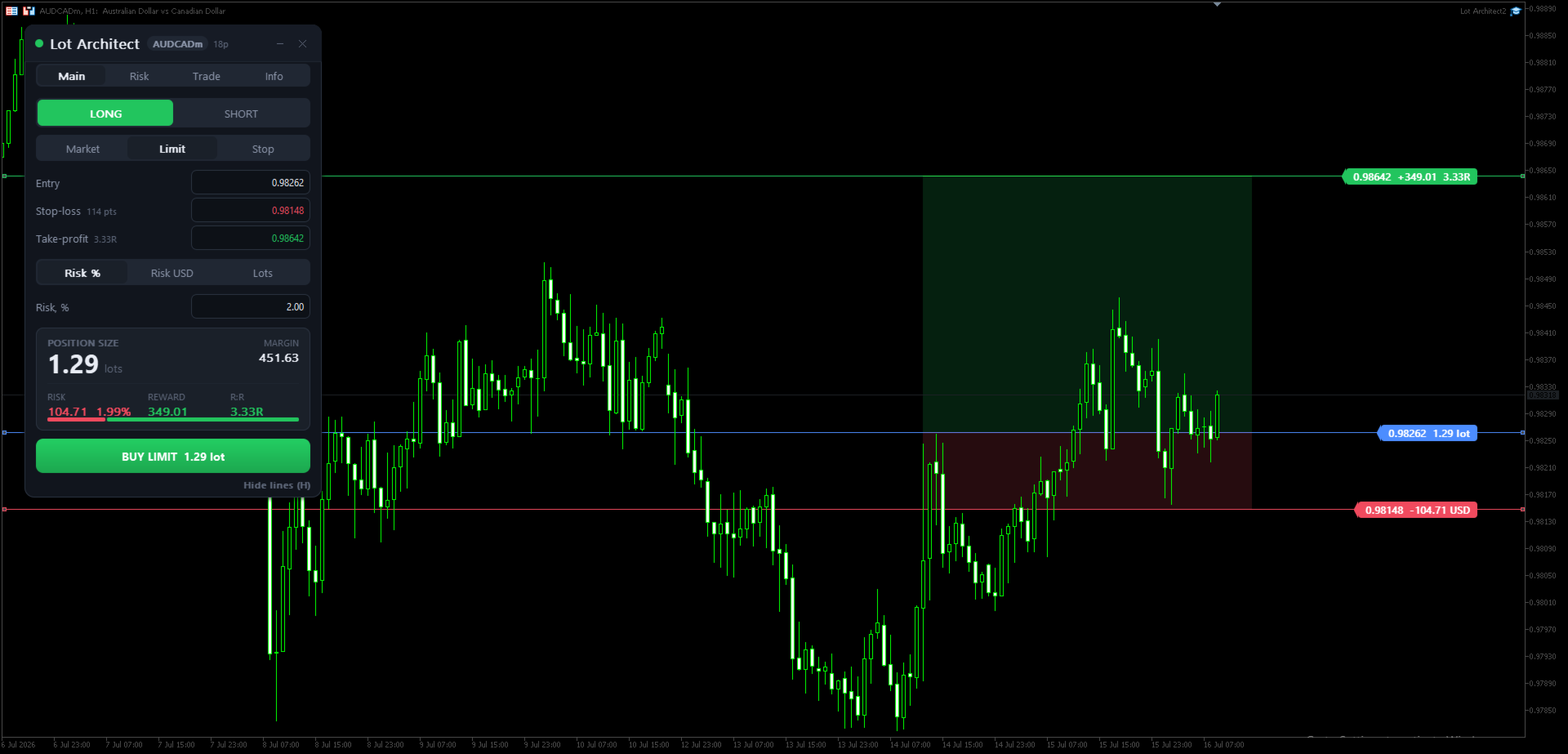
Lot Architect is a trade panel and risk-based position size calculator for MetaTrader 4. It helps calculate lot size from the selected risk, displays trade parameters before entry, and supports Market, Limit and Stop orders from the chart.
The utility is designed for traders who want a structured workflow for position sizing, stop-loss placement, take-profit planning and order execution.
Purpose
Before opening a trade, a trader needs to know the lot size, stop-loss distance, amount at risk, required margin and reward-to-risk ratio. Calculating these values manually can take time and may lead to mistakes, especially when trading different symbols such as Forex pairs, Gold, indices or CFDs.
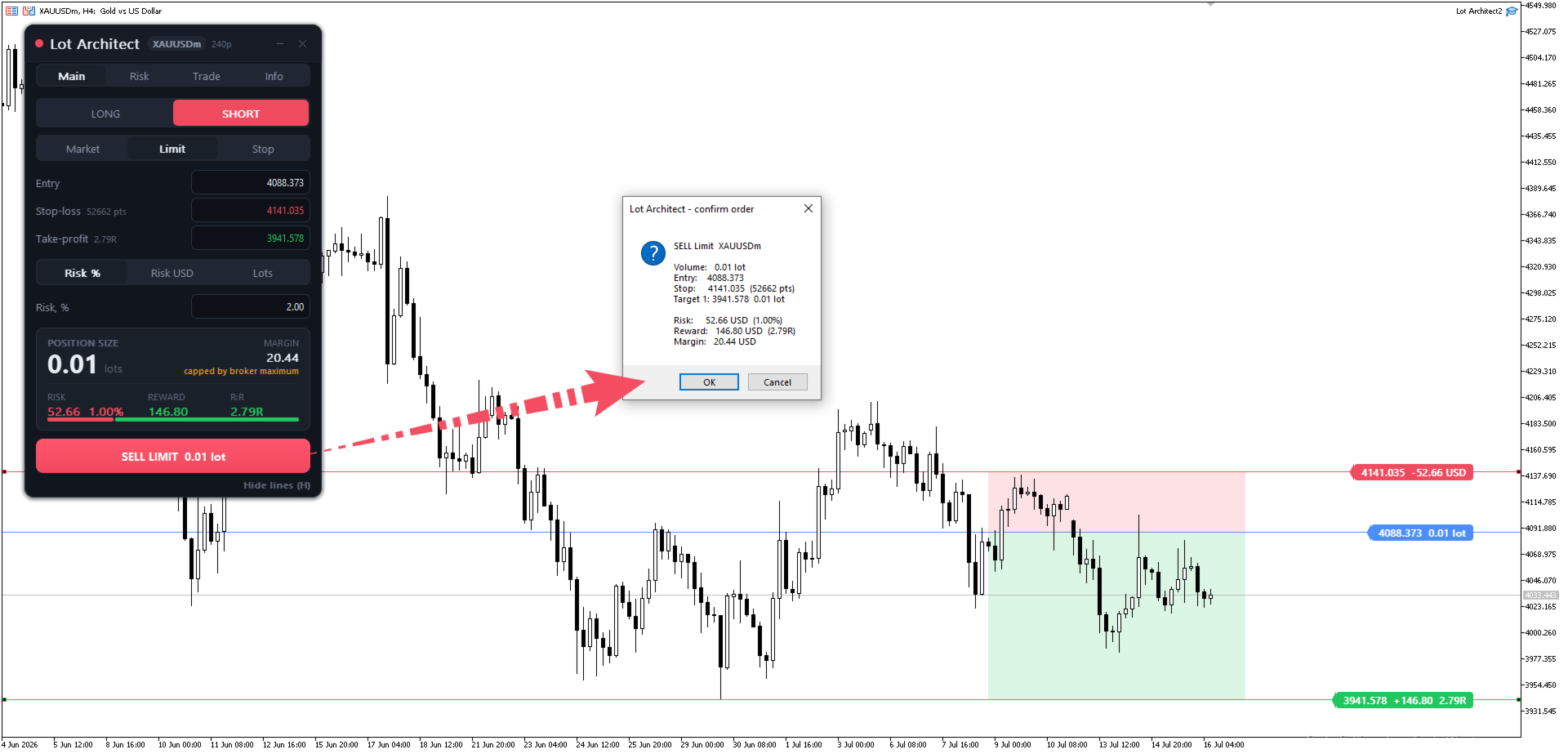
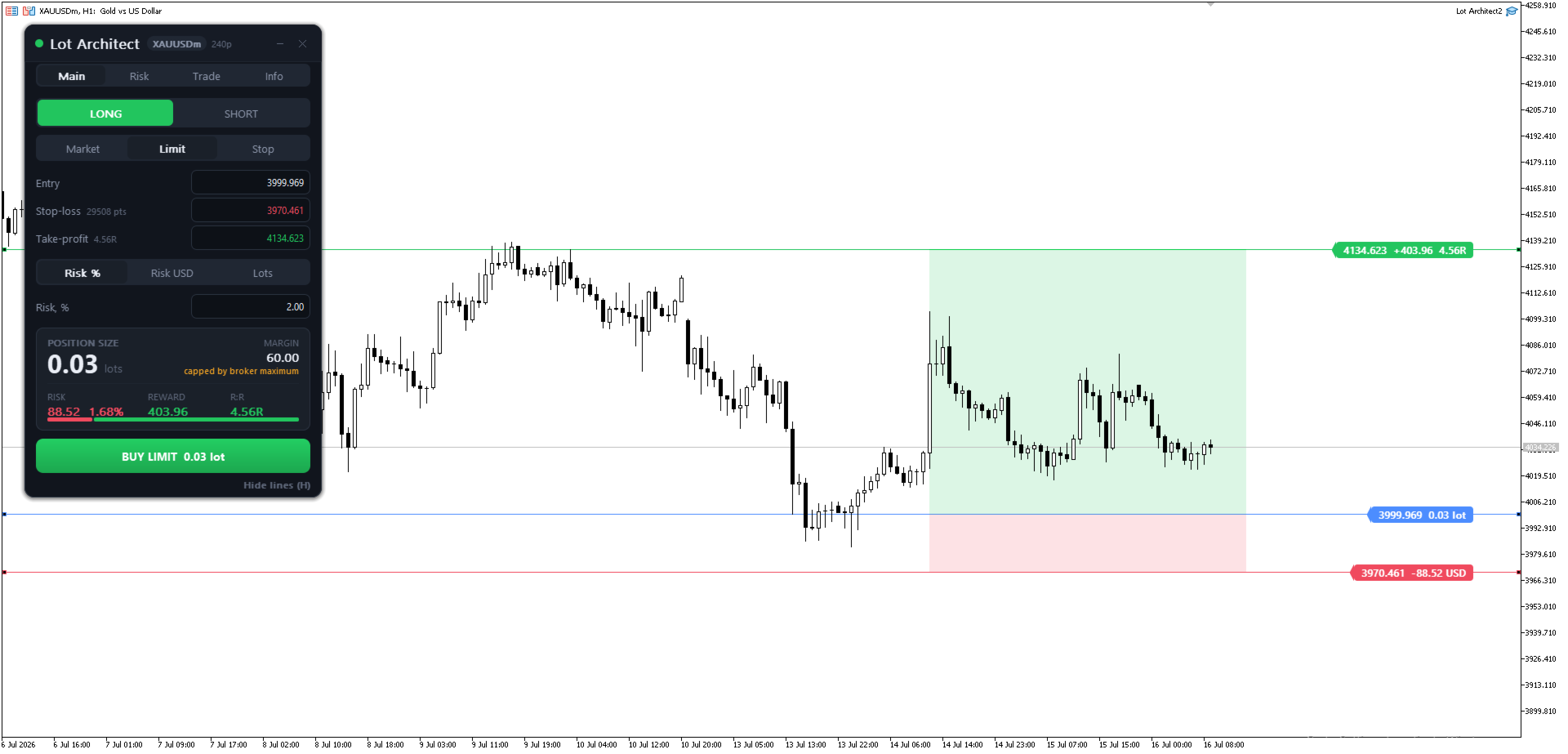
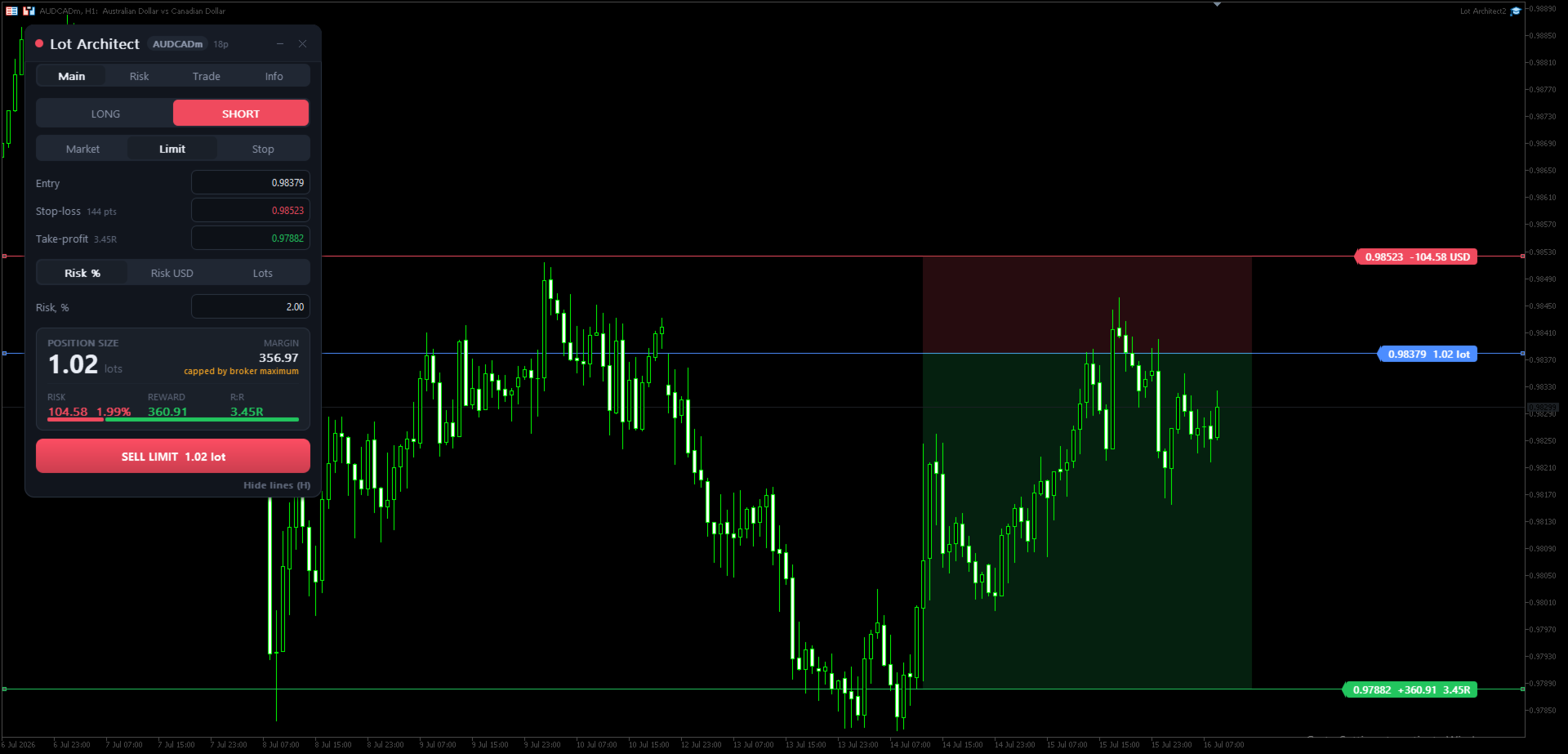
Lot Architect brings these values into one panel on the chart. The trader sets the Entry, Stop-Loss and Take-Profit levels, selects the risk method, and reviews the calculated result before placing an order.
Main Features
- Risk-based position sizing by account percentage, account currency amount or fixed lot size
- Entry, Stop-Loss and Take-Profit levels that can be moved directly on the chart
- Live calculation of lot size, risk, reward, margin and reward-to-risk ratio
- Support for Market, Limit and Stop orders
- Multiple take-profit targets with volume allocation
- Commission input for more complete trade calculations
- Risk and reward zones displayed on the chart
- Portfolio risk overview for current positions
- Dark and light panel themes
- Keyboard shortcuts for common actions
Trade Panel Workflow
The Main tab is used for the basic trade setup. Select Long or Short, choose the order type, set Entry, Stop-Loss and Take-Profit, then choose how the position size should be calculated.
The Risk tab contains account and risk settings. The trader can choose whether calculations are based on balance, equity, free margin or a custom account value.
The Trade tab contains execution-related settings such as slippage, spread limit, order comment, magic number and pending order expiration.
The Info tab shows account and symbol information that may be useful when preparing a trade.
Function Overview
- Symbol and spread badge: shows the current symbol and live spread.
- Long / Short: selects the trade direction.
- Market / Limit / Stop: selects the order type.
- Entry: sets the entry price for pending orders or follows the current price for market orders.
- Stop-Loss: sets the protective stop level and stop distance.
- Take-Profit: sets the target level and reward-to-risk calculation.
- Risk input: calculates volume from risk percentage, fixed risk amount or fixed lot size.
- Position Size: shows the calculated lot size.
- Margin: shows the estimated margin required for the trade.
- Risk: shows the account currency amount at risk and its percentage of the account.
- Reward: shows the estimated result at the selected target.
- R:R: shows the reward-to-risk ratio.
- Buy / Sell button: sends the order with the calculated volume.
- Show / Hide lines: toggles Entry, Stop-Loss, Take-Profit and chart zones.
Quick Start
- Attach Lot Architect to a MetaTrader 4 chart.
- Select Long or Short.
- Select Market, Limit or Stop order type.
- Set Entry, Stop-Loss and Take-Profit by dragging the chart lines or typing the values.
- Choose the risk method: Risk %, Risk amount or Lots.
- Review position size, risk, reward, margin and R:R.
- Use the Buy or Sell button if the setup is ready.
Keyboard shortcuts:
- Shift+T: place trade
- Tab: switch Long / Short
- O: change order type
- H: show or hide chart lines
- Backtick: minimize the panel
AutoTrading must be enabled in MetaTrader 4 to send orders. The calculation panel can still be used when automated trading is disabled.
Notes
Lot Architect is a utility for position sizing, risk calculation and order execution. It does not predict market direction and does not guarantee trading results. All trading decisions and risk remain with the user. Test the product on a demo account before using it on a live account.
A MetaTrader 5 edition is available separately from the same author.