QuickPivora
- 지표
-
Andrey Kozak
 Laboratory of Automatic Systems (LAS) - more than 10 years, we have been developing, testing and programming automatic trading robots for the forex market.
 - 버전: 1.0
- 활성화: 20
The advantage of the QuickPivora trading system is that it is suitable for both beginners and professionals, as it represents yet another trading strategy. The more effective trading strategies you use in your trading, the greater and better your results will be. We offer you our own fully developed and tested trading system.
Important! After purchasing QuickPivora, you will be subscribed to a private channel where we provide ongoing training on how to trade using this Forex system.
QuickPivora is a fully automated, ready-to-use trading indicator designed to detect short- to medium-term trend reversals and generate clear BUY/SELL signals across multiple timeframes. The indicator is suitable for both beginners and professionals, and can be used as part of a complete trading system.
Core Logic
-
Trend Detection:
-
The indicator analyzes price highs and lows using an adaptive algorithm based on the Amplitude parameter and moving averages (EMA/SMA) of highs and lows.
-
It tracks when the low moving average breaks above a recent high (bullish shift) or when the high moving average falls below a recent low (bearish shift).
-
A trend value of 0.0 indicates an uptrend, while 1.0 signals a downtrend.
-
-
Signal Generation:
-
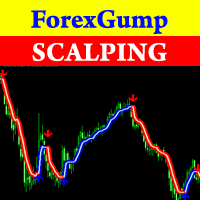
When the trend shifts from up to down (or vice versa), the indicator draws arrows on the chart:
-
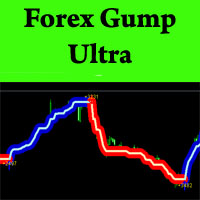
🔵 Blue line → Start of a buy trend.
-
🔴 Red line → Start of a sell trend.
-
-
Optional alerts can be triggered (pop-up, email, push notification).
-
-
Buffer Lines:
-
up[] and down[] buffers show trend levels visually.
-
atrlo[] and atrhi[] represent volatility-adjusted trend levels using ATR-based bands.
-
Standard Deviation Channel (Optional)
-
The indicator also features a standard deviation regression channel (enabled via ShowStdDevChannel ).
-
It plots dynamic linear regression lines with ± standard deviation envelopes to reflect price deviation and trend strength.
Multi-Timeframe Analysis
-
The system tracks six timeframes: M1, M5, M15, M30, H1, and H4.
-
For each timeframe, it calculates the current trend and stores it using global variables.
-
A visual panel in the chart's top right shows color-coded trend status for each timeframe:
-
🟢 Green dot – Uptrend
-
🔴 Red dot – Downtrend
-
⚪ Gray dot – Neutral or unclear
-
Master Signal Panel
-
A large label in the top right displays the overall signal:
-
"only BUY!" if more timeframes are in uptrend
-
"only SELL!" if more are in downtrend
-
"WAIT!" if signals are mixed or unclear
-
-
This helps avoid counter-trend trades and aligns decisions with higher timeframe trends.
Filter Function
-
A basic filter ( DS_Filter ) compares short-term smoothed moving averages to help confirm directional momentum during trend detection.
✅ QuickPivora Indicator – Detailed Input Settings
This section explains each input parameter of the QuickPivora indicator, allowing you to fine-tune its behavior to your trading preferences.
🔹 input int Amplitude = 1;
-
Description: Sets the sensitivity of pivot detection.
-
Function: Defines the range used to identify local highs and lows.
-
Lower values = more sensitive (more signals).
-
Higher values = smoother, more filtered signals.
🔹 input bool EnableAlert = false;
-
Description: Enables popup alerts in the terminal.
-
When true: You will receive a standard MetaTrader alert when a new BUY or SELL signal is generated.
🔹 input bool EnablePushNotification = false;
-
Description: Enables push notifications to your mobile MetaTrader app.
-
Requires: Proper push notification setup in the MetaTrader terminal settings.
🔹 input bool EnableEmail = false;
-
Description: Enables email notifications when signals appear.
-
Requires: Email configuration in the MetaTrader platform.
🔹 input bool ShowStdDevChannel = true;
-
Description: Shows or hides the standard deviation channel on the chart.
-
Purpose: Visualizes the regression trendline and its volatility bands.
🔹 input int StdDevPeriod = 10;
-
Description: Period for the standard deviation and regression calculation.
-
Function: Determines how many recent candles are analyzed to draw the trend channel.
🔹 input double StdDevFactor = 2.0;
-
Description: Multiplier for the width of the standard deviation channel.
-
Example: 2.0 = 2 standard deviations above and below the regression line.
-
Higher value → wider channel, fewer breakout signals.