 MetaTrader 5
 Experts
 지표
지표
 라이브러리
라이브러리
 유틸리티
유틸리티
 위젯
위젯
 규칙
규칙
MetaTrader 5용 Expert Advisor 및 지표 - 173
 트레이딩 로봇과 지표를 사용하여 외환 거래를 더 수익성 있게 만들 수 있습니다. 트레이딩용 로봇을 사용하면 개점 및 폐점 거래를 자동화할 수 있으며, 지표는 시장 행동을 보다 정확하게 예측할 수 있습니다.
이 페이지에는 MetaTrader 5 응용 프로그램의 카탈로그가 나와 있습니다.
트레이딩 로봇과 지표를 사용하여 외환 거래를 더 수익성 있게 만들 수 있습니다. 트레이딩용 로봇을 사용하면 개점 및 폐점 거래를 자동화할 수 있으며, 지표는 시장 행동을 보다 정확하게 예측할 수 있습니다.
이 페이지에는 MetaTrader 5 응용 프로그램의 카탈로그가 나와 있습니다. 
AlphaLogic PropProtector: The Ultimate Equity Shield Protect your Prop Firm account with institutional-grade precision. Are you tired of losing Prop Firm challenges due to emotional over-trading or a few dollars' calculation error? Most traders fail because they lose track of their Daily Drawdown or Absolute Equity Floor . AlphaLogic PropProtector is a professional-grade utility designed for traders who take risk management seriously. Whether you are trading a $50,000 challenge or managing a fun
FREE
This Expert Advisor captures and sends information about all open positions to a REST API server in real-time using HTTP POST requests. It is ideal for building synchronization tools, external monitoring systems, or custom trade copier solutions. What does this EA do? Iterates through all active orders in the account. Compares current positions with the previously sent ones. If any change is detected (SL, TP, price, symbol, volume, type, etc.), it sends updated information to the defined endpoi
FREE

Ladies and gentlemen, let me explain a simple tool that can help adjust stop-loss positions based on historical data and customized distance. Tool Name: Trailing Stop Pro Description: A trailing stop is a risk management tool commonly used in trading. It allows traders to set a dynamic stop-loss level that automatically adjusts as the price moves in their favor. Here’s how it works: Initial Stop-Loss: When you enter a trade, you set an initial stop-loss level. This is the price at which you’re
FREE

GT No Trading Zone – Smart Trade Restriction for Enhanced Risk Management Overview The GT No Trading Zone indicator is a powerful tool designed for traders who want to implement structured trade restrictions during specific time intervals. This is ideal for avoiding high-risk periods, such as news releases, market opens/closes, or any other predefined time frames where trading may be unfavorable. With GT No Trading Zone , you can:
Define up to 5 custom no-trade periods during the day.
Automa
FREE

How to Use All Symbols Opener Preparation : Open any symbol chart in your MetaTrader 5 platform. Select your preferred time frame for the open chart (e.g., M5, H1, D1). Launch All Symbols Opener : Attach the All Symbols Opener utility to the currently open chart: Drag and drop it from the Navigator window under Experts onto the chart. Alternatively, double-click All Symbols Opener from the Navigator to activate it. Automatic Operation : The tool will detect the active chart’s time frame and appl
FREE

이 제품은 PositionRelay Slave Subscriber로 리브랜딩되었습니다.
MQL5 Market에서 PositionRelay Slave Subscriber를 설치하세요. 이 TradeEcho 리스팅은 대체되며 숨겨집니다. Market 제목은 변경할 수 없습니다.
동일한 User ID와 클라우드 API입니다. TradeEcho Slave Subscriber를 제거한 다음 각 팔로워 계좌에 PositionRelay Slave Subscriber를 첨부하세요.
연관 제품: PositionRelay Master Publisher.
키워드: 카피 트레이딩, 트레이드 카피어, PositionRelay, 리브랜드, 슬레이브
PositionRelay Slave Subscriber는 PositionRelay 마스터 계좌의 열린 포지션을 읽어 로컬 MetaTrader 5 터미널에 미러링합니다. 고정, 스케일 및 잔고 적응 랏 크기, 심볼별 제어, 대시보드 가시성을 위한 주기적 자
FREE

이 스크립트는 다양한 창 기능에서 가중치를 평가하도록 설계되었습니다. 이러한 창 기능을 기반으로 하는 지표는 https://www.mql5.com/ru/market/product/72159 에서 다운로드할 수 있습니다. 입력 매개변수: iPeriod – 표시 기간. iPeriod >= 2 iCenter는 창 기능의 중심이 위치할 참조의 인덱스입니다. 기본적으로 이 매개변수는 0입니다. 창의 중심은 표시기의 중심과 일치합니다. 1 <= iCenter <= iPeriod를 사용하면 창 기능의 중심이 이동되어 표시기의 일부 특성이 변경됩니다. 그림 1에서 센터의 선택이 윈도우 기능과 인디케이터의 디스플레이에 어떤 영향을 미치는지 볼 수 있습니다. 이 매개변수는 0.5 단위로 변경할 수 있습니다. Histogramwidth - 히스토그램의 너비. Histogramcolor - 히스토그램의 색상입니다. 표시 시간 - 표시 시간. 스크린샷 - 이 옵션이 활성화되면 사진이 파일 폴더에 저장
FREE

This indicator creates a channel relative to other chart indicator: indicator + ATR and indicator - ATR . Useful to know if price has gone up too far of your baseline. The ATR levels can be adjusted with a multiplier. It can also be applied to prices (close, open, high, low, median...) or other subwindow indicators. Actually you can get the same information about distances to baseline when applying it to close prices
You can also get this indicator for MT4 (a bit more complex to use, but it can
FREE

Dashboard – Trading Panel for MetaTrader 5 Dashboard is an essential tool for traders who need a centralized view , efficient order control , and quick access to key market information , all displayed directly on the MetaTrader 5 chart. Features: Clear display of open positions Quick order management (open/close) Profit/loss tracking per trade Built-in trend indicators (moving averages, candles, etc.) Customizable panel for different trading styles Optimized interface for day trading, swing
FREE

ARMOR Risk Calculator Trade with a plan. Calculate your risk before you enter the market. ARMOR Risk Calculator is a professional and easy-to-use risk management tool for MetaTrader 5, designed to help traders calculate their position size and potential trade risk before placing a trade. Instead of manually calculating lot sizes and risk values, ARMOR Risk Calculator provides a clean and intuitive dashboard where you can enter your trade parameters and instantly review the calculated results. Ke
FREE

GUARDIAN 트레이딩 패널 GUARDIAN 트레이딩 패널 시장을 통제하라. 따라가지 마라. GUARDIAN은 단순한 트레이딩 패널이 아니다.
혼란, 주저, 감정적 실행을 거부하는 트레이더를 위한 명령 시스템이다. 한 가지 진리를 이해하는 전문가를 위해 구축되었다:
실행 속도와 통제력이 결과를 결정한다. ️ GUARDIAN은 결정과 실행 사이의 간극을 제거한다.
무작위성을 구조로 대체한다. ️
당신의 차트를 지휘 센터로 변환한다. GUARDIAN이 강제하는 것: ️ 차트에서 직접 원클릭 실행 ️ 통제된 규칙 기반 행동을 통한 강제적 규율 실시간 트레이딩 환경 인식 안전하지 않은 조건의 자동 거부 잡음 없음. 장식 없음. 순수 기능만. 모든 클릭에는 의도가 있다 모든 거래는 신중하다 GUARDIAN은 단순히 당신을 지원하지 않는다.
당신의 워크플로우를 지휘한다. ️ GOLDEN EDGE 생태계 당신은 도
FREE

오랫동안 같은 트렌드가 지속될 때, 눈앞의 움직임에 휘둘리고 있지는 않습니까?
"이제 반전하겠지"라는 생각으로 근거 없는 역추세 매매. "수익을 잃고 싶지 않다"는 불안감 때문에 너무 빠른 익절. 이 모든 것들은 캔들이 확정될 때까지 기다릴 수만 있다면 막을 수 있었던 후회들입니다.
모니터 앞에서 계속 기다려야 하는 스트레스를 없애고, 규칙적인 매매를 지원하기 위해 이 도구를 만들었습니다.
이 도구는 상승(양봉) 또는 하락(음봉) 캔들이 확정되는 순간 알람을 울리는 간단한 모니터링 EA입니다. 조작: "매수(양봉)" 또는 "매도(음봉)"를 선택하고 SET 버튼을 누르기만 하면 됩니다. 알림: 지정한 캔들이 확정되는 순간 알람 통지. 다국어 대응: 11개국 언어 지원 (Language 버튼으로 전환 가능). We also offer other useful products. Check them out!
FREE

Hello everyone, this is another utility that I wrote specifically for users using my profile with a large number of experts and sets ( https://www.mql5.com/en/blogs/post/750723 ) . This utility is useful for working with a profile using grid strategies (averaging and martingale). As we know, such strategies periodically fall into a large drawdown and you need to be careful when opening averaging positions (do not open too many). In my profile, I use a limit of 3 positions for each EA, if this w
FREE

NORA NEWS SHIELD - Professional News Protection System Product Description Overview NORA NEWS SHIELD is a professional risk management tool that automatically protects your trading during high-impact economic news releases. It monitors major global currencies and temporarily suspends trading activity during critical market-moving events, helping you avoid sudden volatility spikes and potential losses. How It Works The system continuously scans the economic calendar for upcoming high-impact news
FREE

Discover our all-in-one monitoring and notifications EA for MetaTrader. Designed to ensure traders’ security and peace of mind, this unique EA offers a full range of advanced features that will allow you to stay informed and control your account activity, anytime and anywhere. Key Features : Continuous server monitoring: real-time notification on server availability and performance (Cpu, Ram, disk), connectivity, latency and more Advanced account management: live tracking of margin calls, dro
FREE

It can only be used in EURCHF . The Expert Advisor is a great tool that allows you to control your trade with ease and precision. The tool can be moved in the graphs and offers the following characteristics:
Instant order entry with a single click. Entry of pending orders using price tags and trend lines. Instant order closure with a single click. Instant order closure using trend lines as output levels that the broker can not see. We can modify the way to enter and exit the market, allowing us
FREE
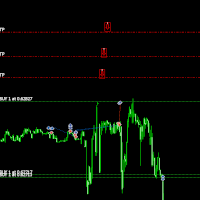
Move TakeProfit - 사용 방법 사용 방법 드래그 앤 드롭 스크립트를 클릭한 후 차트로 드래그하여 새로운 TakeProfit 레벨을 설정합니다. 원하는 가격 수준에서 스크립트를 놓습니다. 확인 팝업 스크립트를 놓으면 확인 창이 나타납니다. 변경되는 포지션 수와 정확한 TakeProfit 가격이 표시됩니다. "예"를 클릭하면 진행되고, "아니요"를 클릭하면 취소됩니다. 자동 TakeProfit 업데이트 확인하면, 현재 차트의 모든 열린 포지션에 대해 TakeProfit이 업데이트됩니다. TakeProfit이 없는 포지션에는 선택한 레벨에서 자동으로 추가됩니다. 배치 검증 매수(BUY) 거래의 TakeProfit은 진입 가격보다 높아야 합니다. 매도(SELL) 거래의 TakeProfit은 진입 가격보다 낮아야 합니다. TakeProfit이 잘못 설정된 경우, 오류 메시지가 표시되며 작업이 취소됩니다. 브로커 제한 처리 일부 브로커는 TakeProfi
FREE

Daily PnL Notifier – Get Telegram alerts when your daily profit or loss target is reached! Looking for a simple, fast, and reliable way to monitor your daily performance on MetaTrader 5?
Daily PnL Notifier is the tool you need. ️ Key features : Sends an instant Telegram notification when your account hits a custom profit or loss threshold . Fully customizable : you set your own daily gain or loss limits. Ultra simple: minimal interface , no useless settings. Works on all accounts (demo or li
FREE

North Connection - MetaTrader 5와 North Trader Station을 연결하는 공식 브리지 North True Funding은 기술 기반의 prop firm 으로, 트레이더가 더 명확한 구조, 방향성, 운영 규율을 가지고 성장할 수 있도록 만들어졌습니다. North의 프로그램은 명확한 규칙, 전문적인 환경, 그리고 거래 성과와 준비, 기회를 책임 있는 기준으로 연결하는 도구를 제공하도록 설계되었습니다. North의 목적은 과장된 약속을 판매하는 것이 아닙니다. 우리의 목적은 트레이더가 현재 위치, 다음 단계, 그리고 자신의 여정이 어떻게 진행되고 있는지 이해할 수 있도록 구조, 운영 데이터, 명확한 방향성 을 제공하는 것입니다. North True Funding 프로그램 알아보기 더 명확한 트레이딩 여정, 기술 기반 구조, 객관적인 기준, North Trader Station을 통한 추적을 원한다면 North의 공식 프로그램을 확인해 보세요. 공식 웹사이
FREE

EquityShield is a lightweight and dependable Expert Advisor (EA) for MetaTrader 5, crafted to protect your trading account from excessive losses with minimal resource usage. It monitors your account's equity drawdown and automatically closes all open positions and pending orders if the drawdown exceeds your specified threshold, either in percentage (%) or a fixed amount ($). Designed as a robust safety barrier, EquityShield ensures your capital remains secure during unexpected market volatility
FREE
This indicator is to be used in bot connectors for automation of Pct Multi indicator entries.
How to use: Configure the bot connector with the following information: Indicator name: pctmultibot Call buffer: 0 Put buffer: 1
Do not add this indicator to the chart, just configure it in the bot connector!
Pct Multi indicator:
https://www.mql5.com/en/market/product/111091
FREE
The script removes all of the indicators on the chart with one movement of the hand. There are situations when there are too many indicators on the chart. And it is required to delete all of them without closing the tab. Unfortunately, the settings window doesn't allow us to select all indicators at once and we have to delete one by one. This script will solve this problem. Simply drag the script from Navigator window onto the chart.
FREE

Vyl Focus Trainer — это инструмент для дыхательной разминки, разработанный для MetaTrader 5, который помогает трейдерам войти в спокойное, сосредоточенное состояние перед началом торговой сессии.
В отличие от стандартных торговых инструментов, эта утилита не анализирует рынок и не открывает сделки. Ее цель — подготовить вас, трейдера, к дисциплинированной, эмоционально уравновешенной торговле. Благодаря двухминутной управляемой дыхательной сессии с визуальными подсказками, инструмент помогает
FREE
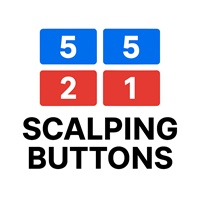
Selam arkadaşlar özellikle gold scalp yaparken zamana ve reflekse ne kadar ihtiyacımız olduğunu biliyorsunuz.
Bu sebeple ben kendime scalp yaparken bana yardımcı olacak buttonlar hazırladım.
ben gold scalp yaparken : 3 .çeşit Sell
3 .çeşit buy close sell close buy
açık emirleri kapat hepsini kapat
şeklinde kendime butonlar hazırladım. ve çok faydasını gördüm.
bütün butonların renklerini lot değerlerini isimlerini değiştirebililrsinz.
kesinnikle çok seveceğinize eminim
bol kazançlar.
FREE

OrderCalc opens a window in the chart with the data of your orders:
Position size, stop loss, take profit, profit/loss
Only the positions for this symbol are displayed. If several positions exist, these are totalled and displayed in the last line. If you work with pyramids, you can see at a glance how big the total profit or loss is.
M can be used to display information about the symbol: Margin, spread, minimum order size, increment etc. R opens the risk calculator. A click in the chart calc
FREE

MetaTrader 5 플랫폼에서 사용되는 사용자 정의 인디케이터로, 다양한 타임프레임에서의 시장 트렌드를 시각적으로 표시하는 데 사용됩니다. 이 인디케이터는 사용자가 지정한 X 및 Y 좌표에 위치하는 패널을 생성하여, M1부터 MN1까지 총 21개의 타임프레임에 대한 트렌드를 각각 라벨 형태로 보여줍니다. 각 타임프레임의 트렌드는 20기간 단순 이동평균(SMA)과 50기간 단순 이동평균을 비교하여 결정되며, 상승 트렌드는 초록색, 하락 트렌드는 빨간색, 보합은 회색으로 표시됩니다. 또한, 모든 타임프레임에서의 트렌드를 종합하여 상승 비율을 계산하고, 이 비율에 따라 전체 시장 트렌드가 표시됩니다. 전체 트렌드는 일정 간격으로 깜빡이며 사용자에게 시각적 주의를 끌도록 설계되었습니다. 이 인디케이터는 시장 상황을 빠르게 파악하고자 하는 트레이더들에게 유용하며, 업데이트 간격과 깜빡임 간격은 사용자의 필요에 맞게 조정할 수 있습니다. 또한, 패널의 위치와 색상도 사용자 정의가 가능하
FREE
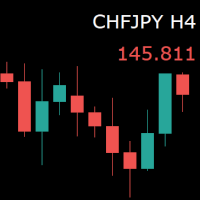
For those who monitor charts from afar, this utility is essential. It displays the chart symbol, time frame, and bid price as text. Users can adjust the text position, color, and font size. It’s also a useful tool for forex video publishers. There will be no more complaints about which symbol and time frame are displayed on the screen, even if the content is viewed on a phone. Symbol prefixes such as “_ecn” or “_stp” can be removed from the displayed symbol.
FREE

This utility is a graphical shell for other Expert Advisors that do not have their own graphical shell or whose graphical shell you do not like. Just run the utility on a free chart of any currency pair, specify in the input parameters the "Magic Number" of the advisor to which you want to connect the utility, and a graphical shell will appear on the graph, containing information about the traded currency pairs, current positions and trading results of your advisor. If you like this utility, tak
FREE

Would appreciate a review of the product if possible.
This program, is designed to automatically log and monitor trading account performance metrics in MetaTrader 5. It tracks daily balance and equity, calculates performance metrics, and records them in a CSV file for later analysis. Key Features: 1. Initialization: • Inputs for account name ( Account_Name ), starting day balance ( Start_Day_Balance ), and equity ( Start_Day_Equity ) are accepted. • If the starting balance or equity is not prov
FREE

An Essential Tool for the Professional Trader
Problem: As a professional trader, you have worked out entry points across several charts and now your anticipating price action. At this stage, you are having to constantly check your mobile phone or PC across several charts hoping for those prices to be achieved
Solution: Enter all the prices for all charts into a single display and get instant notifications to your mobile phone or PC. Save yourself time and frustration
Note: This product wil
FREE

The script analyzes all trading instruments listed in the Market Watch of the MT5 platform to assess their suitability for trading on the timeframes specified in the settings. Based on the analysis, the script displays a table, where trading instruments deemed suitable and recommended for trading are marked in green, based on their compliance with the risk-to-reward ratio coefficient, including the spread (default 1:3). Instruments not recommended for trading are marked in red.
FREE

Fastest Trades Copier is the fastest and most lightweight trade copier between MT5 accounts available on the market. Running entirely through the MT5 Common Folder — no DLLs, no external servers, no internet dependency — it copies your trades between two terminals on the same VPS or PC with near-zero latency, polling every 500ms with minimal CPU footprint. Key Features: Ultra-fast local copy via MT5 Common Folder Configurable symbol name translation between brokers (e.g. USDJPY.sc → USDJPY)
FREE
多数の通貨を取引している場合、画面をカチャカチャ切り替えの際にどの通貨を見ているか 迷ったことはありませんか。 表示している通貨が大きく表示されるMT4用のインジケーターは あるのですがMT5用がなかったので作成しました。
機能: どの通貨でも表示可能になります。 表示位置 (左上 、 右上 、 左下 、 右下) の 指定 が可能 になります。 表示位置(X軸、Y軸)が変更可能 になります。 フォントの色を 変更可能 になります。 使用するフォント を指定することが可能になります。 フォントサイズ の 変更が可能 になります。 インストール方法: ファイル->データフォルダーを開く->MQL5フォルダー->Indicatorsフォルダー 配下にex5ファイルを置いてMT5を再起動してください。
FREE
I find the lot calculation tedious so I just use this script and tell it the dollar amount to use. It then does the rest. This works for any currency.
How-To: Open a sell position using the desired dollar amount instead of lots. To use, just drop it onto a chart and set inputs as needed. The script will then do the necessary lot calculation and open the trade.
Inputs: FIXED_DEAL_AMOUNT: Fixed amount to use per trade e.g 100 to open a R100 deal USE_SL_ON_BUY: If true then a suitable stoploss wi
FREE

VR Economic News Matrix is an MT5 chart utility that displays upcoming economic calendar events in a structured matrix directly on the chart. Using the built-in MetaTrader 5 calendar, the utility retrieves upcoming news, filters events by low, medium, and high impact , and maps their relevance across key instruments including XAUUSD, EURUSD, GBPUSD, BTCUSD, and USDJPY . Traders can view event times in server time, Copenhagen local time, or both , making it easier to align broker timing with real
FREE

This indicator allows to hide CCI oscillator (on all MT5 timeframes) from a date define by the user, with a vertical line (Alone) or a panel (with "Hidden Candles"). Indicator Inputs: Period Apply To Information on "Commodity Channel Index" indicator is available here: https://www.metatrader4.com/en/trading-platform/help/analytics/tech_indicators/commodity_channel_index ************************************************************* Hey traders!! Give me your feeds! We are a community here and
FREE

EA to help traders stay within tight risk management.
Asks only for account's initial balance and Stop Out DD. This is meant for prop firm traders, but will help any trader who is looking for a simple risk manager.
Trasks and reports daily PnL and will advise you to stop at 1% daily loss. Will advise you to wait if you have too many open trades.
Based on the open chart (symbol and timeframe) will recommend size and SL distance in order to risk the desired cash risk. See screenshot for example
FREE

!!!The first 10 users are free!!! Prop Protector — Trading Panel and Risk Management Utility Prop Protector is a utility designed for position sizing and risk management in the MetaTrader 5 terminal. The tool assists in calculating lot sizes based on defined risk parameters and monitoring daily drawdown limits. Key Features: Trading Panel: Provides an interface for executing market Buy and Sell orders directly from the chart. Lot Size Calculation: Automatically calculates the required lot s
FREE

Bundle Risk Manager Pro EA
"Risk Manager Pro EA is an all-in-one trading utility that combines advanced risk management tools, ensuring full control over your trading account while protecting your capital and complying with trading regulations. By bundling Limit Positions , Concurrent Risk Capital , and the newly added Limit Profit , this EA is the ultimate solution for disciplined trading and achieving evaluation goals. Key Features: 1. Limit Positions : Enforces a maximum number of open posi
FREE

Trading Companion is an EA bridge to the Telegram chat. It does not place trades, it provides to your Telegram's terminal information about your accounts - it can be used with any other EA, indicator or trading solution. It notifies you about the server lag (ping between your terminal and your broker) and includes a feature to withdraw wisely from your account.
Settings Ping limit: default 300ms - will warn you if ping is superior Basis Fund: 0, deactivated - each time you will withdraw, it is
FREE

This Expert Advisor monitors all open positions across all symbols in MetaTrader 5. Whenever a Stop Loss (SL) or Take Profit (TP) is manually set or adjusted on any position, the EA automatically applies that value to all other open positions , regardless of symbol or order type (Buy/Sell). This ensures consistent and synchronized SL and TP levels across your account.
Perfect for mobile trading via tablet or smartphone!
FREE

CloseByLossOrProfit Expert Advisor closes all positions as their total profit or loss reaches a specified value (in deposit currency). In addition, it can delete pending orders. Allow AutoTrading before running the Expert Advisor. Usage: Run the Expert Advisor on a chart. Input Parameters: Language of messages displayed (EN, RU, DE, FR, ES) - language of the output messages (English, Russian, German, French, Spanish); Profit in the currency - profit in points; Loss in the currency - loss in p
FREE

CxPV Analyst is a high-performance trading utility and Expert Advisor designed for traders who demand data-driven precision over simple indicator crossovers. By combining four distinct quantitative engines into a single "Cert Score" (Certainty Score), this tool identifies high-conviction market phases while filtering out low-probability "noise." Whether you are a manual analyst looking for a powerful dashboard or an algorithmic trader seeking automated execution, CxPV Analyst provides the instit
FREE
CYP Trade Manager Basic - Advanced Position Management for MT5 Protect Your Trades with Professional Risk Management CYP Trade Manager Basic is a sophisticated trade management Expert Advisor designed to protect your trading capital and maximize profit potential through intelligent position management. Perfect for both beginner and experienced traders who want to automate their trade management without the complexity. Key Features Automatic Breakeven Protection Moves stop loss to breakeven
FREE

Display the date, time and price according to the movement of the mouse cursor on the chart This is useful for discretionary trading.
It is an indispensable tool for verifying and studying past market prices and trades. Characteristic Date,Time and Price are displayed.
The value follows the movement of the mouse.
You can change the color of the text. Please refer to the video on youtube. For MT5 only.
FREE

Test Trade Saver Script
Application Type: Script
Application Functions: Saves test results cache file data into text files
About the Application The script extracts trading results from a test system cache file and saves them into text files for further analysis. How to Use Parameters: LOG_LEVEL - Logging level in the Experts terminal section. DEBUG provides the most detailed information, while ERROR gives the minimum. CUSTOM_MAGIC_NUMBER - The system identifier (Magic Number) used to save resu
FREE
I find the lot calculation tedious so I just use this script and tell it the dollar amount to use. It then does the rest. This works for any currency.
How-To: Open a buy position using the desired dollar amount instead of lots. To use, just drop it onto a chart and set inputs as needed. The script will then do the necessary lot calculation and open the trade.
Inputs: FIXED_DEAL_AMOUNT: Fixed amount to use per trade e.g 100 to open a R100 deal USE_SL_ON_BUY: If true then a suitable stoploss wil
FREE

一 運作方式(如下圖)
在一個單邊向上的行情中, 自動交易工具做以下動作: 當價格來到高點,等待突破訊號在進場。
當價格回調,等待回調結束要往上時在進場。 當進場下單後,
如果一直漲就持續持單,等待價格漲不上去準備下來時,在獲利離場。
但如果一直跌,就等待要上漲時在進場,進場時加倍下單,
一個做底單,動作同上等待獲利離場,
另一個單用做倉位修正,此單和第一張單在盈虧為0時會各自平倉,不造成損失。 Ps:
在一個單邊向下的行情中,動作則相反
二 設定方法(如下圖)
Step1 一開始要自己指定工具的方向.
如果認為會往上走,設定i_tradeup=true, i_tradedown=false,
如果認為會往下走,設定i_tradeup=false, i_tradedown=true,
Step2 指定目標位置和止損位置
如果認為會往上走,i_top輸入目標位置,i_bottom輸入止損位置
如果認為會往下走,i_top輸入止損位置,i_bottom輸入止盈位置
當價格到達目標位置會強制平倉獲利並暫停工具運作
當價格到達止損位置會反向開單鎖倉
FREE

HeatMap – Volume & Pips Change Analyzer for MT5 The HeatMap indicator for MetaTrader 5 is a powerful and interactive tool designed to help traders identify the most active and volatile trading hours across the last 14 days. By default, the indicator starts as a simple floating button labeled "HeatMap" in the top corner of your chart.
With just one click, it opens a compact, easy-to-read panel showing historical market behavior in a 24-hour x 14-day grid layout . What it shows: Hourly Data: Each
FREE

This MQL5 script calculates and displays a recommended trading lot size, offering both automatic and manual modes. In automatic mode, it calculates lot size based on account balance, market volatility (ATR), or a hybrid of both. The script defines lot size types (Micro, Mini, Standard) with switching thresholds, volatility settings, and safety limits. It aims to automate lot size calculations for systematic risk management, adapting to market dynamics and account parameters. Core Features Out
FREE

Universal HTF Box Candle Overlay: Multi-Timeframe Wick Stats & Liquidity Tracker The Ultimate Multi-Timeframe Visualization Tool for MT5! Stop switching tabs to check higher timeframes. Universal HTF Box Overlay brings any higher timeframe (HTF) structure directly onto your current lower timeframe (LTF) chart. Whether you are a Gold scalper or a Trend follower, this utility gives you the "Eagle Eye" view needed for precision trading. Key Features: Fully Universal HTF Support: Overlay ANY time
FREE

️ Drawdown Protection – Manual Trading Blocker (MT5) Protect Your Account from Manual Trading Mistakes Drawdown Protection – Manual Trading Blocker is an Expert Advisor designed exclusively for MetaTrader 5 to strictly control daily drawdown caused by manual trading . Once the predefined daily maximum drawdown is reached, this EA automatically blocks all new manual trades , helping traders avoid emotional decisions and revenge trading. ️ How It Works The EA continuously monitors the accoun
FREE

This is a MetaTrader 5 script. It helps to summarize all trades into every symbol.
Input Select Period: This is 7-option input. It includes Last Month, This Month, Last Week, This Week, Today, All History, and Date Specified. Specify Starting Date: Enter a date if you selected Date Specified in "Select Period" input. Specify Ending Date: Enter a date if you selected Date Specified in "Select Period" input. The summary is saved into a file in MQL5\Files folder. MT4 Version: https://www.mql5.co
FREE

Margin Tick Ratio — margin efficiency analysis for all broker's instruments
Margin Tick Ratio is a script for MetaTrader 5 that runs through your broker's tools in one run and answers a practical question: how much "tick" profit do you get for each unit of collateral, and how expensive is the entry spread.
The script does not trade. It collects data, ranks tools by efficiency, and generates a user-friendly report in a terminal, CSV, and interactive HTML file.
Who is this product for
• T
FREE

Result and Execution line, which shows the net global position, the expected profit at a given price level, and its percentage of the account balance. Additionally, with the line unselected, it executes position and/or order closing actions. You can move the line from one price to another by selecting it, to obtain information on the closing result of positions at different price levels. If you wish to close trades and/or orders, select this option in the EA parameters and then deselect the li
FREE

Play Trading: Get started in trading by playing and learning how Limit (rebound) and Stop (continuation) orders work. From a mobile and transparent panel (by clicking on the header), anticipate market developments and place Limit and/or Stop orders. Set the initial distance to generate the grid with the number of orders you want (for each type of order). Set the take profit points and lot size as you wish. Set the type of orders you want: BUY – SELL – NO (delete orders) – BOTH (Buy and Sell
FREE

NS Financas Clear All Objects Automatically Script for quick removal of all objects from your chart (lines, shapes, symbols, etc ...) Don't waste any more time trying to find all the objects on your screen for removal. Use this script and in one click all objects will be removed from the chart automatically. Also, it is possible to configure hotkeys to make the script even faster in its use. NS Financas Clear All Objects Automatically does not remove indicators. Take the opportunity to visit our
FREE

A MetaTrader 5 script that automatically closes all charts except for a specified number to keep open. Simply enter numbers like 1,2,5,10 to keep those corresponding charts open, or a single number (e.g., 3 ) to keep the first 3 charts open. All other charts are closed in one action, helping you manage multiple open positions with ease. Perfect for decluttering your workspace and focusing on the charts that matter most.
Source Code here: https://github.com/pwn-forex/ChartChaos Youtube T
FREE

For MT5 Backtest. With this EA, you can read indicators via backtesting. Buffers and objects are read. You can then use them to program strategies and use them for your EA.
It's very easy to use. You simply enter the full indicator name in the menu and you're ready to go. You can then see all the information you need in the backtest log (journal). The default path is the indicator's root directory. If you want to specify a different directory from there, you can do so in the menu.
FREE
This tool helps you calculate the ratio of slippage and current spread compared to the average price movement over the timeframe of a specific symbol. It can indicate whether you should trade on that timeframe or not. If the ratio is too high, it will be very challenging to make a profit. Typically, this ratio should be less than 15%.. Simply add it to the chart of the timeframe for the symbol you wish to estimate.
FREE

This Program will not execute any trades!
Works on any chart and any time frame!
This is the MT5 version.
MT4 version: https://www.mql5.com/en/market/product/125496?source=Site+Market+My+Products+Page#description
This Program will produce a comment box at the top left of the chart and show you your equity % difference throughout the day. Updating constantly in real time.
The daily resets back to zero on open of a new market open day. Using new current equity at start of day as reference for
FREE

Maximize or restore the main chart or indicator windows by double-clicking them.
Double-clicking a main chart window will hidden all the indicator windows and expand the main chart to the maximum. Double-clicking again to restore.
Double-clicking an indicator window will hide all the other indicator windows and expand the double-clicked indicator window to the free space. Double-clicking again to restore.
FREE
Este script permite abrir operaciones de forma rápida con un loteo automático basado en el "equity".
También permite habilitar/deshabilitar la colocación de SL y TP al hacer clic en un botón. Si se habilita el SL o el TP, también se tiene la posibilidad de establecer el riesgo que se desea tomar en pips.
* Se recomienda ocultar los botones de compra y venta originales.
FREE

이 제품은 PositionRelay Master Publisher로 리브랜드되었습니다.
MQL5 Market에서 PositionRelay Master Publisher를 설치하세요. 이 TradeEcho 리스팅은 대체되며 숨겨집니다. Market 제목은 변경할 수 없습니다.
동일한 User ID와 클라우드 API. TradeEcho Master Publisher를 제거한 뒤 마스터 계좌에 PositionRelay Master Publisher를 부착하세요.
연관 제품: PositionRelay Slave Subscriber.
키워드: 카피 트레이딩, 트레이드 카피어, 마스터 슬레이브, PositionRelay, 리브랜드
PositionRelay Master Publisher는 MetaTrader 5의 열린 포지션 스냅샷을 PositionRelay 클라우드 릴레이로 전송합니다. 마스터 계좌를 운영하며 다른 터미널이나 브로커의 슬레이브 계좌에서 진입, 청산, 스톱로스 및 테이크
FREE

Trade Dispensary Connect는 JSON 형식의 거래를 Webhook을 통해 Trade Dispensary 거래 복사기로 전송하도록 설계된 MT5 EA 유틸리티입니다. Trade Dispensary가 로컬 컴퓨터에서 실행 중이라면 웹훅 URL로 http://127.0.0.1 :5000/webhook/mt5/[ACCOUNT_ID]를 입력하세요. Trade Dispensary가 다른 컴퓨터에서 실행 중이라면 해당 컴퓨터의 주소/도메인을 가져오세요. 이 경우에는 Pinggy 또는 Ngrok과 같은 터널링 서비스를 사용하는 것이 좋습니다.
이 MT5 EA는 Trade Dispensary 거래 복사기와 함께 작동하도록 특별히 설계되었지만, JSON Webhook을 통해 거래를 허용하는 다른 애플리케이션에서도 작동할 수 있습니다. 수동 거래 및 다른 전문가의 거래를 다른 MT5 브로커 계좌 또는 Prop Firm 계좌로 복사하는 데 매우 유용합니다. 또한 MT5 모바일 앱을
FREE
블라인드 브로커 시스템 의 유일한 목적은 거래 계획을 숨기고 브로커에게 보이지 않게 만드는 것입니다. 당신이 정말로 그를 "맹인"으로 만들고 그가 당신의 손절매 수준, 거래량, 사전 이익 수준에 대해 아무것도 모르고 있는지 확인하고 싶다면 이 거래 로봇을 사용하십시오.
Blind Broker System 은 주문을 관리하는 대체 시스템입니다. 어떤 의미에서는 Meta Trader Terminal 내부의 시스템과 동일합니다.
차이점은 Blind Broker System 을 통해 제출된 모든 주문은 브로커의 서버에 기록되지 않고 프로그램의 메모리에 기록된다는 것입니다.
브로커는 시장 주문이 발생하는 순간에만 요청을 받습니다. 그 이상은 없습니다.
메모! 올바른 작동을 위해서는 무정전 전원 공급이 필요하며 VPS(Virtual Private Server)를 권장합니다.
이 시스템은 화면 앞에 앉아 거래하는 자신의 복제품이라고 생각할 수 있습니다. 그러면 아무도 당신의 마음을 읽을
FREE

MP Close By Loss Or Profit for MT5 The Reason I made this Expert is because I want traders who already found out how to be profitable in the market use an easier tool throughout their trading days. This Expert will consider your exposure of trades and close them based on profit targets and losses you set for your own Risk Management. I want to thank my friend who helped me on this Expert, and his brilliant work is now shared here with you. A bit of advice after running the expert on your platfo
FREE

MetaTrader 5 차트에서 직접 깔끔하고 빠른 실시간 프로핏 팩터(Profit Factor) 추적을 경험하세요. 복잡한 화면과 무겁고 끊기는 대시보드와는 이제 작별입니다. InnovaDash의 Simple Profit Factor Tracker는 필요한 데이터를 필요한 곳에 정확하게 제공하는 초경량 위젯입니다. 프로핏 팩터를 추적해야 하는 이유 프로핏 팩터(총 이익 ÷ 총 손실)는 거래 우위를 보여주는 궁극적인 척도입니다. 1.0 이상이면 전략이 돈을 벌어들이고 있음을 의미하며, 1.0 미만이면 자금을 잃고 있음을 의미합니다. 이 위젯은 시스템의 진정한 수익성에 대한 즉각적인 현실 점검을 제공합니다. InnovaDash 에코시스템 이 위젯은 InnovaDash 분석 엔진의 무료 샘플입니다. MT5 차트를 어지럽히지 않고 모든 지표를 한 번에 보고 싶으신가요? innovadash.com을 방문하여 계정을 연결하고 전체 대시보드를 잠금 해제하세요. 50개 이상의 고급 지표를
FREE

Помощник для ручной торговли. Рассчитывает лот по вашему риску, показывает все параметры сделки до её открытия.
Два режима: Market - для входа по текущей цене. Линия Open следит за Ask/Bid автоматически. Breakout - для отложенных ордеров. Выбираешь свечу и таймфрейм, линии ставятся на High/Low.
Можно менять цвета линий, переназначать клавиши, двигать панель куда удобно.
FREE

Very often there are situations when you need to quickly close all open positions or close only under a certain condition...
The Positions Close script closes open positions according to the selected settings.
You can choose to close All positions , only Buy, only Sell
You can also choose by which symbols to close positions: by all symbols or only by the current one, on the chart of which the script was thrown
There is a filter for closing profitable or unprofitable positions, as well as bo
FREE
트레이딩 전략과 기술 지표를 판매하기에 가장 좋은 장소가 왜 MetaTrader 마켓인지 알고 계십니까? 광고나 소프트웨어 보호가 필요 없고, 지불 문제도 없습니다. 모든 것이 MetaTrader 마켓에서 제공됩니다.
