Expert Slider for MetaTrader 4

Expert Slider for MetaTrader 4

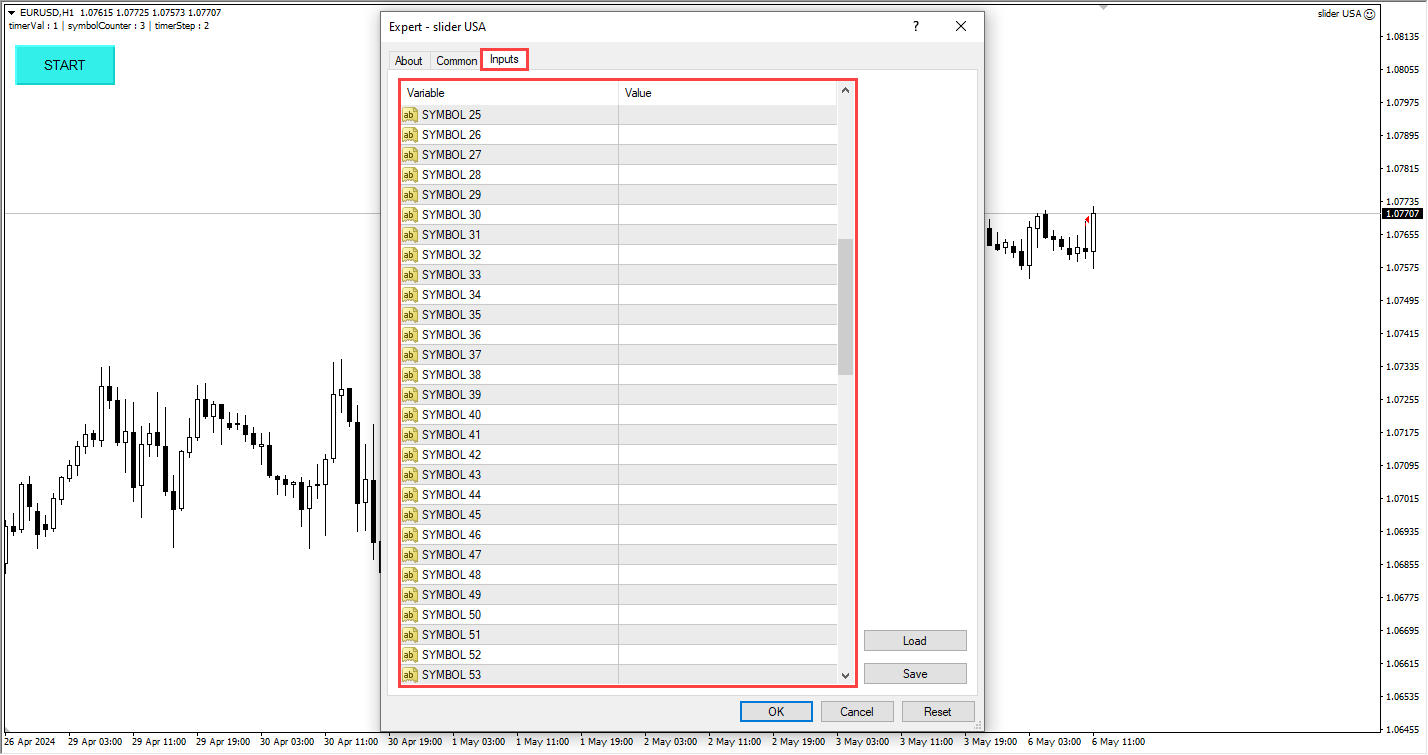
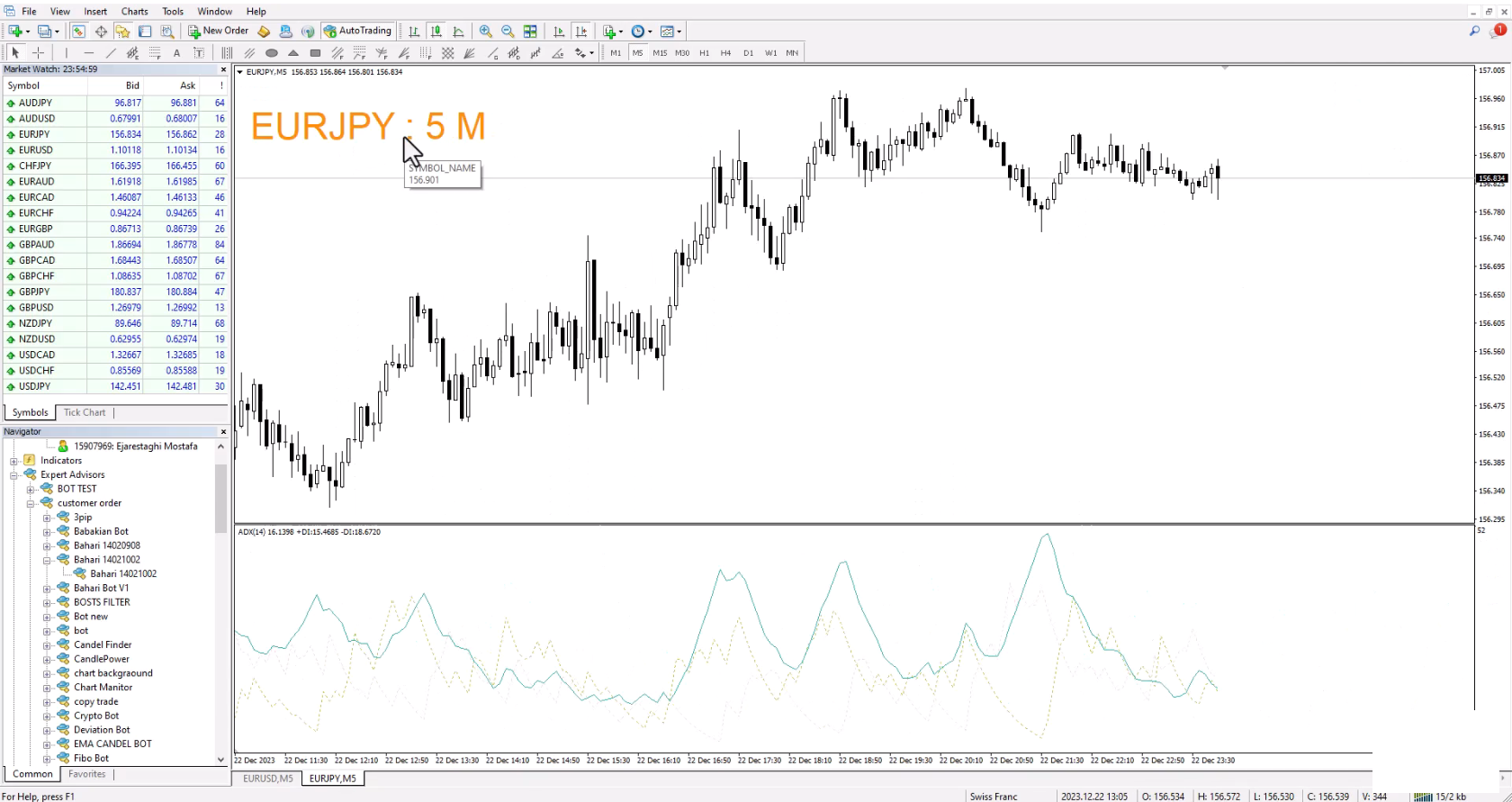
Expert Slider is one of the most widely used experts in the Forex financial market and Metatrader 4. Using this expert, you can easily design several slides for yourself and save several currency pairs with different templates, and according to the timer used for Each slide you set, view different currency pairs with the desired template and continue your analysis and reviews.

In the technical specifications section of this expert, there are many options that can be adjusted and you can set and change all the options exactly according to your preferences.

After you have set your symbols, the expert will start working and according to the settings, it will show you the desired slides on the price chart.

추천 제품
Description Bulls CD LTB (Bulls Convergence/Divergence Low Top Bottom) is a universal analytical bulls convergence/divergence indicator between a financial instrument and any of the twenty two standard indicators included in МT4 package. The indicator is the second out of the two possible versions (LBT and LTB) of the bullish convergence/divergence origins. Due to its multiple use feature, the indicator allows you to find convergences/divergences between the price and various standard indicators
Superior MT4 To Discord Notifier is a utility designed to connect the MetaTrader 4 (MT4) desktop terminal directly to the Discord application. It monitors trading activity and broadcast formatted text updates to Discord channels, servers, or groups using webhook integrations. Core Use Cases 1. Signal Providers & Communities This tool is built to assist Signal Providers who manage public or private Discord servers. The EA automatically publishes trade entries, modifications, and exits directly to
AK CAP Hotkey Tool
AK Capital Markets Limited
Special offer for the next 10 copies Are you tired of manually navigating through menus and inputting data every time you want to execute a trade or open an order on Meta Trader? Our hotkey tool is here to make your life easier and boost your trading efficiency. Our tool is natively coded for lightning-fast performance and comes loaded with all the features you could possibly want. From pending orders and OCO orders to trailing and multiple buckets, it has everything a scalper could need. An
Description Bulls CD LBT (Bulls Convergence/Divergence Low Bottom Top) is a universal analytical bulls convergence/divergence indicator between a financial instrument and any of the twenty two standard indicators included in МT4 package. The indicator is the first out of the two possible versions (LBT and LTB) of the bullish convergence/divergence origins. Due to its multiple use feature, the indicator allows you to find convergences/divergences between the price and various standard indicators
Multiple Position Opening MT4
Francisco Manuel Vicente Berardo
The Multiple Position Opening is a multi-symbol multi-timeframe script used to open simultaneously various positions.  Risk Management   The volume used to open a position is chosen between a fixed and a variable lot size, available through the Volume and Free Margin % input parameters, respectively. If there isn't enough money in the account for the chosen volume, this is reduced to the highest possible value (corresponding to free margin). If this reduction leads to a correct volume (if the
捞金团快捷平仓脚本 一键平仓 一键盈利 一键下单 一键平止盈 一键平亏损 EA 安装路径 在 C:\Program Files (x86)\TMGM MT4 Terminal\MQL4\Experts 请主语在你本地的安 装路径 安装 请自行查找本地路径 左侧为资金管理以及账户信息 , 右侧为脚本操作 方便快捷 手工加多 手工加空 可以快速实现下单 , 在 EA 设置里面修改 . 其他快捷按钮可以实现各种功能您只需点击就可以快速平仓 , 删除挂单 , 停止 ea 等操作 . 声音提醒功能 可以实现 手机提醒 邮箱提醒 和 声音提醒 以及弹出提醒 重要点位 4 种提醒方式 左侧为资金管理以及账户信息 , 右侧为脚本操作 方便快捷 手工加多 手工加空 可以快速实现下单 , 在 EA 设置里面修改 . 其他快捷按钮可以实现各种功能您只需点击就可以快速平仓 , 删除挂单 , 停止 ea 等操作 . 声音提醒功能 可以实现 手机提醒 邮箱提醒 和 声音提醒 以及弹出提醒 重要点位 4 种提醒方式
This indicator will allow you to quickly go to the chart section that interests you, without unnecessary time costs. pt_shift - step of vertical scrolling; ButtonsHeight - button height; ButtonsWidth - button width; ButtonsColor - color of buttons; ButtonsBordersColor - button border color; Font - font; TextColor - button text color; TextSize - button text size; ButtonsBack - buttons in the background; ButtonsSelection - select buttons for movements; ButtonsHidden - hide buttons in
MT4 AI Chat
Thomas Bradley Butler
CHAT WITH AI ON MQL4 AND MT4.  THE PROMPT MUST CONTAIN MQL4 OR MT4, OTHERWISE IT WILL NOT RESPOND.  IT IS TRAINED ON MT4 AND MQL4 ONLY. NOTE THAT IT WILL ONLY WORK IN REAL TIME CHARTS, NOT IN BACKTEST.  In comments Add your API Key in the inputs and  add these to web request in Expert Advisor tab: This chatbot is a tool designed to help users to chat with the Meta Trader 4 (MT4) and MQL4 more efficiently. It's based on a powerful AI model called GPT-3.5, which is capable of understanding and gen
Save screen
Dominik Kaczorowski
A script that allows you to quickly save the image of the current chart. Accelerate the use of the script by assigning a keyboard shortcut to it. The image is saved in the location of your MT4 platform: /MQL4/Files/{current_date}. The script does not contain any parameters. The name of the chart being saved is determined automatically and consists of a symbol, the current date and the timeframe. Attention! Files with the same names are overwritten!
VisualInfoMove
Vitaly Muzichenko
Automatic lot calculation per stop level: calculates the lot considering the risk. It is possible to enter a percentage of the deposit and set the line to the planned stop level. As a result, the lot for entry will be calculated. Also, the TakeProfit level will be calculated taking into account the profit/loss ratio, and their profit/loss in the deposit currency. Thus, the final result of the trade can be seen, which is an integral part of successful trading. Features The indicator displays the
DD Stopper
Michail Manelidis
DD Stopper for MT4 | Protect Your Account from Excess Drawdown DD Stopper is a lightweight and powerful risk management utility for MetaTrader 4 that automatically closes all trades when your account drawdown reaches a defined amount in USD. Protect your capital. Trade with discipline. Eliminate emotional decisions. What This Tool Does DD Stopper continuously monitors your account and: Tracks real-time drawdown (Balance vs Equity or floating loss) Closes all open trades instantly when the
FREE
A library for creating a brief trading report in a separate window. Three report generation modes are supported: For all trades. For trades of the current instrument. For trades on all instruments except the current one. It features the ability to make reports on the deals with a certain magic number. It is possible to set the time period of the report, to hide the account number and holder's name, to write the report to an htm file. The library is useful for fast assessment of the trading effec
This program sends alerts to telegram when a specified profit target or drawdown level is reached. The profit target and drawdown level are specified as percentages of the daily starting balance in the inputs. When you purchase feel free to contact me for any assistance required with the setup. I am open to adding custom functions limited to profit or drawdown alerts
안녕하세요 여러분.  나는 금융 외환 시장에서 거래를위한이 패널에 대해 조금 말씀 드리고자합니다. 이 패널은 프로그래밍 언어로 작성되었으며 특정 포지션에 대한 공개 시장 주문을 돕기 위해 설계되었습니다. 일반 주문과 보류 중인 주문 모두에서 작동합니다. 즉,구매,판매,구매 제한,판매 제한,구매 중지,판매 중지 등의 판매 및 구매 주문을 엽니다. 또한 그리드 주문을 포함하여 보류중인 주문의 네트워크를 엽니 다.즉,보류중인 주문을 제한하고 보류중인 주문을 한 번에 중지합니다. 이 패널은 또한 보류중인 주문을 닫습니다. 향후 주문에 대한 설정은 패널 상단에 있습니다: 1. 수량은 주문 수(이 매개 변수는 시장 주문에 영향을 미치지 않으며 즉시 열리지 않으며 한 가격에 100 개의 주문을 가정 해 봅시다)이며 버튼 클릭 한 번으로 얼마나 많은 보류중인 주문이 열리는지 나타냅니다. 2. 제비는 당신의 순서가 열릴 가격입니다 3. 테이크프로핏은 귀하의 주문이 수익으로 마감되는 시장 가격입니
Smoothing Oscillator   is an ea based on the Smoothing oscillator indicator.  https://www.mql5.com/es/market/product/59187 This ea uses the indicator's trend exhaustion signal to initiate a countertrend strategy. The system has a costly lotage, although it can have more than one operation open at a time It does not require large capital or margin requirements to be operated. You can download the demo and test it yourself.  Very stable growth curve as result of smart averaging techniques. "Safet
Instructions to the Figures MACD advisor Opening of orders by MACD indicator waves. Closing orders on the MACD indicator wave. Default values. extern double TakeProfit=500; extern double StopLoss=500; extern double externalLots=0.01; extern double TrailingStop=10000; extern bool isAutoMoneyManagmentEnabled = false; extern int moneyManagement4And8Or12And24_4_Or_12 = 12; extern double TrailingFiboLevel = 0.236; extern double maxOrders = 30; extern double riskOnOneOrderPercent = 2; extern bool li
Bears CD HTB  (Bears Convergence/Divergence High Top Bottom) is a universal analytical bears convergence/divergence indicator between a financial instrument and any of the twenty two standard indicators included in МetaTrader 4 package. The indicator is the second out of the two possible versions (HBT and HTB) of the bearish convergence/divergence origins. Due to its multiple use feature, the indicator allows you to find convergences/divergences between the price and various standard indicators
Automatically closes orders when profit per lot or total profit reaches your specified level Per a lot : The amount of wins per lot in the selected symbol. Each orders is calculated as 1 lot. Example: If EURUSD total lot is 2.05 and earnings per lot is $ 100, then 100 * 2.05 = 205 $. Orders will be closed when EURUSD has a total profit of $ 205. When the total of all orders on the selected symbol reaches the specified amount, it closes all orders belonging to the symbol. For example: There are 3
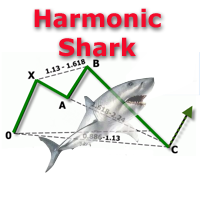
The indicator detects and displays Shark harmonic pattern (see the screenshot). The pattern is plotted by the extreme values of the ZigZag indicator (included in the resources, no need to install). After detecting the pattern, the indicator notifies of that by a pop-up window, a mobile notification and an email. The indicator highlights the process of the pattern formation and not just the complete pattern. In the former case, it is displayed in the contour triangles. After the pattern is comple
这是一款非常适合非专职交易人员使用的EA工具。 因为你不是专职的交易人员,你不可能有太多时间盯盘,市场行情瞬息万变,为了让你不再担心你账户的订单,这款工具将解决你所有的后顾之忧。 将你的账户加载该EA放在服务器(VPS)或本地电脑上,需确保本地电脑不会断电断网。 参数可以自己设定,无论你是在电脑上开单还是手机APP上开单,EA将会接管你的交易,如果你设定好顺势加仓和逆势加仓间距,及止损和止盈百分比,EA将会自动执行。 默认参数顺势加仓间距1美金(100小点),逆 势加仓间距3美金(300小点),顺势逆势各加仓5次。初始单量为0.1手,盈利1%启动保护止损,回撤80%平仓,盈利3%启动追踪止损,回撤20%全部平仓,盈利5%全部平仓。整体亏损5%全部止损。允许同时开多单和空单,账户内有多空单同时存在时有一个混合止损和止盈的参数,自己可以调整。
ATTENTION: the utility cannot work in the Strategy Tester, if you want to try the demo version for free for a week, or have any questions, write me an email! You can find my address on my user profile. TrendLine Auto Executor   is a software capable of identifying the trendlines you have drawn on the chart and opening orders as soon as they are touched or exceeded. The software allows you to manage two orders at a time for each chart by tracking two groups of trendlines, one for each order, and
Trades Viewer is a trading helper app for a serious trader. It offers several important data like day range, 22 days average range and predefined PL. It draws trades history and current open positions on a chart. It has a detail panel for viewing a particular trade with just a click on that trade. All these make it very convenient and straightforward to view your entry/exit positions and thus improve your trading system. Features Profit/loss of the current symbol, counting all trades of the sym
This is the linear regression indicator for basic indicators included in the standard package of the MetaTrader 4 terminal. It is used for the analysis of price movements and market mood. The market mood is judged by the slope of the linear regression and price being below or above this line. Regression line breakthrough by the indicator line may serve as a market entry signal. There is possibility of setting the color for bullish and bearish sentiments of the basic indicators as well as plottin
MagicExcel
Alessandro Brunelli
MagicExcel will allow you to extrapolate, from your trades, reports split down by Expert Advisor. The generated reports allow you to quickly compare statistics of trades data from different Expert Advisors, different symbols and also the behavior of an Expert Advisor against different symbols. Additionally, if selected, a report will be created that shows the behavior of the Expert Advisor over time. This is a very useful tool for a trader who works with many Expert Advisors at the same time. R
Glod888EA
Dong Liang Zheng
Our team has been professionally developing gold trading EAs for three years. Every engineer is a real-account forex and gold trader with years of experience. This integrates multiple technologies, including trend following, Martingale, grid, and AI. Currently, we are using it for our own live trading and encourage everyone to download and test it. If wish to observe our trading, please feel free to contact us. Thank you all, and we wish you great success and massive profits
Practice Simulator는 백테스팅, 트레이딩 연습 및 실거래를 지원하는 올인원 트레이딩 시뮬레이터입니다. 트레이딩을 처음 시작하는 초보자부터 거래 데이터를 분석하는 숙련된 트레이더까지 다양한 수준의 사용자를 지원합니다. Forex 트레이딩, 시장 분석 또는 전략 최적화에 활용할 수 있습니다. 시장 휴일에도 언제든지 모의 트레이딩을 할 수 있으며, 간단하면서도 다양한 기능을 갖춘 인터페이스를 통해 리스크 관리와 트레이딩을 지원합니다. 자세한 내용은 설치 및 사용자 가이드 를 참조하십시오. 주요 기능 모의 트레이딩 – 시장 휴일에도 언제든지 트레이딩할 수 있습니다. 여러 차트를 동기화하여 MTF를 지원합니다. 백테스팅 – 과거 데이터를 사용하여 전략을 테스트하고 과거 거래를 재현할 수 있습니다. 실거래 – 동일한 인터페이스를 사용하여 실거래로 원활하게 전환할 수 있습니다. 사용하기 쉬운 인터페이스 – 원클릭 진입, 드래그 앤 드롭 방식의 TP/SL 설정, 일괄 청산을 지원합니
Wise Men Indicator demo
Bohdan Kasyanenko
3 (2)
The indicator displays signals according to the strategy of Bill Williams on the chart. Demo version of the indicator has the same features as the paid, except that it can work only on a demo account . Signal "First Wise Man" is formed when there is a divergent bar with angulation.  Bullish divergent bar - with lower minimum and closing price in the upper half. Bearish divergent bar - higher maximum and the closing price at the bottom half. Angulation is formed when all three lines of Alligator
FREE
Hallo traders! Just finished a telegram utility which can be of interest for smartphone live traders. What is offered inside? Main settings of EA is simple and standard you can use any pair available in MetaTrader. Mainly it was created this for BTCUSD but will work with any pair. What is the main I wanna show: we have always fresh info from market inside buttons refreshing: After start it has 0.00 lots and it will not allow trade by accidental touch. You need to add a Risk + and get 0.01 :) In
Description One of the Dow theory tenets states: "Trends are confirmed by volume". This product is a multicurrency/multisymbol indicator that has been designed to define large and/or small tick volumes according to the mentioned tenet. The indicator may be used with any broker, irrespective of the name of the financial instrument since it is necessary to manually enter the name as an input parameter. If you enter a non-existent or incorrect name of a financial instrument, you will receive an err
스크립트 MT4에 대한 모든 긍정적 주문 닫기       - 계정에서 모든 수익성 있는 주문을 신속하게 마감할 수 있습니다. 스크립트는   수익성 있는 모든 주문을 신속하게 마감해야 하는   순간에   적합   합니다. 스크립트에는 Profit_in_pips를 설정하기 위한 유일한 매개변수가 있습니다. 이 매개변수에서 주문에 얼마나 많은 이익이 있어야 하는지 지정하여 포지션을 마감하는 조건에 해당합니다. 스크립트는 사용하기 매우 쉽습니다   . 스크립트를 차트로 끌어다 놓기만 하면 작업이 완료됩니다. 추천 로봇 스캘퍼   -   테스트   해 보세요. 내   페이지   를 구독하십시오 , 나는 다른 많은 유용한 제품을 가지고 있습니다. 스크립트가 마음에 드셨다면   리뷰를 남겨주시면 유용한 제품을 무료로 공유할 수 있는 원동력이 됩니다. 즐겁게 사용하세요!
이 제품의 구매자들이 또한 구매함
Trade Indicator Assistant is a powerful MT4 utility designed to turn indicators into automated trading systems. Its main feature is the ability to automatically detect an indicator’s   BUY and SELL signal buffers , without requiring you to know the buffer numbers, search through indicator settings, or modify the indicator source code. Bonus Indicator: After purchasing Trade Indicator Assistant, contact me to receive Trade Signal Pro completely free as a bonus indicator. [Download Demo Version]
Local Trade Copier EA MT4
Juvenille Emperor Limited
4.96 (111)
Local Trade Copier EA MT4는 동일한 Windows 컴퓨터 또는 Windows VPS에서 여러 MetaTrader 4 계정 간에 거래를 복사하고 관리할 수 있는 빠르고 유연한 거래 복사기입니다. 로컬 거래 동기화 기능과 함께 Receiver 측에서 로트 크기, 리스크 관리, 거래 필터링, 심볼 매핑, 거래 관리 및 계정 보호를 독립적으로 설정할 수 있습니다. Transmitter와 Receiver 터미널을 약 1분 안에 설정하고, 동일한 브로커 또는 서로 다른 브로커의 계정 간에 수동 거래 또는 EA 거래를 복사할 수 있습니다. 적절한 조건에서는 로컬 MetaTrader 터미널 간의 거래 정보가 0.5초 이내 에 동기화될 수 있습니다. 실제 체결 속도는 브로커 지연 시간, 네트워크 상태, 컴퓨터/VPS 성능 및 터미널 부하에 따라 달라집니다. 구매 전에 무료 데모를 사용해 보세요 MT4 데모 계정에서 Local Trade Copier EA MT4의 모든 기능을
Trade Manager EA에 오신 것을 환영합니다. 이 도구는 거래를 보다 직관적이고 정확하며 효율적으로 만들기 위해 설계된 궁극적인 리스크 관리 도구 입니다. 단순한 주문 실행 도구가 아닌, 원활한 거래 계획, 포지션 관리 및 리스크 제어를 위한 종합 솔루션입니다. 초보자부터 고급 트레이더, 빠른 실행이 필요한 스캘퍼에 이르기까지 Trade Manager EA는 외환, 지수, 상품, 암호화폐 등 다양한 시장에서 유연성을 제공합니다. Trade Manager EA를 사용하면 복잡한 계산은 이제 과거의 일이 됩니다. 시장을 분석하고 진입, 손절 및 익절 수준을 차트의 수평선으로 표시한 후 리스크를 설정하면, Trade Manager가 이상적인 포지션 크기를 즉시 계산하고 SL 및 TP 값을 실시간으로 표시합니다. 모든 거래가 간편하게 관리됩니다. 주요 기능: 포지션 크기 계산기 : 정의된 리스크에 따라 거래 크기를 즉시 결정합니다. 간단한 거래 계획 : 진입, 손절, 익절을 위한
Exp COPYLOT CLIENT for MT4
Vladislav Andruschenko
4.69 (65)
MetaTrader 4용 전문 트레이드 복사기 MetaTrader 4 용 빠르고 안정적이며 전문적인 트레이드 복사기입니다. COPYLOT 은 MetaTrader 4 와 MetaTrader 5 터미널 간에 Forex 거래를 복사할 수 있으며, 다양한 계좌 유형과 운용 방식에 맞춰 유연한 동기화 환경을 제공합니다. COPYLOT MT4 버전 지원 방식: MetaTrader 4 → MetaTrader 4 MetaTrader 5 Hedge → MetaTrader 4 MetaTrader 5 Netting → MetaTrader 4   MT5 버전 상세 설명 + DEMO + PDF 구매 방법 설치 방법 로그 파일 확인 방법 테스트 및 최적화 방법 Expforex의 모든 제품 MetaTrader 5 버전 을 사용하면 MetaTrader 5 → MetaTrader 5 및 MetaTrader 4 → MetaTrader 5 복사도 지원됩니다: COPYLOT CLIENT for MT5 COPYLOT 은
복사기->편리하고 빠른 인터페이스 상호작용으로 사용자가 바로 사용 가능       ->>>> Windows 컴퓨터 또는 VPS Windows에서 사용하는 것이 좋습니다. 특징: 다양하고 개인화된 복사 거래 설정: 1. 다양한 신호 소스에 대해 다양한 로트 모드를 설정할 수 있습니다. 2. 다양한 신호 소스를 포워드 및 리버스 복사 거래에 대해 설정할 수 있습니다. 3. 신호는 주석으로 설정할 수 있습니다. 4. 계약 로트에 따라 로트를 교정할지 여부 다양하고 개인화된 복사 주문 설정 2: 1. 다양한 품종에 대해 다양한 로트 모드를 설정할 수 있습니다. 2. 정방향 및 역방향 복사 주문에 대해 다양한 품종을 설정할 수 있습니다. 3. 주석으로 신호를 설정할 수 있습니다. 4. 계약 로트에 따라 로트를 교정할지 여부 댓글 필터링, MAGIC 필터링, 시그널 로트 필터링, 로컬 제품 필터링 근무시간 설정 역동기화 SLAVE 닫힘 주문 바인딩 기능: 모든 주문은 설정된 신호 소스 주문
MetaTrader 4 통화 강도 지표 이 통화 강도 지표 는 최대 28개 주요 통화쌍을 읽어 USD, EUR, GBP, JPY, CHF, CAD, AUD, NZD 등 8개 주요 통화에 각각 하나의 값을 산출합니다. 어느 통화가 주도하는지 알아보려고 차트를 하나씩 열 필요 없이, MetaTrader 4 차트의 패널 하나만 보면 어떤 통화가 매수되고 어떤 통화가 매도되는지 알 수 있습니다. 패널에 표시되는 내용 8개 통화 각각의 강도 막대와 백분율, 강한 순으로 정렬 멀티 타임프레임 매트릭스: 통화별로 세 개의 시간대를 나란히 표시하여 진입 전에 M15, H1, H4가 일치하는지 확인 각 행의 강도 히스토리. 20에서 60으로 올라온 통화와 90에서 60으로 내려온 통화는 다릅니다 최적 통화쌍 : 강도 차이가 가장 큰 조합을 정렬해 표시. 클릭하면 해당 차트가 열립니다 피할 통화쌍 : 두 통화가 함께 움직이면 거래할 여지가 없으며, 숨기지 않고 표시합니다 클릭 한 번으로 열리는 28
Trade Assistant MT4
Evgeniy Kravchenko
4.43 (197)
거래당 위험 계산, 라인을 사용한 손쉬운 신규 주문, 부분 청산 기능을 통한 주문 관리, 7가지 유형의 트레일링 스탑 및 기타 유용한 기능을 제공합니다. 추가 자료 및 지침 설치 지침 - 애플리케이션 지침 - 데모 계정용 애플리케이션 평가판 라인 기능       - 차트에 개시선, 손절매, 차익실현을 표시합니다. 이 기능을 사용하면 새로운 주문을 쉽게 하고 개봉 전에 추가 특성을 볼 수 있습니다. 위기 관리       -       위험 계산 기능은 설정된 위험과 손절매 주문의 크기를 고려하여 새 주문의 볼륨을 계산합니다. 이를 통해 손절매 크기를 설정하고 동시에 설정된 위험을 존중할 수 있습니다. 로트 계산 버튼 - 위험 계산을 활성화/비활성화합니다. 필요한 위험 값은 위험 필드에 0에서 100 사이의 백분율 또는 예금 통화로 설정됩니다. 설정 탭에서 위험 계산 옵션을 선택합니다. $ 통화, % 잔액, % 지분, % 자유 마진, % 사용자 정의, % AB 이전 일, % AB
Multi Copy
Kaijun Wang
5 (1)
복사기->편리하고 빠른 인터페이스 상호작용으로 사용자가 바로 사용 가능       ->>>> Windows 컴퓨터 또는 VPS Windows에서 사용하는 것이 좋습니다. 기본 기능: 복사 거래의 일반적인 상호작용 속도는 0.5초 미만입니다. 신호 소스를 자동으로 감지하고 신호 소스 계정 목록을 표시합니다. 심볼 자동 매칭, 다양한 플랫폼에서 일반적으로 사용되는 거래 심볼의 95%(다른 접미사와 같은 특수한 경우)가 자동으로 매칭되며, 기본적으로 수동 설정이 필요하지 않으며 심볼 매핑 테이블을 두 번 클릭하여 해당 심볼을 변경할 수 있습니다. (매핑 테이블에는 빠른 심볼 검색 기능이 있습니다) 4가지 lot 계산 모드(1. 승수 2. 고정 lot 3. 적응형 위험 4. 신호   적응형 위험   ) 특수 로트 모드: 로트 크기는 손절매 자본 위험에 따라 계산될 수 있습니다.(손절매가 너무 작을 수 있고 계산된 로트 크기가 너무 클 수 있으므로 주의해서 사용하세요) 다중 플랫폼, 다중 신
Risk manager Risk manager - it will simplify the tracking of drawdown and will notify you (alert) when the specified risk is reached, and close/lock orders when the critical DD risk level is reached. If the specified drawdown is exceeded, you can choose two options for actions: All orders will be closed that mean loss will be fixed on depo. The terminal also closes. Instead of fixing the loss on depo, the opposite order will be opened - orders locking will occure. Not a single order will be c
The product will copy all telegram signal to MT4   ( which you are member  ) , also it can work as remote copier.  Easy to set up, copy order instant, can work with almost signal formats, image signal, s upport to translate other language to English Work with all type of channel or group, even channel have "Restrict Saving Content", work with  multi channel, multi MT5 Work as remote copier: with signal have ticket number, it will copy exactly via ticket number. Support to backtest signal. How to
King Trade Copier MT4
Mohammed Maher Al-sayed Mohammed Ahmed Saleh
5 (1)
King Trade Copier MT4 – Lightning-Fast Local Trade Copier (Master + Slave in ONE file) King Trade Copier is a professional local trade copier that mirrors every trading action from one Master account to unlimited Slave accounts on the same PC or VPS — with an internal copy latency of just a few milliseconds. It was built by a real trader for daily real-money use, with one goal: whatever happens on the Master must happen on the Slave, instantly and without exceptions. Watch the demo video to s
Telegram to MT4 Coppy
Sergey Batudayev
4.09 (11)
Telegram에서 MT4로:   최고의 신호 복사 솔루션 최첨단 유틸리티인   Telegram to MT4를   사용하여 거래를 간소화하세요. DLL 없이도 Telegram 채널과 채팅에서 MetaTrader 4 플랫폼으로 거래 신호를 직접 복사할 수 있습니다. 이 강력한 솔루션은 탁월한 정밀도와 맞춤 설정 옵션을 통해 원활한 신호 실행을 보장하여 시간을 절약하고 효율성을 높여줍니다. [ Instructions and DEMO ] 주요 특징 직접 Telegram API 통합 전화번호와 보안 코드를 통해 인증하세요. 사용자 친화적인 EXE 브리지를 사용하여 채팅 ID를 손쉽게 가져오고 관리하세요. 여러 채널/채팅을 추가, 삭제, 새로 고침하여 동시에 신호를 복사합니다. 고급 필터를 사용한 신호 파싱 사용자 정의 예외 단어(예: "보고서", "요약")가 포함된 원치 않는 신호를 건너뜁니다. 유연한 SL 및 TP 형식을 지원합니다: 가격, 핍 또는 포인트. 신호가 가격 대신 지점을 지정
Trade Manager MT4 DaneTrades
Levi Dane Benjamin
4.09 (11)
거래 관리자는 위험을 자동으로 계산하는 동시에 거래를 빠르게 시작하고 종료하는 데 도움을 줍니다. 과잉 거래, 복수 거래 및 감정 거래를 방지하는 데 도움이 되는 기능이 포함되어 있습니다. 거래를 자동으로 관리할 수 있으며 계정 성과 지표를 그래프로 시각화할 수 있습니다. 이러한 기능은 이 패널을 모든 수동 거래자에게 이상적으로 만들고 MetaTrader 4 플랫폼을 향상시키는 데 도움이 됩니다. 다중 언어 지원. MT5 버전  |  사용자 가이드 + 데모 트레이드 매니저는 전략 테스터에서 작동하지 않습니다. 데모를 보려면 사용자 가이드로 이동하세요. 위기 관리 % 또는 $를 기준으로 위험 자동 조정 고정 로트 크기 또는 거래량과 핍을 기반으로 한 자동 로트 크기 계산을 사용하는 옵션 RR, Pips 또는 Price를 사용한 손익분기점 손실 설정 추적 중지 손실 설정 목표 달성 시 모든 거래를 자동으로 마감하는 최대 일일 손실률(%)입니다. 과도한 손실로부터 계정을 보호하고 과도한
Trade copier MT4
Alfiya Fazylova
4.61 (36)
Trade Copier는 거래 계정 간의 거래를 복사하고 동기화하도록 설계된 전문 유틸리티입니다. 복사는 공급자의 계정/단말기에서 동일한 컴퓨터 또는 vps에 설치된 수신자의 계정/단말기로 발생합니다. 프로모션 - 이미 "Trade copier MT4"를 구매하셨다면, "Trade copier MT5"를 무료로 받으실 수 있습니다 (MT4 → MT5 및 MT4 ← MT5 복사용). 조건에 대한 자세한 정보를 원하시면, 개인 메시지를 통해 저희에게 문의해 주시기 바랍니다! 구매하기 전에 데모 계정에서 데모 버전을 테스트할 수 있습니다. 데모 버전 여기 . 전체 지침 여기 . 주요 기능 및 이점: 복사기는 "МТ4> МТ4", "МТ4> МТ5", "МТ5> МТ4" 복사를 지원합니다. 복사기는 데모 계정 > 실 계정, 실 계정 > 데모 계정, 데모 계정 > 데모 계정 및 실제 계정 > 실 계정 복사를 지원합니다. 복사기는 읽기 전용 암호가 적용된 투자자 계정에서 복사를 지원합니다. 하
Shepherd Safety EA
AW Trading Software Limited
4.92 (13)
The work of the utility is directed at opening new market orders, maintaining them, transferring the unprofitable orders into profit using an internal loss handling algorithm, trend filtering and various types of trailing stop and take profit. Suitable for any instruments and timeframes. The algorithm works separately for buys and sells, which allows simultaneously working in both directions as well. For the event when the additional orders opened by the utility do not become profitable, a StopO
TradePanel MT4
Alfiya Fazylova
4.84 (95)
Trade Panel은 다기능 거래 도우미입니다. 이 애플리케이션에는 50개 이상의 수동 거래 기능이 포함되어 있으며 대부분의 거래 작업을 자동화할 수 있습니다. 앱 사용 설명서 + 동영상 설명: https://www.mql5.com/en/blogs/post/772292 데모 계정용 앱 체험판: https://www.mql5.com/en/blogs/post/750865 앱 설치 방법: https://www.mql5.com/en/blogs/post/756239 시각 모드에서 앱 테스트 방법: https://www.mql5.com/en/blogs/post/770277 VPS MetaTrader에 앱 설치 방법: https://www.mql5.com/en/blogs/post/770190 거래. 한 번의 클릭으로 거래를 수행할 수 있습니다: 리스크 자동 계산과 함께 예약 주문 및 포지션 열기. 한 번의 클릭으로 여러 주문 및 포지션 열기. 주문 그리드 열기. 예약 주문 및 포지션을 그룹별로
Bar Replay MT4
Hoang The Manh
3.43 (7)
Don't purchase before testing the Demo version first. DEMO version:   https://www.mql5.com/en/market/product/76917 __________________________________________________ This EA  - Tool allow you replay bar in Meta Trader 4 for back test. This Tool can back test in multi timeframe in only one chart. This Tool is very useful for Price action trader. It can work with Indicators, some indicators cannot works. So please download Demo to test before purchase.  Demo Version We do not accept refund in any
작동 체험판 다운로드 Copy Cat More (카피캣) MT4 트레이드 카피어 (Trade Copier) 는 단순한 로컬 트레이드 카피어가 아닙니다. 오늘날의 트레이딩 과제를 위해 설계된 완전한 리스크 관리 및 실행 프레임워크 (risk management and execution framework) 입니다. 프롭 펌 (prop firm) 챌린지부터 개인 포트폴리오 관리까지, 견고한 실행, 자본 보호, 유연한 설정, 고급 트레이드 처리의 조합으로 모든 상황에 적응합니다. 이 카피어는   마스터 (Master, 송신측) 와 슬레이브 (Slave, 수신측)   두 모드 모두에서 작동하며, 시장가 주문과 대기 주문, 트레이드 수정, 부분 청산, 상호 청산 (Close By) 작업을 실시간으로 동기화합니다. 데모 및 실거래 계좌, 트레이딩 또는 인베스터 로그인 모두와 호환되며, EA·터미널·VPS가 재시작되더라도 영구 트레이드 메모리 (Persistent Trade Memory) 시
News Filter EA: Advanced Algo Trading Assistant News Filter EA is an advanced algo trading assistant designed to enhance your trading experience. By using the   News Filter EA , you can integrate a Forex economic news filter into your existing expert advisor, even if you do not have access to its source code. In addition to the news filter, you can also specify   trading days   and   hours   for your expert. The News Filter EA also includes   risk management   and   equity protection   features
Prop Guardian Risk Manager MT4 – Drawdown, Risk & Hedge Protection for Prop Firm and Managed Accounts Prop Guardian Risk Manager is a professional risk-control utility for MetaTrader 4, designed for prop firm traders, money managers and anyone who wants strict account-level risk protection. It does not generate trading signals, strategy entries or trading decisions. Instead, it runs in the background, monitors your account risk and can automatically block new exposure, close managed trades or ac
X2 Copy MT4
Liubov' Shkandrii
빠르게. 정확하게. 혁신적으로. 기술 기반. 혁신적인 X2 Copy MT4로 즉각적인 거래 복사를 경험해 보세요. 단 10초의 간단한 설정만으로 단일 컴퓨터 또는 Windows VPS에서 MetaTrader 터미널 간의 거래를 전례 없는 속도로 동기화하는 강력한 도구를 얻을 수 있습니다. 여러 계정을 관리하든, 신호를 따라 거래하든, 전략을 확장하든, X2 Copy MT4는 비교할 수 없는 정밀도와 제어력으로 작업 흐름에 적응합니다. 가장 기술 중심적인 거래 복사 솔루션으로 더 빠르고 안정적으로 작업하세요. 무료 평가판을 사용해 보고 시스템에서 속도를 확인해 보십시오. *중요: MT5 터미널 작업에는 별도의 X2 Copy MT5 버전이 필요합니다 X2 Copy MT4/5 설정 및 기능 설명 | X2 Copy 체험판 설치 방법 주요 기능 고속 복사 — 0.1초 이내 거래 전송 모든 복사 유형에 대한 범용 지원: MT4>MT4, MT4>MT5, MT5>MT4, MT5>MT5 직관적인 인
Trend Line Optimizer
Evgenii Aksenov
4.11 (19)
이 추세선 프로 표시기에 대한 자동 매개 변수 최적화 프로그램입니다 쉽고 빠르게 당신은 당신의 마음에 드는 추세선 프로 표시기에 대한 최적의 매개 변수를 선택합니다. 최적화에는 몇 초 밖에 걸리지 않습니다. 최적화할 수 있는 최고의 매개변수에 대한 각 쌍고기간:진폭,TP1-TP3,stoploss 에뿐만 아니라,값은 시간을 필터 및 카테고에 필터가 역사를 선택 섹션(일) 다른 시간대를 최적화하려면 다른 범위의 히스토리가 필요합니다: M5-M15 계산 범위 매개 변수 설정(일)=60(3 개월) M30-H1 계산 범위 매개 변수 설정(일)=120(6 개월) H4 매개 변수 계산 범위 설정(일)=240(1 년) D1-W1 매개 변수 계산 범위 설정(일)=720(3 년) Mn1 매개 변수 계산 범위 설정(일)=1200(5 년) 최적화 후 매개 변수는 폴더의 기성품 세트 파일에 자동으로 저장됩니다.MQL4>Files>trendlineoptimizedsettings 최적화 유틸리티 사용
Partial Closure EA MT4
Juvenille Emperor Limited
5 (3)
Partial Closure EA MT4 는 계정의 모든 거래를 부분 청산할 수 있게 해줍니다. 로트 크기의 선택된 비율 및/또는 티켓 번호로 수동 청산하거나, TP/SL 수준의 지정된 비율에 따라 자동으로 초기 로트 크기의 일부를 최대 10개의 이익 실현 및 10개의 손절매 수준에 걸쳐 청산할 수 있습니다. 특정 매직 번호, 코멘트 또는 심볼을 지정하거나 제외하여 계정 내 모든 거래 또는 선택한 거래를 관리할 수 있습니다. 팁: 부분 폐쇄 EA MT4의 무료 데모 버전을 다운로드하고 데모 계정에서 사용해 보십시오: 여기 다운로드한 무료 데모 파일을 MT4 >> File >> Open Data Folder >> MQL4 >> Experts 폴더에 붙여넣고 터미널을 다시 시작합니다.   무료 데모 버전은 데모 계정에서만 한 번에 4시간 동안 모든 기능을 사용할 수 있습니다. 평가판 기간을 재설정하려면 MT4 >> 도구 >> 전역 변수 >> Control + A >> 삭제로 이동하세
TPSpro Risk Manager
Roman Podpora
3.67 (3)
TPSpro 위험 관리자       모든 교육과 자본을 보유한 트레이더를 위한 전문적인 위험 관리를 위한 고유한 시스템입니다. 거래 손실과 거래 시 심각한 실수를 방지할 수 있습니다. TPSpro Risk Manager는 주로 스캘퍼와 데이 트레이더를 위한 리스크 관리에 필요하지만 모든 거래 스타일의 트레이더가 성공적으로 사용합니다. 패널에는 3개의 열이 있으며 각 열에는 유용한 정보가 포함되어 있습니다. 첫 번째 열에는 당월 초의 계좌 정보가 표시됩니다. 즉, 전체 결과를 백분율과 예금 통화로 표시합니다. 두 번째 열에는 설정에 지정된 날짜의 위험이 표시됩니다. 세 번째 열에는 현재 계정 상황이 표시됩니다. 하루 동안 지정된 위험이 초과되거나 주문 수가 초과되면 Advisor는 모든 주문을 종료하고 새로운 주문을 열지 못하게 하여 트레이더를 "감정적 거래"로부터 보호합니다. "Risk Manager"를 사용하면 다음 매개변수에 따라 거래를 제어할 수 있습니다. 일일 손실 한도
MT4 to Telegram Signal Provider 는 사용하기 쉽고 완전히 사용자 정의가 가능한 도구로, 텔레그램으로 신호를 보내어 계정을 신호 제공자로 변환할 수 있습니다. 메시지 형식은 완전히 사용자 정의가 가능합니다! 그러나 간단한 사용을 위해 미리 정의된 템플릿을 선택하고 메시지의 특정 부분을 활성화하거나 비활성화할 수도 있습니다. [ 데모 ]  [ 매뉴얼 ] [ MT5 버전 ] [ 디스코드 버전 ] [ 텔레그램 채널 ]  New: [ Telegram To MT5 ] 설정 단계별 사용자 가이드 가 제공됩니다. 텔레그램 API에 대한 지식이 필요 없으며, 개발자가 필요한 모든 것을 제공합니다. 주요 기능 구독자에게 보낸 주문 세부 정보를 사용자 정의할 수 있는 기능 예를 들어 브론즈, 실버, 골드와 같은 계층 구독 모델을 만들 수 있습니다. 골드 구독은 모든 신호 등을 받게 됩니다. ID, 심볼 또는 코멘트별 주문 필터링 주문이 실행된 차트의 스크린샷을 포함 보낸
Trade Reverse Copie4
Chukwuemeka Kingsley Anyanwu
5 (1)
Feel free to contact me for any extra features :) [SEE MT5 VERSION  https://www.mql5.com/en/market/product/128846 The Local Reverse Copier is an Expert Advisor designed to synchronize positions between a Master account and a Slave account with a twist: it reverses the trades. When a buy position is opened on the Master account, the EA opens a sell position on the Slave account, and vice versa. This allows for a unique form of trade copying where positions are mirrored in opposite directions bet
Lot Architect — Trade Panel and Position Size Calculator for MT4 Lot Architect is a trade panel and risk-based position size calculator for MetaTrader 4. It helps calculate lot size from the selected risk, displays trade parameters before entry, and supports Market, Limit and Stop orders from the chart. The utility is designed for traders who want a structured workflow for position sizing, stop-loss placement, take-profit planning and order execution. Purpose Before opening a trade, a trader nee
EA Local Trade Copier Pro MT4: The Ultimate DLL-Free Trade Duplicator Are you tired of complicated trade copiers that require unsafe external DLLs, crash your terminal, or confuse you with separate "Master" and "Client" files? Experience the next generation of trade copying with EA Local Trade Copier Pro MT4. Engineered for maximum stability, lightning-fast execution, and ultimate simplicity, this utility allows you to seamlessly copy trades between multiple MetaTrader terminals on the same Wind
Basket EA MT4
Juvenille Emperor Limited
5 (5)
Basket EA MT4 는 강력한 수익 실현 도구이자 종합적인 계좌 보호 시스템을 하나의 간편하고 사용하기 쉬운 솔루션으로 결합한 제품입니다. 이 EA의 핵심 목적은 계좌 내 모든 개별 포지션을 묶음(Basket) 단위로 관리하여, 계좌 전체의 손익을 완전히 통제할 수 있도록 하는 것입니다. Take Profit, Stop Loss, Break Even(손익분기점), Trailing Stop과 같은 묶음(purpose) 수준의 기능을 제공하며, 이를 계좌 잔고의 퍼센트, 고정 통화 금액 또는 해당 거래들의 평균 포인트로 설정할 수 있습니다. 이러한 유연성은 트레이더가 자신만의 리스크 및 수익 전략을 맞춤 설정할 수 있도록 해줍니다. 또한 Basket EA MT4 는 Magic Number, 심볼, 또는 댓글 등을 기반으로 특정 거래를 관리 대상에서 제외하거나 포함시키는 지능형 거래 필터링을 지원합니다. 이를 통해 원하는 거래만 EA의 관리 대상이 되도록 보장할 수 있습니다. 추가
Fast Trade MT4
Alexey Valeev
4.8 (5)
This trading panel has been developed for fast and comfortable operation of the financial markets. It is equipped with the necessary functions for manual and semi-automated trading. Due to the presence of the order trailing feature, trailing stop and automatic closure by equity, profit, time. You can use it to automate your trading system. All you have to do is open a position and set the parameters for maintenance, everything else will be handled by the EA. If you want to limit your losses, set
제작자의 제품 더 보기
TFM MULTI CROSS expert MT4 TFM MULTI CROSS expert can receive different signals and send them to the user using 3 moving average indicators . This expert can help the trader to recognize different crosses in any time frame. This expert is a new version of forex signal finder experts, which has high speed, high efficiency and accuracy. By purchasing Expert Multi cross, you can easily find the crosses created in your watch list in the stock market and forex. General features of TFM MULTI CROSS
Ichimoku signal finder expert Expert Ichimoku Analyzer is a very suitable tool for analyzing and checking standard Ichimoku indicator signals. This expert with the name TFI ICHIMOKU is one of the fast series experts that has the ability to send signals to email and mobile phones and due to its special technical features, it can quickly check the symbols in the watch list and check the signals. by buying Ichimoku Expert, you can find Ichimoku signals in the shortest time. TFI ICHIMOKU TFI ICHIMOK
Expert or Super Trend signal finder robot for MT4 The super trend indicator is a trend indicator that is very widely used in technical analysis, this indicator has two main tasks, the first task is to identify and recognize the market trend and the task of identifying buy and sell positions, but in order for us to be able to To check all the shares or currency pairs with which we do our transactions, we must compare each currency pair or share with this indicator one by one, so that we can find
Expert candle finder for forex in MetaTrader 4 Expert candle finder is one of the practical trader assistant experts that is used in the forex financial market, this expert accurately identifies the candlestick patterns on the price chart as a signal, all the found candles. informs you. This expert is run on your Meta trader platform and in a very precise way, it examines all the currency pairs that are in your watch list and every currency pair that had a professional and good candlestick patt
RF Trailing MT4 trading assistant robot The Risk Free Trailing Stop expert is one of the experts designed by the active intelligence programming team, which is designed using the experience and skill of many years in financial markets programming of this expert. This expert is designed for the Metatrader 4 platform and has many attractive features that have a very positive effect on your trading process. Profit and loss limit management is one of the most effective factors in the success of a t
Capital management trade assistant expert The function of the capital management expert is for positions, this expert helps the user to take Sell and Buy positions without calculating the amount of the lot, it also automatically observes the SL and TP points for the positions and on the price chart It registers, calculates the trading volume according to the balance, automatically considers the reverse position or hedge for the opened positions, of course, optionally, the selection of the SL an
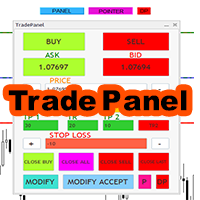
Expert trade panel MT4 The Expert Trade Panel consists of two sections, the panel and indicators, which you can see immediately after running the Expert on Metatrader, the Trade Panel is a tool that makes the trading process easy for the trader so that the trader can quickly and do your transactions easily. One of the features of this panel is that it has two parts. According to his needs, the trader can use both the indicator part of this panel and the panel part. Using this panel, the trader c
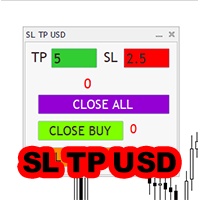
Expert SL TP USD panel MT4 SL TP USD Panel expert is one of the practical experts in the field of Forex financial market, which is designed for the Metatrader 4 platform, this expert helps the trader to determine the dollar profit and loss limit for himself. The function of the expert is that the trader decides to close the position after, for example, $10 profit, or close the position after, for example, $5 loss. You can use Inexpert easily and control your trading performance.
Candle finder robot MT4 Candle finder robot is one of the trading assistant tools that helps the trader, this tool helps the trader to examine all the currency pairs that are in the Metatrader watch list in detail within a few seconds. Find the desired signals. According to the strategy that is defined for this robot, in your watch list, it carefully looks for trend change candles, there are many trend change candles that traders use in their trading decisions. This robot can simply check all t
Safe Trade Indicator MT4 The Safe Trade indicator is an analytical and technical tool that has different features and very accurate signals. This indicator can be used in various markets such as the stock market and the forex market. It states and also provides buy and sell signals. Features of the Safe Trade indicator Receiving signals as notifications on the Metatrader mobile application. Receive signals by email. Receiving signals in the form of warning messages or alarms on Metatrader. Rec

TLBD Chart Indicator MT4 Drawing a trend line in price charts is one of the most important methods to identify the market trend, many traders use the trend line break for positioning because they believe that the trend line break means changing the trend and creating a new trend. As a result, the breaking of the trend line is an important sign for traders to open their positions in the direction of the trend. The TLBD indicator is a very suitable tool for detecting the breaking of dynamic trend
Buy CTS scalping indicator, provide buying and selling signals, automatic channeling and sending signals to mobile phones Using technical analysis and price action methods and modern methods, CTS indicator can draw price channels and recognize price trends with high accuracy and issue entry and exit signals according to them. Traders can easily fluctuate using this indicator in different time frames and in different markets. With the CTS indicator, you can signal in different ways. This indicato
Buy DEMA 3 Scalp  Indicator, Signaling and Trend Finder for Forex DEMA 3 indicator is a professional indicator for finding trends as well as finding entry and exit points for a symbol. This indicator is designed based on the DEMA indicator, which can tell you the signals accurately and quickly. The DEMA 3 indicator can give you accurate and early entry points for swings. Features of the DEMA indicator 3 Receive signals as notifications on the Metatrader mobile application. Receive signals by ema
필터:
리뷰 없음
리뷰 답변