Thi Ngoc Tram Le / プロファイル
- 情報
|
2 年
経験
|
5
製品
|
3020
デモバージョン
|
|
67
ジョブ
|
8
シグナル
|
5
購読者
|
こんにちは、私はレです。ベトナム出身のプロのアルゴリズムトレーダーです。
私は高度な取引戦略を設計・開発し、それらをMetaTrader 5用の強力なアルゴリズムロボットに変換しています。
私の情熱は、市場の洞察力とテクノロジーを融合させ、精度と一貫性を持って取引する自動化システムを構築することにあります。

私は高度な取引戦略を設計・開発し、それらをMetaTrader 5用の強力なアルゴリズムロボットに変換しています。
私の情熱は、市場の洞察力とテクノロジーを融合させ、精度と一貫性を持って取引する自動化システムを構築することにあります。

Thi Ngoc Tram Le
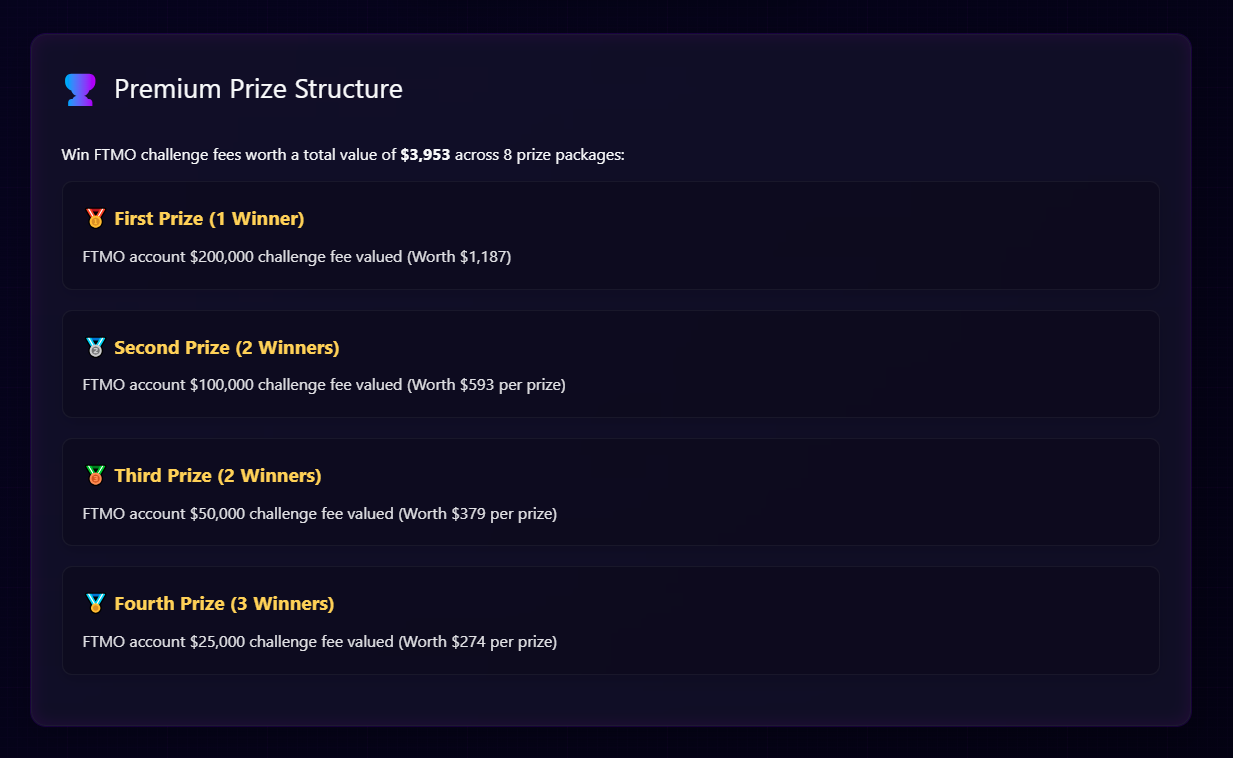
🔥 **GIVEAWAY UPDATE: FTMO - GOLD FIGHTER MT5** 🔥
Attention traders! The FTMO challenge fee giveaway for Gold Fighter MT5 buyers is still running!
We've noticed some members have purchased the EA but haven't sent a message to confirm their participation yet.
‼️ **IF YOU HAVE PURCHASED BUT HAVEN'T SENT A CONFIRMATION MESSAGE - PLEASE DO IT NOW!** This is a **CRUCIAL** step to ensure your entry into the lucky draw.
Don't purchase the EA only to miss out because you forgot to confirm! **PM me immediately** to secure your spot! 💪
Attention traders! The FTMO challenge fee giveaway for Gold Fighter MT5 buyers is still running!
We've noticed some members have purchased the EA but haven't sent a message to confirm their participation yet.
‼️ **IF YOU HAVE PURCHASED BUT HAVEN'T SENT A CONFIRMATION MESSAGE - PLEASE DO IT NOW!** This is a **CRUCIAL** step to ensure your entry into the lucky draw.
Don't purchase the EA only to miss out because you forgot to confirm! **PM me immediately** to secure your spot! 💪
Thi Ngoc Tram Le
パブリッシュされた投稿How to Set Up OpenAI & xAI APIs on MQL5
Steps to Set Up OpenAI and Grok APIs for trading bot MT5 This guide helps users set up APIs for the trading bot MT5 to enhance trading with AI Initial step is to go into MT5, ensure your MT5 terminal is running, then configure the setting as follows. https://api.openai.com https://api.x...
ソーシャルネットワーク上でシェアする
3277
Thi Ngoc Tram Le
Dear fellow traders, In the vast and diverse world of Expert Advisors (EAs), finding a reliable one to entrust your capital to is always a challenging task. Amidst countless advertisements and promises of "huge" profits, transparency becomes the "guiding star" leading to wise investment decisions...
ソーシャルネットワーク上でシェアする · 1
488
Thi Ngoc Tram Le
Greetings! In case you have any questions or concerns about the Gold Fighter Bot, please let me know. I am happy to assist.
Thi Ngoc Tram Le
Alpha Algo vs Omega Algo: Which Algorithm is Stronger in EA Gold Fighter MT5? Backtest Comparison! Back testing is an absolutely crucial step before you decide to use any Expert Advisor (EA) on a live trading account...
ソーシャルネットワーク上でシェアする · 2
889
Thi Ngoc Tram Le
パブリッシュされた投稿Gold Fighter MT5 - Manual instruction
Gold Fighter MT5 Testing Gold Fighter MT5 EA with Strategy Tester Step 1: Open the Strategy Tester Once your Expert Advisor (EA) is installed, you can begin testing it: Open MT5 and navigate to View > Strategy Tester...
ソーシャルネットワーク上でシェアする · 1
662
Thi Ngoc Tram Le
パブリッシュされたプロダクト
効率的な手動取引のためのカスタムトレードパネル このトレードパネルは、MT5での手動取引をサポートするツールを提供し、取引管理に役立つ機能を備えています。パネルは、注文の実行、注文管理、ポジションの監視機能をコンパクトなインターフェースで提供します。 なぜこのトレードパネルを選ぶのか? 複数の取引を管理したい場合でも、取引プロセスを効率化したい場合でも、このカスタムトレードパネルは、ポジションを効率的に管理するためのすべての機能を提供します。リスクをコントロールし、取引パフォーマンスを簡単にモニターできます。 主な機能 パネルには、以下の市場注文管理ツールが含まれています: あらかじめ設定したストップロスとテイクプロフィットを使って市場注文を実行 指定した価格ポイントに指値・逆指値注文を配置 ひとつのインターフェースから複数の注文タイプを管理 現在のポジションや保留中の注文をモニター 注文管理機能 ユーザーは、以下の主要な取引管理機能にアクセスできます: 注文ごとにストップロスとテイクプロフィットレベルを設定 アクティブなポジションにブレークイーブン設定を適用
: