EnderFX Sessions
- インディケータ
-
Enver Asanov
 EnderFX Algorithmics
Professional development of intelligent trading systems built on mathematics, market statistics and strict risk management. - バージョン: 1.11
- アップデート済み: 26 11月 2026
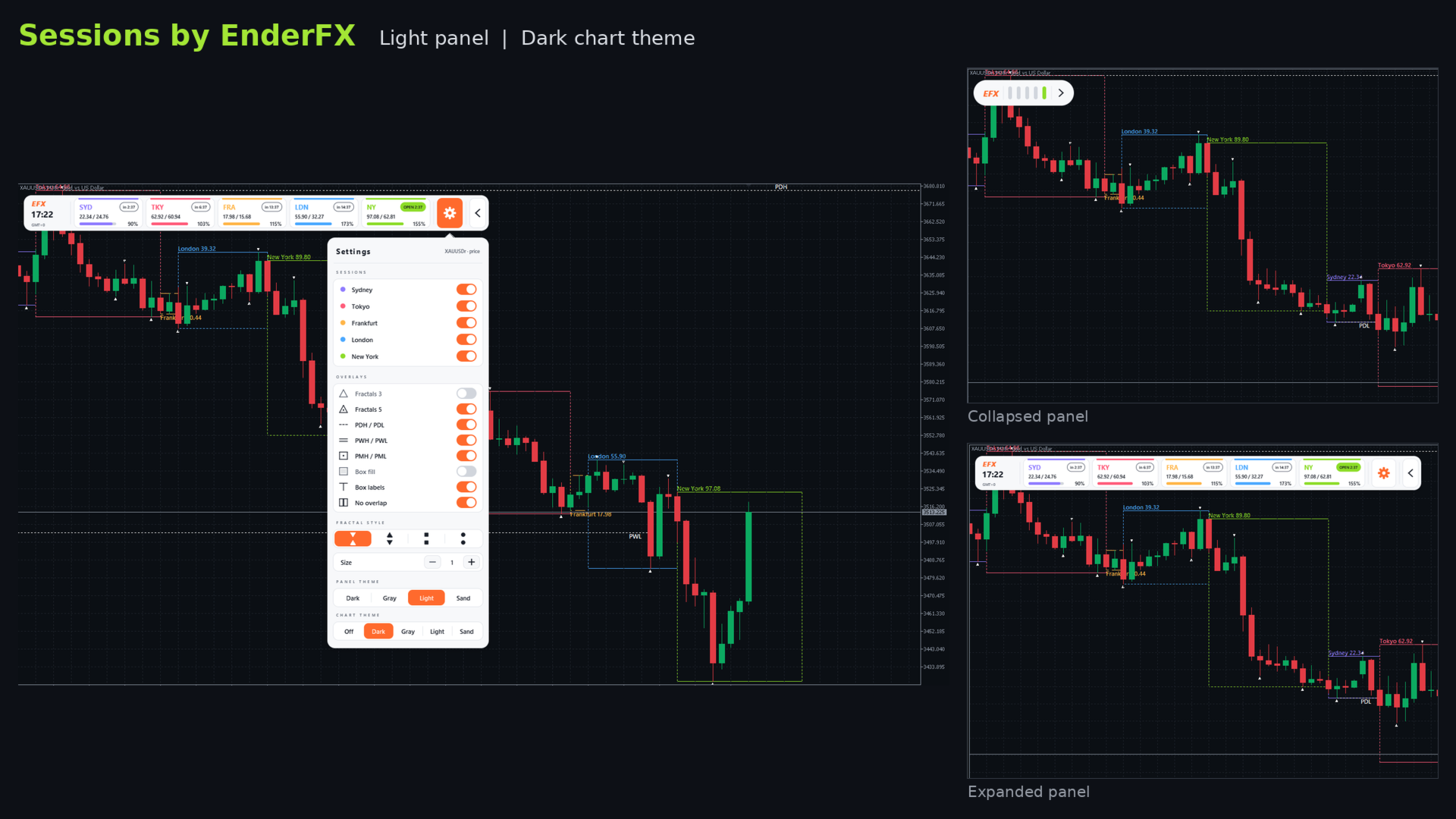
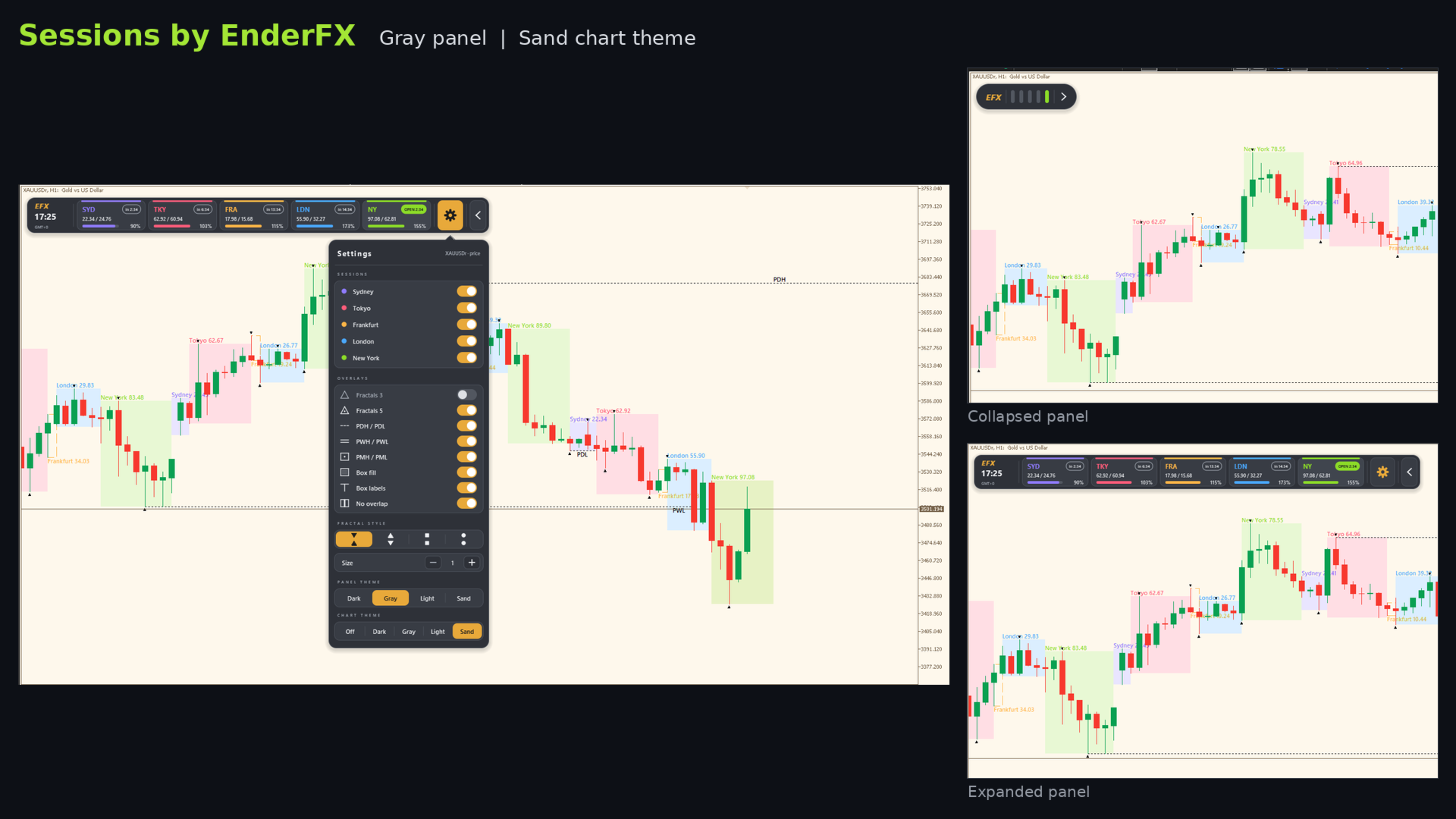
Sessions by EnderFX shows the five main trading sessions directly on your MT5 chart and tells you how far each session has moved compared with its normal range. Daylight saving time for the US, Europe and Australia is handled automatically, and the broker server offset is detected on start, so the boxes stay where they belong all year round.
The indicator is free and fully functional: no time limits, no account or symbol restrictions, no DLL and no internet connection required.
SESSIONS
- Sydney, Tokyo, Frankfurt, London and New York.
- Hours are set in the local time of each financial centre (for example London 08:00-17:00 London time) and can be edited, e.g. New York 09:30-16:00.
- Automatic DST: US, EU/UK and Australian rules are applied to every date, including history. Nothing has to be shifted by hand twice a year.
- Broker server time: Auto-detect, the common "GMT+2 winter / GMT+3 summer" model, or a fixed offset.
- Frankfurt is drawn as a dashed outline so it does not hide the London box that opens one hour later.
- "No overlap" mode: the start of the next enabled session ends the previous one, for a clean Asia > Europe > America layout.
SESSION STATISTICS
- Current range of the open session (or the last completed one) and the average range over the last N sessions (20 by default).
- Percentage of the average range with a progress bar: you see at a glance whether a session has already made its usual move.
- Correct units: pips for currency pairs, price for gold, silver, indices and crypto. Points are also available.
- Calculated on M5 data, so the numbers are the same on M1, M15 and H1.
KEY LEVELS
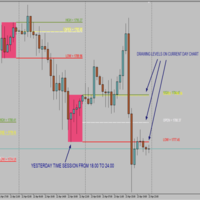
- Previous day high/low (PDH/PDL), previous week high/low (PWH/PWL), previous month high/low (PMH/PML).
- Each level starts at the candle that made the high/low and stops at the candle that broke it; unbroken levels run to the current bar. You see at once which levels are still untouched.
- Short labels (PDH, PWL, PMH...) keep the chart clean; the price is shown in the tooltip on hover.
- Colour is automatic: white on a dark chart, black on a light one. Any colour, line style and width can be set in the inputs.
FRACTALS
- Williams 5-bar fractals and 3-bar fractals.
- Solid triangles placed right at the candle high/low, or reversed triangles, squares, dots. Five sizes.
- Automatic colour (white on dark charts, black on light charts) or your own.
COMPACT PANEL
- One strip with server time, GMT offset and a tile per session: status (OPEN with time to close, or time to open), range / average and percentage.
- Collapses into a small bar with coloured capsules for open sessions.
- Settings window directly on the chart: sessions on/off, fractals, levels, box fill and labels, No overlap, fractal style and size, panel theme. Changes apply instantly and are saved per chart.
- Four panel themes: Dark, Gray, Light, Sand.
- Chart theme: Off, Dark, Gray, Light, Sand. Sets the chart background, grid and candles to match the panel. Off (default) keeps your colours; your own colours are restored when you select Off or remove the indicator.
- Scale 50-300% with automatic DPI support for 4K screens; the font can be changed.
WHO IT IS FOR
Intraday traders on Forex, gold, indices and crypto who plan trades around session opens, the Asian range, the London/New York overlap and previous highs and lows.
HOW TO START
1. Attach Sessions by EnderFX to a chart (M5-H1 recommended for session boxes).
2. Keep the default inputs: they fit most MT5 brokers.
3. Check that the time on the panel matches the time of the last candle. If your broker uses a different server time, choose "Fixed offset" in "Server time model".
SUPPORT
Questions and suggestions: product comments or private message to EnderFX. Reply within 24 hours.