DuoFX Trading Journal MT5

Which EA is making money, and which one is quietly bleeding your account?

User guide and articles: User guide, How to find which EA makes money: results by magic number and comment, Trading habits that cost you money: reading the Habits view.

Run three EAs, a grid and a few manual trades on one account and the MetaTrader history becomes a wall of deals. DuoFX Trading Journal turns it into answers, right on your chart: results by EA and magic number, by symbol, by trade comment, by session, weekday, hour, month, year and prop firm day, plus a daily P&L calendar. Win rate, profit factor, expectancy, R multiples, drawdown, losing streaks and costs for every group, a small equity curve on every row, and a short verdict in plain words: Good, Weak, Losing, Fading or Unproven. One click to sort, one click to chart a group's equity and read a one-line summary of it. It only reads your history. It never places, changes or closes a trade.

A verdict on every row

  • Each EA, symbol, session or any other row gets a small badge. Good: 30 or more trades, profit factor 1.30 or more, and still in profit without its top 5% of trades. Weak: in profit, but short of that. Losing: zero or below. Unproven: fewer than 30 trades, too few to judge.
  • Fading: in profit overall, but the latest third of its trades earn less than half per trade of the earlier ones, by more than normal trade-to-trade swings. An EA that worked last year and slowly stopped working shows up here.
  • Click a row for one line under the table, for example "Profitable over 442 trades with a profit factor of 1.57, and still in profit without its top 22 trades. Weakest part: the Asia session." No jargon, no scores to decode.
  • The Curve column draws each row's closed results in order, so a steady line and a single lucky spike look different at a glance. It is the first column to give way on a small chart.
  • The rules are in the column key and in a tooltip on each badge.

EA performance by magic number

  • Every EA on its own row: trades, win rate, net profit, profit factor, expectancy, average win and loss, average R, max drawdown and longest losing streak.
  • The EA's name is taken from its trade comments, so "20261106 FlipGrid" reads better than a bare number.
  • Manual trades (magic 0) get their own row, so you see whether you beat your bots.
  • Click any row to draw that EA's equity curve under the table.
  • At 0.01 lots: one switch on the panel shows every money figure as if each trade had been 0.01 lots (profit, commission and swap scaled by its volume), so an EA trading 1.00 lot and one trading 0.05 compare fairly. The panel says when it is on. Drawdown in that mode is a figure for comparing, not a share of your balance.

Results by comment, with starts-with matching

  • Group by trade comment, or filter on it: Exact, Starts with or Contains, not case sensitive.
  • Starts with is made for EAs that number their comments: "GridEA" matches GridEA_12, GridEA_13 and the rest.
  • "Group by prefix" rolls GridEA_12 and GridEA_13 into one GridEA row.
  • The comment is the one the trade opened with. Brokers rewrite comments on close ("[sl]", "[tp]", "so ...", "from #"), so the closing comment is never used.

Account statistics that count trades, not deal rows

  • One row per position: partial closes are grouped back into the trade they came from, with every commission, swap and fee included. On MT4 a partial close chain ("from #123") is followed back to the original ticket.
  • Profit factor, win rate, expectancy, average win and loss per group and for the whole account.
  • A Costs column per EA, symbol or session: commission, swap and fees added up, so you see which EA pays the broker more than it earns. A key under the table explains every column.
  • R multiples when the initial stop loss is known: from the order or entry deal on MT5, or from what the journal saw in the first 10 minutes of a trade while it was running (MT4 history does not keep the first stop loss). The panel shows how many trades have a known R.

Drawdown, honestly labelled

  • Max DD (closed): peak to trough of closed results, deal by deal, so a partial close counts when it happened.
  • Equity DD estimate: closed equity plus the worst floating loss of every open trade, read from your terminal's M1 bars, as if they all hit their worst price at the same time. That is an upper bound, and it is how a grid or basket really behaves. History alone cannot hold the true floating equity of past trades, so we say what it is: an estimate, and the panel shows on how many trades it was possible.
  • Open trades now: current floating P&L is included for open positions.

Prop firm daily P&L

  • "Prop day" view: results per day with the day starting at your firm's reset time and time zone: server time, CE(S)T, UTC, London, New York or GMT+2/+3, at any HH:MM.
  • Worst day and best day in the summary strip, to check a daily loss rule or a consistency rule after the fact.
  • Daily P&L calendar: every prop day of the month as a green or red tile, darker for bigger days, with the trades per day and the month's total, green and red days. Step back through the months with the arrows and click a day to chart its equity.

Habits: what your own trading costs you

  • A Habits tab tags every closed trade with what the history shows about how it was taken, and gives each tag the same statistics as any other row, next to a "None of these" row to compare with.
  • Within 15 minutes of a loss (opened soon after a losing trade closed), size up after a loss (a bigger lot than the same strategy's last trade, same symbol and magic number, when that trade lost), trade 6 or later of the prop day, no stop loss, and outside your usual hours (an entry hour that holds under 5% of your trades).
  • A trade can carry several tags. The minutes and the trades per day are settings, and each tag has a tooltip with its exact rule.
  • No stop loss is never guessed. On MT5 it needs an order with no stop and no stop at the close; on MT4 the journal learns it only for trades it saw open. Trades the history cannot settle get their own "Stop loss not known" row at the bottom, shown as data coverage, not as a habit.
  • Evidence only: the journal shows the numbers. It does not alert, block or change anything.

Sessions, weekdays and hours

  • Asia, London and New York sessions in your broker's server time, hours you can change. Overlaps get their own row ("London/New York"), so you see whether your edge lives in the overlap.
  • Weekday and hour of entry, month and year of close: find the hours where an EA gives back its gains.

Built for big accounts and quick checks

  • Reads 50,000 deals in chunks without freezing the chart, then only new deals.
  • Date range: all history, today, this week, this month, last 30 or 90 days, this year or your own dates, typed into From and To boxes on the panel.
  • Filters combine: magic numbers AND symbols AND comment AND date range, typed straight into the panel.
  • CSV export of the table, every trade and every deal, for Excel or Google Sheets, to MQL5/Files or the common folder.
  • Solid dashboard over the chart: drag it, resize it from the corner, scroll the table, sort any column, minimise it to a bar that still shows the net result. Dark, light or automatic.
  • Fits small and tiled charts: the summary tiles, tabs and filters wrap onto more lines, the Export and minimise buttons stay in reach, and the table keeps the columns that fit.
  • The equity strip shows the closed result as a line and the estimated worst floating as a soft band under it.
  • Sample data mode, so you can try every view in the Strategy Tester (the tester has no account history).
  • No DLLs, no internet, nothing to install.

Available for MetaTrader 5 and MetaTrader 4.

The screenshots show the built-in sample data, not real trading results. The strategy names and figures in them are made up to show every view.

Trading journal FAQ

  • Does it trade or change my orders? No. It is an indicator: it reads history and open positions and cannot send an order.
  • Why does my comment not show "[tp]"? By design. The journal uses the comment the trade opened with, because brokers overwrite the closing comment.
  • How are partial closes counted? As one trade. Its money is the sum of all its parts, commissions and swaps.
  • What do the badges mean? Good: 30 or more trades, profit factor 1.30 or more, and in profit without its top 5% of trades. Weak: in profit but short of Good. Losing: zero or below. Fading: in profit, but the latest third of the trades earn under half per trade of the earlier ones, by more than normal swings. Unproven: under 30 trades. They describe past results only and say nothing certain about the future.
  • Why is my EA Unproven? It has fewer than 30 closed trades in the current filters and date range. A shorter range means fewer trades.
  • How are habits found? From the history alone: open and close times, lot sizes, the prop day, the entry hour and the stop loss at the open. A trade opened 10 minutes after a loss with a bigger lot carries both tags. Compare each tag's row with "None of these".
  • Why do many trades show "Stop loss not known"? MetaTrader keeps the stop of a closed trade only in part. On MT4, and on MT5 when a stop was added after the fill, the journal cannot tell whether the trade opened with one unless it was running at the time. It does not guess.
  • What does At 0.01 lots change? Money figures only: each trade is scaled from its own lot size to 0.01 lots. Win rate, profit factor and R stay the same; net, averages, costs and drawdown change.
  • Is the equity drawdown exact? No. Past floating equity is not stored anywhere in MetaTrader. The estimate uses M1 bars and assumes all open trades were at their worst together, which is the cautious answer.
  • Why is R missing on some trades? The initial stop loss is only in history when it was sent with the order. On MT4, and for stops added after the fill, the journal learns it while it runs.
  • Does it work for prop firm challenges? Yes, as a journal: daily P&L by your firm's reset time, worst day, and drawdown. It does not enforce rules; it shows results.
  • MT4 history looks short? MT4 only gives programs the history shown in the Account History tab. Right-click it and choose All History.
  • Netting or hedging account? Built for hedging accounts (one position per trade). On a netting account, a reversal in one deal is counted with the trade it reversed.
  • MT4 or MT5? Both, same features, sold as two products.

Settings

  • Data: account history, or sample data (automatic in the Strategy Tester)
  • Date range at start, custom from / to dates
  • Magic numbers, symbols, comment filter mode and text, group comments by prefix and the prefix separators
  • Equity drawdown estimate from M1 bars on or off
  • Asia, London, New York session hours (server time)
  • Prop day start time, time zone, broker server clock
  • CSV to the common Files folder, write every table on load
  • Group by at start (including the calendar and Habits), corner, offsets, table rows, panel width, theme, font, font size, start minimised
  • Money at 0.01 lots at start, Habits minutes after a loss (15) and trades per prop day (5)

Disclaimer: Trading forex and CFDs is high risk and markets can move fast. This indicator is an analysis tool for educational and informational purposes only. It is not financial advice and does not guarantee results. Past performance does not indicate future results.

おすすめのプロダクト
Amazing XAU Edge Maker Overview Amazing XAU Edge Maker is an Expert Advisor for MetaTrader 5 designed to automate trading using configurable entry methods, position management, and risk management tools. It is optimized for XAU/USD (Gold) but can also be configured for other symbols supported by your broker. The EA combines signal-based trading with flexible trade management, allowing traders to customize its behavior according to their trading strategy. Main Features Trading Modes Signal Tradin
Know your daily loss, drawdown and lot size before every trade. User guide and articles: User guide , How to pass a prop firm challenge without breaking the daily loss limit , Lot size from risk and drawdown meters for prop traders . Challenges come with hard numbers: a daily loss limit, a max drawdown, a profit target. DuoFX Risk & Prop Guard sits on your chart and keeps those numbers in view every second: the lot size for your risk, how much of today's loss limit is used, how far you are from
General Description Auto SL/TP Manager is a professional utility for MetaTrader 5 designed to automate the management of Stop Loss and Take Profit levels on open positions. The levels are calculated based on monetary risk values defined by the user, rather than fixed pip distances. This tool helps maintain consistent risk discipline without manual intervention. Main Functionality The EA continuously monitors all open positions and automatically applies Stop Loss and Take Profit levels when they
Account Risk Hedge Bot                                                                                  ...hedge your trades with confidence. Safeguard Your Investments with Account Risk Hedge Bot, stay ahead of market volatility with our cutting-edge risk management solution. Account Risk Hedge Bot is designed to safeguard your investments with automated precision, helping you navigate market uncertainty, ensuring you minimize losses and maximize returns. Note: Account Risk Hedge Bot does
Professional risk management utility. Auto lot-size calculator + live risk panel. Works alongside any other EA — does not open trades independently. - **Auto lot size**: calculated from % risk per trade + SL distance in pips + balance - **Live dashboard**: Balance | Equity | Drawdown % | Suggested Lot | R:R ratio - **Daily drawdown alert**: notification when daily DD exceeds threshold - **Auto-close option**: closes all positions on daily DD breach (configurable) - Zero trade opening — purely a
ZF Equity Protector Premium v2.0 The Ultimate Daily Loss Breaker for Smart Traders & Prop Firm Hunters Have you ever blown a Prop Firm account just because of "one bad day"? Or has emotional revenge trading destroyed weeks of hard-earned profits in a matter of hours? Put an end to account destruction right now. ZF Equity Protector Premium v2.0 is an advanced automated safety system (EA) specifically engineered to be your capital's ultimate line of defense. This EA acts as a cold, calculated circ
Auto SL/TP Manager (自動SL/TPマネージャー) 手動トレードを二度と無防備な状態にしないでください! 急いでポジションを建てて、ストップロス (SL) やテイクプロフィット (TP) の設定を忘れたことはありませんか?「Auto SL/TP Manager」は、あなたにとって不可欠なセーフティネットです。 このエキスパートアドバイザー (EA) は、あなたのアカウントを24時間365日監視し、SL/TPが設定されていないオープンポジションに対して、あらかじめ定義されたリスク (SL) と利益 (TP) のレベルを自動的に適用します。 これは、 手動トレーダー 、 スキャルパー 、またはモバイルデバイスから開いたトレードであっても、 すべて のトレードが自分の戦略に従って確実に保護されるようにしたいすべての人にとって完璧なツールです。 主な特徴 完全自動化 : 未設定のオープンポジションを常時スキャンし、SL/TPを適用します。 高度な設定が可能 : ストップロスとテイクプロフィットをPips単位で簡単に定義できます (例: 5.0 = 50ポイント)。 強力なフィ
Grid Trading EA is a semi-automated one-click trading EA for both Normal Trading and Grid/Martingale Trading . Normal Trading Simply click Buy or Sell directly from the chart. The EA will automatically manage trades by: Setting Stop Loss and Take Profit Managing Trailing Stop Grid / Martingale Trading (For Hedging Account Type Only) When Grid Trading mode is enabled, the EA will automatically open additional grid orders at specified distances while increasing the lot size based on your settings.
Set Stop Loss and Take Profit on every position at once by dragging one line — with one-click partial close and live total P/L. MT5 has no native way to change the SL/TP of many positions together, and it cannot hide just the SL/TP lines while keeping your entry. Bulk SL/TP Manager fixes both. Put the SL and TP lines on the chart, drag either one, and every position on that symbol updates instantly. A compact button panel then lets you de-risk in one click. It is a manual-trading utility. It d
MTM Manual Trade Manager is a professional trading dashboard designed for manual traders who want better control over risk and trade management. This Expert Advisor does NOT open trades automatically. All trading decisions and order executions are fully controlled by the trader. Main Features: - Manual Buy and Sell execution from the dashboard - Visual Stop Loss and Take Profit using drag & drop lines - Fixed Lot and Risk Percentage position sizing - Automatic Break Even management - Multiple
FREE
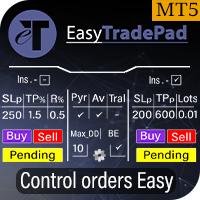
EasyTradePad – MetaTrader 5用取引パネル EasyTradePadは 、手動および半自動取引のためのツールです。パネルでは、注文とポジションを迅速に管理できるほか、リスク管理の計算もワンクリックで行えます。 パネルの機能: 事前に定義されたリスク(%または預金通貨)で取引を開始および終了します SLとTPをポイント、パーセンテージ、または金額で設定します リスクと報酬の比率を自動計算 損切りを損益分岐点に移動する 部分的なポジションのクローズ トレーリングストップ(ポイントまたはローソク足の影による) ポジションの平均化とピラミッディング アクティブな取引のパラメータを変更する [   デモ ] [   説明 ] 追加機能: ピラミッド化 価格がテイクプロフィットに近づくにつれて、段階的に取引を追加します。新規取引ごとのリスクを軽減できます。追加する取引数は簡単に設定できます。 平均化 チャート上のカスタムレベルで追加注文を出すことができます。ポジションは平均エントリー価格で決済されます。 損益分岐点移転 価格が指定された利益幅に達した後、ストップロ
Risk Calculator Veqrix  Risk Calculator Veqrix is a risk calculation, visual trade planning, and manual order execution tool for MetaTrader 5. The EA automatically calculates the trade volume using the configured risk, entry price, and distance to the Stop Loss. It also displays the planned trade directly on the chart and distributes the total volume across up to three Take Profit targets. This tool does not generate trading signals . The user selects the direction, configures the levels, and
FREE
This is a common, simple and easy to use but effective tool to manage trading risks for all traders. It also help trader places stop loss and take profit levels at the same time the order is filled. How to set the expert advisor's parameters to support your trading style? Lots size. Fixed lots size - For traders who prefered to trade with fixed lots size, they can input the lots size in 'User lots' menu in the expert advisor's properties. The input value should be from the 'Minimum Volume' to th
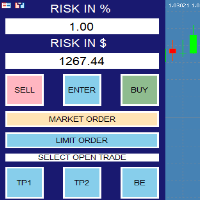
MT5用NAS100 Auto SL and TP Makerをご紹介します: MetaTrader5でナスダック100市場をナビゲートするトレーダーにとって不可欠なアシスタントであるNAS100オートSLおよびTPメーカーで、ストップロスおよびテイクプロフィットの設定をもう見逃すことはありません。このツールは、ストップロスとテイクプロフィットのレベル管理を自動化するシームレスなソリューションを求める方々のために設計されています。 主な特徴 簡単な自動化: ストップロスやテイクプロフィットのないナスダック100取引を自動的に監視します。 ユーザーが構成した設定に基づいてレベルを動的に調整します。 注文タイプの多様性: Nasdaq100の成行注文と未決済注文の両方に対応。 MetaTrader 5で利用可能なさまざまな注文タイプをサポートします。 カスタマイズされた設定: ユーザーフレンドリーなパラメータ設定により、トラッキング設定とストップロス/テイクプロフィットレベルのカスタマイズが可能です。 柔軟な範囲: 実行する特定のNAS100商品または取引されるすべての商品に対してスト
FREE
Title:   Smart Position Manager PRO - Advanced Risk & Position Manager Description: Smart Position Manager PRO is an all-in-one visual trade management and risk calculation tool designed for serious traders who prioritize iron discipline and strict risk management. Whether you are executing precise SMC or ICT setups on personal capital or managing large funded accounts on strict prop firms, this tool ensures you focus on counting percentages rather than emotional money swings. With a highly int
FREE
SignalX Prop Challenge Tracker MT5
Ahmed Ismail Muhammad Ismail Al Talhat
Evaluation accounts are scored on rules, not on feelings, and the rules are unforgiving in one direction: a profit target is a goal, but a daily loss limit and a maximum drawdown are hard stops. This panel tracks both against the challenge limits and warns before either is breached. Tracks profit-target progress, worst daily loss and worst total loss against the limits an evaluation is scored on, as three progress bars. Reads equity extremes from the account rather than price, and reports headro
Trade Manager — Risk-Based Trade Panel Trade Manager is a MetaTrader 5 Expert Advisor that provides an on-chart panel for planning and executing trades with precise risk control. It is designed for traders who want to define their risk in advance and have their lot size calculated automatically before each trade. Core Functionality The panel sits on your chart and lets you set a risk amount either as a percentage of your account balance or as a fixed dollar amount. Both fields stay in sync — ch
**Forex Trade Manager Pro MT5** **Trade Manager MT5** は、MetaTrader 5向けの包括的なトレード管理ユーティリティです。トレードを計画する瞬間から決済する瞬間まで、ポジションのあらゆる側面を完全にコントロールできます。リスクを真剣に考えるトレーダー、つまり規律を築き始めた初心者から、複数のポジションにわたって瞬時の実行を必要とするプロのスキャルパーまで、幅広く対応できるように設計されています。 このツールは任意のチャートに装着でき、クリーンでコンパクトなパネルを表示します。チャート上に直接、ドラッグ可能な水平線を使用して、意図するエントリー、ストップロス、テイクプロフィットの各レベルをマークします。Trade Managerは、定義されたリスクに基づいて正しいポジションサイズを即座に計算し、ストップロスとテイクプロフィットの値をpipsと口座通貨でリアルタイムに表示し、計画中のトレードのリスク・リワード比率を表示します。手動計算は一切必要ありません。リスクを一度定義すれば、ツールが残りのすべてを処理します。 **ポジ
Challenge Keeper watches your whole prop firm account and acts before a firm rule is broken. It does not open trades. It works with manual trading and with other Expert Advisors on the same account. How it works Choose your firm and your phase from a list, and enter your starting balance. Each preset already contains how that firm measures its limits: from balance or equity, from the start of the day or from the start of the challenge, and the time and time zone at which its trading day resets.
The EA for manual trading to manage open positions.The built-in trailing stop has five modes and seven instruments. There is a virtual stop loss and a virtual take profit, which can be freely moved around the chart. With the help of the built-in trading simulator, you can check how the EA works in the strategy tester. Guide to UTrailingMinMT5 can be found in the "Comments" section. In the MT5 strategy tester, manual movement of virtual SL and TP lines according to the schedule does not work! Ben
More stable MetaTrader 4 version is available here:  Lot Calculator Tool . This tool helps you to automatically calculate and manage risk, conveniently place orders visually, schedule orders, trail stops, move them to break-even and more. Features Place market or pending orders using draggable lines Schedule orders Calculate and limit risk using various methods See current spread See time till next candle Set custom order comments Trail stops Move stops to break-even See order profit/loss in p
All the rules of your prop firm challenge in one EA: daily loss limit, max drawdown (static or trailing), profit target, max trades per day, max lot, max open positions, stop loss required, trading hours and Friday close. When a trade breaks a rule, it is closed automatically. Most challenges are not lost because of bad strategy. They are lost because of one rule break: a daily loss a few dollars over the limit, one trade too big, a position left open over the weekend. Prop Firm Rules Guard watc
Risk Sized Trade Panel — Professional Manual Trading & Risk Management for MT5 Trade manually. Size precisely. Manage risk consistently. Risk Sized Trade Panel is a professional manual trading and risk management utility for MetaTrader 5, designed to simplify order execution, automate position management, and help traders maintain consistent risk controls. You decide when to enter the market. The panel handles position sizing, stop-loss and take-profit placement, trade management, and predefined
FREE
Product Name: Anchor auto TP and SL Trade Manager Pro MT5 The ultimate manual assistant. Turns trades into auto-grids with Hedging, Zero-Loss Breakeven & Spread Detection. Your manual trade will be managed automatically. Anchor Auto TP and SL Trade Manager MT5 Pro is the advanced edition of our popular trade assistant. It transforms simple manual trades into sophisticated, professional-grade recovery grids. Unlike the free version, this PRO edition fully supports Hedging (simultaneous Buy & Sell
Sapphire Strat Maker Alt
Emanuel Cavalcante Amorim Filho
Sapphire Strat Maker Alt   is an EA builder ( Expert Advisor Builder) . With it you can easily create new strategies and optimize them to find the bests parameters to improve your results at maximum. The objective is to bring the capabilities of MQL5 to everyone, even if you don't know how to code. Check out   the Pro Version   clicking here - Sapphire Strat Maker . With this Expert Advisor you can create strategies by combining the indicators provided by the EA. A few of the functionalities ar
FREE
Partial
Pablo Filipe Soares De Almeida
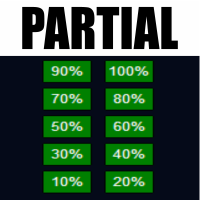
パーシャルクローズマネージャー – 取引量を自動調整する便利ツール パーシャルクローズマネージャーは、MetaTrader 5上でポジションを部分的に決済するための強力なツールです。取引中のリスク管理をより柔軟に行うことができ、利益の一部を確保しながら残りのポジションを伸ばすといった戦略を簡単に実現します。手動入力を減らし、スムーズな操作性と高い精度を両立しています。 主な機能: 部分決済機能: クリック一つで保有中のポジションの一部を決済可能。スキャルピングからスイングトレードまで幅広く対応します。 自動ボリューム計算: ツールが自動的に決済ロット数を計算し、入力ミスを防ぎつつスピーディに実行。 複数注文対応: 同一銘柄の複数ポジションに対して同時に部分決済を適用でき、時間の節約になります。 ドラッグ移動可能なテーブル: テーブルヘッダーをドラッグして、チャート上の好きな位置に自由に配置可能。 パーシャルクローズマネージャーは、資金管理やポジション制御をよりスマートに行いたいトレーダーにとって、欠かせないプロフェッショナル向けツールです。
Imagine flying a real aircraft without ever stepping into a flight simulator. That's what trading is like. You have to simulate your strategy before you can take it to a live market. It is good if you can simulate things speedily before even stepping into any live market, or before coming up with an automated system.  People don't have all day to stare at a higher timeframe chart until the entry signal finally arrives. That's why I built this so that you can simulate your strategy with speed. Th
FREE
Trade assistant pro v8
Ahmed Mohammed Bakr Bakr
2 (1)
FREE FREE FREE Trade Assistant MT5 – Professional Trading & Risk Management Panel Trade Assistant MT5 is an advanced trading panel designed to help traders execute orders faster, safer, and more professionally . It simplifies manual trading by combining smart order management , precise risk control , and one-click execution , making it ideal for both beginners and advanced traders. This tool does not trade automatically . Instead, it empowers you with full control while applying professional-gra
FREE
MT5向けトップトレードマネージャー - トレードパネル、ポジションサイズ計算ツール、リスクマネージャー Top Trade Manager は、 MetaTrader 5用の包括的なトレードマネージャー です。トレードパネル、 ポジションサイズ計算ツール 、リスクマネージャーが一体化されています。チャート上でエントリーポイント、ストップロス、テイクプロフィットをドラッグするだけで、ロットサイズ、リスク、リワードが瞬時に計算されます。さらに、 部分決済 、 ブレークイーブン 、 トレーリングストップ 、非表示のストップロスとテイクプロフィットでトレードを管理したり、 経済ニュースカレンダーを フォローしたり、内蔵の描画ツールでチャートにマークアップしたり できます 。 これは手動取引ツールであり、自動的に取引を開始することはありません。すべての取引はあなたが決定し、Top Trade Managerは計算と管理を代行します。 主な機能 視覚的なトレードプランニング:チャート上でエントリー、ストップロス、テイクプロフィットをドラッグする。 残高または自己資本に対するリスク割合、あるいは固
RISK CALCULATOR - TRADING PANEL - CHART OVERLAY with:   PARTIAL TAKE PROFIT  ("virtual TP")   % RISK LOT SIZE  TRAILING STOP LOSS  Fast and simple control of your trades Easy lot size calculation with easy SL/TP setting. Your trading will be much more comfortable with this tool!   Works like any EA, add it to selected chart and trade ! (this version is converted from MT4) Features: start trade with   calculated lot   based on   % of account balance * that you want to risk/ or based on
このプロダクトを購入した人は以下も購入しています
Trade Assistant MT5
Evgeniy Kravchenko
4.43 (216)
取引 ごとのリスクの 計算、新規注文 の 簡単 な 設置、部分的 な 決済機能 を 持 つ 注文管理、 7 種類 のトレーリングストップなど 、便利 な 機能 を 備 えています 。 追加の資料と説明書 インストール手順   -   アプリケーションの手順   ライン機能 チャート上にオープニングライン、ストップロス、テイクプロフィットを表示します。この機能により、新規注文を簡単に設定することができ、注文を出す前にその特徴を確認することができます。   リスク計算 リスク計算機能は、設定されたリスクとストップロス注文のサイズを考慮して、新規注文のボリュームを計算します。ストップロスの大きさを自由に設定できると同時に、設定したリスクを守ることができます。 Lot calc ボタン - リスク 計算 を 有効 / 無効 にします 。 Risk フィールドでは 、必要 なリスクの 値 を 0 から 100 までのパーセンテージまたは 預金通貨 で 設定 します 。 設定」 タブで 、 リスク 計算 の 種類 を 選択 します :「 $ 通貨」、「 % 残高」、「 % エクイティ 」、「
Trade Manager EAへようこそ。これは、取引をより直感的、正確、そして効率的にするために設計された究極の リスク管理ツール です。これは単なるオーダー実行ツールではなく、包括的な取引計画、ポジション管理、リスク管理のためのソリューションです。初心者から上級者、迅速な実行を必要とするスキャルパーまで、Trade Manager EAはあらゆるニーズに対応し、為替、指数、商品、暗号通貨などさまざまな市場で柔軟に対応します。 Trade Manager EAを使用すると、複雑な計算が過去のものになります。市場を分析し、エントリーポイント、ストップロス、テイクプロフィットのレベルをチャート上のラインでマークし、リスクを設定するだけで、Trade Managerが最適なポジションサイズを即座に計算し、SLとTPをピップ、ポイント、口座通貨でリアルタイムに表示します。すべての取引が簡単かつ効果的に管理されます。 主な機能: ポジションサイズ計算機 :定義されたリスクに基づいて取引サイズを瞬時に決定します。 簡単な取引計画 :エントリー、ストップロス、テイクプロフィットを設定するためのド
Black Week: 購入価格 69.99 USD。このオファーは 11 月 27 日(金)に終了します。 Telegram to MT5 Multi-Channel Copier   は、 Telegram と Discord チャンネルのトレードシグナルを MetaTrader 5 へ自動コピーします。ボット不要、ブラウザ拡張不要、手動コピー不要。Telegram や Discord にシグナルが届くと、EA が数秒であなたのターミナルに注文を出します。 さらに、チャンネルをコピーする前に、内蔵バックテスターでそのチャンネルがあなたの口座でどう動いたかを確認できます。 製品は 2 つのコンポーネントで構成されます:Telegram チャンネルを監視する Windows アプリと、MT5 ターミナルでシグナルを執行する本 EA です。MT4 版もあります   こちら . 購入前にお試しください:   アプリは無料でダウンロードできます。ご自身のチャンネルを接続し、各シグナルがどのように読み取られるかをご確認ください。Backtest タブと実際の取引には、購入またはレンタルした E
Local Trade Copier EA MT5
Juvenille Emperor Limited
4.94 (150)
Local Trade Copier EA MT5 は、同一の Windows PC または Windows VPS 上で稼働する複数の MetaTrader 5 口座間で、取引をコピーおよび管理するための高速で柔軟なトレードコピーツールです。 ローカルでの取引同期に加え、Receiver 側でロットサイズ、リスク管理、取引フィルター、シンボルマッピング、取引管理、口座保護を個別に設定できます。 Transmitter と Receiver のターミナルは約 1分 で設定でき、同一ブローカーまたは異なるブローカーの口座間で、手動取引や EA による取引をコピーできます。適切な条件下では、ローカルの MetaTrader ターミナル間で取引情報を 0.5秒未満 で同期できます。実際の約定速度は、ブローカーのレイテンシー、ネットワーク状況、PC/VPS の性能、ターミナルの負荷によって異なります。 ご購入前に無料デモをお試しください Local Trade Copier EA MT5 の完全機能版無料デモ を、MT5 デモ口座で 1回につき4時間 テストできます。 Local Trad
Farmed Hedge Yield Farming | All Markets (Manual - Hybrid - Semi/Automated EA) VERIFIED TRADING RESULTS - Farmed Hedge Yield Axi Copy:  https://www.mql5.com/en/signals/2356376 - Farmed Hedge Yield Exn Copy:   https://www.mql5.com/en/signals/2356404 - Farmed Hedge Yield V Copy:  https://www.mql5.com/en/signals/2357156 IMPORTANT NOTICE: FarmedHedge is a MANUAL-FOCUSED TRADING UTILITY ,not a fully automated EA. Results shown on this Signal include manual trades and overall strategic management.
EA Overfitter
Stephen J Martret
5 (5)
That backtest looks great. But will it still be making money tomorrow, next week, next month? EA Overfitter re-runs your EA on 100 price histories it has never seen. One score tells you if the edge is real. A backtest tells you what an EA did on one price history — the one that happened to occur. What you cannot tell from it is how much of that result was the strategy and how much was the particular path. EA Overfitter answers that. It builds up to 100 synthetic price histories your EA has n
TradePanel MT5
Alfiya Fazylova
4.89 (175)
Trade Panelは多機能なトレーディングアシスタントです。アプリには手動取引用の50以上のトレーディング機能が搭載されており、ほとんどの取引作業を自動化することができます。 アプリの説明書: https://www.mql5.com/en/blogs/post/756482 デモ口座用アプリの試用版: https://www.mql5.com/en/blogs/post/750865 アプリのインストール方法: https://www.mql5.com/en/blogs/post/756239 アプリをビジュアルモードでテストする方法: https://www.mql5.com/en/blogs/post/770277 VPSのMetaTraderにアプリをインストールする方法: https://www.mql5.com/en/blogs/post/770190 取引。 ワンクリックで取引操作を行うことができます: リスクを自動計算して指値注文やポジションを開く。 複数の注文やポジションをワンクリックで開く。 注文のグリッドを開く。 保留中の注文やポジションをグループごとに閉じる
Strategy Ledger Pro
Abdullah Uygar Tuna
5 (17)
日本語に対応しました。 Strategy Ledger Pro は、MetaTrader 5 用の読み取り専用の口座分析パネルです。口座の成績をエキスパートアドバイザー(EA)、戦略、銘柄、マジックナンバーごとに分け、それぞれが実際にどれだけ貢献しているかを明らかにします。 パネルは 11 言語に対応しています:English、Français、Deutsch、Español、Italiano、Português、Русский、Türkçe、中文、日本語、한국어。 デモをお試しください。 ストラテジーテスターのビジュアルモードで実行すると、パネルは組み込みのサンプル口座で開き、すべてのページを対話形式で案内します。表示されるのはサンプルデータであり、何も保存されません。ご自身の口座では、パネルは実際の履歴を読み取ります。 デモの実行手順は、こちらの ブログ記事 をご覧ください。 この説明内の動画では、実口座でのパネルの動作をご覧いただけます。 すべての機能を解説した詳しい マニュアル (英語)と、情報交換やお知らせのための AureusAI Trading Suite グループを
自分の取引ルールで Telegram のシグナルをコピー Telegram to MT5 Signal Trader は、Telegram の公開・非公開チャンネルやグループから、テキスト形式の取引シグナルを MetaTrader 5 へ自動でコピーします。1つのデスクトップアプリで複数の配信者と MT5 口座を管理し、 配信者ごとにリスクと取引設定を個別に指定 できます。 シグナルのコピーに Telegram ボットや API 設定は必要ありません。 電話番号または QR コードでご自身の Telegram アカウントにログインし、すでに参加しているチャンネルやグループを選ぶだけです。ボットの作成や、Telegram API トークン、API ID、API hash の入力は不要です。 ポジションサイズを選び、複数の利確水準に分けて決済し、建値へのストップ移動やトレーリングストップを自動化できます。配信者のシグナルを受け取りながら、実際の取引方法は自分で管理できます。 本製品は、この MT5 エキスパートアドバイザ(EA)と、必須の Windows 連携アプリで構成されます。 インス
Exp COPYLOT CLIENT for MT5
Vladislav Andruschenko
3.97 (35)
MetaTrader 5 用のプロフェッショナル取引コピー機 MetaTrader 向けの高速・高性能・信頼性の高い 取引コピー機 です。 COPYLOT は、MT4 と MT5 のターミナル間で Forex 取引をコピーでき、 Hedge 口座と Netting 口座の両方に対応しています。 COPYLOT MT5 版の対応構成: - MT5 Hedge → MT5 Hedge - MT5 Hedge → MT5 Netting - MT5 Netting → MT5 Hedge - MT5 Netting → MT5 Netting - MT4 → MT5 Hedge - MT4 → MT5 Netting MT4 版 完全な説明 + DEMO + PDF 購入方法 インストール方法 ログファイルの取得方法 テストと最適化の方法 Expforex のすべての製品 MT4 ターミナルへのコピーも可能です(MT4 → MT4、MT5 → MT4): COPYLOT CLIENT for MT4 COPYLOT は、2台、3台、さらには10台のターミナル間で同時に動作できる、プロフェッ
AI Agent Supervisor is NOT an Expert Advisor. AI Agent Supervisor   is a   multi-agent AI risk & portfolio supervisor   that watches every EA on your account and intervenes in real time.  WANT AN AI PORTFOLIO MANAGER WATCHING YOUR FLEET 24/7?   Run your fleet on the same brokers I do:   IC MARKETS , IC TRADING   .  Unlike the centralized stock market, Forex has no single, unified price feed.  Every broker sources liquidity from different providers, creating unique data streams. The Supervisor r
================================================================================ POC BREAKOUT - V20.72. Full Professional Grade Toolkit ================================================================================ POC Breakout is a full MetaTrader 5 trading dashboard for discretionary traders who want breakout signals, Point of Control (POC) context, volume profiles, order flow, market structure, news, alerts, and advanced trade planning in one professional workspace. Attached directly to you
Unlimited Trade Copier Pro MT5 is a tool to copy trade remotely to multiple MT4, MT5 and cTrader accounts at different computers/locations over internet. This is an ideal solution for you if you are a signal provider and want to copy your trades to other receivers globally on your own rules. One provider can copy trades to multiple receivers and one receiver can get trade from multiple providers as well. The provider can even set the subscription expiry for each receiver, so that receiver will n
News Trade EA MT5
Konstantin Kulikov
4.55 (11)
僕自身が数年間使っている便利なロボットをご紹介します。半自動モードでも完全自動モードでもお使いいただけます。 >>> Chat <<< 当プログラムは経済指標カレンダーで発表されるニュースをもとにした取引の柔軟な設定が可能です。戦略テスターでは確認不可です。実際の取引のみです。 最新の設定アーカイブをダウンロードしてください: https://www.mql5.com/en/blogs/post/747929 シグナルモニタリング: https://www.mql5.com/en/signals/author/test-standart 当該エキスパート・アドバイザーのためのカスタマイズ設定セットを作る場合は、ブログの全パラメータの説明を参照してください :   https://www.mql5.com/en/blogs/post/748545 。 基本的なデフォルト設定について 一つのチャートからGBPとの通貨ペア(GBPUSD、EURGBP、GBPJPY、GBPCAD、GBPAUD、GBPCHF)で取引をします。GBPは最もボラティリティの高い通貨のため、取引が成功するチ
The product will copy all telegram signal to MT5 ( which you are member) , also it can work as remote copier.  Easy to set up, copy order instant, can work with almost signal formats, image signal,  s upport to translate other language to English Work with all type of channel or group, even channel have "Restrict Saving Content", work with  multi channel, multi MT5 Work as remote copier: with signal have ticket number, it will copy exactly via ticket number. Support to backtest signal. How to s
Equity Protect Pro: 安心取引のための総合的な口座保護エキスパート 口座保護、資産保護、ポートフォリオ保護、マルチ戦略保護、利益保護、利益確定、取引セキュリティ、リスク管理プログラム、自動リスク管理、自動決済、条件付き決済、スケジュール決済、動的決済、トレーリングストップロス、ワンクリッククローズ、ワンクリック決済、ワンクリック復元などの機能をお探しなら、Equity Protect Pro が最適なプログラムです。 設定は簡単で、事前設定された条件に達すると、すべてのチャートを閉じることができ、シグナルサブスクリプションのキャンセルもサポートします(これは、すべての取引プログラムも停止することを意味します)。この時点で、新しい注文は生成されなくなり、最終的にすべての注文が閉じられ、予期せぬ損失を効果的に防止し、安心して取引できるようになります。 Equity Protect Pro (Technical Manual) Equity Protect Pro Demo Version for yo u to test   Equity Protect Pro MT4
Trade copier MT5
Alfiya Fazylova
4.61 (57)
Trade Copierは、取引口座間の取引をコピーして同期するように設計された専門的なユーティリティです。 コピーは、同じコンピューターまたはvps にインストールされている、サプライヤーのアカウント/端末から受信者のアカウント/端末に行われます。 購入する前に、デモ アカウントでデモ バージョンをテストできます。 デモ版 こちら 。 詳細な説明は こちら 。 主な機能と利点: MT5ネッティングアカウントを含む、MT5> MT5、MT4> MT5、MT5> MT4のコピーをサポートします。 高いコピー速度(0.5秒未満)。 ベンダーモードと受信者モードは同じ製品内に実装されています。 チャートから直接リアルタイムでコピーを制御できる、簡単で直感的なインターフェイス。 接続が切断されたり、端末が再起動されたりしても、設定と位置が失われることはありません。 コピーするシンボルを選択できます。また、受信者のシンボルを置き換えることもできます(例:EURUSD> USDJPY)。 各シンボルごとにコピーの個別設定を行うことができます。 バックコピーをサポートします。 特定の注文のみのコピー
Timeless Charts
Samuel Manoel De Souza
5 (9)
Timeless Charts is an all-in-one trading utility for professional traders. It combines custom chart types such as Seconds Charts and Renko with advanced order flow analysis using Footprints , Clusters , Volume Profiles , VWAP studies, and anchored analysis tools for deeper market insight. Trading and position management are handled directly from the chart through an integrated trade management panel , while Market Replay and Virtual Accounts provide environments for practicing trading skills and
25% discount on the release of the tool: only for the next 3 buyers Send a message to receive a demo version. AstroTrade Trading Assistant AstroTrade is a comprehensive multi-functional trading utility developed for the MetaTrader 5 platform. It integrates essential tools for trade execution, risk management, and technical monitoring into a single unified interface. The application is designed to assist traders in managing their daily operations through a visual and structured environment. Vi
News Filter EA: Advanced Algo Trading Assistant News Filter EA is an advanced algo trading assistant designed to enhance your trading experience. By using the News Filter EA , you can integrate a Forex economic news filter into your existing expert advisor, even if you do not have access to its source code. In addition to the news filter, you can also specify trading days and hours for your expert. The News Filter EA also includes risk management  and equity protection features. MT4 Version Ma
Power Candles Strategy Scanner:自己最適化するマルチシンボル・セットアップファインダー わずかな動きのたびに鳴るスキャナーは、やがて無視されるようになります。慌ただしいローソク足の確定ひとつでアラートが次々と届き、本当にトレードしたい唯一のセットアップがノイズに埋もれてしまう。 Power Candles Strategy Scanner は、自己最適化する Power Candles エンジンを Market Watch のすべてのシンボルで動かし、あなた自身のフィルターを通過したものだけを知らせます。基準は、直近の確定足の強さ、セットアップのリスクリワード、リアルタイムのスプレッド、そしてあなたがトレードする資産クラスです。シンボルがリストに入った瞬間、スキャナーがあなたを呼びます。フィルターで外したものはすべて静かなまま。同じローソク足の確定で出たヒットは、すべて1通のメッセージにまとめて届きます。 購入前にパネルとすべてのフィルターをご覧ください。 スクリーンショット、全機能のツアー、Power Candles との連携ワークフロー: stein.
素晴らしい信号を見つけましたが、プロバイダーの敷地が小さすぎますか?より大きなポジションボリュームが必要ですが、ターミナルの設定が悪すぎますか? Signal Lot Manager は、必要な量の重複注文によってプロバイダーのポジション量を増やします。 ロットサイズと注文をコピーするシグナルの名前を設定するだけです。 Signal Lot Manager は、端末上で注文を複製するためのロット乗数ユーティリティです。ソースは、任意のアドバイザー、手動取引、個別の取引シグナルを選択できます。簡単なセットアップで幅広い機能を備え、高速性と信頼性も備えています。 Sign Lot Manager インストールおよび入力ガイド EA に関する通知を受け取りたい場合は、URL を MT4/MT5 ターミナルに追加してください (スクリーンショットを参照)。 MT4のバージョン     https://www.mql5.com/en/market/product/34864 MT5のバージョン     https://www.mql5.com/en/market/product/41610 一
MetaTrader 5 用の order block・BOS・ChoCH エキスパートアドバイザー、Telegram 通知付き SMC Trade Pilot MT5 はチャート上の市場構造を読み取り、シグナルを Telegram に送信します。構造のブレイク(BOS)と性格の変化(ChoCH)を表示し、 強度スコア付きの order block を描画し、fair value gap(FVG)と liquidity sweep を追跡し、point of control、value area high、value area low を含む volume profile を表示し、マルチタイムフレームパネル、コンフルエンススコア、kill zone セッションを備えたコンパクトなダッシュボードにまとめます。 確定と同時に表示し、その後に確認 ブレイクはローソク足の確定と同時に PENDING と表示されます。確認を待たずに表示され、新たな高値または安値が確認した時点で確定に変わります。設定した本数のローソク足で自動的に期限切れとなり、価格が無効化した場合は消えます。送信する通知は設定
Trade Manager DashPlus
Henry Lyubomir Wallace
4.85 (13)
DashPlus は、MetaTrader 5プラットフォーム上での取引効率と効果を向上させるために設計された高度なトレード管理ツールです。リスク計算、注文管理、高度なグリッドシステム、チャートベースのツール、パフォーマンス分析など、包括的な機能を提供します。 主な機能 1. リカバリーグリッド 逆境の市場環境下で取引を管理するための平均化および柔軟なグリッドシステムを実装します。 取引回復のための戦略的なエントリーおよびエグジットポイントを可能にします。 2. スタックグリッド 強い市場の動きの中でポジションを追加することで、有利な取引での潜在的なリターンを最大化するように設計されています。 トレンド市場で利益を得られるよう、勝ち取引を拡大します。 3. 損益(P&L)ライン チャート上に直接、潜在的な利益と損失のシナリオを視覚的に表示します。 設定を調整し、P&Lラインをドラッグして、実行前にさまざまな取引結果を評価します。 4. バスケットモード 同じシンボルでの複数ポジションの管理を簡素化し、それらを単一の集約ポジションにまとめます。 平均価格に基づいて、ストップロスやテイクプ
KT Equity Protector MT5
KEENBASE SOFTWARE SOLUTIONS
3.6 (5)
An equity protection EA for MetaTrader that enforces your loss limits and profit target for you: when your account reaches a rule you set, it closes your trades on every symbol, before one bad day turns into a lost account. It suits prop firm challenges and personal accounts alike. Attach it to one chart, answer a few questions in the on-chart setup wizard, and it watches your whole account in the background while you trade by hand or with other EAs. What it protects Daily loss limit: a percenta
Trade Dashboard simplifies how you open, manage, and control your trades, with built-in lot size calculation. It allows you to execute trades, manage risk, and control positions directly on the chart, with tools such as partial close, breakeven, and trailing stop. Designed to reduce manual work and help you stay focused on your trading decisions. A demo version is available for testing. Detailed explanations of features are provided within the MQL5 platform. Installation instructions are include
Custom Alerts:複数市場を監視し、重要なチャンスを見逃さない 概要 Custom Alerts は、複数の銘柄にまたがるトレードチャンスを一元的に監視したいトレーダーのためのダイナミックなソリューションです。FX Power、FX Volume、FX Dynamic、FX Levels、IX Power などの主要ツールと連携し、複数のチャートを切り替える手間なく、重要な市場変動を自動で通知します。ブローカーが提供するすべての資産クラスに対応しており、シンボルを入力する必要はありません。設定で資産クラスを選択するだけで、すぐにアラートを構成できます。 1. Custom Alerts がトレーダーにとって非常に有益な理由 オールインワンの市場監視 • Custom Alerts は、為替、金属、暗号資産、指数、株式(ブローカーが対応している場合)からのシグナルを収集・統合します。 • 複数のチャートを切り替える必要がなくなり、明確で一元化された通知が得られます。 戦略に合わせたアラート構成 • ボリューム急増、通貨強弱の閾値、極端な価格変動など、目的に応じたアラート
A clearer plan before your next trade You have a trading idea. Can you explain the risk, the evidence that supports it and the reasons to wait? APEX AI Advisor puts a structured second opinion beside your chart, without taking the decision away from you. Prepare with an AI market brief, check the trade you actually want to take, and review your exposure through your own trading rules. This is an AI-assisted trading workspace, not an autonomous signal robot or a promise of better returns. Every n
MetaTrader 5 用トレーディングパネル — チャートとキーボードから行うプロフェッショナルなワンクリック取引 アクティブトレーダーのために設計された高機能 Trading Panel。標準の MetaTrader 操作よりも、はるかに速く、直感的に、そして効率的に取引を実行できます。 本パネルは、ポジション管理、未決注文管理、利益コントロール、執行スピードをひとつのプロフェッショナルなワークスペースに集約した実践的なソリューションです。 これは単なる補助ツールではありません。MetaTrader 5 のための本格的な trading cockpit です。チャートから直接操作し、キーボードで素早くコマンドを実行し、自動計算や視覚的なガイドを活用することで、手動トレードをより速く、より明確に、より快適にします。 このパネルを使えば、チャート上からワンクリックで注文を実行でき、標準の MetaTrader コントロールと比べて最大 30 倍速く取引操作を行うことができます。 新しいプレミアム版が利用可能です: VirtualTradePad PRO SE で取引ワークフローを強
チャート型トレードアシスタント&リスク管理パネル マルチモードSL&TP(ATR、リスクリワード比R:R、ポイント、口座通貨)、リアルタイム分析、経済指標カレンダーを搭載した多機能チャート上ツール Ergotick Trade Manager は、裁量トレーダー、プロップファーム挑戦中のトレーダー、およびスキャルパー向けに設計された、オールインワンのプロフェッショナルなトレード用パネルです。ロット数の自動・瞬時計算、マルチモードでのストップロス(SL)やテイクプロフィット(TP)の設定、高度な一括決済(Basket)管理、口座のリアルタイム統計、そしてチャート上に経済指標を表示するニュースカレンダー機能を、MetaTrader 5の洗練された1つのユーザーインターフェースに統合しました。 ポジションサイズの計算に手動で時間を取られるのはもう終わりにしましょう。ミリ秒単位でロットサイズを自動計算し、適切にリスク管理された注文を瞬時に執行するとともに、内蔵された「日次損失制限保護」機能で大切な資金を保護します。 主な特徴 1. インタラクティブなビジュアルツール&自動ロット数計算機能 チャ
作者のその他のプロダクト
Get your DuoFX indicator alerts on Telegram and Discord, with a chart screenshot, without staring at the terminal. Free, for DuoFX products only This relay forwards alerts from DuoFX indicators and tools that have the "Send to DuoFX Alert Relay" option. It does not forward alerts from other indicators or Expert Advisors. Supported today: DuoFX Divergence Scanner (version 1.3 and later and DuoFX Currency Strength Meter 1.1 and later). More DuoFX tools get the option in their next updates; the cur
FREE
You know the trade. The one right after a loss, bigger than it should be, taken to win it back. User guide and articles: User guide , How to stop revenge trading in MT5 , Overtrading and daily loss limits , Tilt and FOMO in trading , Trader burnout and exhaustion . DuoFX Trading Psychology sees it the moment it happens, on your desktop or from your phone, and tells you in plain words: "New trade 4 min after a loss, lots up 2x". Revenge trading, overtrading, a losing streak, the daily loss limit,
FREE
Chart Sync MT4
Dragos Mihai Ofrim
3.5 (2)
Draw once. See it on every chart and every timeframe. User guide and articles Chart Sync user manual How to sync drawings across timeframes and charts How to sync the crosshair, scroll and zoom across charts Multi-timeframe analysis on gold (XAUUSD): draw once on H4, trade on M15 Keep your drawings through templates, profiles and restarts You mark a level on H4, flick to M15, then H1, then the daily, and draw the same line again on each. Or you open four gold charts and want the same support, th
Know exactly who is strong and who is weak, before you place a single trade. User guide and articles Currency Strength Meter user manual How to pick the strongest vs weakest pair Using currency strength when trading gold Every forex pair is a tug of war between two currencies. Trade the wrong side of that fight and the best setup in the world will not save you. DuoFX Currency Strength Meter cuts through the noise: it scans all 28 major and cross pairs, crunches the strength of all eight majors (
Stack trades like a pro. Manage them like one trade. User guide and articles Stack Manager user manual How to average into a trade with one stop How to pyramid into a winner and move to breakeven You scale in: averaging at better prices, or stacking into a winner. Three, five, ten entries on the same market. Then the busywork starts: copy the stop to the new trade, fix the take profit, drag ten lines when you move the stop, and guess what the whole stack really risks. Stack Manager does all of i
RSI, MACD or Stochastic divergence across 28 pairs, gold and up to 9 timeframes. One grid. No repainting. User guide and articles Divergence Scanner user manual Regular divergence for reversals Hidden divergence for trend continuation Divergence is one of the oldest warnings in trading: price makes a new high, momentum does not. But hunting for it means flicking through dozens of charts and squinting at an oscillator on each one, and by the time you find it, it is gone. DuoFX Divergence Scanner
Backtest with a news filter. Keep your Expert Advisor out of FOMC, CPI and Nonfarm Payrolls (NFP), live, in the Strategy Tester and in the optimizer. User guide and articles News Filter Library user guide: install, header, full API and sample EA How to backtest your EA with a news filter Your news filter is an hour off: broker server time and the DST gap weeks Needs coding: a library for MQL5 and MQL4 developers. It has no panel, does not trade and does nothing on its own: your EA calls it. MT5'
Get your DuoFX indicator alerts on Telegram and Discord, with a chart screenshot, without staring at the terminal. Free, for DuoFX products only This relay forwards alerts from DuoFX indicators and tools that have the "Send to DuoFX Alert Relay" option. It does not forward alerts from other indicators or Expert Advisors. Supported today: DuoFX Divergence Scanner (version 1.3 and later and DuoFX Currency Strength Meter 1.1 and later). More DuoFX tools get the option in their next updates; the cur
FREE
Send alerts from ANY indicator, ANY Expert Advisor and your own price lines to Telegram, Discord, your phone and email, with a chart screenshot. No coding. MetaTrader can beep and pop up a box. It cannot send an indicator's arrow to your Telegram group, post your EA's trades to a Discord channel, or tell you on your phone that price touched the line you drew. DuoFX Alert Relay Pro does all of that from one Expert Advisor on one chart, for every chart in the terminal. It is an alert tool and noth
EuroScalper is a market cockpit for EURUSD scalpers and day traders. One compact panel shows what every timeframe is doing, what trading costs right now, and whether conditions suit a scalp, with a small execution section that sizes each trade from your risk. It is built for EURUSD and works on any symbol. User guide and articles: User guide , How to read multi timeframe RSI and divergence for EURUSD scalping , EURUSD scalping costs: spread, commission and ATR . Multi-timeframe grid One row per
Every engulfing candle on 29 markets and 6 timeframes, graded A, B or C by where it formed. One panel, one glance. User guide and articles: User guide , How to trade engulfing candles at key levels , Bullish and bearish engulfing patterns: what the context tells you . Most engulfing candles form in the middle of nowhere. The ones traders wait for form at a key level, after a liquidity sweep, with the higher timeframe behind them. EngulfingScanner finds every fresh engulfing on closed bars, check
Plan the trade on the chart. Size it from your risk. Let the plan run it. User guide and articles: User guide , How to size every trade from your risk , Partial take profit, breakeven and trailing . Drag three lines: entry, stop loss and take profit. DuoFX Trade Manager works out the lot size from the risk you choose, shows the money at risk, the reward, the R:R and the margin before you click, and sends the order with the SL and TP already on it. After the fill it runs your trade plan: partial
Know your daily loss, drawdown and lot size before every trade. User guide and articles: User guide , How to pass a prop firm challenge without breaking the daily loss limit , Lot size from risk and drawdown meters for prop traders . Challenges come with hard numbers: a daily loss limit, a max drawdown, a profit target. DuoFX Risk & Prop Guard sits on your chart and keeps those numbers in view every second: the lot size for your risk, how much of today's loss limit is used, how far you are from
Which EA is making money, and which one is quietly bleeding your account? User guide and articles: User guide , How to find which EA makes money: results by magic number and comment , Trading habits that cost you money: reading the Habits view . Run three EAs, a grid and a few manual trades on one account and the MetaTrader history becomes a wall of deals. DuoFX Trading Journal turns it into answers, right on your chart: results by EA and magic number, by symbol, by trade comment, by session, we
Chart Sync MT5
Dragos Mihai Ofrim
5 (3)
Draw once. See it on every chart and every timeframe. User guide and articles Chart Sync user manual How to sync drawings across timeframes and charts How to sync the crosshair, scroll and zoom across charts Multi-timeframe analysis on gold (XAUUSD): draw once on H4, trade on M15 Keep your drawings through templates, profiles and restarts You mark a level on H4, flick to M15, then H1, then the daily, and draw the same line again on each. Or you open four gold charts and want the same support, th
Stack trades like a pro. Manage them like one trade. User guide and articles Stack Manager user manual How to average into a trade with one stop How to pyramid into a winner and move to breakeven You scale in: averaging at better prices, or stacking into a winner. Three, five, ten entries on the same market. Then the busywork starts: copy the stop to the new trade, fix the take profit, drag ten lines when you move the stop, and guess what the whole stack really risks. Stack Manager does all of i
Know exactly who is strong and who is weak, before you place a single trade. User guide and articles Currency Strength Meter user manual How to pick the strongest vs weakest pair Using currency strength when trading gold Every forex pair is a tug of war between two currencies. Trade the wrong side of that fight and the best setup in the world will not save you. DuoFX Currency Strength Meter cuts through the noise: it scans all 28 major and cross pairs, crunches the strength of all eight majors (
RSI, MACD or Stochastic divergence across 28 pairs, gold and up to 9 timeframes. One grid. No repainting. User guide and articles Divergence Scanner user manual Regular divergence for reversals Hidden divergence for trend continuation Divergence is one of the oldest warnings in trading: price makes a new high, momentum does not. But hunting for it means flicking through dozens of charts and squinting at an oscillator on each one, and by the time you find it, it is gone. DuoFX Divergence Scanner
Backtest with a news filter. Keep your Expert Advisor out of FOMC, CPI and Nonfarm Payrolls (NFP), live, in the Strategy Tester and in the optimizer. User guide and articles News Filter Library user guide: install, header, full API and sample EA How to backtest your EA with a news filter Your news filter is an hour off: broker server time and the DST gap weeks Needs coding: a library for MQL5 and MQL4 developers. It has no panel, does not trade and does nothing on its own: your EA calls it. MT5'
Send alerts from ANY indicator, ANY Expert Advisor and your own price lines to Telegram, Discord, your phone and email, with a chart screenshot. No coding. MetaTrader can beep and pop up a box. It cannot send an indicator's arrow to your Telegram group, post your EA's trades to a Discord channel, or tell you on your phone that price touched the line you drew. DuoFX Alert Relay Pro does all of that from one Expert Advisor on one chart, for every chart in the terminal. It is an alert tool and noth
EuroScalper is a market cockpit for EURUSD scalpers and day traders. One compact panel shows what every timeframe is doing, what trading costs right now, and whether conditions suit a scalp, with a small execution section that sizes each trade from your risk. It is built for EURUSD and works on any symbol. User guide and articles: User guide , How to read multi timeframe RSI and divergence for EURUSD scalping , EURUSD scalping costs: spread, commission and ATR . Multi-timeframe grid One row per
Every engulfing candle on 29 markets and 6 timeframes, graded A, B or C by where it formed. One panel, one glance. User guide and articles: User guide , How to trade engulfing candles at key levels , Bullish and bearish engulfing patterns: what the context tells you . Most engulfing candles form in the middle of nowhere. The ones traders wait for form at a key level, after a liquidity sweep, with the higher timeframe behind them. EngulfingScanner finds every fresh engulfing on closed bars, check
Plan the trade on the chart. Size it from your risk. Let the plan run it. User guide and articles: User guide , How to size every trade from your risk , Partial take profit, breakeven and trailing . Drag three lines: entry, stop loss and take profit. DuoFX Trade Manager works out the lot size from the risk you choose, shows the money at risk, the reward, the R:R and the margin before you click, and sends the order with the SL and TP already on it. After the fill it runs your trade plan: partial
Know your daily loss, drawdown and lot size before every trade. User guide and articles: User guide , How to pass a prop firm challenge without breaking the daily loss limit , Lot size from risk and drawdown meters for prop traders . Challenges come with hard numbers: a daily loss limit, a max drawdown, a profit target. DuoFX Risk & Prop Guard sits on your chart and keeps those numbers in view every second: the lot size for your risk, how much of today's loss limit is used, how far you are from
フィルタ:
レビューなし
レビューに返信