ICT Narrative Workspace
- インディケータ
- バージョン: 1.51
- アクティベーション: 10

ICT Narrative Workspace
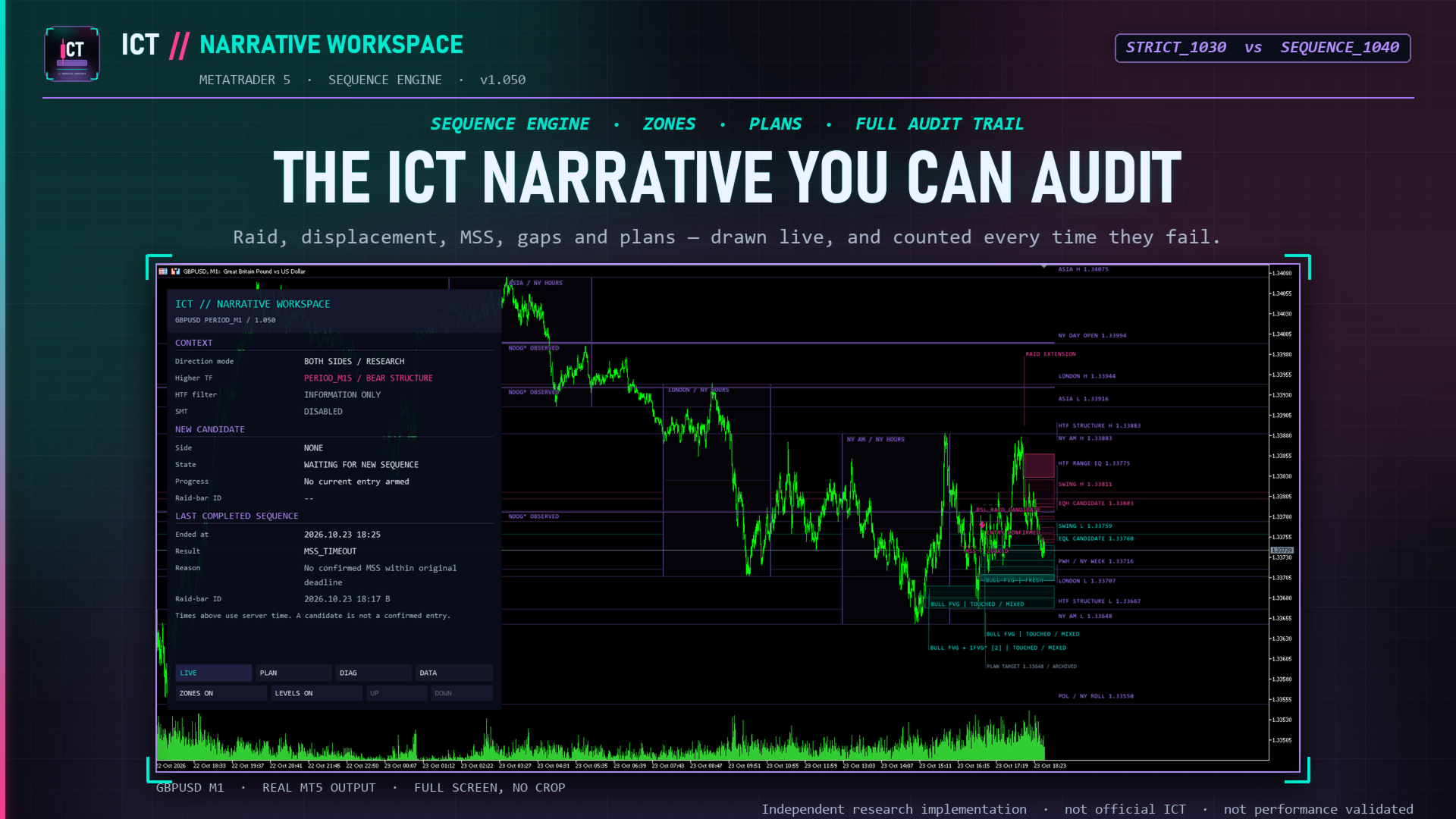
An arrow tells you what a model decided. It never tells you why the last nine setups were rejected. This indicator draws the whole sequence — and the rule that stopped it when nothing appeared.
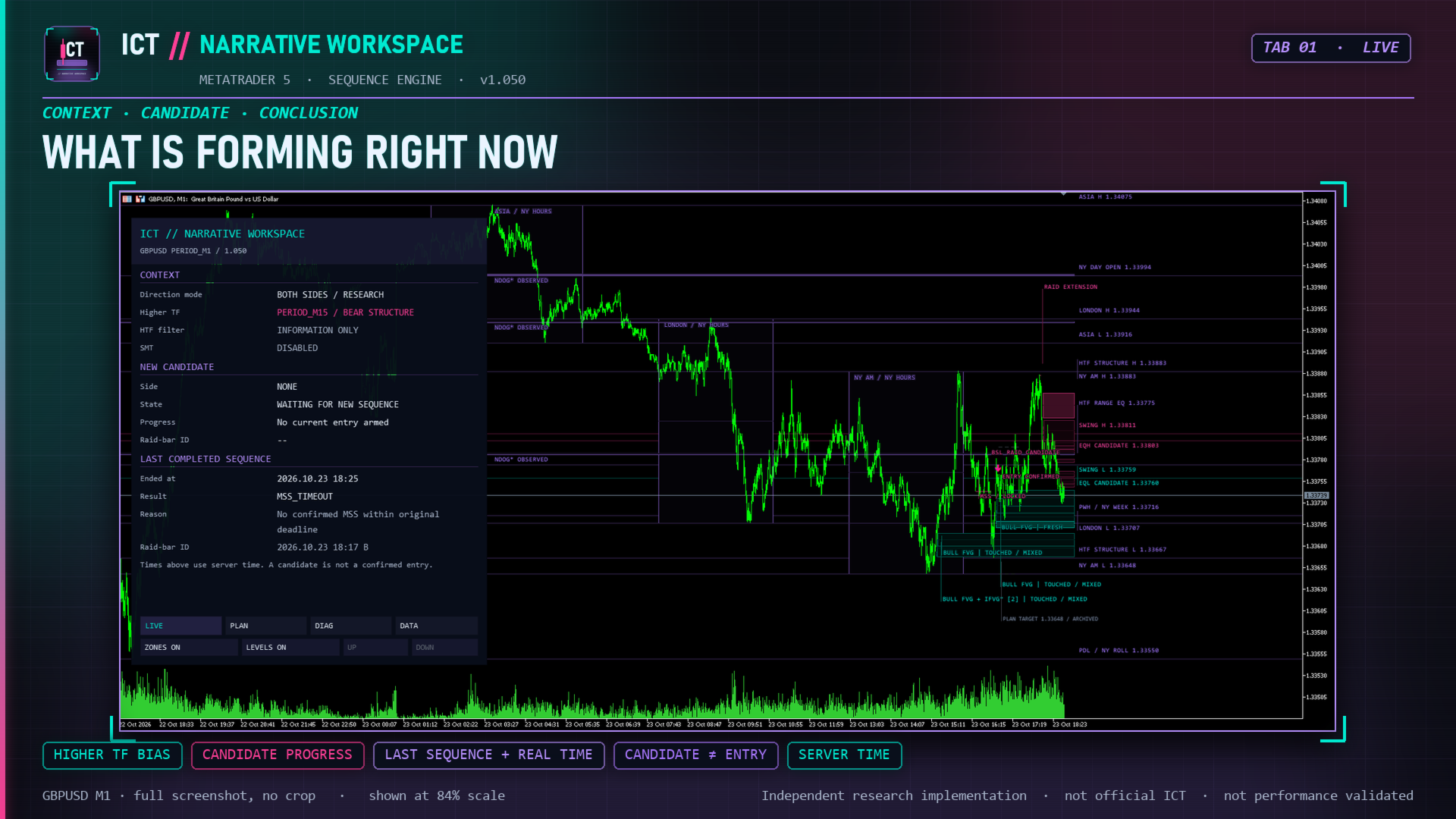
ICT Narrative Workspace is a chart-analysis indicator for MetaTrader 5 that draws a complete, mechanical price-action narrative on your chart: the liquidity raid being tracked, the displacement measured, the market-structure shift accepted, the imbalance zone armed, the candle that confirmed the entry, and the resulting theoretical plan with its stop and target references.
Every stage is timestamped, every non-signal is counted with a reason, and the entire reconstruction can be exported to CSV. The point is not another arrow on a chart — it is a workspace you can audit bar by bar.
This is an analytical indicator, not an Expert Advisor. It never opens, modifies or closes positions, uses no DLL and needs no external data subscription.
What appears on your chart
- Sequence stages — raid candidate, extension and reclaim markers, the MSS reference, the armed gap and the confirmed-entry annotation, each drawn only from the bar where it became known.
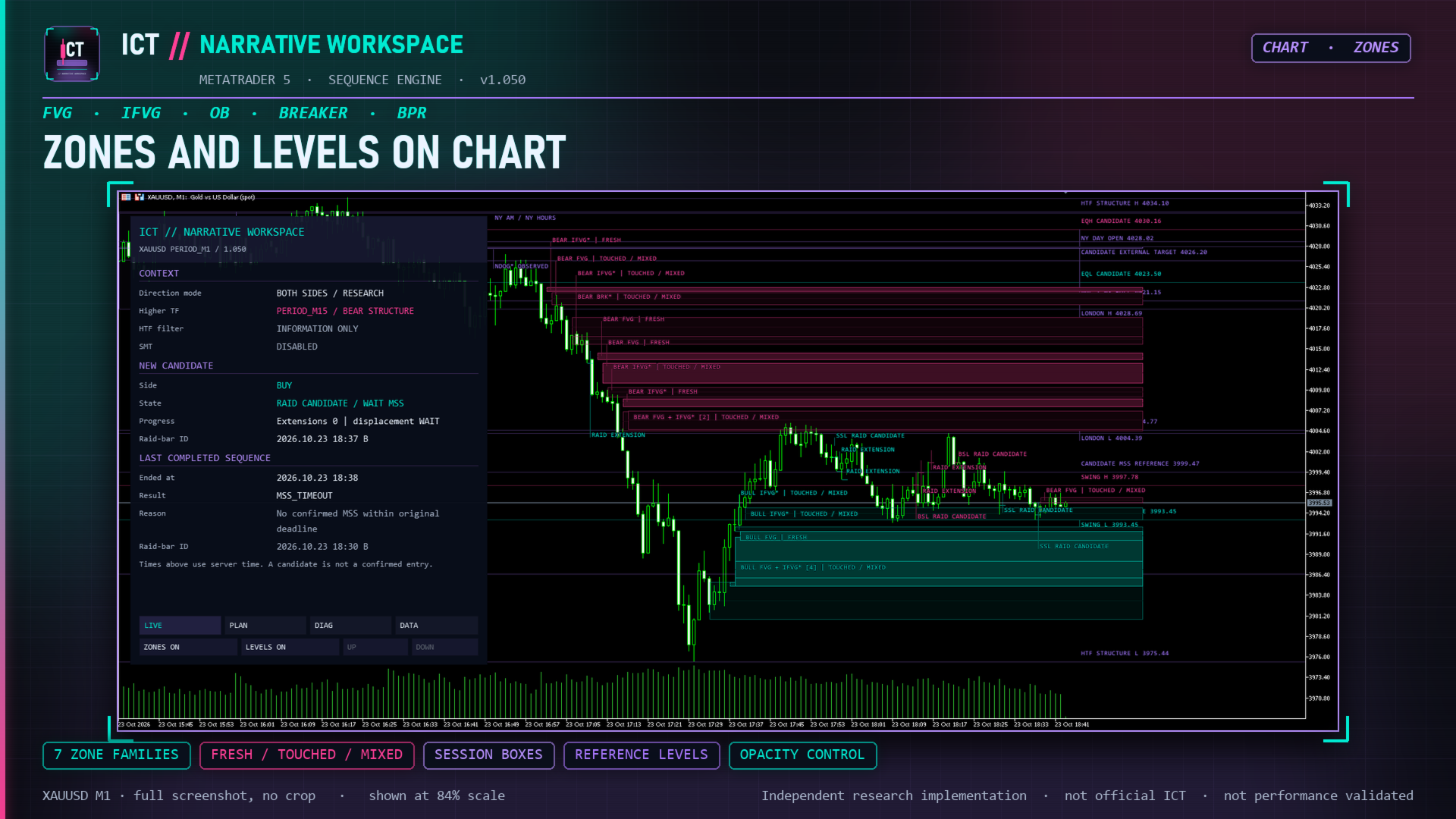
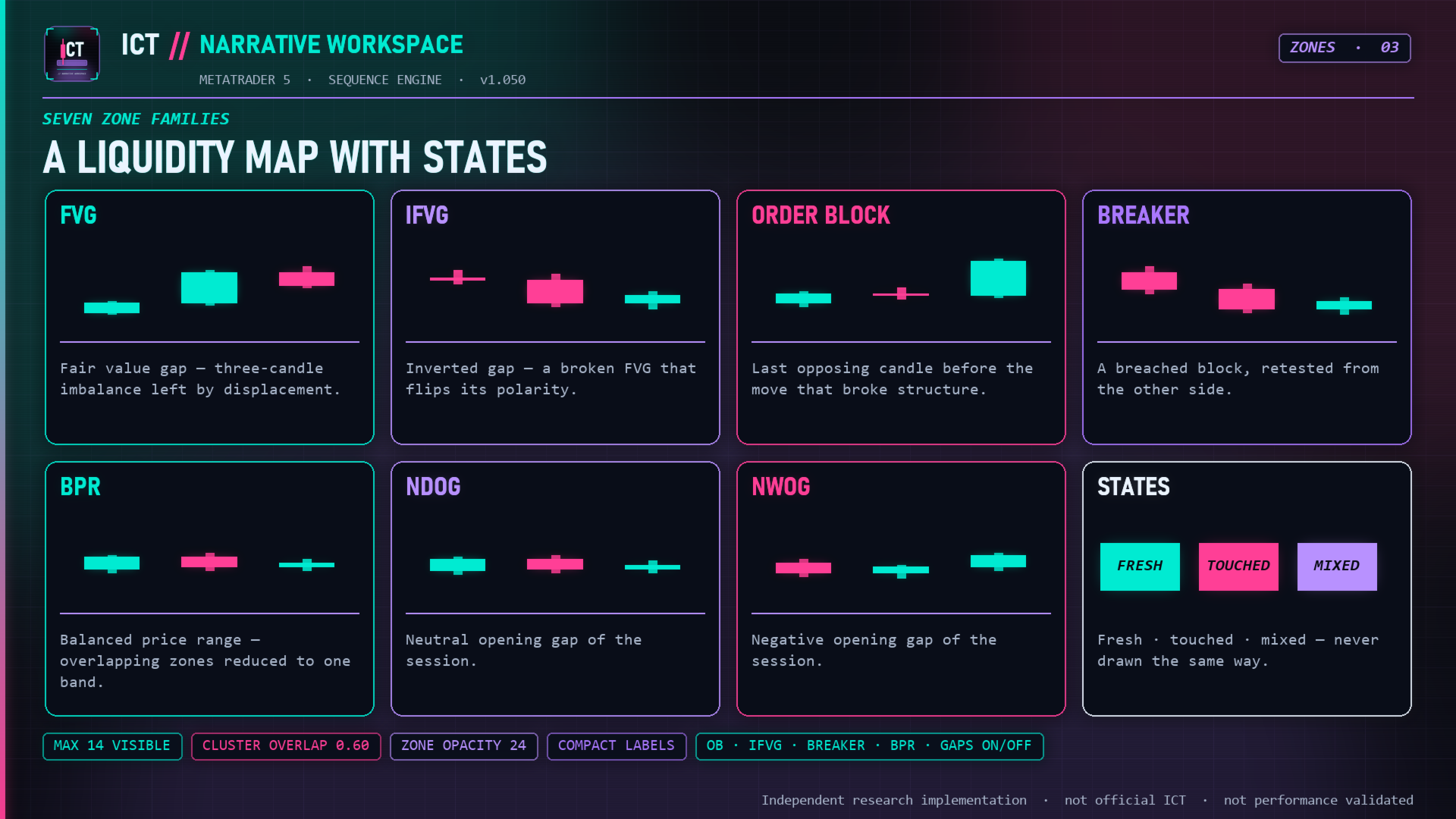
- Imbalance and liquidity zones — fair value gaps plus optional inversion gaps, order-block candidates, breaker candidates, balanced-price-range candidates and daily/weekly opening gaps, each tracked as fresh, touched or invalidated.
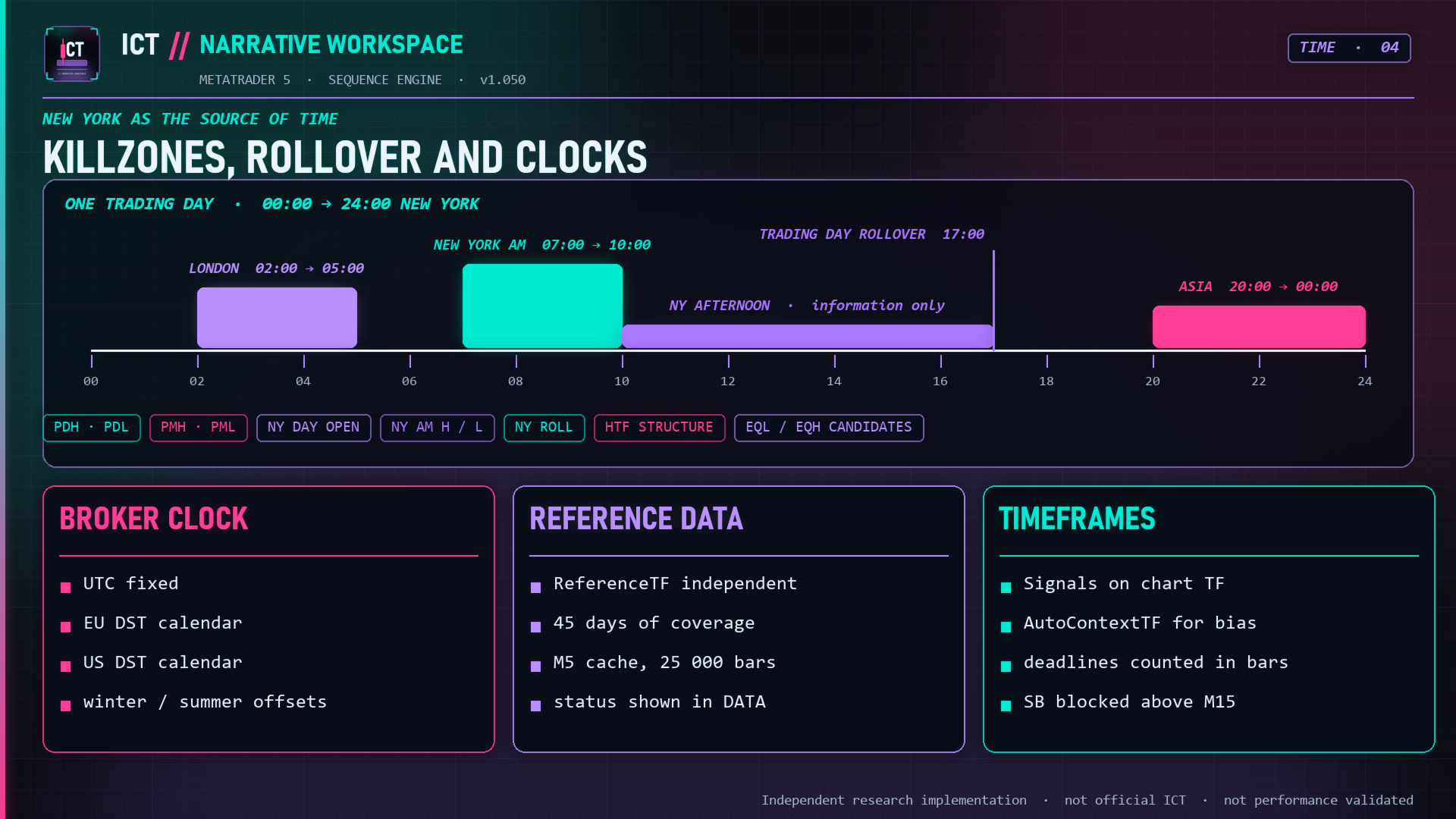
- Reference levels — previous day and week highs/lows, New York day open, session ranges, swing highs/lows, equal-high/low candidates, HTF structure and the premium/discount and 62–79% retracement areas of the selected range.
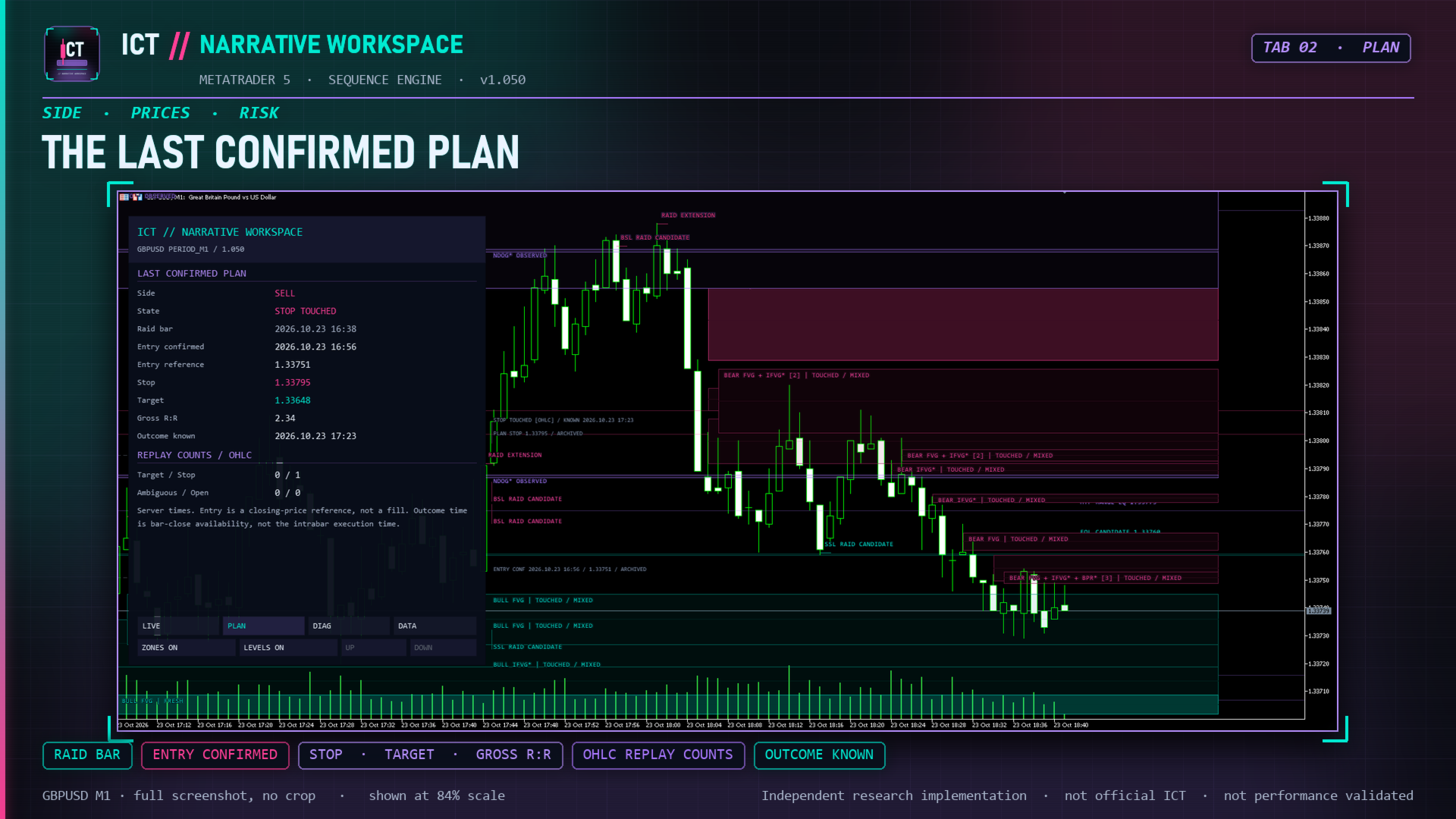
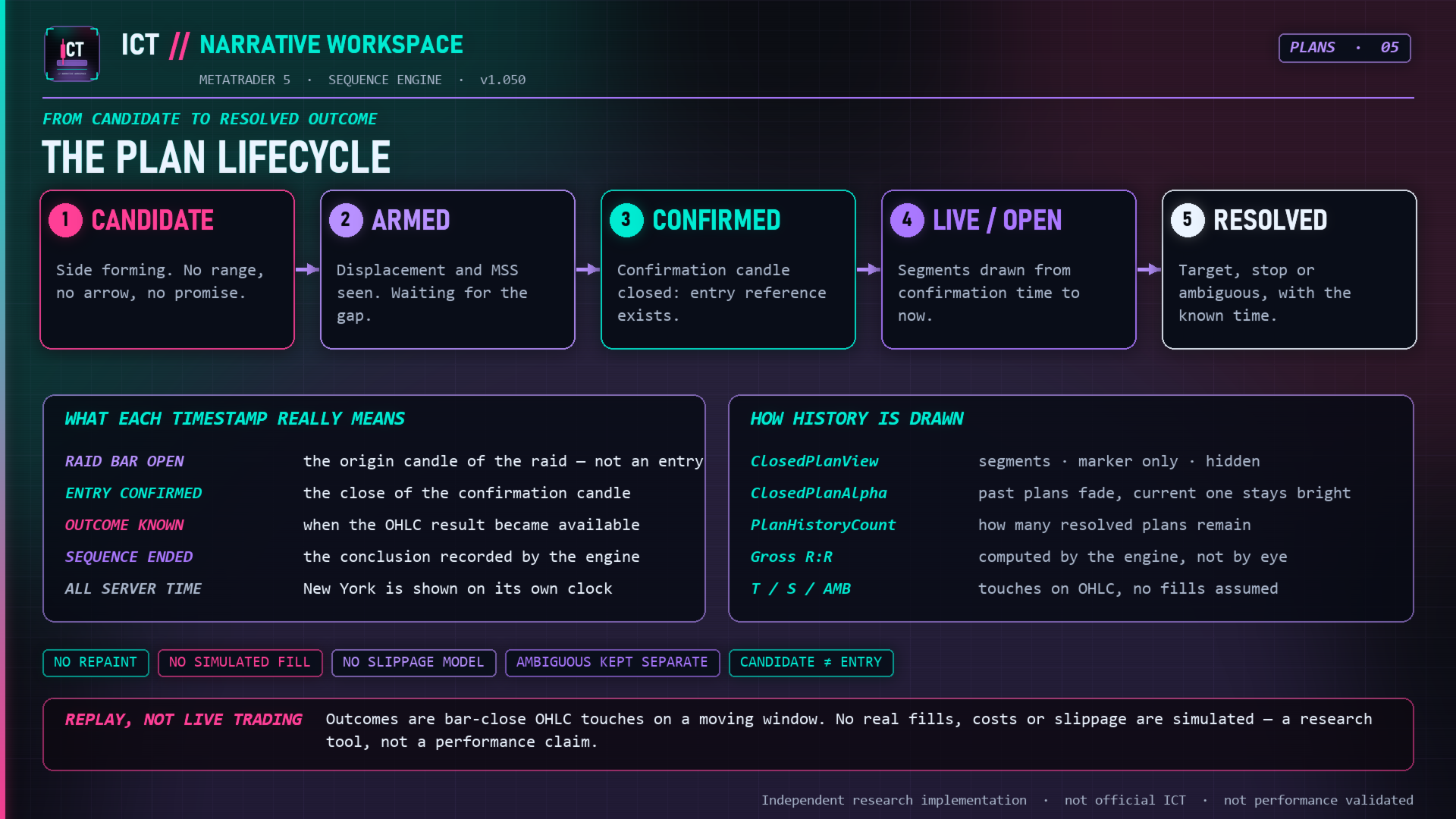
- Plan timeline — entry, stop and target drawn from confirmation time forward, with the outcome marked where it became known. Recent plans can stay as muted history, reduce to a marker, or hide.
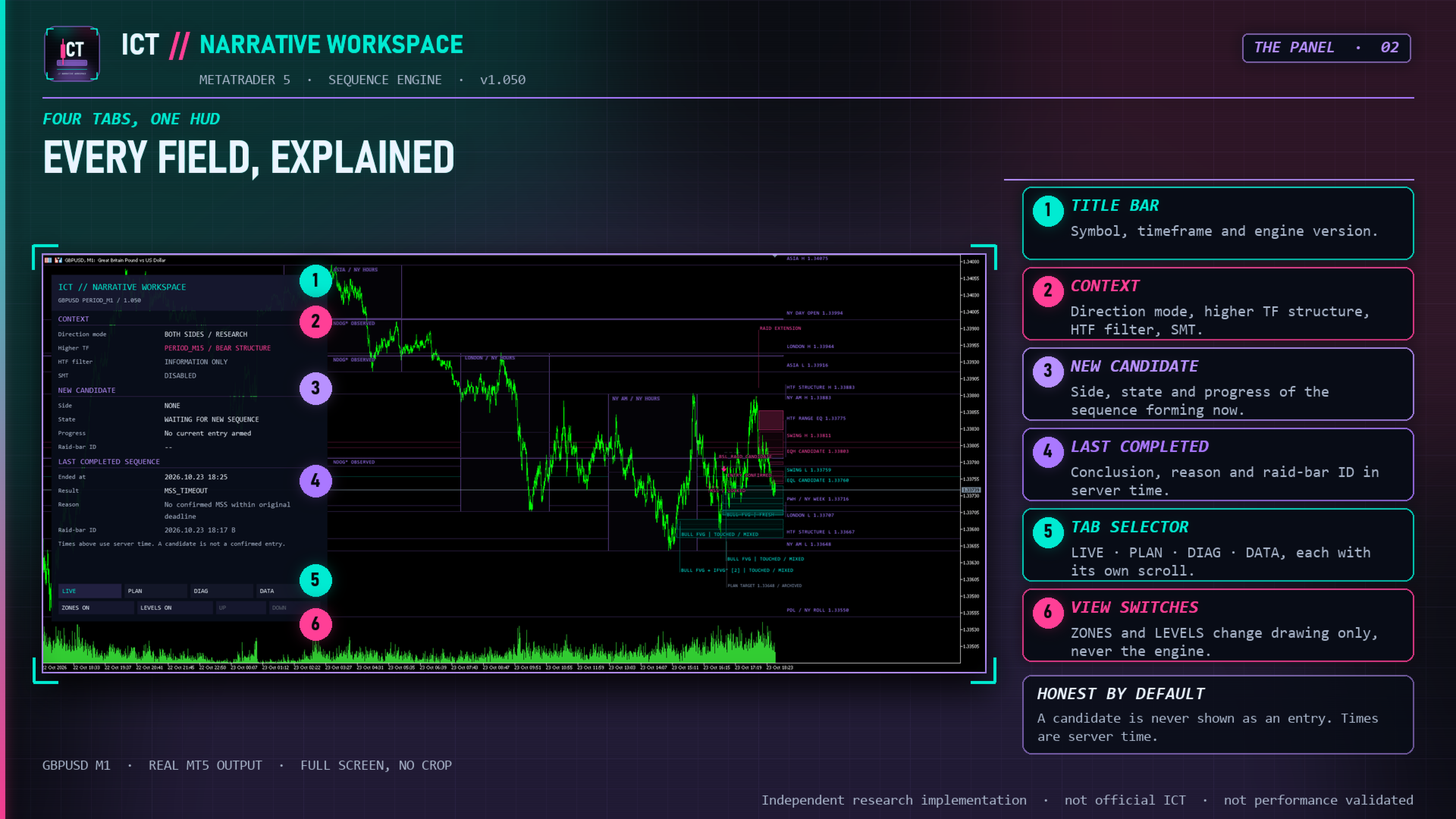
- Four-page dashboard with pixel-sized fonts, measured text wrapping and its own scroll per page.
Two engines, so you can compare instead of trusting
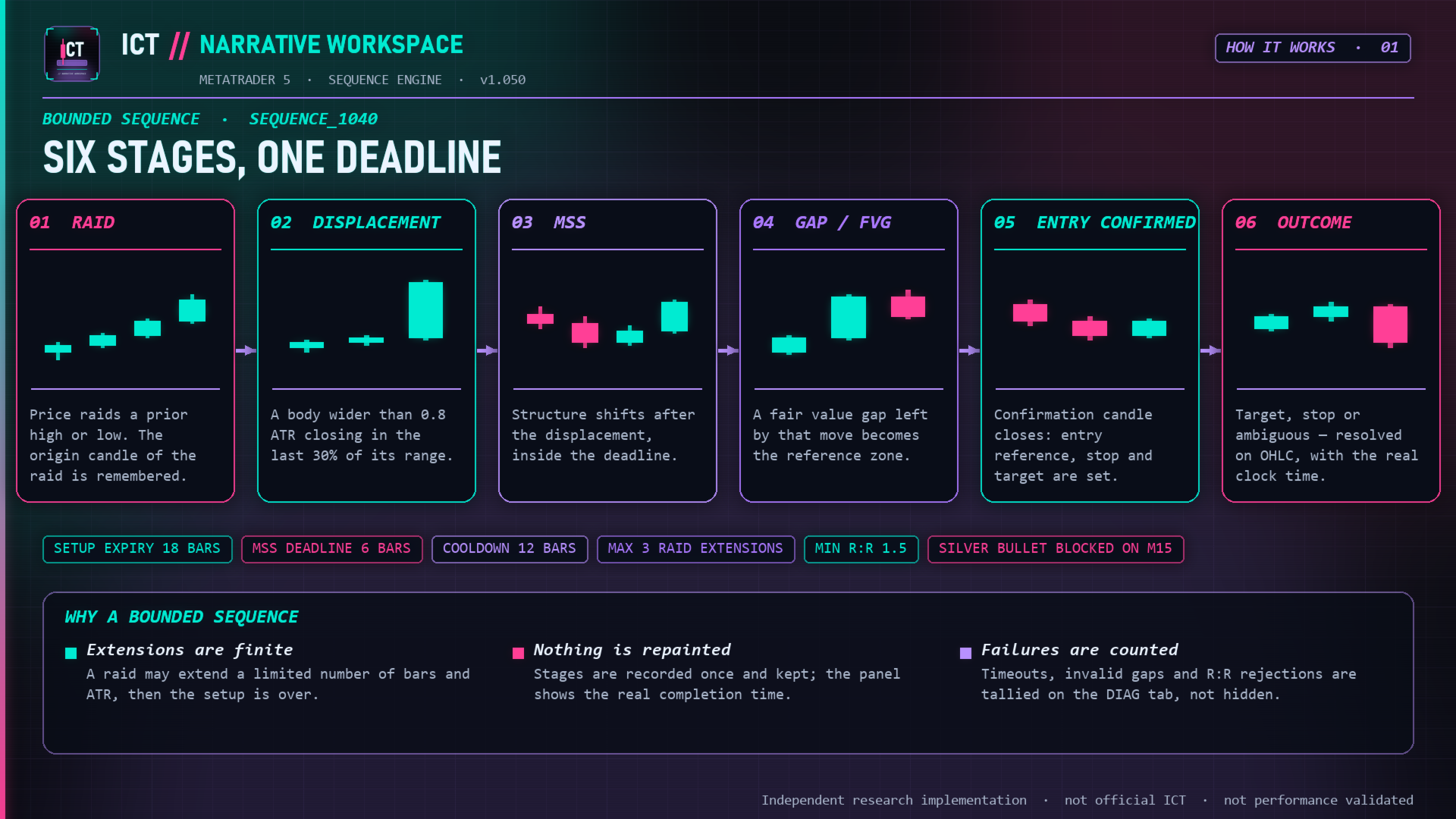
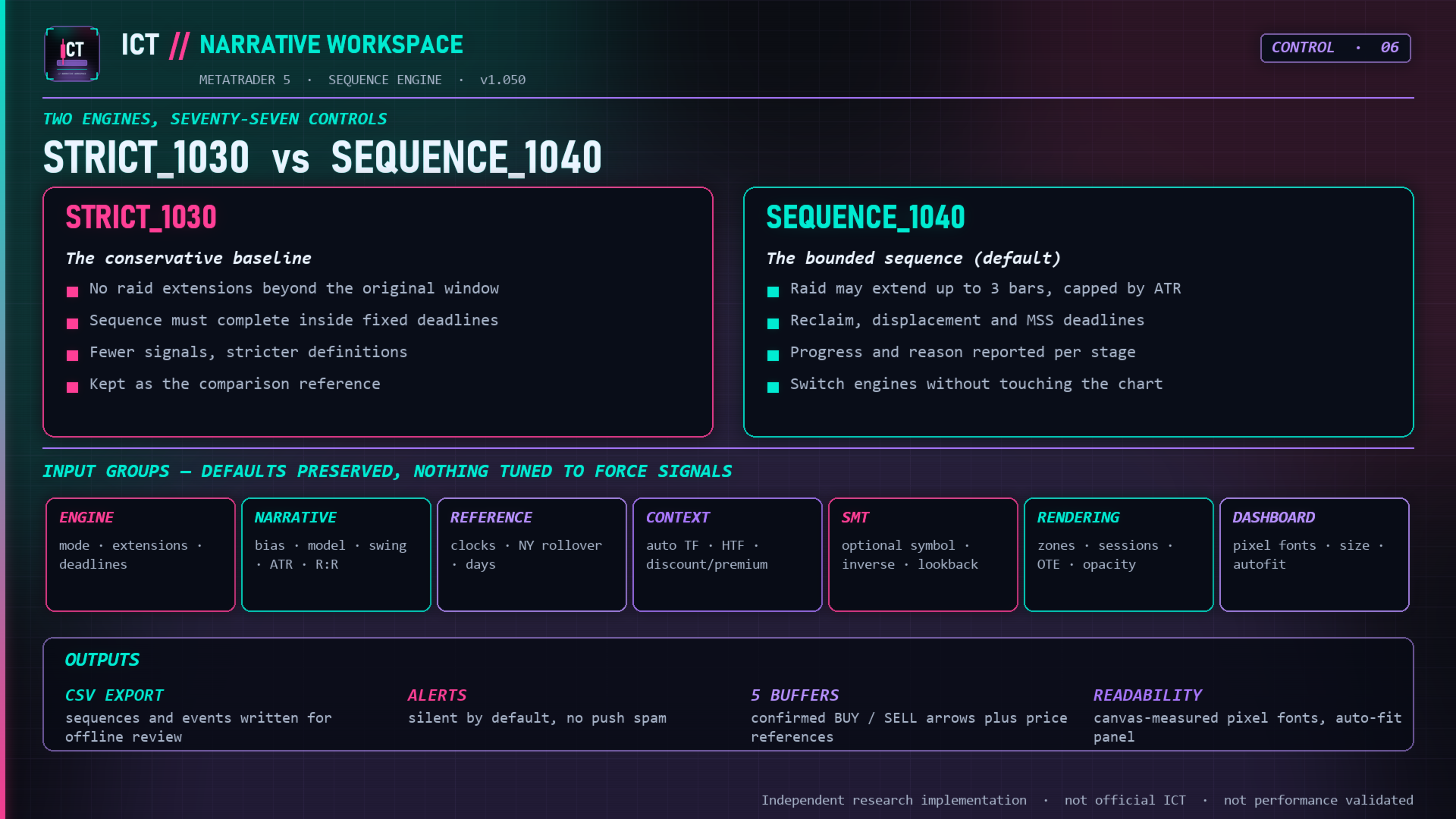
The default SEQUENCE_1040 engine runs a bounded sequence: raid extensions are limited by age, count and cumulative ATR distance; a new accepted extreme cancels earlier displacement evidence; displacement may precede the structure shift inside a configurable deadline; after the shift the stop reference is frozen and no further extension is allowed; a recently completed gap can be associated without converting an older touch into a retrospective entry; a later closed bar must confirm before anything is displayed.
The STRICT_1030 baseline keeps its original confirmation and stop-calculation rules so you can switch engines on the same chart and see what the bounded logic actually changed. One consumed setup produces one entry; a cooldown and explicit expiry and invalidation rules remove sequences that no longer qualify.
A Silver-Bullet-inspired timed variant uses the New York 03:00, 10:00 and 14:00 windows (window end excluded) and is deliberately blocked on chart timeframes above M15 rather than inventing a precise intrabar entry from a candle that spans the window.
New York time, not broker time
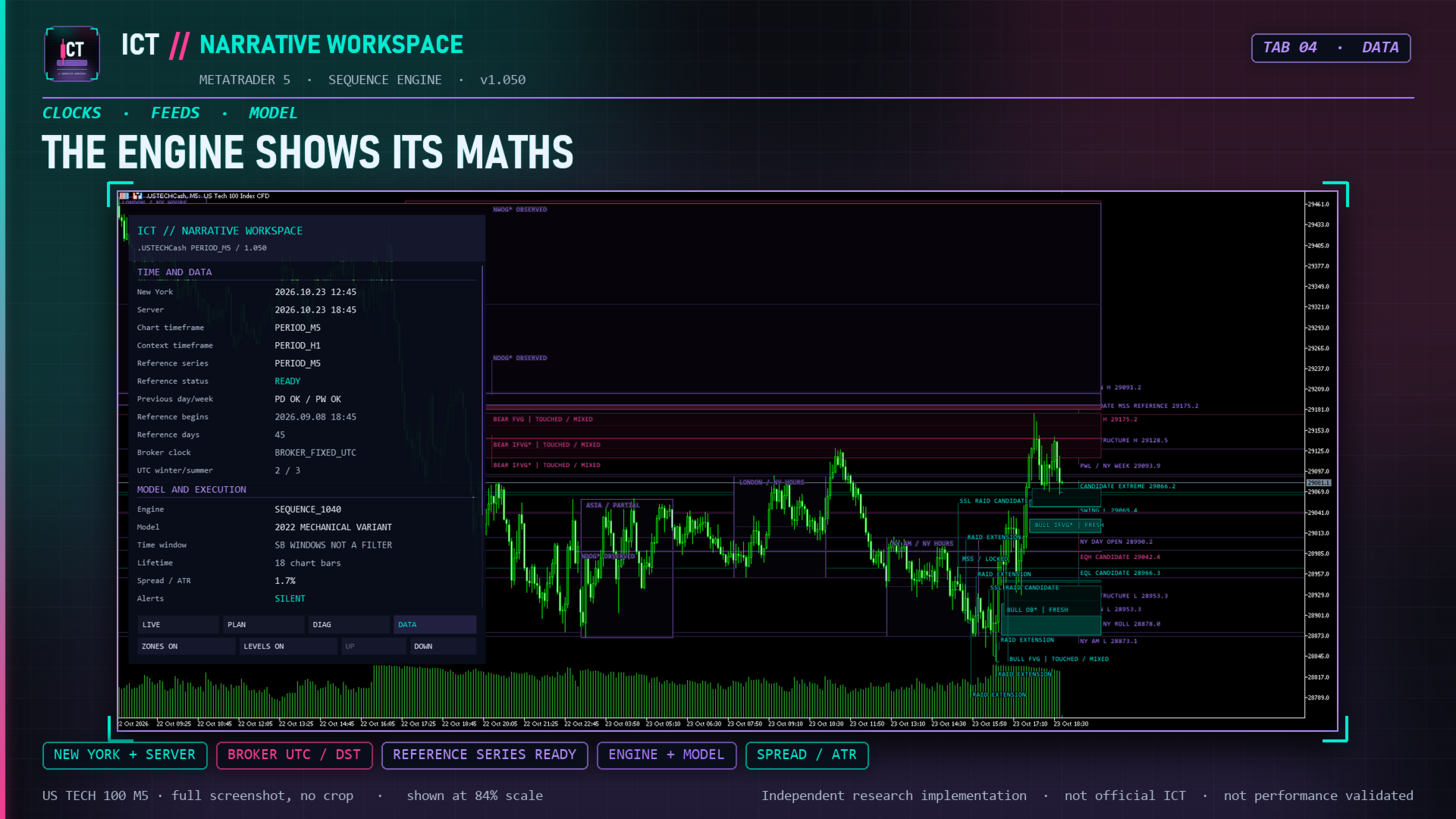
Session ranges, killzones and the trading-day boundary are calculated on New York time, not on the broker's calendar day. You configure the broker UTC offset and choose a fixed offset, the European or the United States daylight-saving calendar; the US schedule used is the post-2007 one. The default trading-day rollover is 17:00 New York. The DATA page shows both clocks side by side so a wrong time setting is visible immediately instead of silently corrupting every level.
Previous-day, previous-week and opening references come from an independent reference series (default M5, 45 days, up to 25 000 bars), so current levels do not depend on how many bars happen to be loaded on your chart. Missing references are never reconstructed from future data.
Why a signal did not come
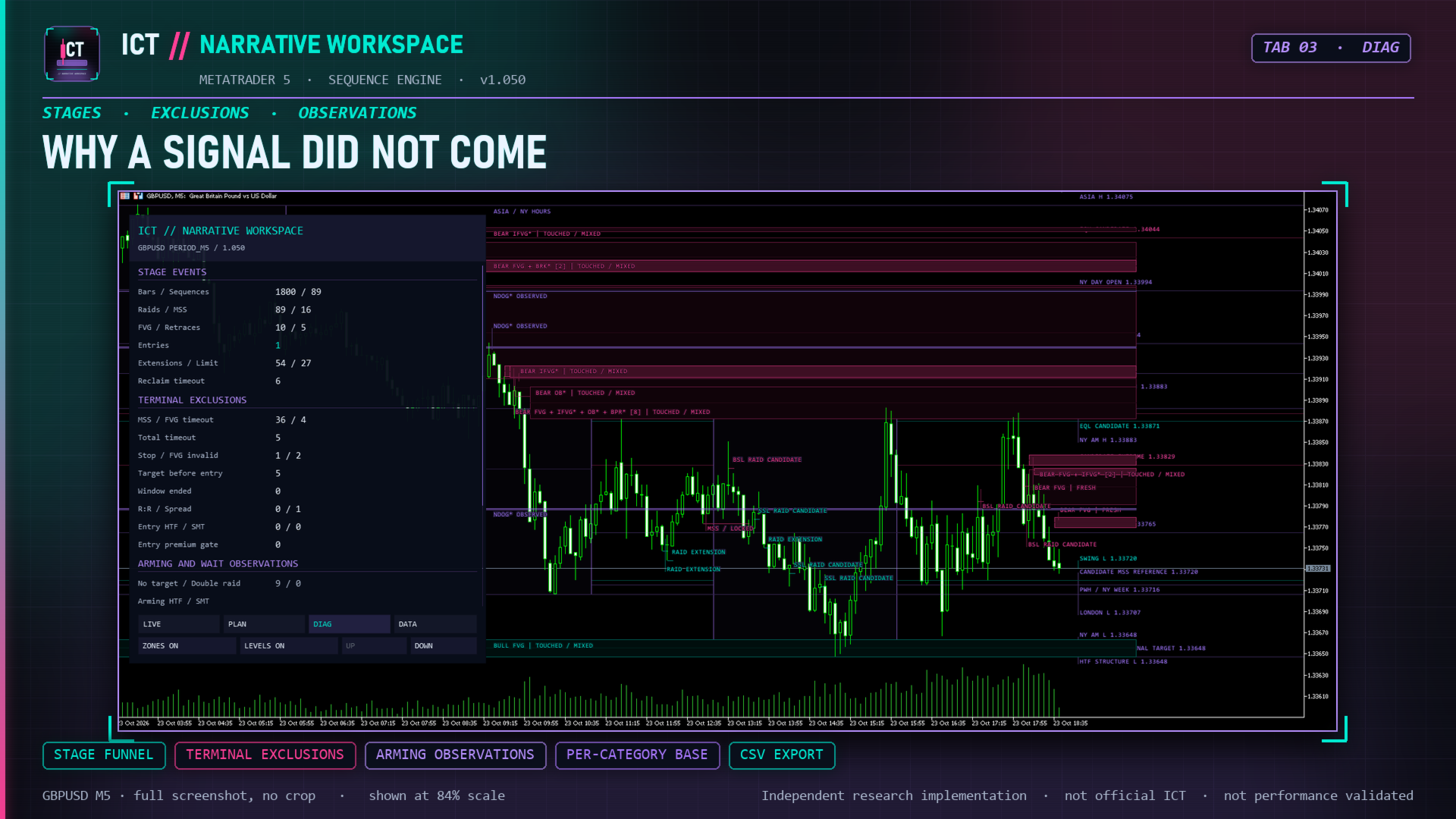
This is the part most listings skip. The DIAG page reports accepted stages and terminal exclusions separately: MSS and gap timeouts, total lifetime expiry, breaches of the frozen stop, the selected gap closing through, target reached before entry, the timed window ending, and rejections on reward-to-risk, spread-to-volatility, higher-timeframe alignment, divergence requirement or the premium/discount location. Per-bar waiting observations are counted too, so you can see how close a sequence came.
Stage events, terminal exclusions and per-bar observations are counted as three separate groups and labelled as such on the panel, because "how many raids were accepted" and "how many sequences died at the gap" are different questions. On a quiet week, the DIAG page will tell you more than the PLAN page.
Records you can take away
Optional CSV export writes four local files: sequences, audit events with the reason for every transition, theoretical plans with entry, stop, target and gross ratio, and the diagnostic counters. Records carry sequence identifiers and the server-time moment each fact became available, which makes the export usable for your own journal review or offline study. Alerts (terminal popup, sound, mobile push) fire on newly confirmed closed-bar entries, not on the history that loads when you attach the indicator. Both features are off by default.
Control
92 inputs in 8 groups cover engine and deadlines, research rules, reference data and clocks, context and execution gates, the optional divergence module, rendering, dashboard readability and output. Zone opacity, colours, visible-zone limits, compact labels, cluster overlap and per-family switches are all adjustable, and the panel can adapt to the chart area without silently shrinking the body font you selected. The chart grid is removed when the indicator is attached and restored when it is removed.
Installation
- Set the broker UTC offset and daylight-saving calendar before interpreting session levels or rollover references — the default is a starting value, not automatic broker detection.
- Load enough chart and reference history; on a fresh chart allow the terminal to synchronise data first.
- For optional symbol divergence, enter the exact broker symbol name and allow its history to load; it requires matching bar timestamps.
- Review the result in the visual Strategy Tester and on a demo chart before relying on it.
The fine print, up front
This is an independent implementation of explicit price-action rules. It is not an official ICT product and is not endorsed by Michael Huddleston. The zone names describe mechanical constructions the code can verify, not institutional orders somebody claims to have detected.
- It shows you a plan, not a fill. The entry reference is the close of the confirmation candle; stop, target and outcome are OHLC observations taken after that close, without costs or slippage. When one bar touches both stop and target, the panel prints ambiguous instead of picking the version that looks better.
- Counts are diagnostics, not a track record. Target / stop / ambiguous / open describe the window currently replayed. No accuracy percentage, signal frequency or future result is claimed anywhere in this description — and a mechanically perfect sequence can still lose. That is exactly why the tool shows you the sequence instead of a win rate.
- Reconstruction admits what it is built on. Signals are evaluated on closed bars, but the history window is rebuilt from broker data, so revisions, initialisation boundaries and warm-up can shift a reconstruction. A promise of absolute non-repainting would say more about marketing than about the feed.
If you want an arrow and a percentage, this is the wrong product. If you want to see why the arrow appeared — or the rule that stopped it from appearing — it is built for precisely that, and it will tell you both in the same panel.
Version 1.051
Current release: the optional divergence module now receives its comparison data correctly, an incorrect input value no longer clears other objects from the chart on initialisation failure, an optional clean-chart mode removes the default grid, and dashboard refresh in the visual Strategy Tester is limited to one redraw per new bar. See the screenshots for the LIVE, PLAN, DIAG and DATA pages and for the sequence, zone, time and lifecycle diagrams.
Support
For installation and input-setting assistance, use the product comments or the MQL5 messaging system. Feedback on the published behaviour is welcome and is what has driven the fixes above.