CopyDeck Trade Copier MT4
- Utilitaires
-
Osazee Asikhemhen
 - MQL4 & MQL5 programming
- Pine script programming
- CAlgo Programming
- Full Stack Web development - Version: 1.0
- Activations: 20
CopyDeck Trade Copier MT4
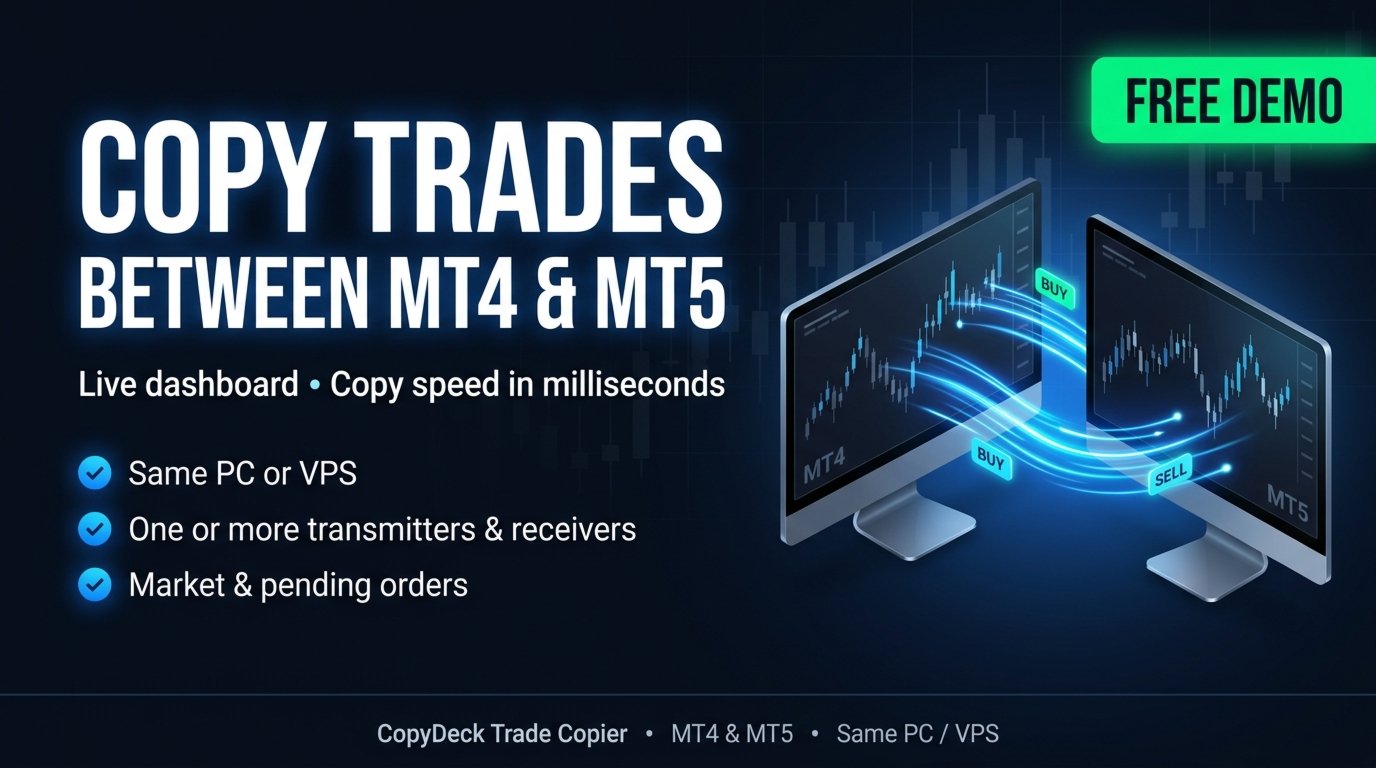
CopyDeck Trade Copier MT4 copies trades between MetaTrader terminals on the same Windows PC or VPS and lets you see and control every copied trade from a live dashboard on the chart.
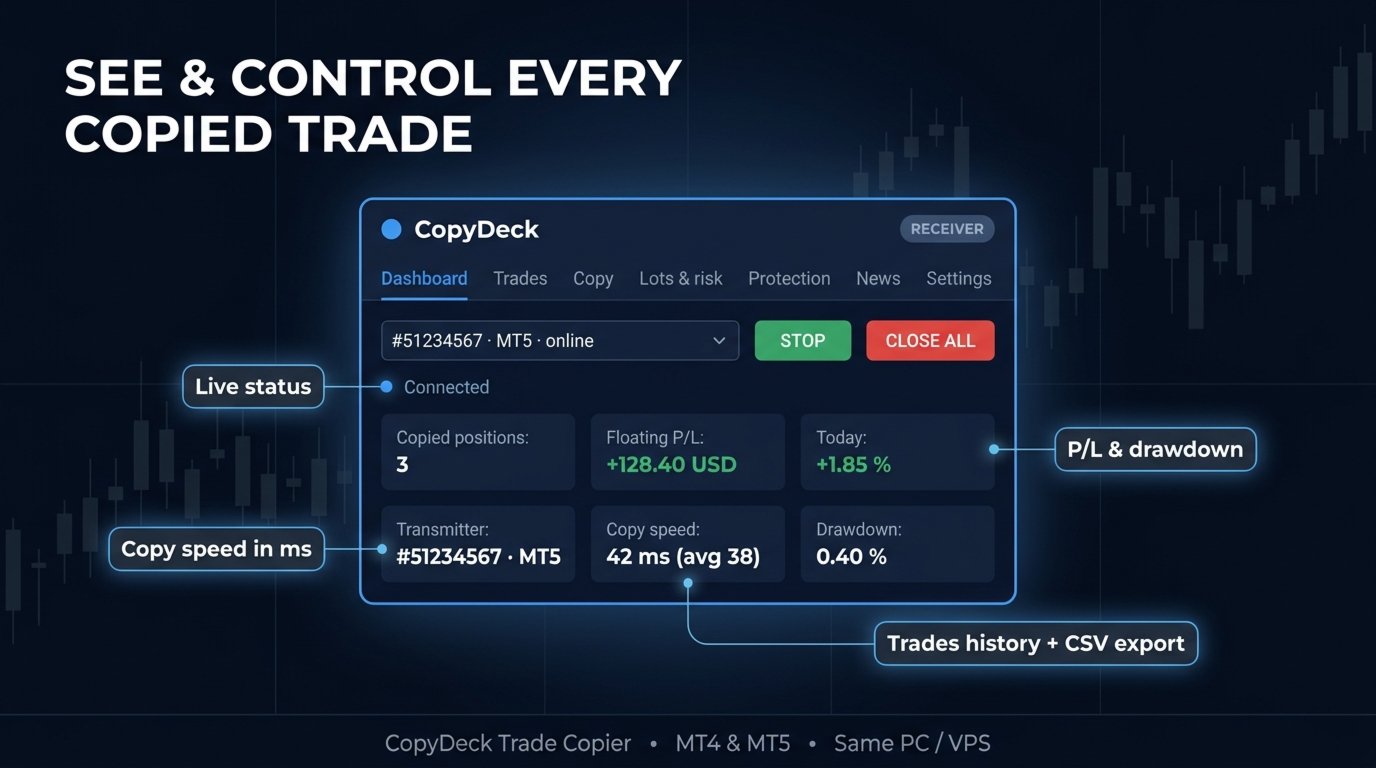
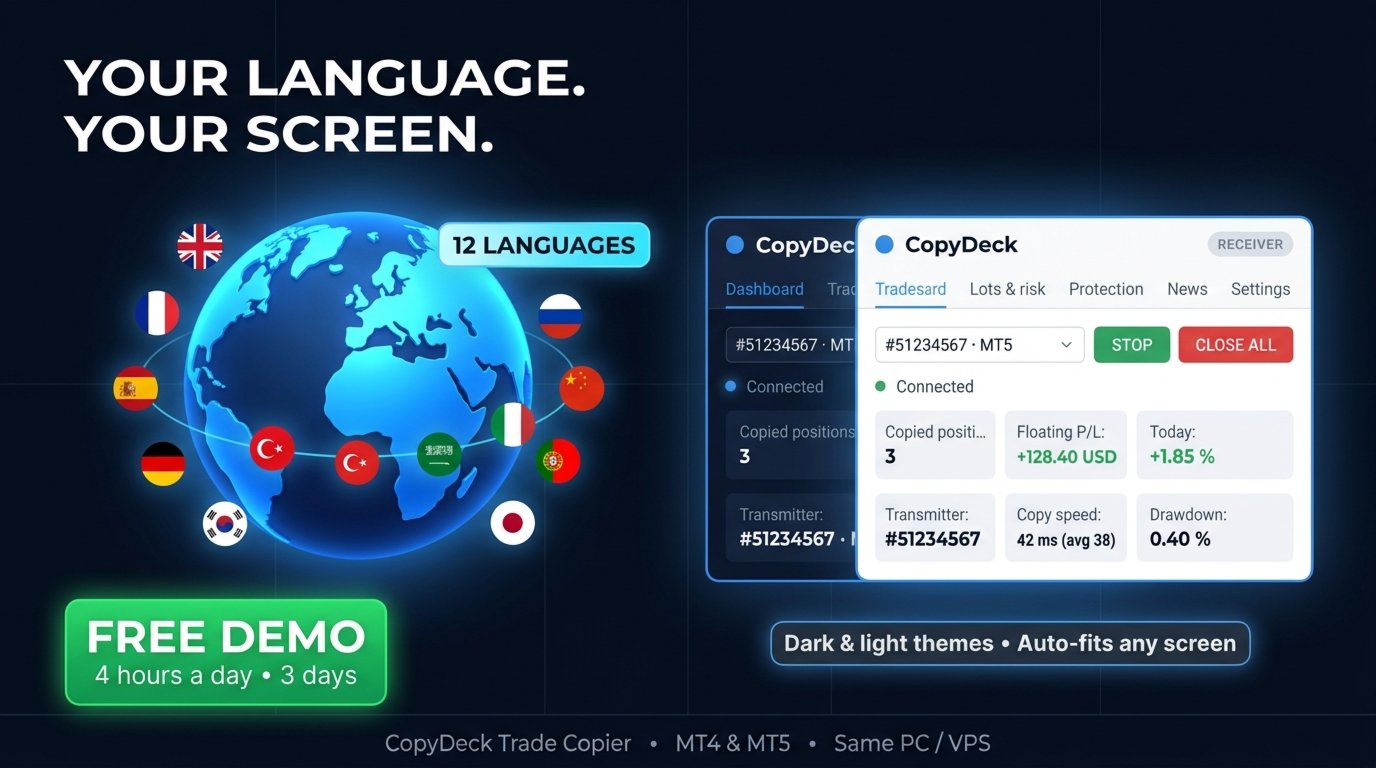
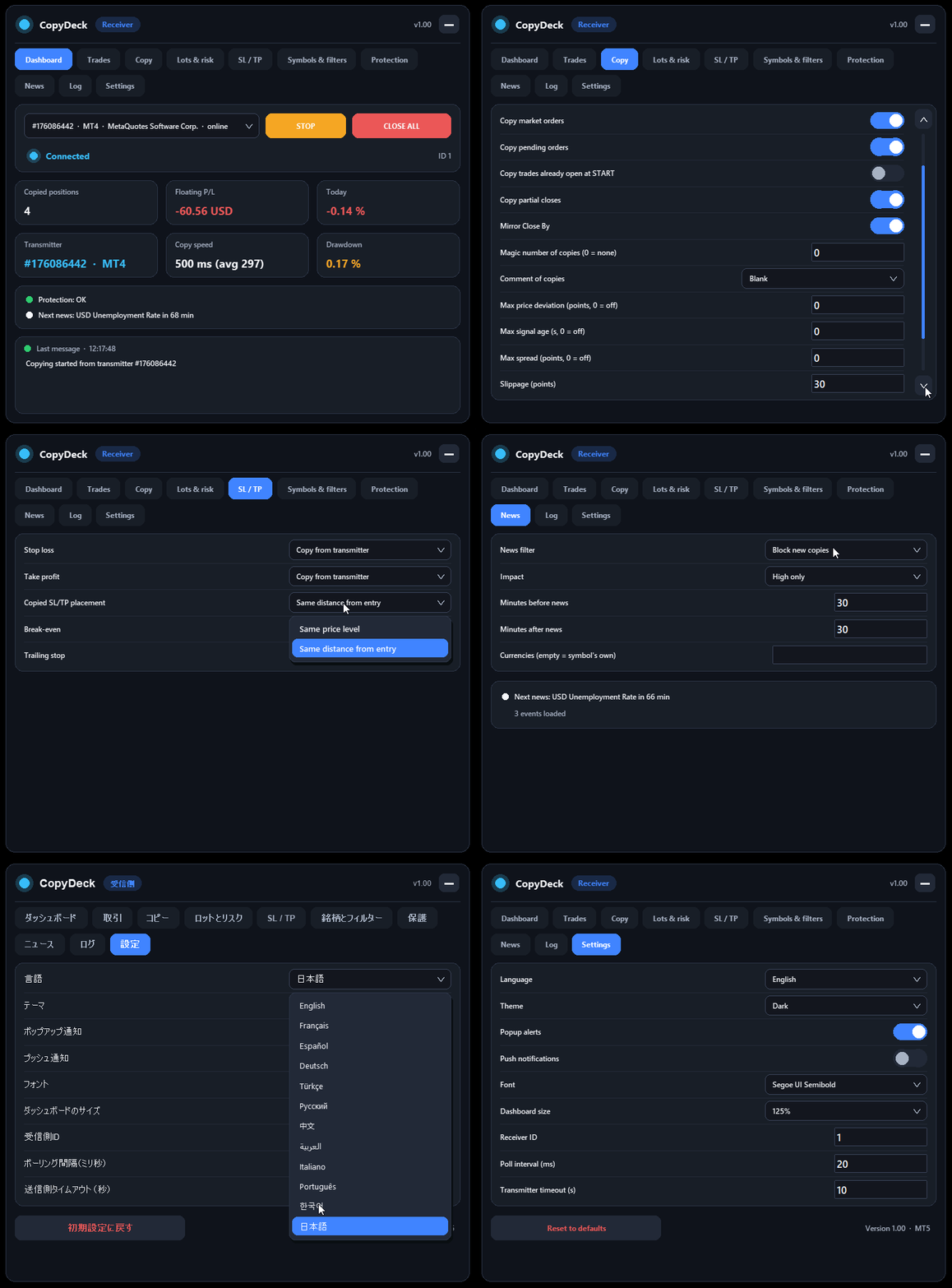
No input window to dig through and no guessing: connection status, copy speed, open copies, profit, drawdown, and every setting sit in one clean panel, in your language.
Why CopyDeck?
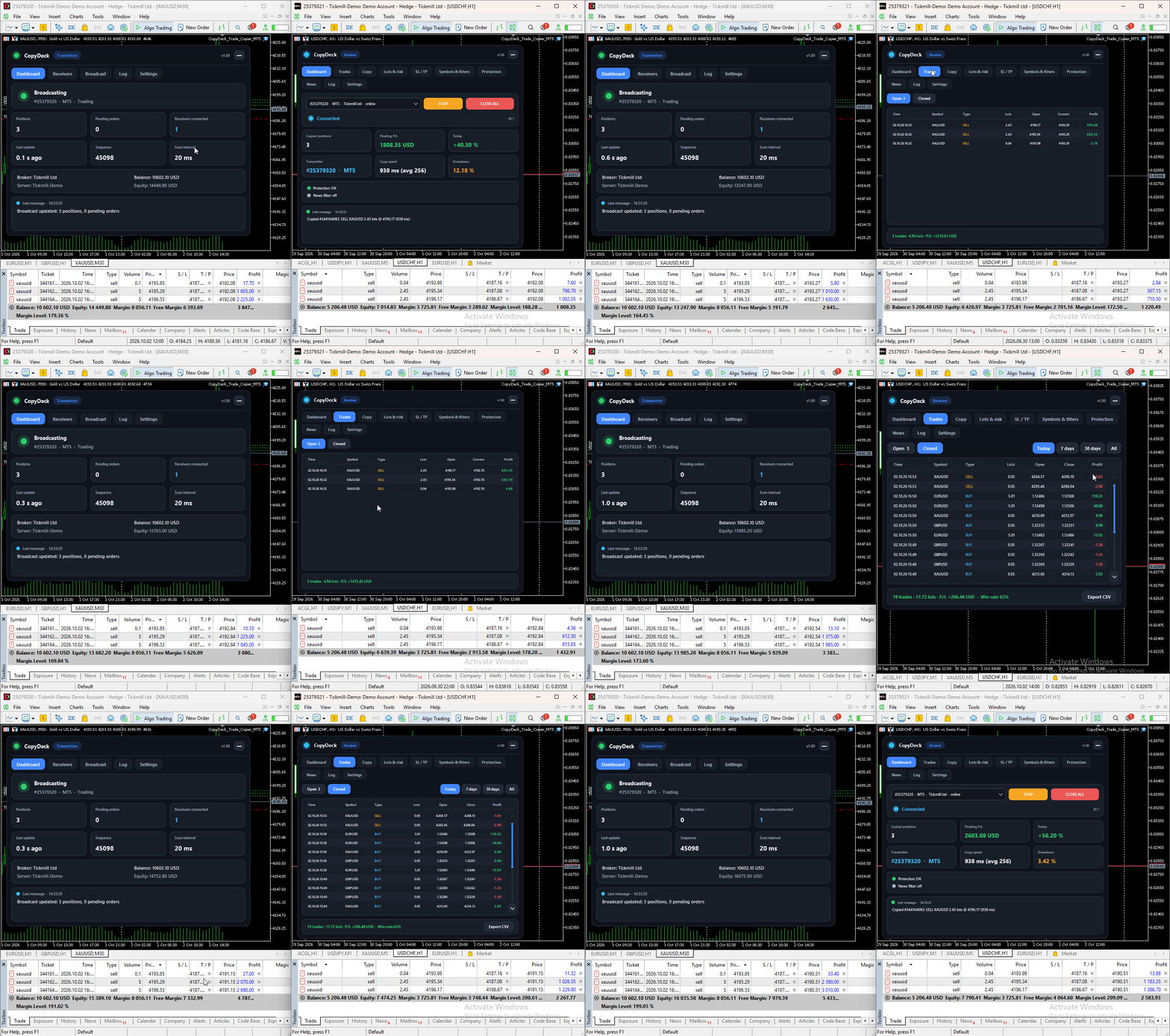
A real dashboard, not a list of inputs. Every setting lives in a tabbed on-chart dashboard and applies instantly: Dashboard, Trades, Copy, Lots & Risk, SL/TP, Symbols & Filters, Protection, News, Log, and Settings. Choose the transmitter from a dropdown, press START, and watch the copies arrive.
See your copy speed; don't just trust it. The dashboard measures and shows the copy time of every trade in milliseconds, with the latest and average values.
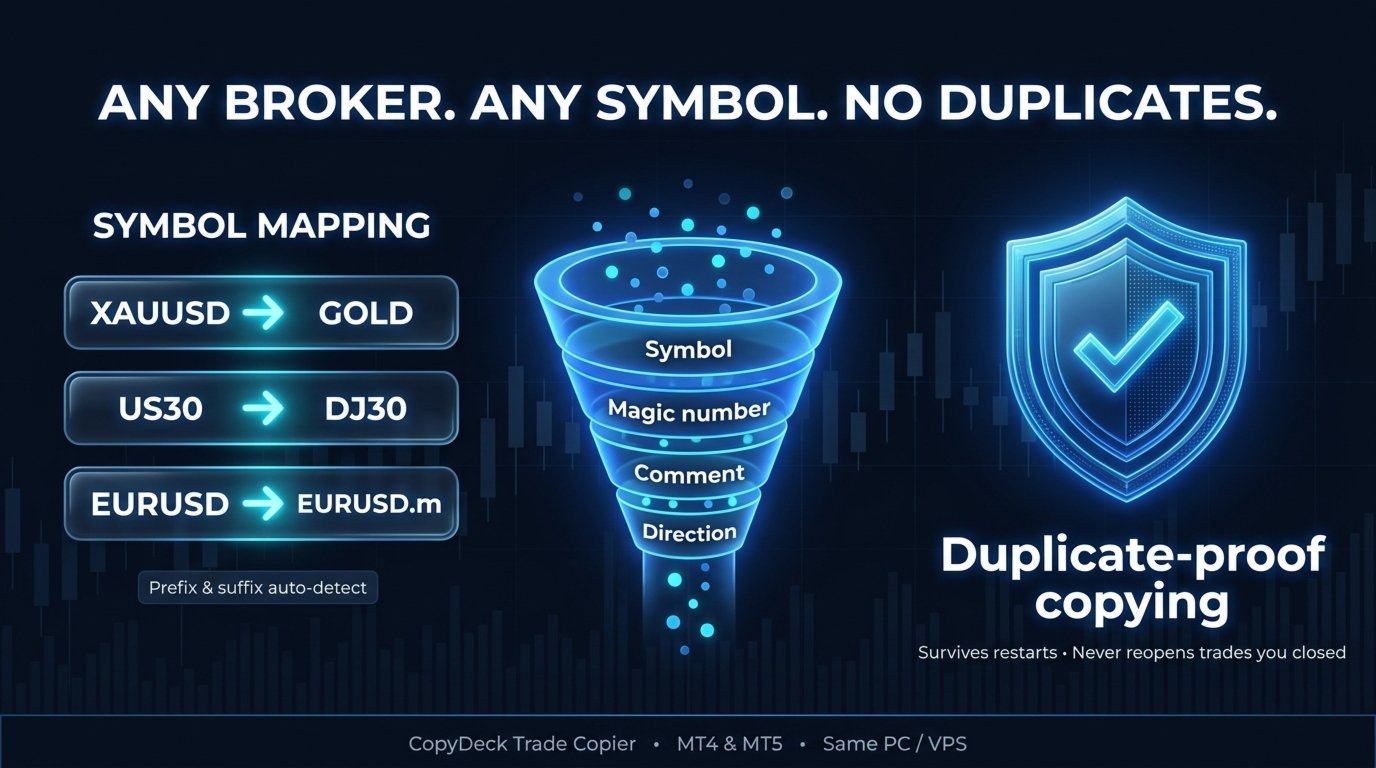
Duplicate-proof copying. Servers sometimes report an error for an order that was in fact executed. CopyDeck checks for that before any retry and adopts the existing position instead of opening a second one. Trade memory survives terminal restarts, and a copy you close manually on the receiver is never reopened.
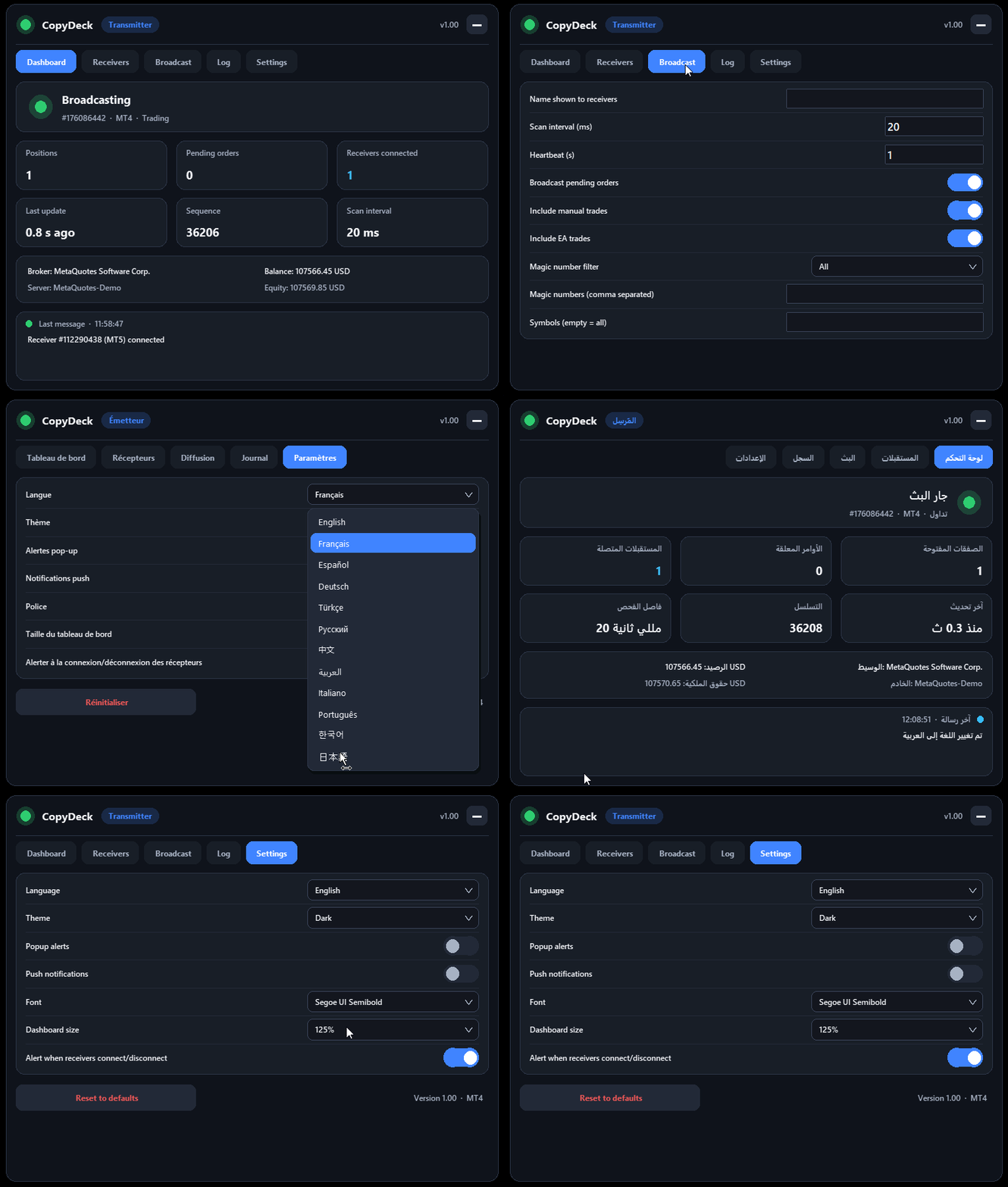
12 languages. English, French, Spanish, German, Turkish, Russian, Chinese, Arabic (with a right-to-left layout), Italian, Portuguese, Korean and Japanese. Switch the language from the dashboard at any time.
Built-in news filter. Block new copies, or close copies and block, around high-impact news. On MT4 it uses the built-in economic calendar, with a choice of impact level, minutes before and after, and currencies.
Trades tab with history. Open copies are shown live; closed copies are listed by Today, 7 days, 30 days or All, with totals, profit and win rate, and can be exported to CSV.
Simple setup
- Attach CopyDeck to a chart on the account you copy from and choose Mode: Transmitter.
- Attach CopyDeck to a chart on the account you copy to and choose Mode: Receiver.
- On the receiver dashboard, select the transmitter from the list and press START.
That's all. Every receiver has its own settings, and several receivers on one account get separate IDs automatically.
Copying
- Market orders and all pending order types, including expiry, plus stop-limit orders between MT4 terminals
- Stop loss and take profit changes, partial closes and Close By, all mirrored
- Reverse copying, and buy-only or sell-only copying
- Copy new trades only, or also the trades already open when you press START
- Magic number and comment of the copies: blank, copier tag, custom text, or the same as the transmitter
- Execution controls: maximum price deviation, maximum signal age, maximum spread, slippage and automatic retries
- Manual trades and Expert Advisor trades are both copied
Lot sizing
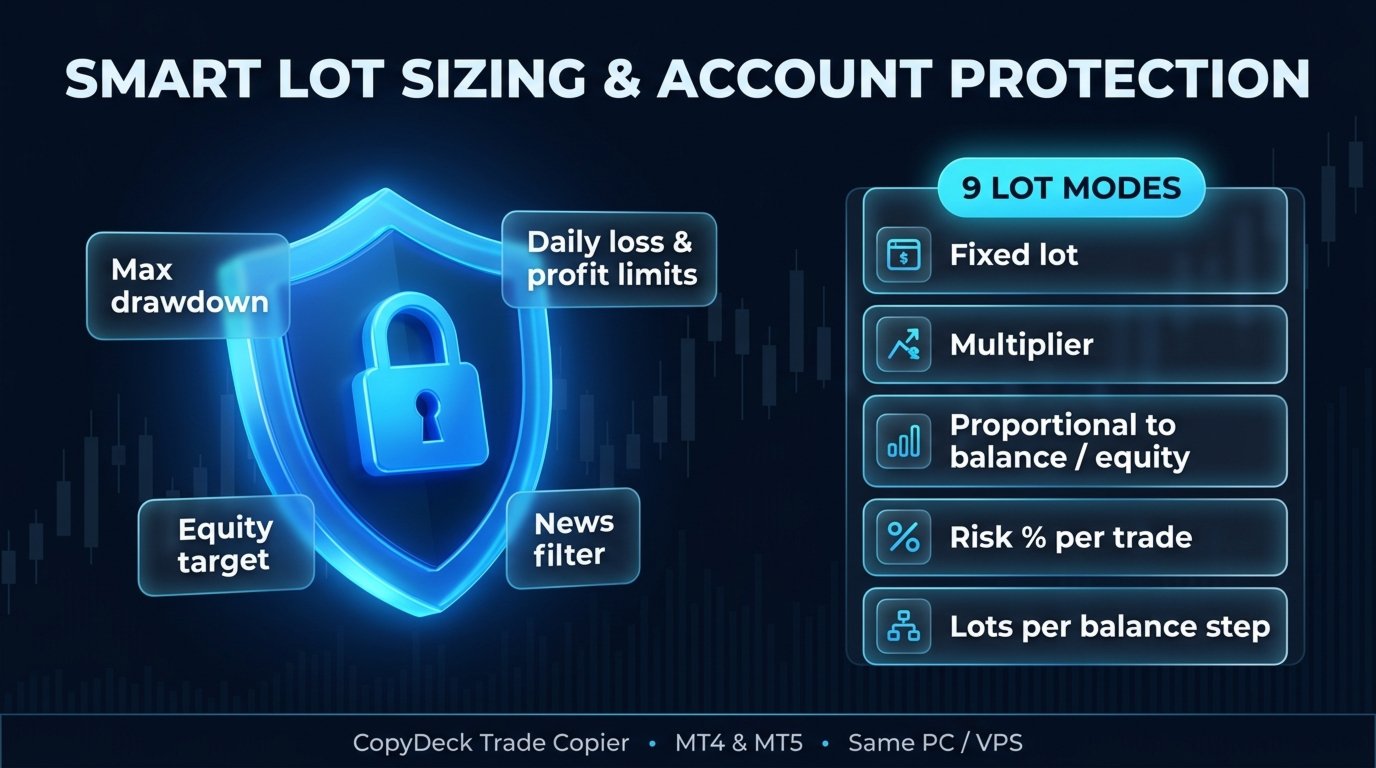
9 lot modes, each set per receiver:
- Fixed lot
- Multiple of the transmitter lot
- Proportional to balance, equity or free margin
- Risk % of balance, risk % of equity, or a fixed money risk per trade (using the stop loss)
- Lots per balance step
On top of the mode: per-symbol lot factors (for example XAUUSD=0.5 ), automatic adjustment for different contract sizes, and minimum and maximum lot limits.
Stop loss, take profit and trade management
- Copied SL/TP: copy from the transmitter at the same price level or the same distance from entry, use your own values in points, or none
- Break-even: with a trigger and a locked-in profit
- Trailing stop: with start, distance and step
Different brokers and symbols
- Prefix and suffix, set manually or detected automatically
- Custom symbol mapping, for example XAUUSD=GOLD or US30=DJ30
- Copy between the same broker or different brokers, real or demo accounts
Filters
- Symbols to copy or exclude
- Magic numbers to copy or exclude
- Comment contains / does not contain
- Direction and copy hours
Account protection
- Close all copies and stop: maximum drawdown %, minimum equity, or equity target
- Close all copies and pause until the next day: daily loss % or daily profit %
- Limits on new copies: minimum margin level, maximum number of copied trades, maximum total copied lots
- Transmitter offline: keep the copies open, or close them after a set number of minutes
- CLOSE ALL button on the dashboard, with confirmation
- Popup and push notifications for important events
Transmitter dashboard
The transmitter shows its own status and a Receivers tab listing every connected receiver: account, platform, state and number of copies. It can run on an investor (read-only) login, because it only reads trades and never places them.
Requirements
- All terminals run on the same Windows PC or Windows VPS. Copying is local, through MetaTrader's shared files folder, with no DLLs and no external server.
- MT4 receiver accounts must use hedging mode. The transmitter works on any account type.
- This is the MT4 version. For copying to or from MetaTrader 5 terminals, the CopyDeck Trade Copier MT5 version runs on those terminals. With both, you can copy MT5→MT5, MT5→MT4, MT4→MT5 and MT4→MT4.
- When using prop-firm accounts, always check the firm's current rules on trade copying.
Free demo, guides and support
[Free demo link]
[Installation guide] | [Settings guide] | [Troubleshooting]
Questions before or after buying? Message me through my MQL5 profile; I'm happy to help with your setup.
If CopyDeck works well for you, a review is greatly appreciated. If something doesn't, please contact me first so I can fix it.