Hidden SL and TP MT4

Hidden SL and TP EA

Hide Your Stop Loss, Take Profit, and Protect Your Trades from Broker Visibility

StealthGuard EA is a professional trade protection tool designed for traders who want complete control over their exits while keeping Stop Loss and Take Profit levels hidden from their broker.

Instead of placing SL and TP directly on the trading server, the EA monitors your positions locally and closes trades automatically when your hidden targets are reached.

This means your broker only sees an open trade, while your real exit levels remain private.

Why Use Hidden Stops?

Many traders prefer not to expose their Stop Loss and Take Profit levels to the broker.

StealthGuard EA allows you to:

• Hide Stop Loss levels
• Hide Take Profit levels
• Hide Trailing Stop levels
• Manage manual trades
• Manage EA trades through Magic Numbers
• Lock in profits automatically

All exit calculations are performed locally by the EA.

Main Features

Hidden Stop Loss

Instead of sending a Stop Loss to the broker:

  1. Open a trade normally.

  2. Set your desired hidden stop distance.

  3. The EA monitors price continuously.

  4. When the hidden stop is reached, the EA closes the position automatically.

Your broker never sees the actual stop level.

Hidden Take Profit

StealthGuard EA also manages invisible profit targets.

When price reaches your hidden target:

• Position closes automatically.
• No Take Profit is sent to the broker.
• Exit remains completely private.

Hidden Trailing Stop

The EA includes a fully automated trailing stop system.

Features include:

• Trailing Start Distance
• Trailing Stop Distance
• Trailing Step Control
• Automatic Profit Locking

Once a trade moves into profit, the hidden stop follows price automatically and secures gains.

Magic Number Filtering

Manage only specific trades.

Options include:

Current Chart Symbol Only

Manage positions only on the chart where the EA is attached.

Magic Number Mode

Manage trades belonging to a specific EA.

Manual Trades Mode

Manage only manually opened positions.

This makes the EA suitable for both discretionary traders and automated systems.

Advanced Monitoring Dashboard

StealthGuard EA includes a real-time on-chart dashboard displaying:

• Ticket Number
• Trade Direction
• Trading Symbol
• Entry Price
• Hidden Stop Level
• Hidden Take Profit Level
• Current Profit/Loss
• Locked Profit

Everything can be monitored from a single panel without opening the terminal trade window.

Locked Profit Tracking

The dashboard automatically shows how much profit has already been secured by the hidden trailing stop.

This allows traders to see protected profits in real time.

Typical Workflow

Example Buy Trade

  1. Open a BUY position.

  2. Hidden Stop Loss = 500 points.

  3. Hidden Take Profit = 1000 points.

  4. Enable trailing stop.

The broker only sees an open trade.

As price moves:

• Hidden stop remains invisible.
• Hidden target remains invisible.
• Trailing stop locks profits.
• EA closes trade automatically when conditions are met.

Input Parameters

General Settings

Manage Current Symbol Only

Enable management only for the active chart symbol.

Manage Only Magic Number

Manage trades opened by a specific EA.

Magic Number

Magic number used for filtering trades.

Manage Manual Trades

Manage manually opened positions only.

Hidden SL/TP Settings

Hidden Take Profit

Distance from entry price where profit will be taken.

Hidden Stop Loss

Distance from entry price where losses will be limited.

Trailing Stop Settings

Use Trailing Stop

Enable or disable hidden trailing stop functionality.

Trailing Start

Profit distance before trailing activates.

Trailing Stop

Distance maintained behind current price.

Trailing Step

Minimum movement required before updating the stop.

Benefits

✔ Keep exit levels hidden from broker

✔ Protect trading strategies

✔ Manage manual and automated trades

✔ Secure profits automatically

✔ Built-in trailing stop system

✔ Easy-to-read dashboard

✔ Supports multiple symbols

✔ Lightweight and efficient

✔ Works on both demo and live accounts

Important Notes

• The EA must remain running for hidden stops to function.
• VPS usage is recommended for uninterrupted protection.
• Hidden Stop Loss and Take Profit are executed locally by the EA.
• This product does not generate trading signals.
• It is designed purely for trade management and protection.

Who Is This For?

StealthGuard EA is ideal for:

• Manual traders
• Scalpers
• Swing traders
• Prop firm traders
• Algorithmic traders
• Traders who prefer hidden exits
• Anyone seeking additional trade privacy

Protect your strategy. Hide your exits. Trade with confidence.


おすすめのプロダクト
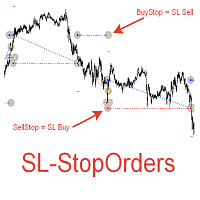
При старте советник выставляет два отложенных стоп ордера образовывая канал. Если один ордер срабатывает то второй переустанавливаем на его SL с увеличением лота. При срабатывании ТП советник начинает цикл с ноля. Оптимизируемые параметры: Объем ордеров (   Lot   ) нам нет смысла оптимизировать. Его проще сразу установить в соответствии с размером вашего депозита. Например для депозита менее 500 usd ставим минимальный лот 0,01 Размер прибавки лота (   Plus_Lot   ) ставим в зависимости от перво
News Scalping Executor is an utility which helps to trade high impact and huge volatility   news . This utility helps to create two opposite orders with risk management and profit protection. It moves automatically stop loss level to avoid losses as much as possible by using many different algorithms. It helps to avoid trading the news if spread suddenly becomes very huge. It can lock profit by moving stop loss or partially closing of orders. To be profitable with this type of trading you shou
PipVanta Telegram Notifier PipVanta Telegram Notifier は、MT4 の取引アクティビティをリアルタイムで Telegram に送信するための MetaTrader 4 用プロフェッショナルユーティリティです。 手動投稿なしで、迅速かつ見やすく整理された通知を必要とするトレーダー、シグナル提供者、口座管理者、プライベートコミュニティ向けに設計されています。 このユーティリティは取引の開始、決済、変更、市場分析、取引シグナルの提供を行いません。MT4 口座の取引アクティビティを監視し、整理された Telegram 通知を自動送信します。 主な機能 - 新規成行注文通知 - 新規保留注文通知 - 保留注文の更新 - 保留注文の有効化 - 保留注文のキャンセル - エントリー価格の更新 - Stop Loss の更新 - Take Profit の更新 - ブレークイーブン通知 - 部分決済のスマート検出 - 取引決済レポート - 日次、週次、月次サマリー - 各取引の固有シグナル番号 - Forex 結果を pips で表示 -
| Fully-automated Smart Money Concept (ICT) inspired trading solution with multi-strategy capabilities | Built by a grid trader >> for grid traders.  This is MT4 version, click  here  for  Blue CARA MT5  (settings and logics are same in both versions)     Real monitoring signal  -->  Cara Gold Intro Blue CARA EA   ('CARA') - short for  C omprehensive  A lgorithmic R esponsive A dvisor is a next-gen  multi-currency    multi-timeframe  EA base on the widely known (and perhapse most popular) Inn
Savage Trades M.T.A.  is a Manual Trade Assistant expert advisor. This EA contains self-adaptive market algorithm, which uses price action patterns and standard trading indicators. 1.) Quickly Execute trade entries with the click of a button with your own predetermined Stop Loss and Take Profit. 2.) Non-Repainting retracement and reversal warnings indicated by arrows and system alert. 3.) Auto adjusting Support and Resistance levels with strength indicated by color shade. 4.) Auto adjusting Fibo
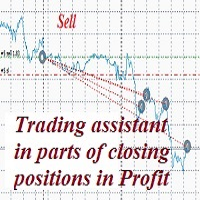
A trader's assistant that closes positions in parts with a simple trail to take the optimal profit size when the price of the symbol moves towards the position (s). Initially, the stop loss is moved to breakeven + (the so-called breakeven greed level) - this is when the price closes the stop-loss position during the reverse movement and as a result some profit will still be received. Further, while maintaining the movement in the direction of the position, it is closed in parts on price rollback
The  MT4  EAs Manager   is a professional risk management and trade assistance tool designed to monitor, control, and optimize all trading activities on your MT5 account. It acts as a   central command center   that oversees every trade - whether opened by other Expert Advisors or manually by you. How it's work with other EAs :   Blog post  MT5 version :  https://www.mql5.com/en/market/product/166211 Only 10 copies will be sold at the early-bird price. After 10 copies, the price jumps directly t
The Infinity Expert Advisor is a scalper. When the resistance and support levels are broken, trades are opened in the direction of the price movement. Open positions are managed by several algorithms based on the current market situation (fixed stop loss and take profit, trailing stop, holding positions in case of trend indication, etc.). Requirements for the broker The EA is sensitive to spread, slippages and execution quality. It is strongly recommended not to use the EA for currencies with s
The ScriptForOrders utility is intended for placing orders with the required Magicnumber parameter manually! Manually opened orders have Magicnumber = 0. Expert Advisors often open orders with a Magicnumber parameter other than zero. This is done so that the EA can distinguish its own orders from those of others, or apply different control algorithms to different orders. Sooner or later, a trader has a situation when he needs to intervene in the work of the adviser and place an order manually
Cerberus is a powerful automated trading system developed for traders seeking strong market responsiveness combined with intelligent execution control. Inspired by the concept of constant vigilance and multi-layer protection, Cerberus utilizes a proprietary algorithmic framework designed to monitor market behavior from multiple analytical perspectives simultaneously. Optimized specifically for the H1 timeframe , the system is engineered to capture market opportunities with greater operational in
Classic Market Surfer EA - A Timeless, Proven Strategy for Gold Trading For years, this powerful trading strategy has been hidden from the public-reserved for a select few. Now, for the first time, the Classic Market Surfer EA is available to traders like you.   Built on pure, time-tested trading principles, this EA doesn't rely on trendy gimmicks like AI or machine learning. Instead, it harnesses a classic, robust strategy that has consistently delivered results over the years. This is not a "g
Expert Advisor for MT4 Useful utility MUST have for all traders.  With 1 click button, you're able to close all your open positions. Its come with a warning pop up notification when you click to close all your trades, to avoid an accident press the button. Just press 'Yes' to confirm or 'No' to cancel it. The expert will close all your open positions no matter what pairs you currently open or directions. Just attach the expert on 1 of your chart, and you're good to go.
Day Trade Close
Frank William Jr Colbert
An advanced profit-taking EA that closes only *profitable* trades at the end of the day (Monday-Friday) and on Friday, while allowing losing trades to continue running or be handled by other logic. Features: Closes profitable trades at a user-defined "ProfitCloseTime". Separate profit thresholds for regular weekdays (`PROFIT_CLOSE_MG`) and Fridays (`PROFIT_CLOSE_FD`). Includes the full "ExitOnFriday" logic to close *all* trades after a specific Friday time. Can filter by Magic Number, only clo
EasyFX Trader
APTHUR MONTGOMERY MCCAMMON
The EasyFX Trader is a very unique and customizable dashboard for manual trading. It is placed in the Expert folder but is not an auto trading robot. You input all the parameter and the dashboard will monitor and let you know when there is a good trading opportunity. The tool is simple to use whether you're experienced or just a beginner. It was designed for all types of trading styles including price action, day, swing, trend trader, or scalper. Each column is described below. When you load the
This tool serves two purposes. It enables you to place a live trade on a live chart . It allows you to place trades in the strategy tester as it runs. On a live chart you can place a trade by: Clicking a Buy, Sell or Pending Lines button. Scheduling a Buy, Sell, or Pending using the scheduler. In the included screenshots you can see four panels labeled: Manual Trading. Order Lines (pendings). Trade Status. Scheduler. Across the top we can: Hide Panels. Fix the scale. Zoom the chart in/out. Chang
Exotic Bot   is a multi -cream multifunctional adviser working on any time frame and in any market conditions. The robot’s work is taken as a system of averaging with the non -geometric progression of the construction of a trading grid. Built -in protection systems: special filters, spreading, internal restriction of trading time. Building a trading grid, taking into account important internal levels. The ability to configure trading aggressiveness. Work postponed orders with trailing orders. T
We present to you a fully automated Expert Advisor designed for trading major currency pairs. The bot uses a set of its own trading algorithms and has protection against crashes. Attention! The bot only works correctly when the spread is less than 6 pips! I ask you to weigh this fact, and if you do not have the appropriate conditions for trading, this bot will not work for you! The robot controls the volume of trading positions, slippage, spread, maintains and protects open orders, can work wit
目標利益に達した際の自動利益確定 EquityTargetCloser   — は、MetaTrader 5用のユーティリティ型エキスパートアドバイザーです。   エクイティが現在の残高を指定された利益額だけ上回った時点で 、すべての市場ポジションをクローズし、保留注文を削除します。全ポジションをクローズした後、目標は自動的に引き上げられます。新しい閾値 = 新しい残高 + 指定利益。このEAは取引を開始せず、既存のポジションのみを管理し、利益を確実に確定し、蓄積された資金を保護します。 MT5-version:  https://www.mql5.com/en/market/product/169839 仕組み エキスパートアドバイザーは、   エクイティ   を動的な目標値と継続的に比較します。 目標値 =   現在の残高(Balance) + plusMoney   (米ドル)。 エクイティがこの金額以上になると、保護が作動します。   すべての市場ポジション   (全銘柄)をクローズします。 パラメータ   Delete pending orders = true の場合、
THIS EA WILL PROTECT YOUR ACCOUNT IN MANY WAYS  KEY FEATURES ARE :  1. CLOSE ALL TRADES IN ONE CLICK. 2. CLOSE ALL TRADES WHEN INPUT MENTIONED LOSS LIMIT REACH. 3. CLOSE ALL TRADES WHEN INPUT MENTIONED PROFIT LIMIT REACH. 4. IF REVERSE MODE IS ON THIS EA WILL TAKE OPPOSITE TRADES IF YOUR OTHERS EA MAKES LOSS OR MANUAL TRADING ALSO IF YOU ARE GETTING ALWAYS LOSS THEN YOU CAN SWITCH ON REVERSE MODE SO IT WILL TAKE OPPOSITE TRADES WHENEVER ANY TRADES PLACED IN YOUR ACCOUNTS. 5. FIX LOT SIZE 6. STOP
Break Even Trailing EA|ブレークイーブン&トレーリングストップ自動化ツール Break Even Trailing EAは、MetaTrader 4/5上で手動トレードの利益確保を自動化するために開発されたユーティリティEAです。 裁量エントリー後のリスク管理や利確作業を自動でサポート し、忙しいトレーダーの利益確定・損失限定を強力にアシストします。 本EAは、次の 2種類の利益確保ロジック を組み合わせて使えるのが大きな特徴です。 1. ブレークイーブン(建値ストップ)機能 あらかじめ指定した含み益(pips単位)に到達すると、ストップロスを自動で建値(エントリー価格)または建値+指定pipsの位置まで移動します。 損益がプラスになった瞬間にロスカットをゼロ/プラスに固定したい時や、逆行時の損失リスクを早期に排除したい場合に最適です。 「建値+α」も設定できるため、手数料やスプレッド分を確実にカバーしたい場合にも柔軟に対応します。 2. トレーリングストップ機能 指定した利益幅に達した後、相場の上昇/下落に合わせてストップロスを自動的に追従させます。 利益の伸び
FREE
The “ SG Opposit Grid ” EA works with Virtual TakeProfit(or real) - at the trader's choice. The EA looks for signals to enter the market along the trend on D1 and H1 . If the signals coincide, the EA on the working period ( М1 - М30 depends on the trader's choice) looks for a confirming pattern and opens a position in the direction of the trend. If, after opening a position, the price moves in a profitable direction, the position is closed upon reaching the virtual TProfit with a profit. If the
Green Hawk is a professional scalping expert. The strategy is based on smart scalping algorithms which trades in certain periods of the market. The system does not use risky strategies such as grid or martingale. Trading is done based on the return of the price in short periods. All trades are closed within hours. I will increase the price in the near future. Next Price: $700    The final price will be $2000. Selling only through the mql5 site Find out more here:  https://www.mql5.com/en/users/
Expert Advisor for Automatic Stop Loss and Take profit , calculated by points and cover all major pairs . you can activated the EA in your chart then place orders manually and the EA will be place TP and SL automatically for all opened orders , covered Buy market , Sell Market , Buy stop , Sell Stop , Buy limit , Sell limit . it is an easier tool that help you manage your order without effort . 100 Points = 10 Pips MT5 Version :  https://www.mql5.com/en/market/product/87655?source=Site
General Description Grid RSI Pro v3.1 is an advanced trading Expert Advisor for MetaTrader 4 that uses a grid strategy with RSI indicator filtering. The EA automatically opens orders at specified levels, creating a grid of orders to capture market fluctuations. Version 3.1 includes enhanced risk management features and improved signal filtering systems. Key Features 1. Trading Strategies RSI Strategy : Position opening when RSI reaches overbought (80) or oversold (20) levels Fixed Points : Posit
The Super scalper universal is a fully automated scalping Expert Advisor, which uses five indicators. Each open position is protected by a hidden stop order managed by an advanced modification algorithm. When searching for the suitable signals, the EA uses the integrated indicator in conjunction with the trend and time filters, as well as the volatility filter. It use dynamic position closure, which considers the location where the order had been opened and the subsequent price action. Profit is
DAX H4 Portfolio — DAX40向け6戦略マルチエンジンEA DAX H4 Portfolio   は、DAX40 (GER40) の H4 タイムフレームで6つの独立した戦略を同時に実行する完全自動売買システムです。各エンジンは StrategyQuant X の Walk-Forward 最適化を通じて開発・検証されており、アウトオブサンプルでの堅牢性が確保されています。6つの戦略はまったく異なるシグナルファミリーを使用し、単一のエキスパートアドバイザー内で真の分散を実現しています。 6つの独立した売買エンジン Engine 1 — Momentum Breakout: Awesome Oscillator と Vortex のダイバージェンスをセッションおよび週足の価格構造と組み合わせてトレンド継続を検出します。Fibonacci ブレイクアウトレベルで BUYSTOP により参入し、ATR ベースの Stop Loss と Profit Target を使用します。 Engine 2 — Reflex Reversal: Reflex インジケーターを使用して短
Trading panel for manual trading. Has a fairly wide functionality. Allows you to automatically calculate the order size, open both market and pending orders. It has a wide range of options for closing orders, it is possible to partially close orders, close orders after reaching a certain profit or loss, separately close profitable and unprofitable, buy and sell, as well as pending orders. The panel also contains a simple implementation of a grid of pending orders, reverse and lock functions, tr
By :ForextraderEanow   Green Mower 10.0                                                                                                                                                                                                                                                                                                        This EA is Famous Grid Strategy that open grid of trades with the same size (not martingale)  and make PROFIT even when the Forex price moves in the WRONG Direction
How the EA works (simple explanation) Trades on   M5   timeframe Uses   H1 timeframe   to analyze global market context Analyzes   2 or 3 timeframes simultaneously On each timeframe: Checks price position relative to one or two Moving Averages Evaluates MA angle and distance between price and MA Entry logic is based on   trend + volatility conditions , not on random signals The full algorithm is illustrated in the screenshots. Recommended usage Symbol:   EURUSD Timeframe:   M5 Trading
This script searches for all positions for the current currency pair and calculates the sum of all lots for those positions with negative profit and offers to open a hedge (opposite) position with a lot size equal to the calculated sum of lots multiplied by LotCoeff. You just need to drop this script on the chart with a desired currency pair. Before placing opposite orders, the input window is opened allowing you to modify all the input parameters: LotCoeff = 1.5; BuySearch = true; SellSearch =
このプロダクトを購入した人は以下も購入しています
Strategy Builder offers an incredible amount of functionality. It combines a trade panel with configurable automation (covert indicators into an EA), real-time statistics (profit & draw down) plus automatic optimization of SL, TP/exit, trading hours, indicator inputs. Multiple indicators can be combined into an single alert/trade signal and can include custom indicators, even if just have ex4 file or purchased from Market. The system is easily configured via a CONFIG button and associated pop-up
手動トレードのための、本格的なトレードパネル。正確なエントリーから口座の保護まで、トレードの全工程をチャート上のひとつのウィンドウで完結させます。設定したリスクに正確に合わせてロット数を計算し、RR Tool でチャートに線を引きながらトレードを組み立て、成行注文・待機注文・Grid・OCO を発注できます。ポジションの管理はパネルが引き受けます。最大5段階の分割決済、6種類のトレーリングストップ、建値、Virtual SL/TP を搭載。日次・週次・月次の上限が資金を守り、上限を超えると自動で作動します。 ガイドと無料の Live デモ 無料の Live デモ版はこちらでご利用いただけます ( Free Live Demo )。 製品の操作ガイドはこちらです ( User Manual )。 NT Trade Manager は、トレーダーの作業の流れ全体を、チャート上のコンパクトなパネルひとつにまとめます。ターミナルのウィンドウを行き来する必要も、エントリーのたびに手計算する必要もありません。自分の意思で手動トレードする人のためのツールです。裁量トレーダーからスキャルパー、スイ
The product will copy all telegram signal to MT4   ( which you are member  ) , also it can work as remote copier.  Easy to set up, copy order instant, can work with almost signal formats, image signal, s upport to translate other language to English Work with all type of channel or group, even channel have "Restrict Saving Content", work with  multi channel, multi MT5 Work as remote copier: with signal have ticket number, it will copy exactly via ticket number. Support to backtest signal. How to
Custom Alerts AIO:マルチマーケット監視を一括で実現 — 設定不要ですぐに使えるインテリジェントツール 概要 Custom Alerts AIO は、追加のインジケーター設定が不要で、インストール後すぐに利用できる高機能マーケットスキャナーです。FX Power、FX Volume、FX Dynamic、FX Levels、IX Power を内部にすべて統合し、主要なすべての資産クラス(為替、金属、指数、暗号資産)を一括監視できます。MetaTrader の仕様により、株式は個別のシンボルとして追加可能ですが、一般的には利用頻度は低めです。 1. なぜ Custom Alerts AIO を選ぶべきか 追加ライセンス不要 • 必要なすべての Stein Investments インジケーターが内蔵されており、すぐに使用可能です。 • チャートに表示されるグラフィックは省略されており、アラート生成に特化した構成です。 市場を広範囲にカバー • 為替、金属、暗号資産、株価指数に対応(株式は手動追加可能)。 • シンボル名を入力する必要はなく、プロパティで資産クラス
EASY Insight AIO – スマートで手間いらずな取引のオールインワンソリューション 概要 数秒で市場全体——FX、ゴールド、暗号資産、指数、さらには株式まで——を、手作業のチャート確認や複雑なセットアップ・インジケーター導入なしにスキャンできたらどうでしょうか? EASY Insight AIO はAIトレードのための究極のプラグ&プレイ型エクスポートツールです。市場全体のスナップショットを、クリーンなCSVファイルで一括出力。ChatGPT、Claude、Gemini、Perplexityなど、さまざまなAIプラットフォームで即座に解析できます。 ウィンドウの切り替えやグラフのごちゃごちゃしたオーバーレイはもう不要。自動エクスポートされる純粋で構造化されたインサイトだけで、無駄なチャート監視に悩まされず、スマートなデータ主導の判断に集中できます。 なぜEASY Insight AIOなのか? 本当のオールインワン • セットアップ不要、インジケーターのインストール不要、チャートへのオーバーレイ不要。インストールして起動し、エクスポートするだけです。 マルチアセット対
Unlimited Trade Copier Pro is a tool to copy trade remotely to multiple MT4, MT5 and cTrader accounts at different computers/locations over internet. This is an ideal solution for you if you are a signal provider and want to copy your trades to other receivers globally on your own rules. One provider can copy trades to multiple receivers and one receiver can get trade from multiple providers as well. The provider can even set the subscription expiry for each receiver, so that receiver will not b
THIS EA IS A SEMI-AUTO EA, IT NEEDS USER INPUT. Manual & Test Version Please TEST this product before   BUYING  and watch my video about it. Contact me for user support or bug reports, or if you want the MT5 version! MT5 Version I do not guarantee any profits or financial success using this EA. With this Expert Advisor, you can: Implement your own   Zone Recovery   strategy to capitalize on trending markets. Create   Grid   trading strategies, to profit from ranging markets. Place orders easil
Smart Channel M4
Vahidreza Heidar Gholami
The trend in the market can be predicted using trend lines but the problem is you don’t know where exactly the price is going to touch the trend line where you can put your pending orders on. Smart Channel Expert Advisor makes it possible to put an advanced channel around the price data, which can be configured to handle placing orders, opening and closing positions, managing risk per trade, spread, slippage, and trailing stop-loss and take-profit automatically. Features Money Management (Calcul
This EA Utility allows you to manage (with advanced filtering) unlimited open orders (manual or EA) with 16 trailing stop methods: fixed, percent, ATR Exit, Chandelier Exit, Moving Average, Candle High Low Exit, Bollinger Bands, Parabolic, Envelope, Fractal, Ichimoku Kijun-Sen, Alligator, Exit After X Minutes or Bars, RSI and Stochastic. The trailing stop can be either real or virtual, and you can exit fully or with a partial close percent on touch or bar close.  Moreover, you can add (overrid
Riskless Pyramid
Snapdragon Systems Ltd
5 (1)
Introduction This powerful MT4 trade mangement EA offers a way potentially to aggressively multiply trade profits in a riskfree manner. Once a trade has been entered with a defined stoploss and take profit target then the EA will add three pyramid add-on trades in order to increase the overall level of profit. The user sets the total combined profit target to be gained if everything works out. This can be specified either as a multiple of the original trade profit or as a total dollar amount. Fo
The Expert Advisor will help you forward all pop-up alert with screenshot from  MetaTrader 4 to Telegram channel/ group, also forward all notifications to Telegram. Parameters  -  Telegram Bot Token - create bot on Telegram and get token.  -  Telegram Chat ID  - input your Telegram user ID,  group / channel ID  -  Forward Alert - default true, to forward alert.  -  Send message as caption of Screenshot - default false, set true to send message below Screenshot  How to setup and guide  - Telegram
Crystal Trade Manager PRO – MT4向け 高度リスク管理・トレードコントロールシステム 無料版: https://www.mql5.com/en/market/product/150632 概要 Crystal Trade Manager PRO(CTM)は、MetaTrader 4 のために設計された、プロフェッショナル向けのリスク管理および取引管理ユーティリティです。 厳密な執行、強力な資金保護、高度な自動化を必要とするトレーダーのために構築されています。 本システムは、リスク管理、エクイティ保護、日次制限、SL/TP の自動設定を行い、プロレベルの高速ワンクリック取引パネルを提供します。 Prop Firm チャレンジ、デイトレード、スキャルピング、資金運用者に最適です。 MT5版も利用可能です。 主な特徴 1. 高度なリスク・ドローダウン保護 日次ドローダウン上限を 1%〜70% の範囲で設定可能。 上限超過時、 全てのポジションを即時クローズ 。 オプションで 全ての保留注文(Pending Orders)を自動削除 。 日次ロックアウトモード:翌日
Time saving and fast execution Whether you’re traveling or sleeping, always know that Telegram To Mt4 performs the trades for you. In other words, Our   Telegram MT4 Signal Trader  will analyze the trading signals you receive on your selected Telegram channels and execute them to your Telegram to MT4 account. Reduce The Risk Telegram To Mt4   defines the whole experience of copying signals from   Telegram signal copier to mt4 platforms. Users not only can follow all instructions from the signa
If you need an advisor on any arrow indicator signals - this utility will definitely help you.  You will be able, with the help of this utility to form an unlimited number of EAs on YOUR signals , with your set of settings, with your copyright and complete source code . You will be able to use the resulting EAs unlimitedly , including adding them to the Market and other resources. Free simple version of the generation script to help you understand how it works - here What does the utility do? 
The product will copy all  Discord  signal   to MT4   ( which you are member  ) , also it can work as remote copier.  Easy to set up. Work with almost signal formats, support to translate other language to English Work with multi channel, multi MT4. Work with Image signal. Copy order instant, auto detect symbol. Work as remote copier: with signal have ticket number, it will copy exactly via ticket number. How to setup and guide: Let read all details about setup and download Discord To MetaTrader
Dashboard.mq4 - シンプルなトレーディングマネージャー 手動取引を好み、取引の管理を簡素化するツールを求めているトレーダー向けに設計された、この強力なMQL4ユーティリティは、取引の効率を高め、リアルタイムのダッシュボードを提供して取引を管理します。MetaTraderにシームレスに統合され、ロットサイズの計算やリスク指標の追跡を簡単に行えます。 主な機能: リスク&マージン表示 : リアルタイムでロットサイズ、必要マージン、勝率を計算し、正確な取引判断をサポートします。 取引管理ボタン : 1クリックで購入/売却の注文を出し、すべての取引(利益のあるもの、損失のあるもの)を閉じ、テイクプロフィットやストップロスのキャンセルなど、注文の修正が可能です。 カスタマイズ可能な勝率追跡 : 現在の月、最後の取引、または全履歴など、さまざまな期間で取引のパフォーマンスを分析できます。 インタラクティブで直感的なUI : 素早い操作が可能なカスタマイズ可能なボタンを備えた、明確で使いやすいダッシュボード。 正確な計算 : 口座残高とリスク率に基づいたロットサイズ計算機が内蔵されてい
The FFx Hidden Manager panel will help you to manage easily your orders directly on the chart. Below all features described: TP, SL and TrailingStop are hidden Each order has its own lines on chart Drag & Drop any line to change the TP/SL as per your need Option to move automatically the SL line at breakeven when TP #1 is reached Option to choose the TP/SL type (by pips or price) Option to choose the TrailingStop type (by pips, MA, Fractals, PSAR or ATR) Define which order(s) you want to manage
FFx Risk Calculator panel will help you to calculate very easily your trades size, SL or the risk directly on the chart. All features are described below: Option to select which parameter to calculate: Risk, Stop Loss or Lot Size The panel will show if the lot size is allowed according to the current account free margin Button to maximize/minimize the panel Drag and Drop the panel anywhere on the chart How to use it? Select the parameter you want to be calculated. It will be based on the 2 other
Trade Copier Pro is a tool to copy trade remotely to MT4, MT5 and cTrader accounts at different computers/locations over internet. This is an ideal solution for you if you are a signal provider and want to copy your trades to other receivers globally on your own rules. One provider can copy trades to multiple receivers and one receiver can get trade from multiple providers as well. The provider can even set the subscription expiry for each receiver, so that receiver will not be able to receive t
News Trader Pro is a unique robot that allows you to trade the news by your predefined strategy. It loads every piece of news from several popular Forex websites. You can choose any news and preset the strategy to trade it, and then News Trader Pro will trade that news by selected strategy automatically when the news comes. News release gives opportunity to have pips since the price usually has big move at that time. Now, with this tool, trading news becomes easier, more flexible and more exciti
The FFx Watcher PRO is a dashboard displaying on a single chart the current direction of up to 15 standard indicators and up to 9 timeframes. It has 2 different modes: 1. Watcher mode: Multi Indicators User is able to select up to 15 indicators to be displayed User is able to select up to 9 timeframes to be displayed 2. Watcher mode: Multi Pairs User is able to select any number of pairs/symbols User is able to select up to 9 timeframes to be displayed This mode uses one of the standard indicat
Copies transactions between MT4 terminals. Possibilities: quick copy start minimum processor load direct and reverse (reverse) copying. copying Take Profit and Stop Loss levels copying deferred and their changes copy transactions one to many copy trades many to one local copy only Attention: The product is designed for copying trades only within a single computer or VPS with access to the desktop. The product will not work on the built-in Virtual Hosting of the terminal. We will help you set up
This is a must have tool for a serious trader. It saves your precious time spent for opening/closing trades, creating pending trades and modifying your TP/SL in bulk according to either pips or price. If you need to quickly open several pending orders (Buy Stop, Sell Stop) at a certain distance from each other, this script will do all the routine for you! The first time you use this handy tool, you will realize it has already paid for itself. Instructions: Drag and drop this script onto a chart.
The product combines a manual trade panel with the ability to perform actions automatically in a highly configurable way. Actions include capturing indicator values and then based on those values raising alerts, open/close or partially close trades, scale-in, setting up pending orders, adjusting stop loss, take profit and more. On-chart controls can be configured, such as tick boxes and buttons, so can be fully interactive. The EA also handles money management, news events, hidden stop loss, tak
Binary Options Copier Remote is an EA that allows to copy binary options trades between MT4 accounts at different computers. This is an ideal solution for signal provider, who want to share his trade with the others globally on his own rules. Provider can give free bonus license to 10 receivers. That means those 10 receivers can copy from provider by using Binary Options Receiver Free (no cost). From 11th one, receiver have to buy Binary Options Receiver Pro (paid version) in order to copy from
This panel is very simple to use and it is a very ally to manage your positions and orders. Also you can modify your risk, writing in fields directly on Panel. One click on buttons and the operation on market is done! Operations possible: BUY/SELL Break Even Split (close 50% all orders) Close All positions Hedging (opens reverse positions to cover) Close only BUY positions Close only SELL positions Close All pending orders Reverse all positions Please watch the video to verify the very simple u
Slow Pips OCO Trade Panel is an advanced trading panel for placing pending orders. Traders can use this panel to place two pending orders at once. One pending order would be of buy entry type and the other one would be of sell entry type. Both orders will have Stop Loss and Take Profit parameters. Since two pending orders are placed at the same time, the pending order for which the price hits first gets converted into a market order and the other pending order gets deleted (one order cancels the



This indicator changes the timeframe and chart profile for multiple charts. If you dispatched many charts (10~20 or more) in single MetaTrader terminal, it is very boring and difficult work to manage the timeframe and chart profile individually. If the indicators you use in a chart are numerous and the setting values are different from the default one, you might give up adding all the indicators to all charts. The changing of timeframes on multiple charts has the same problem, too. Whenever you
The Price Action Dashboard is an innovative tool to help the trader to control a large number of financial instruments. This tool is designed to automatically suggest signals and price conditions. The Dashboard analyzes all major Time Frame suggesting price action conditions with graphic elements. The Dashboard can suggest you the strength of the trend identifying directional movement, it is an indispensable tool for those who want to open position themselves using market trends identifiers. The
エリオット波動カウンターは、エリオット波動を迅速かつユーザーフレンドリーに手動でマークアップするためのパネルです。マークの色とレベルを選択できます。最後のマークアップとツールによって作成されたマークアップ全体を削除する機能もあります。マークアップはワンクリックで作成されます。 5 回クリック - 5 つの波があります。エリオット波動カウンターは、エリオット波動の初心者にもプロのアナリストにも最適なツールです。 エリオット波動カウンターのインストールと入力ガイド 取得したい場合     EA 追加 URL (  http://autofxhub.com   ) MT5 端末に関する 通知 (スクリーンショットを参照)。 MT4 バージョン https://www.mql5.com/en/market/product/14016 MT5 バージョン https://www.mql5.com/en/market/product/15081 一般的な入力: 波の種類ボタン: このボタンを使用すると、ユーザーはチャートで強調表示する波のパターンの種類を選択できます。使用可能なオプションには、イン
作者のその他のプロダクト
This EA helps to Close all Positions opened. It saves you the time of closing multiple positions manually. Parameters: Buy:  Close Buy Positions Only Sell:  Close Sell Positions Only Buy & Sell: Close Buy & Sell Positions Pending: Close Pending Orders More Advanced MT4 version available at:   https://www.mql5.com/en/market/product/93468?source=Unknown%3Ahttps%3A%2F%2Fwww.mql5.com%2Fen%2Fmarket%2Fmy More Advanced MT5 version available at:  https://www.mql5.com/en/market/product/93301?source=Unk
Introducing the Revolutionary   Trade Closing Assistant ! Are you tired of manually closing hundreds trades? Are you a   scalper ,   day trader ,   swing trader   and  you want to maximize your profits and minimize your losses by closing multiple positions at thesame time under different conditions? Are you a   Prop Firm Trader  who wishes to avoid hitting maximum daily drawdown? Search no further. This kit is the ultimate solution for all you. GUIDE TO USE THE KIT 1. Shows the total profit/lo
Candle Exit Pro 手動トレーダー向けローソク足ベースの自動決済ツール Candle Exit Proは、指定された本数のローソク足が確定した後に、手動で開いたポジションを自動的に決済する軽量なトレード管理ツールです。 常にポジションを監視する必要はなく、手動でエントリーするだけで、EAがローソク足の本数に基づいて決済タイミングを管理します。 主な機能 ユーザーが設定したローソク足の本数経過後に自動決済 すべての通貨ペアおよび時間足に対応 シンプルで使いやすい設定 エントリー機能やシグナル生成はなし 時間ベースの決済戦略に最適 Buy / Sell 両方のポジションに対応 軽量で低リソース動作 動作方法 チャートに Candle Exit Pro EA を適用します。 保有したいローソク足の本数を設定します。 手動でポジションを開きます。 EAがポジションを監視し、指定された本数のローソク足が確定した時点で自動的に決済します。 例 ローソク足の設定が   2   の場合: 現在のローソク足でエントリーします。 EAはエントリー後に確定したローソク足の本数をカウントします。
Grid Recovery EA Turn Any Manual Trade into a Fully Automated Grid System Auto Grid Layering EA   is a powerful trade management tool designed for traders who manually enter positions but want to automate advanced grid recovery, profit scaling, and risk control. Once you place a trade, the EA takes over and intelligently builds a grid of positions as the market moves against your entry, helping you manage drawdown and recover trades efficiently without constant monitoring. This is not a signal s
TradeKeys Pro EA Control Your Trades with the Power of Your Keyboard TradeKeys Pro EA is a professional trading utility that allows traders to execute and manage trades instantly using customizable keyboard hotkeys. No more searching for buttons, opening order windows, or manually modifying positions. Assign your preferred keyboard keys and perform critical trading actions in a fraction of a second. Designed for scalpers, day traders, prop firm traders, and active market participants who demand
This EA helps to Close all Positions opened. It saves you the time of closing multiple positions manually. Parameters: Buy:  Close Buy Positions Only Sell:  Close Sell Positions Only Buy & Sell: Close Buy & Sell Positions Pending: Close Pending Orders More Advanced MT5 version available at:  https://www.mql5.com/en/market/product/93301?source=Unknown%3Ahttps%3A%2F%2Fwww.mql5.com%2Fen%2Fmarket%2Fmy More Advanced MT4 version available at:   https://www.mql5.com/en/market/product/93468?source=Unk
Introducing the Revolutionary   Trade Closing Assistant ! Are you tired of manually closing hundreds trades? Are you a   scalper ,   day trader ,   swing trader   and  you want to maximize your profits and minimize your losses by closing multiple positions at thesame time under different conditions? Are you a   Prop Firm Trader  who wishes to avoid hitting maximum daily drawdown? Search no further. This kit is the ultimate solution for all you. GUIDE TO USE THE KIT 1. Shows the total profit/los
Candle Exit Pro 手動トレーダー向けローソク足ベースの自動決済ツール Candle Exit Proは、指定された本数のローソク足が確定した後に、手動で開いたポジションを自動的に決済する軽量なトレード管理ツールです。 常にポジションを監視する必要はなく、手動でエントリーするだけで、EAがローソク足の本数に基づいて決済タイミングを管理します。 主な機能 ユーザーが設定したローソク足の本数経過後に自動決済 すべての通貨ペアおよび時間足に対応 シンプルで使いやすい設定 エントリー機能やシグナル生成はなし 時間ベースの決済戦略に最適 Buy / Sell 両方のポジションに対応 軽量で低リソース動作 動作方法 チャートに Candle Exit Pro EA を適用します。 保有したいローソク足の本数を設定します。 手動でポジションを開きます。 EAがポジションを監視し、指定された本数のローソク足が確定した時点で自動的に決済します。 例 ローソク足の設定が 2 の場合: 現在のローソク足でエントリーします。 EAはエントリー後に確定したローソク足の本数をカウントします。 2本目の
Grid Recovery EA Turn Any Manual Trade into a Fully Automated Grid System Auto Grid Layering EA is a powerful trade management tool designed for traders who manually enter positions but want to automate advanced grid recovery, profit scaling, and risk control. Once you place a trade, the EA takes over and intelligently builds a grid of positions as the market moves against your entry, helping you manage drawdown and recover trades efficiently without constant monitoring. This is not a signal sys
Hidden SL and TP EA Hide Your Stop Loss, Take Profit, and Protect Your Trades from Broker Visibility StealthGuard EA is a professional trade protection tool designed for traders who want complete control over their exits while keeping Stop Loss and Take Profit levels hidden from their broker. Instead of placing SL and TP directly on the trading server, the EA monitors your positions locally and closes trades automatically when your hidden targets are reached. This means your broker only sees an
TradeKeys Pro EA Control Your Trades with the Power of Your Keyboard TradeKeys Pro EA is a professional trading utility that allows traders to execute and manage trades instantly using customizable keyboard hotkeys. No more searching for buttons, opening order windows, or manually modifying positions. Assign your preferred keyboard keys and perform critical trading actions in a fraction of a second. Designed for scalpers, day traders, prop firm traders, and active market participants who demand
フィルタ:
レビューなし
レビューに返信