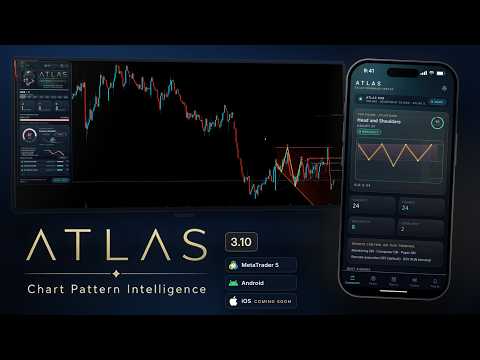
Atlas Chart Pattern Intelligence
- ユーティリティ
-
Chouaib Guira
 Founder and Lead Developer at C.G Solutions, focused on advanced trading technology, risk-management systems and professional tools for MetaTrader 5.
I design and develop trading software with a strong emphasis on reliability, risk control, usability and modern user experience. - バージョン: 3.20
- アップデート済み: 8 10月 2026
- アクティベーション: 10
ATLAS 3.2 — From chart pattern to trading plan
See the structure. Understand the scenario. Keep the decision.
A pattern is taking shape. Which criteria does it meet? Where are its confirmation, invalidation and projection levels? Which other markets deserve a closer look?
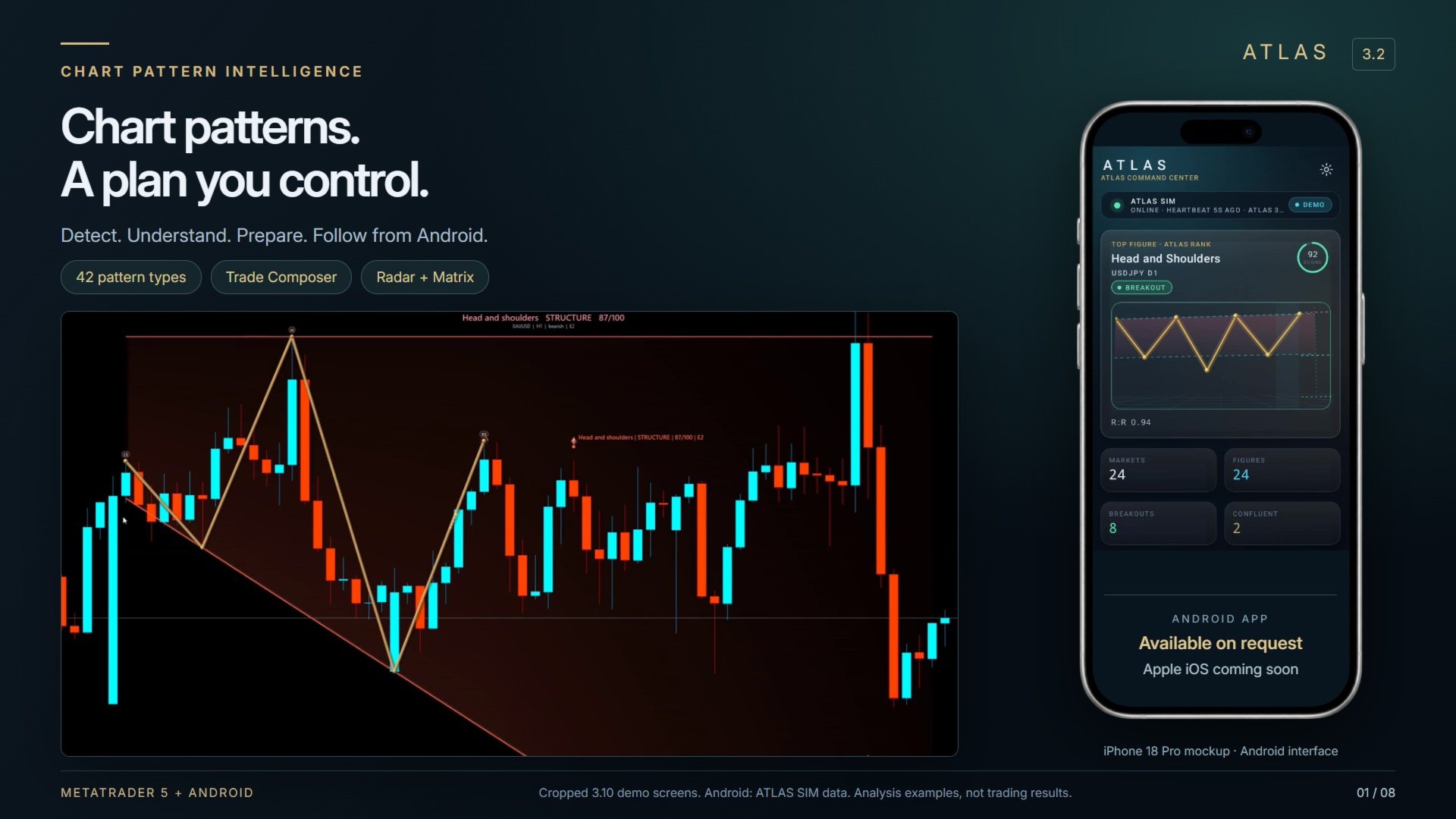
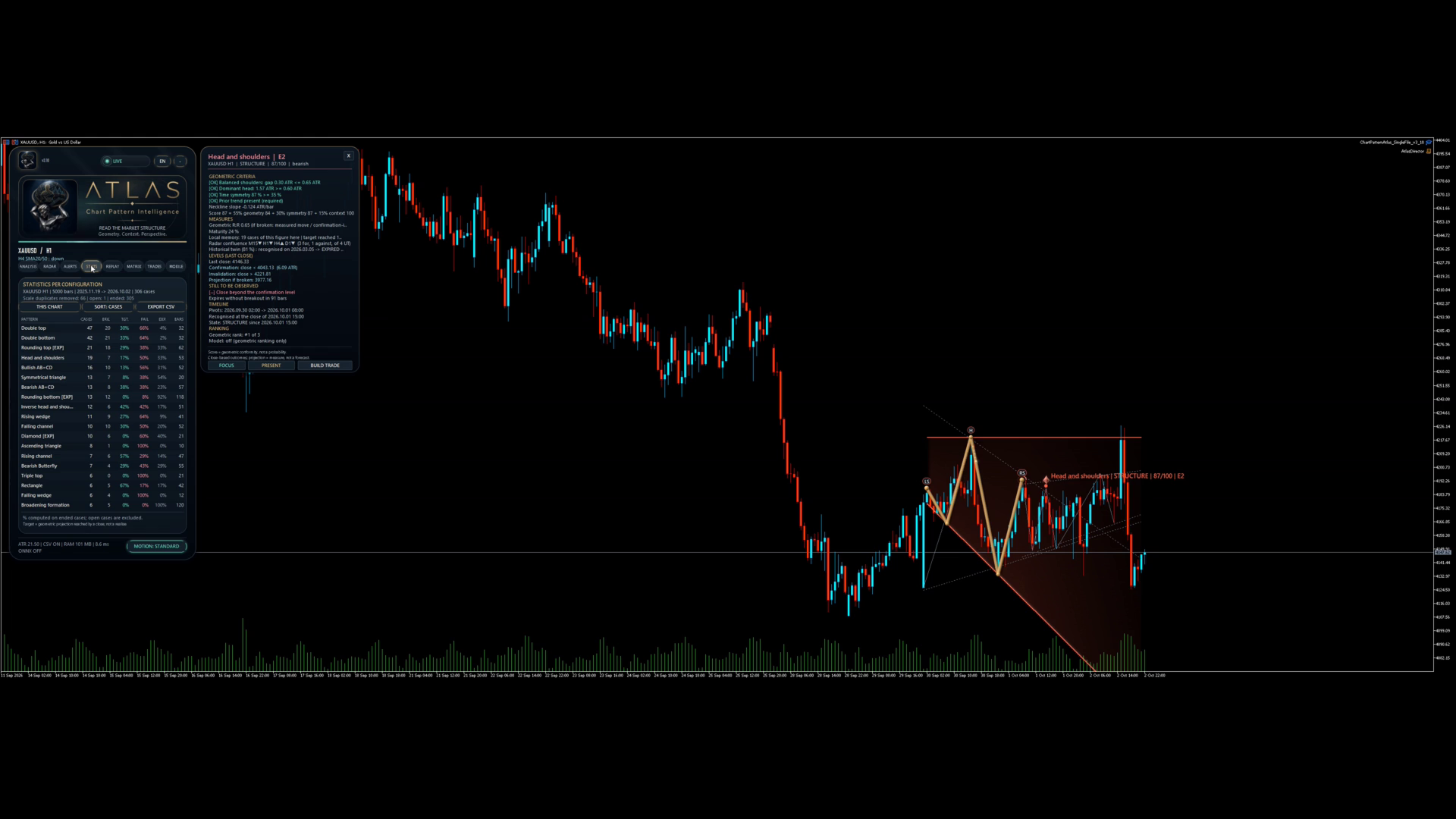
ATLAS brings those answers together inside MetaTrader 5. It detects 42 chart-pattern types, explains their geometry, tracks their development and helps you prepare a trading plan. Its Android companion lets you follow your terminal’s analysis from your phone.
Analysis you can inspect
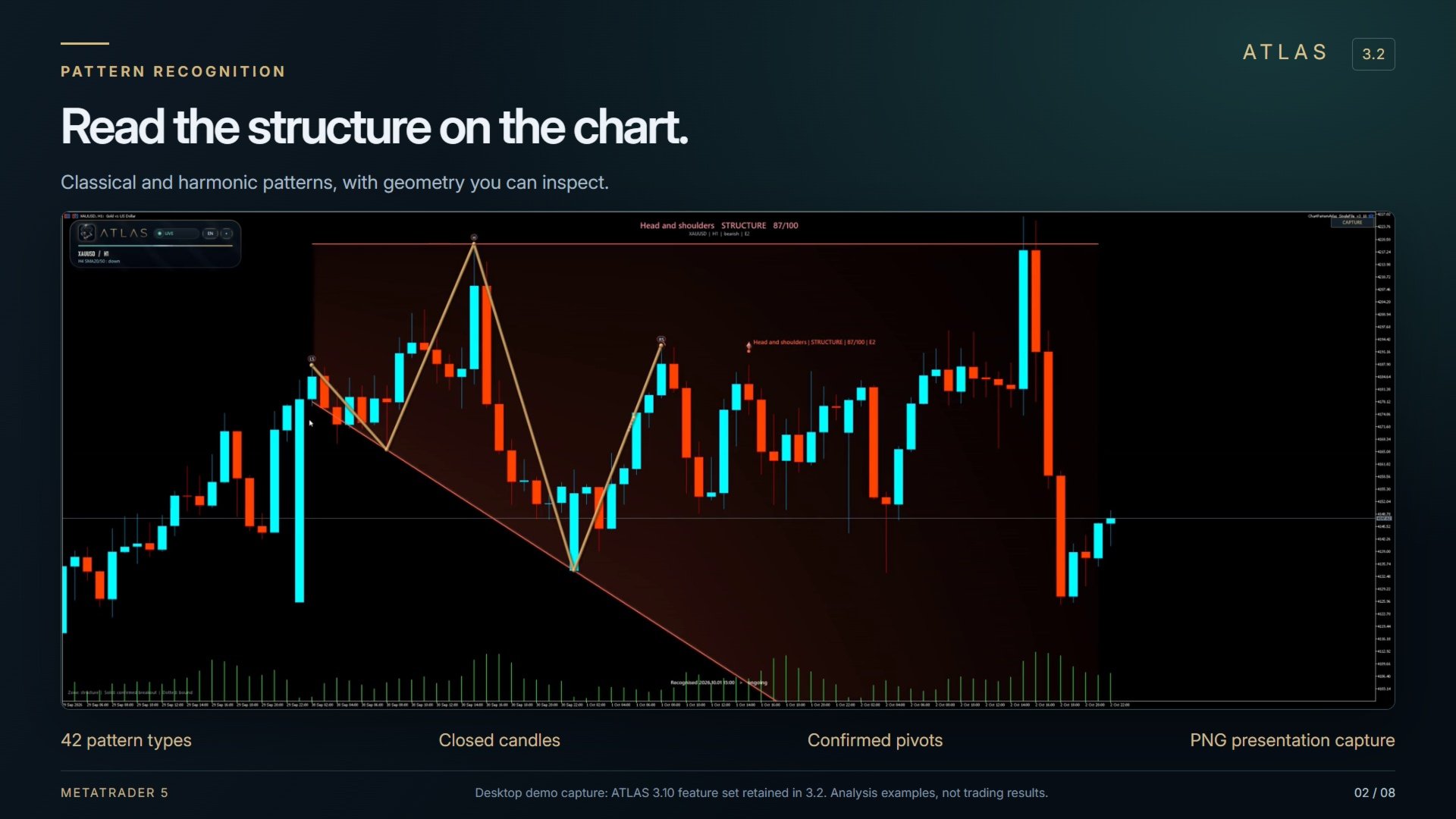
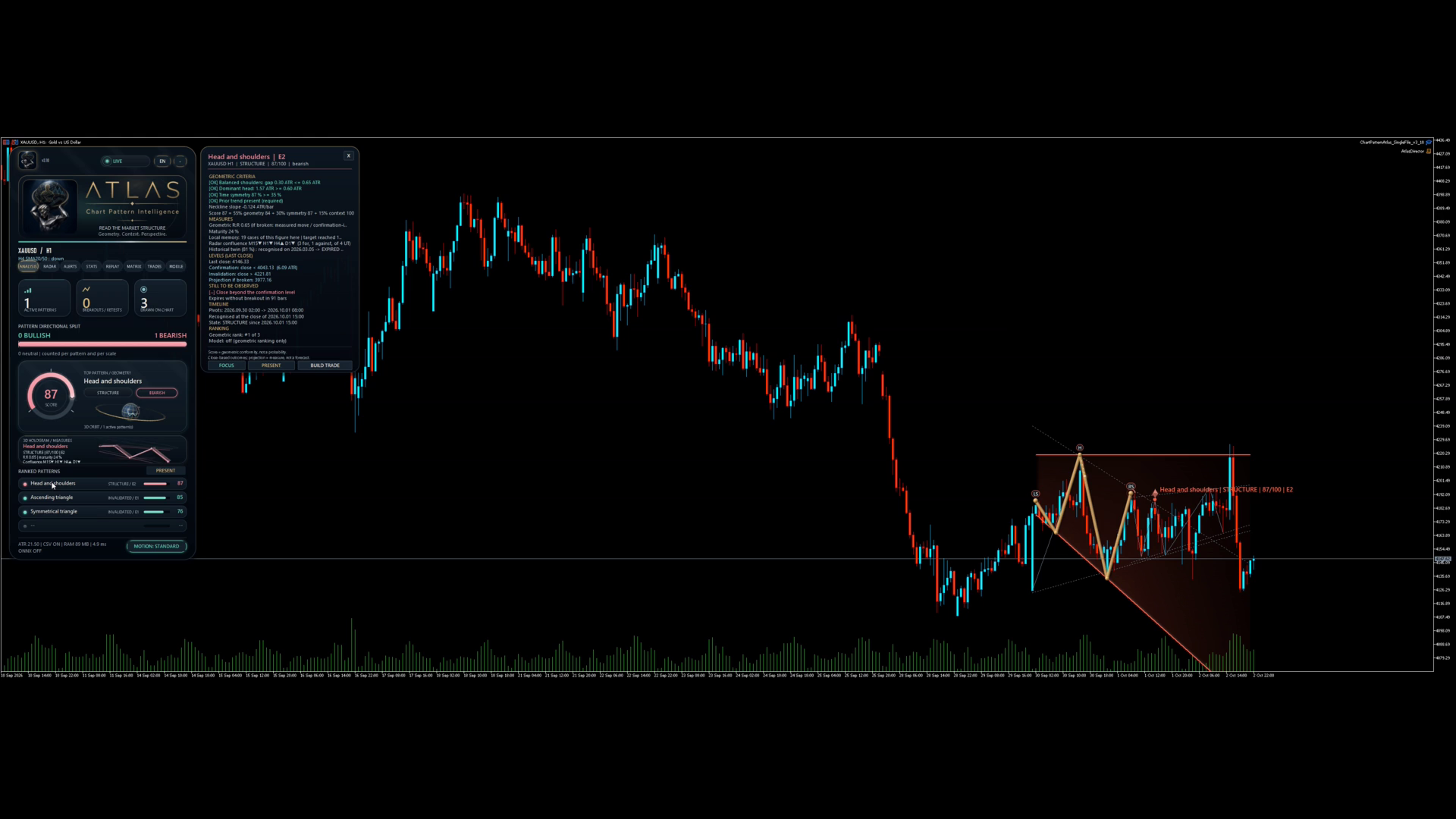
Explore classical, harmonic and additional structures: double tops and bottoms, head and shoulders, triangles, channels, flags, AB=CD, Gartley, Bat and more. Up to three pivot scales can run on the same chart. Experimental detectors are labelled; simplified Elliott detection is off by default.
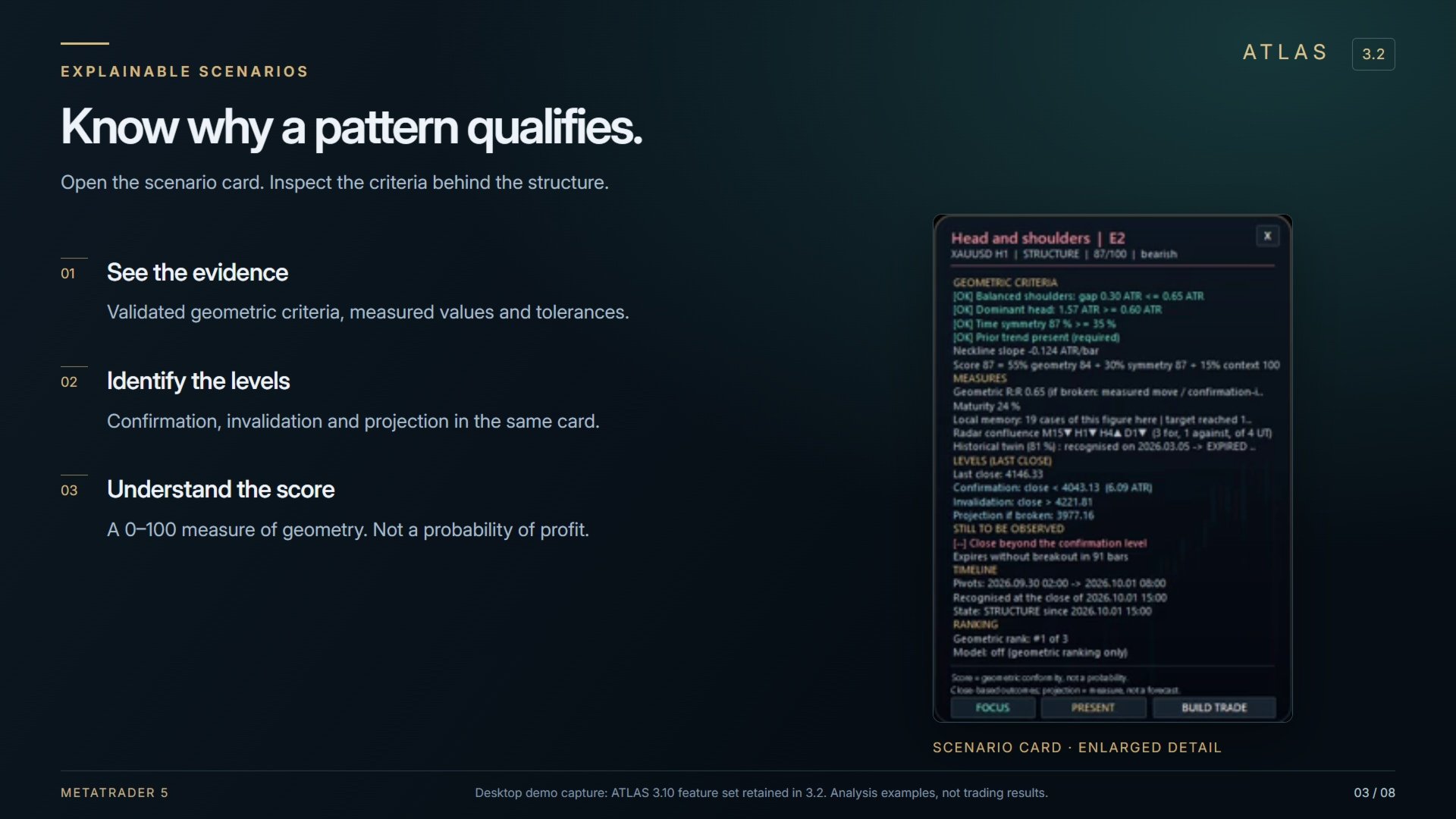
Each scenario card shows the validated criteria, relevant levels and conditions still to be met. The 0–100 geometry score measures how closely a structure meets ATLAS rules. It is not a probability of profit.
Detection uses closed candles and confirmed pivots. A pattern may therefore be recognised several candles after the visible turning point. Follow its development through structure, breakout, retest, target, failure or expiry.
Broaden your market view
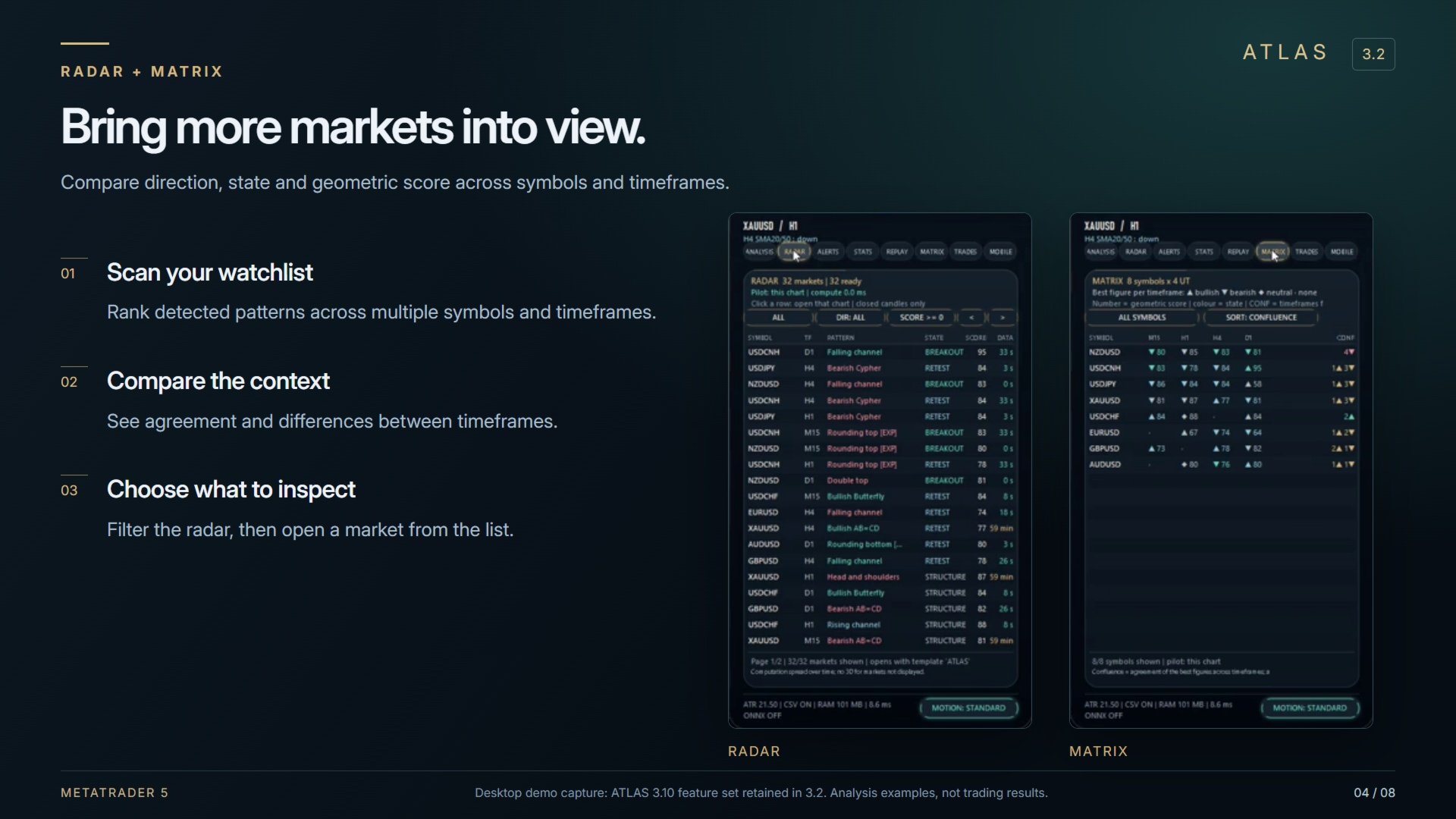
The Radar scans multiple symbols and timeframes and ranks the patterns it finds. The Matrix puts markets and timeframes side by side so you can compare direction, state and score. Multi-timeframe confluence helps you examine agreement across periods.
Filter alerts around events that matter to your approach. Inspect geometric reward-to-risk, breakout volume and structure maturity. Review local historical outcomes and a similar past pattern to add context to your analysis.
Turn a scenario into a plan with Trade Composer
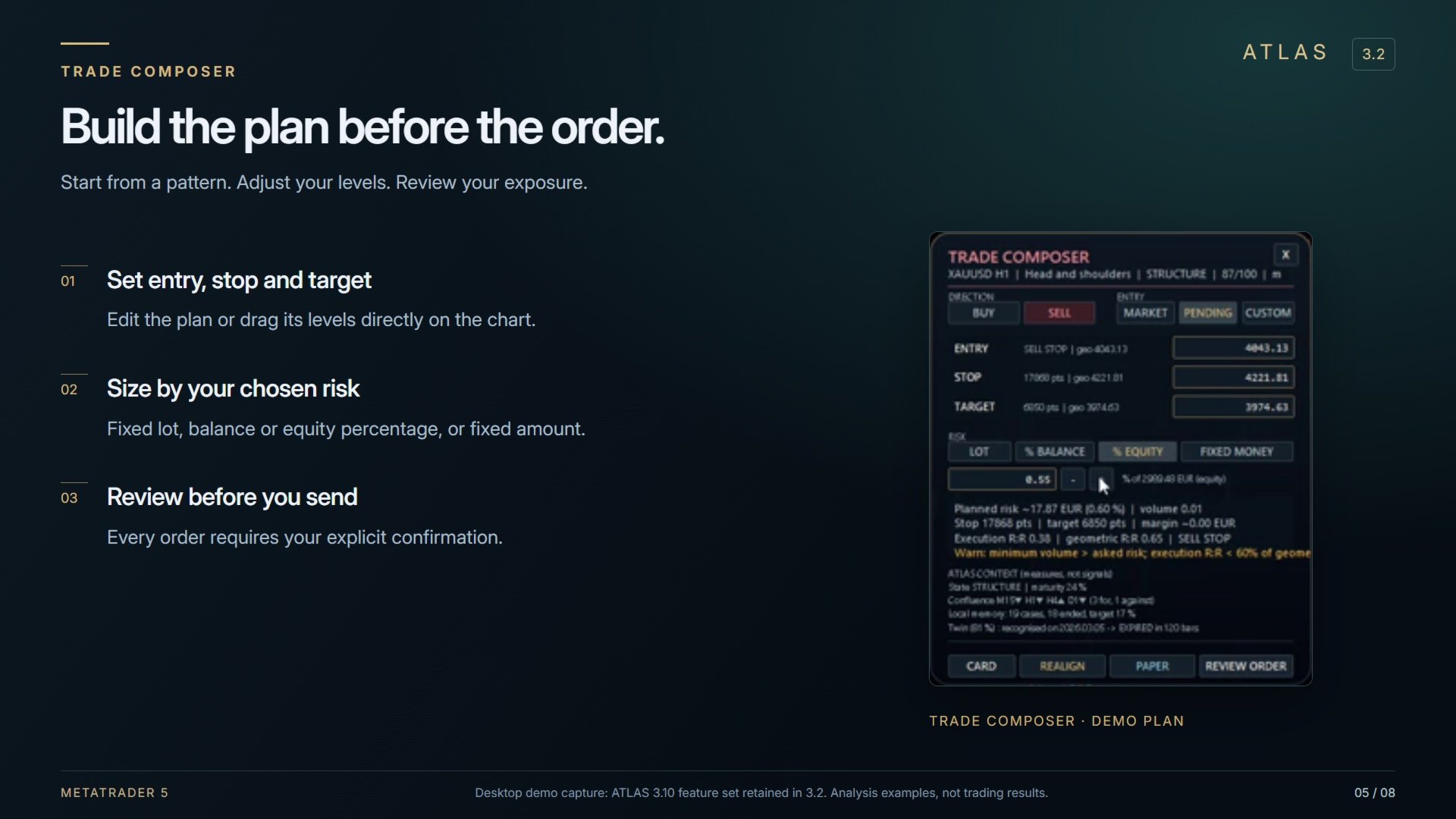
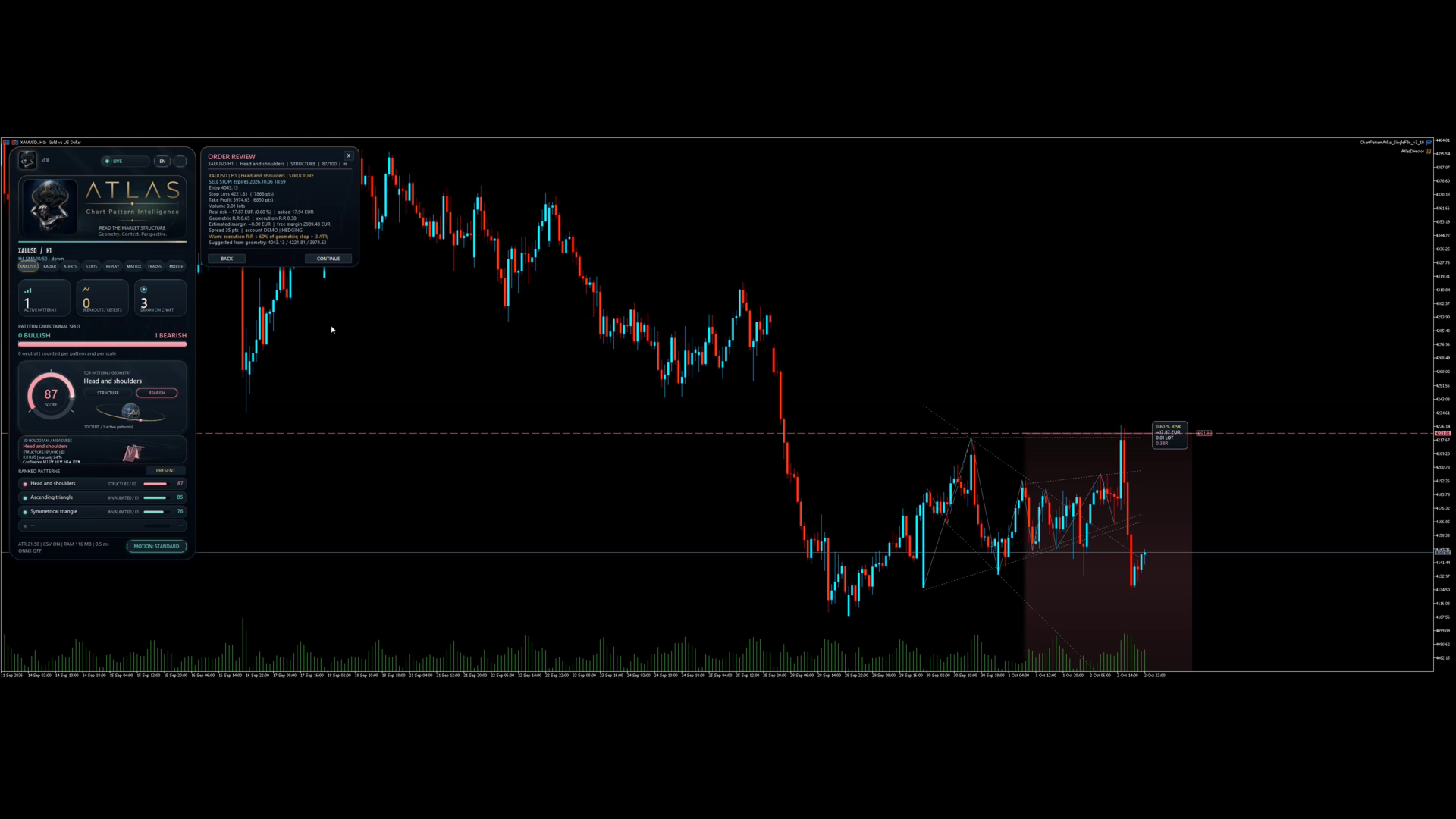
Start from a pattern and prepare an editable entry, stop and target. Adjust the levels on the chart and inspect the volume calculated for your chosen risk mode: fixed lot, percentage of balance or equity, or fixed amount.
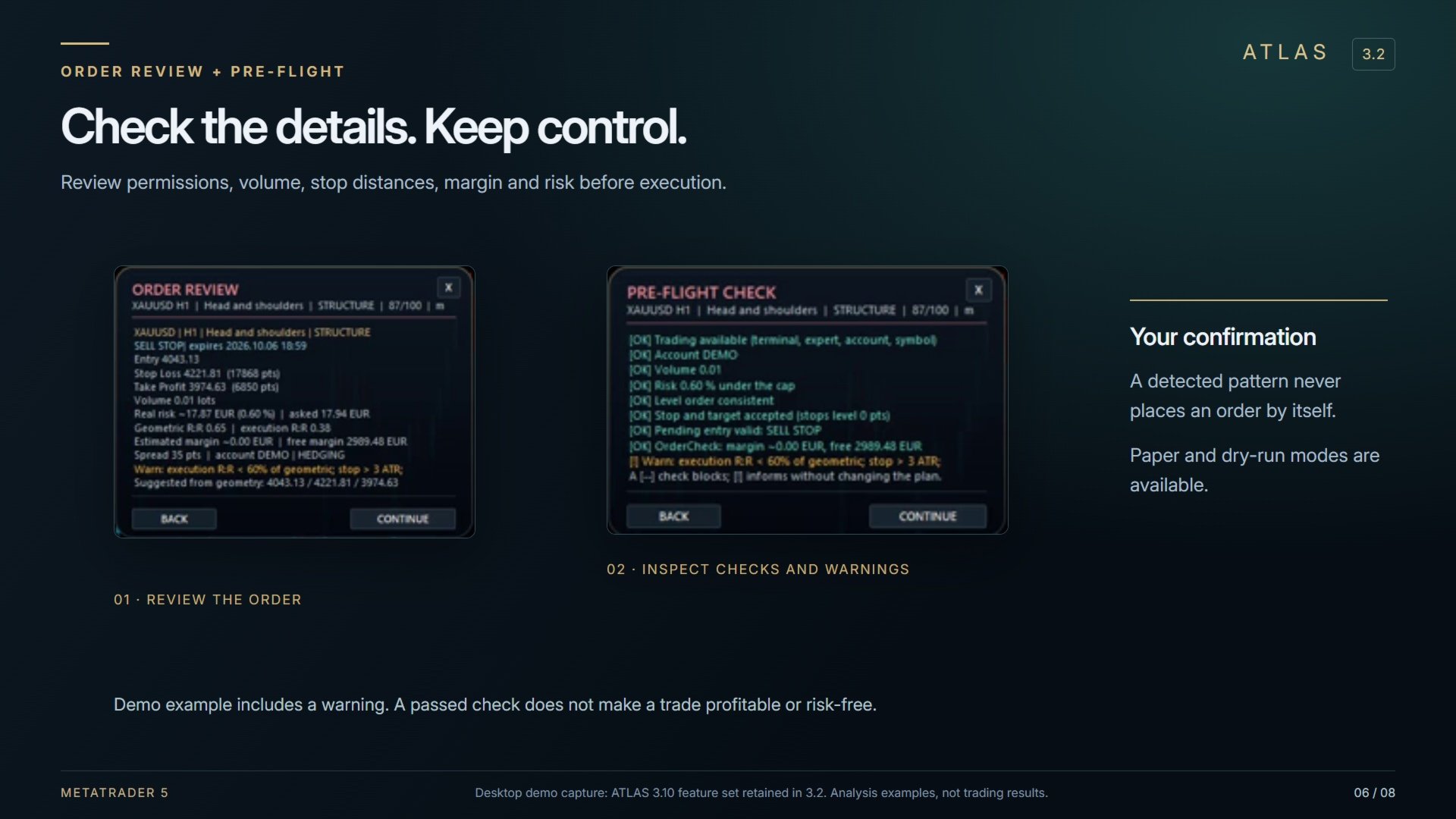
Order review and pre-flight checks cover permissions, volume, stop distances, margin and the risk cap. Every order requires your explicit confirmation. ATLAS never places a trade simply because it detected a pattern. Paper plans, replay simulation and dry-run checks let you explore the workflow without sending an order.
Follow ATLAS on Android
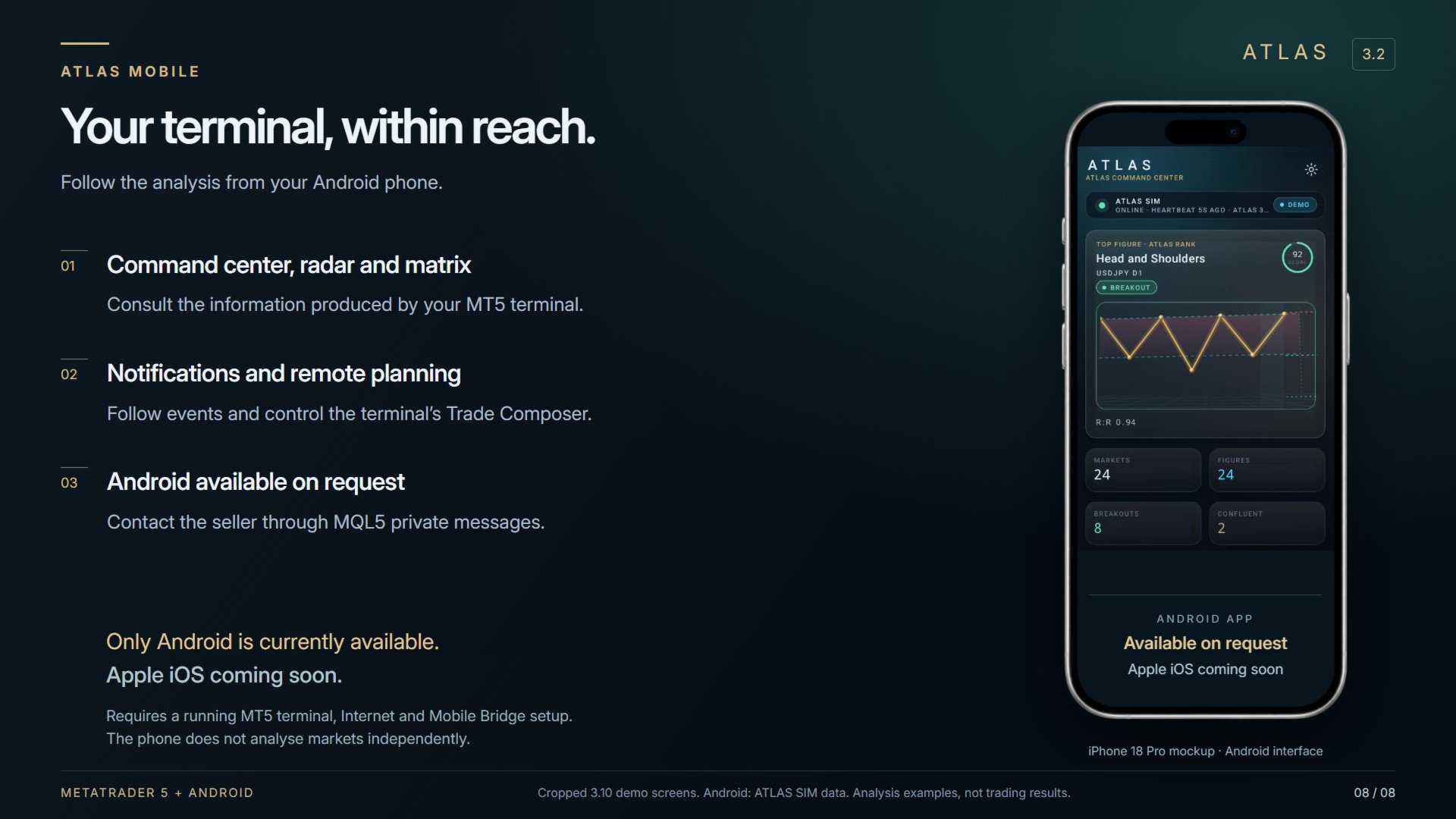
Open your terminal’s command center, radar, matrix and scenario cards on your phone. Receive notifications and control Trade Composer remotely. Mobile execution remains subject to device permissions, terminal checks, biometrics and slide-to-confirm.
Only the Android mobile app is currently available, on request to ATLAS users through MQL5 private messages. The Apple iOS app is coming soon.
The app is supplied separately. The optional Mobile Bridge is off by default. It requires a running MetaTrader 5 terminal, Internet access and relay configuration in the WebRequest permissions. The phone displays the terminal’s analysis; it does not analyse markets independently.
Study, replay and present
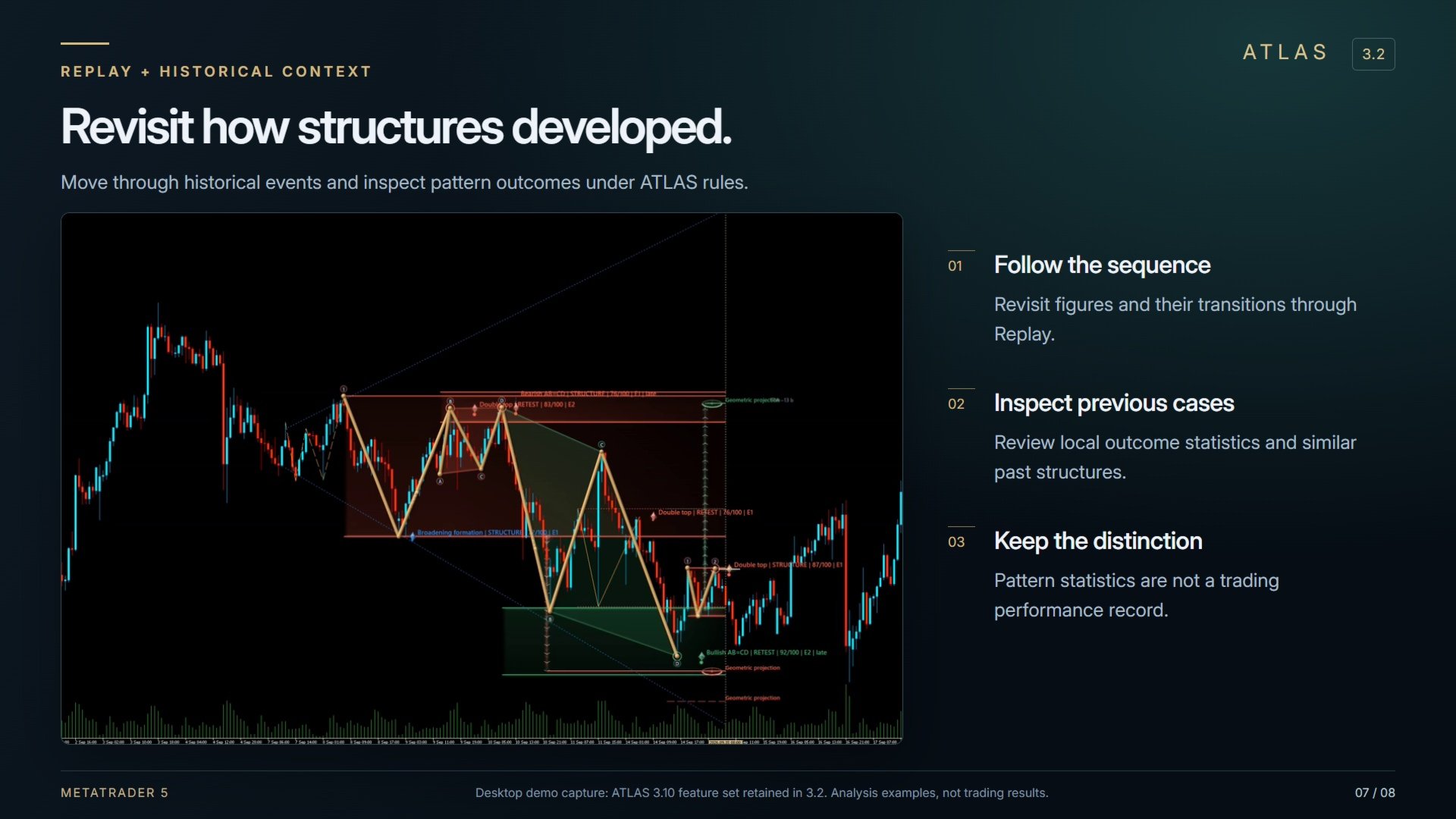
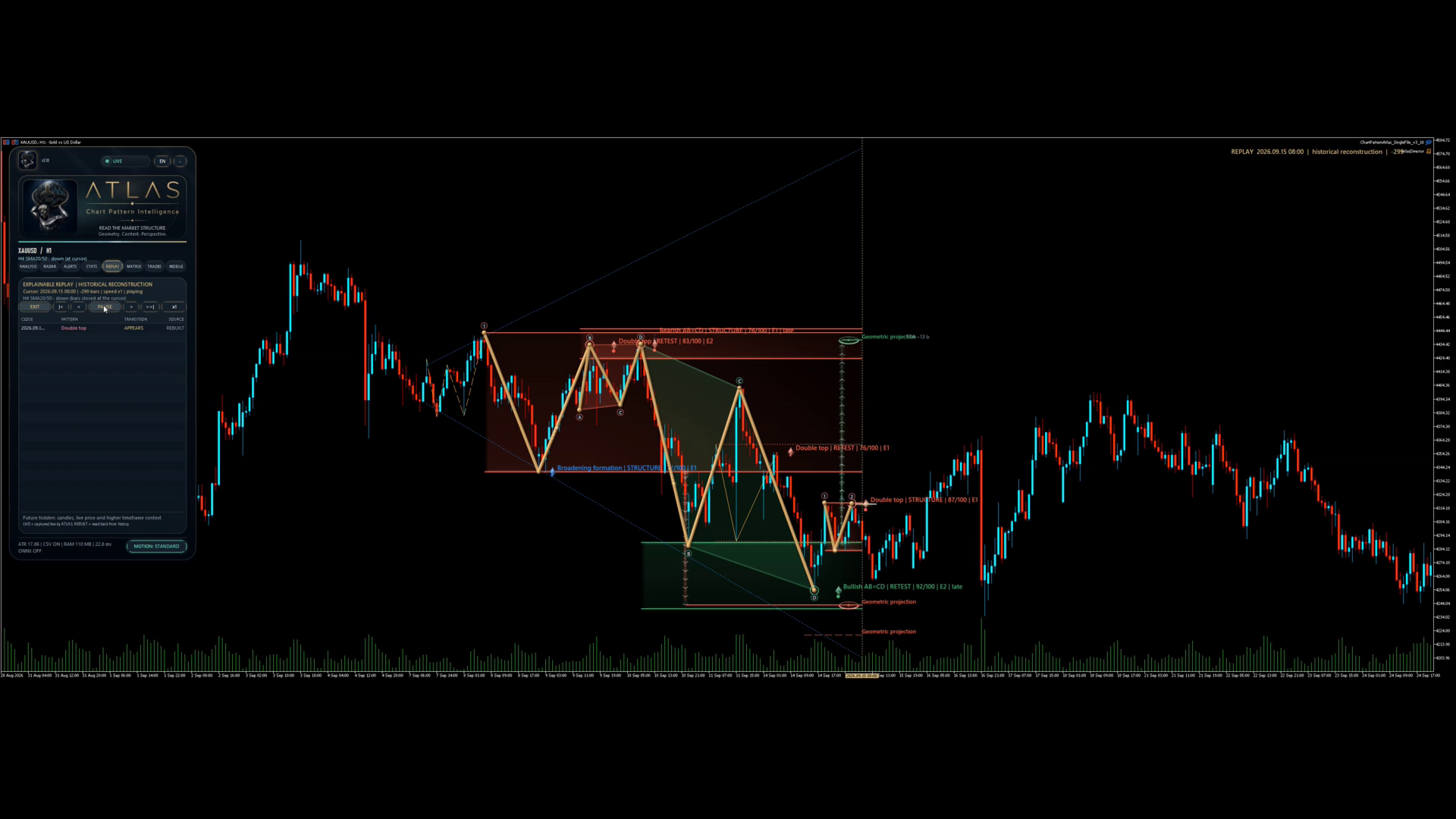
Replay revisits history candle by candle and lets you navigate between events. Statistics describe pattern outcomes under ATLAS rules, with CSV export. They are not a trading performance record. The 3D visualisation and Presentation Mode help you inspect a structure and save a PNG capture.
ATLAS 3.2 update
This release carries forward the 3.10 feature set under the ATLAS 3.2 filename and adds an integrated mobile availability note. Compared with the 2.0 listing, it includes Trade Composer, Mobile Bridge, Matrix and plan tracking. The 3.10 detection engine and execution rules are unchanged.
Installation and demo
Use ATLAS in MetaTrader 5 on symbols and timeframes offered by your broker, subject to available history. The expert’s interface supports English and French. The MT5 product is a single file with no DLL. The MQL5 demo runs in the Strategy Tester; Mobile Bridge is unavailable there.
Try the demo to explore the analysis on your markets. To request the Android app, contact the seller through MQL5.
ATLAS is an analysis and order-planning tool. Scores, projections and statistics do not predict prices or guarantee results. Trading involves a risk of loss; every decision remains yours.