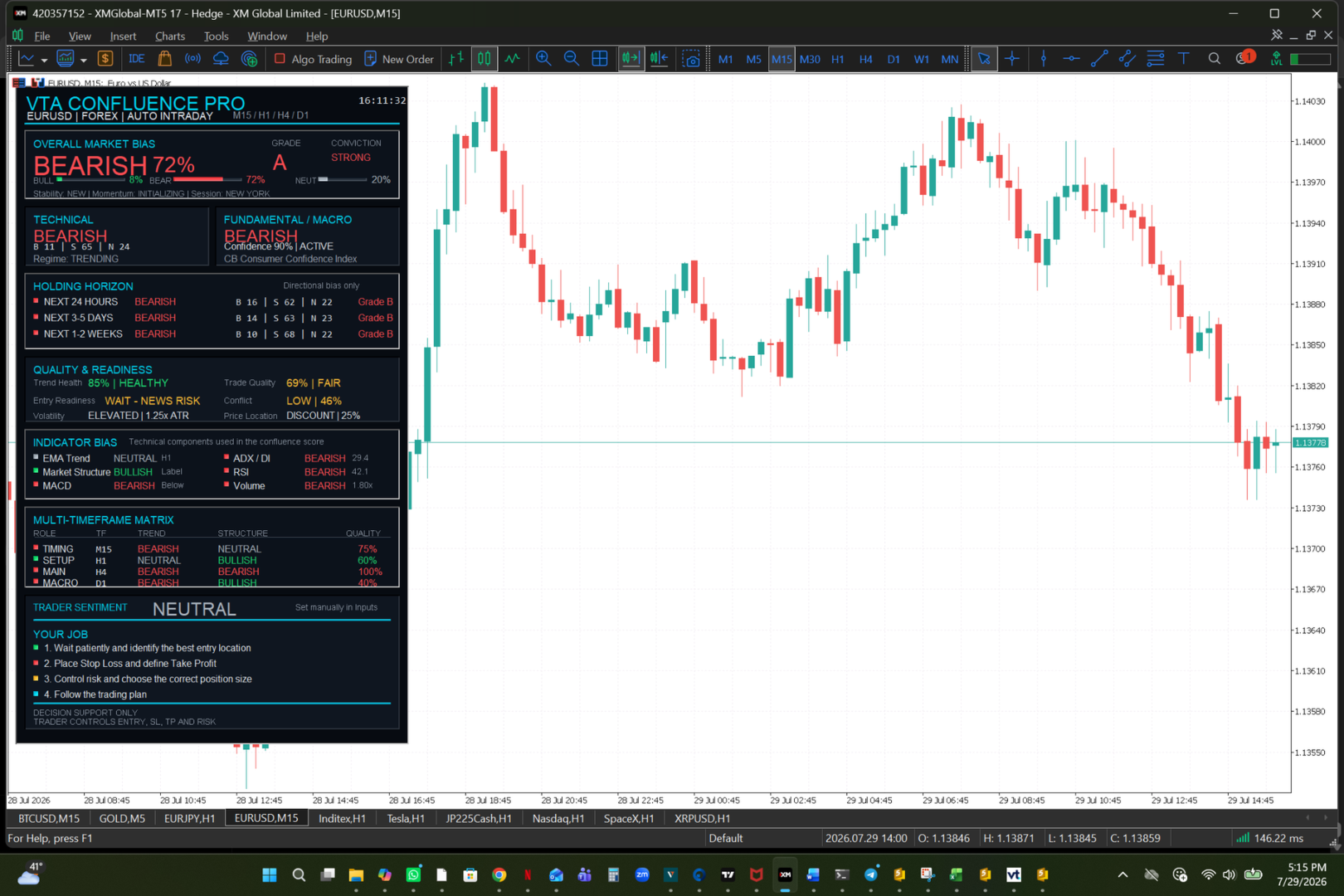
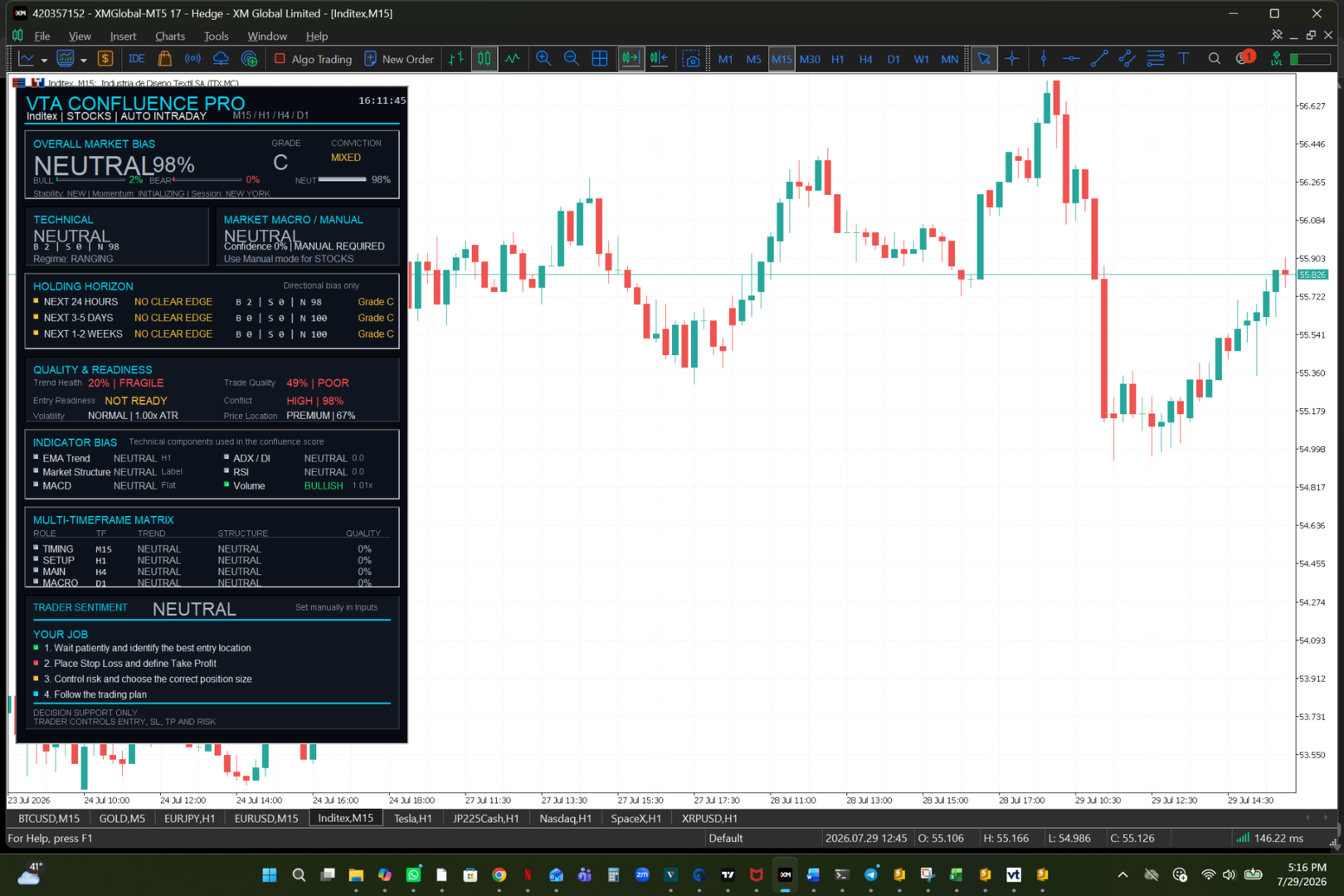
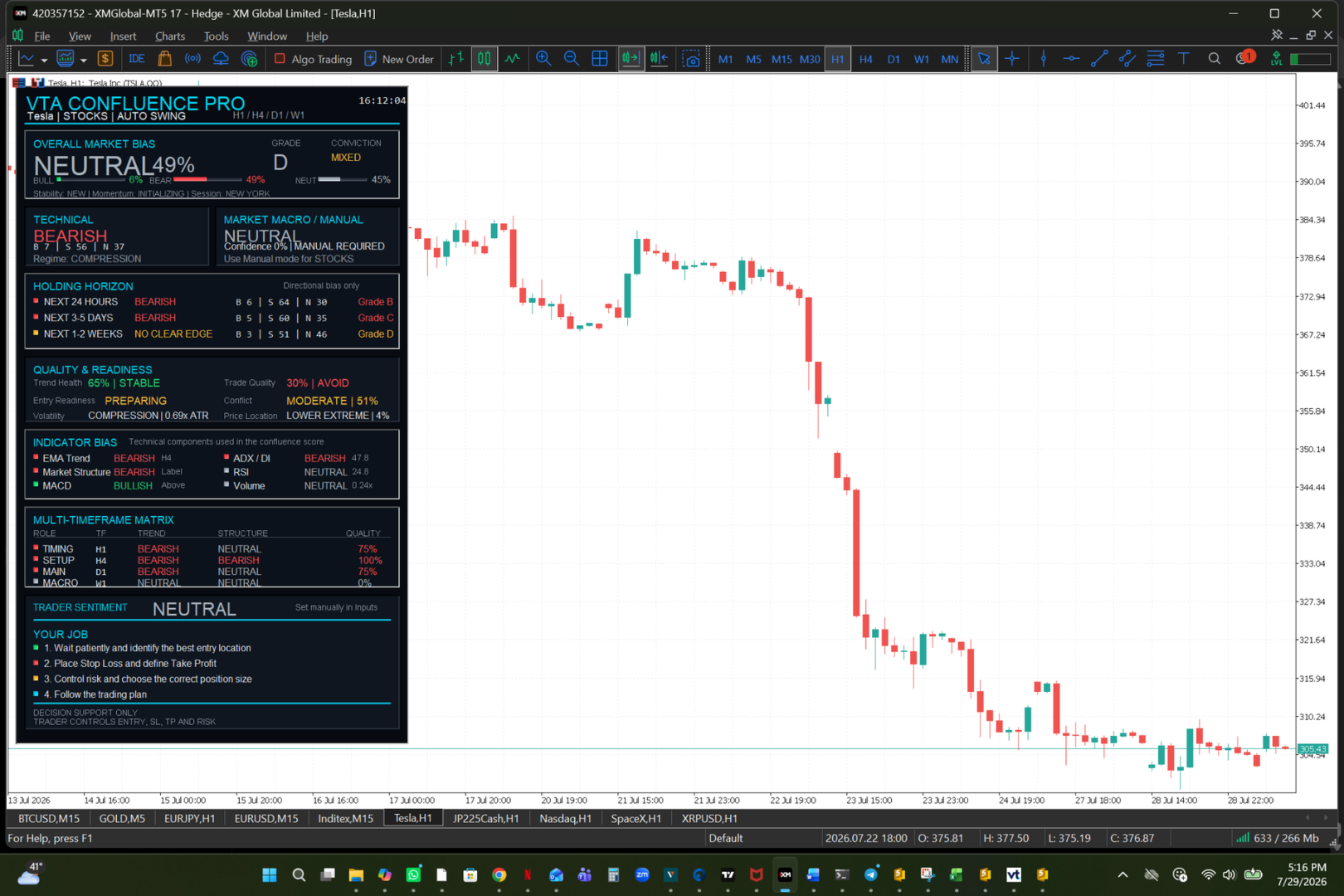
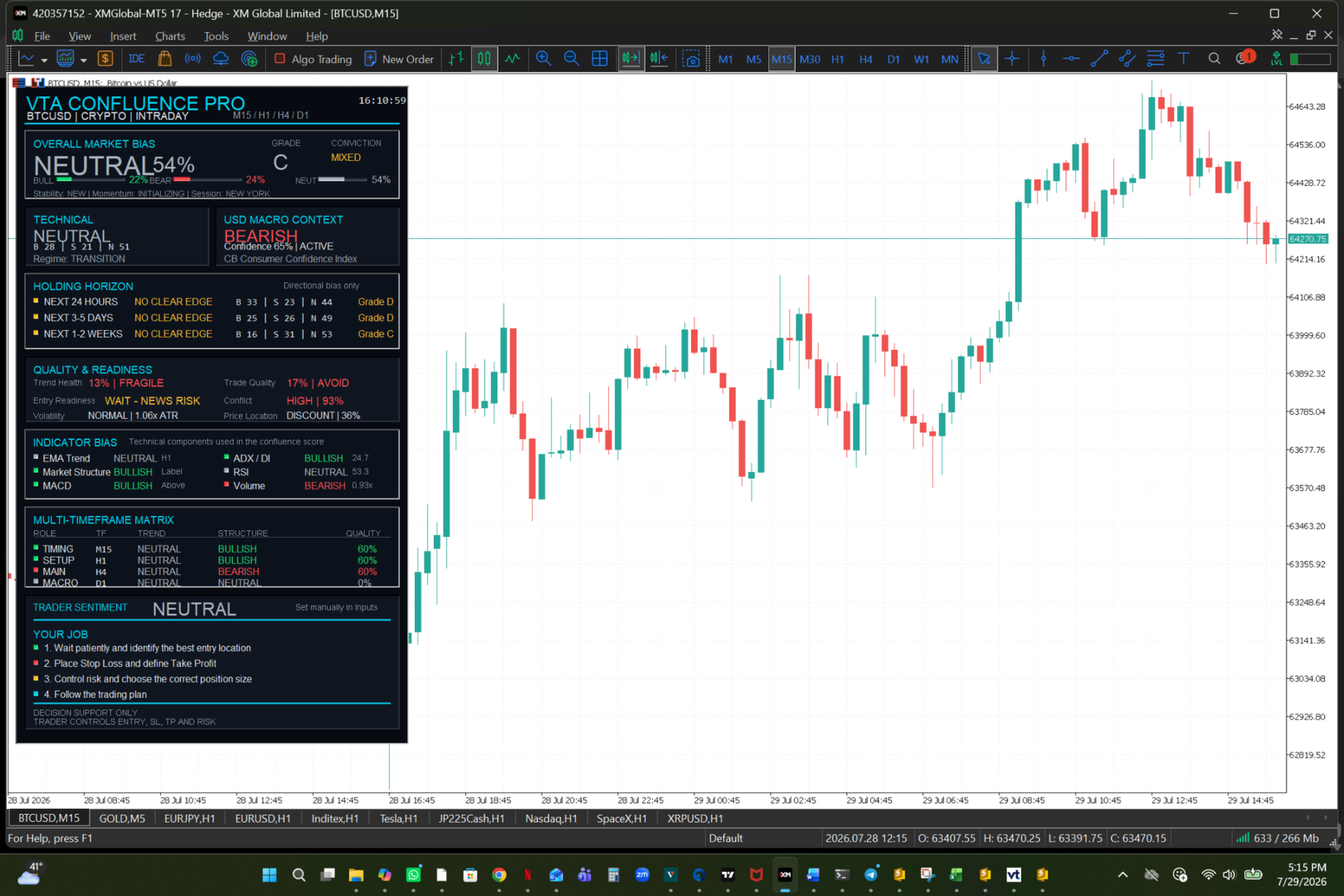
Vta Confluence Pro
- インディケータ
- バージョン: 1.3
- アクティベーション: 5

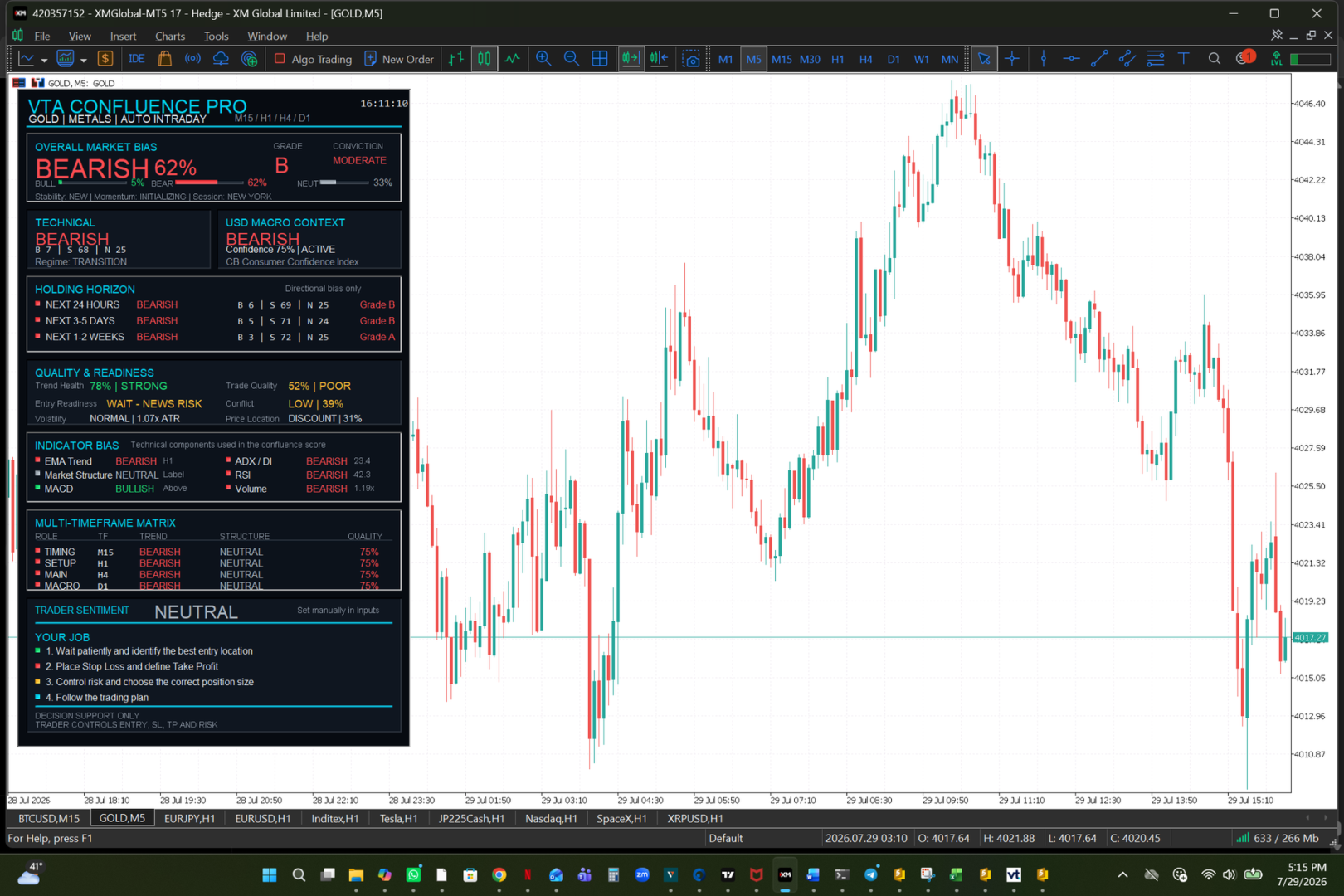
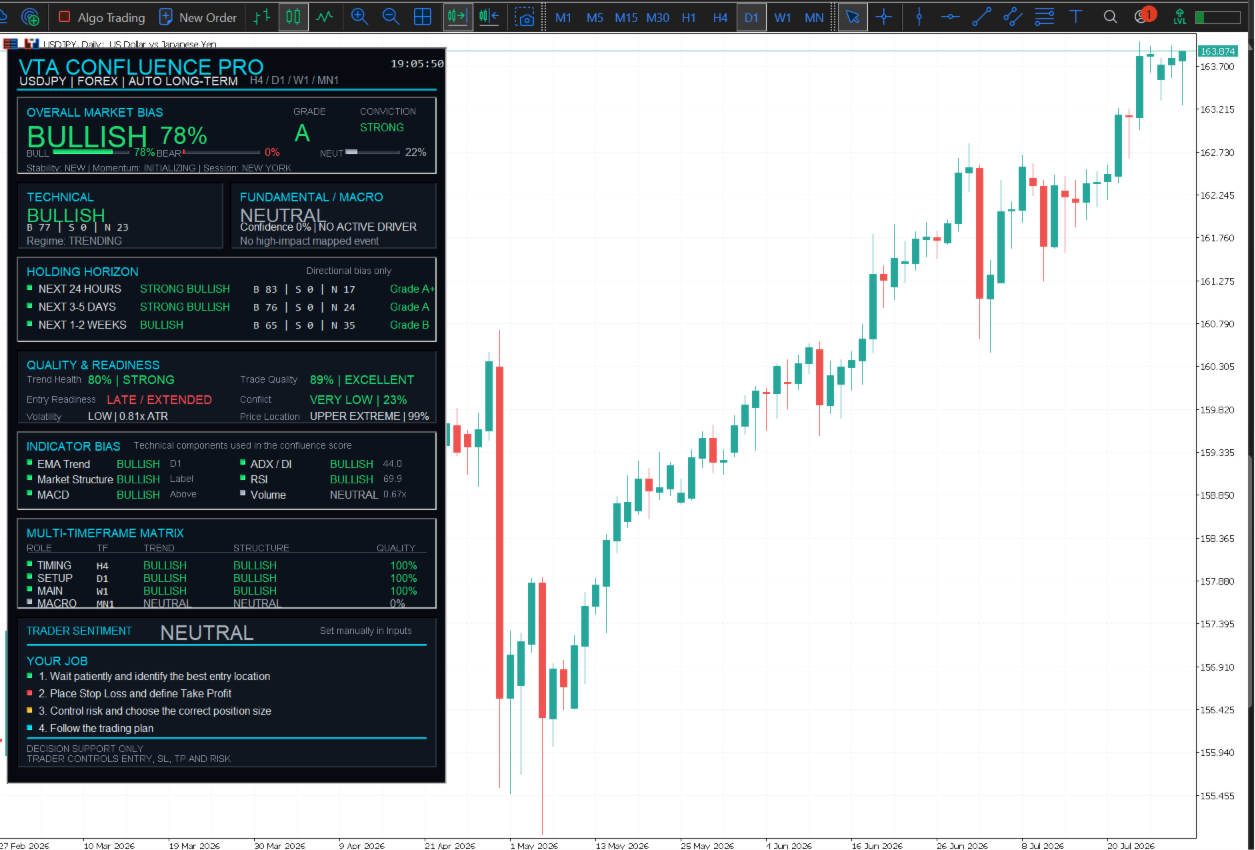
VTA Confluence Pro is a multi-asset decision-support dashboard for discretionary traders using MetaTrader 5.
The indicator organizes technical conditions, macro context, holding-horizon outlooks and multi-timeframe alignment into one visual dashboard. It does not open trades and does not determine the final entry, Stop Loss, Take Profit or position size.
MAIN DASHBOARD SECTIONS
Overall Market Bias
Displays the dominant Bullish, Bearish or Neutral assessment together with:
- Bias percentage
- Grade
- Conviction level
- Stability
- Momentum
- Active market session
Technical Context
Summarizes the technical direction and current market regime.
Possible market regimes include:
- Trending
- Ranging
- Transition
- Compression
- Breakout area
Fundamental and Macro Context
Provides calendar-based macro context where automatic mapping is supported.
Automatic macro context is available for:
- Forex
- Metals
- Crypto
For Stocks, Indices, Energy and other CFDs, the trader can use Manual Fundamental Mode.
The macro component is supporting context only. It is not a company-news, earnings or real-time news-feed service.
Holding Horizon
Displays a directional assessment for:
- Next 24 hours
- Next 3 to 5 days
- Next 1 to 2 weeks
Each horizon includes:
- Bullish score
- Bearish score
- Neutral score
- Directional label
- Grade
When the available factors do not provide a clear directional condition, the dashboard displays NO CLEAR EDGE.
Quality and Readiness
Helps the trader evaluate the current market environment using:
- Trend Health
- Trade Quality
- Entry Readiness
- Conflict level
- Volatility
- Price Location
Indicator Bias
Displays the current state of the technical components used by the dashboard:
- EMA Trend
- Market Structure
- MACD
- ADX and Directional Index
- RSI
- Volume
Multi-Timeframe Matrix
Shows Trend, Structure and Quality across four analysis roles:
- Timing
- Setup
- Main
- Macro
The timeframe stack changes according to the selected analysis mode.
SUPPORTED ASSET CLASSES
The indicator includes automatic and manual asset-class selection for:
- Forex
- Crypto
- Indices
- Stocks
- Metals
- Energy
- Other CFDs
Automatic detection is used by default. Manual Asset Class selection is available for brokers with unusual symbol names.
ANALYSIS MODES
Auto Mode selects the timeframe stack according to the current chart timeframe.
The dashboard can be used for:
- Intraday analysis
- Swing analysis
- Position analysis
- Custom timeframe analysis
Examples of automatic timeframe stacks include:
Intraday:
M15 / H1 / H4 / D1
Swing:
H1 / H4 / D1 / W1
Long-term:
H4 / D1 / W1 / MN1
TRADER SENTIMENT
Trader Sentiment is selected manually in the indicator inputs.
Available choices:
- Bullish
- Neutral
- Bearish
This allows the trader to compare a personal market view with the calculated dashboard context.
IMPORTANT OPERATING INFORMATION
VTA Confluence Pro is a decision-support indicator only.
It does not:
- Open or close positions
- Place pending orders
- Set Stop Loss
- Set Take Profit
- Calculate a guaranteed outcome
- Provide automatic trade execution
- Display popup alarms or trading alerts
The trader remains responsible for:
- Selecting the entry location
- Defining the invalidation level
- Placing Stop Loss
- Selecting Take Profit
- Choosing position size
- Managing total account risk
- Following the trading plan
MAIN USER INPUTS
User Settings:
- Analysis Mode
- Asset Class
- Fundamental Mode
- Manual Fundamental Bias
- Manual Fundamental Confidence
- Trader Sentiment
- Dashboard Refresh Rate
Custom Timeframes:
- Timing Timeframe
- Setup Timeframe
- Main Timeframe
- Macro Timeframe
Advanced Technical Settings:
- Fast EMA
- Slow EMA
- RSI Period
- ADX Period
- MACD Settings
- ATR Period
- Structure Lookback
- Swing Strength
- Range Lookback
- Volume Lookback
Advanced Bias Weights:
- Technical Weight
- Fundamental Weight
- Regime Weight
Calendar Settings:
- Minimum News Importance
- News History Hours
- News Forward Hours
- Calendar Refresh Rate
Dashboard Position:
- Chart Corner
- Horizontal Position
- Vertical Position
INSTALLATION
1. Install the product through the MQL5 Market.
2. Open a chart in MetaTrader 5.
3. Attach VTA Confluence Pro to the chart.
4. Keep Analysis Mode and Asset Class on Auto for the recommended starting configuration.
5. Select Manual Asset Class when a broker uses an unusual symbol name.
6. Select Manual Fundamental Mode when an automatic macro relationship is unavailable.
7. Allow sufficient price history to load for all required timeframes.
NOTES
The percentages displayed by the dashboard are weighted confluence assessments. They are not win probabilities.
The indicator may display neutral values while historical data is loading or when the available factors are conflicting.
Economic Calendar availability and symbol specifications can vary between brokers.
VTA means Visual Trading Assistant.
Decision support only. Final execution and risk management belong to the trader.