Point and Trade Risk Manager
- ユーティリティ
- バージョン: 1.0
- アクティベーション: 10

Point & Trade Risk Manager MT5
Overview
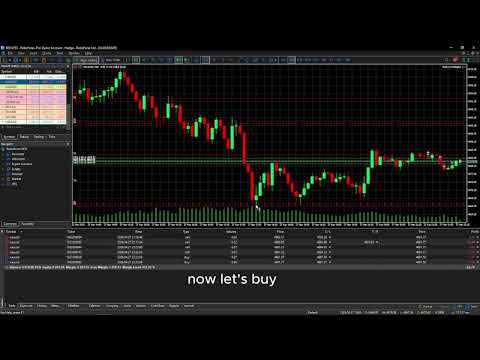
Stop wasting time calculating lot sizes manually! Point & Trade Risk Manager is a lightning-fast execution Expert Advisor designed for scalpers, day traders, and Prop Firm challengers. It allows you to enter trades instantly using a keyboard hotkey while automatically calculating the exact lot size based on your predefined risk percentage.
Perfect for highly volatile instruments where every millisecond counts, such as XAUUSD (Gold) and NDX100 (Nasdaq).
How It Works (The "Point & Shoot" Concept)
Forget about typing in numbers. This EA uses your mouse cursor to determine your Stop Loss and Trade Direction instantly:
-
Set Risk: Define your risk per trade (e.g., 1% of Equity).
-
Hover: Move your mouse cursor to your desired Stop Loss level on the chart.
-
Execute: Press the Hotkey (Default: 'T').
-
If your cursor (SL) is below the current price ➔ The EA opens a BUY order.
-
If your cursor (SL) is above the current price ➔ The EA opens a SELL order.
-
Key Features
-
One-Key Execution: Enter the market instantly without opening the New Order window.
-
Auto Lot Size Calculation: The EA automatically calculates the correct lot size based on the exact distance between the current price and your mouse cursor (SL), keeping your risk strictly at your defined percentage.
-
Smart Direction Detection: Automatically decides whether to Buy or Sell based on where you place your Stop Loss relative to the current price.
-
Broker Compliant: Automatically adjusts lot sizes to respect your broker's Minimum, Maximum, and Volume Step rules.
Input Parameters
| Parameter | Description |
| InpRiskPercent | Your risk per trade as a percentage of account equity (Default: 1.0 = 1%). |
| InpHotkey | The keyboard key used to trigger the trade (Default: 'T'). Not case-sensitive. |
Instructions & Setup
-
Ensure the "Algo Trading" button is enabled on your MT5 terminal.
-
Attach the EA to your desired chart.
-
Simply hover your mouse where you want the SL to be and press the hotkey.
(Note: Please test on a Demo account first to get familiar with the hotkey execution speed).