Remote Trade Copier via API Relay
- ユーティリティ
-
Hayyu Imam Muhammad
 With over 7 years of experience in the financial markets, I have focused on developing structured trading strategies, optimizing systems, and building automated trading solutions. My approach is centered on discipline, consistency, and risk management. Through years of market experience, testing
 - バージョン: 2.51
- アクティベーション: 10
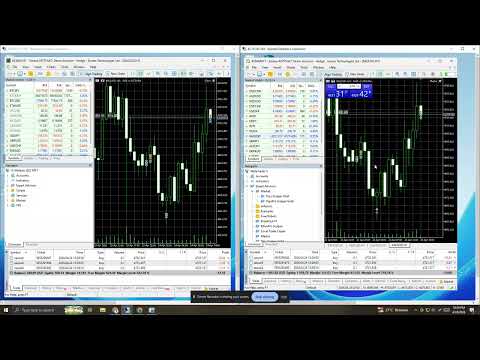
Remote Trade Copier is a single-file MT5 Expert Advisor designed to copy trades remotely between MetaTrader terminals running on different VPS or PC environments through a PHP relay API. The EA can work as Sender (Host), which sends trade activity from the source terminal, or as Receiver (Client), which receives and reproduces that activity on the target terminal. It is built to copy market orders, SL/TP changes, and pending-order activity with flexible controls for symbol mapping, direction mode, lot sizing, and execution handling. Its main advantage is that one Sender can distribute the same trade instructions to one or multiple Receivers, making it suitable for remote account mirroring, trade distribution, and multi-terminal copying across different locations.
In practice, Remote Trade Copier is designed to be flexible, scalable, and easier to manage than a traditional local-only copier. The Sender focuses only on publishing trade events, while each Receiver can apply its own execution settings, such as same-direction or reverse copying, fixed or proportional lot size, real broker pending orders, or virtual pending handling. This makes the EA useful not only for simple trade duplication, but also for structured multi-account workflows where each receiver may have different broker conditions, symbol names, or risk preferences. Because of this architecture, the EA is well suited for users who want a more adaptable remote trade copier rather than a same-PC file-based solution.
Input Parameters
01. Role Selection
This section defines the role of the EA on the terminal.
Select Role is used to choose whether the EA works as Sender (Host) or Receiver (Client). In simple terms, the Sender is the source account that sends trade instructions, while the Receiver is the target account that follows them.
02. Shared Settings
These are the general settings used by both roles.
API Key is the connection password between the EA and the PHP relay API. It must match on both sender and receiver sides so the system can communicate safely and correctly.
03. Sender (Host) Settings
These settings are only used when the EA runs as Sender.
Receiver IPs is where you enter one or more receiver IP addresses separated by semicolons. This allows one sender to send the same trade instructions to multiple receivers.
Sender ID identifies the sender inside the system so receivers know which source they are allowed to follow.
Send Snapshot On Init tells the sender to publish already-open positions when the EA starts, which is useful if the receiver needs to synchronize with active trades.
Sync SL/TP Changes allows stop-loss and take-profit updates from the sender to be transmitted automatically.
Copy Pending Orders allows the sender to transmit pending-order creation, modification, and cancellation events.
Sender-side filtering options help restrict which trades are published, for example by symbol, by magic number, or by manual-trade selection. This is useful when the source terminal runs multiple strategies but only certain trades should be copied.
04. Receiver (Client) Identity
These settings define which sender the receiver is allowed to follow.
Receiver ID is the identity of the receiver terminal.
Allowed Sender ID is used to limit the receiver so it only accepts trade events from a specific sender. This is important when several senders share the same relay environment.
05. Receiver (Client) Lot Settings
These settings control how trade size is calculated on the receiver side.
Lot Mode determines whether the receiver uses the source lot size directly, a fixed lot, a multiplier, or a proportional calculation.
Fixed Lot is useful when all copied trades should open with the same lot size regardless of the sender.
Lot Multiplier is useful when the receiver should trade smaller or larger than the sender, for example 0.5x or 2x.
Proportional Lot is useful when sender and receiver balances are different and trade size should scale more naturally.
06. Receiver (Client) Execution Controls
These settings control how copied trades are executed.
Direction Mode allows the receiver to copy trades in the same direction as the sender or in reverse direction.
Copy SL/TP determines whether the receiver also applies stop-loss and take-profit values from the sender.
Max Deviation Points controls acceptable slippage when the receiver sends market orders.
Copy Pending Orders enables the receiver to accept pending-order instructions from the sender.
Enable Virtual Pending allows pending orders to be handled internally by the receiver instead of always being placed immediately as real broker-side pending orders. This is useful when broker limitations or execution preferences make virtual handling more practical.
Virtual Pending Buffer Points adds a buffer for virtual pending trigger logic.
Symbol Map is used when sender and receiver brokers use different symbol names, suffixes, or contract labels.
07. Receiver (Client) Retry and Polling Controls
These settings help improve responsiveness and stability.
Poll Interval controls how often the receiver checks the relay API for new trade events. A lower value makes the copier more responsive, while a higher value reduces load.
Retry and logging related settings help the receiver manage temporary execution problems more safely and make troubleshooting easier when needed.