 MetaTrader 5
 エキスパート
 インディケータ
 ライブラリ
ライブラリ
 ユーティリティ
 ウィジェット
 ルール
ルール
YouTubeにあるマーケットチュートリアルビデオをご覧ください
ロボットや指標を購入する
仮想ホスティングで
EAを実行
EAを実行
ロボットや指標を購入前にテストする
マーケットで収入を得る
販売のためにプロダクトをプレゼンテーションする方法
MetaTrader 5のためのエキスパートアドバイザーとインディケータ - 4
 自動売買ロボットとインジケータを使用して、外国為替取引の収益性を高めます。 自動売買ロボットを使用すると、取引の開始と終了を自動化でき、インジケータは市場の行動をより正確に予測するのに役立ちます。
このページには、MetaTrader5アプリケーションのカタログが掲載されています。
自動売買ロボットとインジケータを使用して、外国為替取引の収益性を高めます。 自動売買ロボットを使用すると、取引の開始と終了を自動化でき、インジケータは市場の行動をより正確に予測するのに役立ちます。
このページには、MetaTrader5アプリケーションのカタログが掲載されています。 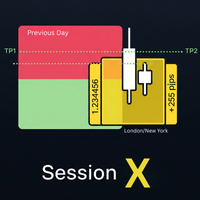
Master the market sessions and trade breakouts with confidence. Session X is a complete, all-in-one trading assistant for MetaTrader 5, designed to give you a clear edge in today's markets. This powerful tool automatically identifies the most critical price ranges—key market sessions and the Previous Day Range —and equips you with a professional suite of tools to trade them. Go beyond simple boxes and get high-quality, confirmed breakout alerts, automatic profit targets, and all the essential
FREE

BTD2 Market Data Exporter for MT5 BTD2 Market Data Exporter is a high-performance utility script designed to extract M1 historical bar data, symbol properties, and daily reset schedules from MetaTrader 5 into optimized binary files ( .btd ). Built specifically for quantitative research, backtesting engines, and custom analytics pipelines. Key Features UTC+0 Timestamp Standardization: Automatically normalizes server time candles to UTC+0 end-label timestamps, eliminating broker server timezone sh
FREE

Tired of adjusting the indicator settings losing precious time? Tired of the uncertainty regarding their efficiency? Afraid of the uncertainty in their profitability? Then the indicator ACI (automatically calibrateable indicator) is designed exactly for you. Launching it, you can easily solve these three issues just performing the simplest action: clicking a single Calibrate button. To achieve the highest efficiency, you should perform another additional action: move the power slider to the maxi
FREE

Shows the live spread, today's range against the daily ATR, the server time, GMT offset, the countdown and the open sessions. FEATURES Live spread in points and pips, colour coded tight, moderate or wide. Optional push alert. Today's range in pips, the daily ATR share, the server time, GMT offset, the countdown and the sessions. HOW TO USE IT 1. Attach it to any chart. 2. Set the spread limits for the symbol. 3. Choose the ATR period and corner. PARAMETERS InpCorner, InpOffsetX, InpOffsetY, InpS
FREE

Ambervane is a free, read-only daily-loss and max-drawdown monitor for prop-firm challenge accounts, funded accounts, and any account that must live under hard loss rules. It is an indicator, not an EA: it cannot trade. And unlike most risk tools, it tells you - on the card itself - exactly what its numbers mean.
WHAT IT DOES
Ambervane watches your account and shows, live on the chart:
- Room to your daily-loss limit and to your max-drawdown limit, in money - with usage bars showing the pe
FREE

Real Time Account Overview MT5 — Account & Magic Number P&L Monitor Real-time account overview and per-strategy P&L tracking, all in one clean panel. Overview Dashboard MT5 is a lightweight Expert Advisor that overlays a live information panel directly on your MetaTrader 5 chart. It gives you an instant snapshot of your account health and the performance of each trading strategy — identified by magic number — without ever leaving the platform. Whether you run a single EA or a dozen simultaneous
FREE

Nexora EA Monitoring System — Free Remote Position Monitor for MetaTrader 5 (VPS-Friendly) Nexora Monitor is a free, read-only MetaTrader 5 indicator that displays a live dashboard of your open positions — designed for traders who run an Expert Advisor on a VPS and want to check its status from a separate MT5 desktop terminal without remoting into the VPS itself.
Attach it to a chart on any MT5 desktop terminal (Windows or Mac) logged into the same trading account and it reconstructs a clear s
FREE

Mattrix Basket Viewer
Mattrix Basket Viewer creates 8 synthetic currency index charts directly in MetaTrader 5 using geometric mean calculation. It analyzes all 28 major forex pairs and groups them into 8 currency baskets, one for each major currency. Instead of watching 28 individual pairs, you see 8 basket charts that show the strength of each currency. A compact dashboard ranks the baskets by pip sum and coherence - per day, week, month, year or trading session. Click any basket name to open
FREE

Analog Clock Plus — チャート上に置ける高精度アナログ時計ウィジェット Analog Clock Plus は、 MT5 のチャート上に “正確な秒まで表示できる” アナログ/デジタル時計を描画する 高機能グラフィックツールです。 サーバー時刻を基準にした秒表示、 PC 時刻のズレを吸収するローカル補正、 ドラッグ移動・位置記憶、 ハイブリッド表示など、 従来の時計インジには存在しなかった機能を搭載しています。 主な特徴 1. 秒まで正確なサーバー時刻表示 秒は TimeCurrent()(サーバー時刻) を使用 ティックが止まっても 1秒タイマーで正確に進む VPS や PC の時計が数秒ズレていても問題なし 2. ローカル時刻補正(AutoOffset) PC 時刻とサーバー時刻の差を 自動で補正 秒の揺れを吸収し、自然なローカル時刻を再現 海外ブローカーや VPS 環境でも安定 3. アナログ/デジタル/ハイブリッド表示 アナログのみ デジタルのみ アナログ+デジタル(ハイブリッド) 用途に応じて切り替え可能。 4. ドラッグ移動 & 位置記憶 時計を
FREE

Ever wonder when next candle is due?.. This indicator, developed for the Phoenix Trading suite (v3.06), is a high-precision Visual Utility and Time-Management Dashboard. It is designed to bridge the gap between institutional-grade aesthetic and retail functional needs by providing a clean, non-intrusive environment for professional traders. Key Features Dynamic Phoenix Branding: A centrally-anchored, high-definition logo that automatically scales to your chart size. It uses an ARGB Alpha-channel
FREE

SHORT DESCRIPTION Shows your broker's GMT offset and daylight-saving schedule, measured from the price data, plus today's major market opens on your broker's clock. Works live and in the Strategy Tester.
DESCRIPTION Every broker runs its server on its own clock: GMT+2, GMT+3, GMT+0, with or without daylight saving, following New York or London. Anything that trades or marks sessions needs to know which.
The usual shortcut, comparing server time with TimeGMT(), breaks in the MT5 Strategy Teste
FREE

Market Time Watch X For Macbook! A clean, lightweight and essential time-tracking tool for every trader Market Time Watch is a professional on-chart time display designed for traders who need an accurate real-time clock and precise candle timing while analyzing the markets. This tool helps you instantly see current local time , server time , and candle countdown directly on your chart without any clutter or heavy UI components. Whether you scalp fast markets, swing-trade sessions, or simply need
FREE

What It Shows Candle Clock Desk puts four lines on the chart. The first is the time left until the current bar closes. The next three answer a question the clock alone cannot: is this bar unusually busy, or unusually quiet, right now. Bar closes in - the countdown, in minutes and seconds So far - volume this bar has accumulated since it opened Usual here - what this symbol had accumulated by this same minute, in the past Pace - the first divided by the second The Pace Line Pace of 1.00 means the
FREE

THIS IS DEMO VERSION AND ONLY WORKS ON
* GOLD
* EURUSD
* NASDAQ
FULL VERSION : BUY HERE
----------------------
Trading Dashboard by Ash_TheTrader The all-in-one scalper's control panel for MetaTrader 5 Stop switching between the New Order window, a calculator, and your own willpower. Trading Dashboard puts every decision a scalper makes — size, risk, entries, exits, and discipline — into one draggable, collapsible, fully editable panel that lives right on your chart. Built for traders
FREE

OVERVIEW
Tanin EA17 Second Chart is a professional-grade utility EA built specifically for ultra-scalpers. Since MetaTrader 5 does not natively support second timeframes (like S10, S15), scalpers often face execution delays when analyzing external platforms and executing on MT5. EA17 bridges this gap by generating smooth, real-time custom second charts directly within your terminal. THE STORY BEHIND THE TOOL
As a scalper myself, I needed absolute speed and precision. I built this tool to elimin
FREE

Candle Timer displays a real-time countdown to the next candle close, directly on your chart. Perfect for traders who need precise timing for entries, exits, or news events — without constantly watching the clock. FEATURES
• Millisecond precision countdown (100ms refresh via EventSetMillisecondTimer)
• Works on all timeframes: M1 through Monthly
• Colour warning system — timer changes colour as the candle nears close → Orange
FREE

Nova Hourly Map PRO Discover when your market has historically been most active. Nova Hourly Map PRO turns completed H1 candles into an interactive 24-hour dashboard, helping you compare volatility, directional tendencies and typical hourly ranges before planning your trading session. Attach it to any chart timeframe. The indicator automatically analyses H1 history for that symbol. Key features Colour-coded hourly volatility map. Ranked hours to identify historically active periods. Bullish, bea
FREE

RiskCompass Panel MT5 1. The Problem and the Approach You have a position idea, and the first real question is always the same: how much of this account am I about to put at risk, and can the account carry it. The information that answers that question is scattered across half a dozen windows. Balance is on one tab. Margin level is somewhere else. The spread you just paid is visible only if you look at the instrument row. The server day, which decides whether your daily loss limit has already be
FREE

Smart Candle Timer は、現在のローソク足が確定(クローズ)するまでの正確な残り時間を表示する、MetaTrader 5用の軽量で高性能なビジュアルツールです。正確なタイミングでエントリーを行う必要があるプライスアクション、スキャルピング、デイトレードのトレーダーに最適です。 市場の流動性が低い時間帯にフリーズしやすい一般的なタイマーとは異なり、本インジケーターは 1秒単位の精密なハードウェアタイマー とリアルタイムのティック同期を組み合わせています。これにより、激しい指標発表時や閑散とした相場でも、カウントダウンが途切れることなく正確に動作します。 主な特徴: スムーズなカウントダウン: 次のローソク足が形成されるまでの残り時間を分・秒単位( MM:SS )で表示。 デュアルエンジン同期: 画面のフリーズを防ぐため、1秒ごとおよび毎ティックごとにリアルタイム更新。 ダッシュボード内蔵: 視認性を最大限に高めるため、洗練されたプロ仕様のダークブルーの背景パネルを採用。 超軽量設計: チャートの動作や注文執行速度に一切影響を与えないゼロラグ(低負荷)設計。 自動クリ
FREE

Time Panel: Server Time, Local Time and Open and closed clocks for TOKYO, London and New York.
Time Panel + Horizontal Bar: Server/Local + Main markets Sessions
Example: TIMES SERVER HH:MM:SS LOCAL HH:MM:SS TOKYO OPEN 00:00 - 09:00 UTC cls 02:34:15 LONDON CLOSED 08:00 - 17:00 UTC opn 05:12:33 NEW YORK OPEN 13:00 - 22:00 UTC cls 07:45:22
https://t.me/Tonic_Trades_Signals
FREE

Hourly Spread Map answers one question: at which hours does this symbol cost more to enter, and by how much. It reads the spread field that the terminal stores in every closed M1 bar of your own broker feed, sorts those measurements into 24 hours by 7 days of the week, and shows the result as a grid in the indicator sub-window. What It Measures Every closed M1 bar carries one spread measurement. The indicator collects them over the period you choose, groups them by the hour and weekday of the ba
FREE

NHS Prop Firm Guardian NHS Prop Firm Guardian is a dedicated, single-panel risk monitor and drawdown protection overlay for MetaTrader 5, built around one core idea: watch the account relentlessly, and enforce the limit the moment it's crossed — even if the trader isn't looking . It is a pure risk-monitor companion tool, not an order-entry or trade-management system: it does not place trades, manage stops, or run automation strategies. Its job is tracking Daily drawdown on the current chart symb
FREE

Innova Candle Clock
Countdown indicator for the close of the current candle in MetaTrader 5.
The indicator shows the time left until the current candle closes. It works on all timeframes, from M1 to MN1. It reads the broker server time, so the countdown keeps running even when no ticks arrive.
A counter next to the price shows the remaining time. A separate panel shows the countdown for several timeframes at the same time.
Before the close, the counter changes color and can raise an alert. T
FREE

PropFirmGuard – Your Automatic Prop Firm Safety Net
Are you trading a prop firm challenge or a funded account and worried about accidentally breaking the rules? PropFirmGuard watches your account for you, around the clock, and automatically closes your trades before you breach your daily loss limit, your maximum drawdown limit, or once you've hit your profit target. No more manually checking your equity every five minutes — let the EA do the worrying for you.
WHAT DOES IT DO?
PropFirmGuard i
FREE

A prop-firm account runs under a second rulebook MetaTrader 5 knows nothing about: a maximum loss measured from a fixed starting balance, a daily limit that resets at an hour the broker's clock does not agree with, a payout consistency ceiling, a minimum number of trading days, a news blackout, a Friday cutoff. Break the first rulebook and you lose a trade. Break the second and you lose the account. PropFirm Defense watches all of them at once, on any account, next to whatever else you are runni
FREE

Record your MetaTrader 5 trading to your SureInsight journal automatically, including the stop loss you actually set.
SureInsight Journal Sync is the official MetaTrader 5 companion for SureInsight. It watches your account and sends each closed trade to your journal, so your record is built from platform data rather than from memory.
Important
This is not a trading robot, signal provider, copy-trading service or automated strategy.
It does not open, close, modify or manage trades.
Its onl
FREE

HCS SessionPulse is a free, read-only global trading session monitor for MetaTrader 5.
A compact on-chart panel shows the current status of the Sydney, Tokyo, London, and New York trading sessions and continuously counts down to upcoming session transitions.
SessionPulse displays:
• Sydney session OPEN/CLOSED status • Tokyo session OPEN/CLOSED status • London session OPEN/CLOSED status • New York session OPEN/CLOSED status • Time remaining until each session's next open or close • Currently
FREE

Server Clock and Daily Reset Hour is a small read-only chart panel that answers one question: what hour, in your broker's server time, does your trading day actually reset? Prop firm and funded account rules are usually written in a time zone that is not yours and not your broker's. A rule that says the day resets at 5:00 pm New York has to be converted into broker server time before it is any use to you, and the answer changes twice a year when clocks shift. Getting it wrong means every daily l
FREE

Session & Spread HUD A lightweight display utility that places a real-time information panel in the top-right corner of any chart. No trading logic, no alerts — just clean, always-visible data while you trade. What It Shows The HUD displays four pieces of information, updated on every tick: Session — The currently active trading session based on your broker's server time. Automatically identifies Asia, London, New York, and the London/NY overlap. Displays "Closed" outside all sessions. Spread —
FREE

FWS Tide Clock — Session Clock & Activity Monitor Know when to trade — at a glance. FWS Tide Clock is a real-time session clock that shows you exactly what's happening across global forex markets. See which sessions are active, when they overlap, and whether conditions favour trading — all from a compact on-chart panel with a stunning browser-based web dashboard. Part of the Forex Weather Station suite. This free module gives you instant market timing awareness — right where you need it. W
FREE

ZeroG CyberClock Pro is not just another standard MetaTrader clock—it is a premium, beautifully crafted, cyberpunk-style desktop utility designed for the modern algorithmic and manual trader. Tired of basic, ugly text overlapping your charts? CyberClock Pro introduces a sleek, draggable Neon HUD that seamlessly blends into your trading environment without cluttering your analysis. Stay perfectly synchronized with the world’s major financial hubs thanks to its real-time Smart Session Engine.
FREE

DO NOT DOWNLOAD UNLESS YOU OWN "Tick Chart - Constant Volume Generator EA" - This indicator acts as remote control of the specifc EA. The link for "Tick Chart - Constant Volume Generator EA" : https://www.mql5.com/en/market/product/171018 1. Tick Chart Monitor 1.1 What It Does The Monitor is an indicator that runs directly on the generated tick chart. It provides a graphical control panel that lets you change the EA’s style, volume, start date, or trigger a full rebuild — without touching the
FREE

Hard limits for prop firm and challenge accounts Prop firm rules are not suggestions. Breach the daily loss limit by one dollar and the account is gone, whatever the equity curve looked like an hour earlier. The problem is that the rule lives on the firm's server while your positions live in your terminal, and nothing in MetaTrader 5 connects the two. Prop Firm Circuit Breaker sits on one chart and watches the whole account. The name is literal: an exchange halts trading when a threshold is bre
FREE

Free MetaTrader 5 indicator that displays "CALL IT A DAY" when London & New York sessions close. Customizable alerts, session tracking, and a guilt-free reminder to log off. Perfect for workaholic traders!
Tired of staring at charts when the market’s already clocked out? Session Guardian is your sassy trading assistant that slaps a giant "CALL IT A DAY" on your screen when both London and New York sessions are closed—because even traders deserve happy hour. Key Features:
Big, Bo
FREE

ALBA GMT Detector PRO: The Ultimate Time-Sync Engine for MT5 Stop destroying your Expert Advisors with inaccurate backtests! Discover your broker's exact GMT offset instantly, flawlessly, and in real-time. The Silent Assassin of Algorithmic Trading Every professional trader and EA developer knows the backtesting nightmare. You buy or build a genius Expert Advisor, run a backtest, and get phenomenal results. But in live trading, it fails miserably. Why? GMT Offset Mismatch. Brokers change thei
FREE

️ FWS Storm Watch — Economic News Radar & Storm Warning System Never get blindsided by news again. Storm Watch monitors the MT5 Economic Calendar in real time, filters upcoming events by currency and impact level, calculates a weather-style severity rating, and alerts you before high-impact releases. All from a compact on-chart panel with a stunning browser-based web dashboard. Part of the Forex Weather Station suite. Uses MT5's built-in calendar. What It Shows Severity Rating — Weather-styl
FREE

Fundamental Bias Dashboard for MetaTrader 5 Overview MacroEdge Pro is a comprehensive fundamental analysis panel that surfaces macro data, institutional positioning, and session timing in a single clean dashboard — directly on your chart. Designed for discretionary traders who need economic context without switching between tabs, terminals, or external tools. Rather than displaying raw numbers, MacroEdge Pro interprets them: beats vs misses, consecutive streaks, COT trend direction, kill zone ti
FREE

COS COPY TRADE EA: USER MANUAL It must be used in conjunction with the master file. Cos copy trade client | Buy Trading Utility for MetaTrader 5
1. System Overview & Architecture The COS Copy Trade system is a local, high-speed copying solution designed to replicate trades across accounts running on the same computer . It fully supports copying between different brokers and can mirror trades from an Investor Password account. 2. Installation & Setup Guide Step 1: Deploying the Mas
FREE

It adds the symbols listed on Binance Spot to the Metatrader5 market clock. With this free file you can list the entire list in seconds. You can easily upload it to your demo account. It is the first file uploaded for Binance Spot Tick and is available for free. Tools menu / Options / Expert Advisors / You need to select Use WebRequest for listed URL You can watch videos to add Metatrader.
FREE
Simple countdown indicator for the next candle. Only claim is to be light! The indicator inserts a text object to the right of the current price and calculates how much time is left for the new bar, showing this to the trader. Leave your comment if the indicator helped you in any way! If you have any suggestions, let me know to evaluate the improvements. Success and Good Trades!
FREE

GMG KILL ZONE DISCIPLINE ENFORCER — FREE =========================================
The free discipline and risk management EA for MetaTrader 5 — for prop firm traders who trade the New York Kill Zone (ICT-style) manually, and need their rules enforced automatically.
You know the rules. One trade per session. Trade only the window. Be flat before the close. The problem was never knowing the rules — it is keeping them at the exact moment the market moves against you. This EA keeps them for you.
FREE

News Shield – Protect Your Trades from Volatile News Events News Event Backtest
Short Description: In financial markets, economic news can trigger sudden and unpredictable volatility. News Shield is designed to protect your trading account during news releases — automatically, accurately, and without manual intervention. Features: Real-time display of all major economic news directly on your chart Customizable trade lock: block trading a few minutes before and after each news event Compatib
FREE

DS Risk Calculator works out your lot size from the stop you actually intend to use, and shows how much room is left before your daily loss limit, your overall drawdown limit and your consistency rule are reached. It is built for funded account rules, and it works just as well on an ordinary account with rules you set yourself.
It does not place, modify or close orders. There are no trading functions in it. It reads your account and shows you arithmetic.
WHAT IT SHOWS
- Lot size for the sto
FREE

XFChart simplifies trading strategies with customizable options for informed decision-making across various styles, from scalping to position trading.
1. Risk Management: - XFChart offers automatic breakeven and trailing stop features to protect profits and reduce emotional decisions. - Auto Breakeven is disabled by default and can be enabled through the indicator properties window. - The "Auto Trailing Stop Loss" adjusts the stop loss based on market movement, facilitating profit lock
FREE

Introducing our cutting-edge Trade Copier Expert Advisor for MetaTrader 5 (MT5) – the ultimate solution for seamless trade replication across multiple accounts on the same server or computer. Elevate your trading experience and take control of your investment strategy like never before with our professional-grade Trade Copier. Key Features: Effortless Trade Replication: Our Trade Copier effortlessly duplicates trades from a master account to multiple slave accounts, ensuring that you never miss
FREE

Broker & Account Info / Network Connection / Historical Order Benchmarks / Market Watch Symbols / Current Order Status
Features:
1. Symbol’s Trading Privileges – Ensure the symbol is tradable.
2. Order Execution Mode – Check the broker’s execution type.
3. Trade Session Hours – Verify the trading hours.
4. Min/Max Lot Sizes – Check the allowed lot range.
5. Max Pending Orders – Confirm the maximum number of pending orders allowed.
6. Freeze Point & Pending Order Distance – Minimum distance re
FREE

Real Trade Assistant Plan it. Size it. Place it. Manage it. Practise it. All from one panel on your chart. Real Trade Assistant is a trading cockpit for MetaTrader 5. It does not trade for you. It gives you fast, precise control over your own trades, and it adds a complete practice lab inside the same panel, so you can rehearse a setup before risking money. Real Trade Assistant User guide. Only in Real Trade Assistant Seconds Chart Open a 1s, 5s, 15s, 90s chart, or any number of seconds you choo

Aurum Star Unified Aurum Star Unifiedは、売買の合図を表示する機能と自動売買をまとめた、MetaTrader 5用のツールです。合図を見て自分で売買を判断する使い方と、決められた条件に沿って自動売買する使い方を選べます。 どのように売買を判断するか 中心となる方式は、相場の流れに沿って売買するトレンドフォローです。長い時間幅で相場の向きを調べ、短い時間幅で取引の条件がそろうのを待ちます。高値や安値を抜けた後に元へ戻る動きや、いったん落ち着いた価格が再び動き始める場面などを捉える、複数の補助方式も組み合わせています。補助方式が中心の方式の損失を必ず相殺する仕組みではありません。 売買方式は金の研究を基礎にしています。銘柄名や業者名の許可リストで動作を制限せず、選んだ銘柄の取引仕様を確認します。ただし、補助方式の一部には金の価格を基準にした条件が残っています。別の銘柄でもすべての方式が取引することや、利益が出ることを示すものではありません。 合図の表示と注文の成立は別です。合図が出ても、売買価格の差、注文量の予算、経済指標、数量制限、必要証拠金などの条件

https://youtube.com/shorts/V3G9R2gXAfg # MiniBullTicko V13.19
**Tick-level day overlay, live info panel and automatic Support/Resistance for MetaTrader 5 — built for scalpers.**
MiniBullTicko answers one question that matters to a short-term trader at any moment of the session:
> *"Is today behaving like a normal day **at this exact time of day**, or is something different — more volatile, more expensive to trade, or stretched against a known level?"*
It does this by laying every recent tra

LIVE SIGNAL: https://www.mql5.com/en/signals/2397126
Note: this live account runs BTC Nova (BTCUSD) together with our gold EA Obsidian Gold Breakout (XAUUSD) on the same account. BTC NOVA — The Bitcoin Breakout Algorithm That Trades 24/7 Bitcoin never sleeps — and neither does BTC Nova. While other markets close for the weekend, Bitcoin keeps moving, and BTC Nova is there for every opportunity: 24 hours a day, 7 days a week , every single day of the year. BTC Nova is a fully automated Expert Ad

What it does: Monitors your live account equity against a configurable daily loss limit and maximum drawdown limit, with an adjustable safety buffer below your firm’s hard limits, and automatically closes all open positions before you breach them. Automatically detects upcoming high-impact economic news events (via a live economic calendar feed, with the MQL5 built-in calendar as a secondary source) and closes only the positions whose currency is actually affected by that news — not your entire

AURUM Liquidity Retest [Please leave a review if you find the indicator useful and how we can improve it further] Liquidity sweep, change of character and retest signal indicator, with built-in support and resistance alert lines. It maps where stops are resting, waits for price to sweep them, confirms the reversal with a CHoCH on the lower timeframe, and only signals when the broken level is retested and rejected. No chasing the break. Non-repainting Signals confirm at candle close and never mov

Here's a paste-ready description for MQL5 or your website. Gold Breakout 15M: Session Range Breakout EA for MT5 Gold Breakout 15M is a rules-based Expert Advisor that trades the breakout of the overnight range on XAUUSD (gold). It builds the range from M15 candles, places breakout stop orders at the range edges, and closes everything at the end of the session. It was converted from a TradingView Pine v6 strategy. How it works Range: from the range start hour to the range end hour (default 00:00

Astro Gann Intraday Astro Gann Intraday is an technical timing tool developed for MetaTrader 5 that maps hypothetical short-term astronomical cycles onto intraday price charts (M1 to H1). Inspired by W.D. Gann's work, the tool tries to examine real-time celestial coordinates—primarily the Moon's movement, fast planetary positions, and local diurnal rotation angles—to help traders study potential harmonic timing windows. Overview Astro Gann Intraday focus exclusively on fast-moving celestial b

サイクルクロックプロ - MT5用マーケットサイクルインジケーター
次の転換点が「いつ」来るのか、場所だけでなく時間も把握できます。
サイクルクロックプロは、市場の現在のリズムを自動的に検出し、次の高値と安値が形成される可能性が最も高い時間帯を表示します。価格が時間帯内で転換すると、明確な買いまたは売りシグナルが得られます。
対象ユーザー - より良いタイミングを求めるスキャルパーやデイトレーダー。
- 独自のトレード手法にタイミング要素を追加したいトレーダー。
主な機能 - あらゆる銘柄と時間足に対応した自動サイクル検出。
- 次の高値/安値の発生予定時刻をチャート上に事前に表示。
- 買い/売りの転換シグナル - 確定ローソク足のみ表示、リペイントなし。
- 3つのサイクルレンジ(AUTO / SHORT / LONG) - ワンクリックで切り替え可能。
- コマンドバー:サイクルの長さ、強度、次の時間帯までのカウントダウン、ステータス、ボラティリティ、日中レンジ、セッション、ローソク足タイマーを表示。 - 現在最も強いサイクルを表示するサイクルスペクトラムパネ

London Sweep and Asian Range is a chart indicator for traders who study session liquidity and intraday price movement. It measures the Asian session range and highlights possible sweeps of that range during a configurable London trading window. How it works The indicator tracks the highest and lowest prices recorded during the configured Asian session. Once that session is complete, it draws an outline box around the range and projects the Asian high and low through the London window. A bearish

ICT Narrative Workspace An arrow tells you what a model decided. It never tells you why the last nine setups were rejected. This indicator draws the whole sequence — and the rule that stopped it when nothing appeared. ICT Narrative Workspace is a chart-analysis indicator for MetaTrader 5 that draws a complete, mechanical price-action narrative on your chart: the liquidity raid being tracked, the displacement measured, the market-structure shift accepted, the imbalance zone armed, the candle that

CyberTrade TradeStation PRO: AI-Quantum Multi-Regime Continuous Profit Engine Overview (ภาพรวมผลิตภัณฑ์) CyberTrade TradeStation PRO คือสุดยอดผู้ช่วยการเทรดอัตโนมัติและแผงควบคุมการเทรดด้วยมือ (Manual Trading Panel & Advanced Expert Advisor) ระดับสถาบันการเงิน ขับเคลื่อนด้วยสมองกลอัจฉริยะรุ่นล่าสุด AI-Quantum Multi-Regime Engine ที่ออกแบบมาเพื่อการทำกำไรอย่างต่อเนื่องในทุกสภาวะตลาด ไม่ว่าจะเป็นตลาดแบบ Sideways หรือ Trend แรงระดับมหภาค รองรับทั้ง MetaTrader 5 (MT5) Key Features & Technolo

Sierra Capital Session Sweep Pro maps the Asian, London and New York trading sessions directly on your chart and alerts you when a session high or low is swept and price comes back inside the range. Entry, stop-loss and take-profit levels are drawn for you, and a compact panel shows what is happening today. It is a charting and alert tool. It does not open or manage trades.
WHAT YOU SEE ON THE CHART Session range boxes with high and low lines for Asia, London and New York A signal arrow on the

Jarvis Gold Breakout Automated gold trading for MetaTrader 5
Gold Capital Software SRL Jarvis Gold Breakout is an Expert Advisor designed for gold trading on MetaTrader 5. It combines five individually selectable strategy modules, optional AI entry filtering, balance-based position sizing and two configurable trading sessions. Users can select which strategies operate, choose a risk profile and define when new entries are permitted. Launch price and rental option Jarvis Gold Breakout brings str

ODYSSEY NAS100 — Professional Automated Trading Robot for NASDAQ-100 ODYSSEY NAS100 is a fully automated Expert Advisor for the MetaTrader 5 platform, specifically developed for trading the American NASDAQ-100 stock index (NAS100 / US100). The robot is powered by a proprietary trading algorithm that combines market momentum analysis, price action, volatility assessment, and market behavior during the American trading session. ODYSSEY NAS100 independently analyzes the market, identifies trading o

Floorline Prop Firm Loss Limiter watches your whole MT5 account the way a prop firm does - the daily loss, the overall loss and the profit target, measured in the firm's own time zone - and acts before a limit is reached: it closes all positions, deletes pending orders and keeps the account flat until the next reset. It works next to any Expert Advisor and next to manual trading, on all symbols of the account, from one chart. The daily loss limit A % of the initial balance or of the start-of-day

Global Session Trading
Global Session Trading is an MT5 Expert Advisor that trades the Asian, London and New York sessions. It works out the session times for you, including daylight saving changes, and shows everything on a live dashboard.
Advantages Clear rules. It trades the high and low of a session, with one entry window per day and a limit of one trade per window by default. Sessions adjust by themselves. The UK, US and Australian daylight-saving changes are handled automatically, so yo

Advance AI Scanner is a multi-symbol analysis indicator for MetaTrader 5. It scans Forex pairs, metals, energy, stock indices and cryptocurrencies at the same time and rates each instrument with its own self-training model. It explains in plain English what moved each market and why, and it estimates how far upcoming economic news usually moves each symbol, measured on your broker's own price history. $99 instead of $499. 10 copies left at this price. One time purchase life-time access
All re

Aurelia Gold Edge is an Expert Advisor for gold (XAUUSD) that places stop orders at confirmed swing levels on the H1 chart, in the direction of the move in progress. Every order carries a stop loss and a take profit with the broker from the moment it is placed. An account guard stops trading before the daily and maximum loss limits of the program you select, so a bad day ends early instead of ending the account.
HOW IT WORKS - Swing levels: a high or low counts only after 18 closed H1 bars on

Boom Boom Gold Session is an Expert Advisor for MetaTrader 5, designed for Gold trading with two selectable IST entry sessions and an on-chart account dashboard. Platform and setup Platform: MetaTrader 5 Instrument: XAUUSD, including compatible broker suffixes Chart timeframe: M1 Account mode: Hedging Account currency used in the supplied tests: US cents (USC) Capital used in the supplied tests: US cents (USC) 350,000 USD 350,000 is historical tested capital, not a validated minimum deposit or

Synthetic Machine – SuperTrend Cloud, Trade Levels & Trading Coach A complete trend-following and trade management indicator built for Synthetic Indices Synthetic indices move around the clock. There are no traditional market sessions to wait for, which means your analysis tools need to be just as flexible. Synthetic Machine combines a clean SuperTrend system, automatic trade levels, multi-timeframe trend analysis, a trading coach dashboard and built-in backtesting into one practical MT5 indicat

Mega MNFM MT5
Mega MNFM brings ten technical readings, a seven-timeframe trend map, regional session clocks and account-deal statistics into one MetaTrader 5 dashboard.
Technical dashboard RSI, MACD histogram, Stochastic, EMA trend, ADX, Bollinger Bands, an asset technical Fear & Greed proxy, an indicative synthetic dollar basket, ATR rank and OBV flow. Readings use completed candles. The timeframe map covers M1, M5, M15, M30, H1, H4 and D1. The dashboard includes a directional summary, trend

All In One Trade Manager is a trade manager and one-click trading panel for manual traders on MetaTrader 5. It works as a trading assistant, risk manager and position size calculator in one dashboard. It brings together everything below in one panel:
order entry with risk sizing automatic trade management advanced order types account protection statistics
Its entry checks run in the background and tell you, before you click BUY or SELL, when something speaks against the trade.
Also available

SAOTrade Replay — Historical Market Replay & Virtual Trading Simulator for MT5 Practice your trading decisions on historical charts without risking real money. SAOTrade Replay is an interactive historical chart replay and virtual trading practice utility for MetaTrader 5. Revisit market movements, practice entries and exits, and evaluate your trading decisions using historical price data available in your MT5 terminal. This is a manual trading practice tool, not an automated trading robot. All o
MetaTraderマーケットは、開発者がトレーディングアプリを販売するシンプルで便利なサイトです。
プロダクトを投稿するのをお手伝いし、マーケットのためにプロダクト記載を準備する方法を説明します。マーケットのすべてのアプリは暗号化によって守られ、購入者のコンピュータでしか動作しません。違法なコピーは不可能です。

取引の機会を逃しています。
- 無料取引アプリ
- 8千を超えるシグナルをコピー
- 金融ニュースで金融マーケットを探索