Real Trade Assistant
- ユーティリティ
- バージョン: 1.0
- アクティベーション: 15

Plan it. Size it. Place it. Manage it. Practise it. All from one panel on your chart.
Real Trade Assistant is a trading cockpit for MetaTrader 5. It does not trade for you. It gives you fast, precise control over your own trades, and it adds a complete practice lab inside the same panel, so you can rehearse a setup before risking money.
Only in Real Trade Assistant
Seconds Chart Open a 1s, 5s, 15s, 90s chart, or any number of seconds you choose, in its own chart window. See price action that MetaTrader's fixed timeframes hide, and trade it with the same panel.
Demo Trading (paper account) Trade on live prices with a virtual account. Nothing reaches your broker. The panel keeps the positions, history and statistics, and a reset brings the account back to its starting balance.
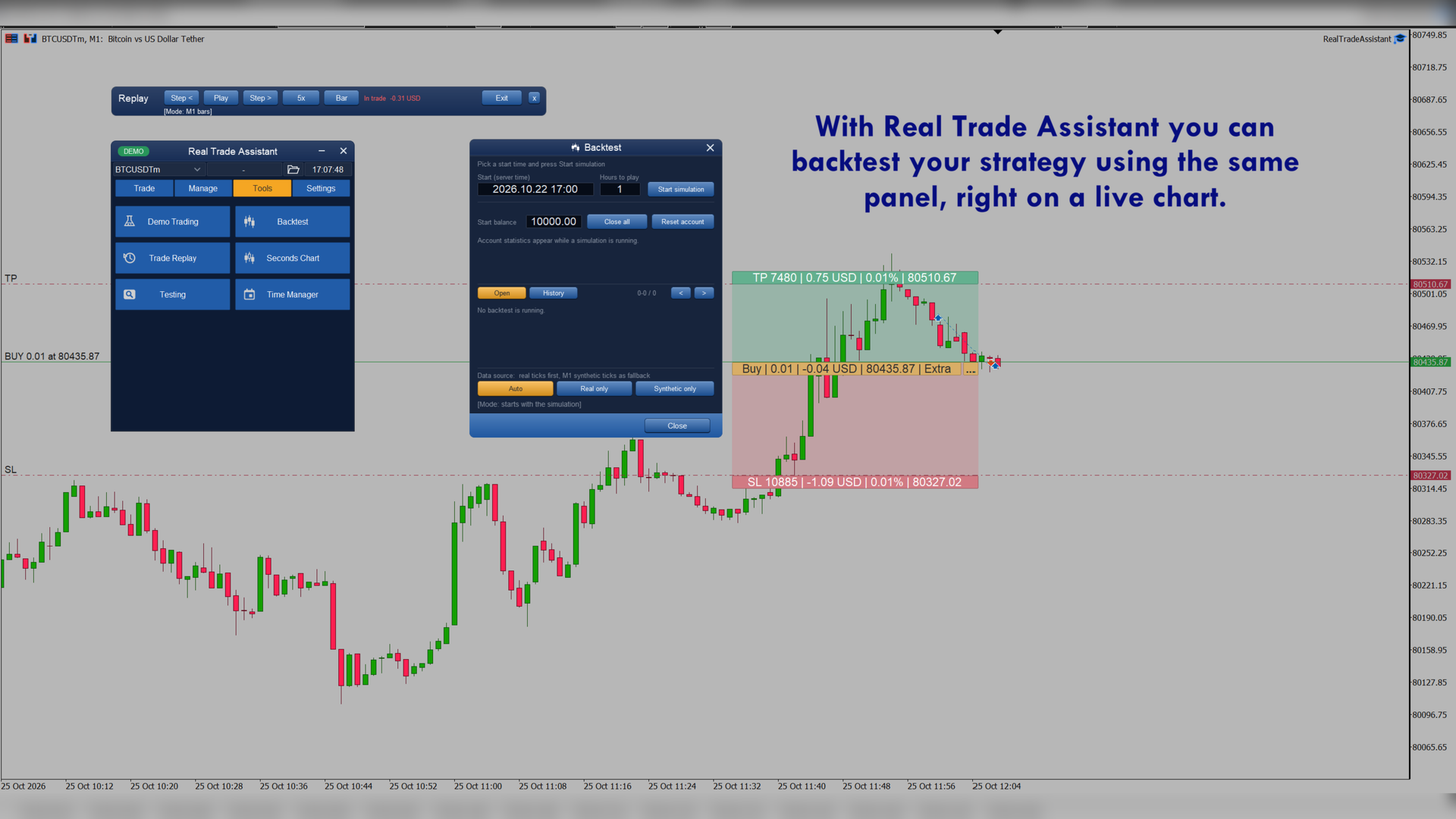
Backtesting on your own chart Pick a start time and a duration, then trade past prices with the normal panel. The data source is automatic: real ticks first, and M1 synthetic ticks when real ticks are missing. Or force either one. Open and history lists with live account statistics show how you did.
Trade Replay Choose a closed trade and replay it bar by bar. Play, pause, step and change the speed, to review what you did and what you missed.
Testing window Mark test entries on the chart, review the entry points of your past deals on the symbol, and clear the marks when you are done.
Time Manager Schedule actions for an exact time in PC, server or New York time, and get a clear "done" or "failed, with the reason" result.
Account protection Set a loss limit that locks trading for the period, optionally closes everything, and unlocks again by hand or in the next day, week or month.
Configurable hotkeys Buy, sell, close all, close buys or sells, close by percent, delete orders, break even, hide levels, screenshot and symbol switching, each with its own key. Hotkeys never fire while you type and never repeat when held.
Premium themes and a Custom theme Dark, light and mid-tone themes, plus a Custom theme that starts from the theme you are using and that you can edit. Everything follows the theme, including the minimised strip.
Scales to any screen The panel sizes itself from your screen resolution, with a scale control for fine tuning. It stays sharp and readable from laptop screens to 4K monitors.
Smart minimised strip A compact bar with your mode, symbol, clock and quick tools. It shows floating profit and active functions only when there is something to show.
Core trading tools
Risk-first order entry
- Choose how risk is measured: fixed currency, % of balance, equity or free margin, a custom base, or the previous day, week or month balance, or reuse your last choice.
- Lot size comes from your risk, stop loss, commission and spread. Optional lot and spread limits, margin check and slippage control.
- Enter lot, SL, TP and entry as points, prices, percentages or R-multiples. Keep RR keeps the ratio when you move a line.
Draggable chart lines Entry, stop loss and take profit lines you move with the mouse, with risk and lot updating live. Market, limit, stop and stop-limit orders in one click.
Position management
- Close all, buys, sells, profit or loss, by ticket or by percent, and delete pending orders by type.
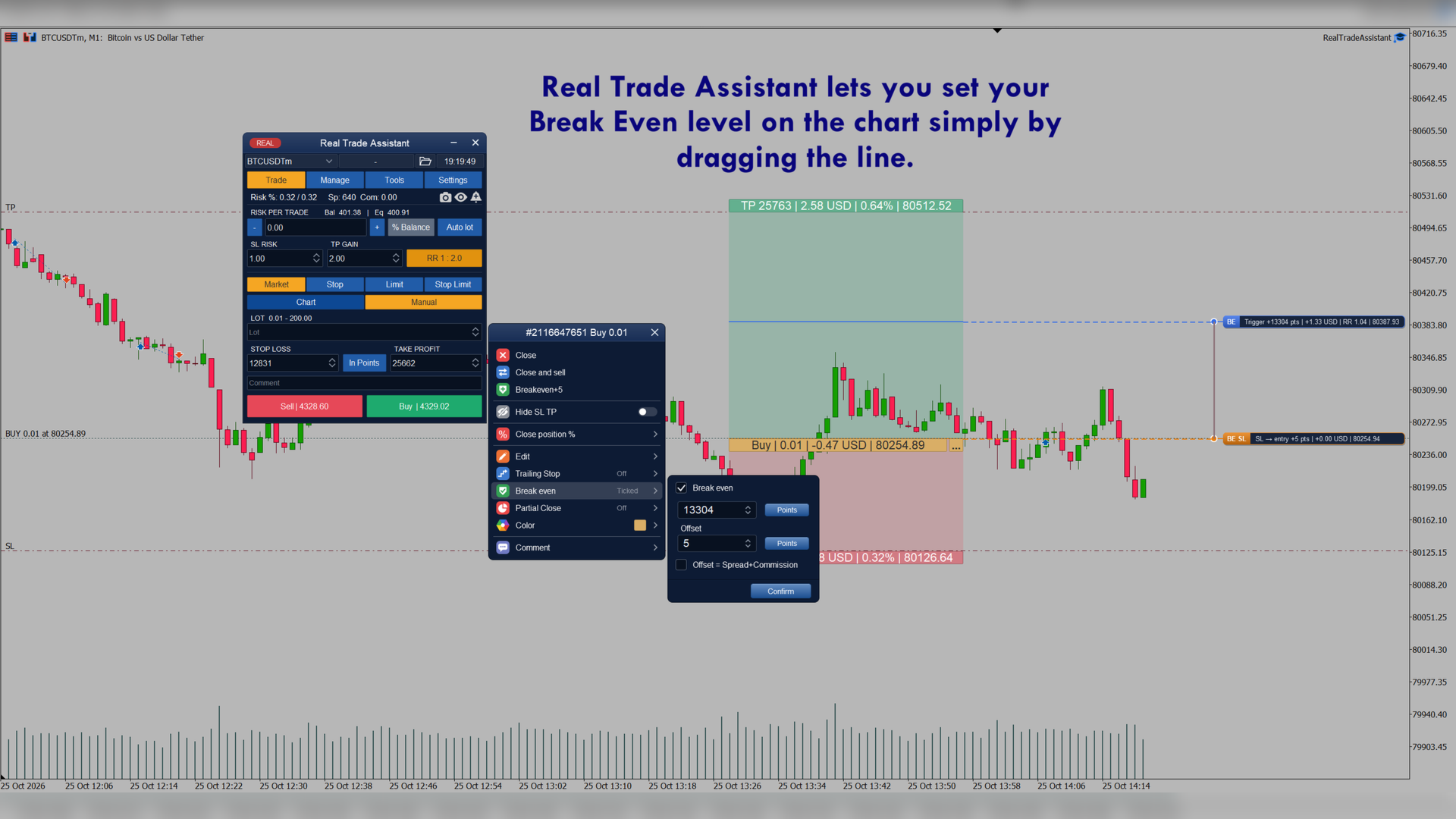
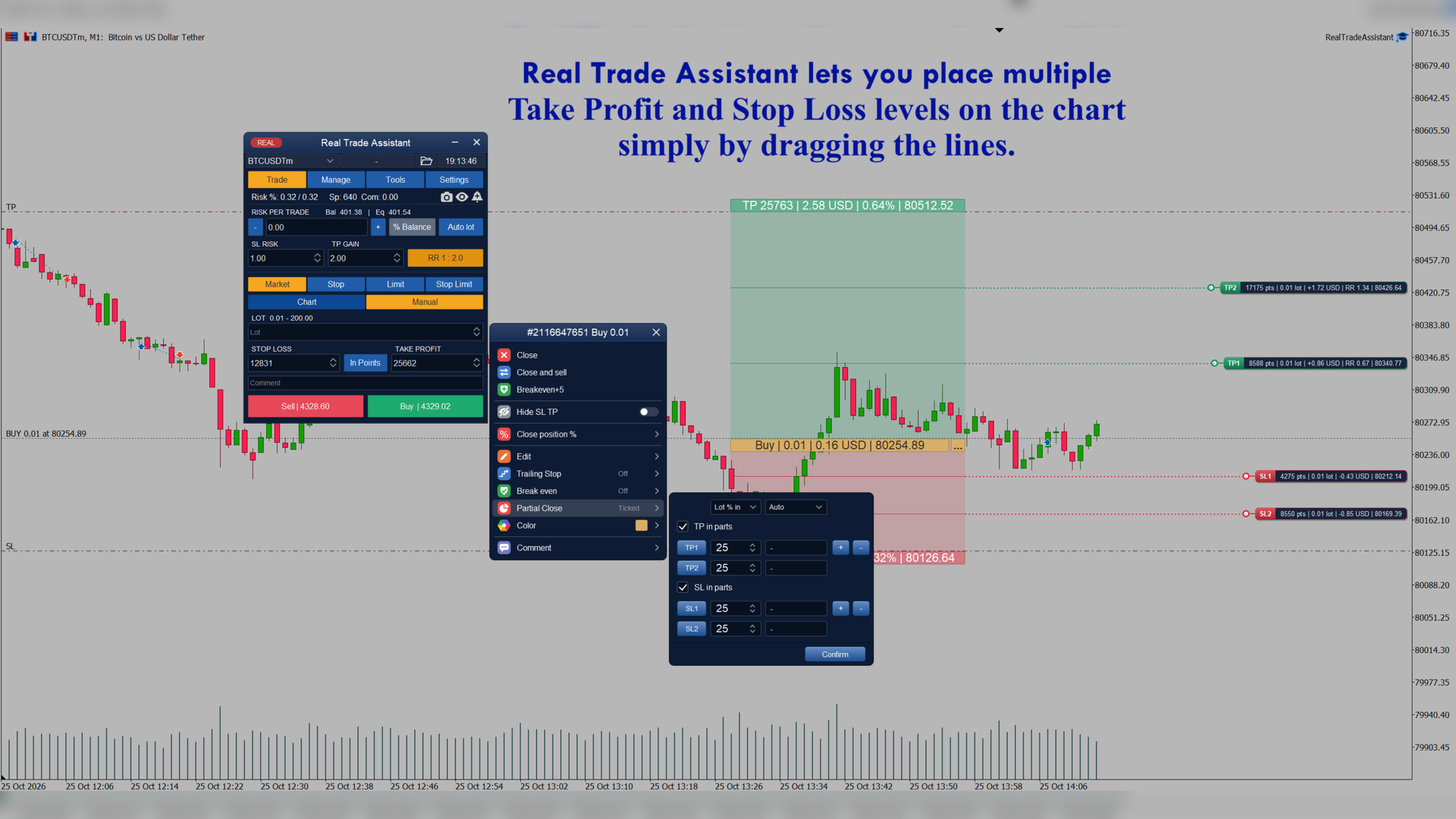
- Close in parts, break even and seven trailing methods: standard, fractals, moving average, Parabolic SAR, ATR, partial close and previous bar high / low.
- Hidden (virtual) SL / TP, OCO pairs, and "close all if profit / loss" levels.
Alerts Price alerts on chart lines: once, repeating, or on a bar close beyond the line. Pop-up, push and e-mail.
Extras Automatic screenshots when positions open and close, saved presets, symbol switching across charts, and settings that survive restarts and timeframe changes.
Who it is for
Discretionary traders who want to size, place and manage trades in seconds, and who want to rehearse their setups before risking money.
Notes
Real Trade Assistant is a trade-management tool, not an automated strategy. Trading leveraged products carries a high risk of loss. Test on a demo account first.