 MetaTrader 5
 エキスパート
 インディケータ
 ライブラリ
 ユーティリティ
 ウィジェット
 ルール
YouTubeにあるマーケットチュートリアルビデオをご覧ください
ロボットや指標を購入する
仮想ホスティングで
EAを実行
EAを実行
ロボットや指標を購入前にテストする
マーケットで収入を得る
販売のためにプロダクトをプレゼンテーションする方法
MetaTrader 5のためのエキスパートアドバイザーとインディケータ - 45
 自動売買ロボットとインジケータを使用して、外国為替取引の収益性を高めます。 自動売買ロボットを使用すると、取引の開始と終了を自動化でき、インジケータは市場の行動をより正確に予測するのに役立ちます。
このページには、MetaTrader5アプリケーションのカタログが掲載されています。

️ SMART PANEL TESTER — 戦略をテスト。リスクをコントロール。 SMART PANEL TESTER は、メインバージョンである SMART PANEL の機能を厳選したバージョンです。 Strategy Tester でトレード戦略を効率的かつ快適にテストするために設計されています。 最大の特徴は リスク管理 です。トレード戦略の成果は、優れたエントリーポイントだけで決まるものではありません。長期的なパフォーマンスには、各トレードのリスクを適切に管理することが重要です。 ️ 内蔵リスクマネージャー リスクを 口座残高に対するパーセンテージ として設定し、 Stop Loss を決定して、明確な資金管理ルールに基づいて戦略をテストできます。 自動 Risk/Reward 比率に素早く対応: 1:1 • 1:2 • 1:3 必要な比率を選択すると、対応する Take Profit レベルを自動的に設定できます。 バックテストに必要な主要機能 BUY / SELL — 成行注文を素早く実行; STOP / LIMIT ORDERS — さまざまなエントリーシ
FREE

The Ultimate Trade Management Tool for Manual Traders Trade faster. Manage smarter. Stay in control. You decide when to enter the market . Shadow Scalper Assistant takes care of everything after that . Designed for MetaTrader 5, this powerful Trade Assistant helps manual traders execute trades quickly, protect profits automatically, and manage positions with confidence—without relying on automated trading strategies. Whether you're a scalper, day trader, or swing trader, Shadow Scalper Assistant
FREE
The new version of MirrorSoftware 2021 has been completely rewriten and optimized.
This version requires to be loaded only on a single chart because it can detect all actions on every symbol and not only the actions of symbol where it is loaded.
Even the graphics and the configuration mode have been completely redesigned. The MirrorSoftware is composed of two components (all components are required to work): MirrorController (free indicator): This component must be loaded into the MASTER
FREE
The utility is designed to control the update rate of the order book (or several) in the strategy tester. Management is carried out by a library, which is available here https://www.mql5.com/en/market/product/81400 Interface description: S/P Start and pause playback --- Decrease the speed by one step +++ Increase speed by one step R Updating the character list <0> Slider, moving left/right change the playback speed, after releasing the mouse it is restored to its original state. The
FREE

Spread Ranking Panel Spread Ranking Panel is a compact MetaTrader 5 indicator that displays currency pairs ordered from the lowest to the highest spread. It scans the Market Watch symbols, filters forex pairs, and shows a clean on-chart ranking table to help traders quickly identify the pairs with the best trading conditions. Key Features Real-time spread ranking from lowest to highest Compact on-chart dashboard Shows spread in pips and points Displays up to 7 visible pairs Include or exclude sp
FREE

News Guard Manager watches every robot on your account and protects them around high impact economic news. -- THE PROBLEM -- You run several Expert Advisors. Each one manages its own trades, but none of them knows what the others are doing, and none of them knows that NFP is in twelve minutes. One news spike can undo a week of careful work across all of them at once. -- WHAT THIS UTILITY DOES -- ONE PANEL FOR THE WHOLE ACCOUNT Every robot running on the account is listed with its magic n
FREE

Most traders who fail a prop firm challenge do not fail because they did not know the rules. They fail because, at the moment it mattered, nobody was doing the arithmetic.
Prop Guard Monitor does the arithmetic. It sits on one chart, watches the whole account, and answers one question continuously: how much room is left before a rule breaks.
It never closes a position. It never deletes an order. It never locks anything. This build cannot touch a trade even if you want it to - the trading libr
FREE

Protect your funded accounts and personal capital with military-grade precision. This utility continuously monitors your floating equity against your daily starting balance. The moment your custom drawdown threshold is breached, it instantly liquidates all open positions, deletes pending orders, and completely unloads from the chart. Stop revenge trading and never fail a prop firm evaluation due to a margin breach again.
FREE

Proton Gold Risk Engine MT5
OVERVIEW Proton Gold Risk Engine MT5 is a utility for MetaTrader 5 that calculates position size based on user-defined risk parameters. The tool helps traders implement consistent position sizing by calculating required lot size based on account capital, risk percentage, and stop loss distance. This utility is designed for manual traders who manage position sizing themselves.
PRIMARY FUNCTION The utility provides a calculator interface for determining appropriate p
FREE

PropBlaster Daily Loss Guard - Daily Loss Limit Guard Free risk-management utility that stops you from breaking your daily loss limit. It closes rule-breaking trades, can close everything at the limit, caps trades per day and makes a stop loss mandatory.
It never opens a trade. 100 % native MQL5 - no DLLs, no web requests. Quick start 1. Attach the EA to one chart only (any symbol) and allow Algo Trading. It watches the whole account.
2. Set the daily loss limit in % and the server hour at whi
FREE

PERFECT.... Based on the professional MQL5 code you've provided, here are the top 10 reasons why your implementation is superior to standard trading scripts: High-Performance UI Throttling : By using GetTickCount() to limit UI updates to 200ms in OnTick , you prevent the terminal from freezing during high-volatility news events. Bulletproof Order Closing : Your HandleCloseAll uses a reverse loop ( i = PositionsTotal() - 1 ). This is the industry standard for ensuring no positions are skip
FREE

VWAP Matrix Price Levels Pro: The Ultimate VWAP Indicator for MT5 with Dynamic Price Levels Dominate the Market with the Perfect Confluence of Multiple VWAPs and Percentage-Based Price Projections. The Precision Tool for Day Traders and Swing Traders on MetaTrader 5.
The VWAP Matrix Price Levels Pro is an elite indicator for MetaTrader 5, designed for traders who demand precision and a superior market view. Elevate your technical analysis by combining, in a single tool, the institutional power
FREE

QuickTrade Control (Free Version) The QuickTrade Control is a powerful and flexible Expert Advisor designed to give you complete control over your trades in MetaTrader 5. This free version includes a comprehensive set of tools and features that simplify decision-making and trade management. You can find more free products HERE . If you're looking for a low risk EA , check the Silent Pressure EA . Features: Instant closure of all open positions:
Close all active positions with a si
FREE

Chart Pro Classic Dark v1.00 Chart Pro Classic Dark is a professional MT5 chart styling and customization tool designed to give your charts a clean, modern, and professional dark appearance. Key Features Dark Black Background — Applies a clean black background to the chart. ️ Candlestick Chart — Automatically configures the chart to use candlesticks. Bullish Candles — Green/Lime bullish candles. Bearish Candles — White bearish candles. Grid Removal — Hides the chart grid for a clean
FREE

TITAN HYBRID PRO V2.0 Trade with precision, not guesswork. "Stop chasing noise. Start trading conviction." Most indicators overwhelm you with false signals, repainting arrows, and cluttered charts. They work in backtests but fail in live markets. TITAN HYBRID PRO V2.0 was built to solve that problem. It is an AI-powered multi-layered indicator that combines four powerful filters — Trend , RSI , Liquidity , and ADX — into one intelligent system. Instead of firing signals at eve
FREE

Black Volume By ZeeAM Khan
a Multi-Engine EA
Professional Multi-Timeframe Volume & Breakout Trading System Black Volume Multi-Engine EA is an advanced automated trading system that combines volume analysis, spread analysis, liquidity sweeps, support/resistance breakouts, and multi-basket trade management into one powerful Expert Advisor. The EA continuously scans higher-timeframe candles to identify significant market activity, automatically draws key support and resistance zones, and executes
FREE

複数の注文を簡単に管理するためのアシスタント
1. 「ワンクリックで複数注文管理をマスター – リスクベースのロットサイジング、部分クローズ。 電力会社の主な強みである自動化された量/リスク制御、複数注文の監視を強調します。
2. 「難しい取引ではなく、より賢い取引 – 同時取引管理のための完全なダッシュボード」 EA をオールインワンのコントロール パネルとして構成し、複数の取引にわたって効率を拡張します
3. 「すべての注文を決定する 1 つのパネル – 部分決済、半決済、利益決済、すべて決済
複数のポジションを同時に扱うトレーダーにとって魅力的なコア機能をリストします。
4. 「楽な複数ポジション制御 – MetaTrader5 の SL/TP ラインと平均価格ライン」 リスク管理、グラフィカルな取引インターフェースを重視し、
5. 複数の注文をドラッグしてクリックするだけで、SL と TP を簡単に変更できます
これらが機能する理由 マルチ注文制御: 複数注文の EA 取引支援ツールでユーザーが検索する内容に正確に対応します。
視覚的なダッシ
FREE

PropBlaster Copier Duo - Copy Trades to a Second Account Copy trades from one MT5 account to one other account on the same PC or VPS. Lots 1:1, stop loss, take profit, partial closes and closes are mirrored. One EA for master and slave.
Runs locally - no server, no DLLs, no web requests. It copies trades but does not open trades of its own. Quick start 1. Give each account its own MetaTrader 5 installation on the same PC or VPS and run both at the same time.
2. Master terminal: drag PropBlaste
FREE

The only drawdown guardian that stops your other EAs from digging you deeper. PropMarshal monitors your account equity in real time and instantly closes all positions the moment a drawdown or profit target threshold is breached. But it doesn't stop there — it closes every chart on your platform too, cutting off any other Expert Advisors before they can open new trades and compound the damage. The Problem PropMarshal Solves Most prop firm traders run multiple EAs across multiple charts. When a dr
FREE

The Phoenix Volume Suite v1.1 The Phoenix Volume Suite is a high-performance order-flow tool designed to bridge the gap between simple price action and professional volume analysis. By visualizing the "hidden" energy of the market directly on your chart, it allows you to see not just where the price is moving, but how much conviction is behind the move. Understanding the Core Metrics 1. Delta: The "Net Power" Delta is the difference between buying pressure and selling pressure within a single c
FREE

MO Spread Monitor — know your spread before it costs you
Spread Monitor shows the live spread in points against a limit you set, with a clear OK / BLOCKED state and an alert whenever the spread blows past the limit. It also tracks the session maximum, the running average, and how many times the limit was exceeded.
Utility only: it never sends, modifies, or closes orders.
ほかの MO インジケーターや EA もぜひご覧ください — 上の名前をクリックすると、無料・有料の全トレーディングツールを確認できます。
https://www.mql5.com/en/users/amrosama77/seller
FREE

FXCompute Trade Copier Bridge for MetaTrader 5 FXCompute Trade Copier Bridge is a lightweight, ultra-low latency execution engine that connects your MetaTrader 5 terminal directly to your FXCompute cloud trade copying network with zero third-party software required. Overview FXCompute Trade Copier replicates trades across your accounts in real time. Operating alongside dedicated 24/7 cloud infrastructure, it handles position opens, modifications (Stop Loss and Take Profit), partial closes, and m
FREE

Lumen Chart Panel — a clean market panel for MetaTrader 5
Lumen Chart Panel puts your essential market context in one tidy panel on the chart: the countdown to the next candle, the current spread, the active trading session, server time, and the day's range with the live price inside it. No more crowding your chart with several small indicators or switching between terminal tabs to check the same things every day.
It is read-only — it shows information and nothing else. It places no trades, s
FREE

==================================================== ENGLISH DESCRIPTION - MQL5 MARKET COMPLIANT ====================================================
GoodVibe EA is a trade management utility designed to assist traders in managing open positions automatically. It does not open trades on its own. All entry decisions remain with the trader.
The EA runs in the background and applies the configured management rules to positions that are already open — either on the current chart symbol or across
FREE

Demo Version Notice This is the demo version of Aurum.
Some features may be limited in order to allow users to test the interface and core functionality before purchasing the full version. Aurum – Professional Trading Panel for MT5 Aurum is a professional trading panel for MetaTrader 5 designed to provide fast execution, precise risk control, and a clean visual workflow directly on the chart. Built for discretionary traders who value clarity, efficiency, and full control over their positions. Vi
FREE

This indicator combines RSI(14) and ADX(14) to find out the signal that price moves strongly. When it appears signal (represent by the yellow dot), and price is going down, let consider to open a SELL order. Otherwise, let consider to open a BUY order. In this case, the strength of moving is strong (normally after sideway period), so we can set TP by 3 times of SL .
FREE

Utility for order reversal. Closes orders on the chart on which it is launched and opens orders with the opposite direction instead of them. Has a simple and intuitive graphical interface. It is also possible to automatically reverse newly opened orders. MT4 version of the utility- https://www.mql5.com/en/market/product/74771 If you like this utility, take a look at my other products - https://www.mql5.com/en/users/nina_yermolenko/seller
FREE

The script in the form of an expert is created for the possibility of automatic installation of pending orders of the Stop Close Only type, which are not in MT5 by default. This type of order implies entering a long position in case the price closes above a given price level and opening a short position if the price closes below the price set by the trader. At the same time, level breakouts are not taken into account. The expert indicates the levels on the chart with lines, overcoming which will
FREE

Dashboard – Trading Panel for MetaTrader 5 Dashboard is an essential tool for traders who need a centralized view , efficient order control , and quick access to key market information , all displayed directly on the MetaTrader 5 chart. Features: Clear display of open positions Quick order management (open/close) Profit/loss tracking per trade Built-in trend indicators (moving averages, candles, etc.) Customizable panel for different trading styles Optimized interface for day trading, swing
FREE

THIS IS DEMO VERSION AND ONLY WORKS ON
* GOLD
* EURUSD
* NASDAQ
FULL VERSION : BUY HERE
----------------------
Trading Dashboard by Ash_TheTrader The all-in-one scalper's control panel for MetaTrader 5 Stop switching between the New Order window, a calculator, and your own willpower. Trading Dashboard puts every decision a scalper makes — size, risk, entries, exits, and discipline — into one draggable, collapsible, fully editable panel that lives right on your chart. Built for traders
FREE

Tick Push Strength Indicator Catch rapid market momentum before the candle even closes. The Tick Push Strength Indicator tracks live order flow on a raw, tick-by-tick level. While standard indicators suffer from lag, this tool calculates the exact speed and volume pressure behind every micro-movement—giving you an instant visual of whether Bulls or Bears are driving the market. Key Highlights: Zero-Lag Analysis: Measures real-time tick velocity instead of waiting for candle closes. Breakout
FREE
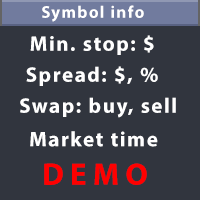
This utility displays the information required for making trades on each opened chart. For example: spread value, swap value; triple swap day; session closing time; ATR of the symbol by Gerchik; total profit/loss for the current symbol; the number of trades made earlier; the percentage change in the quotes of 6 selected instruments; and much more. The spread value is always shown. The rest of the information is displayed depending on the settings: Show total orders at the moment (long, short) .
FREE

786 AUREX EXPERT ADVISOR Contact for Set files or see the Screen Shots
WhatsApp: Text only +447716409196
Best for XAUUSD on All Brokers
Minimum and Safest Balance is 500$ at medium Risk
What it does Automatic daily levels — At a chosen time, the EA scans a configurable look-back window (e.g. 180 minutes) and draws the highest high and lowest low as clean horizontal lines, with an optional visual range box. Two entry modes — Choose between a straightforward Level Breaker (trade any candle clos
FREE

Grazia Matrix Pro 全時間足のトレンドを瞬時に可視化。迷いを断ち切る究極の羅針盤。 「期間限定!無料」
【こんなトレーダーにおすすめ】 環境認識に時間をかけすぎて、チャンスを逃している方。 上位足の方向に逆らったトレードで損失を出している方。 シンプルかつプロフェッショナルなチャート環境を構築したい方。 【製品概要】 「マルチタイムフレーム(MTF)分析は重要だが、チャートの切り替えが煩わしい……」 そんなトレーダーの悩みを解消するために開発されたのが Grazia Matrix Pro です。 本インジケーターは、1つのチャート上に主要な6つの時間足(M5〜D1)のトレンド状態をリアルタイムでマトリックス表示します。独自のアルゴリズムにより、移動平均線(MA)とRSIの相関関係を分析し、現在の市場が「真のトレンド」にあるのか、それとも「調整局面」にあるのかをひと目で判別可能です。 【主な機能と特徴】 6-Timeframe Matrix : M5, M15, M30, H1, H4, D1のトレンドを一画面で監視。 Perfect Order Alert :
FREE

Point it at any indicator you already have, by file name, and it will alert you on that indicator's own buffers. It needs no source code: a compiled .ex5 you downloaded is enough. It can also read that indicator from a higher timeframe, and it re-reads closed bars to tell you whether the indicator repaints or merely lags. This is free. The problem it solves Two of the longest running threads on the MQL5 forum are about putting alerts on indicators and about reading them from a higher timeframe.
FREE

See what happens to your account risk before you take the next trade. Most panels answer "what lot size is 1% of my balance?". This one answers a different question: if I take this trade right now, what happens to the risk of my ENTIRE account? EQUITY AT RISK + THIS TRADE ADDS = AFTER Set 1% per trade and open eight positions and your account is carrying eight percent, not one. Risk Budget Panel keeps that total in front of you and shows what a planned trade would do to it before the order is se
FREE

Here is the step-by-step guide to installing and operating your Phoenix Independence Trader in MetaTrader 5. Phase 1: Installation Open MetaTrader 5: Launch your terminal. Open Data Folder: Go to File > Open Data Folder. Navigate to Indicators: Go to MQL5 > Indicators. Create Folder: (Optional but recommended) Create a folder named "Phoenix". Save the File: Paste your merged .mq5 code into a text file and save it as PhoenixTrader.mq5 inside that folder. Compile: Double-click the file to open Me
FREE

The default trade notifications option in MT5 sends notification for all new orders created or deleted; and for every change in SL when a trailing SL is active. This can sometimes be annoying. I created this utility for my own use and then decided to share with the community. This utility sends only trade notifications (buy/sell/close) and deposit/withdrawal notifications. A sample of the notification format is given below. For customizations, please DM. Version 3.23 Updates Telegram notificat
FREE
PANEL OF TOPOS AND HISTORICAL BACKGROUNDS This is a panel that does not open orders only manages all Symbols and calculates the tops and bottoms and presents the calculation in relation to the top and bottom in 5 Years, 2 Months and 1 Week.
It is ideal for filtering the pairs that are in the good regions to operate. You can filter the range and choose whether to consider the body or shadow of the candle in the monthly. Good luck...
FREE

CauCa Client is a smart execution engine built for the Fishing Strategy, a method designed to patiently cast entries, scale positions in layers, and react quickly when market conditions become favorable. It focuses on precision order handling, dynamic layer management, and stable behavior in fast-moving sessions. This Client EA is ideal for traders who want disciplined, rule-based execution without manual stress. It helps maintain consistency in grid expansion, order structure, and timing, while
FREE

Unlike classic indicators that analyze a specific currency pair, this tool analyzes and compares the individual strength of each base currency against all other major currencies in the market. How the algorithm works:
The indicator calculates the strength of 8 major currencies (USD, EUR, GBP, AUD, NZD, CAD, CHF, JPY) by analyzing 28 currency pairs. Instead of using a standard price delta, it calculates the quote increment for each bar and multiplies it by the tick volume. The strength is then s
FREE

What It Shows Candle Clock Desk puts four lines on the chart. The first is the time left until the current bar closes. The next three answer a question the clock alone cannot: is this bar unusually busy, or unusually quiet, right now. Bar closes in - the countdown, in minutes and seconds So far - volume this bar has accumulated since it opened Usual here - what this symbol had accumulated by this same minute, in the past Pace - the first divided by the second The Pace Line Pace of 1.00 means the
FREE

If you are Looking Best indicators in Mql5 Market. Check these out!
SSS Scalping Smart Signals MT5 Indicator
Scalping Winning Signals Pro SWS
LTL Long Trend Locator The Ultimate Rule Protection Dashboard for FundingPips Traders Never Fail Another FundingPips Challenge Because of Rule Violations Most traders don't lose FundingPips challenges because they can't trade. They fail because they accidentally violate one of the firm's rules. A single mistake...
One oversized loss...
One overlooked d
FREE

Special Offer: The first 100 downloads are completely FREE! After that, the price will increase to $30. ️ 1. POSITION SIZING Sizing_Method: Choose the lot calculation method (SIZING_LOTS for manual, SIZING_PCT_EQUITY for risk percentage, SIZING_FIXED_CASH for fixed USD risk). Sizing_ManualLots: Fixed lot size (Active when SIZING_LOTS is selected). Sizing_RiskPercent: Risk per trade as a percentage of account equity. Sizing_RiskCash: Fixed risk amount per trade in USD. 2. TARGETS & STOP LO
FREE

You place the stop where structure says it belongs. The panel decides the size , enforces your firm's limits, and refuses to hand the broker a level it is not allowed to act on yet. The panel, as it opens. Every figure on the panel is derived, not entered: the day's peak, the floor that binds, and the room between them. 01. What a funded account actually asks of you A funded programme hands you the firm's capital and a short list of limits. Breach one and the account is gone — not reduced, gone
FREE

LATTICE VISION
THE MOST ADVANCED ORDER-NETWORK ANALYSIS TOOL ON MQL5.
Not a claim. A position backed by published, independently testable fidelity data.
Discover with Lattice Vision. Deploy with Lattice Command. One engine. Two instruments. One continuous workflow.
Lattice Vision is the original level-trading analysis tool — Grid Trading 2.0, engineered properly. When you find a configuration in Vision, the matching live engine produces the same trades. Eighteen test configurations coveri
FREE

Lot Dashboard is a trade execution and position-management panel for MetaTrader 5. It is designed for traders who want faster entries, clearer exposure visibility, and more flexible manual exit planning directly on the chart. The dashboard combines one-click market entries, quick management tools, live open-position metrics, and scenario-based exit lines in one compact panel. It is suitable for traders who scale in, manage multiple open positions, and want more control over how exits are planne
FREE

YuRaLytics Trade Analyzer reads the trade history of your account and breaks it down. You see which Expert Advisors and symbols make or lose money and how much commission and swap take out of the result. It also tests whether the average trade is large enough to tell apart from luck. The panel only reads history and never opens, changes or closes a trade, so you can run it next to live Expert Advisors. What it shows Summary: trades, win rate, profit factor, average trade, net result, gross resul
FREE

Breakup ZeeAM Khan Advanced multi-timeframe breakout Expert Advisor based on a proprietary higher-timeframe pattern and lower-timeframe confirmation system. Features dynamic lot sizing, multi-target profit management, break-even automation, momentum filtering, and fully customizable risk controls. This is the Best for All Brokers. Contact for Set Files or See the Screen Shots
WhatsApp: Text only +447716409196
Best for XAUUSD on All Brokers Key Features Proprietary Multi-Timeframe Strategy Det
FREE
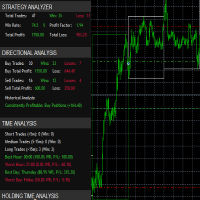
it's a fully built expert advisor with trading functionality with buy only or sell only or both options it's designed to be a tool that can be used for automate entry and exit in line with the overall Market Direction automatic risk management parameters fully comprehensive
STRATEGY ANALYZER Section Total Trades: Shows the overall number of trades taken Win Rate: Displays percentage of winning trades (color-coded green if >50%, red if <50%) Total Profit/Loss: Shows absolute profit and loss v
FREE

ApexForge Quote Paused Notification is a lightweight monitoring utility designed for MetaTrader 5 that detects when market quotes stop updating and immediately alerts you when abnormal quote interruptions occur. Whether caused by server issues, network disconnections, market closures, or temporary liquidity interruptions, the tool helps traders recognize quote freezes before they lead to missed opportunities or unexpected trading behavior. A notification is also generated once normal price upda
FREE
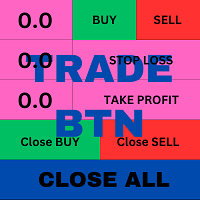
T his is an ON CHART trade management panel. In other words, ON CHART Lot Size, Buy, Sell, Stop Loss, Take Profit, Close Buy, Close Sell and Close All buttons! *IMPORTANT NOTE: Input settings are NOT usable. You can change or insert Stop Loss and Take Profit values only on the chart panel. (See the below video!) This one is MT5 version!
BUTTONS List: 1. Lot Size - (0.01) is default click on it and insert the lot size with which you want to open a trade. 2. Stop Loss - (0.0) is default click on
FREE

MT5 Shortcut Navigator is a simple on-chart reference panel for commonly used MetaTrader 5 keyboard shortcuts. Instead of keeping multiple MT5 windows open or trying to remember every shortcut, you can quickly check the keys you use most often directly from your chart. The panel includes shortcuts for commonly used MT5 functions such as: Navigator Market Watch Toolbox Data Window Strategy Tester Chart Properties Full Screen Grid Crosshair Zoom New Order Options Expert Advisors Chart types Shortc
FREE

Mattrix Basket Viewer
Mattrix Basket Viewer creates 8 synthetic currency index charts directly in MetaTrader 5 using geometric mean calculation. It analyzes all 28 major forex pairs and groups them into 8 currency baskets, one for each major currency. Instead of watching 28 individual pairs, you see 8 basket charts that show the strength of each currency. A compact dashboard ranks the baskets by pip sum and coherence - per day, week, month, year or trading session. Click any basket name to open
FREE

Close Positions on Candle Close This tool allows you to automatically close positions based on the last candle's closing price, helping confirm trade exits and avoiding unpredictable price movements. How It Works: The EA waits for a candle to close above or below the Stop Loss level before executing a position close. It eliminates the need to manually monitor trades and helps automate exit strategies. Settings: Order_Type: Select the types of orders or positions to be managed. CandleTimeFrame:
FREE

TradingTimeControl is a utility implemented as an Expert Advisor for MetaTrader 5. It automatically closes all open positions and deletes pending orders at a specified time each day. This tool is designed for traders who need to automate position management with flexible settings. Key Features Closes positions and orders at the specified time ( CloseHour , CloseMinute ) daily. Allows you to change the closing time at any moment, applying new settings immediately. Supports MagicNumber : 0 for al
FREE

Execution Suite Pro is an on-chart trading panel designed for MetaTrader 5 manual traders and scalpers. The utility provides visual trade management directly on the chart, allowing users to execute market orders, manage positions, and apply filtered bulk closures without using standard terminal dialogs. The panel utilizes asynchronous order dispatching (OrderSendAsync) to transmit trading requests without blocking the interface thread. It includes position filtering capabilities, multi-order exe
FREE

PnL Executer Bot (MetaTrader 5) PnL Executer Bot is an advanced risk management and trade automation Expert Advisor designed to protect open positions, lock in profits, and automate basket-level exits. Whether you trade manually or deploy external strategies, this EA acts as your automated risk manager. Key Features Automated Initial SL & TP : Automatically attaches configurable Stop Loss and Take Profit levels to newly opened positions the moment they appear. Dynamic High-Profit Trailing Stop
FREE

A complete copy trading EA suite that automatically replicates trades across MT4 and MT5 platforms. Supports all four combinations — MT4→MT4, MT4→MT5, MT5→MT4, and MT5→MT5 — in a single package. Uses the FILE_COMMON shared folder method for fast, reliable signal delivery within the same PC or VPS.
Overview
CopyTrading EA Suite is a utility package that automatically replicates trades between MetaTrader 4 and MetaTrader 5 platforms. A single Sender EA can broadcast signals to multiple Receive
FREE

SC-Copier Master is the core component of the SC-Copier system. It is installed on MetaTrader 5 of the Master account and communicates with SC-Copier Slave , installed on a second MT5 client running on the same computer or VPS. This allows Master account trades to be replicated on the Slave account through a setup that is simple to configure and easy to monitor. The Master monitors positions opened on the source account and sends the Receiver every opening, closing, partial closing, and Stop Los
FREE

SPECIAL ANNOUNCEMENT: Get the Ultimate Trading Suite! Before you grab this utility, did you know? The LogicLadder Visual Trade Planner is so powerful that it serves as the core visual execution engine for my flagship MT5 trading systems! If you are looking for a massive, all-in-one trading dashboard, advanced trade management, or strict prop-firm guardrails, you can get this exact visual planner already included inside my premium and free full-suite EAs: Pro LTS TradeDashboard MT5 (Paid
FREE

Auto Volume & Risk Management Tool - Effortless Position Sizing & Entry It helps to calculate the risk per trade, the easy installation of a new order, order management Precise Position Sizing – A Critical Step Toward Successful Trading In the world of professional trading, accurately calculating position size while managing risk is one of the most crucial aspects of long-term success. Time and again, traders with solid, profitable strategies end up with negative statements. Upon review, it oft
FREE

Prop Trade Manager Starter Panel is a free one-click order panel for MetaTrader 5. You choose how much to risk and how far the stop loss is, and it calculates the lot size for you. Press Buy or Sell and the order goes out with stop loss and take profit already set. It works on any symbol: forex, gold, indices and crypto. WHAT IT DOES - Order panel on the chart with Buy and Sell buttons. - Lot size calculated from your risk % (of the balance) and your stop loss distance in points, using the tick
FREE

DataForge exports MetaTrader 5 bars to a CSV file, and writes into that file what the data actually contains.
It does not trade. It places no orders, reads no positions, and requires no account permissions. It reads history and writes a text file.
WHAT THE EXPORT WRITES
1. An instrument passport, placed in the CSV header
Digits, point, contract size, tick value, tick size, and the minimum, step and maximum lot are written as comment lines at the top of the file. Export the same symbol fro
FREE

This reliable, professional trade copier system is without a doubt one of the best on the market, it is able to copy trades at very fast speeds from one master account (sender) to one or multiple slave accounts (receivers). The system works very fast and mimics the master account a full 100%. So changing stop losses, take profits, pending orders on the master account is executed on the slave accounts too, like each other action. It is a 100% full copy (unlike many other copiers who only copy ma
FREE

Broker Basket Preflight 複数銘柄の戦略をテストする前に、ブローカーの正確な銘柄名を確認するための、読み取り専用の MetaTrader 5 診断スクリプトです。契約仕様と取引数量のルール、価格の刻み幅、気配値の経過時間、スプレッドを Experts ジャーナルに出力します。 2026年10月更新キット:設定、既定値、シミュレーション比較概要 . MT5 Setup Hub . デスクトップ版 MetaTrader 5 の Market から実行可能なバージョンを無料でインストールし、ナビゲーター → スクリプト → Market で Broker Basket Preflight を見つけて、別のチャートで実行してください。 ツールボックス(Ctrl+T)を開き、Experts タブを選択してレポートを確認してください。 バージョン 1.10 任意のローカルCSV監査で、重複、取得不可、古いデータ、制限、刻み不一致を含む各銘柄を1行で記録。 任意の逆方向価格変動シナリオをOrderCalcProfitでBUY/SELL別に計算。例示数量をブローカーの刻みに切り下
FREE

An on-chart pre-trade planning panel that calculates and displays risk, lot size, and potential outcomes for three ATR-based targets (TP1 / TP2 / TP3) across ten risk-percentage profiles. It shows live spread, point or pip value, total cost (spread + commission + swap), stop-loss exposure, and the resulting dollar and percentage outcomes for each risk level. The panel is drawn entirely with chart objects, remains responsive to window size, and supports both points and pips mode. Benefits Gives a
FREE

Equity Target Stop is an automated utility designed to protect your profits and enforce strict capital management. It continuously monitors your account equity in real time and automatically closes all open positions as soon as your predefined profit target is reached. Key Features Automated Profit Securing: Automatically triggers a "Close All" command when equity reaches your specified target. Universal Account Protection: Works seamlessly across multiple open positions, pending orders, and dif
FREE

Risk Mirror is a read-only risk dashboard for prop firm challenge traders and funded account holders on MetaTrader 5. It watches your account and your open positions and does the risk arithmetic for you — daily loss limit, daily profit target, trailing drawdown, maximum drawdown and per trade position size — then shows the result on your chart. It places no orders, modifies no orders and closes no positions. Why read-only matters Many funded account programmes restrict or forbid expert advisors
FREE

Stop Guessing Your Lot Size. Trade With Defined Risk. Order Management Script is a FREE risk-management utility that automatically calculates your lot size, Entry, Stop Loss, and Take Profit based on your predefined trading rules. No manual position-size calculations.
No repeated SL/TP calculations.
Just define your risk and trading setup. KEY FEATURES Automatic Lot Size Calculation
Calculate the correct position size using: • Fixed monetary risk
• Percentage of account equity Multip
FREE
MetaTraderマーケットが取引戦略とテクニカル指標を販売するための最適な場所である理由をご存じですか?宣伝もソフトウェア保護も必要なく、支払いのトラブルもないことです。これらはすべて、MetaTraderマーケットで提供されます。

取引の機会を逃しています。
- 無料取引アプリ
- 8千を超えるシグナルをコピー
- 金融ニュースで金融マーケットを探索