 MetaTrader 5
 エキスパート
 インディケータ
 ライブラリ
ライブラリ
 ユーティリティ
 ウィジェット
 ルール
ルール
YouTubeにあるマーケットチュートリアルビデオをご覧ください
ロボットや指標を購入する
仮想ホスティングで
EAを実行
EAを実行
ロボットや指標を購入前にテストする
マーケットで収入を得る
販売のためにプロダクトをプレゼンテーションする方法
MetaTrader 5のためのエキスパートアドバイザーとインディケータ - 136
 自動売買ロボットとインジケータを使用して、外国為替取引の収益性を高めます。 自動売買ロボットを使用すると、取引の開始と終了を自動化でき、インジケータは市場の行動をより正確に予測するのに役立ちます。
このページには、MetaTrader5アプリケーションのカタログが掲載されています。
自動売買ロボットとインジケータを使用して、外国為替取引の収益性を高めます。 自動売買ロボットを使用すると、取引の開始と終了を自動化でき、インジケータは市場の行動をより正確に予測するのに役立ちます。
このページには、MetaTrader5アプリケーションのカタログが掲載されています。 
DYNAMIC BALANCE MATRIX (SK Edition) — The Ultimate Multi-Timeframe Analytical Engine DYNAMIC BALANCE MATRIX is a professional-grade decision-making tool. This indicator acts as your "Control Tower," scanning up to 21 timeframes simultaneously and condensing market dynamics into a single, actionable numerical value — the Total Score . Interface & Control Buttons Timeframe Buttons (M1-MN1): Click to "Pin" a timeframe. Only active (selected) timeframes contribute to the Total Score . MENU / H
FREE

OB FVG Trade Copier: Unified Master & Slave EA Version: 2.00 Type: Trade Copier / Risk Management Utility Compatibility: MetaTrader 4 & MetaTrader 5 (Cross-compatible codebase)
Overview The OB FVG Trade Copier is a professional-grade, unified trade copying system designed to mirror trades between Master and Slave accounts seamlessly. Built with a unified architecture, a single EA file serves as both the sender (Master) and receiver (Slave) simply by toggling the EA Mode in the settings. It uti
FREE

Tracking positions using trailing on the Parabolic SAR indicator. It is necessary to allow automated trading in the terminal settings. In testing mode, the utility opens Buy or Sell positions on the first ticks, which allows you to visually observe the given logic, changing the utility parameters. In real mode, the utility does not open positions. Discuss the complexities of Forex trading here: chat "Age of Expert Advisors" . Parameters Select_Magic - selection of magic numbers. Positions with
FREE

[FREE EA] EA23 TANIN HEIKEN CCI: THE PULLBACK ASSASSIN & PROP FIRM SHIELD Are you tired of entering trends too late and getting caught in drawdowns? Meet EA23 Tanin Heiken CCI , a commercial-grade automated trading system designed to catch the perfect pullback entries in a strong trend. THE BIG UPDATE: NO MORE .SET FILES! For the first time, you don't need to download or load messy .set files. EA23 comes with Built-in Presets . Just select your mode from the dropdown menu (Prop Firm Safe M
FREE

What It Does Scans Multiple Symbols Simultaneously From all pairs for the signal in real time. Detects Overbought/Oversold Conditions Using customizable RSI thresholds (e.g., 80 for overbought, 20 for oversold) and Alerts You Instantly . Send you Notifications to MT5 in your PHONE Using MetaQuotes ID Pop-up Alerts Telegram Push Messages Whether you're at your desk or on the move, you’ll know the moment a signal hits.
FREE

️ News Suspension EA - Automatic Protection During News Events Description: News Suspension EA is an essential risk management tool specifically designed for XAUUSD (Gold) traders who want to protect their trades during high-impact news events. What does this EA do? During periods of extreme volatility caused by economic news, the EA automatically executes the following actions: Closes all open positions on XAUUSD to protect your capital from sudden movements and excessive slippage Tempora
FREE

Apply to the 5 minute timeframe against the major USD forex pairs. AUDUSD EURUSD GBPUSD USDCAD USDCHF USDJPY Highlights the PropSense Book Levels Turn on/off for Sydney, Asia, London and New York Sessions Shows the Tokyo and London Fixes Turn on/off for Tokyo and London Configure how many historical fixes to show Shows the Sessions Turn on/off visible indication for sessions (supports 4 sessions) Visibly shows the sessions (out of the box configuration for Sydney, Tokyo, London and New York) Hig
FREE

The VIX Index, or CBOE Volatility Index, is an indicator designed for MetaTrader 5 that transforms historical volatility into an easy-to-interpret oscillator, placing the volatility range between 0 (minimum) and 100 (maximum) based on a configurable normalization period.
Unlike a simple ATR, this oscillator shows you on the chart when volatility is abnormally low or high compared to its recent behavior. Additionally, the indicator provides context and information about the famous VIX Volatility
FREE

Transform your financial chart analysis with our innovative Candle Coloring Indicator. This powerful tool allows you to instantly visualize market trends based on closing prices relative to a customized average. Customized Coloring: Choose colors that best suit your analysis style. Highlight candles above the average in a vibrant color of your choice and candles below the average in another distinctive color. Adjustable Average: Tailor the indicator to your trading strategies by setting the aver
FREE
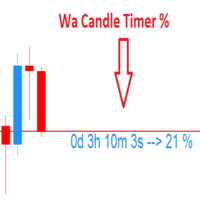
Wa Candle Timer Percentage MT5 is an indicator which shows the user how much time is remaining until the next candle will form. The percentage of the evolution of the current candle is also displayed. The user can set the percentage that the candle timer will change the color. These are the settings: 1- The percentage that the candle timer will change the color. 2- Color of Candle Timer when it's BELOW the percentage set by the user. 3- Color of Candle Timer when it's ABOVE the percentage set b
FREE

Session Clock is a small, free indicator that answers one question at a glance: what trading session is active right now, and how long until it changes?
The panel shows: - The current session (Asian, London, London/NY Overlap, New York, or Sydney/Late), color-coded - A live countdown to the next session change - What the next session will be
Optionally, it also draws labeled vertical lines directly on your chart at each session boundary - so you can see exactly where the Asian session ended a
FREE

This indicator displays the remaining time of the current candle, providing a visual representation of the time left until the candle closes and a new one begins, helping traders to make more informed decisions and stay on top of market fluctuations with precise timing, enhancing their overall trading experience and strategy execution, and allowing them to optimize their trades and maximize their profits.
FREE

This MQL5 script is a Dynamic Support & Resistance (S/R) Investigator. It functions as a real-time analytical tool that identifies key price levels and mathematically evaluates their "durability" based on historical interactions. Unlike static indicators, it uses a custom Graphical User Interface (GUI) to provide a live dashboard of market structure. 1. Level Detection Logic The indicator scans the most recent InpPeriod (lookback) of bars to identify the absolute highest peak (Resistance) and t
FREE

MTM Manual Trade Manager is a professional trading dashboard designed for manual traders who want better control over risk and trade management.
This Expert Advisor does NOT open trades automatically. All trading decisions and order executions are fully controlled by the trader.
Main Features: - Manual Buy and Sell execution from the dashboard - Visual Stop Loss and Take Profit using drag & drop lines - Fixed Lot and Risk Percentage position sizing - Automatic Break Even management - Multiple
FREE

️ Aviso de Risco Negociar no mercado financeiro envolve riscos significativos. Esta ferramenta é um auxílio à tomada de decisão e não garante lucros. Opere com responsabilidade e sempre com gerenciamento de risco adequado. Atenção : Testado em timeframe de 2 minutos e no mini-indice da B3 do Brasil. Elimine falsos sinais do MACD com confirmação da força do candle em tempo real. Este indicador avançado gera sinais de COMPRA (seta azul) e VENDA (seta vermelha) apenas quando o MACD cruza a linha d
FREE

CCZ is an objective support/resistance zones built from consecutive candle-overlap through same price range, on any base timeframe
"From the maker of Risk Sentinel — risk-first position sizing that keeps your risk fixed as you drag the stop: https://www.mql5.com/en/market/product/185711 "
================================================================================================================================================= The Main Concept: Classic support and resistance measures “r
FREE

UEX Reader - エキスパートアドバイザー UEXインジケーターに基づいて動作する完全自動売買EAです。 https://www.mql5.com/ja/market/product/152936
UEX Readerは、2つの柔軟な取引手法オプション(通常取引と平均化取引)を提供します。
取引ポジションは、UEXインジケーターによって特定された市場の方向性に応じて、個別または同時に執行できます。
UEX Readerはインジケーターと連携して動作しますが、MT5テスターでテストできます。
- - -
UEX Readerエキスパートアドバイザーの使用手順: https://www.mql5.com/ja/market/product/166805/comments PDF document :
https://c.mql5.com/31/1830/UEX_Reader_ExpertAdvisor.zip
FREE
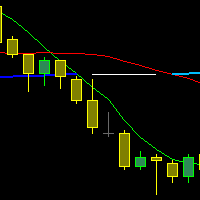
The indicator draws three Moving Averages. Two short ones cross a long one.
At the same time, the long MA changes color: If both short MAs are above the long one - first color; If both short MAs are below the long one - second color; If the two short MAs are on opposite sides of the long one - third color. All three MAs are based on closing prices with a smoothing method of "simple."
cross MA cross 3 MA cross three Moving Average across Moving cross Moving crossing MA crossing MA across MA
FREE

HM(水平マークアップ)は、水平レベルの手動マーキング用に設計されています。 マークアップには、レベルとその価格値が含まれています。 線の太さと色、および価格の値は設定で設定されます。 レベルは、時間枠にローカルに配置することも、すべての時間枠に対して公に設定することもできます。
彼の仕事はとても簡単です:
1)-あなたがレベルをマークアップするために設定で設定したキーを押してください;
2)-行を目的の場所に持ってきます;
3)-マウスの右ボタンをクリックすると、レベルがリンクされています。
将来的には、これらのレベルを移動して調整することができます。
チャートから削除された後、インジケータはそれ自体のレベルをきれいにしません。 それらは手動で削除する必要があります。
最も効果的なアプリケーションは、選択した取引商品の異なる設定を持つ複数のHMSを一度に使用することです。
入力:
線のスタイル-線のスタイル
線幅-線の太さ
マークスタイル-値札のサイズ
Mark offset(ピクセル)-画面の左端に対するオフセットをマークします
線の色-線とラ
FREE

Phone Notification
Send Information from VPS direct to Phone No TradingOperation only MessageNotification Send Information to your selected Time-Window Configure Time when want to receive the Message What will be send:-Bull/Bear Candle Bull: 0 Bear: 0 Level that get Touched by Price most Level: 00000.00 any Question or modification ex5 Code write me a Message
FREE
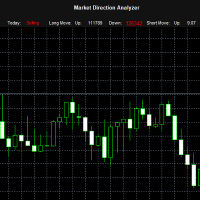
The "Market Direction Analyzer" is a technical indicator designed to provide traders with a comprehensive analysis of market trends, momentum, and potential reversals. By integrating multiple analytical tools, it offers a multi-dimensional perspective on market conditions, aiding in more informed trading decisions.
Using the Market Direction Analyzer in Trading: Trend Confirmation: By analyzing the aggregated sentiment score derived from its components, traders can confirm the prevailing market
FREE

Fast and Customizable Timeframe Switching for MetaTrader 5.
Timeframes Hotkeys is a lightweight MetaTrader 5 indicator that allows you to change the timeframe of the current chart instantly using keyboard shortcuts. Instead of moving the mouse to the MT5 timeframe toolbar or opening timeframe menus, you can move between your preferred chart periods with a single key or keyboard combination. The indicator is designed for scalpers, day traders, swing traders, price-action traders, and technical an
FREE

Get the best out of your forex trading experience with our Superb Trend indicator! Our revolutionary technology helps you make smarter and more successful trades, no matter your skill level. With a simple and intuitive interface, you'll be able to analyze trends and make wiser decisions in no time. Stop gambling with your money; start leveraging our Superb Trend Indicator to outperform the market!
Trend Signals: Bullish trend will show as Green line. Bearish trend will show as Red line.
Supe
FREE

TREND SCANNER Stay With the Trend. Trade With Confidence. Trend Scanner analyzes the market to determine trend direction and strength using a combination of technical indicators. The system combines EMA 150/365, EMA 9/21, RSI, MA to confirm market direction and filter out weak or sideways conditions. Key Features: Bullish and bearish trend detection; EMA 150/365 and EMA 9/21 analysis; RSI confirmation; MACD momentum analysis; ️ ADX ranging-market filter; Trend strength measur
FREE
WalkForwardDemo is an expert adviser (EA) demonstrating how the built-in library WalkForwardOptimizer (WFO) for walk-forward optimization works. It allows you to easily optimize, view and analyze your EA performance and robustness in unknown trading conditions of future. You may find more details about walk-forward optimization in Wikipedia . Once you have performed optimization using WFO, the library generates special global variables (saved in an "archived" file with GVF-extension) and a CSV-f
FREE

Tired of adjusting the indicator settings losing precious time? Tired of the uncertainty regarding their efficiency? Afraid of the uncertainty in their profitability? Then the indicator ACI (automatically calibrateable indicator) is designed exactly for you. Launching it, you can easily solve these three issues just performing the simplest action: clicking a single Calibrate button. To achieve the highest efficiency, you should perform another additional action: move the power slider to the maxi
FREE

ClearAllObjects — MT5 チャート即時クリーンアップツール 目的
戦略テスト、ローソク足パターン分析、手動描画後の散らかったチャートから すべてのグラフィカルオブジェクト をワンクリックで削除します。トレンドライン、フィボナッチ、矢印、ラベル、ガン ツールなど、あらゆる描画を瞬時に消去。 使用方法
ナビゲーター > スクリプトからClearAllObjectsを任意のチャートにドラッグ → オプションの確認ダイアログ → 即座にクリーンアップ完了。削除されたオブジェクト数がチャート上に表示され、エキスパートタブにもログ記録。 主な特徴
現在チャートのみ対象(マルチタブ使用時も安全)
電光石火の処理速度、DLL不要、Market対応済み
メイン・サブウィンドウの全オブジェクトタイプ対応
オブジェクトタイプ別フィルターもカスタマイズ可能 必須のトレーダー
EAバックテスト後の描画清掃
リアルタイム取引中の描画跡片付け
オブジェクト一つずつ二度クリックの煩わしさ解消 ドラッグ → 即クリーン。
FREE

TestTrendIndicator — Professional Trend & Momentum Engine The TestTrendIndicator is a multi‑layered trend analysis and signal‑generation tool designed for traders who want clarity, precision and structure in their decision‑making. It combines ADX , RSI , ATR , MA logic , volatility assessment and dynamic market context into one unified visual system. This indicator is built for traders who value clean signals , multi‑timeframe confirmation , and adaptive logic that responds to real market cond
FREE

VWAP Bands 3 Camadas – Indicador para MetaTrader 5 O VWAP Bands 3 Camadas é um indicador avançado para MetaTrader 5 que combina o Volume Weighted Average Price (VWAP) com bandas de desvio padrão, proporcionando uma visão clara dos níveis de suporte e resistência dinâmicos no mercado. Principais Características: VWAP Dinâmico – Média ponderada pelo volume, ajustando-se ao comportamento do mercado.
3 Camadas de Bandas – Bandas baseadas em desvios padrão (+1, +2 e +3), ajudando a identifica
FREE
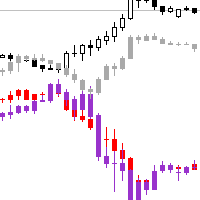
Necessary for traders: tools and indicators Waves automatically calculate indicators, channel trend trading Perfect trend-wave automatic calculation channel calculation , MT4 Perfect trend-wave automatic calculation channel calculation , MT5 Local Trading copying Easy And Fast Copy , MT4 Easy And Fast Copy , MT5 Local Trading copying For DEMO Easy And Fast Copy , MT4 DEMO Easy And Fast Copy , MT5 DEMO
Can set the cycle for other varieties of K line graph covered this window, fluctuations obser
FREE

Position Manager Pro v1.0 (MT5) Dual Magic Number Independent Group Manager with Live P&L Dashboard Overview Position Manager Pro is a powerful trade management Expert Advisor for MetaTrader 5 that operates as an overlay manager — it does not open positions itself, but instead manages and monitors positions opened by other EAs or manually by the trader. The core concept is two fully independent groups , each identified by a unique Magic Number . Each group has its own Take Profit, Stop
FREE

カスタムインジケーターは、最大5つの異なるシンボルからMAを組み合わせることで、移動平均を次のレベルに引き上げます! なぜ? これにより、補完的な市場に基づいた意思決定が可能です。 例: ナスダックを取引していますが、ビットコインやラッセル2000を同時に監視して市場のトレンドを知りたい場合。 またはXRPを取引していますが、全体的な視点をあなたの強みにしたい場合。 今、それが可能です! ブローカーに合わせてシンボルが一致していることを確認してください。大文字と小文字を区別します。 US100CashやXAUEUR#など...ブローカーによって異なります。 これは無料ツールであり、コメントやレビューでサポートしていただければ幸いです。 スクリーンショットでは、EA Bull Scalperがポジションを管理しているのがわかります。 しかし、私のEAを無料で入手することもでき、チャート上にP&Lを作成します。 https://www.mql5.com/en/market/product/128104 私のトレーディングEAはこちらでご覧ください: https://www.mql5.com
FREE

Indicator Trader EA v1.0 for MetaTrader 5
Universal EA that bridges any custom indicator's signals to automated trading
XAUUSD · Major Forex Pairs · Crypto | All Timeframes M1 ~ D1
Overview Indicator Trader EA is a universal Expert Advisor that automatically executes buy and sell orders based on signal buffers from any custom indicator.
With a single EA, you can connect any commercial indicator (SuperScalp Pro, Trend 7Filter Pro, etc.) directly — no extra coding required. Simply configur
FREE

Hard limits for prop firm and challenge accounts Prop firm rules are not suggestions. Breach the daily loss limit by one dollar and the account is gone, whatever the equity curve looked like an hour earlier. The problem is that the rule lives on the firm's server while your positions live in your terminal, and nothing in MetaTrader 5 connects the two. Prop Firm Circuit Breaker sits on one chart and watches the whole account. The name is literal: an exchange halts trading when a threshold is bre
FREE

Look Back My Trading History Look Back My Trading Historyは、MT5の取引履歴を強調表示することにより、これまでのエントリーポイントをトレーダーが簡単に振り返ることを可能にするためのツールです。 トレーディングを学び始めたばかりの人にとって、トレーディングスキルを向上させるための最も効率的な方法の1つは、自分の取引履歴を振り返ることです。 ただし、MT5チャートに表示される標準の取引履歴の矢印は小さすぎて即座に見つけることが難しく、トレーダーは自分が行った取引、とりわけ過剰取引などの愚かな間違いについて再認識する機会を失いがちです。 トレードの良し悪しに関係なく取引履歴を明確にして、それらを直視した上で深い考察を繰り返すことで、長期的な目線で見た場合にトレーディングに対する正しい姿勢を養う事ができます。
Look Back My Trading Historyの利点 取引履歴を振り返る最も簡単な方法であること 自らの取引履歴を振り返り、過去から学ぶ、そのためのルーティン構築のきっかけを提供します。 最小限かつ重要な情報を提供
FREE

Created and tested on GBPUSD currency, before buying and using please use demo account or backtest. Adjust the configuration with your creativity
ThuyulZigZagh EA – Smart ZigZag Martingale Expert Advisor for MT5 Description: The ThuyulZigZagh Expert Advisor is a practical and customizable trading tool designed for MetaTrader 5. It combines ZigZag-based market structure analysis with a structured Martingale trading strategy and trailing profit management. This EA is intended for traders lookin
FREE

FMAN Scalper v3.0: Dominate XAUUSD with Precision M5 Scalping Engineered exclusively for XAUUSD (Gold) trading on M5 timeframe (also tested on M1 and M30), combining intelligent signal analysis with sophisticated risk management. Optimized for Exness ECN accounts with comprehensive market protection and flexible layering system. Overview Professional scalping EA for XAUUSD using triple-confirmation signal system (RSI + Bollinger Bands + Volume) with advanced breakout detection. Fe

"All in One" panel. You can simultaneously control: up to 3 symbols; up to 6 periods; up to 31 popular signals. You can see the sum for all signals taking into account the weight of the signal Version for MetaTrader 4: https://www.mql5.com/ru/market/product/27880 Version for MetaTrader 5: https://www.mql5.com/ru/market/product/27830
Parameters NUM_BAR - number of the bar to analyze (set a value greater than 0 to work on closed bars). timeframe_1....timeframe_6 - working timeframes (if set to "c
FREE

RCI 3Lines — Rank Correlation Index with Three Periods Overview RCI 3Lines is a powerful momentum and trend indicator based on the Rank Correlation Index (RCI) , a Japanese technical analysis tool widely used in Asian markets. It plots three RCI lines simultaneously — Short, Middle, and Long — allowing traders to identify trend direction, momentum shifts, and overbought/oversold conditions across multiple timeframes in a single window. Unlike RSI or Stochastic, RCI measures the correlation

Elite Telegram Trade Copier & Community Manager (v3.94) Welcome to the ultimate solution for professional Telegram signal copying and community management. This Expert Advisor is not just a standard copier – it is a fully automated Trade Management Engine , a Signal Analytics Tool , and a Marketing Funnel for your own Telegram channels. Whether you want to automate trades from your favorite signal providers or manage your own VIP and Follower channels simultaneously, this EA handles everything:
FREE
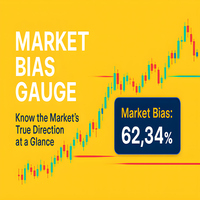
Measure Market Strength at a Glance – Instantly
The Momentum Percentage Label is a sleek, professional tool designed to give traders an instant, crystal-clear view of market momentum – directly on their chart. Forget complex setups or cluttered indicators. This tool delivers a single, powerful metric: the percentage of bullish vs. bearish movement over your chosen period.
Its purpose: to help you instantly gauge whether buyers or sellers are in control, so you can make faster, more confident
FREE

Rojeryo ATR Scalper Widget is a lightweight MetaTrader 5 indicator that displays an ATR-based risk widget directly on the chart.
The indicator shows the current ATR value and calculates estimated Stop Loss and Take Profit distances using the selected ATR multiplier and Risk/Reward ratio.
It is designed for traders who want a simple on-chart risk reference without opening additional windows.
Main Features
- ATR value display - Configurable ATR timeframe - Configurable ATR period - Estimated
FREE
This is an indicator to assist a trader on trend detection of any market. This indicator is made up of a blend of moving averages for trend detection. I know no indicator is 100% accurate , but this might help you. I'm giving it for free and also , there are important settings on the last screenshot. This indicator should be on a separate window after you set it up on the chart.
FREE
The Market Sessions Indicator for MT5 helps you predict market turnarounds by detecting major supply and demand areas. These pivot points tend to occur after a new session has started and the previous one is still open. It is also used to gauge how many points or pips the market moves on average during a session. This helps us to place better our take profits and stop losses. The indicator works on all forex pairs, gold, silver, commodities, stocks, indices and any other instrument that you
FREE

ForexFanclub(FFC) : For detailed instructions and our official website, please visit my profile !
NapWela — High-Precision Candle Timer & Spread Display
NapWela shows you exactly how much time is left until the current candle closes, in a clear minutes:seconds countdown. It also displays the live spread right on your chart, so you always know your trading conditions at a glance. It works on all timeframes from M1 to W1.
NapWela is a display-only indicator. It does not open, modify, or close
FREE

Bar Strength Divergence Indicator BarStrength Indicator is an exclusive indicator to trade Forex, Stocks, Indices, Futures, Commodities and Cryptos.
BarStrength Indicator shows the strength of each candle.
The indicator shows in a separate windows candles relatively to 2 price levels representing resistance and support in the market.
Once candle is near resistance it is highly probable that price movement will change direction and will go down in the next candles.
Once candle is near support

Trend Reversal alert: The concept of the EA is to give you a message/alert when something happens in the market, so you will never pass a tradechance for a trendreversaltrade. The EA give you the message when the chance is higher for a trendreversal, but it is important to say that this doesn`t mean that you should trade every signal. The advantage provided by the program is that you don`t need to sit the hole time for the PC and look at the chart because you get a message when a good trendrever
FREE

Trade Remote: Pocket Desk - Your MetaTrader Account, Now in Your Pocket
FEATURES Trade Remote: Pocket Desk turns your phone, tablet, or any web browser into a live trading remote control for your MetaTrader terminal. No app to install on your phone — just a 4-character code and any browser. Connects to your MT4 terminal in under 30 seconds using a unique, auto-generated 4-character CONNECT code. One-click BUY and SELL on any symbol in your Market Watch, with live bid/ask and spread shown befor
FREE

# Smart Fair Value Zones - Professional Fair Value Gap Indicator for MetaTrader 5
## Advanced FVG Detection with Intelligent Auto-Removal
Smart Fair Value Zones is a sophisticated, automated Fair Value Gap (FVG) indicator designed specifically for MetaTrader 5. This professional trading tool identifies market imbalances with precision and includes intelligent auto-removal functionality that deletes FVGs immediately when price touches them - because **each FVG should only be used once**.
## K

The indicator plots a curve of the difference between the values of two trading instruments (currency pairs).
The purpose of the indicator is to observe the processes of divergence and convergence of the values of two trading instruments. The results obtained can be used for trading strategies of statistical arbitrage, pair trading, correlation, and others.
Trading strategy
The indicator is attached to the chart of any trading instrument. In the input parameters, the names of trading instr
FREE

Triple Shield EA: Trade with Unprecedented Confidence Are you tired of the market's deafening noise? Frustrated by expert advisors that jump on every false signal, only to be stopped out moments later? It's time to trade with clarity, precision, and power. Welcome to Triple Shield EA , a trading robot meticulously engineered for one purpose: to identify and ride strong market trends with maximum confidence. Our system is built on a powerful, multi-layered confirmation engine that we call the "T
FREE

KTA Candle Timer | Art of Kushal Trading Academy
Never Miss a Candle Close Again!
KTA Candle Timer is a simple, lightweight, and essential tool for every professional trader. It shows the exact time remaining for the current candle to close on your MT5 chart. Perfect for traders who trade on Supply & Demand, Support & Resistance, and Price Action.
Knowing the candle time helps you avoid false entries and take perfect entries at the right time.
KEY FEATURES
- Accurate Countdown: Shows e
FREE

1秒が重要な場面での高速操作 このトレードパネルは、 秒足を含むカスタムチャート での使用を前提に設計されています。
カスタムチャートの背後にある 実際の取引シンボルを自動で正確に認識 し、
手動での紐付けや追加操作なしに 、そのシンボルへ直接取引を実行します。 このパネルが解決するのは、ただ一つの本質的な課題です。
「判断」と「実行」の間の距離を最小限にすること。 余分なウィンドウはありません。
確認ダイアログもありません。
画面を切り替える必要もありません。 素早いエントリー このパネルでは、主要なトレード操作を チャート上から直接 行えます。 Buy / Sell — ワンクリックでの成行エントリー LIMIT — ダイアログなしでの指値注文設定 ボタンを押せば、即座に実行されます。
メニューを探す必要もなく、チャートから意識を外すこともありません。 チャート上での SL / TP 設定 Stop Loss や Take Profit の設定は非常に直感的です。 ポジションのエントリーラインをクリックし、表示される補助ラインを目的の価格レベルまでドラッグするだけで設定できます。
FREE

The Expert Advisor "TimeLeft Display" shows the remaining time until the close of the current candle in a digital display. The time is displayed in days, hours, minutes, and seconds. Features: Time Calculation: Calculates the remaining time until the close of the current candle based on the current timeframe of the chart. Digital Display: Shows the remaining time in a digital format. Customizable Font and Size: Allows selection of the font (Arial, Arial Black, Aptos Display, Tahoma,
FREE

GomerAI KAGI – 市場構造とトレンド確認 価格 : $0 プラットフォーム : MetaTrader 5 タイプ : 市場環境インジケーター(非自動売買) 概要 このインジケーターは、 GomerAI Market Research Framework の一部であり、市場構造と取引環境を分析するために設計された分析ツール群に属しています。 各インジケーターは市場行動の特定の側面に焦点を当て、トレーダーや自動売買システムが現在の市場状況をより深く理解できるよう支援します。 GomerAI KAGI は、時間ベースのチャート構成ではなく、価格反転に基づくロジックを使って方向性のある価格構造を評価します。このインジケーターは売買シグナルを生成したり取引を実行したりするものではなく、価格変動が意味のある方向性構造を形成しているのか、それとも短期的なノイズや不安定な移行に依然として支配されているのかを分析します。 その目的は、現在の価格行動が強気構造、弱気構造、あるいはより中立的な移行状態を維持しているかどうかを判断することにあります。反転行動によって表れる構造変化に注目することで、
FREE

Multi-Symbol Chase Mirror は、自分の口座の確定した取引履歴だけを読み、「いくつの異なる銘柄に新規のポジションを持ったか」という1点だけを数える道具です。予測も助言もしません。パネルに出るのは、すでにこの口座で起きたことの実測値だけです。
数字の作り方: 全銘柄・全マジック番号を対象に、最大31日分の確定した約定を読み込みます(チャートの銘柄に限らない、口座全体の集計です)。Symbols traded today は、サーバー時刻の今日0時以降に新規エントリーがあった銘柄の種類数です。Symbols in last 60min は同じ数え方を直近60分の窓で行ったもので、どちらも0件のときも実数値をそのまま表示します。当日より前の30日間からは、1日あたりの銘柄種類数の中央値を別に求めて 30d daily median として表示します。平均ではなく中央値を使うのは、1日だけ極端に多くの銘柄に手を出しても基準値全体が引きずられないようにするためです。その30日間の新規エントリーが5件に満たない場合は、30d daily median の欄だけ十分な標本が無
FREE

Value Gap は、公正価値ギャップ(Fair Value Gap)戦略に基づいたスマートツールです。 動作原理:
このインジケーターは、直近の価格変動を継続的に分析し、買い手と売り手が残した不均衡エリアを特定します。ギャップが検出されると、チャート上に明確なレベルとして表示されます。 その後、ツールは将来の価格動向を監視します:市場が許可された期間内にギャップを埋めると、シグナルが生成されます。 Gap Threshold (%) で重要なセットアップのみをフィルタリングでき、 Max Bars to Touch でレベルの有効期間を制御できます。 視覚的にクリーンでアラートもあり、チャートをノイズではなくチャンスに集中させます。単独で使用することも、戦略と組み合わせて使用することも可能です。価格が反応しやすいポイントを明確に示します。
FREE

Telegram Controls (Telecontrol) — performs communication between the bot Telegram and the terminal MetaTrader 5 . It helps aggregate data from multiple terminals and manage them using a bot in Telegram . The service is convenient for working on multiple MT5 terminals, allowing each terminal to be individually configured for optimal display and perception of information. All terminal data is collected in one Telegram channel, and the settings panel allows quick adjustments and saving of changes i
FREE

Chart Buddyは、取引チャートに楽しさを加えるために設計されたエンターテインメントツールです。キャラクターがチャートの右側を移動し、価格の動きを応援しているように見せることで、取引にユニークで楽しい要素を追加します。取引に直接影響を与えることはありませんが、アニメーションは軽い気晴らしになり、まるで個人的なサポーターがいるような気分にさせてくれます。 主な機能: 価格の動きをサポート : キャラクターが価格の方向(上昇、下降、またはポジションの方向)に応じて動き、まるで市場を応援しているかのように見せます。 キャラクター選択 : 3種類のキャラクター(リス、お相撲さん、女の子)から選べるほか、カスタム画像をアップロードして個別に設定することも可能です。 カスタマイズ可能なアニメーション : キャラクターの動きの速度やタイミングを自由に調整できます。 視覚的エンターテインメント : アニメーションキャラクターが取引環境に活気とインタラクティブな要素を追加します。 illust STAMPOについて このツールでは、フリー画像リソース illust STAMPO (stampo.f
FREE
説明: MACD Combined は、2つの表示モードを統合し、移動平均収束拡散(MACD)の分析をより明確かつ柔軟に行える高度なインジケーターです。 主な特徴: 2つの動作モード モード1 : MACD の正負に応じてヒストグラムを着色。 MACD とシグナルラインの位置関係に応じてシグナルラインを着色。 モード2 : MACD とシグナルラインの比較結果に基づきヒストグラムを着色。 ゼロラインに対する位置によってシグナルラインを着色。 ️ 設定可能なパラメーター 高速 EMA 期間、低速 EMA 期間、シグナル SMA 期間。 適用価格の種類。 モード1 とモード2 の簡単切り替え。 最適化されたビジュアル表示 強気・弱気相場を明確に区別する配色。 独立したインジケーターウィンドウにおける鮮明なラインとバー表示。 効率化されたコード 8つのバッファ(グラフィック用4つ、内部処理用4つ)を使用。 外部依存なしで移動平均やシグナルラインを効率的に計算。 利用例: トレンド転換、シグナルクロス、マーケットモメンタムのレベルを素早く把握したいトレーダーに最適。視覚的な
FREE
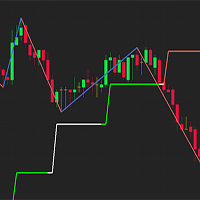
Simple indicator used in technical strategies to analyze tops, bottoms and reversal or continuation points. Developer information:
Line values and colors:
Buffer 0 : ZigZag line value;
Buffer 1 : ZigZag color value;
Buffer 2 : Median line value;
Buffer 3 : Median color value; Buffer to get the values of each top and bottom. Buffer 4 : Top value;
Buffer 5 : Bottoms value;
Buffer that returns the type of the last direction.
Buffer 9: 0 = Not updated, 1 = High, -1 = Low;
This indic
FREE

T-Wallpaper. This is a very useful wallpaper that comes with trade manager panel. You can choose any wallpaper of your choice. Must add the WallPaper file to your MQL5 Data Folder. Follow this easy steps: Download the WallPaper files from our channel https://www.mql5.com/en/channels/transitbk98 Open MT5 Select files Open Data Folder Open MQL5 Open Files and past the Wallpaper folder Now the wallpaper will display. Wallpaper settings are found on the user input. Trade panel settings are found on
FREE

RULEBOOK — Automated Trading Journal, AI Coach & Prop Firm Shield
Why pay $30 to $50 every month for TradeZella, Edgewonk, or TraderSync? Rulebook is 100% free forever. No monthly subscriptions, no paywalls, and no trial limitations.
Transform your MetaTrader 5 into a professional, data-driven trading cockpit. Rulebook automatically bridges your MT5 to an advanced web analytics dashboard featuring an integrated AI Trading Coach, a Psychology Journal, and an automated Hard Kill-Switch.
Stop
FREE

Multitimeframe Ma Atr is a MetaTrader 5 indicator that displays ATR and a moving average of ATR in a separate indicator window.
The indicator can calculate ATR from the current chart timeframe or from a selected higher or lower timeframe. This allows traders to monitor ATR context from one chart. For example, a trader can view an M5 chart while displaying H1 ATR and H1 ATR moving average.
Main features: - Multitimeframe ATR source - Adjustable ATR timeframe - Adjustable ATR period - Adjustabl
FREE

Proton Market Range MT5
OVERVIEW Proton Market Range MT5 is an indicator for MetaTrader 5 that displays real-time spread information and daily price range data. The indicator shows current bid-ask spread and tracks how much price has moved from daily open to current price. This tool is designed for traders who need to monitor spread conditions and market volatility.
PRIMARY FUNCTION The indicator displays current market spread and daily range metrics in a dashboard format on the chart. It upd
FREE
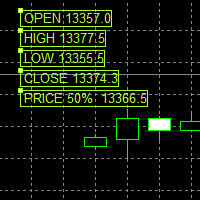
This Price indicator aid you to read prices of a bar without using native MT5 instuments like crosshair.
The indicator gives you the OPEN HIGH LOW CLOSE and 50% bar prices of the current or one of the previous bar.
Parameter setting are: TimeShift: Used for bar selection (0 stand for current 1 for previous 2 for 2 bars ago) Other parameter are using for esthetics. Each Label can be moved away from its initial position.
FEEL FREE TO REPORT BUG AND REVIEW THIS INDICATOR. THANKS
FREE

GPF Stochastic: a momentum indicator that compares a specific closing price of an asset to a range of its prices over a certain period. It helps traders identify potential overbought or oversold conditions in the market. The indicator consists of two lines: %K Line : The main line, which represents the current closing price relative to the price range over a set period. %D Line : The signal line, which is a moving average of %K. The Stochastic Oscillator ranges from 0 to 100 , with levels typic
FREE
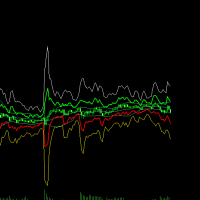
Here's a clearer, more organized description for the indicator: An enhanced ATR Bands indicator that provides flexible, configurable price bands based on Average True Range (ATR). While traditional ATR-based indicators often have limitations in their configurability and functionality, this version offers comprehensive features for both stop-loss and take-profit level calculations. Key Features: Configurable source price (close, high, low) for ATR band calculations Adjustable scaling factors wit
FREE

Axilgo Pip Piper CoPilot Elevate your trading game with the Axilgo Pip Piper CoPilot, the first in our revolutionary Pip Piper Series. This all-inclusive toolset is meticulously crafted for serious traders, focusing on key areas such as Risk Management, Trade Management, Prop Firm Rule Compliance, and Advanced Account Management . With CoPilot, you’re not just investing in a tool—you’re gaining a strategic partner in the intricate world of trading. Important Notice: To ensure you receive the fu
FREE
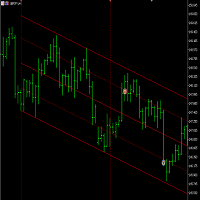
This is a free version of the indicator, the period between the vertical lines is always 30 bars. In the paid version the period can be set by user, so a configuration with many ThreePointsChannel indicators with different periods is possible.
The principle of construction - on top of any number of bars set by the user, a channel is constructed with maximum and minimum lines so that the bars touch the maximum and minimum of the channel at exactly three points. The name of the indicator follows
FREE
MetaTraderマーケットが取引戦略とテクニカル指標を販売するための最適な場所である理由をご存じですか?宣伝もソフトウェア保護も必要なく、支払いのトラブルもないことです。これらはすべて、MetaTraderマーケットで提供されます。

取引の機会を逃しています。
- 無料取引アプリ
- 8千を超えるシグナルをコピー
- 金融ニュースで金融マーケットを探索