 MetaTrader 5
 Experts
 지표
지표
 라이브러리
라이브러리
 유틸리티
유틸리티
 위젯
위젯
 규칙
규칙
MetaTrader 5용 Expert Advisor 및 지표 - 136
 트레이딩 로봇과 지표를 사용하여 외환 거래를 더 수익성 있게 만들 수 있습니다. 트레이딩용 로봇을 사용하면 개점 및 폐점 거래를 자동화할 수 있으며, 지표는 시장 행동을 보다 정확하게 예측할 수 있습니다.
이 페이지에는 MetaTrader 5 응용 프로그램의 카탈로그가 나와 있습니다.
트레이딩 로봇과 지표를 사용하여 외환 거래를 더 수익성 있게 만들 수 있습니다. 트레이딩용 로봇을 사용하면 개점 및 폐점 거래를 자동화할 수 있으며, 지표는 시장 행동을 보다 정확하게 예측할 수 있습니다.
이 페이지에는 MetaTrader 5 응용 프로그램의 카탈로그가 나와 있습니다. 
ATR Short Box Anchor MT5 ATR Short Box Anchor MT5 is a visual risk-reward indicator for MetaTrader 5, specifically designed for planning short setups. The indicator creates an ATR-based short box directly on the chart, including entry, stop-loss zone, take-profit zone, and optional risk-reward information. The indicator works with a freely movable anchor point. This anchor defines the desired entry price and the candle whose ATR value is used for the calculation. This allows a short setup to be
FREE
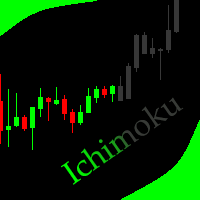
This indicator allows to hide Ichimoku Kinko Hyo (on all MT5 timeframes) from a date define by the user, with a vertical line (Alone) or a panel (with "Hidden Candles"). Indicator Inputs: Tenkan-sen Kijun-sen Senkou Span B Information on "Ichimoku Kinko Hyo" indicator is available here: https://www.metatrader4.com/en/trading-platform/help/analytics/tech_indicators/ichimoku ************************************************************* Hey traders!! Give me your feeds! We are a community here
FREE

MetaTrader 5 (MT5)를 위한 Wormhole 시간 프레임 지표 는 단순한 거래 도구가 아닙니다. 이는 금융 시장에서 경쟁 우위를 제공하는 강력한 무기입니다. 초보자부터 전문 트레이더까지 모두를 위해 설계된 Wormhole은 데이터를 분석하고 결정을 내리는 방식을 혁신하여 항상 한 발 앞서 나갈 수 있도록 도와줍니다. Wormhole 지표가 필요한 이유 경쟁을 능가하세요: 하나의 차트에서 두 개의 시간 프레임을 동시에 볼 수 있는 기능으로 항상 한 걸음 앞서 나갈 수 있습니다. 차트 간 전환은 이제 필요 없으며, 필요한 모든 것이 바로 눈앞에 있습니다. 숨겨진 기회를 발견하세요: 기존의 시간 프레임을 변형하고 다른 트레이더들이 놓치는 패턴을 찾아보세요. 예를 들어, H1 차트가 2:00 PM 대신 1:59 PM에 종료된다고 상상해 보세요. 이는 시장이 반응하기 전에 행동할 수 있는 중요한 이점을 제공합니다. 또는 5분 차트의 경계를 조정하여 표준 00:00–00:05 대신
FREE

RaysFX Elastic Order Flow Matrix (EOFM) L'indicatore definitivo per gli Scalper e i Day Trader che operano su timeframe rapidi (M1). Il RaysFX Elastic Order Flow Matrix non è un semplice oscillatore. È un motore analitico avanzato progettato per decodificare la vera pressione compratrice o venditrice del mercato, filtrando il "rumore" tipico dei grafici a 1 minuto. Se sei stanco di farti fermare dai falsi segnali generati dalle candele di basso volume o dalla congestione, questo strumento ti
FREE

HFT EA 1.6 — High Frequency Trading Automation
free @stepmastercol
DEFAULT NASDAQ TIME FRAME M1
FUNCIONA CON LOS INDICES SINTETICOS , DEBEN AJUSTAR LOTAJE SEGUN CORRESPONDA
Lleva la velocidad del mercado a otro nivel.
HFT EA 1.6 es un Expert Advisor diseñado para operar con ejecución ultrarrápida, alta frecuencia de entradas y gestión dinámica del riesgo en mercados altamente volátiles. Optimizado para traders que buscan aprovechar micro movimientos del precio con precisión algorítmica y re

A big thank you for your interest in our product. MustForex Bollinger Bands V1 Premium Expert advisor
Its follows a determined Swing strategy. It trades by following and analysing Bollinger Bands indicator to determine entry and exit point. Profits can be locked by the adjustable trailing stop/Break Even inputs. Every trade protected with dynamic auto stop loss and dynamic auto take profit to protect your account. Since the strategy works with quick swing trade profits it is highly su
FREE
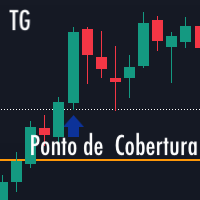
TG Ponto de Cobertura (손익분기점/Breakeven)
이 지표는 차트의 자산을 기준으로 당일 거래 결과를 확인하고, 진입 가격과 랏 수를 고려하여 오픈 포지션의 커버리지 포인트(손익분기점)에 해당하는 가격에 선을 추가합니다. 커버리지 포인트는 신규 진입 후 오픈 포지션의 평균 가격과 랏 수를 기준으로 재계산됩니다.
당일 결과가 0인 경우, 현재 거래 가격을 기준으로 선이 표시됩니다.
당일 결과가 양수(수익)인 경우, 가격에 해당 거래의 커버리지 포인트를 나타내는 선이 표시됩니다.
당일 결과가 음수(손실)인 경우, 가격에 해당 거래의 회복 시점을 나타내는 선이 표시됩니다.
네팅(Netting) 유형 계좌 테스트 완료
이 지표를 평가하고 의견을 남겨주세요.
....
FREE

모든 트레이더가 아는 그 과정이 있습니다. 지표 설정을 열고, 숫자를 바꾸고, OK를 누르고, 차트를 노려보다가, 아니라고 판단하고, 다시 설정을 엽니다. DeMarker는 대부분의 트레이더가 끝내 손대지 않는 조용한 과매수/과매도 지표입니다. 다른 값을 하나 시험할 때마다 설정 창을 여닫아야 하니, 기본값 0.30/0.70에 그대로 머무릅니다. DeMarker Live Tuner는 그 과정을 없앱니다. 이 지표는 차트 위에서 실시간으로 조정하는 DeMarker입니다. 차트에 작은 패널이 놓이고, DeM 기간과 0..1 스케일의 두 레벨을 슬라이더로 조절합니다. 슬라이더를 끌면 지표가 즉시 재계산되어 눈앞에서 다시 그려집니다. 0.25/0.75가 나은지 0.35/0.65가 나은지, 기본값보다 내 시장을 잘 걸러내는 값이 무엇인지 포럼 글이 아니라 내 차트에서 몇 초 만에 확인할 수 있습니다. 선택형 MA 시그널 라인. DeMarker의 이동평균을 패널에서 바로 켜고 끄고, 전용 슬라
FREE

이 지표는 MetaTrader 5용 다중 심볼 대시보드로, 최대 20개 심볼의 시장 방향성(bias)과 가격 범위(range) 상태를 실시간으로 한눈에 파악할 수 있게 해줍니다. MQL5 스토어에서 제공되는 Pro 버전에는 알림 기능이 포함되어 있습니다.
주요 기능:
어떤 차트에도 적용 가능 — 차트의 심볼과 관계없이 독립적으로 작동합니다.
실시간 대시보드 표 제공 정보:
현재가
일간, 주간, 월간 방향성(현재가 대비 해당 기간의 시가(OPEN))
일간, 주간, 월간 범위(Range) 상태:
HIGH → 가격이 이전 기간의 고점을 상향 돌파함 (강세 돌파)
LOW → 가격이 이전 기간의 저점을 하향 돌파함 (약세 돌파)
NO BIAS → 가격이 여전히 이전 기간의 범위 내에 있음
전체 방향성(Overall Bias) — 일간/주간/월간 방향성의 다수결 결과 (강세 또는 약세)
스마트 알림 (노이즈 감소를 위해 M15 캔들 마감 시에만 작동): (Pro 버전 전용)
FREE

TimeBar TimeBar는 바가 닫힐 때까지 남은 시간과 바가 열린 후 경과된 시간, 현재 시간을 표시하는 간단한 정보 표시기입니다. 이해하기 쉽도록 두 가지 유형의 표시 모드가 추가되었습니다. 즉, 그래프 왼쪽 상단에 설명 형식으로 표시되거나 그래픽 개체 형식으로 표시됩니다.
장점 글꼴 선택 글꼴 크기. 아무거나 설정할 수 있습니다. 댓글보니 너무 작아서 개체를 이동할 수 있습니다. 언제든지 마우스를 두 번 클릭하여 선택하고 차트의 어느 위치로든 이동할 수 있으며 평소와 같이 계속 업데이트됩니다 시각적 경고. 현재 막대가 닫힐 때까지 지정된 시간(초)을 설정할 수 있으며, 해당 시간에 도달하면 설정에 지정된 경고 색상으로 변합니다 설정 표시할 시간을 선택합니다 각 시간의 색상(그래픽 개체의 경우) 바가 곧 닫힐 것임을 알려주는 알림입니다 귀하의 거래 시스템에 추가로 TimeBar 표시기를 사용하십시오.
시장에 있는 다른 제품도 사용해 보세요 https://www.mql5
FREE

Bring sniper-like focus to your manual trading. Forest Sniper is a lightweight, razor-precise trading panel for MetaTrader 5 built for active traders who want effortless execution and tight risk control across any currency pair. Whether you scalp, swing, or manage multiple positions, Forest Sniper gives you the essential controls on-screen so you trade faster, cleaner, and with confidence. Key benefits Execute with speed: One-click buy, sell, and position close controls remove friction so you en
FREE

The Bolliger Bands On-Off let you control the indicator using the keyboard or a button . You can choose if you want the indicator always shown or always hided while switching among different time frames or financial instruments . ---> This indicator is part of Combo Indicator OnOff
The Bollinger Bands identify the degree of real-time volatility for a financial instruments . A lower amplitude corresponds to a low volatility, conversely a greater bandwidth corresponds to high volatility.
FREE

The ONLY RSI Indicator You'll Ever Need - Works with ANY Broker, ANY Symbol! Finally, an RSI indicator that automatically adapts to YOUR broker's symbol naming conventions! Whether you trade Forex, Gold, Bitcoin, or Stock Indices - this universal indicator detects and monitors related symbols automatically. KEY FEATURES & BENEFITS UNIVERSAL COMPATIBILITY Auto-Detects Broker Patterns : Works with ANY broker suffix (.m, .pro, .raw, etc.) All Asset Classes : Forex, Metals (Gold/Silver), Crypto,
FREE

MACandleApprox — Moving-Average Approximate Candle Indicator MACandleApprox is a custom indicator that, on the main price chart, applies a selected type of moving average to the open, high, low, and close price series respectively, and replots them as "approximate candles". It does not modify the original candlesticks; instead, it overlays a smoothed candle view based on moving averages, helping traders observe the smoothed price movement and directional changes more intuitively. The indicator s
FREE

Squeeze Momentum Force is an advanced technical analysis indicator designed for MetaTrader 5. It combines volatility squeeze detection with momentum analysis to identify high-probability trading opportunities. Based on John Carter's original concept, this enhanced version incorporates: Multi-Timeframe (MTF) analysis. Divergence detection. Volume weighting. Modern user interface for quick market interpretation. The indicator identifies periods of low volatility (squeeze) that typically precede si
FREE

2.11 updated!! There's no such thing as a perfect entry.
What decides whether you survive is what happens after you're in — and that's exactly where Statera focuses. signal1 (MAX DD:20 -40%) signal2 (MAX DD:40 -70%)
Description Most systems are sold on their entries — find the edge, time the trade, get in right. Statera doesn't ignore that, but it isn't where the system puts its weight. No entry is ever perfect, and chasing one is a losing game. What actually decides the outcome is what
FREE

NEXA Bb Counter Trend1 한국어 사용 설명서 (MQL5 마켓 등록용) 1. 제품 개요 NEXA Bb Counter Trend는 Bollinger Bands, Stochastic Oscillator, 일일 Pivot Level을 결합하여 단기 가격 과확장 이후의 평균 회귀 구간을 탐지하도록 설계된 자동매매 Expert Advisor입니다. 본 제품은 M5 타임프레임을 기준으로 작동하며, 모든 거래 판단은 완전히 확정된 캔들(Closed Bar) 데이터만을 사용합니다.
재도색(repaint) 로직은 포함되어 있지 않습니다. 이 Expert Advisor는 단일 심볼 기준으로 설계되었으며, 동시에 하나의 포지션만 관리합니다. 2. 작동 원리 본 Expert Advisor는 다음 조건이 동시에 충족될 경우 신규 진입을 고려합니다. 가격이 Bollinger Bands 상단 또는 하단 영역에 도달한 이후
Stochastic Oscillator가 과매수 또는 과매도 구간에서 방향
FREE

Super Fast Second Chart is a next-generation multi-symbol second-chart dashboard designed for traders who want to handle second charts at high speed and with lightweight performance. Equipped with second-generation that uses zero HST files —which is impossible with standard MT5—a Canvas-based ultra-high-speed rendering engine , and an optimized structure that remains lightweight even with multi-currency simultaneous display . Experience all of the ultra-high-speed chart features and cutting-edg
FREE

TickChartAskLine is a specialized indicator for MetaTrader 5 designed to visualize floating spread on tick charts created with TickChartService. The indicator displays two lines on the chart: a blue Bid line (main price) and a red Ask line, allowing traders to visually track spread dynamics in real-time. This is critically important for scalpers and high-frequency traders who need to monitor entry costs at every tick level. The indicator automatically reads the saved spread from the custom sy
FREE
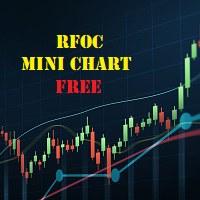
The RFOC Mini Chart was created to project a macro view of the market, which the option to select the timeframe of interest other than the main chart, it is possible to include 2 indicators: 1 - Moving average channel On the mini chart, the moving average will be created based on the prices of the selected time frame for the RFOC Mini Chart. The moving average period must be selected in the indicator settings pannel.
2 - Boillinger Band In the mini chart, a boillinger band will be created based
FREE

BrioQuant Position Monitor keeps your floating result where your eyes already are: beside the newest candle at the current price. Show this symbol's positions or the whole account, in cash and as a percentage of balance or equity, with optional entry lines and a per-position label for every open trade on the chart symbol. Features: - Floating readout rides the newest candle at current price height - no corner panel to glance away at - Scope: this symbol or the whole account; swap included or exc
FREE

AR Quant Binance Futures Bridge MT5 is a professional utility for MetaTrader 5 that allows you to bring selected Binance USDT-M Futures symbols into MT5 for charting, analysis, and indicator-based workflows.
With this product, you can load Binance Futures symbols, including altcoin futures, directly into MetaTrader 5 even if your broker does not offer those markets. Once loaded, you can open the generated charts in MT5, apply your indicators, use your templates, and analyze Binance Futures pri
FREE

İŞLEM GİRİŞ KOÇU - Ücretsiz MT5 Eğitim Göstergesi Trade Entry Coach, MetaTrader 5 kullanıcılarının trendleri, destek ve direnç seviyelerini ve mum çubuğu onaylarını daha yapılandırılmış bir şekilde değerlendirmelerine yardımcı olmak için geliştirilmiş ücretsiz bir eğitim göstergesidir. Bu gösterge, mevcut grafik zaman dilimindeki piyasa koşullarını analiz eder ve sonuçları kompakt bir bilgi panelinde görüntüler. Otomatik olarak işlem açmaz veya kullanıcı adına işlem kararları almaz. ANA ÖZELLİK
FREE

Tick Database — export of tick database from MT5 terminal to MT4. The utility provides access to the tick database in real time. This is necessary to generate synthetic charts in the MT4 terminal, which initially does not provide for loading a tick database. For example, you can organize permanent access to the tick database for the Seconds Chart utility. If the opening time of the current candle in the terminals is different, then you need to specify the time offset in hours. Example We open M1
FREE

ChartControl은 빠른 수동 차트 탐색을 위한 가벼운 유틸리티 지표입니다. 키보드 단축키로 현재 차트의 심볼 과 타임프레임 을 전환할 수 있어, 마우스 클릭 없이 빠르게 시장을 스캔하기에 좋습니다. 본 제품은 EX5(컴파일 파일) 로만 배포됩니다. 주요 기능 Market Watch 목록을 이용한 빠른 심볼 전환 미리 정의된 세트(M1…MN1)로 빠른 타임프레임 전환 CPU 사용 최소(계산 없음, 그리기 없음) 마우스/메뉴로 심볼/타임프레임을 바꿔도 자동 동기화 단축키 A — 이전 심볼(Market Watch) D — 다음 심볼(Market Watch) W — 다음 타임프레임(더 큰 주기) S — 이전 타임프레임(더 작은 주기) 타임프레임 순서:
M1 → M5 → M15 → M30 → H1 → H4 → D1 → W1 → MN1 사용 방법 어떤 차트든 지표를 적용 차트를 한 번 클릭해 포커스를 맞춤 A / D / W / S 로 심볼/타임프레임 전환 참고 심볼 전환은 Market
FREE
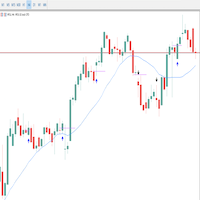
Multset This is inte_plays indicator, which helps the trader to enter the trades appropriately it plots an arrow when there is appropriate environment which permits trading
Features 1. Sends push notification on mobile devices 2. Plots arrow on chart when the setting is found
TimeFrame Is suggested to be used on higher time frames only, especially starting 15min and above for proper moves
For more informations please Visit: https://t.me/Tz_Fx_Lab Subscribe to our Youtube channel: https:
FREE

Fractales Auto (Automaticos) Identifique automáticamente fractales de compra y venta para detectar puntos de giro del mercado Fractales Automáticos es un indicador para MetaTrader 5 que detecta de forma automática los fractales alcistas y bajistas utilizando la estructura clásica de máximos y mínimos relativos. El indicador marca sobre el gráfico los puntos donde el precio forma un máximo o mínimo significativo, facilitando la identificación de posibles zonas de reversión, soportes, resistencias
FREE

# ApexForge One Click Close EA
## Overview
**ApexForge One Click Close EA** is a lightweight, non-blocking trading utility that allows you to close all matching positions—and optionally delete pending orders—with a single click.
Instead of manually closing trades one by one during volatile markets, this EA provides a fast, reliable, and visually clear way to manage your exposure instantly.
> ️ This tool does not generate trading signals or open positions automatically. It is designed purely
FREE

Ultimate Candle Countdown – 이제 더 이상 캔들 마감 시점을 놓치지 마세요! Ultimate Candle Countdown 으로 거래 정확도를 한 단계 높이세요 – 모든 시간 프레임과 모든 종목에서 사용할 수 있는 깔끔하고, 가볍고, 강력한 캔들 카운트다운 타이머입니다.
M1에서 스캘핑을 하든, H1에서 스윙 트레이딩을 하든, 혹은 일간/주간 마감을 지켜보든 – 이 도구는 다음 캔들이 열리기 전까지 남은 시간을 항상 정확히 알려줍니다. 더 이상 추측은 필요 없습니다 – 날카롭게 유지하고 항상 한 발 앞서 나가세요. 주요 기능 모든 시간 프레임 지원 – 1분부터 월간까지, 신뢰성과 정확성 보장. 시각적 카운트다운 – hh:mm:ss 형식으로 남은 시간을 표시하며 매초 부드럽게 업데이트. 색상 알림 – 일반, 경고, 긴급 색상을 자유롭게 설정해 시간 부족을 즉시 파악. 옵션 퍼센트 표시 – 현재 캔들의 진행 상황을 한눈에 확인. 진행 바 – 카운트다운
FREE

Tick Data HTTP Exporter NZDUSD 이 무료 버전은 NZDUSD만 내보내며, 정식 버전인 Tick Data HTTP Exporter 는 모든 심볼을 내보냅니다. 설명 이 EA는 터미널을 애플리케이션용 과거 및 실시간 틱 데이터 공급원으로 만들어 줍니다.
인터넷에는 많은 시장 데이터 제공 업체가 있지만, 실제로 제공되는 데이터의 품질이 항상 좋은 것은 아닙니다. 게다가 이러한 서비스는 대체로 더 비싸고, 보통 심볼마다 월 구독료를 받습니다.
이 EA를 사용하면 터미널에서 보는 것과 똑같은 틱 데이터, 즉 거래와 시장 분석의 근거가 되는 바로 그 데이터를 애플리케이션에 공급할 수 있습니다.
시세 데이터(OHLC, 캔들)를 제공하는 Candle Data HTTP Exporter 와 함께 사용하면 시장 분석에 필요한 전체 데이터를 갖출 수 있습니다. 기능 미리 설정한 외부 HTTP URL로 틱 데이터를 전송합니다. 모든 틱의 전달을 보장하며, 중단 시 마지막으로 보낸 틱
FREE

Taobel Divergence Detector is an advanced divergence analysis indicator designed for traders who want more than simple divergence type. It combines Regular Divergence, Hidden Divergence, multi-timeframe trend analysis, performance statistics, and an integrated trade management panel into one professional trading workspace. Download Pro. Version here Taobel Divergence Detector evaluates market context, tracks historical performance, and provides actionable trade information to help traders make
FREE

visual trade planner for MetaTrader 5. It draws multi-timeframe ATR reward and stop zones on the chart so you can judge distance and payoff before you place the trade yourself. It does not send, modify, or close orders. Motive A single ATR on the chart timeframe often hides the larger and smaller ranges a trade is actually working against. This EA stacks three take-profit slices, each from its own timeframe, period, and multiplier, then places an ATR stop and an optional fixed stop beside them.
FREE

TradeMasterPanel — One-Click Manual Trading Panel for MT5 TradeMasterPanel is a professional one-click trading assistant for MetaTrader 5, designed to help traders execute, manage, and protect positions directly from the chart. All settings can be adjusted on-chart and are automatically saved for each trading symbol, eliminating the need to reopen the Inputs dialog or reattach the EA. The interface is fully scalable and DPI-aware for modern high-resolution displays. 1. Market Order Entry Open B
FREE

Product Name: Sinwl Signal – Premium Price Action & Swing Trade Indicator (WinWiFi Robot Series) Overview: Unlock professional trading performance with "Sinwl Signal" , the latest innovation from the WinWiFi Robot Series . Specifically engineered for the CFD markets (Forex, Indices, Energy, and Crypto), this indicator solves the trader's biggest challenge: distinguishing between Trend and Sideway markets. Sinwl Signal filters out market noise, allowing you to catch profitable moves with precisio
FREE
The Daily Highs and Lows Indicator is a versatile tool that combines support and resistance levels with real-time market dynamics. By incorporating previous daily highs and lows, it provides valuable insights into market psychology and identifies potential areas of price reversals or breakouts. With its ability to adapt to changing market conditions and customizable options, traders can stay ahead of trends and make informed decisions. This indicator is suitable for various trading styles and ti
FREE

Samurai VFX Samurai VFX is a visual indicator that displays an animated samurai character directly on the chart window. It does not generate trading signals and does not modify chart data. The indicator is intended to enhance the visual appearance of the trading workspace. Features The indicator renders an animated samurai figure with multiple visual phases that cycle automatically. Each phase presents a different pose and visual effect, including a resting stance, energy aura, and a charge seq
FREE

Gold Trend Master H4
Gold Trend Master H4 is a trend-following Expert Advisor for XAUUSD (Gold) on the H4 timeframe, developed by AutoProfit FX. It identifies trend continuation and breakout opportunities in gold using a dual-setup engine with strict risk management. It does not use martingale, grid, or averaging methods, and every trade carries a stop loss.
How it works
The EA combines two complementary entry approaches into a single decision engine. The first is a pullback entry, which looks

VWAP for IntradayTraders
Session-aware VWAP lines for fast, precise scalps.
Best used with OmniFlow Intraday Trading system : https://www.mql5.com/en/market/product/179364
️ Inputs (MT4/MT5) Enable_Hourly_VWAP: Toggle hourly VWAP. Enable_Asia_VWAP: Toggle Asia session VWAP. Enable_Europe_VWAP: Toggle Europe session VWAP. Enable_NA_VWAP: Toggle North America session VWAP. Enable_Extended_VWAP: Toggle extended session VWAP. Enable_Daily_VWAP: Toggle daily VWAP. Asia Session (GMT)
Session_Asi
FREE

An indicator for visualizing time ranges of key trading sessions: Asian, European, and American. The indicator features functionality for setting the start and end times of each trading session, as well as an adjustable timezone of the trading server. The main advantages of the indicator include the ability to operate with minimal CPU load and memory usage. Moreover, it offers the option to specify the number of displayed historical days, providing the user with flexible market dynamics analysis
FREE

1. The principle of AsymmetryEurUsdJpy1 intelligent trading system: The asymmetrical non-balanced arbitrage in three-currency hedging is an extension and continuation of the triangular arbitrage. Triangular arbitrage is a relatively common arbitrage method that many investors have used in foreign exchange trading. Triangular arbitrage is based on the cross exchange rate, which is the basis of triangular arbitrage. The so-called cross exchange rate refers to the price of one non-US dollar curren
FREE

Aura Lot Calculator – know your exact position size in one second.
Stop guessing your lot size. Set your risk, place your stop loss, and Aura Lot Calculator instantly shows the correct lot – so every trade risks exactly what you planned, nothing more.
HOW IT WORKS - Choose your risk: % of balance or a fixed money amount (one click to switch) - Enter your stop loss in points – or turn on the SL Line and simply drag it on the chart - The calculator detects BUY or SELL automatically from the lin
FREE
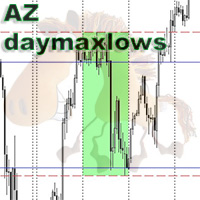
The simplest indicator. You select the day of the week (Monday/Friday), the indicator draws the highs and lows of this day on the body and shadow of the candle. The fill color settings of the selected day, the style and color of the lines can be changed. The indicator searches for the nearest selected day. The idea is to speed up the visualization of the price reaction to the body/shadow of the candle of the selected day.
FREE
속도를 위해 약간 변경되었습니다. 테스터는 이메일로 나에게 쓰기,관심이 새로운 고문이 필요합니다 777basil@mail.ru
https://backoffice.aurum.foundation/u/DHXP1U
표시기는 역사의 가격 변화를 기반으로 계산되며 수학적으로 계산되며 데이터가 다시 수신 될 때마다 다시 계산됩니다. 그것은 다른 시간대에 사용할 수 있습니다. 70%의 지표의 경계에서 가격 이동 또는 통합 방향의 변화가 있습니다. 이 방법으로,당신은 추세와 국경에서 채널의 중간에 보트를 거래 할 수 있습니다. 저항/지원 수준을 결정하기 위해 추세 거래에서 사용하는 것이 좋습니다. 비디오에서 표시기가 어떻게 작동하는지 확인할 수 있습니다:
https://youtu.be/UG2ZZEH9B_U
통신 연락처 777basil@mail.ru 우리는 당신의 작업에 대한 지표 인 전문가를 준비 할 것입니다.
FREE

MT5 EMA Trend Indicator Smart trend indicator that uses three EMAs to identify clear market direction. Description:
The Triple EMA Trend Detector is a powerful yet simple indicator for MetaTrader 5 that defines the current market trend using three Exponential Moving Averages (EMA).
It shows you visually when the trend is UP , DOWN , or NEUTRAL directly on the chart — no guesswork. When the fast EMA crosses above the medium and both stay above the slow EMA, the indicator signals an
FREE

Chart Pro Classic White is a lightweight MetaTrader 5 chart styling utility designed to give your charts a clean, professional, and easy-to-read white appearance with a single click. The utility automatically applies a carefully selected visual setup to your MT5 chart, including chart colors, candlestick colors, background, grid visibility, price lines, text colors, chart scale, and other visual preferences. Key Features Clean professional white chart theme White chart background Green bullish c
FREE

Indices Position Size Calculator - a free lot size calculator for index traders. Enter your account balance, risk percentage, entry and stop-loss prices, and instantly get the exact position size for US30 (Dow Jones), NAS100, US500 (S&P 500) and any other index your broker offers. Index points are worth different amounts depending on the contract, so a fixed lot size means unpredictable real-money risk - a problem that matters especially for traders working with prop firm evaluation accounts. Th
FREE

Take control of your trading performance with the Pro Dashboard Screener Designed for serious traders, this utility provides a clean, professional, and real-time overview of your account's health directly on your chart. Stop switching between tabs to check your stats. With the Quant Pro Dashboard, your key metrics are always front and center, allowing you to focus on what matters most: your analysis. Key Features: Account Intelligence: Automatically detects your Account Number and Broker detail
FREE

Ultimate Multi-Timeframe Pattern Scanner Dashboard is a high-performance, advanced technical tool designed to automatically scan and identify 14 of the most powerful candlestick patterns simultaneously across multiple currency pairs and timeframes. Built with a highly optimized, timer-driven architecture, this dashboard updates seamlessly without causing platform lag or freezing, making it the perfect scanner for active traders who want to monitor the entire market from a single chart. ️ IMPORT
FREE
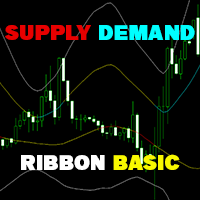
Supply Demand Ribbon is an indicator with moving supply and demand lines that help you identify price zones more easily. The indicator helps you determine flexible entry, stop loss, and take profit areas. There are also strategies for algorithmically changing ribbon colors. From there you can come up with many trading strategies for yourself! You can explore many feature in Advanced version here !
MT4 Version: Click here! You can combine it with our indicators below to make your trading
FREE
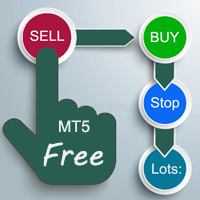
A "simple design" trading panel, which is characterized by small byte size, low CPU usage, simple steps, and quick operation, 1 to 2 clicks to complete a functional operation,
saving time and increasing efficiency . The panel is easy to use, and it is not complicated to set parameters, which is in line with traders' habits. At the same time, its compact-
design, clear at a glance, and comprehensive functions are a powerful tool for manual trading! Key features of the panel: Click "Bid/Ask P
FREE

Propfirm Risk Guard Dashboard — Prop‑firm P/L, Drawdown & Exposure Monitor for MT5 Propfirm Risk Guard Dashboard is a compact chart indicator that gives traders an instant, accurate view of their challenge-style limits and worst‑case exposure. Built for traders preparing or taking prop firm evaluations, it aggregates closed P/L, floating P/L, and estimated SL exposure (open + pending) and compares them to your configured daily drawdown, max loss (initial drawdown), and profit target — all in on
FREE

Totz Smart Money Concepts (FVG + Supply/Demand + Liquidity) Totz SMC is an all-in-one Smart Money Concepts (SMC) visual indicator engineered to clean up your charts, standardise market structure identification, and highlight high-probability institutional entry zones automatically. Key Features Fair Value Gaps (FVG): Automatically plots bullish and bearish imbalance zones with custom opacity and minimum size filtering. Supply & Demand Zones: Pinpoints explosive institutional displacement b
FREE

정밀한 통계와 역동적인 자본 배분의 세계에 최첨단 도구인 PCA Arbitrage 3X 와 함께 몰입해보세요. 이 인디케이터는 엘리트 트레이더들이 시장 움직임 속 숨겨진 규칙성을 찾아내기 위해 사용하는 **주성분 분석(Principal Component Analysis, PCA)**을 기반으로 제작되었습니다. 고급 **야코비(Jacobi) 알고리즘(ML)**을 통해 고유값과 고유벡터를 계산하여, 복잡한 과거 데이터를 명확한 진입 및 포지션 관리 신호로 변환합니다. 이 접근 방식을 적용하면 신중한 의사결정을 내릴 수 있고, 불확실성을 최소화하며, 위험과 성과 간의 균형을 향상시킬 수 있습니다.
PCA (Principal Component Analysis) 메소드가 과거 데이터에서 어떻게 작동하는지 보려면 무료로 테스트 할 수 있습니다.
주성분 분석(PCA) 방법 기반 전문가 어드바이저.
인디케이터 사용 방법 이 버전은 무료 예시용으로, 기능이 제한되어 있으며 오로지 데모 목적으
FREE

NINJA MT5 DOCTOR 개요 NINJA MT5 Doctor는 터미널, 계좌, 열린 차트, 선택한 히스토리 및 현재 호스트 차트의 종목에 대한 일회성 진단 스냅샷을 생성하는 무료 읽기 전용 MT5 유틸리티입니다. Expert Advisor 형식의 유틸리티이며, 거래 EA나 인디케이터가 아닙니다. 패널과 입력 매개변수의 이름은 영어로 표시됩니다. 검사 항목 브로커 서버 연결, 터미널 및 계좌의 거래 권한, Doctor 자체 권한, 거래 모드 및 공개된 거래 세션, 시세의 최신성, 스프레드, 선택한 시간대의 동기화 상태와 바 수, 거래량 규칙, 기준 증거금과 가용 증거금의 비교, 브로커가 공개한 종목 속성을 검사합니다. CHARTS 탭에는 열린 각 차트와 확인 가능한 경우 연결된 EA의 이름이 표시됩니다. 다른 EA의 비공개 로직은 검사할 수 없습니다. 대시보드 및 상태 OVERVIEW는 검사 결과를 요약하고, HISTORY는 동기화 상태와 복사된 바 수를 표시하며, CHARTS는
FREE

Run one strategy across every account you trade. Revanche Miroir Local Copier is a free local trade copier that mirrors trades between MetaTrader 5 accounts on the same computer, in real time. One program plays both parts: set it as the Master on the account you trade, and as a Slave on each account that should follow. A complete copier, free. It copies on any symbol, in any account currency, and between different brokers. If the master falls silent, open trades are held rather than closed, and
FREE
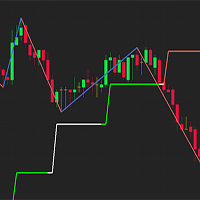
Simple indicator used in technical strategies to analyze tops, bottoms and reversal or continuation points. Developer information:
Line values and colors:
Buffer 0 : ZigZag line value;
Buffer 1 : ZigZag color value;
Buffer 2 : Median line value;
Buffer 3 : Median color value; Buffer to get the values of each top and bottom. Buffer 4 : Top value;
Buffer 5 : Bottoms value;
Buffer that returns the type of the last direction.
Buffer 9: 0 = Not updated, 1 = High, -1 = Low;
This indic
FREE

️ TradeGuard by Brian_Breyli_Vana Your Trading Co-Pilot for MetaTrader 5 TradeGuard is a professional manual trading assistant for MetaTrader 5, designed for traders who want to stay in control of every trading decision while letting the EA handle the repetitive, time-consuming, and error-prone parts of trade management. Built for Price Action, Support & Resistance, Breakout, Swing, and Day Trading, TradeGuard combines fast execution, visual risk management, automated protection, session-based
FREE

ADX Trend Strength Multi-Timeframe Dashboard shows how strong the trend is and in which direction, on four timeframes at once, using ADX together with the Directional Indicators. It answers the question that decides which tools to trust: is the market trending strongly or simply ranging. By default it reads the M15, H1, H4 and D1 timeframes, and the period and the strong threshold are configurable. Each timeframe appears in green for a strong up move, red for a strong down move and grey when the
FREE

CANDLESTICK_MT5
A very interesting indicator of candlestick patterns, converted from the free version of the CANDLESTICK indicator for the MetaTrader4 terminal to the version for the MetaTrader5 terminal. In addition to candlestick patterns, it draws support and resistance lines, which are perfectly worked out by the price on the chart. It can work on any timeframe. Has simple settings. When converting, the logic of work and the design of the original CANDLESTICK indicator for the MT4 terminal
FREE

The Cossover MA Histogram indicator is a simple tool showing the trend based on crossover of moving averages. Simply specify two mobving averages and addicional parameters like MA method and Applied price. When fast MA is above slow MA the histogram is green, indicating an uptrend. When MA fast is below MA slow the histogram is red, indicating an downtrend.
FREE

This Expert advisor Trades Trending conditions, best use on EURUSD 1hr chart Strategy uses Bollinger band , Rsi and a momentum indicator to identify the best trading conditions
Includes news filter and account protection settings , also entry protection for high spread . Optimized code for quicker optimization in mt5
Download demo and test out Bollinger Band Lion .
FREE

**X-STOX News Command Center** turns MetaTrader 5's built-in Economic Calendar into a clean, always-visible command dashboard — and, uniquely, lets your Expert Advisors *read the same news data* so they can protect your account around high-impact events.
Built as a single lightweight indicator. No DLLs. No WebRequest. No external servers. Everything runs on the calendar data already inside your MT5 terminal.
**— What it does —**
• **Floating dashboard** — a compact, movable panel showing upco
FREE

by installing this indicator you can create a horizontal line with the click of a button press Q = to create a horizontal line at the location of mouse pointer press W = to delete all existing horizontal lines press E = to delete the horizontal line nearest to your mouse pointer WANT SIMILAR INDICATOR for PRICE ALERT ?? CHECK OUT MY OTHER PRODUCTS https://www.mql5.com/en/market/product/165765
by default the line is blue with dashes and price highlighted on the line, but its fully customizable
FREE

PHOENIX MEASURED BOX DASHBOARD, engineered specifically for Phoenix Au Trading to provide "No dreams, just the tools" for high-precision institutional-style trading. 1. THE INDICATOR DEFINITION The Phoenix Measured Box is a multi-dimensional analysis tool designed for SMC (Smart Money Concepts) and ICT-style traders. It combines time-segmented price action with real-time volume metrics and automated target projections. Key Components: 15m Range Boxes: Automatically identifies and boxes every 15
FREE

This MQL5 indicator creates a customizable grid of horizontal lines on your trading chart. Here's what it does:
**Main Functions:** - Draws equally spaced horizontal lines across the visible price range - Supports two line types: horizontal lines or trend lines with forward projection - Automatically adjusts to price scale changes
**Key Features:** 1. **Customizable Spacing**: Set grid distance in pips (20 pips by default) 2. **Flexible Starting Point**: Auto-calculates starting price or lets
FREE

The Supertrend indicator is a very versatile and and accurate trend detection system. It can also be used an an reversal indicator. Therefor you can use it either as entry or as an exit signal. Depending on your settings it is also good for trend confirmation. This version is slightly enhanced from the original version from mladen. The Supertrend of Averages Histogram Version contains: 11 different price options Averaging period
18 different averaging types ATR period and ATR multiplier Shows re
FREE

SmartTrader Pip Value Display answers a question that trips up more traders than you'd expect: what is a pip actually worth, right now, on this symbol, at this lot size? Why the textbook answer is often wrong "$10 per pip on a standard lot" is a rule of thumb for a handful of major USD pairs - it is not a universal fact. Gold, indices, JPY pairs, and plenty of other symbols have real pip values that differ from that number, sometimes significantly, and it depends on your specific broker's contra
FREE

Swap Guard Pro is a non directional MT5 dashboard designed to help traders understand overnight holding costs before they become a silent drag on performance. The indicator displays long and short swap values, estimated daily holding cost, triple swap day, next rollover timing, current spread, tick value, margin requirement, open exposure, accrued swap, floating PnL, and projected next rollover cost directly on the chart. It is built for traders who hold positions overnight, trade multi asset po
FREE

The seven currencies mentioned are: GBP (British Pound): This is the currency of the United Kingdom. AUD (Australian Dollar): This is the currency of Australia. NZD (New Zealand Dollar): This is the currency of New Zealand. USD (United States Dollar): This is the currency of the United States. CAD (Canadian Dollar): This is the currency of Canada. CHF (Swiss Franc): This is the currency of Switzerland. JPY (Japanese Yen): This is the currency of Japan. Currency strength indexes provide a way to
FREE
Session Bias & Trade Signals in one tool. Detects Asia, London & NY session trends, shows bias strength, alerts bias flips, and plots Entry/SL/TP levels with R:R. Simple dashboard for quick decisions. Simple but powerful trading assistant. This indicator automatically detects the market bias during the Asia, London, and New York sessions .
It helps traders stay on the right side of the trend, avoid neutral zones, and catch bias flips with alerts. Bias Detection – Shows session bias as Bullish
FREE
MetaTrader 마켓은 개발자들이 거래 애플리케이션을 판매할 수 있는 간단하고 편리한 사이트이다.
제품을 게시하고 마켓용 제품 설명을 어떻게 준비하는가를 설명하는 데 도움이 됩니다. 마켓의 모든 애플리케이션은 암호화로 보호되며 구매자의 컴퓨터에서만 실행할 수 있습니다. 불법 복제는 불가능합니다.
