 MetaTrader 5
 エキスパート
 インディケータ
 ライブラリ
ライブラリ
 ユーティリティ
 ウィジェット
 ルール
ルール
YouTubeにあるマーケットチュートリアルビデオをご覧ください
ロボットや指標を購入する
仮想ホスティングで
EAを実行
EAを実行
ロボットや指標を購入前にテストする
マーケットで収入を得る
販売のためにプロダクトをプレゼンテーションする方法
MetaTrader 5のための無料のエキスパートアドバイザーとインディケータ - 116
 自動売買ロボットとインジケータを使用して、外国為替取引の収益性を高めます。 自動売買ロボットを使用すると、取引の開始と終了を自動化でき、インジケータは市場の行動をより正確に予測するのに役立ちます。
このページには、MetaTrader5アプリケーションのカタログが掲載されています。
自動売買ロボットとインジケータを使用して、外国為替取引の収益性を高めます。 自動売買ロボットを使用すると、取引の開始と終了を自動化でき、インジケータは市場の行動をより正確に予測するのに役立ちます。
このページには、MetaTrader5アプリケーションのカタログが掲載されています。 
LZ Spread Monitor is a professional utility designed to help traders monitor transaction costs and execution quality in real-time.
It provides instant feedback on current market conditions, helping you avoid trading during high-spread periods (news releases, rollovers, low liquidity).
Key Features - Spread Analytics: Monitor Current, Minimum, Maximum, and Average spread for the session. - Cost Calculator: Instantly see the monetary cost of the spread for a specific lot size (e.g., 1.0 Lot = $
FREE

Eexibe níveis de preço de referência diretamente na janela do gráfico. A sua função principal é projetar automaticamente pontos de preço importantes baseados em dados diários.
O indicador plota linhas horizontais que correspondem aos preços de abertura, máxima, mínima e fechamento do dia de negociação anterior (D-1).
Adicionalmente, exibe os níveis de abertura, máxima e mínima para o dia de negociação atual.
Os níveis de máxima e mínima do dia atual são atualizados dinamicamente durante o anda
FREE

Easy and simple tool which close all trades in defined point of time. It can also close all open trades when opened positions reach defined target profit or stop loss.
For all pairs, indexes etc. Works with all instruments.
All types of orders. All charts.
Users inputs:
- close time (hour,min,sec)
- take profit (in users currency)
- stop loss (in users currency)
Save & Load settings option.
Fast, simple and reliable.
Check out other tools provided by our team!
FREE
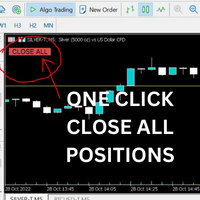
Just Attach to the Chart to be able to Click Button to Close all Open Positions in your Trading Account. Change Horizontal And Vertical Pixel based positioning for Button placement on chart. Appreciate your feedback and reviews. Note: All open positions on your trading account will be closed when button pressed.
If you need help with any simple utility happy to help.
FREE

MT5 Trade Alerts to Telegram Send your MetaTrader 5 trade activity to Telegram automatically. MT5 Trade Alerts to Telegram is an account-wide monitoring and notification utility for MetaTrader 5. It detects trade events on the trading account and publishes clear, customizable Telegram alerts without opening, modifying or managing trades. Use it for manual trading, Expert Advisors, signal channels, account monitoring or simply to keep a real-time record of trade activity on your phone. Main Featu
FREE

Reflex Panel - 半自動売買の革命! MT5の使いにくい標準インターフェースにうんざりしていませんか?ウィンドウの切り替えや複雑な計算はもう忘れましょう! Chart Revolution EA は、あなたのチャートをトレーダーの本格的なコマンドセンターに変える、次世代のプロフェッショナル取引パネルです! CHART REVOLUTIONが選ばれる理由 すべてを1画面で - 余分なウィンドウはもう不要
即時実行 - ワンクリックで取引を開始
スマートなリスク計算 - 証拠金に対する割合(%)でロットを自動計算
視覚的な管理 - すべてのポジションレベルをチャート上に直接表示
4つのスタイリッシュなテーマ - サイバーパンクからマトリックスまで 主な機能 取引パネル: ワンクリックでBUY/SELLポジションを発注 ロット、SL、TPの迅速な設定 クイック選択ボタン (0.01 - 1.00 ロット) プリセットSL/TPレベル (25, 50, 100, 200 ポイント) 全ポジション決済 / 利益のあるポジションのみ決済 省スペ
FREE

AIX Notifier — Telegram and Discord alerts for AIX Analyst
AIX Notifier is a free companion utility for the AIX Analyst indicator. MetaTrader 5 indicators cannot access the internet by themselves, so AIX Notifier does it for them: it delivers AIX Analyst alerts, reports and the morning overview to Telegram and Discord, with a screenshot of the chart. It does not open, modify or close trades.
What it does • Sends AIX Analyst alerts to Telegram and Discord: price in a scenario zone, objective r
FREE

The MWC COX indicator shows the extreme zones of net short/long positions of the Commitments of Traders Report released by the CFTC once a week for four periods of time. Default settings are periods of 12, 26, 52 and 156 weeks.
Additional Features Displays the sum of all 4 periods in one line MA, MOM and RSI indicators are integrated ( not in the MQL5 Version 1.0 ) Please make sure that you download the MWC_Demo.zip file and unpack it into [...]/MQL5/Files folder. -> www.myweeklycot.com/t
FREE

RSI & Moving Average Expert v1.0
A fully automated trading robot that combines the power of two classic indicators: Moving Averages and RSI, to identify strong, low-risk entries aligned with the market trend. How it works: Uses a Fast and Slow MA crossover on M15 timeframe for signal generation. Confirms trend direction using a higher timeframe EMA (default H1, 100-period). Applies RSI filtering to avoid false breakouts and extreme zones. Calculates lot size dynamically based on account risk
FREE
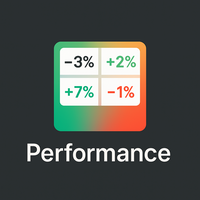
概要
Performance Indicator は、構成可能な時間間隔にわたる複数のシンボルのパーセントリターンを ヒートマップ で表示します。相対的な強さと弱さを視覚的に比較するためのもので、結果を保証するものではありません。 設定
SymbolsList: カンマ区切りのシンボル。ターミナルの名前と正確に一致する必要があります。
BaseTF: 計算の基準タイムフレーム。
UpdateSeconds: 自動更新の間隔(秒)。
CapPercent: 色の強度を正規化する値。
PeriodsList: 表示する期間を定義する文字列(例:D1, W1, M1, M3, M6, Y1, YTD)。 1M , 2W , YTD のような形式を受け付けます。 リターン計算
Standard periods: 現在の終値と N 期間前の終値を比較。
YTD: 一貫した比較のために、現在の年の始まりに最も近い終値を使用。 視覚的エンコーディング
背景: 非負のリターンは緑、負のリターンは赤。強度は CapPercent でスケーリング。
テキスト: リターンが ≥ 0 の場合は緑、負
FREE

Copy Trade PRO - Slave EA (FREE with Master EA) Receive Trades Automatically from Your Master Account Copy Trade PRO - Slave EA is a professional trade receiver designed for MetaTrader 5. It automatically mirrors trades from the Copy Trade PRO Master EA with fast execution, intelligent symbol matching, and flexible risk management. Telegram Support Link : @GoldBotXSupport Need help or have questions? Contact me on WhatsApp: https://wa.me/447378910922
This Slave EA is complete
FREE

Day Close Hunter なぜこれが重要なのか すべてのトレーダーがこの状況を知っています。金曜日の夜、市場がまもなく閉まろうとしており、週末前にポジションを閉じるのを忘れてしまいました。月曜日、市場はギャップで始まり、避けられたはずの損失をあなたの預金が被ることになります。 多くの自動売買システムには金曜日のクローズ機能が組み込まれていません。週末中ずっとポジションを保持し続け、市場のギャップに対して無防備な状態にさせます。 Day Close Hunter はこの問題を一発で解決します。クローズする時間と曜日を設定するだけで、たとえあなたが忘れてもエキスパートアドバイザーがポジションを管理します。 目的 Day Close Hunter は MetaTrader 5 向けの汎用エキスパートアドバイザーで、指定された曜日と時間にすべてのポジションと保留注文を自動的にクローズします。週末のギャップから保護するだけでなく、毎日の市場終了前の口座整理にも最適です。 主な機能 選択可能な曜日 — チェックボックスによる柔軟な設定。任意の曜日にポジションをクローズできます。金曜日の
FREE
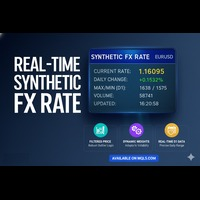
リアルタイム合成FXレート (Real-Time Synthetic FX Rate) リアルタイム合成FXレート は、お客様のブローカーで利用可能なあらゆる通貨ペア(メジャー、マイナー、エキゾチックペアを含む)の 頑健な合成為替レート推定値 を算出するために設計されたインジケーターです。 その目的は、 刻々と形成される価格 を反映する 動的な参照値 を提供することにあります。これにより、公式レートの公表や機関による検証が行われる前に、方向性の指針を提供します。 仕組み:頑健なハイブリッドモデル このインジケーターは、 市場のボラティリティ に応じて自動的に調整される 動的な重み を持つ3つの主要な構成要素を組み合わせることで、合成値を生成します。 出来高加重平均価格 (VWAP): 最も多くの出来高が取引された価格水準に高い重要度を与え、買い手と売り手の真の市場コンセンサスを反映します。 トリム平均 (Trimmed Mean): 極端な価格や誤ったティック( outliers 、異常値)を自動的に除外し、クリーンで安定した参照値を保証します。 直近平均: 合成レートを最新の価格変動
FREE

スプレッドが知らぬ間に拡大している状況で取引を行うと、予想以上のコストがかかってしまいますが、1つの銘柄のチャートだけを見ていると、こうした変化を見逃しがちです。
Phoenix Spread Panelは、複数の銘柄のスプレッドをリアルタイムで一覧表示し、各銘柄の平均値に対して色分け表示するため、注文を出す前にスプレッドの拡大を確認することができます。
スプレッドコストを可視化する仕組み
- 最大15銘柄のリアルタイムの現在値、最小値、最大値、平均スプレッドを同時に表示
- ピップまたはポイント単位での表示
- 任意の列(銘柄、現在値、最小値、最大値、平均値)で並べ替え可能
- 品質の閾値(良好/警告/アラート)を色分け表示。すべての銘柄に一律に適用される固定値ではなく、各銘柄の平均値の倍数として設定
- 非アクティブな銘柄は自動的に非表示
アラート
銘柄のスプレッドが警告ゾーンまたはアラートゾーンに入った際に、音とプッシュ通知で通知します。
Phoenix Spread Panelを活用して:
- エントリー前に、ウォッチリスト全体の
FREE

Expert Advisorを使用すると、別のエキスパートによって行われ、csvファイルに保存されたトランザクションの実行をシミュ これは、別のサーバー上の取引戦略の結果を確認するのに役立ちます。
Account History Exporterなどの別のプログラムを使用して、アカウントの取引履歴を目的の形式のcsvファイルにエクスポートしたり、Expert History Exporterからexpertにプログラムコードを接続して履歴をエクスポートしたりすることができます。
ファイルの先頭に次のような行があるはずです:
DATE,TICKET,TYPE,SYMBOL,VOLUME,ENTRY,PRICE,STOPLOSS,TAKEPROFIT,PROFIT,COMMISSION,FEE,SWAP,MAGIC ,COMMENT
つまり、他の情報がその前にある可能性があります。
それらの後とファイルの最後には、1つのトランザクションのコンマ区切りのフィールド値を持つ行があります。 行内のフィールドの値:
DATE - date in the format YYYY.M
FREE

Chart Buddyは、取引チャートに楽しさを加えるために設計されたエンターテインメントツールです。キャラクターがチャートの右側を移動し、価格の動きを応援しているように見せることで、取引にユニークで楽しい要素を追加します。取引に直接影響を与えることはありませんが、アニメーションは軽い気晴らしになり、まるで個人的なサポーターがいるような気分にさせてくれます。 主な機能: 価格の動きをサポート : キャラクターが価格の方向(上昇、下降、またはポジションの方向)に応じて動き、まるで市場を応援しているかのように見せます。 キャラクター選択 : 3種類のキャラクター(リス、お相撲さん、女の子)から選べるほか、カスタム画像をアップロードして個別に設定することも可能です。 カスタマイズ可能なアニメーション : キャラクターの動きの速度やタイミングを自由に調整できます。 視覚的エンターテインメント : アニメーションキャラクターが取引環境に活気とインタラクティブな要素を追加します。 illust STAMPOについて このツールでは、フリー画像リソース illust STAMPO (stampo.f
FREE

SuperTrend Indicator for MetaTrader 5
Ride Trends Like a Pro — Never Miss a Move Again Description:
The SuperTrend Indicator is your ultimate companion for mastering trend-following strategies. Designed to cut through market noise, this powerful tool combines the precision of Average True Range (ATR) with adaptive trailing stops to pinpoint trend reversals, confirm breakouts, and keep you on the right side of the market. Whether you’re trading forex, stocks, crypto, or commodities, the SuperTr
FREE

Overview Advanced MT5 EA that automatically detects, scores, and visualizes support/resistance levels with integrated trading panel, risk management, and multi-channel alerts. Installation (3 Steps) Copy EA File : Place Saturno_Smart_SR_PRO_EA.ex5 in MQL5\Experts\ folder Refresh : Right-click "Expert Advisors" in Navigator → "Refresh" Attach : Drag EA to chart → Click "OK" → Enable AutoTrading button Note : Ensure "Allow Automated Trading" is checked and the EA shows a smiley face Qu
FREE
Swap Monitor Indicator v1.0 by @marekfleisi Swap Monitor is a clean, lightweight MetaTrader 5 indicator that displays real-time swap values and open position swap data for the current symbol — directly on your chart. Whether you're a swing trader optimizing overnight holds or just want clear insight into swap costs and income, Swap Monitor gives you instant transparency on: LONG & SHORT swap values Color-coded swap profitability Open positions summary (including total swap profit/loss)
FREE

MT5 CCIダッシュボードスキャナー MT5 CCIダッシュボードスキャナーは、異なる時間枠とインストゥルメントにわたってコモディティ・チャネル・インデックス(CCI)レベルを追跡し、新しい信号が検出されたときにリアルタイムアラートを提供するツールです。ユーザーフレンドリーで、コンピュータの計算リソースに優しく、どんなコンピュータでもスムーズに動作します。 主な機能 自動インストゥルメントグルーピング : スキャナーは、マーケットウォッチリストからすべてのインストゥルメントを収集し、カテゴリ(メジャー、マイナー、エキゾチック、その他)に整理します。設定のシンプルなチェックボックスインターフェースを使用して、スキャンするインストゥルメントを簡単に選択できます。 カスタマイズ可能な時間枠選択 : 21種類の異なる時間枠からスキャン用に選択できます。すべての選択された時間枠はダッシュボードに表示され、新しい信号の通知が各時間枠に送信されます。 簡単なCCI設定 : CCIの設定(期間と適用価格を含む)を調整し、売買レベルを設定できます。また、現在のキャンドルに基づいてスキャンするか、最も最
FREE

The AlphaQuant Prop Firm Risk Calculator is a professional, institutional-grade utility designed specifically for proprietary trading firm challenges and funded accounts. It eliminates manual guesswork, ensuring every trade you plan aligns perfectly with your firm's strict risk parameters.
KEY FEATURES
️ Universal Prop Firm Compatibility Unlike rigid tools locked to one firm, this calculator features fully customizable input parameters. Easily adjust the Max Daily Loss , Max Total Loss ,
FREE

Candle Data HTTP Exporter NZDUSD この無料版は NZDUSD のみをエクスポートし、フルバージョンの Candle Data HTTP Exporter は任意の銘柄をエクスポートできます。 説明 この EA は、お使いのターミナルをアプリケーション向けの過去およびリアルタイムのレート(OHLC、ローソク足)データの提供元にします。
インターネット上には多くのマーケットデータ提供サービスがありますが、実際には提供されるデータの品質が常に良いとは限りません。さらに、こうしたサービスは割高なことが多く、通常は銘柄ごとに月額の利用料がかかります。
この EA を使えば、ターミナルで表示されているものとまったく同じレートデータ、つまり取引や相場分析の根拠としているデータそのものをアプリケーションに提供できます。
ティックデータを提供する Tick Data HTTP Exporter と組み合わせれば、相場分析に必要なデータ一式がそろいます。 機能 あらかじめ設定した外部の HTTP URL へレートデータを送信します。 すべてのローソク足の配信を保証し、中断時
FREE

//////////////////////////////////////////////// //////////////////////////////////
An improved version of the standard Bulls Power and Bears Power indicators.
Now it's two in one.
The setup is simple - you just need to specify the period. It is also very easy to understand the readings of this indicator, a signal above zero is a buy, and below it is a sell.
//////////////////////////////////////////////// ///////////////////////////////////
I hope this indicator will be very useful to you
FREE
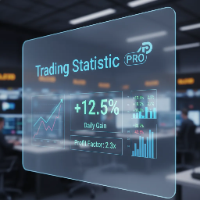
The statistical indicator for the metatrader 5 TradingStatisticPro collects statistical data on your trade, which makes it easier to assess the effectiveness of trading, the profit received and the risks. The indicator is compactly placed in the corner of the main chart of the terminal and displays the following information: 1. The profit earned. 2. Maximum drawdown. 3. The recovery factor. 4. Profit factor. 5. The ratio of profitable and unprofitable transactions (winrate). 6. Average profit a
FREE

Proton Account Dashboard MT5
OVERVIEW Proton Account Dashboard MT5 is a utility for MetaTrader 5 that displays real-time account information on the chart. The dashboard shows key account metrics without requiring navigation to the account settings menu. This tool is designed for traders who want immediate visibility of account status while maintaining focus on price action.
PRIMARY FUNCTION The utility displays critical account metrics in a dedicated panel attached to the chart. All values up
FREE

This is a FREE Trend Direction Indicator for MetaTrader 5.
Features:
Identifies market trend direction
Uses EMA 50 and EMA 200
Non-repainting logic
Clear visual display
Suitable for manual trading
Free version includes:
- Single timeframe
- Trend direction only
- No alerts
If you need:
Alerts
Multi-timeframe version
EA automation
Custom modifications
My Name is Khalaf Hamza , You can contact me for freelance work --> khalaf.hamza.hi@gmail.com
FREE

"Are you tired of losing money on unsuccessful trades? Look no further than EA Trailing Stop! Our program is designed to help you prevent losses and control your trades efficiently. With features such as adjustable stop loss and more, you can rest assured that your trades are in good hands. Don't wait any longer to start making successful trades. Try EA Trailing Stop today!"
You can use this as a starting point and tailor it to your audience and the platform you're using. This EA Trailing Stop
FREE

The idea behind this indicator is to find all currency pairs that are over-bought or over-sold according to the RSI indicator at one go.
The RSI uses the default period of 14 (this can be changed in the settings) and scans all symbols to find the RSI level you will have specified. Once currency pairs that meet the specification are found, the indicator will open those charts for you incase those charts aren't open and proceed to write the full list of currencies on the experts tab.
FREE

Protect your funded accounts and personal capital with military-grade precision. This utility continuously monitors your floating equity against your daily starting balance. The moment your custom drawdown threshold is breached, it instantly liquidates all open positions, deletes pending orders, and completely unloads from the chart. Stop revenge trading and never fail a prop firm evaluation due to a margin breach again.
FREE
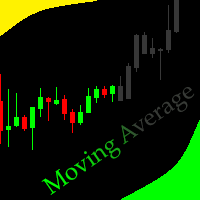
this Moving Average indicator is like no other, making trading easier for you,the settings are preset and can't be changed but don't let that stop you because it's highly accurate.
If the candle closes above the line you enter buys and below then you go for sells, this is build to help beginner traders on their journey to becoming profitable
Easy and quick to understand
FREE

Having more expert advisors running on the same account , eventually leads us to the question , which one of them are winners , or which are dragging down the account ? With this in mind I created this simple utility for displaying profits or losses taken by each expert advisor over time . This utility can be run as an expert advisor and can display up to 9 magic number results . If the inputs are left to zero , the results displayed are from the manually placed orders . It also displays deposi
FREE
Pivot Points are used by Forex traders to find support and resistance levels based on the previous day's price action. There are various ways to calculate pivot points, including averaging the open, high, low, and close of the previous day's chart price.
Forex Traders use a combination of pivot points with moving averages to find trading opportunities in the currency markets.
Pivot points are very useful tools that use the previous bars' highs, lows and closings to project support and resist
FREE

Индикатор SpreadTimeInfo
Многофункциональный индикатор для отслеживания времени сессий, спреда и торговых инструментов.
Основные возможности Отображение времени до открытия/закрытия Американской сессии Таймер обратного отсчета до закрытия текущей свечи Мониторинг спреда с визуальным предупреждением Русскоязычные названия более 100 торговых инструментов Автоматический учёт выходных и праздничных дней
Настройки индикатора
### Американская сессия - Время открытия NY (в вашем времени)
FREE

Bollinger Bands Technical Indicator (BB) is similar to envelopes. The only difference is that the bands of Envelopes are plotted a fixed distance (%) away from the moving average, while the Bollinger Bands are plotted a certain number of standard deviations away from it. Standard deviation is a measure of volatility, therefore Bollinger Bands adjust themselves to the market conditions. When the markets become more volatile, the bands widen and they contract during less volatile periods. This ada
FREE

PERFECT.... Based on the professional MQL5 code you've provided, here are the top 10 reasons why your implementation is superior to standard trading scripts: High-Performance UI Throttling : By using GetTickCount() to limit UI updates to 200ms in OnTick , you prevent the terminal from freezing during high-volatility news events. Bulletproof Order Closing : Your HandleCloseAll uses a reverse loop ( i = PositionsTotal() - 1 ). This is the industry standard for ensuring no positions are skip
FREE
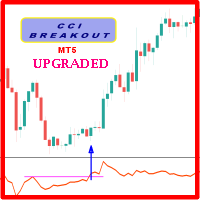
Probability emerges to record higher prices when CCi oscillator breaks out oscillator historical resistance level when exhibit overbought values. Since, oscillator breakout of support and resistance have similar effect as price breaks support and resistance levels, therefore, its highly advised to confirm price breakout with oscillator breakout; certainly, will have the same output in short trades. Concept is based on find swing levels which based on number of bars by each side of peak or troug
FREE
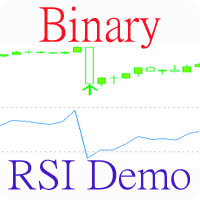
Индикатор, показывающий моменты пересечения важных уровней индикатора RSI. Может быть использован для поиска моментов пересечения уровней для успешной торговли на отскок или по тренду.
Входные параметры Inform about finding the signal - параметр, отвечающий за получение уведомлений (Alert) о найденном сигнале. По умолчанию - нет RSI period - Период RSI для работы RSI Max - Значение максимальной границы RSI RSI Min - Значение минимальной границы RSI
FREE
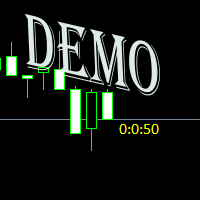
Простая утилита показывающая время до формирования свечи. Может быть очень полезна, если вход в сделку завязан на начале/завершении свечи. Демо версия работает на валюте EURUSD Входные параметры FontColor - Цвет текста. FontSize - Размер текста. FontName - Шрифт текста. TimeOnly - Указывать только время, без дополнительного текста. TypeOfDrawing - Тип отображения информации Важно : возможна задержка в 1 сек.
FREE

WPR Scalper Indicator for MetaTrader 5 Now for free! The WPR Scalper is a powerful indicator designed for traders seeking precise entry and exit signals based on the Williams %R oscillator. Optimized for volatile markets like BTCUSD on the H1 timeframe, it combines three Williams %R calculations (Fast, Slow, and Tortle) to identify overbought and oversold conditions with high accuracy. In the context of the WPR Scalper indicator, “Tortle” refers to a user-defined term for a third, slow Williams
FREE

Risk Guardian Lite - Institutional Risk Monitor MT5 Are you trading blind? Most traders fail because they don't know their real-time exposure. Risk Guardian Lite is a high-performance monitoring tool designed for institutional traders who demand precision without visual clutter. Why choose Risk Guardian Lite? Unlike generic monitors, this version focuses on the "Golden Triad" of profitability: Net Profit, Real Exposure, and Efficiency Ratio (R:R). Elite Features: ️ Capital at Risk Monito
FREE

Full Description (Professional MQL5 Version) Range Scanner Pro is a lightweight and efficient MT5 indicator that scans price action to monitor market ranging conditions and potential breakout setups. Markets spend most of their time in consolidation. Identifying these range zones early allows traders to prepare for high-probability breakout trades. This tool is ideal for breakout traders, scalpers, intraday traders, and volatility-based strategy users. Key Features Detects market consoli
FREE

Elsna Alert (MT5 EA) is a lightweight Expert Advisor that monitors your trading account in real time and alerts you whenever a trade is opened or closed . It uses MetaTrader 5’s built-in OnTradeTransaction event to instantly detect any new executed deals—manual or automated—and plays a custom sound for each event.
You can choose whether it tracks all symbols or only the chart’s symbol . Key features: Instant audio alert when a trade opens or closes. Works with both manual and EA-driven trades. O
FREE

ST Flow Context: The Professional Trader’s Compass ST Flow Context is a macro analysis tool developed to identify the predominant direction of institutional money. It filters out intraday noise and delivers the real market context, helping the trader never to trade against the main tide. Key Features: Trend Alignment: Identifies whether the daily flow is bullish or bearish based on multiple timeframes. Interest Zones: Maps where institutional volume is defending positions. Entry Filter: Use Flow
FREE

This is the MT5 version. Get Q-Math MT4 here
Check it out and if you like it just enjoy it. Try various values to find the setting that best suits your trading. Upward signal if the indicator is colored lawn green and bearish signal if the indicator is gray. You can use the line itself to trailing stop when you open orders. This is just a tool. A complement. It is not a strategy. Combine it with your own analysis Just download it and try it, it's free.
FREE

️ RISK MANAGER — Risk Management Indicator Indicator version: 1.70 · Style: QuikTrade · Position: bottom-left corner of the chart 1. What it is Risk Manager is an informational indicator for MetaTrader 5 that shows the daily risk budget in real time and helps calculate the recommended lot , taking into account: risk per single trade (% of balance); daily risk (% of balance); losses and profits already realized today; risk of open positions (based on their Stop Loss); distance
FREE

Historical Equity Flow Indicator (HEFI)
Description HEFI is an indicator for MetaTrader 5 that visualizes the dynamics of account balance and floating balance in real time. It helps traders analyze the historical effectiveness of their trading, as well as assess the current state of open positions.
What is it intended for?
Account balance tracking, taking into account closed transactions for the selected period.
Displaying a floating balance (balance + uncovered profits/losses).
Analysis o
FREE
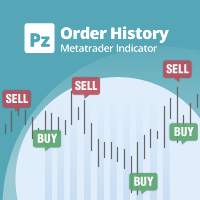
ストラテジーテスターのビジュアルモードと非常によく似た、ライブチャートの取引/注文履歴を表示する汎用インジケーター。これにより、教育、改善、リバースエンジニアリング、または診断の目的で、特定のシンボルの実際の取引履歴を調べることができます。マスターパスワードと投資家パスワードの両方で正常に使用できます。
[ インストールガイド | アップデートガイド | トラブルシューティング | FAQ | すべての製品 ]
主な機能は次のとおりです。
方向分析
すべての取引の損益ラベル
カスタマイズ可能な色とサイズ 利益率の計算 平日および時間帯別の取引活動の内訳
入力パラメータ 購入矢印:購入矢印の色
売り矢印:売り矢印の色
購入矢印サイズ:購入および販売矢印のサイズ
買いクローズ:買い注文の成約の色
成約:売り注文の成約の色
クローズアローサイズ:クローズオーダー矢印のサイズ
勝ちトレードライン:収益性の高いトレードを表示するラインの色
負けトレードライン:負けトレードを表示するラインの色
ラインスタイルの購入:長いトレードラインのスタイル
売りラインスタイル:短いトレードラインのスタイ
FREE

Product Name: Sinwl Signal – Premium Price Action & Swing Trade Indicator (WinWiFi Robot Series) Overview: Unlock professional trading performance with "Sinwl Signal" , the latest innovation from the WinWiFi Robot Series . Specifically engineered for the CFD markets (Forex, Indices, Energy, and Crypto), this indicator solves the trader's biggest challenge: distinguishing between Trend and Sideway markets. Sinwl Signal filters out market noise, allowing you to catch profitable moves with precisio
FREE
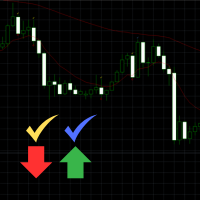
Engulfing Signal Indicator with EMA Confirmation This indicator is made to identify engulfing candlestick patterns in real-time using a mathematical approach and a constant bar-checking loop. It highlights these patterns as they occur, offering visual cues and confirmation when aligned with specific market conditions. How it works: Engulfing Pattern Detection : The indicator identifies engulfing candles using a division factor. A candle is considered engulfing if the entire range (body + wicks)
FREE
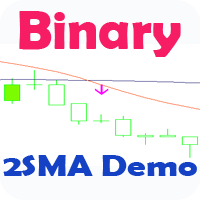
Стрелочный индикатор, выдающий сигнал при пересечении 2 SMA. Сигналы выдаются в виде стрелок и подходят для торговли бинарными опционами.
Это демо версия индикатора, в не нельзя изменять параметры. Полная версия .
Входные параметры First period- период 1 MA Second period - период 2 MA Invert signals - Возможность давать инвертированные сигналы (для работы по тренду) Candles to count - количество свечей для подсчета статистики Expiration - время экспирации сигнала Length - расстояние для
FREE

"All in One" panel. You can simultaneously control: up to 3 symbols; up to 6 periods; up to 31 popular signals. You can see the sum for all signals taking into account the weight of the signal Version for MetaTrader 4: https://www.mql5.com/ru/market/product/27880 Version for MetaTrader 5: https://www.mql5.com/ru/market/product/27830
Parameters NUM_BAR - number of the bar to analyze (set a value greater than 0 to work on closed bars). timeframe_1....timeframe_6 - working timeframes (if set to "c
FREE

RSI Condition:
The Relative Strength Index (RSI) for the current period is below a specified low threshold (RsiLow). This indicates oversold conditions. Candlestick Pattern:
It checks for a specific candlestick pattern across three consecutive candles: The current candle (1) closes higher than it opens (bullish) The previous candle (2) closes lower than it opens (bearish) The current candle's close is below the high of the previous candle Price Action:
The alert also checks that the current
FREE

Grazia Adaptive Trend Channel 相場の「呼吸」に同期する。ボラティリティ適応型チャネル。 「期間限定!無料」 【こんなトレーダーにおすすめ】 チャネルラインを引いても、価格がすぐに突き抜けて使い物にならない方。 ボラティリティの変化に対応できず、損切り貧乏になっている方。 相場が「今、どこまで伸びる余地があるか」を客観的に知りたい方。 【製品概要】 「固定されたチャネルは、変化し続ける相場には通用しない……」 そんな現場の声を形にしたのが Grazia Adaptive Trend Channel です。 本インジケーターは、直近のATR(平均真域)をリアルタイムに解析し、市場のボラティリティに合わせてチャネル幅を自動で伸縮させます。相場が荒れている時はワイドに、静かな時はタイトに。常に「現在の相場における適正な価格変動範囲」を可視化します。 【主な機能と特徴】 Volatility Adaptive: ATRに基づき、相場の勢いに合わせてラインが自動で追従。 Dynamic Range Visualization: 市場の限界値を常に描画し、利確・
FREE

Currency Strength Meter Panel ranks the eight major currencies from strongest to weakest over the period you choose, computed from the 28 major pairs. A single currency pair mixes two forces, so it cannot tell you on its own whether the base is strong or the quote is weak. This panel separates the two and gives you a clear leaderboard, which points you toward the pairs where both currencies push the same way. The strength of each currency is shown as a percentage, the strongest in green and the
FREE

The RSI everyone uses. Finally READABLE.
RSI is one of the most famous indicators in the world... and one of the most misread. RSI Clarity Zones makes it crystal clear, with colored zones and a plain word.
️ WHAT YOU SEE • The RSI with its colored zones overbought / neutral / oversold • A label stating the state plainly: OVERBOUGHT, OVERSOLD or NEUTRAL • A flag when it crosses the 50 line (the momentum shift) ️
WHO IT'S FOR Beginners who want to understand RSI without memori
FREE

The indicator highlights in color the places on the chart where the price moves in one direction continuously from the selected number of candles.
You can specify the number of points from the beginning of the movement to select only movements from this amount.
It can be useful for looking for reversals or sharp impulses.
I also recommend purchasing this utility to determine local weekly / monthly trends and support and resistance lines. https://www.mql5.com/en/market/product/61401
FREE

Rojeryo Candle Countdown is a lightweight MetaTrader 5 indicator that displays the remaining time before the current candle closes.
The indicator is designed for traders who want a clean and simple countdown timer directly on the chart.
It works on the current chart timeframe and updates automatically every second.
Main Features
- Candle close countdown - Works on the current chart timeframe - Updates every second - Simple chart label - Customizable font size - Customizable font name - Cust
FREE
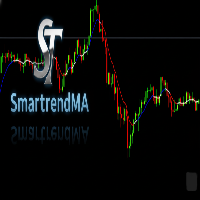
A SmartTrendMA foi projetada para identificar melhor zonas de alta, baixa e consolidação, azul alta, vermelho baixa e branco consolidação, vai te auxiliar a identificar melhor a tendência. Em parâmetro regule melhor conforme sua preferência em grau pois cada par de moeda se adequa diferentemente a cor,mude também o período e se quiser mude exponencial ou simples.
FREE

エントリー前にリスクを計画し、決済済み取引をチャート上で確認できます。Edgemory Trader OS は、MetaTrader 5 用の無料オフライン・リスク計算、ポジションサイズ計画、取引日誌、CSV/JSON エクスポートツールです。登録、トークン、DLL、WebRequest、外部サーバーは不要で、導入後すぐに動作します。
決定論的なプランナーは、口座残高、リスク率、エントリー、ストップロス、テイクプロフィット、ティックサイズと価値、ブローカーのロット制限を使用します。銘柄仕様に合ったポジションサイズとリスクリワード比を表示します。価格水準を推測せず、注文も送信しません。
パネルの主な内容: - 決済済み取引数と勝率 - 利用可能な手数料とスワップを含む純損益 - プロフィットファクターと1取引あたりの平均結果 - 最大実現ドローダウン - 最良・最悪の決済済み取引 - 手数料とスワップの合計コスト - 入力した計画、リスク率、ロット、リスクリワード比 - 最終エクスポート時刻とローカル状態
CSV と JSON は自動更新され、Export Now でも作成できます
FREE

Market Watch Bulk Loader スターター版:ティッカーのリストを貼り付けるだけで、ワンクリックで「気配値表示」に追加できます。1 回の読み込みで最大 5 銘柄。
ティッカーを 1 つずつ手入力する代わりに、クリップボードから「気配値表示」に追加しましょう。
これは Market Watch Bulk Loader のスターター版です。機能は完全版とまったく同じで、制限は 1 つだけ、1 回の読み込みで 5 銘柄までです。まずはご利用のブローカーの銘柄名を本ツールが正しく認識できるか確認するのにお使いください。
使い方
1. ティッカーのリストをクリップボードにコピーします(スクリーナー、表計算ソフト、チャットのメッセージ、プレーンテキストなど、どこからでも可)。 2. MetaTrader 5 でパネルの TXT ボタンを押します。入力欄が表示されます。 3. リストを貼り付けます(Ctrl+V または右クリック)。 4. Copy を押します。
本ツールは各ティッカーをご利用のブローカーが実際に提供している銘柄と照合し、一致したものを「気配値表示」に追
FREE

>
Risk Sentinel は戦略ではなく、保護ツールです。自らはトレードを行いません。あなた自身または別の EA が建てたポジションを、プロのトレーディングデスクがリスクを管理するのと同じように守ります。
主な機能
- すべてのポジションに強制ストップロス。 トレードを無防備なまま放置することはありません。ATR、ポイント、価格に対する割合、または固定金額から選択できます。 - 自動建値移動とトレーリング。 相場が有利に動くにつれて、利益を確保していきます。 - 日次損失サーキットブレーカー。 その日の損失が設定した上限に達すると、全ポジションを決済し、その日の残りは稼働を停止します。ターミナルを再起動しても状態は維持されます。 - 経済指標カレンダー対応。 対象銘柄の通貨に関する重要度の高いニュースを監視し、危険な時間帯の間ポジションを保護します。ほとんどの自動売買ツールはニュースを無視しますが、本ツールは違います。 - ワンクリックパネル。 全決済、全ポジションの建値移動、そしてパニックスイッチをチャート上で直接操作できます。それぞれ2回のクリックで確認する仕組みのため
FREE

Binanceは世界的に有名な暗号通貨取引所です!暗号化されたデジタル通貨市場のリアルタイムデータ分析を容易にするために、プログラムは分析のためにBinanceリアルタイムトランザクションデータをMT5に自動的にインポートできます。主な機能は次のとおりです。
1.通貨セキュリティ部門でのスポット取引ペアの自動作成をサポートします。また、利益通貨と基本通貨を別々に設定することもできます。たとえば、ProfitCurrencyが空の場合、すべての取引エリアを意味します。オプション:USDT、BTC、DAI、およびBinanceでサポートされているその他の取引エリア(契約取引は現在サポートされていません)。BaseCurrencyは空で、すべての通貨を示します。BNBおよびETCも可能です。個別に設定するBinanceでサポートされている暗号通貨を待ちます。 2. Binanceの各通貨の価格精度、取引量の精度、および最大取引量を同期します。
3. WebSocketを介してBinanceをリンクすると、すべてのトランザクションをMt5にプッシュして市場を更新できます。
4.すべての
FREE
如果产品有任何问题或者您需要在此产品上添加功能,请联系我 Contact/message me if you encounter any issue using the product or need extra feature to add on the base version.
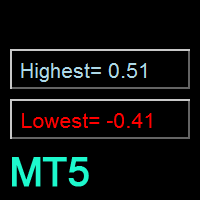
Floating Highest Lowest MT5 provides you an intuitive and user-friendly method to monitor the floating highest (profit) and lowest (loss) that all your trades together ever arrive. For example, I opened 3 orders, which arrived at $4.71 floating profit when trade following trend. Later when the trend is against me, these 3 orders arrive $30 in loss, and a
FREE

Green Indicator by Quant Atlas Creator: https://www.quant-atlas.com/ Green Indicator is a clean reversal focused trading tool designed to highlight potential turning points using momentum pressure and directional slope behavior. The indicator studies the relationship between momentum position and momentum direction. When market pressure reaches an extended condition and begins to shift, the indicator plots green triangle signals directly on the chart. Both bullish and bearish signals use the sa
FREE

DESCRIPTION: Position Size Calculator — On-Chart Risk Management Tool Never risk too much on a single trade again. This calculator displays real-time position sizing for 3 risk levels simultaneously, calculated from your live account balance and current ATR-based stop loss distance. DISPLAYS 3 RISK SCENARIOS AT ONCE: Risk Level 1 (1%): Risk amount in dollars + Lot size Risk Level 2 (2%): Risk amount in dollars + Lot size Risk Level 3 (3%): Risk amount in dollars + Lot size All lot sizes are dyna
FREE

Канал фрактальной дивергенции базируется на паттернах фрактальной дивергенции , представляя их в виде канала, границы которого изменяются в момент появления очередного паттерна. Верхняя граница канала соответствует верхней части последнего найденного медвежьего паттерна фрактальной дивергенции. Нижняя граница канала - это нижняя часть последнего найденного бычьего паттерна (см. скриншот 1). По отношению к индикатору FractalDivergence_Patterns , канальная версия обладает теми же параметрами,
FREE
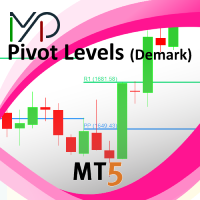
This indicator is stand alone version from MP Pivot Levels (All in one) containing Demark's Pivots.
Calculations: PP = X / 4 R1 = X / 2 - LOWprev S1 = X / 2 - HIGHprev Uses: When the pair currency price may change the direction of movement. Possible constraints of support and resistance that creates plateaus for the currency pair prices. Tendency identification by comparing the present prices according to current day's pivot point and also the prior day's pivot points. ____________
FREE

AI Equity Drawdown Guardian is an account-wide protection utility for MetaTrader 5. It continuously monitors your account equity against a configurable daily and total drawdown limit, and automatically closes all open positions and blocks new trading the moment a limit is breached - across ALL symbols and ALL magic numbers, not just its own trades. Key features: Daily drawdown percent limit, calculated from the equity at the start of each trading day Total drawdown percent limit, calculated from
FREE

EMA Offset Bands is a MetaTrader 5 indicator that plots a central EMA surrounded by percentage-based offset bands. The bands act as dynamic support and resistance that adjust automatically as the EMA moves. Features Central EMA trend line as the directional anchor. Percentage offset bands: upper and lower bands set as a percent of the EMA, so they scale with price. Dynamic support/resistance: the bands move with the market instead of being fixed lines. Simple, clean overlay that works on any sym
FREE

Indicador MAPS Indicador é um oscilador que faz o plot da Curva de Retorno de uma regressão de segundo grau para os preços de fechamento do ativo do gráfico. A Curva de Retorno é a linha central do indicador MAPS e representa a região de equilíbrio do preço entre vendedores e compradores. Os plots do indicador são: Linha central - C0 - cor da mesma varia de acordo com a tendência do mercado, sendo verde para tendência de alta e vermelho para baixa; Linhas superiores: S1, S2, S3 e S4, sendo que a
FREE
MetaTraderマーケットは自動売買ロボットとテクニカル指標を販売するための最もいい場所です。
魅力的なデザインと説明を備えたMetaTraderプラットフォーム用アプリを開発するだけでいいのです。マーケットでプロダクトをパブリッシュして何百万ものMetaTraderユーザーに提供する方法をご覧ください。

取引の機会を逃しています。
- 無料取引アプリ
- 8千を超えるシグナルをコピー
- 金融ニュースで金融マーケットを探索