 MetaTrader 5
 エキスパート
 インディケータ
 ライブラリ
ライブラリ
 ユーティリティ
 ウィジェット
 ルール
ルール
YouTubeにあるマーケットチュートリアルビデオをご覧ください
ロボットや指標を購入する
仮想ホスティングで
EAを実行
EAを実行
ロボットや指標を購入前にテストする
マーケットで収入を得る
販売のためにプロダクトをプレゼンテーションする方法
MetaTrader 5のための無料のエキスパートアドバイザーとインディケータ - 114
 自動売買ロボットとインジケータを使用して、外国為替取引の収益性を高めます。 自動売買ロボットを使用すると、取引の開始と終了を自動化でき、インジケータは市場の行動をより正確に予測するのに役立ちます。
このページには、MetaTrader5アプリケーションのカタログが掲載されています。
自動売買ロボットとインジケータを使用して、外国為替取引の収益性を高めます。 自動売買ロボットを使用すると、取引の開始と終了を自動化でき、インジケータは市場の行動をより正確に予測するのに役立ちます。
このページには、MetaTrader5アプリケーションのカタログが掲載されています。 
PositionRelay Master Publisher は、MetaTrader 5 のオープンポジションのスナップショットを PositionRelay クラウドリレーに送信します。マスター口座を運用し、他のターミナルやブローカーのスレーブ口座でエントリー、エグジット、ストップロスおよびテイクプロフィットの更新を低遅延でミラーしたいトレーダー向けです。
関連製品:PositionRelay Slave Subscriber(無料)。この EA が配信を開始した後、各フォロワー口座にインストールしてください。両方の EA は同じ PositionRelay User ID を使用します。
要件: - 有効な PositionRelay クラウドサブスクリプション(positionrelay.com で登録) - positionrelay.com ダッシュボードの PositionRelay User ID - 各フォロワーターミナルに PositionRelay Slave Subscriber - マスターターミナルで安定したインターネット接続
セットアップ: 1. p
FREE

Hourly Spread Profile は、自分の口座の確定足を読み込み、いま開いている銘柄・時間軸で「どの時間帯にスプレッドがいくらだったか」を1時間刻みで表示するツールです。予測も助言もしません。パネルに出るのはすべて、すでに起きたことの実測値です。
サーバー時刻の0〜23時それぞれについて、直近最大5,000本の確定足からスプレッドの中央値を計算します(口座の履歴がそれに満たなければ、あるだけの本数で計算)。平均ではなく中央値を使うのは、指標発表時の一瞬の跳ねで1時間まるごとの評価が歪まないようにするためです。標本が20本に満たない時間帯は、数字の代わりにハイフンと本数を表示します。3本から出した中央値は、公開する価値のある数字ではないからです。スプレッドが記録されていない足はコスト0として数えず、集計から除外します。履歴全体を通じて足が1本も無い時間帯は、推測せずにそのことをはっきり表示します。
Cheapest(安い時間帯)と Most costly(高い時間帯)は、実測した中で最も低い3つと最も高い3つの時間帯を挙げます。同じ時間帯が両方のリストに同時に出ることはあ
FREE

(暗号通貨チャート)
BinanceFutureのすべてのシンボルをカスタムシンボルに保存します。
BinanceFutureのシンボルに「F」プレフィックスを追加します。
BinanceFutureのシンボルをたどることができるインフラストラクチャを作成します。
[ツール]メニュー>> [オプション] >> [エキスパートアドバイザー]からWebRequestを許可し、URLを追加する必要があります:https://fapi.binance.com
スクリプトをダブルクリックするだけです。
リスト全体が数秒で表示されます。
リンク https://www.mql5.com/en/market/product/68694の製品を参照してください
FREE

Bullish Consecutive Signal — Consecutive Bullish Candle Buy Signal with Alerts & P&L Simulation
Bullish Consecutive Signal automatically detects consecutive bullish candle patterns and marks high-probability buy entries directly on the chart. Each signal comes with an ATR-calculated Stop Loss and Take Profit level, drawn as reference lines so you can assess risk at a glance. A built-in P&L back-simulation lets you evaluate strategy performance without leaving the chart.
IMPORTANT — DEFAULT
FREE
HiperCube ADX Histogram is here!
Discount code for 25% off at Darwinex Zero: DWZ2328770MGM This indicators helps you to know if could be a strong trend in the market . ADX is a very popular and usefull indicator, so many top traders reccomends use it as filter to bad trades, or in combinations of other analysis.
With HiperCube ADX you will be a premium exoerience using a beautifula and great indicator for your trading.
FEATURES: Fully Customizable Custom Your Chart! Custom Color to Histogram I
FREE

複数の注文を簡単に管理するためのアシスタント
1. 「ワンクリックで複数注文管理をマスター – リスクベースのロットサイジング、部分クローズ。 電力会社の主な強みである自動化された量/リスク制御、複数注文の監視を強調します。
2. 「難しい取引ではなく、より賢い取引 – 同時取引管理のための完全なダッシュボード」 EA をオールインワンのコントロール パネルとして構成し、複数の取引にわたって効率を拡張します
3. 「すべての注文を決定する 1 つのパネル – 部分決済、半決済、利益決済、すべて決済
複数のポジションを同時に扱うトレーダーにとって魅力的なコア機能をリストします。
4. 「楽な複数ポジション制御 – MetaTrader5 の SL/TP ラインと平均価格ライン」 リスク管理、グラフィカルな取引インターフェースを重視し、
5. 複数の注文をドラッグしてクリックするだけで、SL と TP を簡単に変更できます
これらが機能する理由 マルチ注文制御: 複数注文の EA 取引支援ツールでユーザーが検索する内容に正確に対応します。
視覚的なダッシ
FREE

The script SphereSample.mq5 illustrates control of graphic objects using the classes from the Standard Library (Base class of objects array CArrayObj , CChartObjectText ).
FREE

Currency Strength Meter Panel ranks the eight major currencies from strongest to weakest over the period you choose, computed from the 28 major pairs. A single currency pair mixes two forces, so it cannot tell you on its own whether the base is strong or the quote is weak. This panel separates the two and gives you a clear leaderboard, which points you toward the pairs where both currencies push the same way. The strength of each currency is shown as a percentage, the strongest in green and the
FREE

News Guard Manager watches every robot on your account and protects them around high impact economic news. -- THE PROBLEM -- You run several Expert Advisors. Each one manages its own trades, but none of them knows what the others are doing, and none of them knows that NFP is in twelve minutes. One news spike can undo a week of careful work across all of them at once. -- WHAT THIS UTILITY DOES -- ONE PANEL FOR THE WHOLE ACCOUNT Every robot running on the account is listed with its magic n
FREE
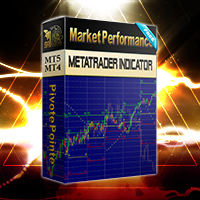
Unlike many other indicators including the moving average indicator, Pivot Point can be a leading indicator. In these systems, the price levels of the previous period are used to determine the critical points instead of relying on the current price performance. Such an approach provides a clear framework for traders to plan their trades in the best possible way.
You can use this method and its combination with the methods you want to build and use a powerful trading setup. MT4 version
Let us kno
FREE
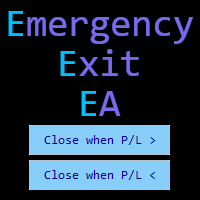
Emergency Exit is an MT5 expert advisor I developed to solve a specific problem: monitoring and managing overall account risk across multiple positions. Unlike traditional EAs that focus on entry signals or complex trading algorithms, Emergency Exit has one job - to watch your total floating P/L and take action when your predefined thresholds are hit.
The main functionality revolves around two simple conditions:
Close when P/L >: Triggers when profit exceeds a value (take profit) OR when loss
FREE

Metis Risk Guardian is an account protection utility for MetaTrader 5. It watches your equity in real time and, when a limit you set is reached, it closes every open position, deletes every pending order and keeps the account flat until you lift the lock. If you would rather stay in control, an alert-only mode warns you and touches nothing. What it protects you from
Most accounts are not lost in a single bad trade. They are lost in the hour after one, when the decision to stop has already been
FREE

MTF Isolator Stochastic: El Filtro Multitemporal Definitivo (100% Sin Repintado) ¿Cuántas veces has instalado un indicador Multi-Timeframe (MTF) que se ve perfecto en el historial, pero en tiempo real repinta sus valores y arruina tus entradas? ¿O indicadores que muestran un efecto antiestético de "escalera" que dificulta la lectura del impulso? El MTF Isolator Stochastic resuelve todos estos problemas. Es una herramienta de grado algorítmico diseñada para traders exigentes que necesitan visu
FREE

大口トレーダーがあなたに見せたくない秘密を発見しましょう。 市場の**「クジラ(大口投資家)」 が常に同じ時間、同じ方向で参入しているのか、疑問に思ったことはありませんか?このインジケーターがそれを示します。エントリーシグナルは提供しませんが、通常見過ごされがちな 時間別または日別の歴史的な値動きのパターン**を明らかにします。 たとえば、 木曜日の15:00 に EURUSD が 80%の確率で上昇 する可能性があることを発見できるかもしれません。時間帯の バイアスを確認したい トレーダーや、自身の戦略のために 高確率な時間帯を特定したい トレーダーに理想的です。 これを使えば、一目で以下の情報が視覚化されます。上昇/下降ローソク足の割合、優勢な方向性、平均的な値動き。これにより、 機関投資家が歴史的にどのように行動してきたか を理解し、分析を素早く簡単に補完できます。 注:M30(30分足) データは1時間単位で統合されます。各時間は、それを構成する2本の30分足のローソク足の挙動を示します。 注:貴金属、株式、指数について 一部の資産では、市場やブローカーが必ずしも 00:00
FREE

TITAN HYBRID PRO V2.0 Trade with precision, not guesswork. "Stop chasing noise. Start trading conviction." Most indicators overwhelm you with false signals, repainting arrows, and cluttered charts. They work in backtests but fail in live markets. TITAN HYBRID PRO V2.0 was built to solve that problem. It is an AI-powered multi-layered indicator that combines four powerful filters — Trend , RSI , Liquidity , and ADX — into one intelligent system. Instead of firing signals at eve
FREE

EW Close All – ワンクリックですべて終了。
EW Close All は軽量で多言語対応のEA(エキスパートアドバイザー)です。ボタンを1回クリックするだけで、すべてのオープン中のポジションを即座に決済し、すべての保留中注文をキャンセルできます。
すべての保有ポジションを決済 すべての保留注文を取消 どんな通貨ペア・時間足でも動作 多言語インターフェース対応 シンプル・高速・確実
素早い撤退、リスク管理、取引終了時のクリーンアップに最適。
完全にコントロールを維持 — EW Close All で数秒ですべてをクローズ!
EW Close All – ワンクリックですべて終了。
EW Close All は軽量で多言語対応のEA(エキスパートアドバイザー)です。ボタンを1回クリックするだけで、すべてのオープン中のポジションを即座に決済し、すべての保留中注文をキャンセルできます。
すべての保有ポジションを決済 すべての保留注文を取消 どんな通貨ペア・時間足でも動作 多言語インターフェース対応
FREE

Basket Close – Your Smart Trading Assistant for the Perfect Exit!
The Basket Close EA is the ideal solution for traders who want to efficiently manage their open positions. This simple Expert Advisor allows you to close all open positions simultaneously based on a predefined profit or loss target.
Automated Risk Management – Closes all positions as soon as a specific profit or loss (in percentage of the account balance) is reached.
Efficient Trade Control – No more manual monitoring or
FREE
Introduction to Order Risk Management EA ORM EA is specially designed for fast and accurate market order execution to be used with our Price Action and Econometric Trading strategies listed below. ORM EA is fully automatic and ORM EA is also very easy to use. ORM EA is totally free of charge. You can also use this robust order execution feature of this ORM EA for any other your own trading strategy.
Trading Strategy Guide Order Risk Management EA provides the guide for the risk management for y
FREE

1年間のレンタルなら、月額わずか$1.67でフルアクセスをご利用いただけます。 これは、Trading Statistics、Auto Reports、Price Alerts、およびTrade Notificationsを1つの最新Telegramモニタリングシステムに統合した、プロフェッショナル向け多機能ユーティリティです。 このユーティリティは、 Telegramチャンネルから /menu コマンドを使用して直接リモート操作 することをサポートしています。MetaTrader 5 ターミナルに戻ることなく、Trade Reports の送信、オープンポジションの確認、Price Alerts の作成・削除・管理を行えます。 スケジュールされた自動Telegramレポートに対応しているほか、 Daily / Weekly / Monthly / Yearly / All Time の各期間の Trade Reports をTelegramから手動で送信することもできます。 このユーティリティには、 Dark/Light テーマ対応の最新インタラクティブコントロールパネル、柔軟な取
FREE
This indicator monitors the vital constants of your trading account to keep it healthy and away from excessive risks. It monitors all trades, absolute exposure, account floating point and leverage currently in use, using different color codes for your interpretation. [ Installation Guide | Update Guide | Troubleshooting | FAQ | All Products | Get Help ] Amazingly easy to understand The indicator is clean and simple It calculates exposure by pairs and currencies Keep your used leverage cont
FREE

Time Indicator for MT5 Simple and powerful time-based signal indicator for MetaTrader 5. Time Indicator draws clean circle signals directly on the chart at your selected times:
00 / 15 / 30 / 45 minutes. Perfect for traders who use:
️ session timing
️ volatility timing
️ scalping entries
️ market opens
️ news preparation
️ manual or automated trading Main Features Fixed Time Signals Signal every: 00 minutes 15 minutes 30 minutes 45 minutes Enable or disable eac
FREE

Convenient tool for measuring the number of points between the prices directly on the chart. Displays in the measurement between points in percentage, points (financial) and time (bars ). Compatible with all graphical timeframes. When fixed on the chart is displayed in all timeframes. Press Ctrl, click the first point, move the mouse and will now display the measurement. Click again and fix. Very fast tool that does not occupy much space. Input Parameters Line Color Line Style Text Color Text Si
FREE
516/5000 Average volume indicator to calculate the average volume for a given period. Useful as a filter to measure the strength of a trend, or false breaks in support or resistance.
It does not give a signal to buy or sell, it only acts as a filter to avoid entering into transactions with a drop in volume, or below-average volume, which may indicate disinterest in trading at the price level.
It has only the parameters of period, method of calculating the average and type of volume.
It h
FREE

This indicator show color of trend. And combined with the average line, but be used on the hightest price and the lowest of the 26 period. The target entry at the level and the point of the route between 2 line for entry and exit position This is a first version, many problems is not supported and fine. Expected a contected from your friends To continue to follow the good products
FREE

Expansion Limits
Expansion Limits is a powerful multi-timeframe indicator that automatically draws dynamic support, resistance, and expansion levels based on higher timeframe price action.
How It Works The indicator takes the high and low from a selected higher timeframe (default H4) and calculates 11 strategic levels:
HTF High – The high price from the higher timeframe
HTF Median – The exact midpoint between high and low
HTF Low – The low price from the higher timeframe
4 Upper Expansio
FREE

Risk5Percent is a custom indicator for MetaTrader 5 designed to help you manage your risk exposure precisely. By entering the desired risk percentage and the number of lots used, it calculates and displays the corresponding price level on the chart that represents your maximum anticipated loss (e.g., 5%), automatically considering contract and tick size for the selected instrument. Key Features:
Custom settings for trade direction (long/short), risk percentage, and lot size.
Automatic adjus
FREE

Creator: https://www.quant-atlas.com/ Freyja is a visual pattern based indicator designed to highlight potential exhaustion and reversal areas using a structured time and price framework. The indicator studies how price behaves across repeated timing sequences and marks areas where the market may be approaching a potential turning point. It is built to give traders a clean visual layer that can be added to their existing analysis process. Signal Categories • Blue triangles
Low conviction patte
FREE

Aurexon DriftWave EMA
MetaTrader 5 Custom Indicator Overview
Aurexon DriftWave EMA is an EMA-based chart context indicator for MetaTrader 5. It is designed to give traders a clear visual overview of trend direction, impulse behavior, and volatility boundaries directly on the price chart. Instead of relying only on arrow signals, the indicator displays EMA lines, EMA cloud, ATR volatility rails, and optional closed-bar Buy/Sell confirmation arrows. Key Features Fast EMA impulse line Slow EMA t
FREE
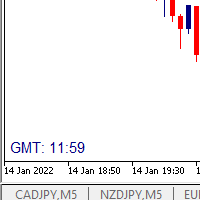
I wrote a small label to show GMT time. I t helps me to know the trading hours in Europe. I searched in the market but couldn't find it, hope it helps those who need it.
Functions: X_: Horizontal distance from border. Y_: Vertical distance from border. FontType: label color. FontSize : label font. Color3 : label color. WhatCorner : which chart corner will be drawn. If you have any request or errors please tell me to help it better.
Donate us , Thank u!
Telegram: 0388894014
FREE

Grazia Matrix Pro 全時間足のトレンドを瞬時に可視化。迷いを断ち切る究極の羅針盤。 「期間限定!無料」
【こんなトレーダーにおすすめ】 環境認識に時間をかけすぎて、チャンスを逃している方。 上位足の方向に逆らったトレードで損失を出している方。 シンプルかつプロフェッショナルなチャート環境を構築したい方。 【製品概要】 「マルチタイムフレーム(MTF)分析は重要だが、チャートの切り替えが煩わしい……」 そんなトレーダーの悩みを解消するために開発されたのが Grazia Matrix Pro です。 本インジケーターは、1つのチャート上に主要な6つの時間足(M5〜D1)のトレンド状態をリアルタイムでマトリックス表示します。独自のアルゴリズムにより、移動平均線(MA)とRSIの相関関係を分析し、現在の市場が「真のトレンド」にあるのか、それとも「調整局面」にあるのかをひと目で判別可能です。 【主な機能と特徴】 6-Timeframe Matrix : M5, M15, M30, H1, H4, D1のトレンドを一画面で監視。 Perfect Order Alert :
FREE

Automatically protect you positions with Raba BreakEven and Trailing StopLoss EA. Functionalities: Automatic break even. Automatic trailing stoploss
I you have any doubt you can leave it in comments and I will anwer it asap. If you found this tool helpful for you, a comment and a good rating will be appreciated. Also any proposal will be taken into account for future versions.
FREE

You can send MetaTrader screenshot easily to your identified telegram channel via press the send button that on the chart. TelegramBotToken: Telegram API credentials. You can create API credentials on my.telegram.org web page ChatId: Your telegram chatId. Secreenshots will be sending this channel - Please do not press the button repeatedly. This may cause your bot or ip address to be blocked. - You have to add telegram api address ( https://api.telegram.org ) in Option > Expert Advisors > Allow
FREE

Trend View is a simple indicator that shows in a text the trend of the current currency in the timeframe you choose. Inputs are: Color: color of the text. Timeframe: timeframe for calculations. Trend can be: UP: bullish trend. DOWN: bearish trend. ---: trend not defined. You can use this indicator to show the main trend of a bigger timeframe helping you to choose your trades. Note: text is draggable.
FREE

Product Name: Anchor auto TP and SL Trade Manager MT5 Your manual trade will be managed automatically. Turns single trades into smart grids with auto-sync TP/SL.
Anchor Auto TP and SL Trade Manager is a powerful trade assistant designed for manual traders who use averaging or recovery strategies. Stop calculating grid levels manually! This EA turns your manual trade into an automated "Anchor." If the market moves against you, the EA automatically builds a recovery grid based on your specific S
FREE

Orders Manager is a simple and indispensable assistant for managing all your orders. Inputs: Magic = 999; // Magic TakeProfit = 1000; // Take Profit. If = 0 the level is not setts. StopLoss = 0; // Stop Loss. If = 0 the level is not setts. Slippage = 10; // Slippage GeneralProfit = false; // Closing all orders based on total profit. If false the function is disabled and works according to TakePr
FREE

即時のSlack通知。チャート上で直接価格レベルを設定し、価格がそれを通過したときにメッセージを受け取ります。レベルの追加はワンクリックで行えます。マウスでラインをドラッグして、希望する価格レベルを正確に設定できます。 便利なコントロールパネル: すべてのアクティブなアラートはリストに表示されます
ラインをドラッグしてレベルを編集できます
不要なアラートはワンクリックで削除、または「Clear All Alerts」で一括削除できます
アラートは発動後に自動的に削除されます
チャート上のアラートラインを非表示にするオプション
カスタム通知テキストのサポート(例:crossed、reached、touched)
Dark/Lightモード対応 動作方法: Add Alert をクリック
チャートに価格レベルのラインが表示されます
希望する価格レベルに移動します
価格がそのレベルを通過すると - Slackでメッセージを受け取ります 簡単な設定: Slackで新しいAppを作成し、Incoming Webhookを設定し、チャンネルを選択してWebhook URLをコピーします。
Meta
FREE

Edgezone Strategy Monitor Edgezone Strategy Monitor は、MetaTrader 5 向けのプロフェッショナルなポートフォリオ、ストラテジー、パフォーマンス分析ツールです。複数の Expert Advisor、裁量トレード手法、または複数の戦略ポートフォリオを管理し、そのパフォーマンスを客観的に監視したいトレーダー向けに開発されています。 MetaTrader 標準の統計とは異なり、Strategy Monitor は Magic Number を使用して、取引を個別の戦略やポートフォリオに正確に割り当てることができます。これにより、実際のパフォーマンス、安定性、分散効果、リスクをより深く把握できます。 Strategy Monitor は取引を実行せず、売買判断も行いません。 このツールは、過去の口座データの分析、監視、可視化のみを目的としています。 プロフェッショナルなマルチストラテジー・ポートフォリオ監視 最大 30 個の独立した戦略ポートフォリオ を監視 各ポートフォリオに最大 10 個の Magic Number を設定可能 最
FREE

MACD ******************** MACD для платформы секундных графиков Micro . ********************* Секундный график на порядок увеличит точность ваших входов и выходов. Секундный период , в привычном формате, позволит увидеть то, что ранее было скрыто. Бесплатные индикаторы, дополнят визуальную картину, что, в совокупности выведет вашу торговлю на новый уровень. Идеально подходит как скальперам, так и трейдерам торгующим внутри дня. Индикатор MACD для платформы Micro. Входные параметры:
FREE

Fractal Volatility Map — Hurst Heatmap (MT5) Fractal Volatility Map highlights volatility compression before expansion. It paints a five-row heatmap of the Hurst metric over multiple lookback windows and confirms compression with an ATR-based quiet-volatility check. When several rows cluster near neutral and volatility is suppressed, a Compression signal is shown on the last closed bar. This is an analysis/visualization indicator; it does not provide trading signals and does not guarantee any p
FREE

First 10 Copies is Free
BuntuFx Copier Pro is a fast and reliable trade copier for synchronizing orders between Master and Slave accounts on MetaTrader 4 and MetaTrader 5. Main Features MT4 and MT5 cross-platform copying Market and pending order synchronization Automatic SL, TP, partial close, and order close copying Multiple lot modes: multiplier, fixed lot, risk percentage, and lot sequence Symbol mapping and suffix support Magic number, symbol, direction, and comment filters Reverse trading
FREE

Indicator Description This indicator was developed with the purpose of combining the structure of highs and lows from higher timeframes with confluences generated by different technical indicators . Through the use of multiple horizontal lines , the system highlights relevant market regions that can be used for study, monitoring, and analysis of price behavior . The lines are designed to assist in identifying: Market areas of interest; High and low structures from higher timeframes; Areas where
FREE
Speed, Accuracy, Intelligence — Three Essential Components for Scalp Trading. This indicator is a lightweight and practical account dashboard designed to help traders monitor their account status in real time directly on the chart. It provides a clear overview of key account metrics such as balance, equity, daily starting balance, maximum daily balance, and different drawdown levels. The main purpose of this tool is to support better capital management and faster trading decisions. Instead of ch
FREE

Advanced harmonic filter is a reliable and smart utility that uses an author's algorithm to process continuous data and present them in the form of harmonic oscillations. The utility can identify regularities and patterns in the input data, which are then used to generate output data that is most similar to the input data. This makes it a powerful tool to use with other indicators to predict future trends and identify Elliott waves on selected intervals. The utility is most effective when us
FREE

The tool is intended to help traders who cannot look at the chart all the time, or who use several charts, the trader can mark regions of interest as supports and resistances and as soon as the price approaches these regions an audible warning and on the screen will be presented for the trader to take some action, in addition the tool can automatically mark the highs and lows of the day and time.
FREE

MT5 Trade Copier Master - Free Trade Broadcaster Require Slave EA: https://www.mql5.com/en/market/product/178686 This Master EA broadcasts trades but CANNOT copy them by itself. You MUST purchase and install the SyncTrade Copier Slave EA on a second MT5 terminal to copy trades. Without the Slave EA, this product does nothing useful on its own. Both MT5 terminals must be installed on the SAME computer for file sharing to work. They cannot be on different computers or VPS instances.
What This Ma
FREE

TickChartAskLine is a specialized indicator for MetaTrader 5 designed to visualize floating spread on tick charts created with TickChartService. The indicator displays two lines on the chart: a blue Bid line (main price) and a red Ask line, allowing traders to visually track spread dynamics in real-time. This is critically important for scalpers and high-frequency traders who need to monitor entry costs at every tick level. The indicator automatically reads the saved spread from the custom sy
FREE
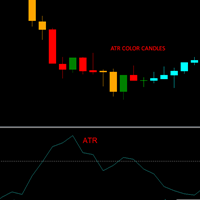
This indicator allows you to visually identify with a different color the candlesticks that exceed a certain limit of the ATR.
Just drag and drop it on the chart.
The user must enter the value of the ATR period.
The user must enter the value of the ATR limit with which he wants to identify the candlesticks.
In the colors tab, the user can select the colors with which to repaint the candles.
It is recommended that the first color always be None.
The second color corresponds to bullish c
FREE
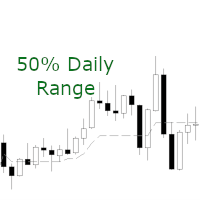
A simple and efficient indicator that plots and updates the 50% of the current day, for those who use this point as a reference in day trading.
On trend days the 50% region tends to be a good resistance point, ideal for making new entries.
On non-trend days (sideways) the 50% region is great for carrying out positions.
In addition, for study or back-testing criteria, you can define the amount of previous days to be plotted by the indicator.
For questions or suggestions, please contact us. A
FREE

MOST PROP ACCOUNTS DON'T DIE FROM BAD STRATEGIES. THEY DIE FROM BAD DAYS.
The Prop Firm AI Assistant is a professional monitoring dashboard that protects your funded account from the three killers: drawdown breaches, toxic market conditions, and your own emotions.
=== WHAT IT DOES === • CIRCUIT BREAKER — Tracks daily loss & max drawdown exactly like prop firms do. When a limit is hit, it warns you or closes everything instantly. • GROWTH ADVISOR — Tells you your exact risk per trade, your s
FREE

This MT5 trading utility is designed to provide quick access to commonly used trading functions directly from the chart. The tool includes Buy, Sell, Buy Limit, and Sell Limit order buttons, allowing traders to place orders efficiently without opening additional trading windows. Position management features include a Close Position button and an adjustable order quantity input with dedicated increase and decrease controls for fast lot size selection. The utility also displays the current profit
FREE
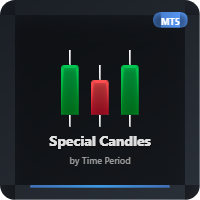
This indicator allows you to observe candle formation over a specific period, such as the Nasdaq, which starts at mid-hour. For example, for the first hour. The distance and size of the candle positioned on the right side can be adjusted. Color can also be assigned based on falling and rising candles. The needle can be made visible or invisible if desired. The body size can also be adjusted as desired.
FREE

This program is designed to download economic calendar news events for a specified country over a selected date range, allowing traders to analyze and incorporate important economic data into their trading strategies. By specifying both a start and end date, as well as a country code, the program retrieves relevant news events within the defined period and exports them to a CSV file for easy review and analysis. This tool helps traders stay informed about scheduled economic events that may impac
FREE

During volatile market conditions brokers tend to increase spread. int OnCalculate ( const int rates_total, const int prev_calculated, const datetime &time[], const double &open[], const double &high[], const double &low[], const double &close[], const long &tick_volume[], const long &volume[], const int &spread[]) { int spread_array[];
FREE

backtester buttons for testing strategies in the MT5 strategy tester.
load up strategy tester then click on visual test and once visual tester opened apply any chart template you'd like. To update the chart pause the visual tester and apply templates, colors and such like the normal chart. On the settings you can choose lot size and take profit and stop loss.
Enjoy
FREE

Position Guard automatically manages your open positions on MetaTrader 5. It does not open trades and makes no market prediction - it is a money- and risk-management layer on top of manual trades or trades opened by another EA. Features: - Breakeven: move the stop to entry (with a spread-safe offset) after a set profit in pips. - Staged partial close: take partial profit at up to three configurable profit levels. - Trailing stop: starts after a set distance, then trails with a configurable step.
FREE
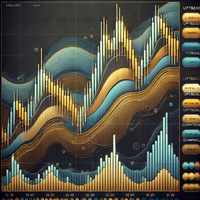
MrGoldTrend is a sophisticated trend-following indicator designed exclusively for XAUUSD (Gold) traders on the MQL5 platform. With clear, easy-to-interpret visual signals, this indicator helps you quickly identify the prevailing trend and make informed trading decisions on the H1 timeframe. MrGoldTrend’s gold lines indicate an uptrend, while blue lines signify a downtrend, providing immediate visual clarity for trend direction. Key Features: Clear Trend Visualization : Gold lines for uptrends, b
FREE

ForexFanclub(FFC) : For detailed instructions and our official website, please visit my profile ! InteractiveMA: Real-Time Moving Average Control Stop wasting time opening settings dialogs just to tweak your Moving Average. InteractiveMA puts complete control of your trend analysis directly at your fingertips, allowing you to cycle through MA types and periods instantly on the chart. Whether you are a scalper needing rapid adjustments or a long-term trader refining your entry, this tool makes yo
FREE

Quick Close Pro by one click: * Close Buy positions * Close Sell positions * Close Win positions * Close All positions * Close All pending orders * Close All by Mobile: Select true to close all positions quicky from your Mobile by closing any position on Mobile. To close all positions by one click from your Telegram, please refer Master Close . Join my channel here for more useful EAs. Thank you!
FREE

MT5 History Checker Can you trust the historical data behind your MT5 backtest? MT5 History Checker is a diagnostic utility designed to identify missing periods and coverage problems in the historical data supplied by your MetaTrader 5 broker. Select the symbol and date range you want to examine and run the checker. The utility analyses the available history and provides a clear PASS, WARNING or FAIL result. What it checks Historical tick-hour coverage M1 historical-data coverage Missing periods
FREE

The VR Object Delete All script solves the problem of garbage on the chart. it is often necessary to completely clear the chart of everything that is put on it, comments, lines, objects. The script completely deletes everything, even those objects that are not visible. When working, VR Object Delete All writes everything it does in the terminal log, as well as the names of objects to delete. Displays the number of deleted objects as a separate line. in case of any errors, it will display an erro
FREE

OB FVG Trade Copier: Unified Master & Slave EA Version: 2.00 Type: Trade Copier / Risk Management Utility Compatibility: MetaTrader 4 & MetaTrader 5 (Cross-compatible codebase)
Overview The OB FVG Trade Copier is a professional-grade, unified trade copying system designed to mirror trades between Master and Slave accounts seamlessly. Built with a unified architecture, a single EA file serves as both the sender (Master) and receiver (Slave) simply by toggling the EA Mode in the settings. It uti
FREE

MTF TradeDeck is an all-in-one trading dashboard for MetaTrader 5 that combines multi-timeframe visualization, line-cross alerts, a lot-size calculator, symbol switcher, and Forex session boxes in a single indicator. Key Features Multi-Timeframe Candles (up to 5 TFs): Compact higher-timeframe candles render to the right of the last price on the current chart. Each TF group is scaled to the visible price range to preserve proportions. Choose which TFs (M1 → MN1) and how many candles per group.
FREE
コピー機->便利で高速なインターフェースインタラクション、ユーザーはすぐに使用できます ->>>> WindowsコンピュータまたはVPS Windowsでの使用を推奨 特徴: 多様でパーソナライズされたコピー取引設定:1. 異なるシグナルソースに異なるロットモードを設定できます。2. フォワードコピー取引とリバースコピー取引に異なるシグナルソースを設定できます。3. シグナルはコメントで設定できます。4. 契約ロットに応じてロットを調整するかどうか 多様でパーソナライズされたコピー注文設定2:1.品種ごとに異なるロットモードを設定できます2.順方向コピー注文と逆方向コピー注文に異なる品種を設定できます3.コメントでシグナルを設定できます4.契約ロットに応じてロットを調整するかどうか
コメントフィルタリング、MAGICフィルタリング、シグナルロットフィルタリング、ローカル製品フィルタリング 勤務時間設定 逆同期SLAVE終了 注文バインド機能: 任意の注文を設定されたシグナルソース注文にバインドできます (テーブルをダブルクリックして編集します) アカウントリスク管理 基本機
FREE

IAMFX offers the ultimate solution to make trading easier and more flexible on IAMFX Web using IAMFX Agent .
With our exclusive IAMFX-Agent and IAMFX-Center, you can effortlessly manage your trading anytime, anywhere through web and mobile interfaces. Fully compatible with both web and mobile environments, IAMFX allows real-time multi-account management and monitoring with a simple installation. IAMFX Benefits Manage multiple MT5 accounts Easy orders with market, stop and limited Manage orde
FREE

CHART REVOLUTION EA - 半自動売買の革命! MT5の使いにくい標準インターフェースにうんざりしていませんか?ウィンドウの切り替えや複雑な計算はもう忘れましょう! Chart Revolution EA は、あなたのチャートをトレーダーの本格的なコマンドセンターに変える、次世代のプロフェッショナル取引パネルです! CHART REVOLUTIONが選ばれる理由 すべてを1画面で - 余分なウィンドウはもう不要
即時実行 - ワンクリックで取引を開始
スマートなリスク計算 - 証拠金に対する割合(%)でロットを自動計算
視覚的な管理 - すべてのポジションレベルをチャート上に直接表示
4つのスタイリッシュなテーマ - サイバーパンクからマトリックスまで 主な機能 取引パネル: ワンクリックでBUY/SELLポジションを発注 ロット、SL、TPの迅速な設定 クイック選択ボタン (0.01 - 1.00 ロット) プリセットSL/TPレベル (25, 50, 100, 200 ポイント) 全ポジション決済 / 利益のあるポジションの
FREE

A prop-firm account runs under a second rulebook MetaTrader 5 knows nothing about: a maximum loss measured from a fixed starting balance, a daily limit that resets at an hour the broker's clock does not agree with, a payout consistency ceiling, a minimum number of trading days, a news blackout, a Friday cutoff. Break the first rulebook and you lose a trade. Break the second and you lose the account. PropFirm Defense watches all of them at once, on any account, next to whatever else you are runni
FREE

Golden Sizer By SKPAD – Calculateur et Gestionnaire de Position Intelligent Golden Sizer est bien plus qu'un simple outil de trading : c'est un assistant stratégique complet pour la gestion des risques et des positions. Conçu pour s'adapter à tous les styles de trading – du débutant au professionnel, du swing trader au scalpeur – il transforme votre approche des marchés grâce à une interface intuitive, une précision de calcul optimale et une exécution rapide. Compatible avec tous les marchés (F
FREE

ATR Accelerator Indicator informs you about strong price movements based on the ATR Indicator. This Indicator works for all Timeframes and Symbols, the strength of movements can be configured.
Important: Get informed about new Products, join our MQL Channel: https://www.mql5.com/en/channels/etradro
Useage This Indicator works for all Timeframes and Symbols, the strength of movements can be configured. Features works on all timeframes and forex pairs or indices. Alert and Notify function inc
FREE
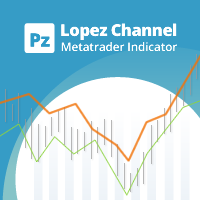
This multi-timeframe indicator identifies the market's tendency to trade within a narrow price band. [ Installation Guide | Update Guide | Troubleshooting | FAQ | All Products | Get Help ] It is easy to understand Finds overbought and oversold situations Draws at bar closing and does not backpaint The calculation timeframe is customizable The red line is the overbought price The green line is the oversold price It has straightforward trading implications. Look for buying opportunities when t
FREE

# az_session_atr — Инструкция по настройкам
## Что показывает индикатор Индикатор показывает ATR для каждой сессии по отдельности. Если вы торгуете исключительно Европу - то иногда нет смысла смотреть на обычный дневной ATR Для каждой из трёх торговых сессий (Азия, Европа, Америка) отображается строка вида:
``` Asia ATR(20): 42.3 | Move: 18.7 (44%) | Left: 23.6 ```
| Поле | Значение | |---|---| | `ATR(20)` | Медианный ATR за 20 торговых дней | | `Move: 18.7 (44%)` | Сколько пипсов прошла ц
FREE
MetaTraderマーケットは、履歴データを使ったテストと最適化のための無料のデモ自動売買ロボットをダウンロードできる唯一のストアです。
アプリ概要と他のカスタマーからのレビューをご覧になり、ターミナルにダウンロードし、購入する前に自動売買ロボットをテストしてください。完全に無料でアプリをテストできるのはMetaTraderマーケットだけです。

取引の機会を逃しています。
- 無料取引アプリ
- 8千を超えるシグナルをコピー
- 金融ニュースで金融マーケットを探索