 MetaTrader 5
 エキスパート
 インディケータ
 ライブラリ
ライブラリ
 ユーティリティ
 ウィジェット
 ルール
ルール
YouTubeにあるマーケットチュートリアルビデオをご覧ください
ロボットや指標を購入する
仮想ホスティングで
EAを実行
EAを実行
ロボットや指標を購入前にテストする
マーケットで収入を得る
販売のためにプロダクトをプレゼンテーションする方法
MetaTrader 5のための無料のエキスパートアドバイザーとインディケータ - 104
 自動売買ロボットとインジケータを使用して、外国為替取引の収益性を高めます。 自動売買ロボットを使用すると、取引の開始と終了を自動化でき、インジケータは市場の行動をより正確に予測するのに役立ちます。
このページには、MetaTrader5アプリケーションのカタログが掲載されています。
自動売買ロボットとインジケータを使用して、外国為替取引の収益性を高めます。 自動売買ロボットを使用すると、取引の開始と終了を自動化でき、インジケータは市場の行動をより正確に予測するのに役立ちます。
このページには、MetaTrader5アプリケーションのカタログが掲載されています。 
Bollinger Bands Technical Indicator (BB) is similar to envelopes. The only difference is that the bands of Envelopes are plotted a fixed distance (%) away from the moving average, while the Bollinger Bands are plotted a certain number of standard deviations away from it. Standard deviation is a measure of volatility, therefore Bollinger Bands adjust themselves to the market conditions. When the markets become more volatile, the bands widen and they contract during less volatile periods. This ada
FREE

If you love this indicator, please leave a positive rating and comment, it will be a source of motivation to help me create more products <3 Key Takeaways Generates buy and sell signals earlier than regular MA This indicator can detect a trend when it is just starting Filter : A special parameter that is useful for filtering out spikes without causing lag. However, like all indicators, it isn't foolproof, to avoid false signals, it's best to use the Dots indicator with other indicators. Te
FREE
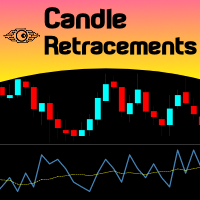
Do you want to know how much, how frequent and at what level a candlestick retraces over the previous one, just drop Candles Retracement over your chart and see it visually! Just choose your desired timeframe and the indicator will show it graphically. As simple as that... In addition you have the option to calibrate a Moving Average over this sub-window chart monitor. This indicator could be used to study candle retracements levels so you can comfortably expect during a trade what to expect fro
FREE
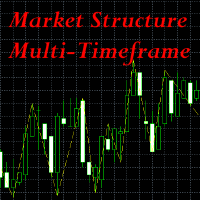
This indicator is extremely useful for traders who want to keep an eye on the market structure without wasting time drawing it manually. It also adds an important optional feature, which is MTF (Multi-Timeframe) analysis . Multi-Timeframe (MTF) analysis is a trading technique that consists of analysing the same financial instrument on different time intervals (charts) simultaneously, in order to gain a more complete view of the market. Starting with the analysis of higher timeframe charts to i
FREE
Rectangle Editor – Control total sobre tus zonas Rectangle Editor es una herramienta avanzada diseñada para traders que utilizan zonas, bloques o áreas de interés en su operativa. Permite , editar y gestionar rectángulos directamente en el gráfico de forma rápida, precisa y profesional. El indicador facilita la manipulación de objetos rectangulares en el gráfico, permitiendo: Dibujar zonas de oferta y demanda Marcar Order Blocks Delimitar Fair Value Gaps (FVG) Definir zonas de ent
FREE

Haunted Risk Calculator is a visual risk management panel for MT5 that calculates the correct lot size in real time based on your account balance, risk percentage, and stop-loss distance. HOW IT WORKS
Set your risk percentage or dollar amount, drag the SL and TP lines to your desired levels on the chart, and the panel instantly shows the calculated lot size, risk in dollars, reward-to-risk ratio, and expected profit. Execute with one click or a keyboard shortcut. FEATURES Draggable panel — grab
FREE

Step Line Chart I created this indicator because I couldn't find a built-in step line chart in MT5, and I was tired of switching back and forth to TradingView just to see one. This is my very first indicator, originally made for my own personal use, and I am sharing it for anyone who might have the same need. What it does: Transforms the standard MT5 Line Chart into a clean Step Line chart based on Close prices. When attached, it automatically switches the chart mode to "Line Chart" and hides t
FREE

FREE

Global Equity Manager Global Equity Manager is an account-level risk management tool designed to protect your trading capital by monitoring the entire account equity in real time and acting immediately when your predefined limits are reached. It works independently of any trading strategy and manages all open positions together as one basket . Key Advantages Full Account Protection
Monitors total account equity instead of individual trades. Works with Any Strategy
Compatible with manual
FREE

LATTICE VISION
THE MOST ADVANCED ORDER-NETWORK ANALYSIS TOOL ON MQL5.
Not a claim. A position backed by published, independently testable fidelity data.
Discover with Lattice Vision. Deploy with Lattice Command. One engine. Two instruments. One continuous workflow.
Lattice Vision is the original level-trading analysis tool — Grid Trading 2.0, engineered properly. When you find a configuration in Vision, the matching live engine produces the same trades. Eighteen test configurations coveri
FREE

Chronolines – Temporal Support and Resistance Levels for MetaTrader 5 Introduction to Chronolines
Chronolines is a graphical indicator designed to identify and visualize temporal support and resistance levels using the Highs and Lows of four predefined periods. It is compatible with all assets available on MetaTrader 5 , including stocks, currencies, commodities, indices, and cryptocurrencies, offering a logical and structured approach to tracking market behavior. Lines and Periods
Chronolines
FREE

VWAP Bands Indicator – Volume Intelligence for All Markets The VWAP Bands Indicator is a professional tool based on the Volume Weighted Average Price (VWAP), designed for traders who seek an objective reading of institutional flow, volatility, and market equilibrium. More than just a central line, the indicator combines cumulative VWAP with three dynamic volatility bands, providing a clear view of value, market excess, and reversion toward fair price throughout the trading day. Why use the VW
FREE

Non-proprietary study of Joe Dinapoli used for overbought/oversold evaluation. Uses of Detrended Oscillator indicator Profit taking. Filter for market entry technics. Stop placement. Part of volatility breakout pattern. Determining major trend changes. Part of Dinapoli Stretch pattern. Inputs lnpPeriod: Perid of moving average Method: Calculation method ********************************************************************************* If you want to know market Overb
FREE

このインディケーターはEAの一部です: HIPERCUBE PRO GALE BTC Darwinex Zeroの20%割引コード: DWZ2328770MGM_20
Donchianインディケーターの新バージョンを発表
私たちは、 新しいバージョンのDonchianインディケーター を発表できることを非常に嬉しく思います。最先端の改善と精度を備えた設計で、今や HiperCube Pro Gale に完全対応。このアップデートされたツールは、より効果的なトレードに向けたスムーズな体験を提供します。
このバージョンが画期的な理由:
HiperCube Pro Gale対応 : この最新アップデートは、 HiperCube Pro Gale との統合を念頭に置いて特別に設計されており、トレード戦略における最大の互換性と効率性を保証します。 比類なきパワー : Donchianインディケーターは市場動向を追跡するための人気ツールであり、新バージョンではその性能が最適化されています。 実証済みの効果 : 市場の動きを予測するその能力により、Donchianインディケーターは
FREE

Epic News Trader
Key Features – (Best for News Trading) How it works, watch the Video https://youtu.be/oSU-JO4L1kw?si=thSGC3v1ccfPlYQH
Contact for Set Files or See the Screen Shots
WhatsApp: Text only +447716409196
Best for XAUUSD on All Brokers
Frequently Asked Questions (FAQs) Q1: What is Smart Order Executor EA? Smart Order Executor EA is a manual trade execution tool that helps traders quickly place single or multiple ladder orders with advanced risk and order management features. Q2: Is
FREE

HB Trading Bot – Professional Risk & Trade Management for MT5 HB Trading Bot is a professional risk management and trade management Expert Advisor designed for MetaTrader 5 .
It does not open trades . Instead, it manages already opened positions with strict, rule-based logic to help traders protect their capital and remove emotional decision-making from trading. Most trading losses are caused by psychology, not poor analysis. HB Trading Bot was built to solve this problem by enforcing discipline
FREE

陰線インジケーター:各ローソク足の隠された力を解き放つ! 表面的な価格変動分析にうんざりしていませんか?各時間枠における買い手と売り手の力をより深く理解したいですか? ご紹介するのは 陰線インジケーター です。これは、市場の隠されたダイナミクスを視覚化し分析するための不可欠なツールです!この強力なインジケーターは、ローソク足の陰線のサイズに反映される買い手と売り手の間の目に見えない戦いを、チャート上に直接、明確で有益なヒストグラムに変換します。 ローソク足の陰線とは何ですか?なぜそれほど重要なのでしょうか? ローソク足の陰線、または「ヒゲ」と「テール」は、特定の期間中に価格が到達した最高値と最安値を、その期間の終わりに価格が確定したレベルとともに示しています。長い上ヒゲは強い売り圧力を示し、価格を到達した高値から押し下げます。逆に、長い下ヒゲは、価格の下落を買い支えた活発な買い手を示しています。 陰線インジケーターを使用すると、次のことが可能になります。 市場参加者の力を視覚化する: 対応するヒストグラムのバーの高さを観察することで、各ローソク足における買い手または売り手の優位性を瞬時
FREE

Detecting Stop Hunts at Key Levels Smart Money Stop Hunt Detector is a powerful visual analysis tool designed to identify potential "stop hunt" zones orchestrated by large market participants. The indicator automatically displays significant price levels on the chart and signals when price "stops out" positions beyond these levels with a swift subsequent reversal. Core Concept Large market players (Smart Money) often intentionally push price beyond key support/resistance levels (round numbe
FREE

Smart Super Trend Indicator (Free) Turn volatility into opportunity — Catch trends early and trade smarter The Supertrend Indicator is one of the most trusted tools in technical analysis, designed to help traders quickly identify the prevailing market trend and spot potential entry and exit points with precision. Built on price action and volatility, this trend-following indicator adapts dynamically to market conditions, making it a powerful companion for both beginners and experienced traders.
FREE

[Win Panel] Simple Entry and Close Positions Introducing WinPanel , an order management tool designed to enhance and simplify your trading experience. WinPanel features a clean and intuitive interface, allowing you to close orders instantly with ease. It supports flexible position management, enabling you to close losing positions, profitable positions, or all open positions with a single click. In addition, WinPanel displays the total number of open positions, current profit, and the overall p
FREE

Real Time Account Overview MT5 — Account & Magic Number P&L Monitor Real-time account overview and per-strategy P&L tracking, all in one clean panel. Overview Dashboard MT5 is a lightweight Expert Advisor that overlays a live information panel directly on your MetaTrader 5 chart. It gives you an instant snapshot of your account health and the performance of each trading strategy — identified by magic number — without ever leaving the platform. Whether you run a single EA or a dozen simultaneous
FREE

BarX — 特定のローソク足の高値・安値を示すインジケーター BarX は、 ユーザーが指定した日足の特定のローソク足の高値と安値を自動的に強調表示 するテクニカルインジケーターです(例: ローソク足 0 は 市場オープン後の最初のローソク足 を表します)。 このツールは、 サポート、レジスタンス、ブレイクアウト、または反転 といった固定価格レベルを利用するトレーダーにとって特に有用です。これらのポイントをチャート上に視覚的にマークすることで、 BarX はテクニカル分析を容易にし 、市場の読みを高め、 迅速かつ客観的な判断 を支援します。 複数の時間足に対応
軽量、高速、使いやすい
日次オープン時の挙動や特定時間のパターンに基づく戦略に最適 日々のトレードに精度と明瞭さをもたらすために、 BarX をご活用ください。
FREE

The indicator draws horizontal lines based on the RSI indicator's overbought and oversold levels. The closing prices of the bar are selected when it exits the overbought zone or when the RSI indicator first crosses the 50% line. For more information, you can enable the display of RSI values for the most recently closed bars in the upper left corner. It also displays information about whether the RSI indicators are in the overbought or oversold zone. All timeframes are available. Can be enable
FREE

Product name Rilvanta RSI PrimeSuite
Short headline A pure RSI professional suite for overbought/oversold context, regular and hidden divergence, failure swings, RSI structure and multi-timeframe RSI alignment.
Overview Rilvanta RSI PrimeSuite is a pure RSI analysis indicator designed for traders who want a complete RSI-based view without mixing in unrelated trend, volume, VWAP, ATR, Bollinger, SMC, ICT or moving-average filters. The indicator focuses on the core tools that make RSI useful: o
FREE
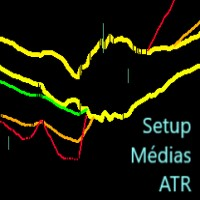
Este indicador imprime 2 médias com distância de 1 ATR (Average True Range) da média principal. As demais médias móveis só são mostradas se estiverem fora desse intervalo. Parâmetros: mediaprincipal = Média que será criado o intervalo, não será mostrada. mediasec1, mediasec2, mediasec3 = médias secundárias. periodatr: periodos do ATR Este indicador faz parte do Trade System MarketStrengthRadar
FREE
Special Trailing Sl is a automatic trailing stop_loss. first It will try to free risk your trade then save the profits. first step is to move the SL 50 points below current price for long trades , and 50 points above current price for short trades.First step will happen when the trade get to minimum profit per point. second step : SL will follow the current price with a dynamic distance. This trailing stoploss has been used in my products.
FREE
Мультивалютный индикатор в отдельном окне отображает движение валютных пар в пунктах с расхождением от начала дня. Во время работы, динамически возможно включать и отключать различные пары прямо на графике. При первом запуске, возможно, потребуется продолжительное время, пока загрузиться история для основных валютных пар. Расчет всех кроссов происходит на основе мажоров. Для валют CAD, CHF, JPY - график перевернут. При повторном открытии, все настройки индикатора восстанавливаются автоматически.
FREE

Professional Manual Trading Assistant for MT5 BRIAN BREYLI VANA – Professional Trade Manager Dashboard & Market Intelligence EA for MetaTrader 5 Professional Manual Trading Assistant with Hybrid Position Management BRIAN BREYLI VANA is a professional manual trading assistant for MetaTrader 5 that combines one-click execution, intelligent position management, Market Intelligence, and Hybrid Position Management into a single trading dashboard.
Unlike conventional Expert Advisors, it never opens p
FREE

RSI Scanner, Multiple Symbols and Timeframes, Graphical User Interface An indicator that scans multiple symbols added from the market watch and timeframes and displays result in a graphical panel. Features: Multi symbol Multi timeframe Alerts and Notifications Live Monitoring Sorting modes One click to change symbol and timeframe Inputs for RSI and scanner settings
FREE

Green Indicator by Quant Atlas Creator: https://www.quant-atlas.com/ Green Indicator is a clean reversal focused trading tool designed to highlight potential turning points using momentum pressure and directional slope behavior. The indicator studies the relationship between momentum position and momentum direction. When market pressure reaches an extended condition and begins to shift, the indicator plots green triangle signals directly on the chart. Both bullish and bearish signals use the sa
FREE

Blue Indicator by Quant Atlas Creator: https://www.quant-atlas.com/ Blue Indicator is a clean reversal focused trading tool designed to detect potential turning points through a slope based momentum framework. The indicator studies the momentum of price slope and highlights moments where that momentum begins to move away from an extreme zone. When conditions align, it plots blue triangle signals directly on the chart. Both bullish and bearish signals use the same blue visual identity, giving th
FREE

MT5 EMA Trend Indicator Smart trend indicator that uses three EMAs to identify clear market direction. Description:
The Triple EMA Trend Detector is a powerful yet simple indicator for MetaTrader 5 that defines the current market trend using three Exponential Moving Averages (EMA).
It shows you visually when the trend is UP , DOWN , or NEUTRAL directly on the chart — no guesswork. When the fast EMA crosses above the medium and both stay above the slow EMA, the indicator signals an
FREE

Smart Ratio Maker — Summary What it does:
An MQL5 Expert Advisor that automatically keeps your Take Profit in line with your Stop Loss at a ratio you choose (like 1:1, 1:2, etc.). Whenever you move the SL on a trade, the EA instantly recalculates and sets the TP to match. Key features: Auto TP adjustment — Change SL manually, TP updates automatically. Live R:R ratio control — On-chart buttons ( / ) let you change the ratio instantly without opening the settings. Information panel — Shows the
FREE

El AO Hybrid MA Master es un sistema de análisis de momentum avanzado para MQL5 que integra el Awesome Oscillator (AO) de Bill Williams con un modelo de confirmación basado en medias móviles duales . 1. Núcleo del Indicador (Core) Utiliza el algoritmo estándar del AO para medir la fuerza del mercado mediante la diferencia entre una SMA de 5 periodos y una SMA de 34 periodos del precio medio ( $High+Low/2$ ). El histograma está codificado cromáticamente para identificar la aceleración o desaceler
FREE

️ TradeGuard by Brian_Breyli_Vana Your Trading Co-Pilot for MetaTrader 5 TradeGuard is a professional manual trading assistant for MetaTrader 5, designed for traders who want to stay in control of every trading decision while letting the EA handle the repetitive, time-consuming, and error-prone parts of trade management. Built for Price Action, Support & Resistance, Breakout, Swing, and Day Trading, TradeGuard combines fast execution, visual risk management, automated protection, session-based
FREE

Daily PnL Overview Daily PnL is a lightweight MetaTrader 5 indicator that displays your current Profit & Loss (P&L) directly on the chart. It combines realized profit from closed trades during the selected period with the floating profit or loss from currently open positions, giving you a live view of your trading performance. The indicator also calculates your P&L as a percentage of your current account balance, making it easier to evaluate performance without opening the Trade or History tabs.
FREE

EEFX Volatility Tool is a simple MT5 risk-management utility that calculates a suggested trading lot size based on current market volatility. Markets do not move the same amount every day. A fixed lot size can therefore create very different levels of exposure depending on whether volatility is low, normal or unusually high. The EEFX Volatility Tool automatically measures volatility and provides a suggested lot size directly on your MT5 chart, helping you adapt your position sizing to changing m
FREE

*** Free Version: Maximum Lot 0.10 ***
CopyCopy: Smart Replication Manager for MT5 CopyCopy is the ultimate tool for those who want to replicate trades with complete autonomy. Many signals and EAs operate with minimum lots (0.01) that do not match your account size or your growth strategy. With CopyCopy, you turn this limitation into an opportunity, taking full control over volume and risk. The difference? You don't have to copy "all or nothing." You decide exactly where the orders come from.
FREE
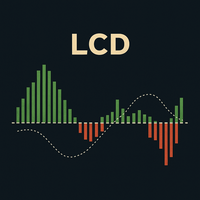
LCDラゲール収束・発散(Laguerre Convergence Divergence):クラシックMACDの高度な改良版 LCDラゲール収束・発散(Laguerre Convergence Divergence) は、古典的なMACDを改良するために設計された、高度なテクニカル指標です。より速く、より感度が高く、適応性の高いモメンタム検出を提供します。主な利点は、従来の移動平均線よりも価格変化に正確に反応する ラゲールフィルター を使用している点です。 主な利点 高い感度と少ない遅延: ラゲールフィルターは、ボラティリティの高い市場で非常に重要な、より早期の売買シグナルを生成します。 ボラティリティへの適応性: **ATR(Average True Range、平均真の範囲)**に基づいて動的に調整され、低ボラティリティ時にはノイズをフィルタリングし、高ボラティリティ時には素早く反応します。 強化されたノイズフィルタリング: 偽のシグナルを減らすために、**決定ゾーン(Decision Zone)**と追加のスムージング(ヒストグラムのEMA)が含まれています。 オプションの出来高
FREE

Hidden Edge – High-Low PreUS High-Low PreUS is a clean and lightweight indicator that marks key reference levels before the US session begins.
It draws a session box from 00:01 to 09:00 CET, identifying the high and low of the Asian session, and includes additional reference elements to support structured intraday trading decisions. Features Draws a rectangular range from 00:01 to 09:00 CET Marks the high and low of the session clearly Plots a horizontal yellow line as a suggested stop level bas
FREE

Indicator Removal Script for MetaTrader 5 (Version 1.4) The Delete All Indicators Script is a powerful and user-friendly tool designed for MetaTrader 5 (MT5) to instantly remove all indicators from the main chart, sub-windows, or both, with a single click. Developed by Louis MattFX , this script (Version 1.4) simplifies chart management, saving traders time and effort when resetting their workspace for fresh analysis or new trading strategies. Key Features Flexible Removal Options : Choose to c
FREE

無料・12通貨ペアの相場環境スキャナー(M15〜D1のマルチタイムフレーム・ダッシュボード) スキャンとランキングはAPIキーなしですぐ使えます。AIによる解説は、ご自身のAnthropic APIキーを入れた場合のみ動きます(任意)。
環境ナビ MarketEnvNavi — AI搭載・相場環境スキャナー この商品について 主要12通貨ペアをリアルタイムでスキャンし、条件が揃っている順にランキング表示します。気になるペアを選べば、Claude AIが1時間足ベースで現状・目線・行動を具体的な数値とともに解説します。 このツールはひとつの目的のために作りました。「なんとなく入りたい」という衝動と、実際のエントリーの間に、客観的な層を挟むこと。 やらないこと 自動売買はしません。 分析専用ツールです。注文・決済は一切行いません。 価格を予測しません。 今の相場を整理して、構造的な見立てを返すだけです。 エントリーを勧めません。 条件が揃っていなければ「見送り」「待ち」とはっきり表示します。 使い方 STEP 1 — スキャン [環境チェック] を押します。全12ペアを生データで評価し、
FREE

# Trade Manager Lite - Visual Risk Management for MetaTrader 5
**Trade Manager Lite** is a highly optimized, visual trading assistant designed to simplify risk management and trade execution on MT5. Built with Prop Firm traders in mind, this tool allows you to visually set your Entry, Stop Loss, and Take Profit levels directly on the chart, instantly calculating the exact lot size needed to respect your risk parameters.
## Key Features
* **Visual Trade Placement:** Drag and drop Entry,
FREE

同じ口座で複数のEAを稼働させていると、どの戦略が実際に資産の増加に寄与しているのか、あるいは減少を招いているのかを一目で把握するのが難しくなります。
Phoenix Magic Number Dashboardは、オープンおよびクローズ済みの取引をマジックナンバーごとに自動的にグループ化するため、各EAのリアルタイムのパフォーマンスとクローズ済みのパフォーマンスを並べて確認できるほか、口座全体の合計も確認できます。
マルチEA口座を明確に管理する方法
- アクティブなマジックナンバーを自動検出、または手動リストを追跡
- EAごとの建玉、建玉利益、決済済み取引、決済済み利益
- オプションの銘柄数列:各EAが取引している銘柄数を表示
- 口座全体の集計値と最終更新時刻を表示するサマリー行
- 色分けされた損益の閾値
アラート
EAのパフォーマンスが、設定した損益の閾値を超えた際に、サウンドおよびプッシュ通知が送信されます。
Phoenix Magic Number Dashboardの活用方法:
- 現時点で実際に口座のパフォーマンスを
FREE

Trade Anomalo WALL is a lightweight, ultra-responsive utility and cockpit terminal for MetaTrader 5, designed for manual traders, prop firm accounts, and algorithmic portfolio managers. It converts any chart window into a minimalist, clean, total-black control desk that monitors floating Profit & Loss in real time and enforces account-level profit targets and risk ceilings. By combining low-latency tick triggers with a 100 ms hardware timer loop, Trade Anomalo WALL operates independently of mark
FREE

この儀式はどのトレーダーも知っています。インジケーターの設定を開き、数値を変え、OK を押し、チャートを睨み、違うと判断して、また設定を開く。しかも Momentum にはもう一つ問題があります。意味のあるレベルが最初から一本も付いていないのです。基準になるのは 100 のラインだけで、そこからどれだけ上か下なら「十分に離れている」のかは、誰もが目分量で判断しています。Momentum Live Tuner は、その両方を終わらせます。 これは チャート上で、リアルタイムに 調整できる Momentum です。チャートには小さなパネルが表示され、期間と 対称なレベルオフセット をスライダーで操作できます。スライダーを 1 本動かすと、対になったレベル(100 + オフセット と 100 − オフセット)が、固定された薄い 100 の中心線を挟んで一緒に動きます。そのレベルのペアが自分の過去チャートをどう横切るかを見れば、どこから本物の勢いとノイズが分かれ始めるのかが正確に分かります。フォーラムのスレッドではなく、自分のチャート上で数秒のうちに。 オプションの MA シグナルライン。 M
FREE

Market Structure Internal & External (CHoCH/BoS) Описание: Индикатор Market Structure Internal & External (CHoCH/BoS) — это мощный инструмент для анализа структуры рынка (Market Structure - MS) , который автоматически определяет и визуализирует ключевые точки разворота (свинги) и пробои структуры на двух различных временных масштабах/глубинах: Внутренней (Internal) и Внешней (External) . Он использует концепции Change of Character (CHoCH) и Break of Structure (BoS) из методологии Smart Money Con
FREE

This indicator is a trading strategy designed to find high-probability entry points by combining two very popular indicators: Bollinger Bands (BB) and the Relative Strength Index (RSI) . The core idea is "dual confirmation" : a trade signal is only considered valid when both indicators agree. This helps filter out many of the false signals that occur when using just a single indicator, thereby increasing the reliability of each entry. Bollinger Bands are used to identify relative price value zon
FREE

Position Management EA Light (FREE) The Position Management EA Light is a simplified and user-friendly Expert Advisor (EA) designed to automate basic trade management functions effectively on MetaTrader 5. This free version is perfect for traders who want automated market or stop order execution with straightforward risk management features. Main Features: Order Types Supported: Market Orders (Buy & Sell) Stop Orders (Buy Stop & Sell Stop) Static Stop Loss & Take Profit: Predefined SL and TP val
FREE

STO & ZeroMaxシステム:正確な決済と最大限の利益を実現する革新的なアルゴリズム 市場の急落時に利益を失ってしまうことにうんざりしていませんか?早すぎる決済ではなく、最大の勢いを捉えるためにトレードを決済するタイミングを推測することに疲れていませんか?
ZeroMaxプロフェッショナルトレーディングシステムの一部である、高精度なベースメントフェーズ&モメンタムオシレーター「STO」をご紹介します。この次世代分析ツールは、金(XAUUSD)のようなボラティリティの高い資産において、利益確定と反転ポイントの特定に絶対的な精度を求めるトレーダーのために設計されています。
STOインジケーターの秘密とは?
STOの最大の特徴は、モメンタムの減衰を正確に追跡し、買われすぎと売られすぎの状態を正確に検出できることです。多くのトレーダーは感情に流され、損失を被る調整局面に留まったり、早すぎる決済をしてしまう傾向がありますが、STOは理想的な決済のための明確な数学的シグナルを提供します。
このインジケーターは市場の局面変化に瞬時に反応し、価格が急激な反落に入る前に、動
FREE

This indicator plots the calculated levels of the IBOV's "thousand" regions on the mini-index, where there is strong institutional commitment, based on their Options Lock positions. In this sense, players tend to defend their positions, acting on the mini-index. With these regions on the chart, you can use the concept of bipolarity to seek trades both in defense and in post-breakout testing. If you're interested, see the link where B3 provides information on options positions for these price lev
FREE

とてもシンプルな過去検証ツールです。 Startをクリックすると、過去チャートの一番過去にさかのぼって始まります。 スプレッドは0.2pips、最大10回ナンピンが可能です。 ローソク足の大きさと時間枠をパラメータとして設定できます。 検証中に時間枠を変更することは出来ません。 ボタンの機能は以下の通りです。 ------------------------------------------------------------ Resume/Pause: 自動スクロールのストップ・再開 Next bar: ローソク足を一つづつ進める Speed1,2,3: 自動スクロールのスピード Skip: チャートを少しスキップ Start/End: 開始・終了 Buy: 1ポジション買い注文
Sell: 1ポジション売り注文 Close: 全ポジションの決済 ------------------------------------------------------------
売買の結果は左上にポイント数(勝ち回数:負け回数)として表示されます。
FREE
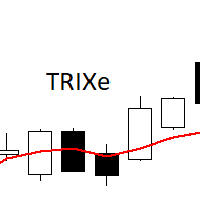
The TRIXe Indicator is the combination of the TRIX indicator (Triple Exponential Moving Average) with the addition of an EMA (Exponential Moving Average) signal. It provides signs of trend continuity and the start of a new trend.
The entry and exit points of operations occur when the indicator curves cross.
It performs better when combined with other indicators.
FREE

Quantum Observation Engine
Quantum Observation Engine is a MetaTrader 5 indicator designed for visual market observation and manual decision support.
The indicator helps traders read current market conditions through a clean panel and structure-based visual information. It does not open, modify, or close trades. It is not an Expert Advisor and it does not provide automatic trading execution.
Overview
Quantum Observation Engine focuses on market state analysis. It observes recent candle beha
FREE

Numa folha qualquer
Eu desenho um sol amarelo
E com cinco ou seis retas
É fácil fazer um castelo
Corro o lápis em torno da mão e me dou uma luva
E se faço chover com dois riscos, tenho um guarda-chuva
Se um pinguinho de tinta
Cai num pedacinho azul do papel
Num instante imagino uma linda gaivota a voar no céu
Vai voando, contornando
A imensa curva norte-sul
Vou com ela viajando
Havai, Pequim ou Istambul
Pinto um barco à vela
Branco navegando
É tanto céu e mar num beijo azul
Entre as nuvens vem
FREE
The Kalires Channel Indicator is a technical indicator used to evaluate trend direction and potential trading opportunities. This is a hybrid indicator that combines Kauffman Adaptive Moving Average (KAMA), linear regression and smoothing. The Kalires Channel Indicator consists of two lines: one central and two outer bands. The central line is a smoothed KAMA modified according to the direction of the trend. The outer bars represent two linear regression lines drawn above and below the center l
FREE

Coasyn Participation Intelligence Professional Market Participation Intelligence for MetaTrader 5 Most trading losses begin long before the entry—they begin by participating in poor market conditions. Coasyn Participation Intelligence is designed to help discretionary traders evaluate whether the current market environment deserves their participation before capital is committed. Rather than searching for more trading signals, this panel helps you become more selective by organizing important en
FREE

このインジケーターは、トレンドの方向とトレンドの転換を示します。 Ganesha Trend Viewerは、GOLD(XAUUSD)専用に設計されたトレンドフォローのインジケーターですが、その他のあらゆる金融商品で使用することもできます。 インジケーターは後で描画し直すようなことはしていません。 推奨する時間足(Timeframe)はH1です。 Ganesha Trend Viewer は、すべてのMeta Traderでサポートされるシンボルで使用できます。 (通貨、金属、暗号通貨、株式、インデックス..)
パラメタ設定
MA Short Period ----- 移動平均 短期間 MA Long Period ----- 移動平均 長期間 Alerts ON ----- アラートオン Mobile Notification On ----- モバイル通知オン
FREE
Market Break Lines is an utility tool to create a partition line at market openings/closings of Tokyo/London/NewYork sessions. This will help you to compare the market movements, volatility variations between the different markets.
Inputs: Inputs are simple to feed the time of Tokyo/London/NewYork sessions as per your broker server time Change Color and width of partition lines You can enable or disable any line (Hide/Show).
Please don't forget to support by giving handsome reviews/rating MT
FREE

Smart money is a powerful currency. This money is available to major investors who can identify, predict or even generate capital movements ahead of others. This money can flow into financial and capital markets and create dramatic price changes in various stocks. Therefore, detecting smart cash flow, which usually enters the market in a coherent manner and confronts the volume and value of transactions in a market with high returns, is one of the methods that some investors use to invest. But h
FREE
WalkForwardDemo is an expert adviser (EA) demonstrating how the built-in library WalkForwardOptimizer (WFO) for walk-forward optimization works. It allows you to easily optimize, view and analyze your EA performance and robustness in unknown trading conditions of future. You may find more details about walk-forward optimization in Wikipedia . Once you have performed optimization using WFO, the library generates special global variables (saved in an "archived" file with GVF-extension) and a CSV-f
FREE
This is a custom MACD (Moving Average Convergence Divergence) indicator designed for MetaTrader 5 (MT5) . It replicates the TradingView MACD version , ensuring consistency for traders familiar with that platform. The default MACD in MT5 has differences in its calculation and visualization compared to TradingView. This indicator provides an identical structure, allowing for accurate technical analysis across different platforms. Features TradingView-Style MACD – Matches the histogram, signal lin
FREE

"Elder Ray" or "Ray" indicator is based on the Dr. Alexander Elder's oscillators: Bulls & Bears Power. Both of them works with an EMA. This indicator is used by traders to identify divergence, market directions and more... Dr. Elder's method generally uses a 13-day EMA Period but this can be modified based on your personal demand. The calculations are: Bulls Power= high candle - EMA close Bears Poder= low candle - EMA close Lime line represents Bulls Power and OrangeRed line, shows Bears Power
FREE

Entry Cluster Indicator for MT5 Entry Cluster is a professional-grade trading system engineered to deliver precise, high-probability entries without repainting or hindsight bias. Designed for serious traders, it integrates momentum analysis with institutional price levels to identify only the most reliable setups. Signal Clarity : Dots mark potential buy/sell zones, allowing traders to prepare. Gems confirm execution points, triggered only when momentum aligns with key levels. Robust Framework
FREE

Confluence Scope consolidates four classic signal engines across up to nine timeframes into a single horizontal panel. It helps identify when momentum, strength and CCI alignment converge on the same direction. FEATURES - Four engines per timeframe: Stochastic, RSI, fast CCI entry, slow CCI trend - Nine timeframes from M1 to MN1, each independently toggleable - Per-timeframe verdict from MIXED up to four-star BUY or SELL - Adaptive panel that scales with the subwindow width - Native popup,
FREE

Introducing the Professional Indicator ARKA – Candle Close Time
Do you want to always know the exact remaining time for the current candle to close? Or do you want to instantly see the real-time broker spread right on your chart without any extra calculations?
The ARKA – Candle Close Time indicator is designed exactly for this purpose: a simple yet extremely powerful tool for traders who value clarity, precision, and speed in their trading.
Key Features:
Displays the exact time re
FREE

Fx Trade Monitor – Professional Strategy Tracker & Risk Manager A powerful, free utility to monitor open/closed trades, visualize history, and manage risk with advanced Drawdown Alerts. Includes Excel-ready CSV export. Fx Trade Monitor is an essential dashboard tool designed for both manual traders and EA users. It provides a crystal-clear overview of your trading performance directly on the chart, filtering by Magic Number or Comment. Unlike simple info panels, this tool focuses heavily on Ri
FREE

Chaikin's volatility indicator calculates the spread between the maximum and minimum prices. It judges the value of volatility basing on the amplitude between the maximum and the minimum. Unlike Average True Range , Chaikin's indicator doesn't take gaps into account. According to Chaikin's interpretation, a growth of volume indicator in a relatively short space of time means that the prices approach their minimum (like when the securities are sold in panic), while a decrease of volatility in a l
FREE

TideMarks Basic — Session Highs & Lows (NY, London, Tokyo) This is the free version of TideMarks. It displays today's session highs and lows for Tokyo, London and New York with no configuration required — just add it to your chart and it works. The full version adds: On-chart toggle buttons per session Open-Close range lines Session candle coloring with directional tick marks Two fully customisable extra sessions Extend lines as live support and resistance Full alert suite (8 alert types) Config
FREE
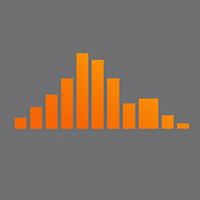
The indicator shows the price change of the current or any other instrument since the beginning of the day / week . You can choose to display it in points or as a percentage relative to the opening price of the beginning of the period . The indicator is made in the form of a histogram with two colors , for ascending and descending price changes . You can also choose which tool to show the data for . The data will be displayed on the current chart .
FREE
MetaTraderマーケットは、履歴データを使ったテストと最適化のための無料のデモ自動売買ロボットをダウンロードできる唯一のストアです。
アプリ概要と他のカスタマーからのレビューをご覧になり、ターミナルにダウンロードし、購入する前に自動売買ロボットをテストしてください。完全に無料でアプリをテストできるのはMetaTraderマーケットだけです。

取引の機会を逃しています。
- 無料取引アプリ
- 8千を超えるシグナルをコピー
- 金融ニュースで金融マーケットを探索